Cash in Project 12 comes from two completely separate loops, and picking the wrong one for your session is the main reason players feel stuck. Cinnamon X’s Roblox city RP splits every server into police and civilians, and each side has its own payout mechanic. One rewards you for finishing arrests. The other rewards you for finishing job cycles — or for taking what someone else earned.
Quick answer: The quickest reliable income is the police arrest loop. Take the Police job, grab the free Stun Gun and Police Baton from the Police Locker, spawn a Police SUV, then detain any player with a red outline and send them to jail — the payout lands when the jail action completes, not when you tase them.
Which cash method pays fastest in Project 12
Before you commit, it helps to see what each method actually demands from you. Arrests need other players to be breaking the law. Jobs need nothing but your own time. Robbery needs an escape plan.
| Method | Role | What it depends on |
|---|---|---|
| Detain and jail wanted players | Police | Active criminals on the server |
| Stop traffic violators | Police | Reckless drivers you can catch |
| Working the Roast-n-Grill | Civilian | Only your own time |
| Robbing stores | Civilian | A known escape route |
| Robbing other players | Civilian | Weapons and police density |
On a busy server — the game runs 40-player lobbies and regularly sits in the thousands of concurrent players — the police loop is fed constantly. On a quiet server, jobs win, because they pay whether or not anyone else logs in.
Police cash loop: detain, search, jail
The arrest chain is the money-maker, and it is a chain — skipping a link means no payout. Join the official Project 12 place, take the Police job from the job button, and start at the station.
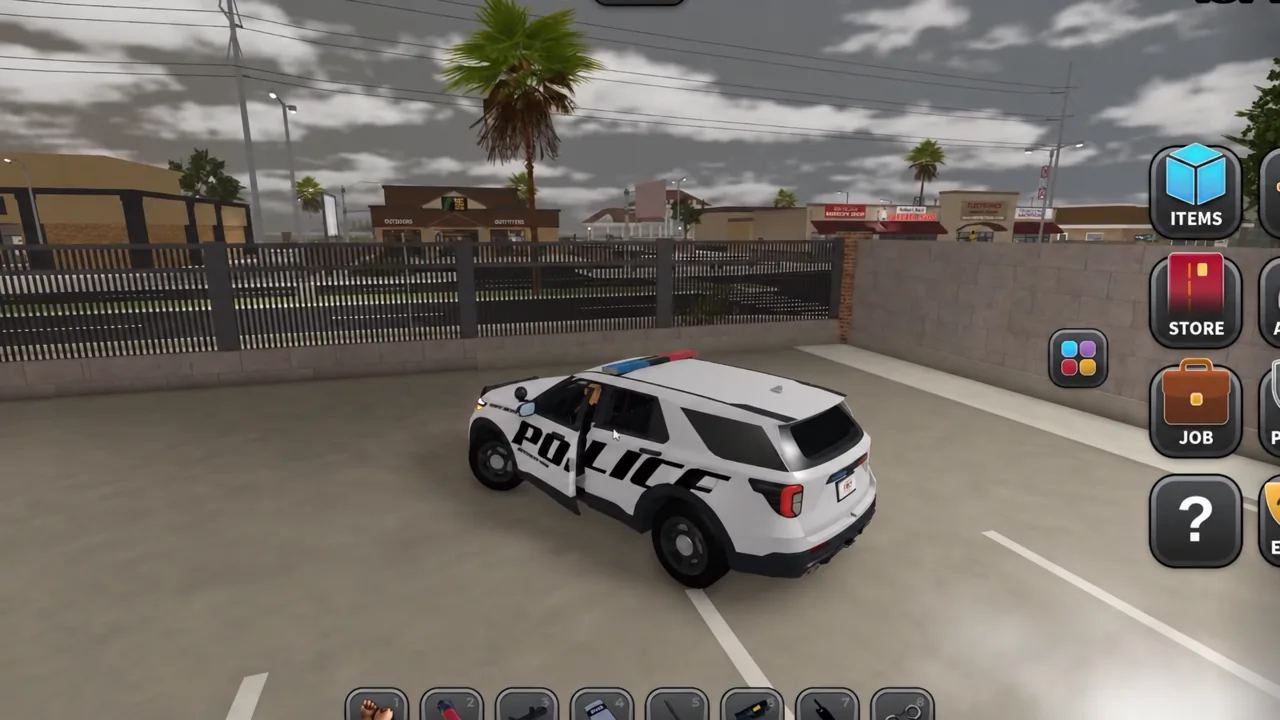
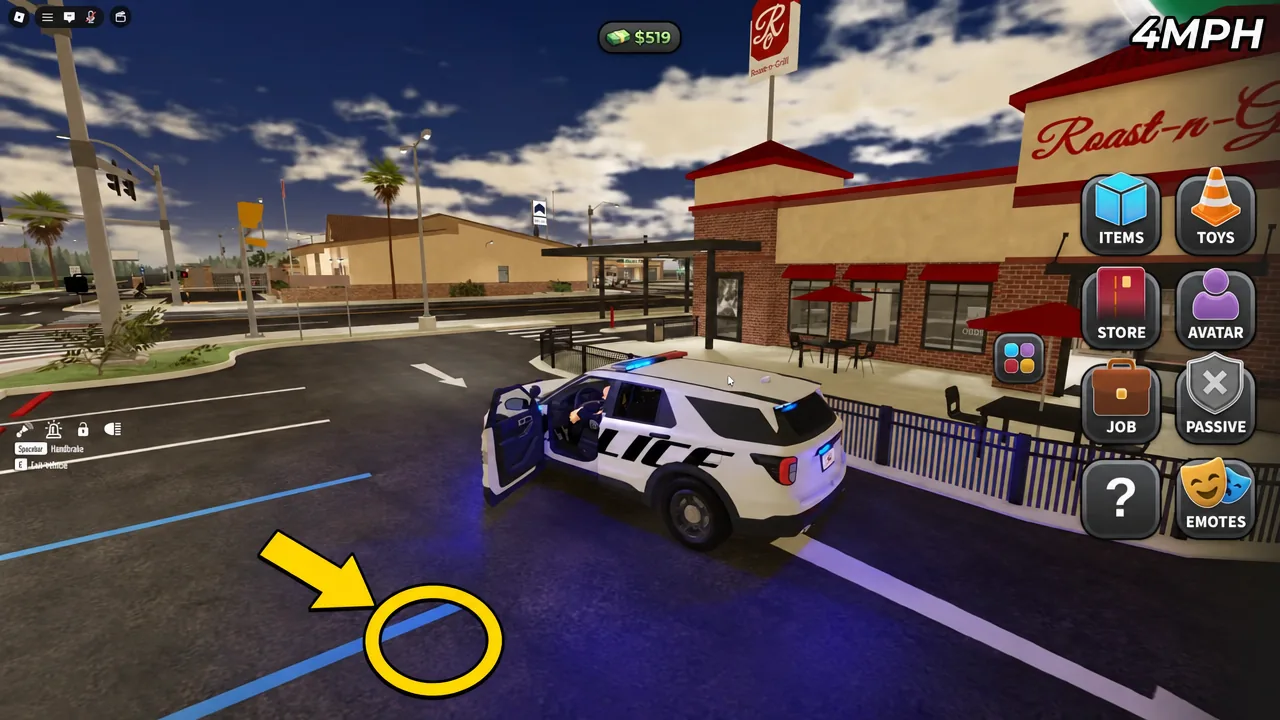
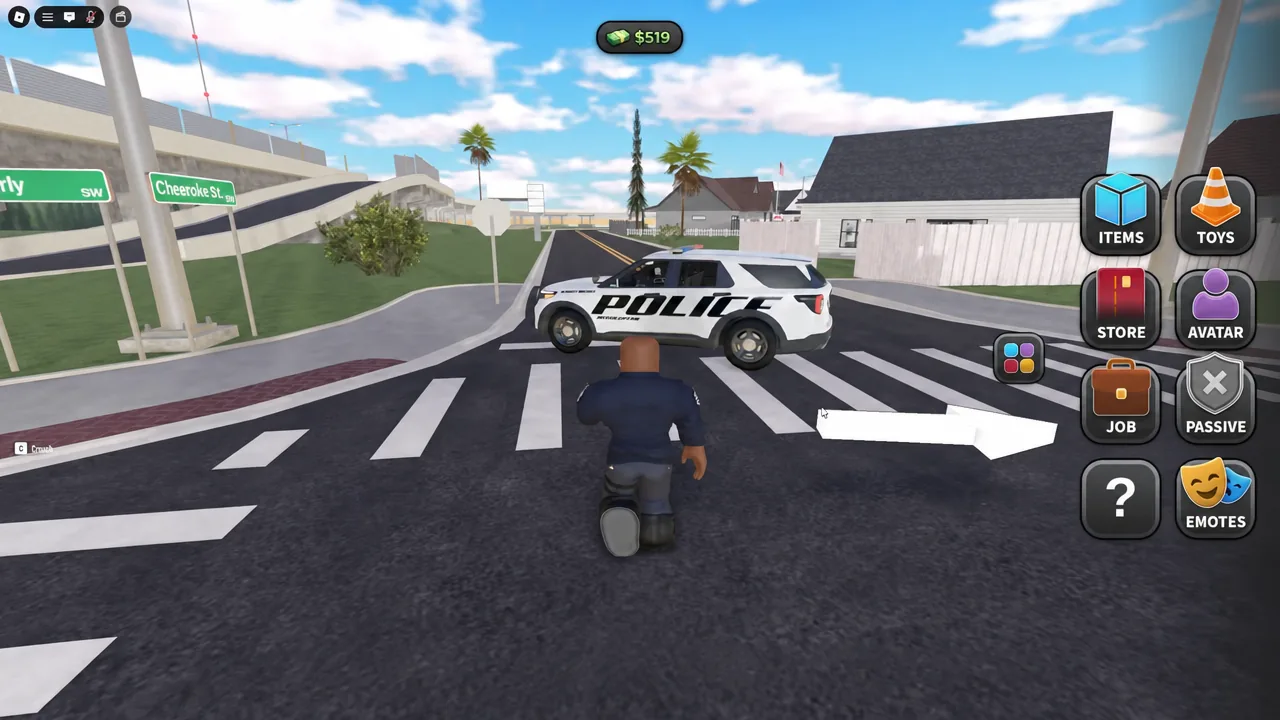
Reckless drivers count too. If someone is tearing through traffic, stopping their vehicle and running the same detain-search-jail chain pays out the same way as arresting a flagged criminal.
Police Locker gear and what it costs
Most of the locker is free, which matters when you are starting from zero. You do not need to buy anything to run the arrest loop — the paid weapons are for firefights, not for payouts.
| Locker item | Cost |
|---|---|
| Stun Gun | Free |
| Police Baton | Free |
| Pepper Spray | Free |
| Riot Shield | Free |
| Police Battering Ram | Free |
| Megaphone | Free |
| Radar Gun | Free |
| Pistol Ammo | Free |
| Pistol | 99 |
| C9 | 99 |
| AR | 999 |
The station also has an Armory, marked AUTHORIZED ACCESS ONLY, holding additional weapons for officers. It sits past the reception area alongside the jail block, where the court appeal, bail, and release functions live.
Note: the police path also has a body cam mode. Going first person while on the police job switches you into that perspective, which is useful for tracking a suspect through interiors.
Civilian cash: jobs at Roast-n-Grill, robbery, and weapons
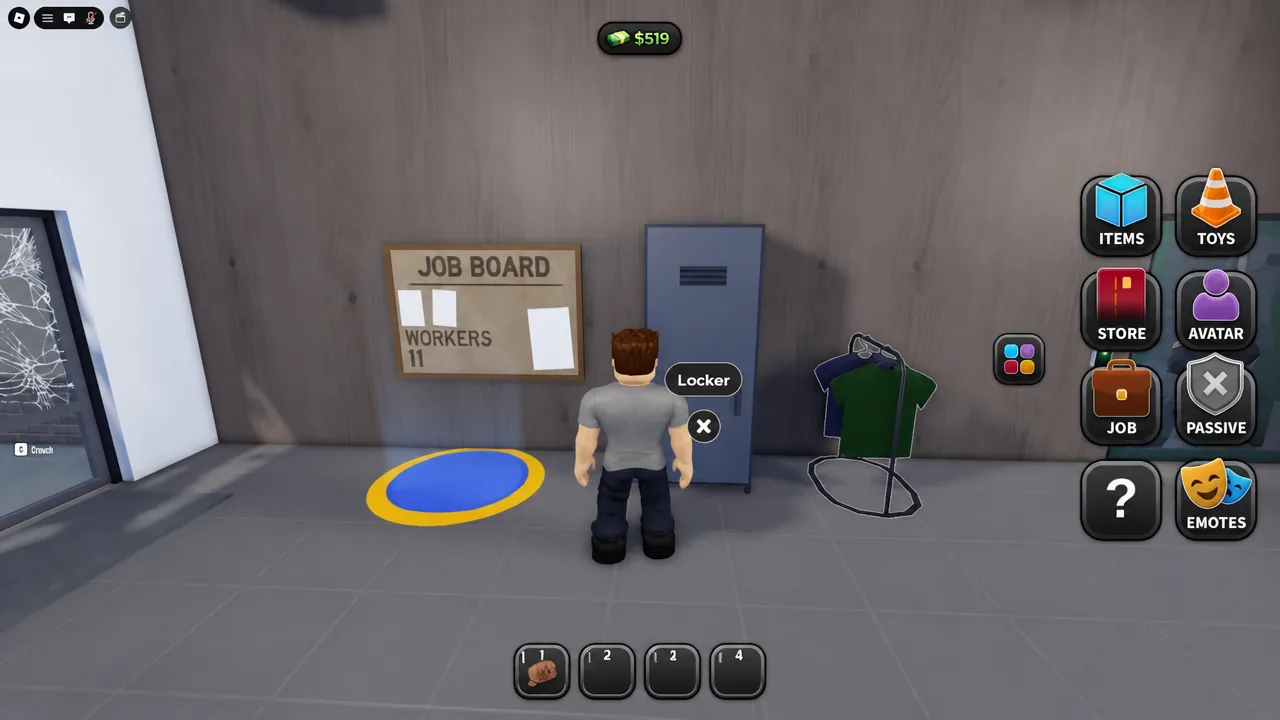
Civilians have three ways to build a balance. Legitimate work is the steady one, and the Roast-n-Grill fast-food restaurant is the main employer. Walk up to the JOB BOARD inside, interact with the yellow marker, and pick up a shift.
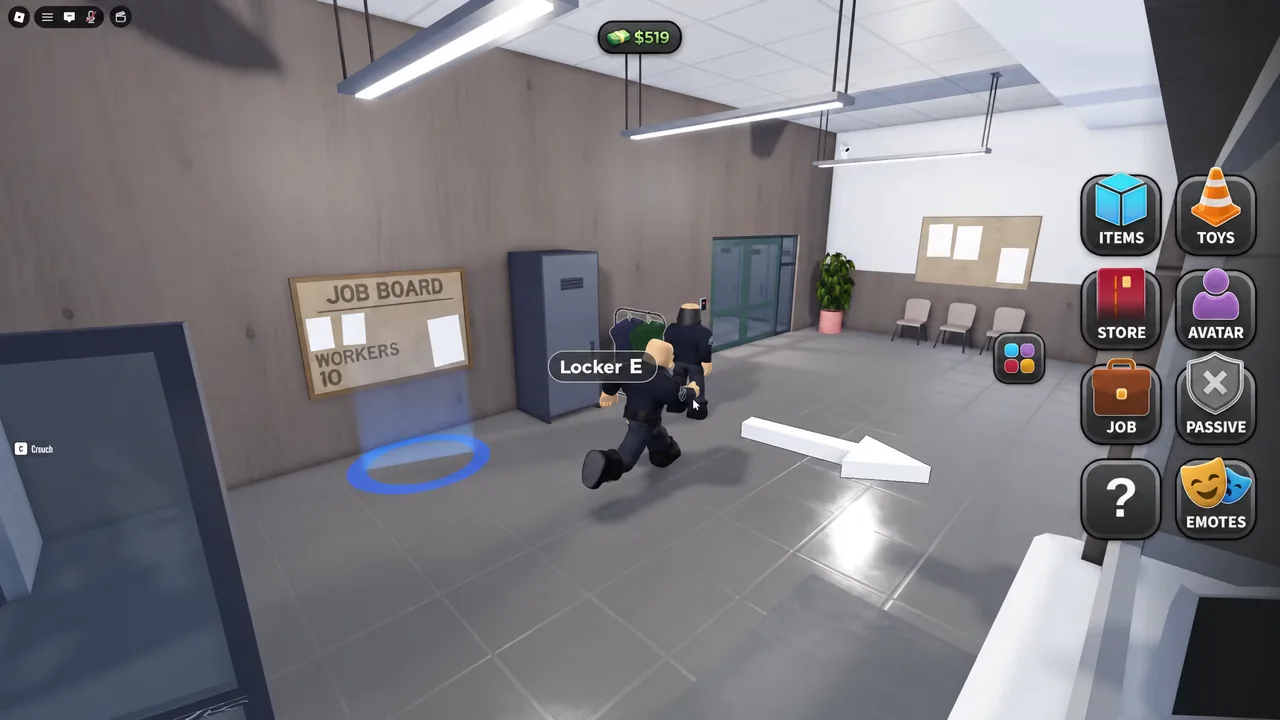
The board shows how many players are already working. That is worth checking before you commit, because a crowded restaurant means competition for tasks.
Finish the whole cycle. Accept the task, travel, complete it, turn it in, and confirm the cash moved. Abandoning a shift halfway to watch a chase is the single most common way civilians end an hour with nothing.
The faster but riskier options are robbing stores and robbing other players. Both put you on the wanted list with a red outline, which turns you into the payout that officers are hunting. If you go that route, know one exit before you start, and expect police players to be running the exact loop described above.
For arming up, civilians shop at Riley Firearms & Sporting rather than the police locker. There are also game passes on the official store — Molotov, Grenade, AK, and AR — bought with Robux, not in-game cash.
How to confirm a payout landed, and why it sometimes doesn’t
Check your cash total before and after each loop. For arrests, the money appears once the suspect is jailed. For jobs, it appears on turn-in. If the number has not moved, the cycle did not complete.
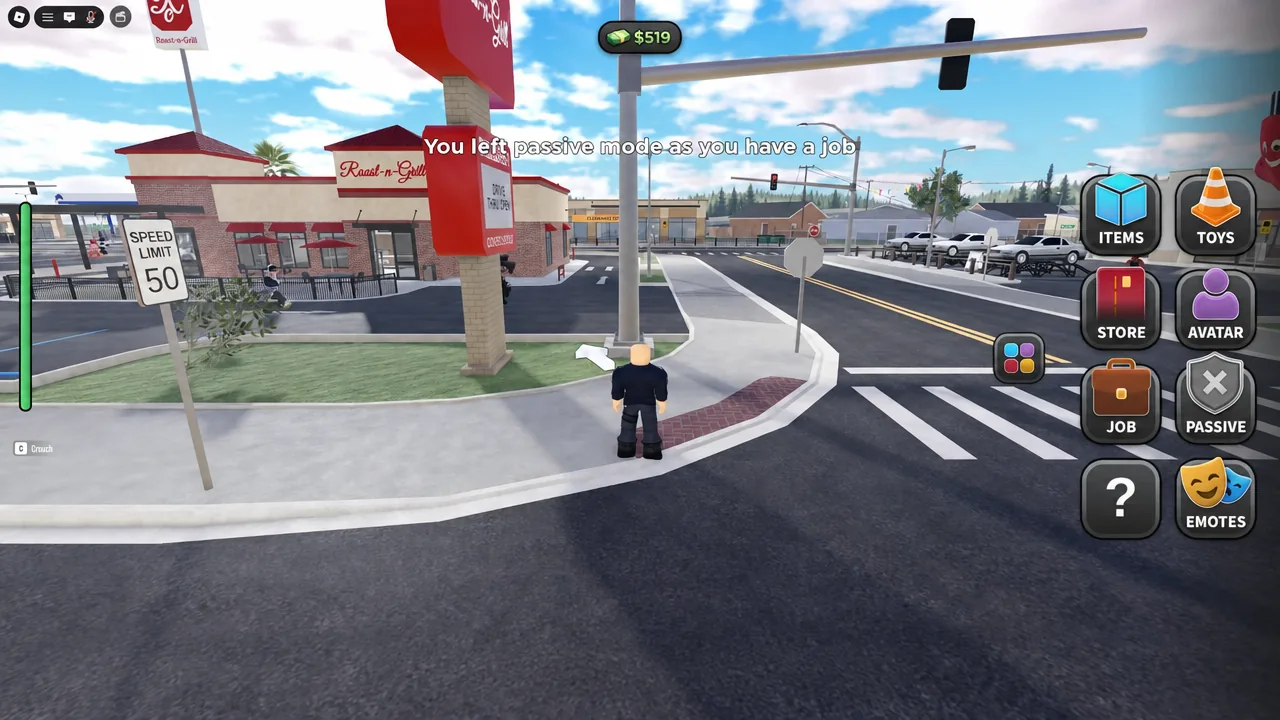
Taking a job also drops you out of passive mode, and the game tells you so directly with an on-screen notice. That is a useful confirmation that your job actually registered — and a warning that you can now be shot at.
The arrests that pay nothing usually fail for one of three reasons. The target has no active warrants, and the interaction menu will say so outright. The suspect escaped before you reached the jail. Or you were killed mid-chase and respawned, which cancels everything you had in progress.
Codes and scripts do not give you cash
There are no verified promo codes for Project 12, and no legitimate scripts worth touching. Anything advertising infinite cash, a code redeemer hosted off Roblox, or a “doubler” that wants your login is a phishing attempt or a ban risk. The only routes into your balance are the ones the game gives you.
Pick one path per session and stick with it. Officers who keep switching to civilian work mid-shift lose the map knowledge that makes chases short, and civilians who abandon jobs to chase drama never bank enough to buy anything. The city rewards whoever finishes what they started.