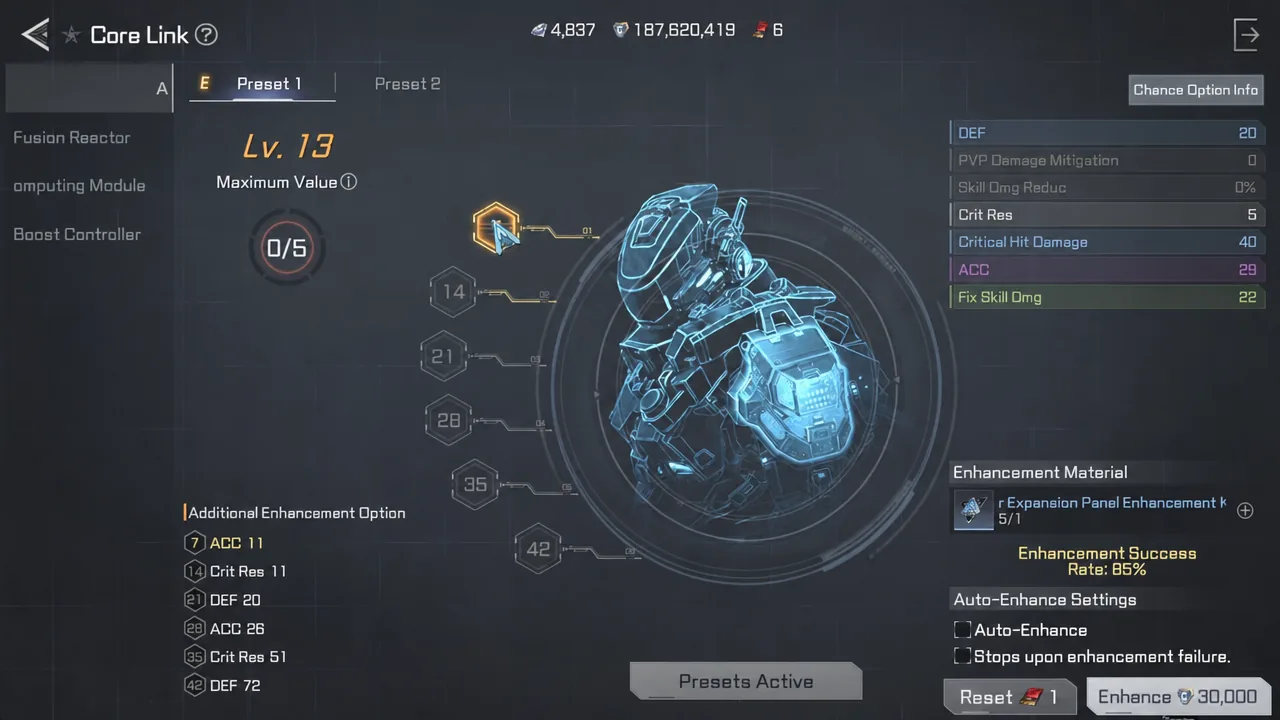
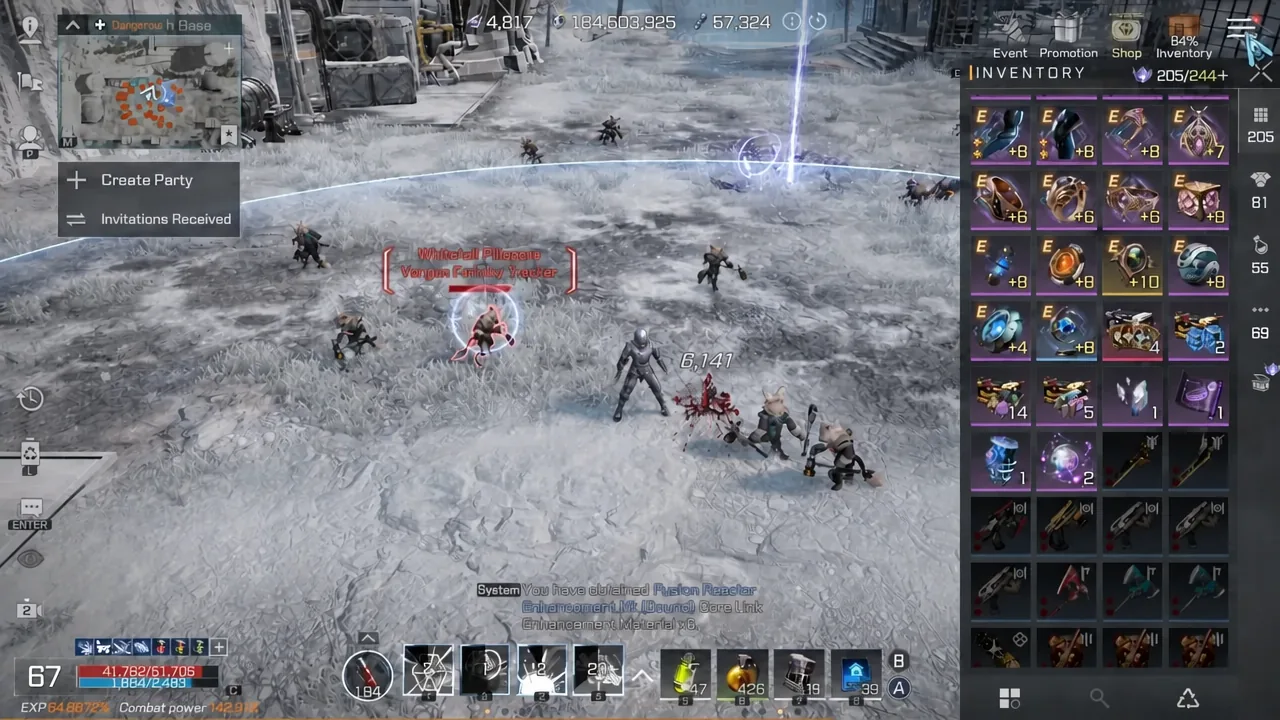
Core Link is the endgame stat system in RF Online Next that unlocks at character level 55, and it is one of the few progression tracks where combat power moves in visible chunks. You feed a dedicated kit into one of six parts, the part gains a level, and a random stat on that part goes up. Do it enough times and the number on your character sheet climbs by thousands.
Quick answer: Enhance one Core Link part at a time using its own enhancement kit. Each attempt costs exactly one kit no matter what level you are at, the success rate starts at 100 percent and falls as the level rises toward the cap of 42, and five failed attempts lock that part until you reset it with an Enhancement Reset Chip or 500 Diamonds.
How to enhance a Core Link part
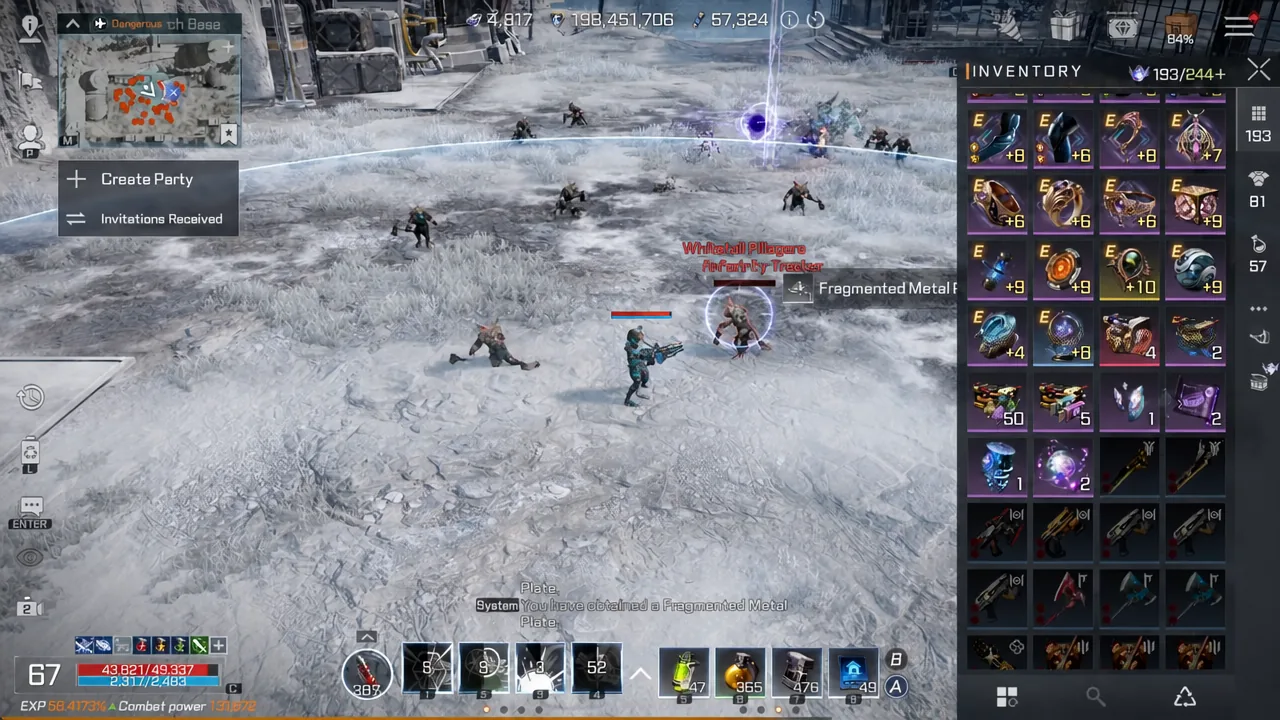
You know it worked when the part’s level counter ticks up on the Core Link screen and a new stat value appears in its option list. Your combat power on the character sheet recalculates immediately after.
Only three things stop an attempt from going through: you are out of that part’s kit, the part has already hit five failures, or the part is sitting at the maximum level of 42.
The five-failure lock and what a reset costs
Every part carries a hidden failure counter. Hit five failures and that part is done, no matter how many kits you still have in the bag. The only way forward is the Reset button, which wipes the part back to the start so you can climb again.
A reset consumes one Enhancement Reset Chip. If you do not have a chip, the game will take 500 Diamonds instead. Some of the enhancement materials you sank into the part come back when you reset, so it is not a total write-off, but the combat power loss is immediate and steep.
Success rate is purely a function of level. It opens at 100 percent and steps down as the part climbs, sliding into the 70 percent and 60 percent range at the higher tiers. Rolling a Mythic-grade stat does not penalize your odds; the system simply stops feeding increases into that stat and starts pushing them toward stats that still have headroom.
Milestone levels worth targeting
Stats creep up on every successful attempt, but six levels pay out an extra enhanced option effect on top of the normal roll. Those are levels 7, 14, 21, 28, 35, and 42. Everything between them is filler on the way to the next payout.
Reaching 42 is a long shot given how the odds decay, so most players park at 21, 28, or 35 and bank the bonus rather than burning a stack of kits chasing the cap. If you stall out below a milestone with failures piling up, resetting early is usually cheaper than grinding attempts at a 60 percent rate.
The six Core Link parts and the stats they raise
Each part covers a different slice of your stat sheet, which is why the part you prioritize should follow your build rather than whichever kit you happen to have the most of. Fusion Reactor is the farming favorite because it stacks offense; Armor Expansion Panel is the defensive counterpart.
| Part | Stats it increases |
|---|---|
| Armor Expansion Panel | DEF, PVP Damage Mitigation, Skill Dmg Reduction, Crit Resistance, Critical Hit Damage, ACC, Fixed Skill Damage |
| Fusion Reactor | ATK, Weapon ATK, HP Injury Recovery, Critical Hit Rate, Fixed Skill Damage Resistance, Fixed Damage Resistance, Max HP |
| Predictive Computing Module | Fixed Min Damage, DEF Pierce, Debuff Hit Rate, Critical Damage Boost, Evasion, Max ATK Resistance, HP Regeneration |
| Boost Controller | Weapon ATK Resistance, Debuff Resistance, Skill Damage Boost, Critical Damage Reduction, Fixed Damage, Max ATK HR, FP Regeneration |
| Synthetic Nerve Fiber | DEF, Crit Resistance, Skill Damage Boost, Max ATK HR, ACC, Fixed Skill Damage Resistance, Max HP |
| Core Processor | ATK, Critical Hit Rate, DEF Pierce, Skill Damage Reduction, Max ATK Resistance, Evasion, Fixed Skill Damage |
Where each enhancement kit comes from
Kits are part-specific, and the supply lines are not equal. Two of them drop from high-level field monsters, two lean on crafting, one is crafting-only, and one is a straight diamond purchase.
| Kit | Main sources |
|---|---|
| Armor Expansion Panel | Monsters at level 75+, boxes, market |
| Fusion Reactor | Crafting from Epic grade equipment, boxes, market |
| Predictive Computing Module | Crafting with Arcane Nodes, boxes, market |
| Boost Controller | Monsters at level 72+, crafting with Baerer Credit Notes, boxes, market |
| Synthetic Nerve Fiber | Crafting only |
| Core Processor | Shop purchase with Diamonds |
Crafting costs per kit
Crafting keeps you off the market, but the input requirements are heavy enough that it works best when you already have a surplus sitting around.
| Kit | Materials required |
|---|---|
| Fusion Reactor | 4x Epic Equipment (Tier 1), 16x Epic Equipment (Tier 2) |
| Predictive Computing Module | 500 Arcane Nodes, up to 50 crafts per day; 800 Arcane Nodes after that |
| Boost Controller | 800 Baerer Credit Notes |
| Synthetic Nerve Fiber | 5x Armor Expansion Panel Kit, 5x Fusion Reactor Kit, 1x Predictive Computing Module Kit, 5x Boost Controller Kit |
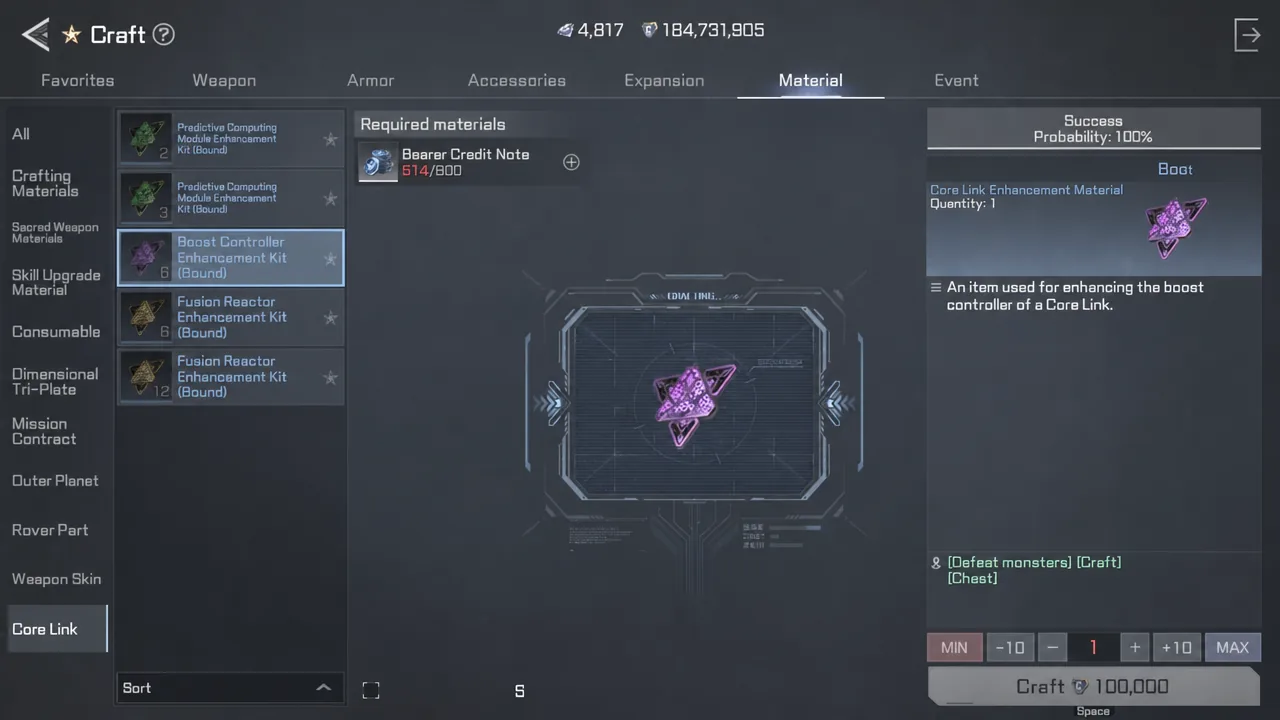
Tip: the Arcane Node discount is the one worth planning around. Spreading Predictive Computing Module crafts across several days keeps every batch at 500 nodes instead of the 800 you pay once the daily 50-craft allowance runs out.
What the $19.99 Core Link Upgrade Pack delivers
The Cash Shop sells a Core Link Upgrade Pack for $19.99, or 3,000 Purple Diamonds. It bundles Summon Ticket Selection Chests, Core Link Enhancement Kit Selection Chests, and Enhancement Reset Chips. The selection chests are the point: they let you claim kits for a specific part rather than gambling on random ones, and a single pack can yield stacks like 25 Armor Expansion Panel kits and 25 Fusion Reactor kits.
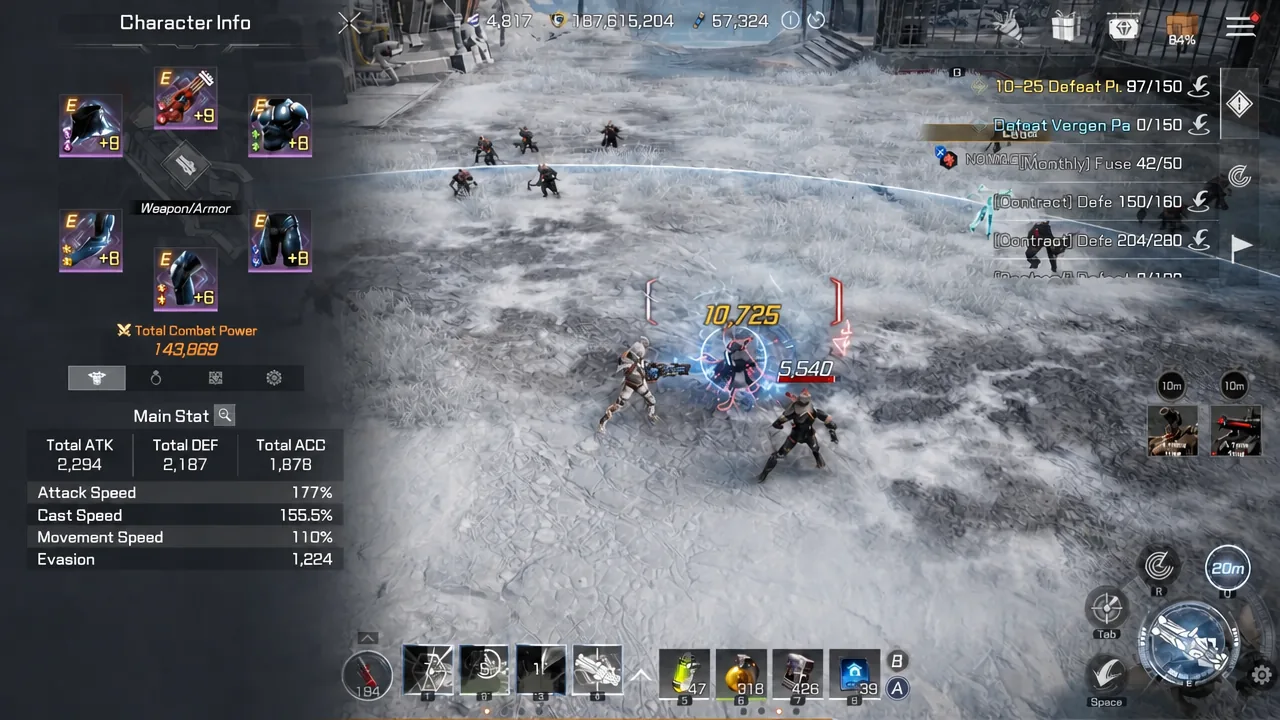
Spent on one character in a single sitting, that supply moved combat power from 138,495 to 143,869, a gain of roughly 5,374. The distribution was lopsided. Fusion Reactor went from level 7 all the way to 36. Boost Controller climbed from 18 to 28, landing exactly on a milestone. Predictive Computing Module went from 3 to 10. Armor Expansion Panel got nothing usable, stalling at level 15 after five consecutive failures.
That spread is the honest picture of what the pack buys. It removes the material bottleneck for one or two parts, but the failure counter still applies, and a bad run can eat a chunk of the bundle with nothing to show beyond a locked part waiting on a reset chip.
Using Preset 1 and Preset 2 to avoid combat power dips
Core Link supports two presets, and the second one exists mostly to cover the cost of resetting. A reset drops your combat power hard, so the standard approach is to build Preset 1 up to a milestone, then swap to Preset 2 and work on that while the first configuration is torn down and rebuilt.
Alternating this way means you always have one usable Core Link setup equipped. It also lets you split roles, with one preset weighted toward the offensive stats on the Fusion Reactor for farming and the other leaning on Armor Expansion Panel defenses for PvP.
Treat Core Link as a slow-burn system rather than a one-session project. The kits regenerate through level 72+ and 75+ monster hunting, daily Arcane Node crafts, and the market, and the milestone levels give you clean stopping points to bank progress before the odds turn against you.