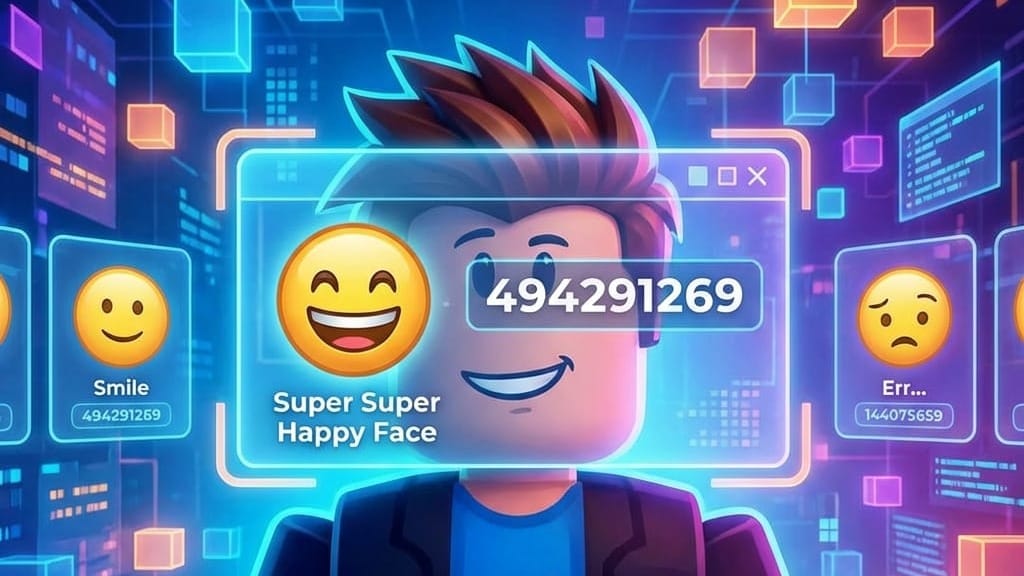
Face ID codes are numeric catalog IDs tied to individual Roblox face items. Pasting the right number into a game’s face changer or customization menu swaps your avatar’s expression without opening the full avatar shop.
Working Roblox face ID codes
Each code below corresponds to a face item currently listed in the Roblox catalog. Copy the number exactly, without adding spaces or extra characters.
494291269— Super Super Happy Face144075659— Smile20418658— Err…7699174— Silly Fun12145366— Freckles616380929— The Winning Smile22877700— Whistle7987180607— Big Grin (Tai Verdes)25166274— Squiggle Mouth18151826— :]226217449— Laughing Fun20722130— Shiny Teeth7243903012— Starry Eyes Sparkling26424808— Know-It-All Grin209994875— Smiling Girl7893455671— Cat Eye (Zara Larsson)4018627046— Classic Female Face7074764— Chill7074729— Glee5917459717— Smil Nas X (Lil Nas X)8329679— Stitchface2409285794— Playful Vampire162068415— YAAAWWN.14861743— 😛15324577— >_<10907551— Dizzy Face30394484— Braces209995366— Joyful Smile9156275069— Golden Eyes (24kGoldn)2222771916— Hold It In391496223— Big Sad Eyes7074786— Check It7317793— Good Intentioned6531983163— Award-Winning Smile406000730— Happy 😀8329686— Sinister7074893— Drool15432080— :315470849— Hut Hut Hike!32058239— So Funny86487766— Woman Face12467159— Ghostface8560971— Stare7657646351— Butterfly Wink (Lil Nas X)406001167— ROAR!!!7074864— Winky4018617474— Classic Male Face416846300— Anime Surprise616381207— Friendly Smile7317765— Slickfang280988393— Mildly Irritated Face2620506085— Absolutely Shocked11389372— Adorable Puppy28878297— Adoration9250633— Aghast31317701— Alien11913700— Alien Ambassador7131541— Alright12732366— And Then We’ll Take Over the World!45084008— Angelic173789114— Angry Zombie8560975— Anguished30394850— Awesome Face150182378— Awkward Eyeroll150182501— Awkward Grin23932048— Awkward….399021751— Bacon Face10678423— Bad Dog268603331— Bad News Face20418682— Bandage3267567501— Beaming With Pride128992838— Beast Mode12777646— Blerg!25975243— Bling7506135— Blinky209995252— Blizzard Beast Mode
How to apply a face ID code
Face IDs only work inside experiences that include a face-changer or ID-based customization tool. Roleplay and housing games such as Brookhaven RP, Berry Avenue, and Bloxburg are common examples.
If nothing changes after applying a code, the game may not support that specific asset, or the ID field may require the code without any extra punctuation.
Finding a face ID directly from the catalog
Beyond the list above, you can pull a face ID straight from the Roblox catalog for any item not covered here.
Paste that number into any supported game’s face-changer field the same way you would with a code from the list.