The 2026 FIFA World Cup has fueled a surge of football-themed audio on Roblox, spanning current FIFA anthems, country-specific celebration tracks, Brazilian Samba, and sports-themed Phonk music. Each entry below is a Roblox audio ID — a numeric code you paste into an in-game Radio or Boombox to start playing that song inside your chosen experience.
All active soccer and football music IDs
The 27 IDs below cover everything from newly produced FIFA World Cup productions and country-specific anthems to nostalgic tournament tracks going back to 2010. Copy each ID exactly as listed and paste it into the audio input field in your chosen experience.
128320226289898— 48 Dreams131279433032285— Africa Stand Up90925312324765— Argentina World Cup Anthem 202683437731441364— Arrival FIFA 202694680383112761— Bafana FIFA91555625328247— Brazil Champions88704913377451— Casual Soccer Game104742012341011— Dai Dai138460448678259— Dale Dai Dai82235018821855— FIFA Brazil Samba85051239130518— FIFA Club World Cup89979908743539— FIFA USA Anthem80390762636801— FIFA World130483948613453— Goal125132741675736— It’s Time for Africa (2010)86303361627238— One Heart One World130813977190183— One Love One Game109874941837051— One Touch Two Touch138453909845691— Raise Your Flags1841782399— Soccer Songs (B)9043193286— Soccer World Cup130792407417178— Soccer’s Dream1846320222— Stars96499189379827— We Are the Game101826084132536— We Are the Voice of the World124847164001842— We Rise as One127056148402346— World Cup Is Here
Radio Pass and Boombox requirement
Music IDs only function inside Roblox experiences that include in-game audio items. Not every experience supports them, so before entering any ID, open the in-game store for your chosen experience and check whether a Radio Pass or Boombox is available for purchase with Robux. Without one of those items equipped, the audio input field won’t be accessible.
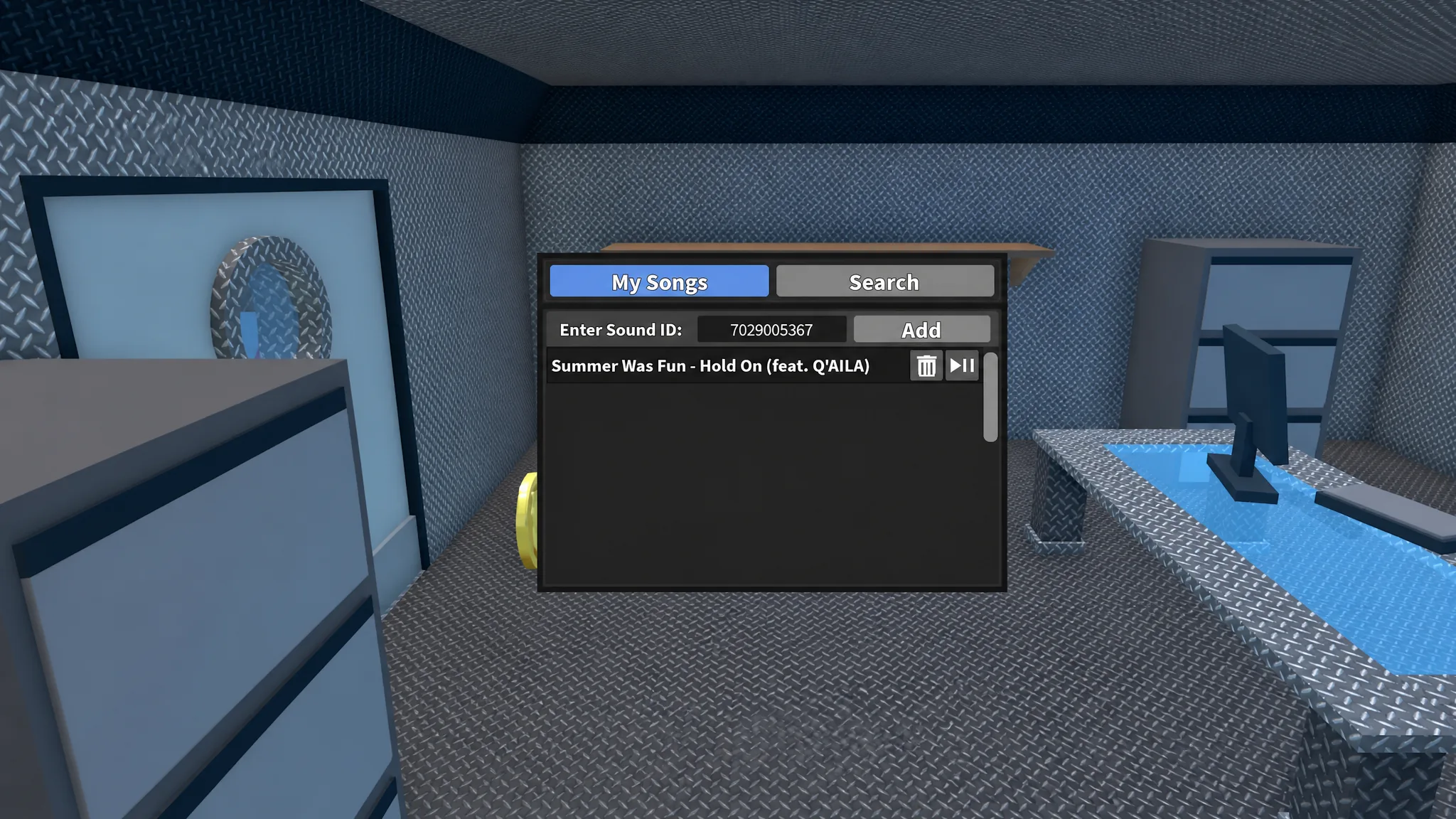
Once purchased, equip the Radio or Boombox during your session. Activating it brings up a text input box where you enter the audio ID. Some experiences place music controls under a Settings menu rather than directly on the item — if activating the item doesn’t open an input box, check Settings for a virtual Radio or Boombox option.
How to enter a soccer music ID
Finding more soccer songs on Roblox
The Roblox Audio Store is the most direct way to expand beyond this list. Searching a track name — for example, typing “Waka Waka” into the search bar — returns matching audio uploads alongside their IDs, ready to copy into any compatible experience. This is particularly useful for tracking down regional anthems or specific World Cup songs not included above.
Audio IDs on the platform are uploaded by community members, meaning any upload that has copyright issues can be removed by Roblox moderation and rendered inactive. The Audio Store search is the fastest way to find a replacement version if a track you used previously stops working.