Gaming News

The Division 2 Broken Rain Twitch Drops: All Rewards and How to Get Them

Watch drop-enabled streams to earn two arm patches, a weapon skin, and two loot caches during the incursion event.

Watch drop-enabled streams to earn two arm patches, a weapon skin, and two loot caches during the incursion event.

The Broken Rain incursion brought a fresh set of Twitch Drops to The Division 2, giving SHD agents five in-game rewards for watching drop-enabled streams. The rewards include two arm patches, a weapon skin, and two loot caches, and you unlock them by hitting set watch-time totals.

Quick answer: Link your Ubisoft Connect account to Twitch, watch drop-enabled The Division 2 streams for a combined four hours, then claim each reward from your Twitch inventory to have it delivered to your in-game mailbox.
Illustration
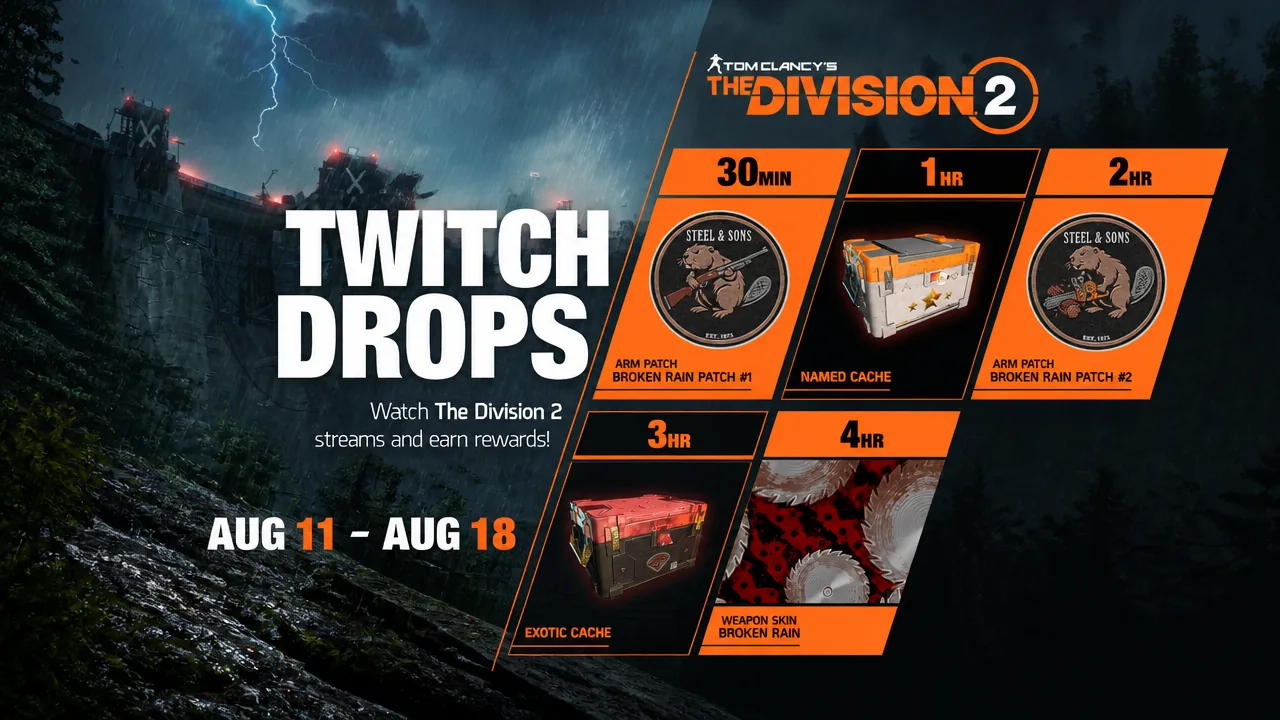
The Division 2 Broken Rain Twitch Drops (Image via Ubisoft)

All Broken Rain Twitch Drops and watch-time requirements

There are five rewards in the campaign. Watch time is cumulative, so you do not need to earn them in a single sitting, and progress stacks across multiple channels as you switch between streams.

Watch timeReward
30 minutesBroken Rain Patch #1 Arm Patch
1 hourNamed Item Cache
2 hoursBroken Rain Patch #2 Arm Patch
3 hoursExotic Cache
4 hoursBroken Rain Weapon Skin

Reaching the full four-hour total earns every drop. You do not have to actively focus on the stream, so it can run in the background while the timer builds.


Set up your accounts and start earning drops

Link the Ubisoft Connect account where you play The Division 2 to the Twitch account where you watch. Do this through the official Ubisoft drops registration page before you start watching, or the time will not count.
If you play on console, confirm that your PlayStation or Xbox platform is also linked in Ubisoft Connect. This is what routes the rewards to the correct copy of the game.
Open the Tom Clancy’s The Division 2 category on Twitch and pick a channel with the “Drops Enabled” tag in its description. Watch time only accrues on channels that have drops turned on.
Keep the stream running until you pass each watch-time threshold. You can move between different drop-enabled channels without losing progress, since the totals combine.

Claim your rewards and confirm they arrived

Drops do not appear in-game automatically. Once you clear a threshold, you have to claim the item on Twitch first.
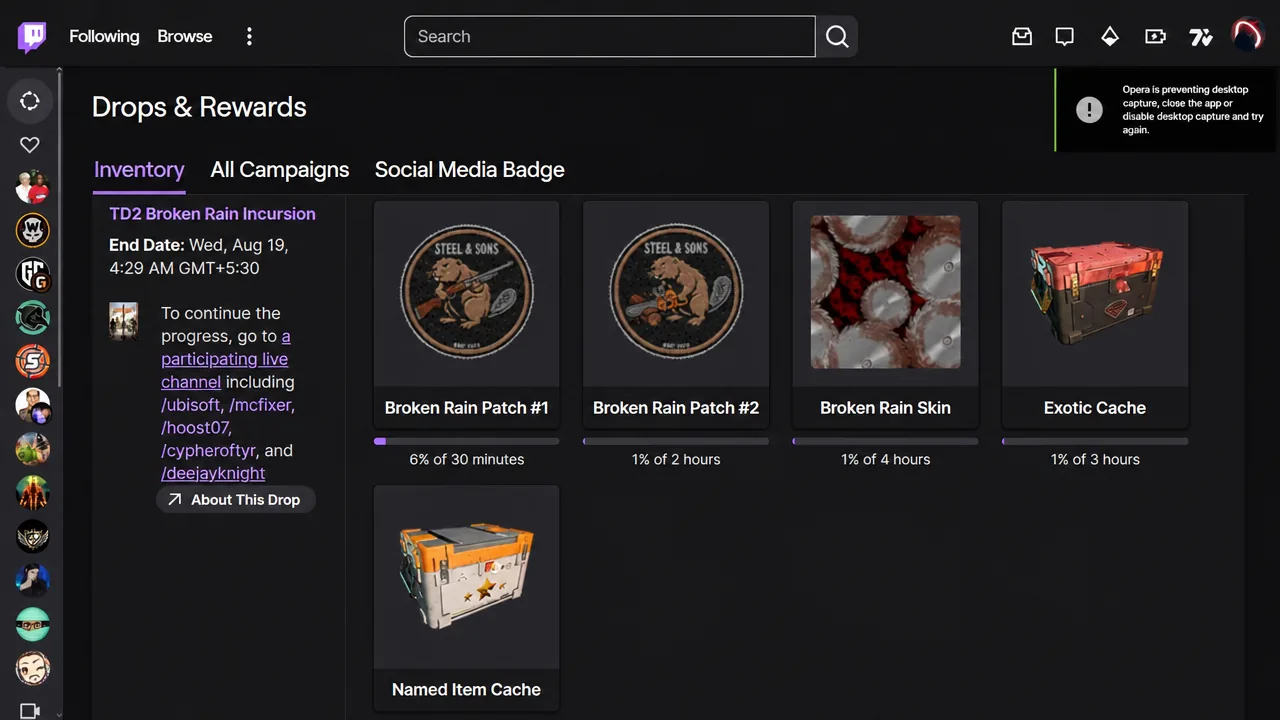
Open your Twitch Drops inventory. The TD2 Broken Rain campaign shows your progress bar and any rewards that are ready to collect. If the bar does not update, refresh the page.
Twitch
The Twitch Drops inventory tracks progress toward each Broken Rain reward (Image via Ubisoft)
Press the “Claim” button on each unlocked reward. Claim them one at a time as they become available.
Load into The Division 2 and check your in-game mailbox and inventory. A claimed drop is delivered there, which confirms the process worked. If items are missing, the usual cause is an unlinked account or watching a channel without drops enabled.

Campaign window

The Broken Rain Twitch Drops campaign went live on Tuesday, August 11, 2026, alongside the incursion. The event runs through August 18, 2026, so claim any pending rewards from your Twitch inventory before it closes to avoid losing them.