Valheim ships with a debug console that Iron Gate uses for testing, and it is available to players once you switch it on. It handles everything from harmless admin work like ping and save to full creative-mode cheats such as flight, god mode and item spawning. The catch is that the cheat tier is gated behind a separate command, and turning it on marks your save.
Quick answer: Add -console to Valheim’s Steam launch options (or tick Enable Console under Settings → Gameplay), press F5 in-game, type devcommands, then type confirmcheats when the game asks for it.
Turn on the Valheim console with the -console launch option
The launch option method is the one that works on every Steam install, old or new. The console stays enabled for every session afterwards, so you only do this once.
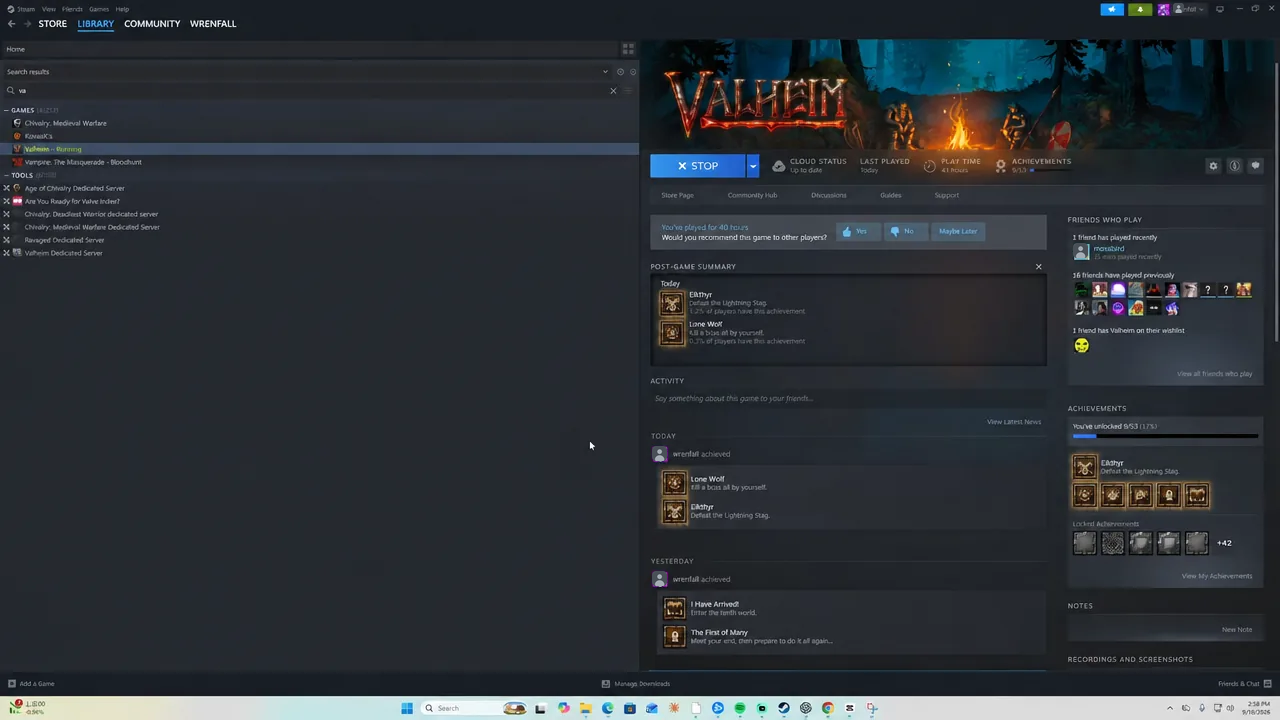
-console into the Launch Options box, exactly as written, with the leading hyphen. Nothing else goes in that field, and there is no save button — close the window and the setting sticks.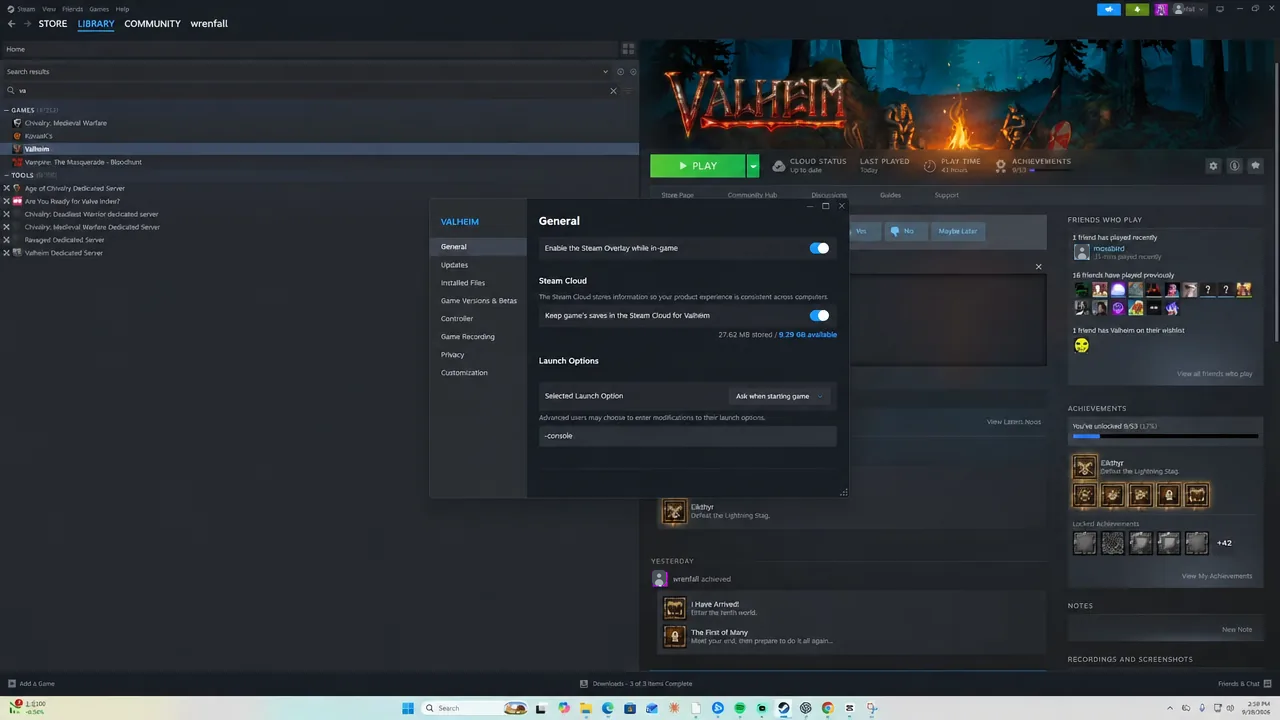
-console entered.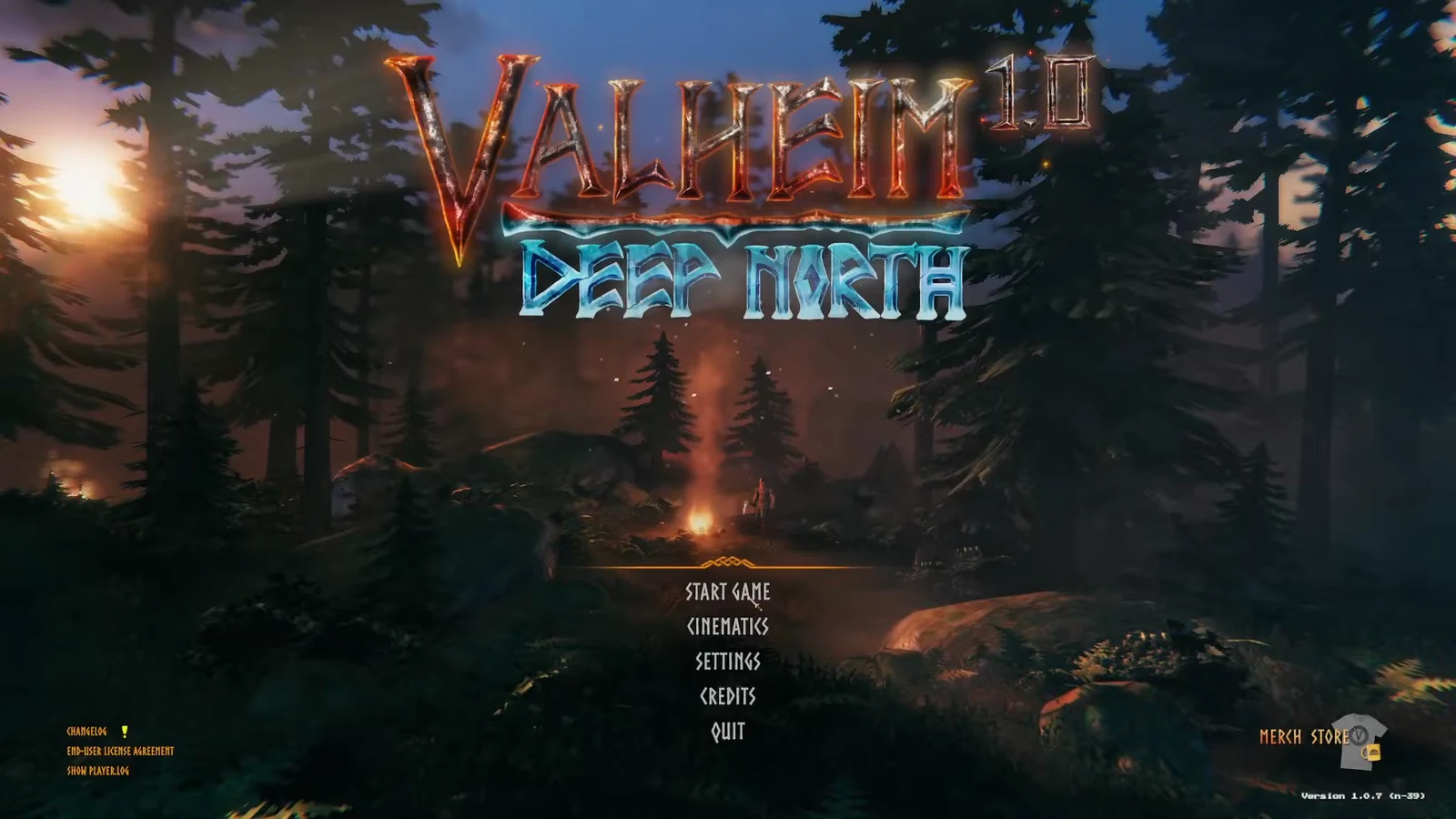
Recent versions also let you skip the launch option entirely. Press Esc, open Settings, go to the Gameplay tab, tick Enable Console and click OK. Both routes end in the same place.
Console setup on Game Pass, Mac and GeForce Now
Away from Steam, the flag still has to reach the executable somehow. The route changes per platform, but F5 remains the key that opens the console once you are in a world.
| Platform | How to enable it |
|---|---|
| PC Game Pass | Make a desktop shortcut to Valheim.exe (usually in C:\XboxGames\Valheim\Content), open its Properties, add -console to the end of the Target field, then launch from that shortcut. |
| Xbox Game Pass | In-game, hold LB + RB + MENU, then press A to bring up the on-screen keyboard. |
| macOS (App Store) | Create a valheim.sh file containing #!bin/bash /Applications/Valheim.app/Contents/MacOS/Valheim -console and run it to start the game. |
| GeForce Now | Enable Steam family sharing (do not whitelist Valheim), open the game through GFN, enter your PIN to reach the Steam client, then set -console there. It resets every session. |
Enable devcommands and confirmcheats in-game
devcommands and hit Enter. The console replies with Dev commands: True plus a line reading WARNING: using any dev commands is not recommended and is done at your own risk. Running the command again switches the cheat tier back off.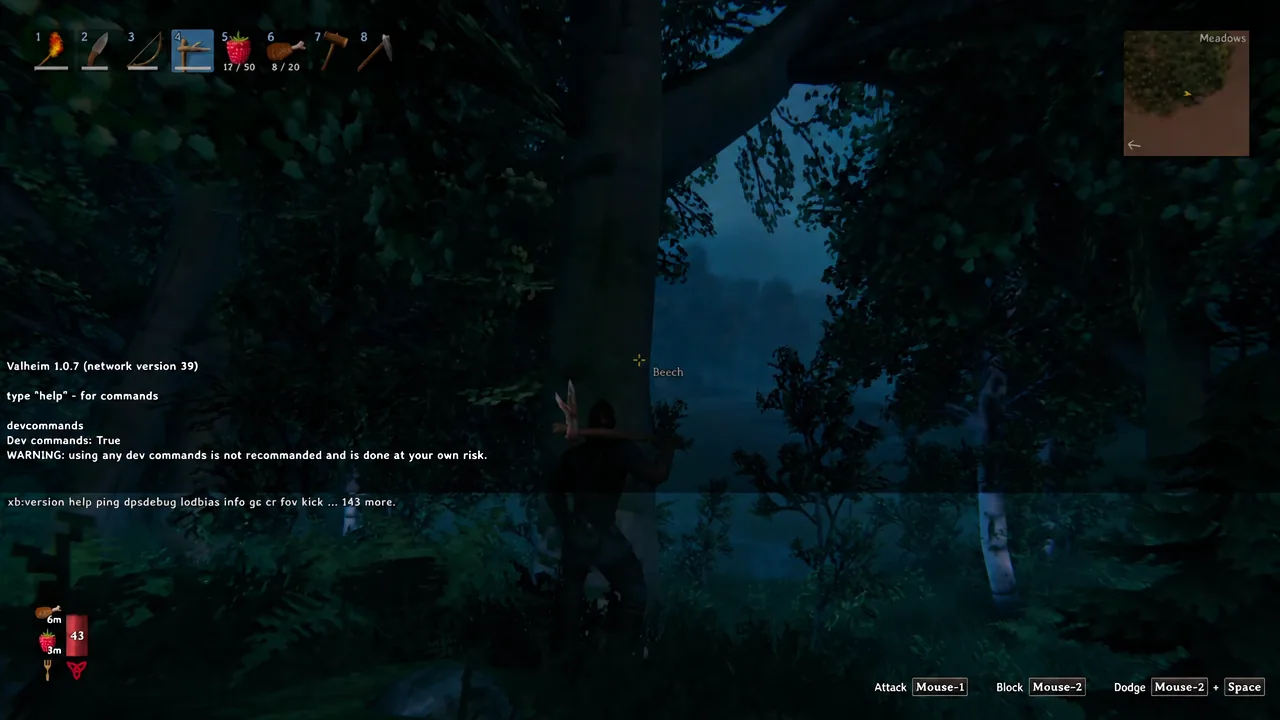
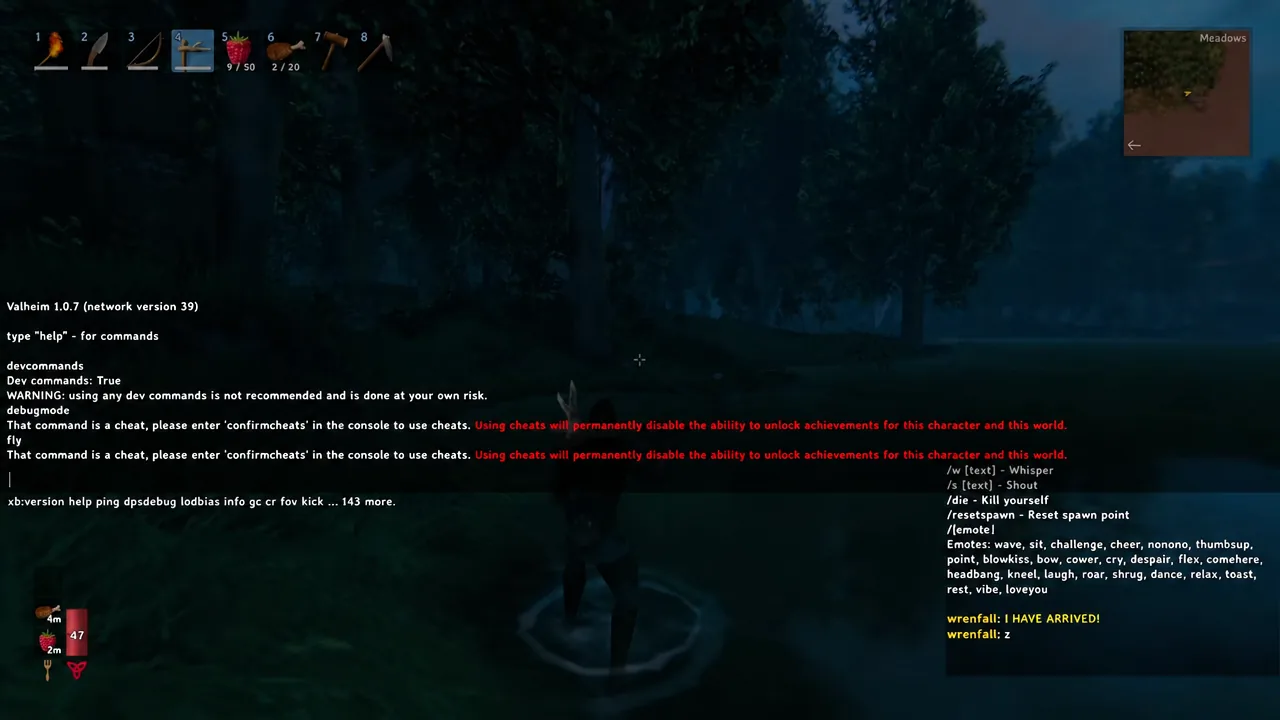
devcommands has been accepted. Image: Iron GateThat command is a cheat, please enter 'confirmcheats' in the console to use cheats. That prompt exists so nobody flags a save by accident.confirmcheats, then run the command again. Typing fly should return Debug fly:True and lift your Viking off the ground, which is the fastest way to prove the whole chain is working.Note: imacheater is dead. It was the original activation command and was replaced by devcommands in patch 0.148.6 back in March 2021. Without devcommands active, cheat commands type fine and simply do nothing.
Valheim cheat commands you will use most
Typing help prints the full command list in pages, and adding numbers like help 2 4 shows just one slice of it. The commands below cover the ones people reach for first.
| Command | What it does | Needs devcommands |
|---|---|---|
god | Toggles invulnerability. | Yes |
ghost | Makes you invisible to enemies. | Yes |
fly | Toggles flight. | Yes |
freefly | Detached camera flight for screenshots. Does not flag the save. | Yes |
debugmode | Creative mode: B builds without cost or a workbench, K kills nearby enemies, Z flies. | Yes |
spawn <name> [amount] [level] | Spawns an item or creature by its internal ID, which is case-sensitive. | Yes |
nocost | Removes resource costs for building and crafting. | Yes |
heal / puke | Refills health and stamina, or clears current food buffs. | Yes |
goto <x> <z> | Teleports to coordinates. | Yes |
exploremap / resetmap | Reveals or re-hides the whole map. | Yes |
raiseskill <skill> <amount> | Raises a skill by that many levels; negative values lower it. | Yes |
tod <0-1> / env <name> | Forces time of day or weather. -1 and resetenv restore normal. | Yes |
pos, ping, info, clear | Coordinates, latency, system info, console cleanup. | No |
fov, bind, nomap, help | Field of view, custom key binds, map toggle, command list. | No |
A few commands are destructive in their own right. Using location without specifying SAVE, or running nextseed, can disable saving for that session, and forcedelete removes world objects permanently. Back up your world file before touching those.
Cheats permanently disable Valheim achievements
This is the part worth reading before you type anything. The moment a cheat command lands, the game prints Achievement progress is permanently disabled for this character due to having cheated. Restarting the game does not clear it, and it is not limited to the character who ran the command — the world save is flagged too.
Spawned items carry the flag with them. If another player on your server picks one up, their achievement progress is blocked while it is in their inventory, and comes back when they drop it. The only clean workaround is to cheat on a throwaway world and keep your achievement run on a separate one.
freefly is the exception. It moves the camera rather than the character, so it counts as a screenshot tool and leaves achievements intact.
Why devcommands does nothing on your server
Vanilla dedicated servers block devcommands and the whole cheat tier outright, even for accounts on the admin list. That is a deliberate server-side restriction, not a permissions problem you can fix by editing a file. Cheats on a dedicated server require a third-party mod, commonly Dedicated server devcommands by JereKuusela.
Admin commands are a different category and work natively. kick, ban, unban, banned and save need the console open but not devcommands, and they carry no achievement penalty. To grant them, add each player’s SteamID64 or crossplay ID — visible in-game with F2 — to adminlist.txt, one per line. On Windows that file lives in %USERPROFILE%\AppData\LocalLow\IronGate\Valheim\, and on Linux in ~/.config/unity3d/IronGate/Valheim/.
If F5 does nothing at all, the console was never enabled — check that -console is still in Launch Options or that the Gameplay setting is ticked, and confirm you are loaded into a world rather than sitting on the menu. If commands are accepted but produce no effect, you skipped devcommands or the confirmcheats prompt.
Plenty of the console is not really cheating. save forces an immediate world write before a risky experiment, pos shares a location with teammates, resetcharacter lets a returning player rebuild their skill spread without losing inventory, and the emote commands like /wave and /dance work from the chat window with no setup at all.