Gaming How-To

Valor Mortis: How to Equip Ambers and When Amber Slots Unlock

Ambers are equipped from LEVEL UP at a Lantern, and the first Amber slots open at levels 5, 15 and 25.

Ambers are equipped from LEVEL UP at a Lantern, and the first Amber slots open at levels 5, 15 and 25.

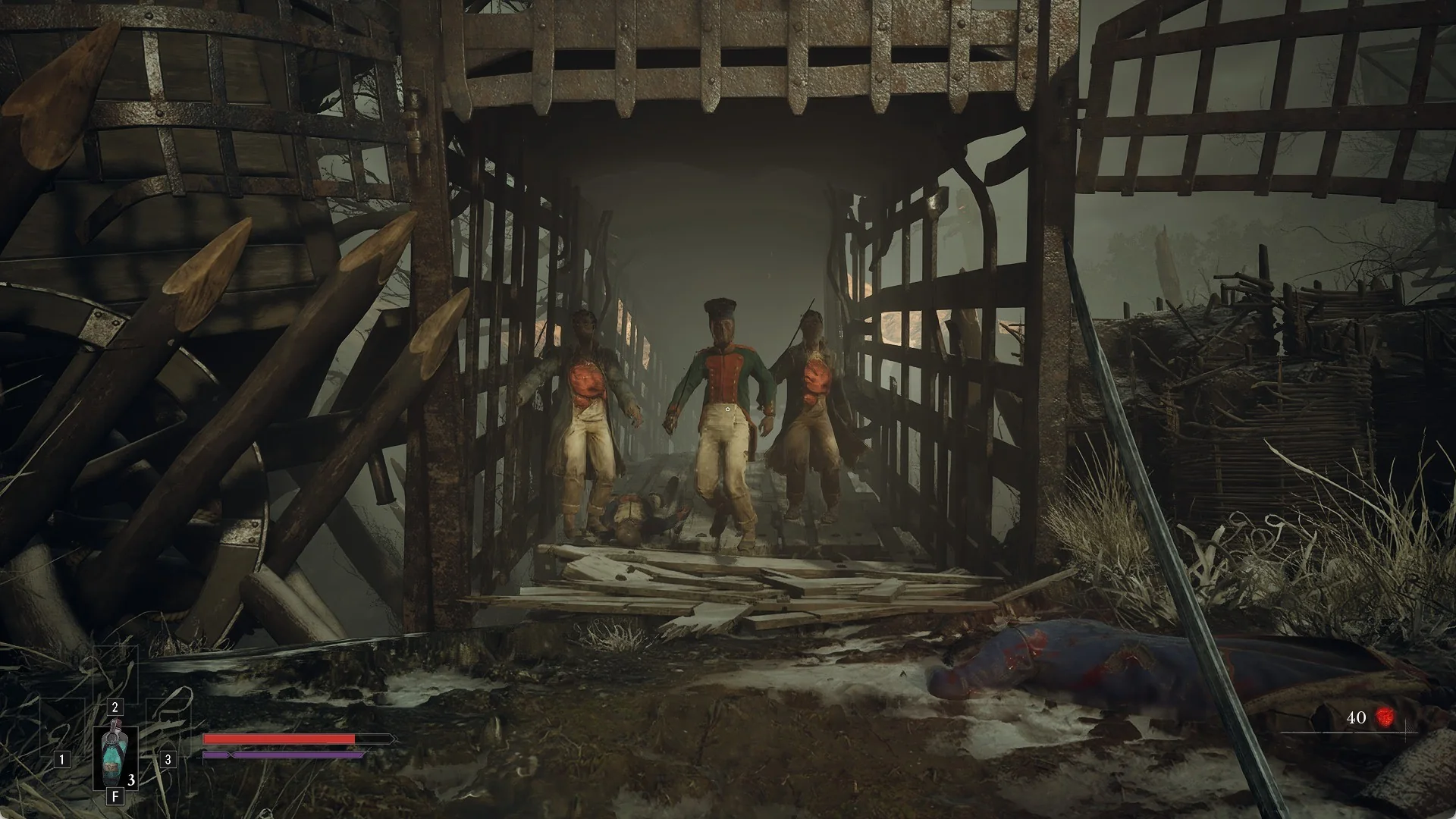
Three French soldiers advancing through a caged wooden gate on the Valor Mortis battlefield

Ambers change how your character fights in Valor Mortis, and the game is clear about where they go on. You do not equip them from the Inventory. You equip them at a Lantern. The catch early on is that the Lanterns you reach first do not yet offer the slots those Ambers need, so an Amber you pick up in the opening stretch rides along unused until later. For every Amber’s effect and where it is found, see all 29 Ambers and where to find them.

See where Ambers can be picked up on the Valor Mortis map.


How to get an Amber from a chest

Most Ambers live in chests. The early ones are red with gold trim. One sits in the woods north of the gorge, beside a wrecked crate and a dead soldier in a green coat, and it holds Duellist’s Focus.
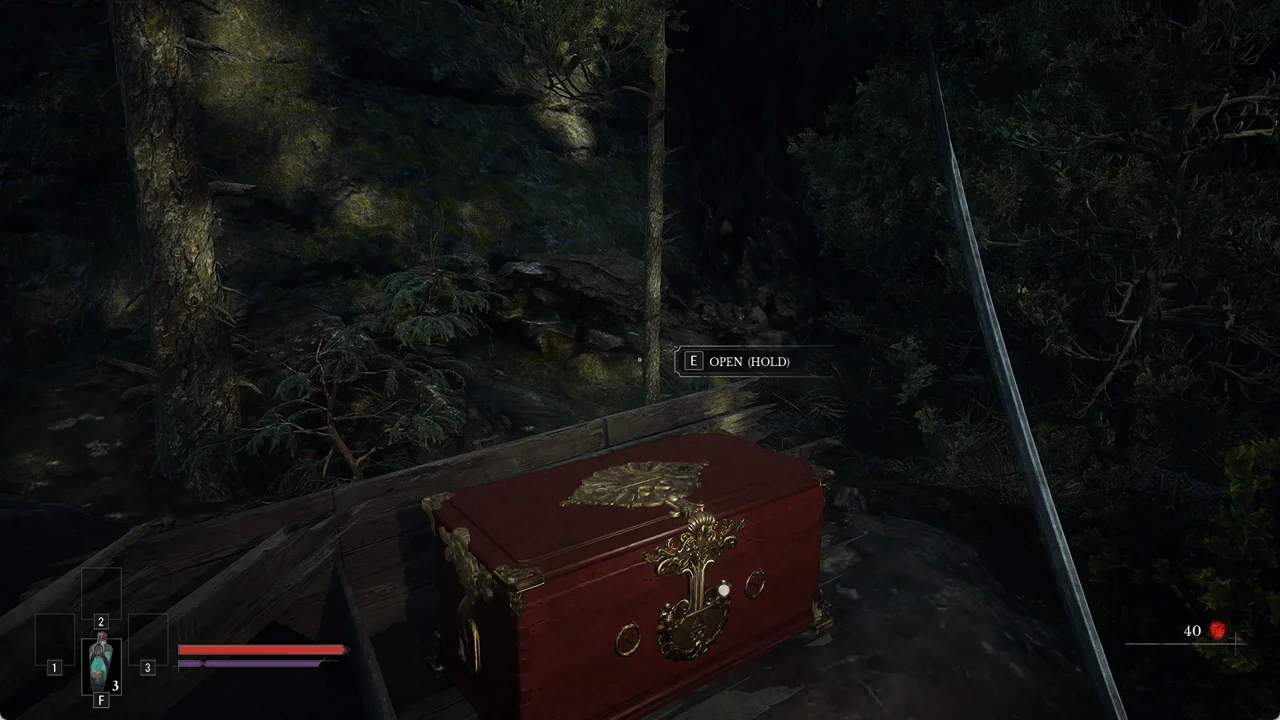
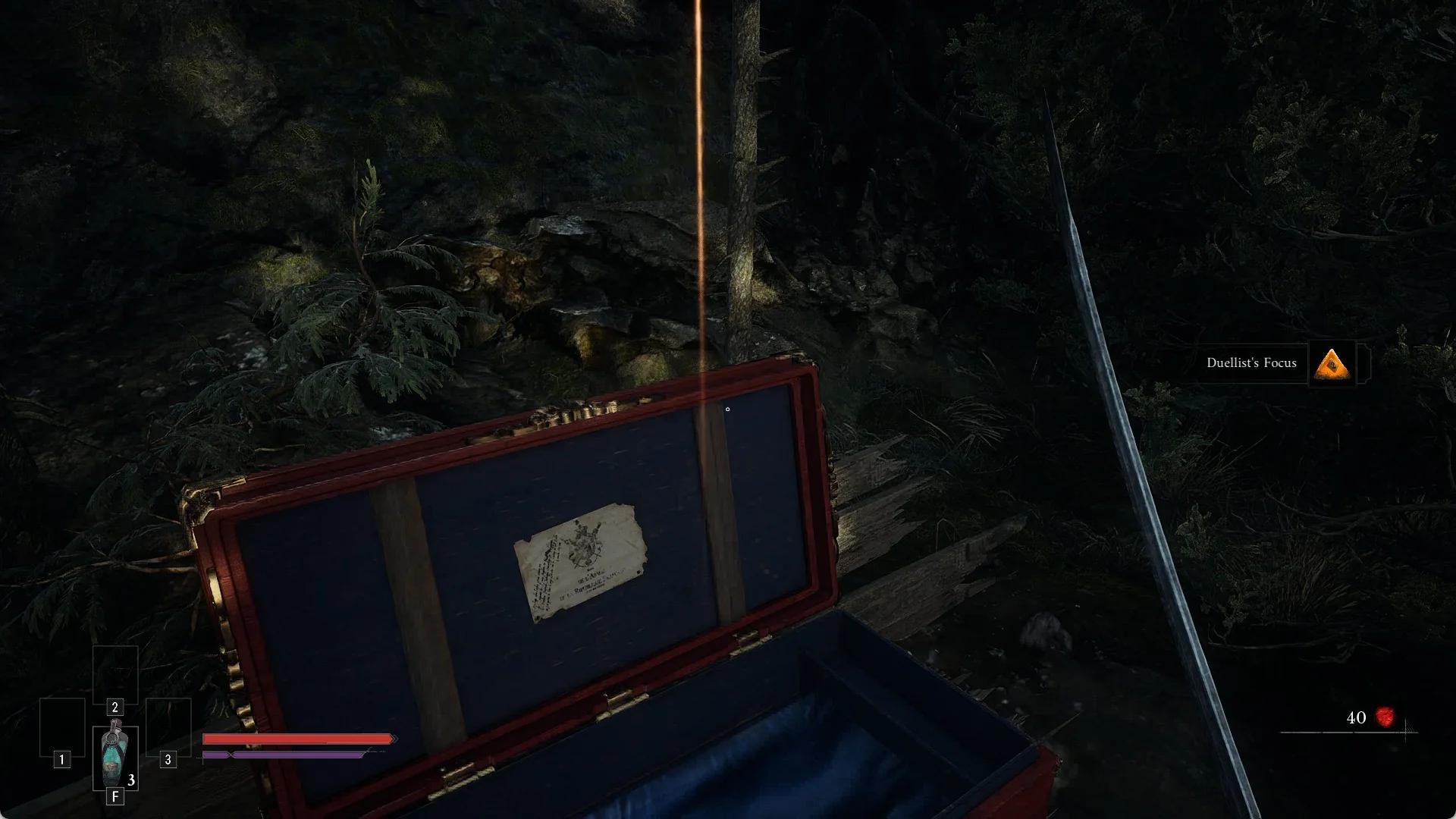
Face the chest and move close. The prompt “[E] OPEN (HOLD)” appears only when you’re in front, with the crosshair near the lock’s small round marker. From the side, no prompt appears.
The [E] OPEN (HOLD) prompt over a red and gold chest in the woods
The “[E] OPEN (HOLD)” prompt appears when you face the front of the ornate red chest.
Hold E. The lid lifts and a glowing item rests inside with a paper laid on the lid.
Press “[E] TAKE”. A banner names the Amber with an orange pyramid icon, such as “Duellist’s Focus”. The Amber is now in your pack.
Opened red Valor Mortis chest with the Duellist's Focus Amber banner at the right
The opened chest and the banner naming the Amber: Duellist’s Focus.

Where to see the Ambers you are carrying
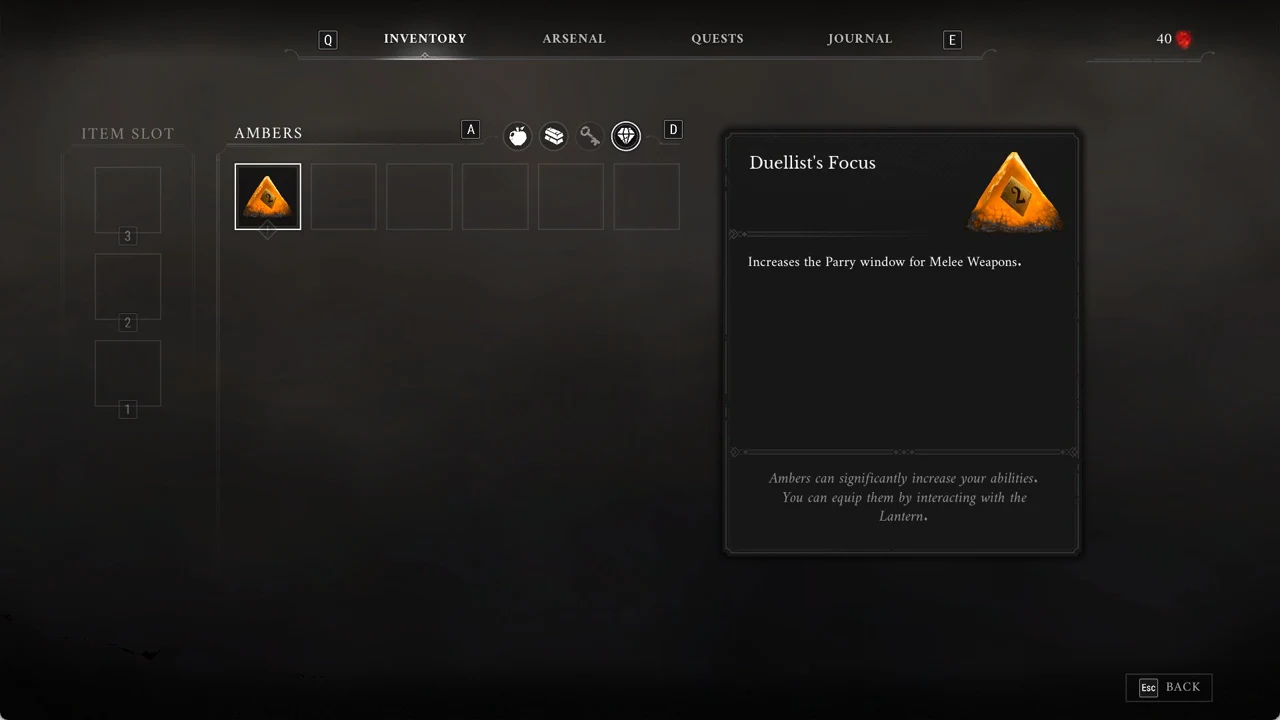
Press Tab to open the Inventory. The INVENTORY tab opens first.
Tap A and D to move across the four category icons, which cover consumables, materials, keys, and Ambers. Stop on the gem icon marked “AMBERS”.
Select an Amber to read it. Duellist’s Focus reads “Increases the Parry window for Melee Weapons.” The footer repeats the rule that matters here: “Ambers can significantly increase your abilities. You can equip them by interacting with the Lantern.”
The AMBERS tab with Duellist's Focus selected and its parry-window effect shown
The AMBERS tab with Duellist’s Focus selected, showing its melee parry-window effect and the Lantern hint.

Equipping Ambers at a Lantern

Resting there also restores you, which makes it a natural stop.
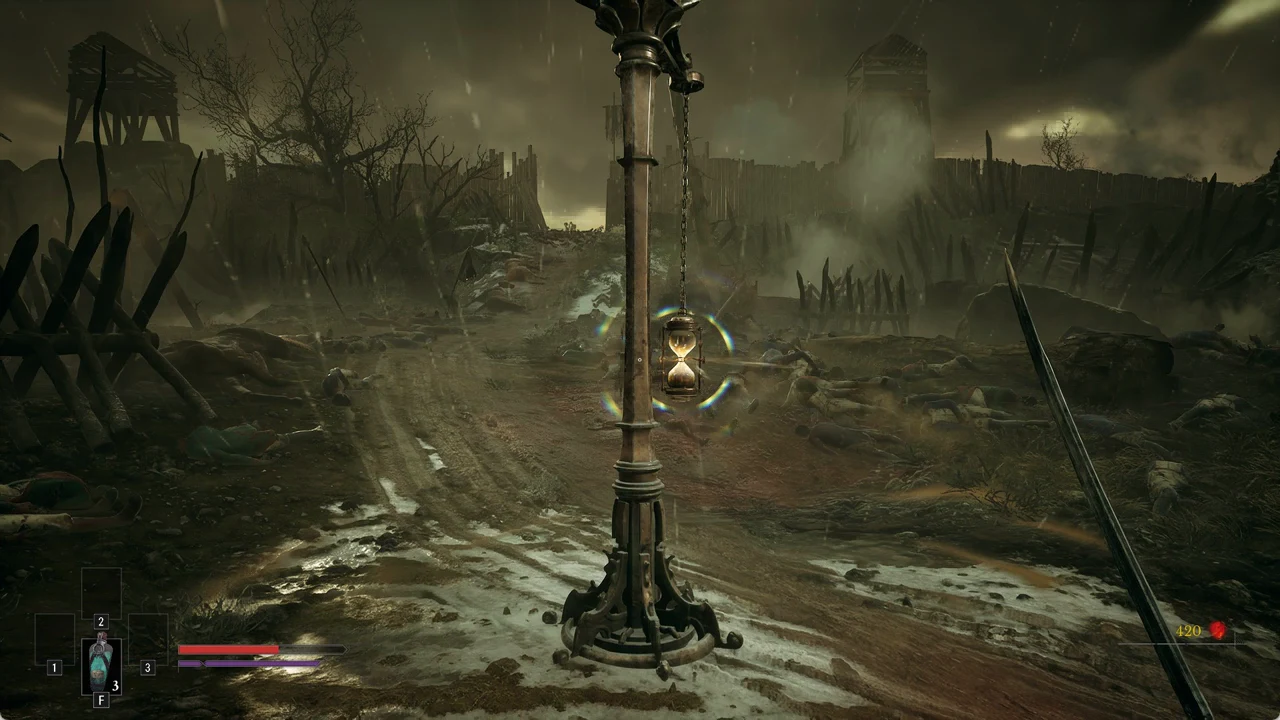
Stand at the Lantern and read the “[E] REST” prompt. Use a short press. The first rest spells out what happens: “Resting” / “Resting at a Lantern has the following effects:” / “Health and Nephtoglobin are fully restored.” / “All non-boss enemies are revived.”
Character with sword drawn standing before a glowing hourglass Lantern on a pole
A Lantern on a pole with a suspended glowing hourglass, the rest point where Ambers are equipped.
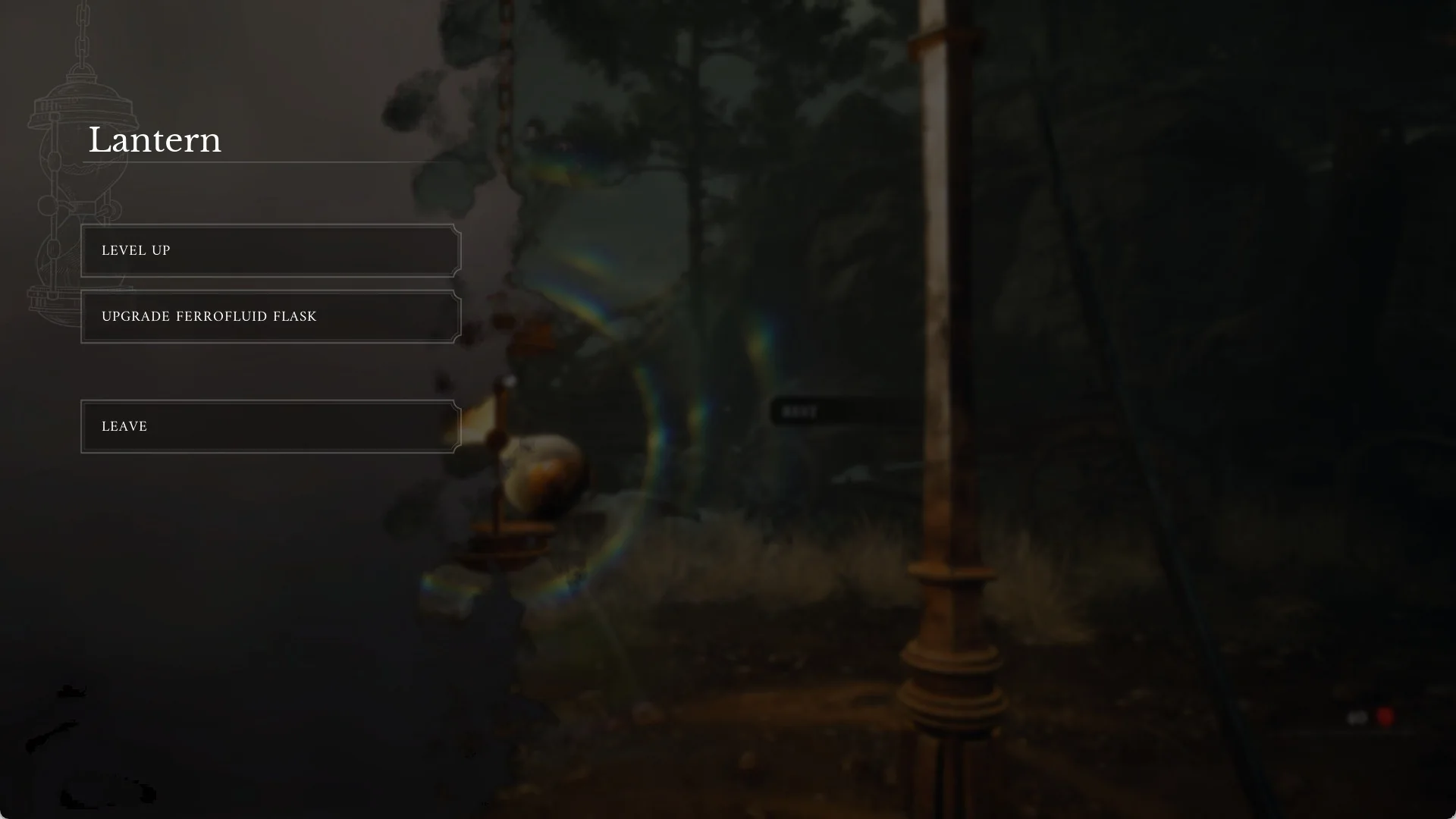
The “Lantern” menu opens with three choices: LEVEL UP, UPGRADE FERROFLUID FLASK, and LEAVE.
Valor Mortis Lantern menu with LEVEL UP, UPGRADE FERROFLUID FLASK and LEAVE
The Lantern menu at the first Lanterns: no Amber row yet.
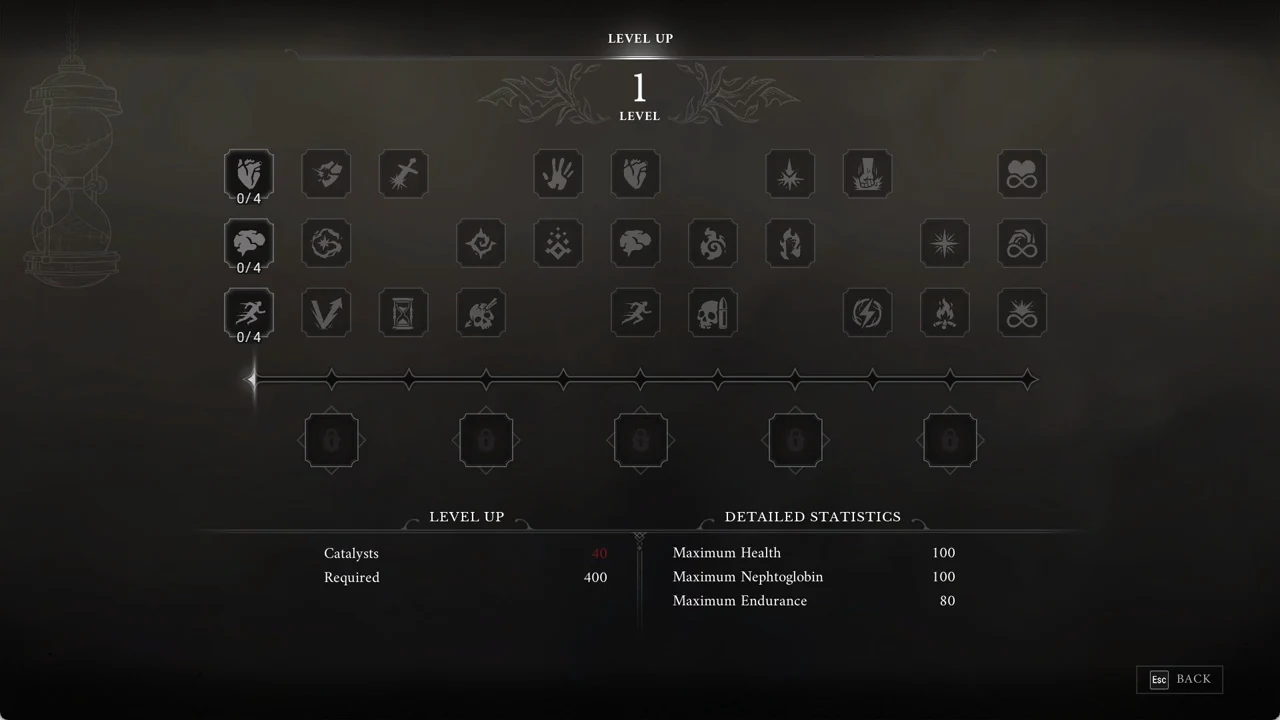
Choose LEVEL UP to open the levelling screen. Upgrade nodes are arranged in three rows, with a track below them and a row of five slots beneath the track.
The LEVEL UP screen with the heart-shaped node selected and the row of locked slots below the track
The LEVEL UP screen, with the upgrade nodes, the track, and the row of five locked slots underneath.

Why you can’t equip Ambers at the first Lanterns

At the first Lanterns, the Onslaught Arch, the Trenches, and the Field Encampment, the Lantern menu only offers LEVEL UP, UPGRADE FERROFLUID FLASK, and LEAVE. There is no entry for placing an Amber. On the LEVEL UP screen the row of five slots stays locked, and it is still locked when you reach level 2. Those are the Amber Slots: Ambers are equipped from the Level Up menu at a Lantern. The first slot opens at level 5, the second at level 15 and the third at level 25; the last two open further up the level track. There are five Amber Slots, and any slot takes any Amber. An Amber’s rank rises each time you find another copy of it: 15 Ambers go up to rank III, the other 14 have a single rank, and Perfect Copy raises the rank of your other equipped rank I and II Ambers.

Because the first slot opens only at level 5, an Amber you grab this early cannot go on yet. Nothing is broken and nothing is missed: keep it until you reach level 5.

Make a point of opening chests along the way. The game contains 29 Ambers, with three ranks available for 15 of them, so you can bank plenty before the slots are ready.

Pocket every Amber you find until then.


How to equip an Amber once a slot opens
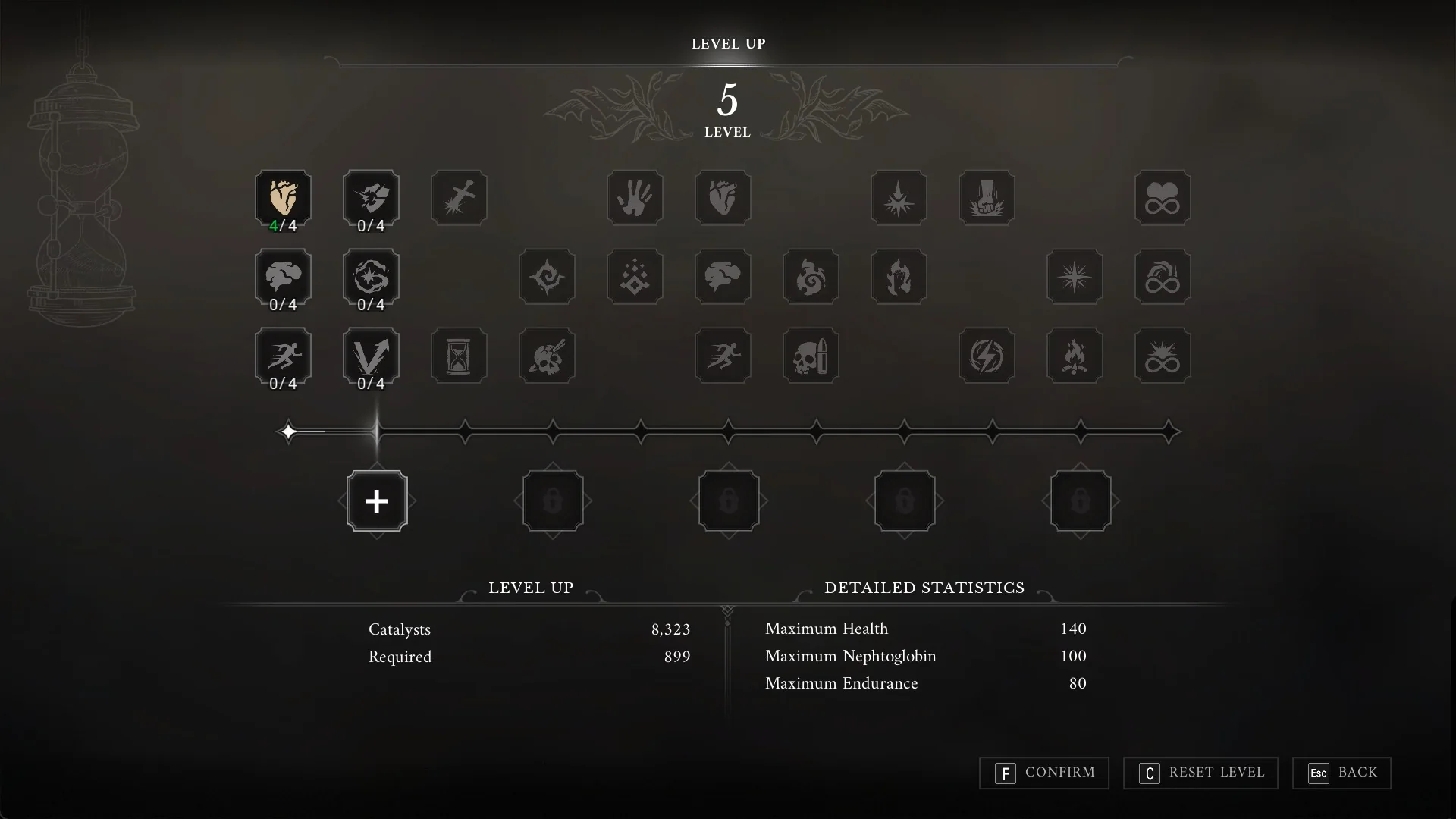
Rest at a Lantern and choose LEVEL UP. From level 5, the first slot under the track shows a “+” instead of a lock.
The Valor Mortis LEVEL UP screen at level 5 with the first Amber slot open and showing a plus
At level 5 the first Amber slot opens: a “+” replaces the lock.

Step 2: Click the “+” slot. A “CHOOSE AMBER” row opens with the Ambers you are carrying.
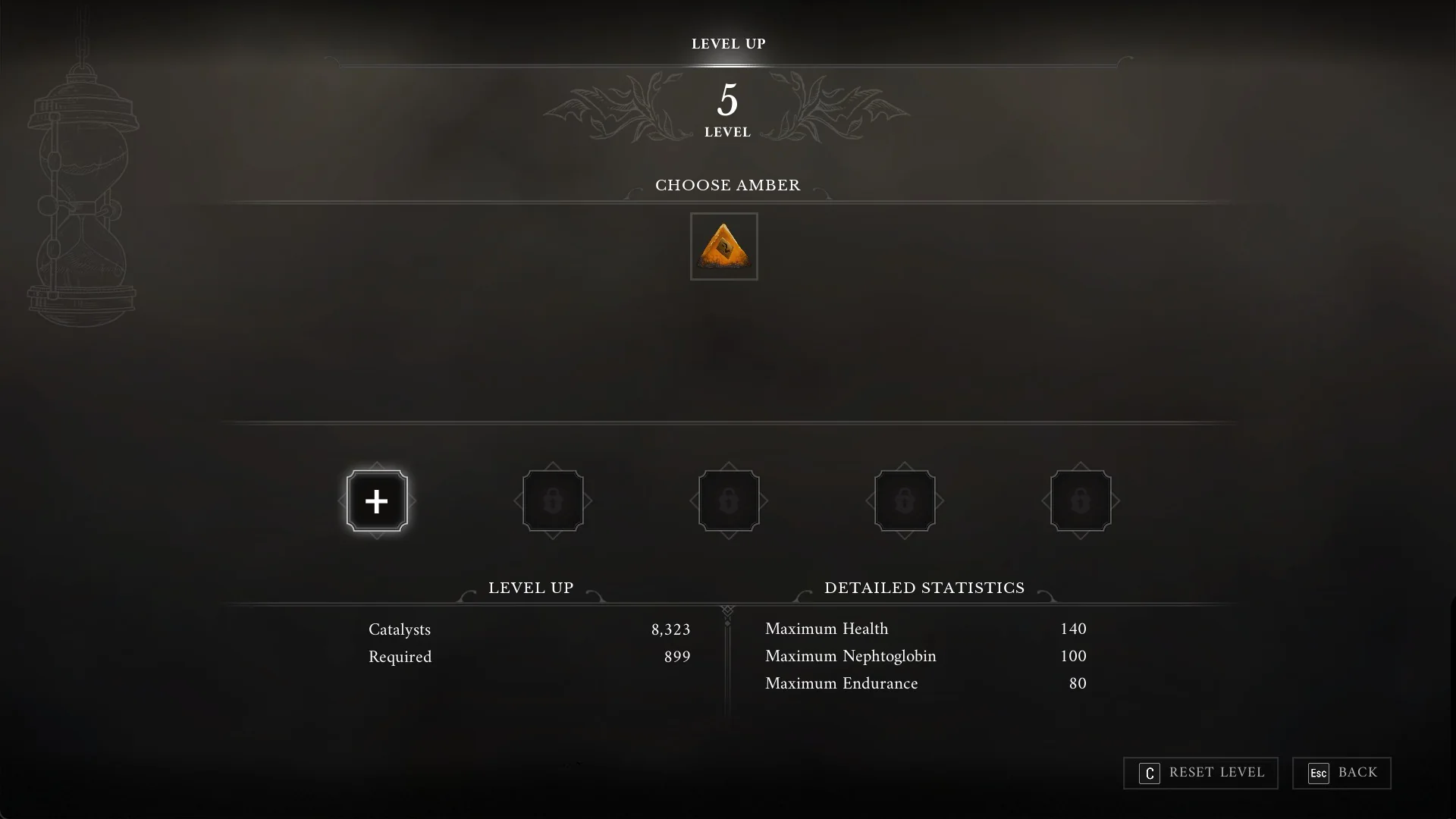
The CHOOSE AMBER row in Valor Mortis with Duellist's Focus
Clicking the open slot brings up CHOOSE AMBER with the Ambers you carry.

Step 3: Hover an Amber to read its name and effect, for example Duellist’s Focus, “Increases the Parry window for Melee Weapons.”, then click it to select it. It now sits in the slot.

Step 4: Press F to CONFIRM before you leave the screen.
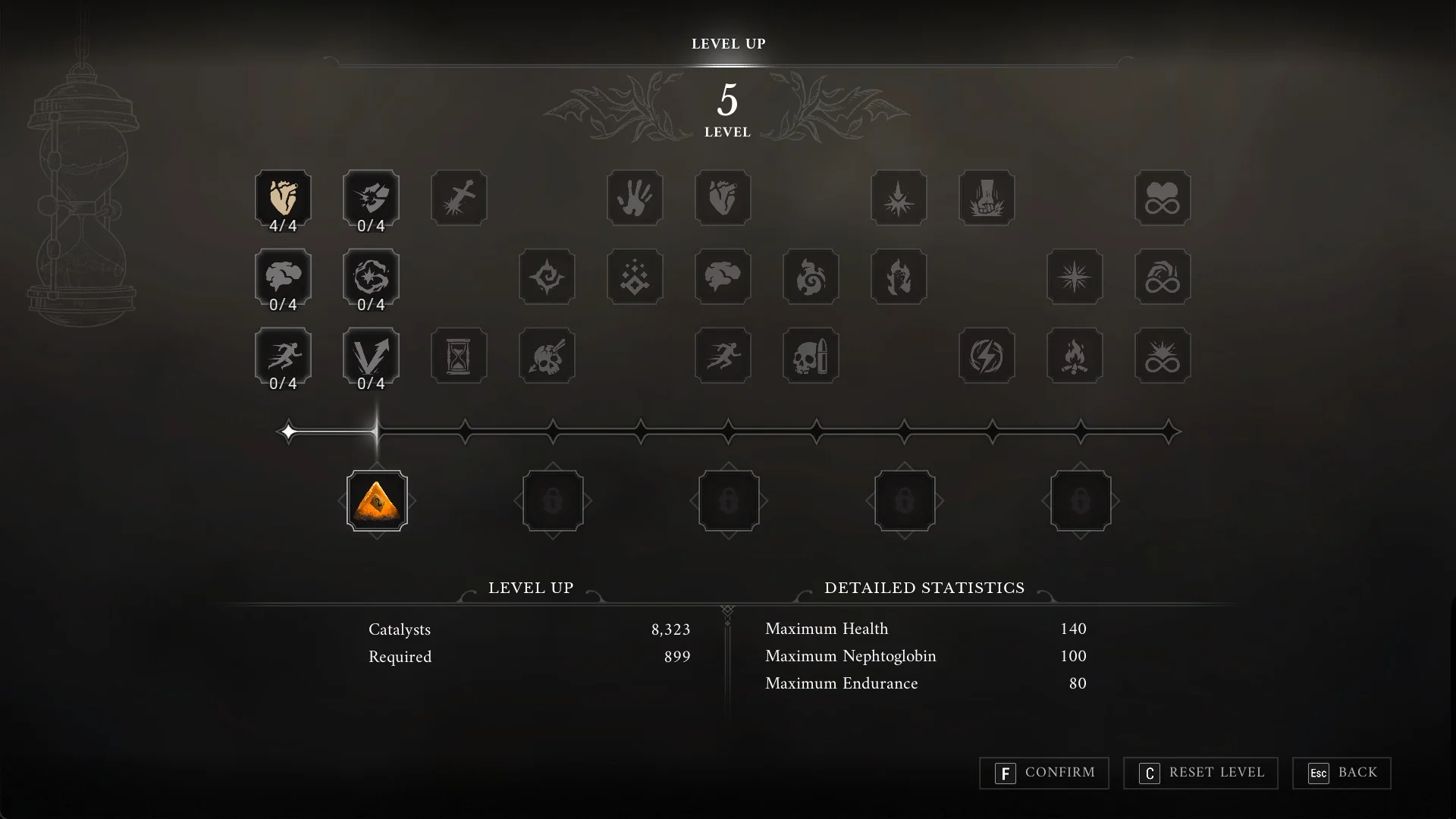
Duellist's Focus placed in the first Amber slot with F CONFIRM in Valor Mortis
The Amber in its slot; press F to CONFIRM.

Step 5: Back in the world, a small Amber icon shows on the HUD next to your health bar while it is equipped.
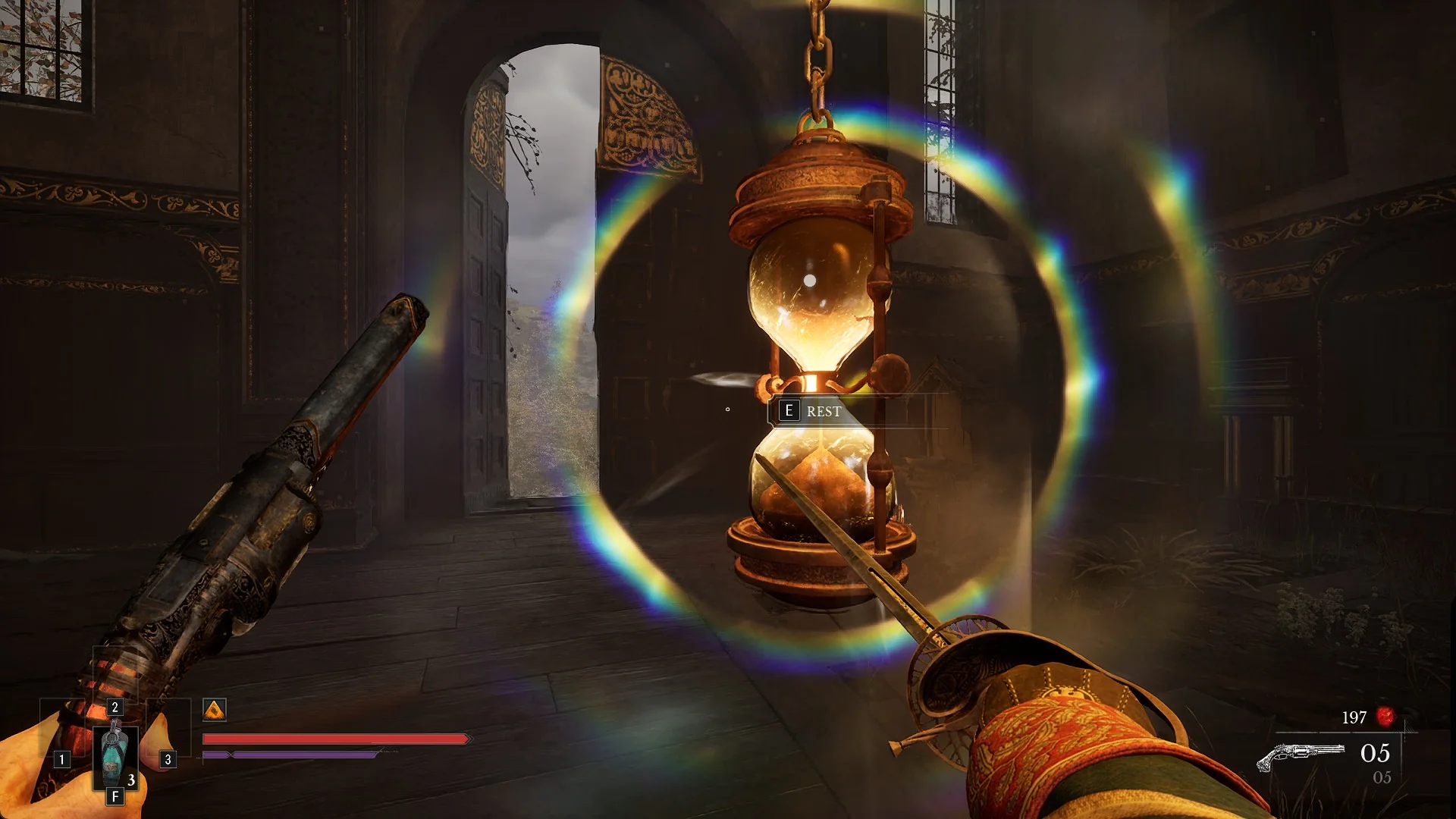
The small Amber icon next to the health bar on the Valor Mortis HUD at a Lantern
The Amber icon next to the health bar shows it is equipped.