Communication in WARDOGS runs through two separate systems that people often confuse. There is the ping — a quick squad callout you fire off with a single button — and there is spotting, which requires an actual piece of recon gear and puts an enemy on the map for everyone. Both are worth money, and both behave differently from the sticky 3D markers you might expect from other shooters.
Quick answer: Press the middle mouse button (right stick click on a controller) to drop a ping, or hold it to open the ping wheel. To mark an enemy on the map, equip Binoculars, a Monocular, a Rangefinder or an Infrared Rangefinder, right-click to scope in, and hold the reticle on the target until the box around it fills.
Default ping controls on PC and controller
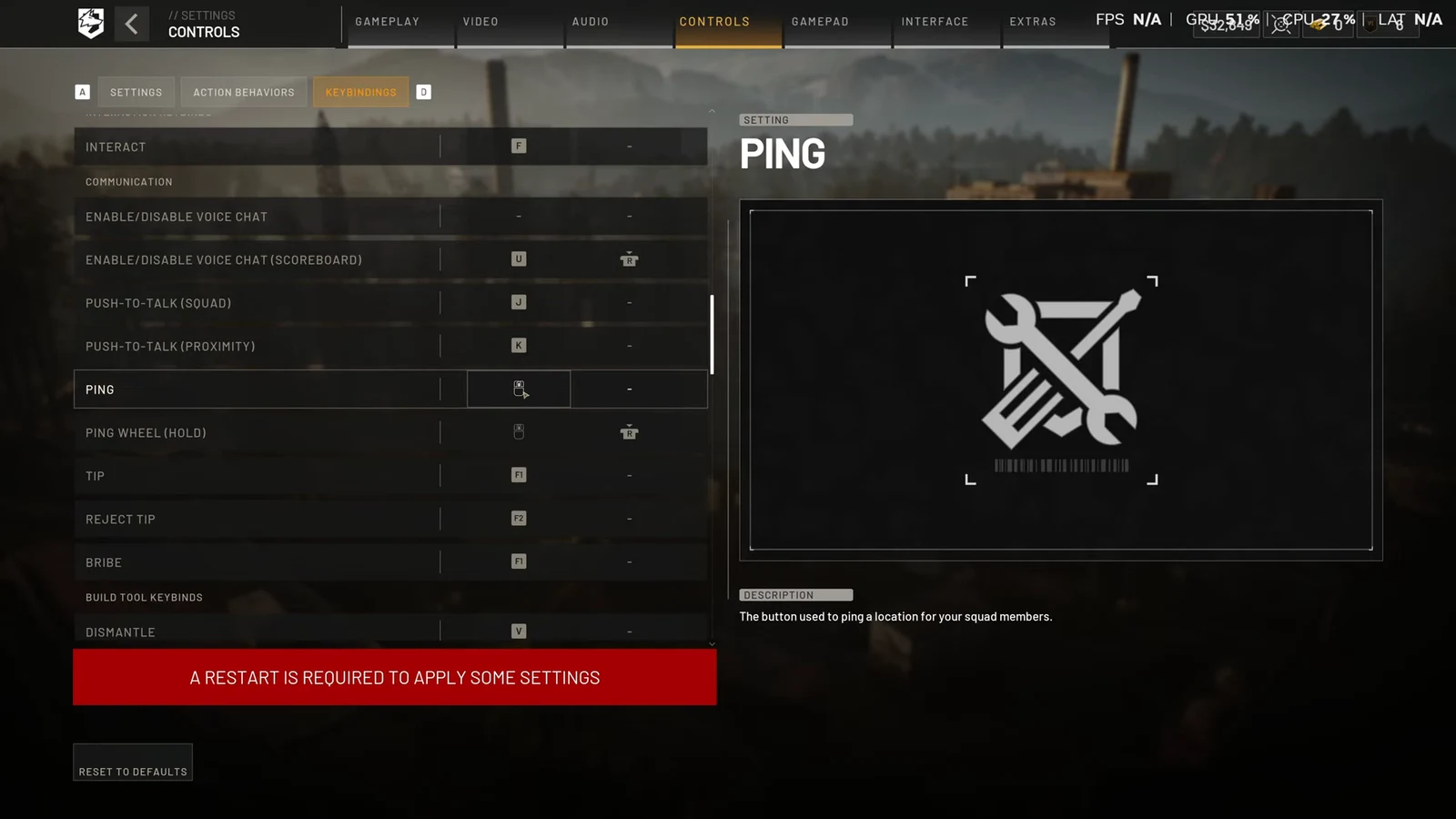
Ping shares a single input with the ping wheel. A tap places the basic marker; holding the same button brings up the wheel so you can pick a specific callout. The bind stays the same whether you are on foot, driving, or in a helicopter.
| Action | Keyboard & mouse | Xbox / PS5 controller |
|---|---|---|
| Ping | Middle Mouse Button | Right Stick Click (R3) |
| Ping Wheel (Hold) | Middle Mouse Button | Right Stick Click (R3), held |
| Ping while in a ground or air vehicle | Middle Mouse Button | Right Stick Click (R3) |
| Tactical Map | M | View / Create Button |
The ping bind sits in the same menu group as voice chat, so it is worth knowing the neighbours if you are reworking your comms setup.
| Communication keybind | PC default |
|---|---|
| Enable/Disable Voice Chat | Unbound |
| Enable/Disable Voice Chat (Scoreboard) | U |
| Push-to-Talk (Squad) | J |
| Push-to-Talk (Proximity) | K |
| Ping | Middle Mouse Button |
| Ping Wheel (Hold) | Middle Mouse Button |
| Tip | F1 |
| Reject Tip | F2 |
| Bribe | F1 |
How to change the ping keybind
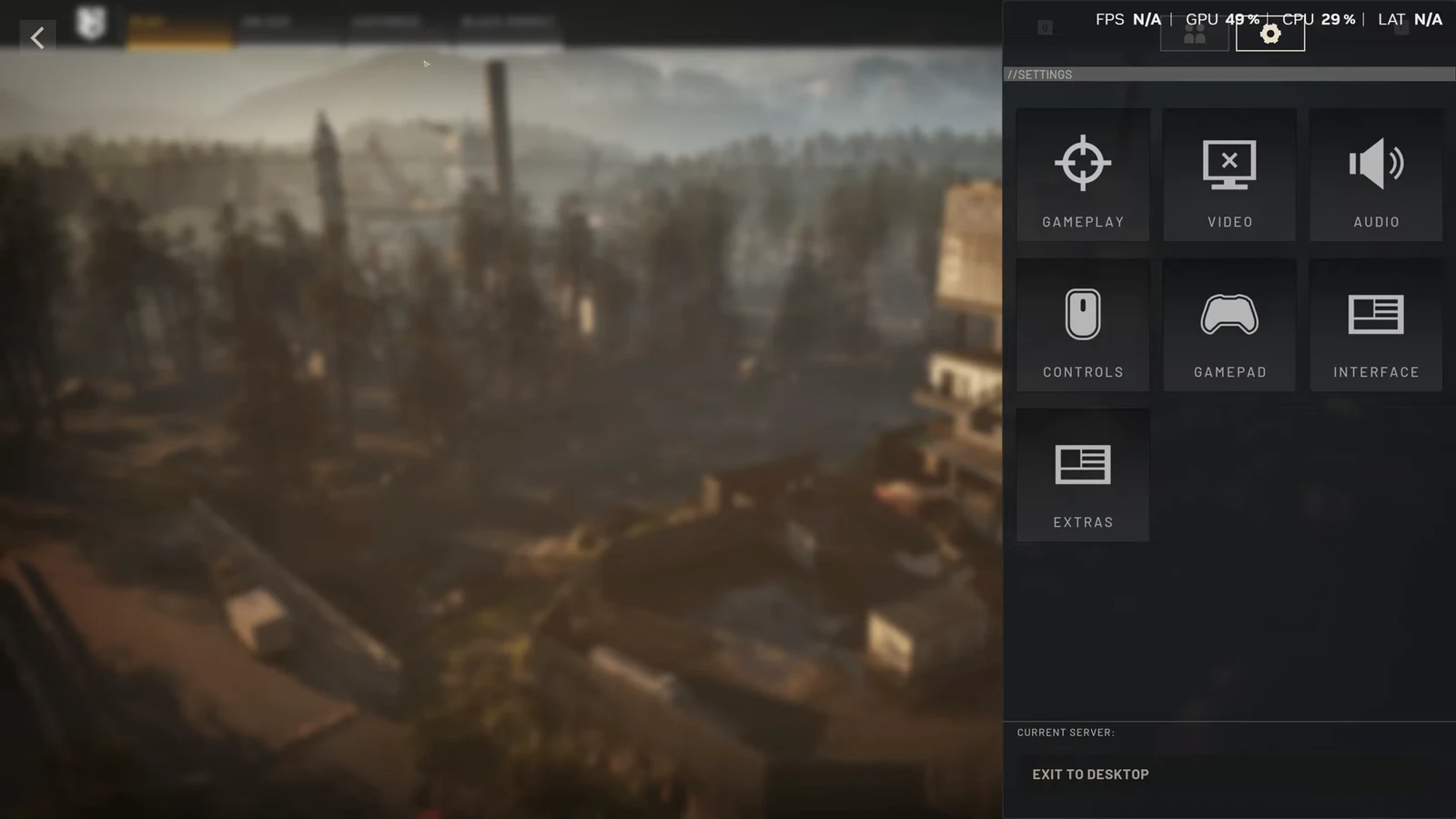
Tip: screenshot the keybind page before you start editing. If a change eats another action, you will have the original layout to restore from.
How to mark an enemy with recon equipment
A ping calls out a spot on the ground. Tagging an actual enemy player or vehicle requires dedicated optics, and it is a separate action from the ping button.
What a mark actually does (and what it does not)
This is the part that trips up most new players. Marking does not paint a permanent outline on your teammates’ HUDs. It puts the target on the map, and it lasts roughly a minute. The coloured tag floating over the enemy’s head is yours alone, which is why the marker seems to vanish the moment you swap back to your weapon.
Squad pings behave the same way. They fade fast by design, so calling out a landing zone or a drop point once is not enough — pilots and squadmates generally need it refreshed as they close in.
There is one workaround for enemy positions that people use on the map screen. Double-tap the ping input on a marked target’s location on the map and an enemy ping appears at that spot. It is not precise for elevated targets, such as someone sitting in a tower, since the ping lands on the map coordinate rather than their actual height.
Spotting payouts and assist credit
Spotting is one of the lower-risk ways to make cash, and the money keeps coming after the initial tag.
| Event | Payout |
|---|---|
| Spotting a player or vehicle | $100 minimum |
| A teammate kills a currently spotted target | $800 |
| A teammate kills a previously spotted target | $400 |
| Refreshing a target once | Around $25 |
Assist credit is generous to the point of feeling odd. With three teams on the field, a player you tagged can be killed by a completely different faction and you still bank the assist. Spotting a helicopter that later crashes can be worth thousands.
Persistent markers: use smoke instead
Since pings expire, the game pushes you toward a physical solution for anything that needs to stay put. A deployed LZ smoke places the landing zone on the map for the whole team and adds a HUD marker on top of the visible smoke column, which makes it the practical option for reinforcement runs and supply drops.
The trade-off is that smoke is visible to everyone, including the two enemy teams, and someone has to buy and carry it at HQ. For an opening drop it is awkward — you cannot pop smoke at a spot you have not reached yet — so the ping wheel, repeated as the helicopter approaches, remains the tool for that.
If a mark is not registering, the cause is almost always one of three things. You are using a weapon or a tool that cannot spot, the reticle drifted off the target before the tracking box filled, or you rebound the middle mouse button and the ping action lost its input. Check the COMMUNICATION rows in Keybindings first, then confirm the recon item is actually equipped and scoped before blaming the mechanic.