Super Drag and Drop in Microsoft Edge simplifies the way you interact with text and links on web pages, allowing for quicker navigation and searches. While not as widely adopted as Chrome, Microsoft Edge is continually enhancing its features, and Super Drag and Drop is a notable addition.
What is Super Drag and Drop? Typically, browsers require you to drag selected text or links to the address bar to perform a search or open a link. With Super Drag and Drop enabled, you can simply drag selected text or links anywhere on the current page, and Edge will open the content in a new tab automatically. This feature streamlines your browsing by saving time and making searches and navigation more intuitive.
Activating this feature is straightforward, but since it’s not visible by default, you’ll need to enable it through Edge’s experimental settings. Below are the steps to turn on Super Drag and Drop in Microsoft Edge.
Enabling Super Drag and Drop
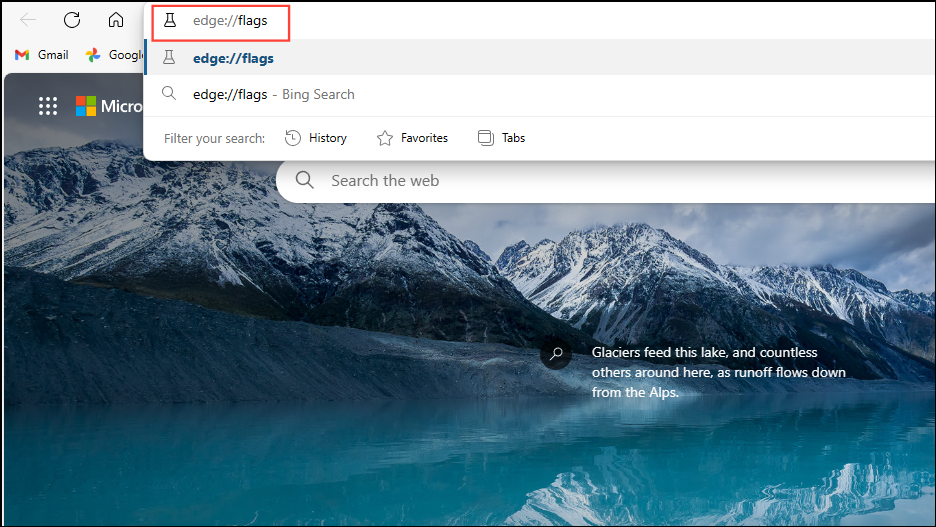
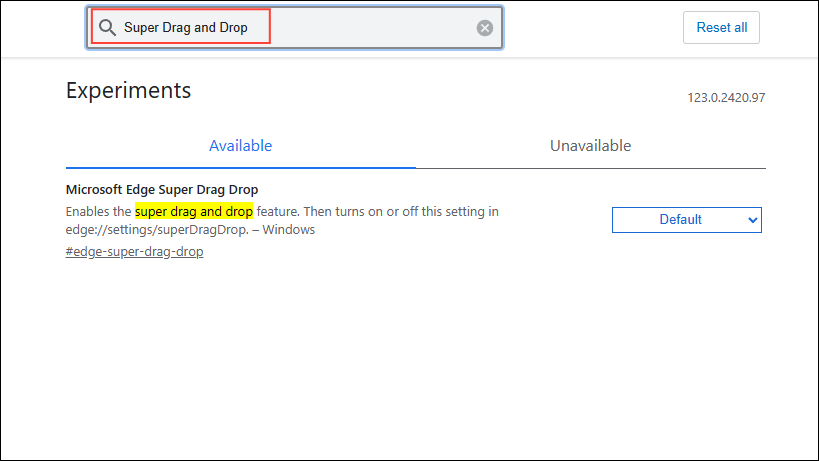
This action will open the ‘Experiments’ page, which lists features that are still in testing and not yet part of the stable release.
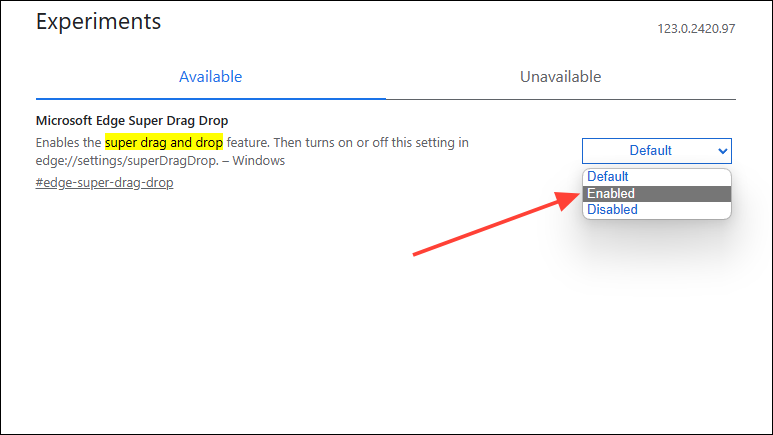
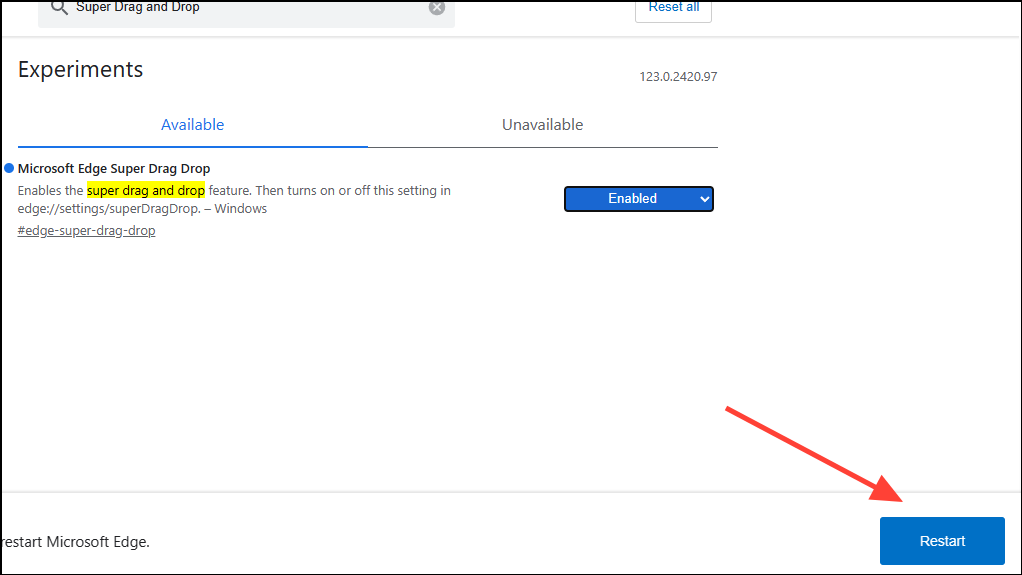
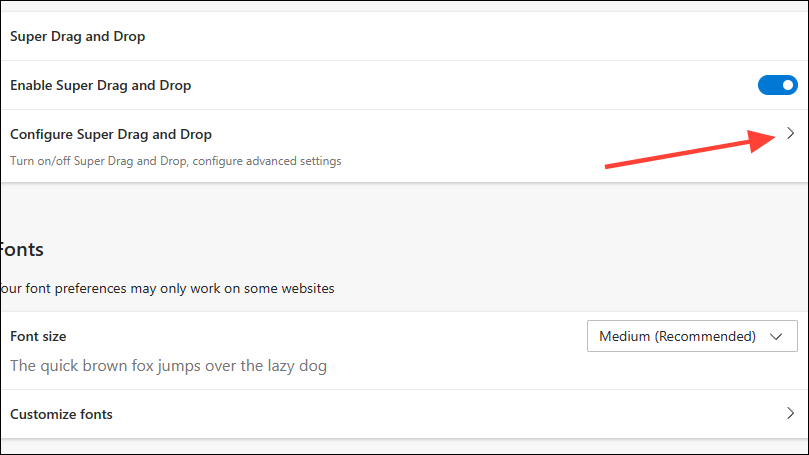
edge://settings/appearance into the address bar and press ‘Enter’ to access the browser’s appearance settings.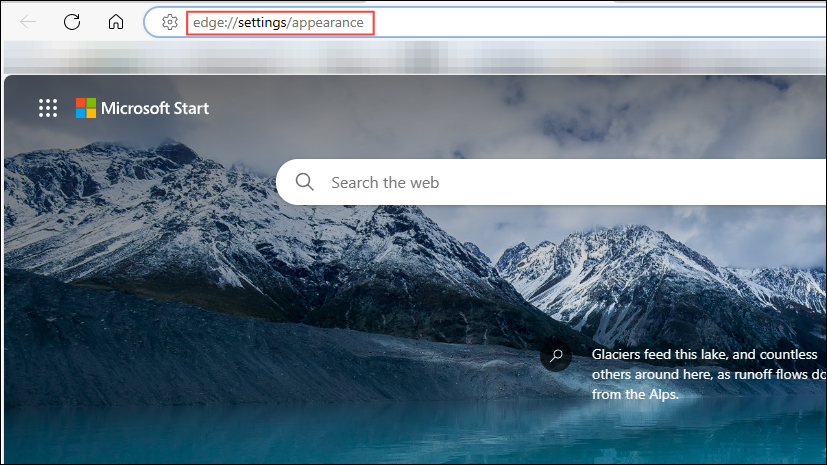
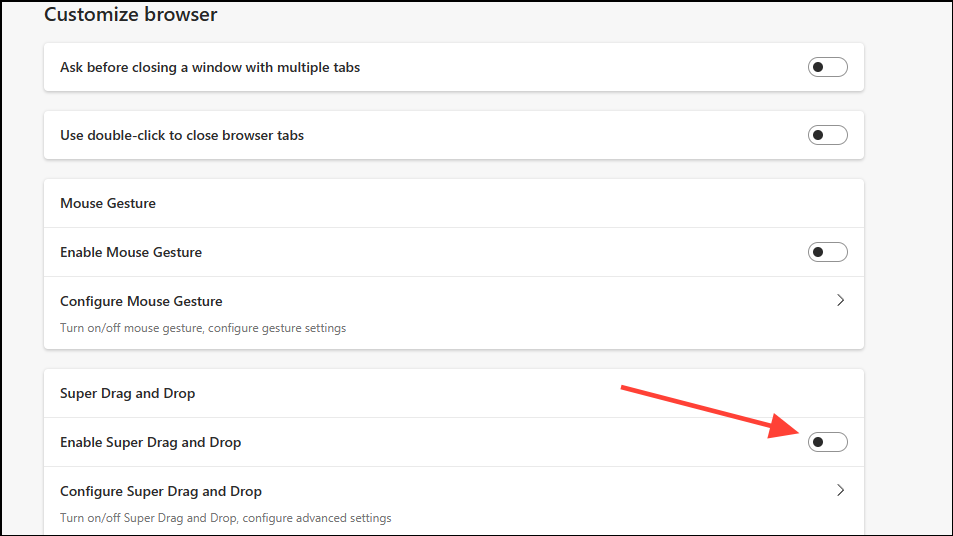
Configuring Super Drag and Drop
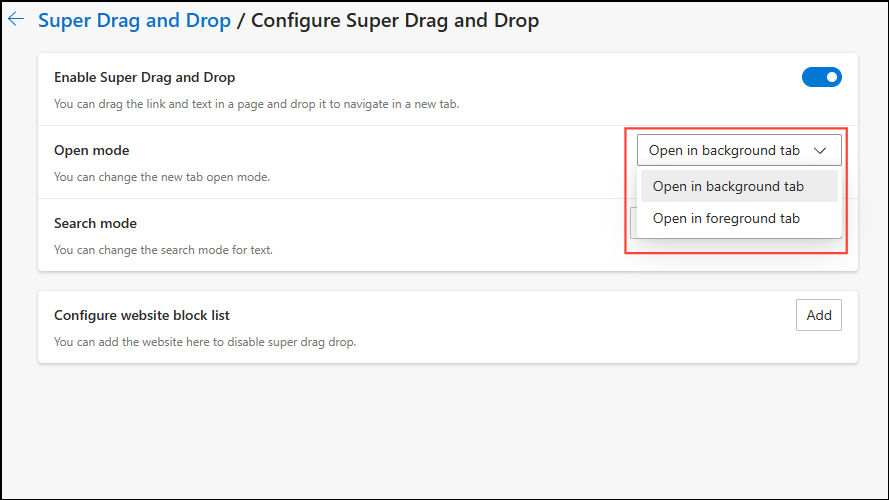
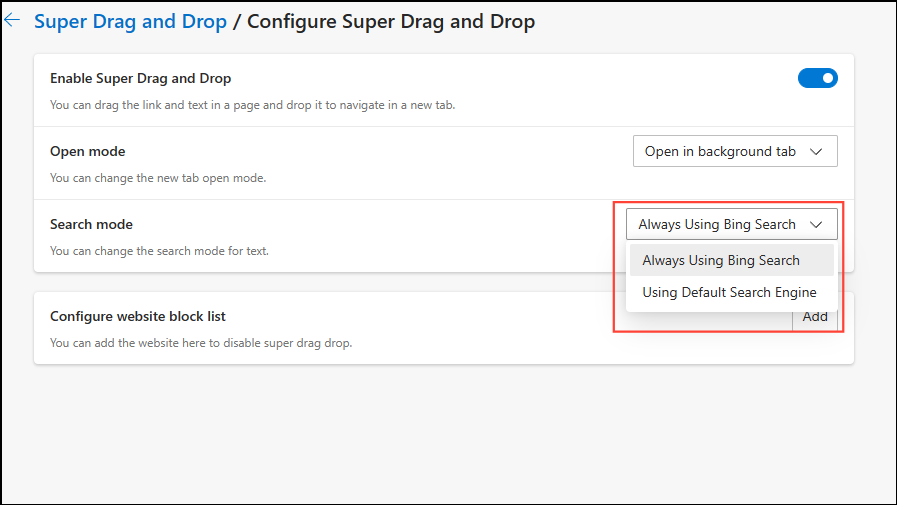
After enabling Super Drag and Drop, you can customize its settings to suit your preferences.
Using the Super Drag and Drop Feature
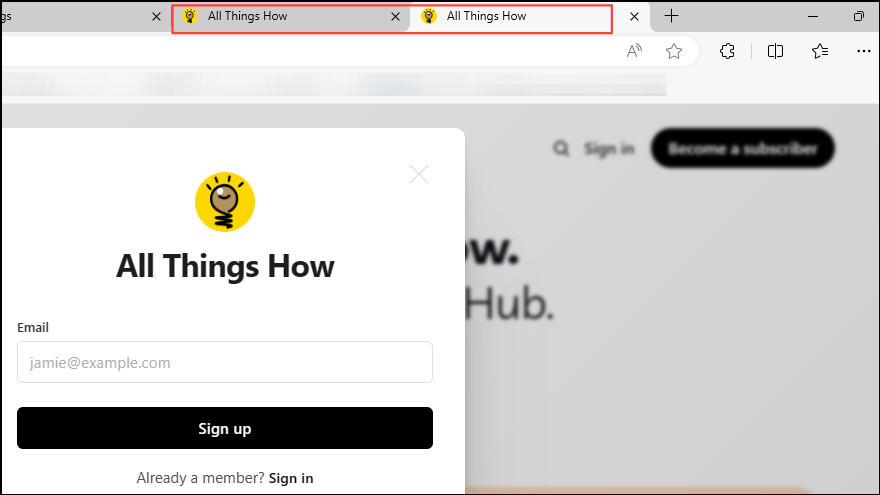
With Super Drag and Drop enabled and configured, you can now take advantage of this convenient feature.

The link will automatically open in a new tab, making it quicker to browse multiple pages.
Super Drag and Drop enhances your browsing efficiency by simplifying how you open links and search for information. It’s especially beneficial for users on touchscreen devices or those who prefer a more streamlined browsing experience. If you decide to disable this feature, you can easily revert the changes by returning to the ‘Experiments’ page and setting the feature back to ‘Disabled’. While currently in the experimental phase, Super Drag and Drop shows promise and may become a default feature in future versions of Microsoft Edge.