Buying the Pokémon Pokopia Expansion Pass hands you two purchase bonuses that never appear through normal play: a recipe for dynamic Ditto print blocks and wallpaper, plus a code for 30 rare Pokémetal ingots. Neither shows up automatically the instant you pay. You claim the recipe from inside the game and the ingots through Mystery Gifts, and each has its own conditions.
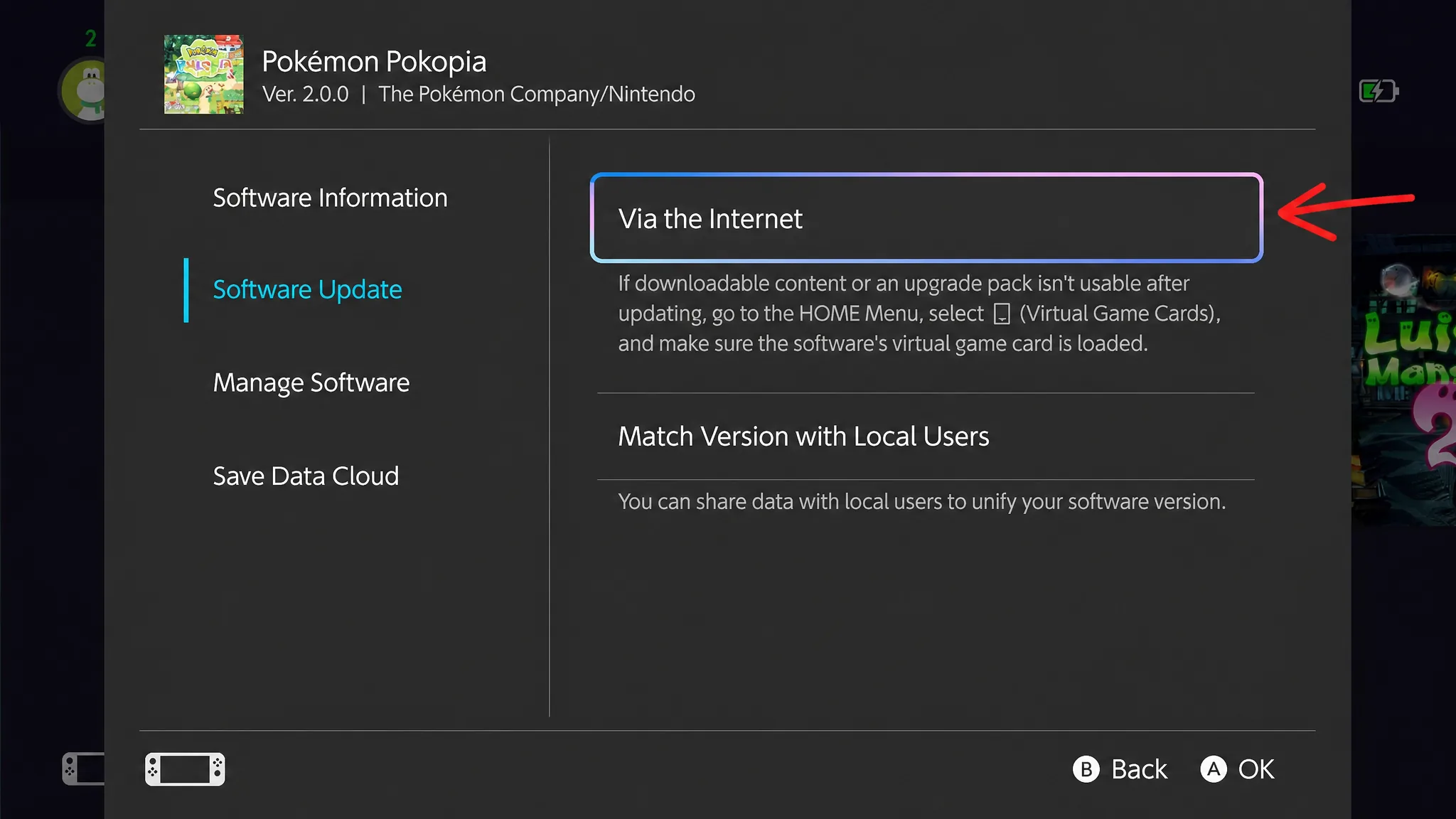
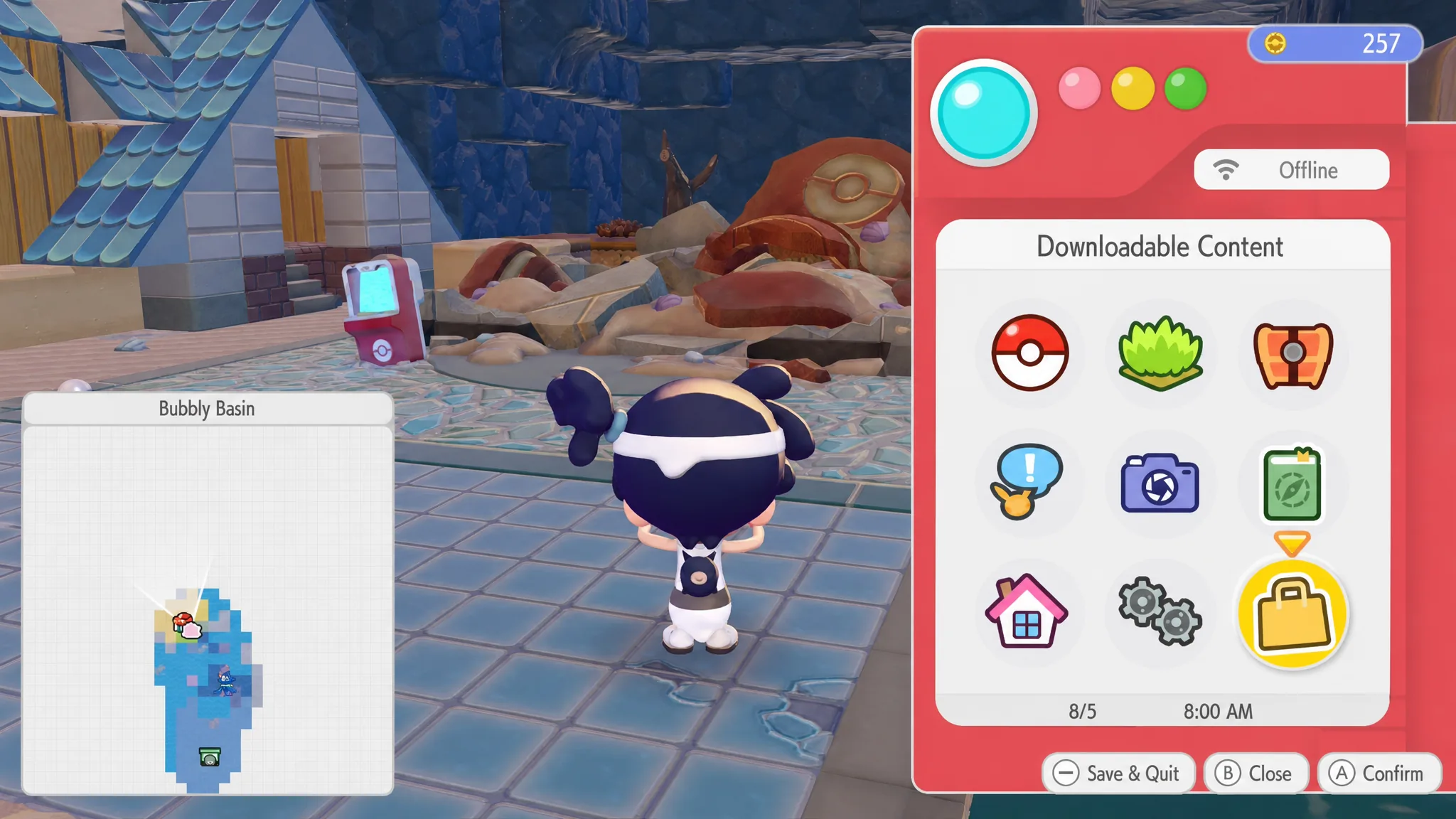
Quick answer: Update to Ver. 1.1.0, press the + Button to open the main menu, choose Downloadable Content, then Check Items, then Receive. The Dynamic Ditto Print recipes drop into your crafting menu, and you can build them at any Workbench.
What you need before claiming
Three things must be in place, or the Receive option will not appear. The recipe is tied to owning the Expansion Pass, so make sure the paid DLC is actually purchased on the account you are playing on. You can buy it from the Expansion Pass listing on Nintendo eShop for $34.99.
| Requirement | Why it matters |
|---|---|
| Expansion Pass purchased | The Ditto print recipe is a purchase bonus tied to owning the DLC. |
| Game updated to Ver. 1.1.0 or later | Older versions cannot receive the recipe or the ingot code. |
| System connected to the internet | Every claim step needs an online connection. |
| Profile linked to a Nintendo Account | Required to go online and to receive the emailed ingot code. |
Note: Workbenches and Mystery Gifts both unlock after roughly 30 minutes of playtime. If you have just started a save, play a little before expecting to craft the blocks or enter the ingot code.
Claim the Dynamic Ditto Print recipes
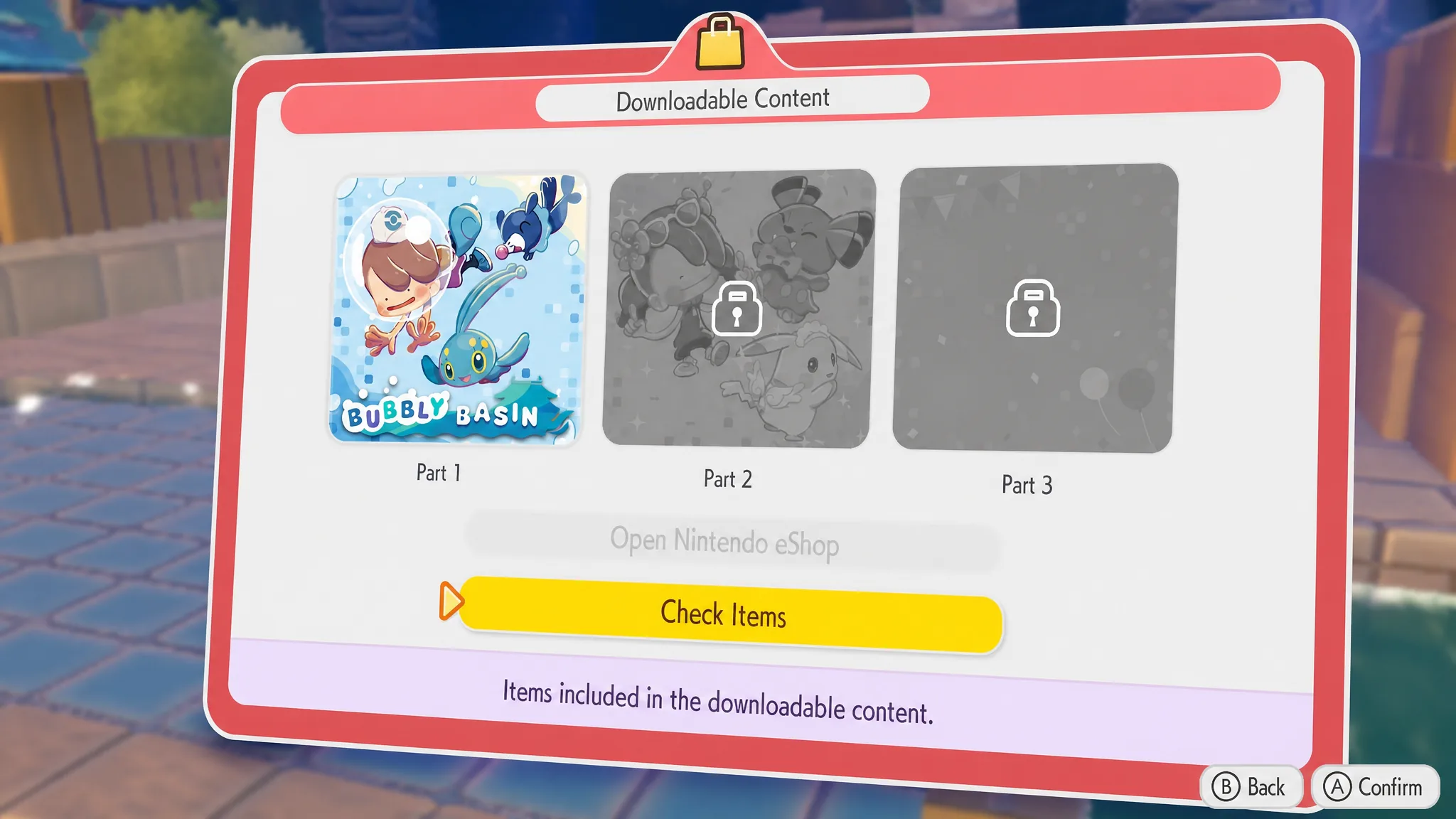
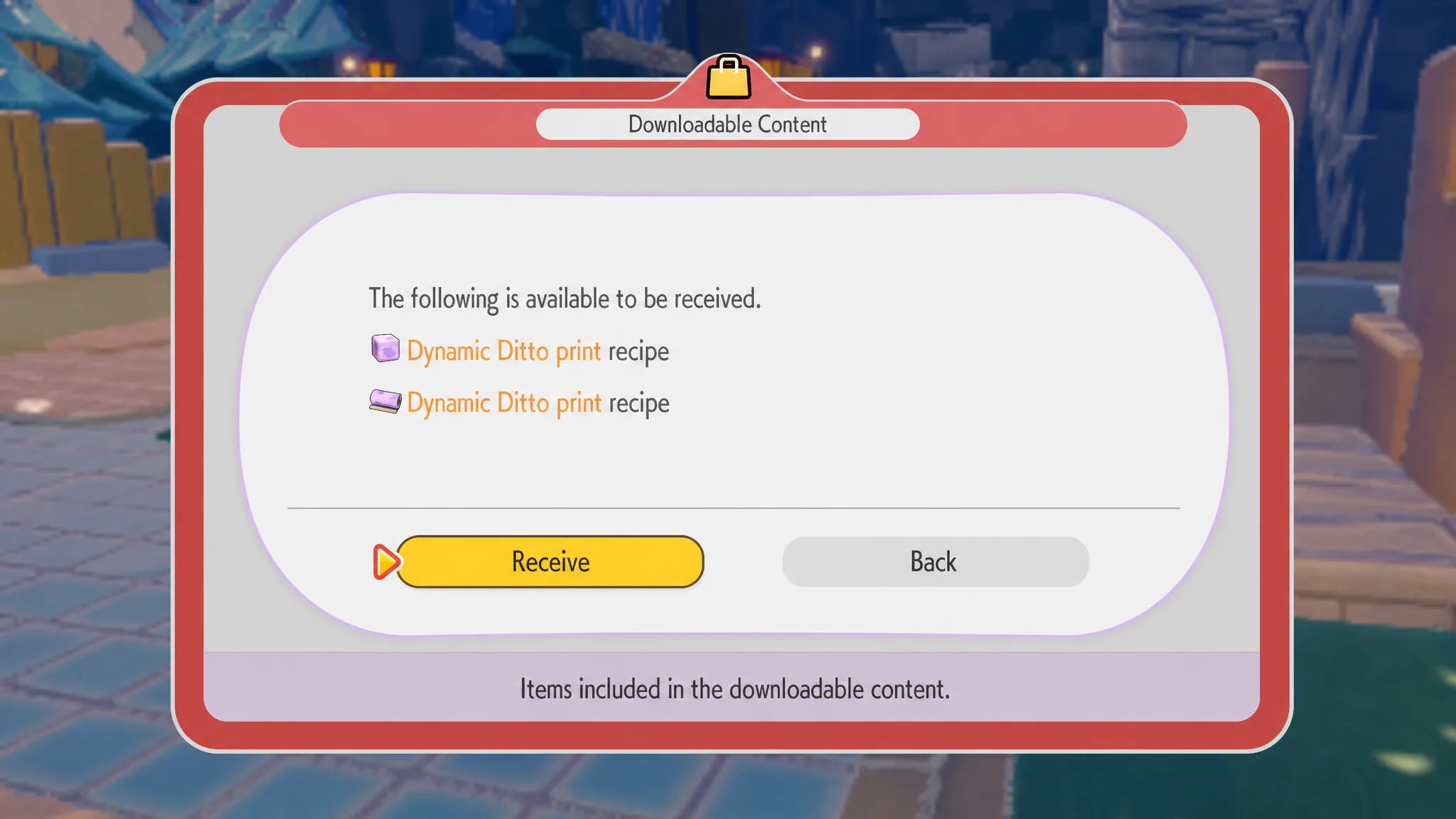
Craft the Ditto blocks and wallpaper
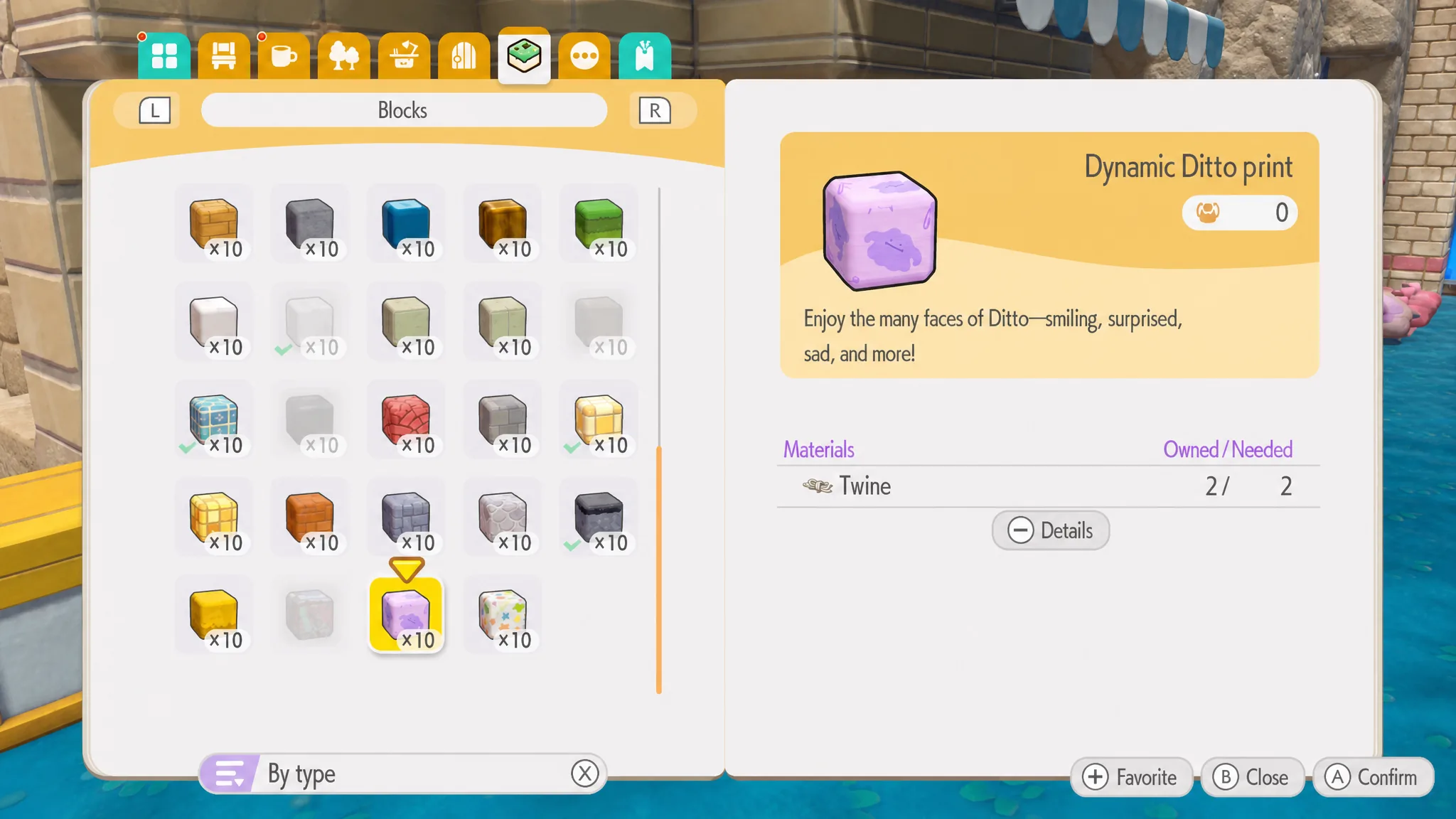
The recipes are patterns for your walls and floors. Head to any Workbench in the world and look for the Dynamic Ditto Print Blocks for floors and the Dynamic Ditto Print Wallpaper for walls. The dynamic Ditto design cycles through expressions, so the surface shows smiling, surprised, and sad faces.
| Item | Materials | Surface |
|---|---|---|
| Dynamic Ditto Print Blocks | 2 Twine / 10 Blocks | Floors |
| Dynamic Ditto Print Wallpaper | 6 Paper / 1 Batch (room) | Walls |
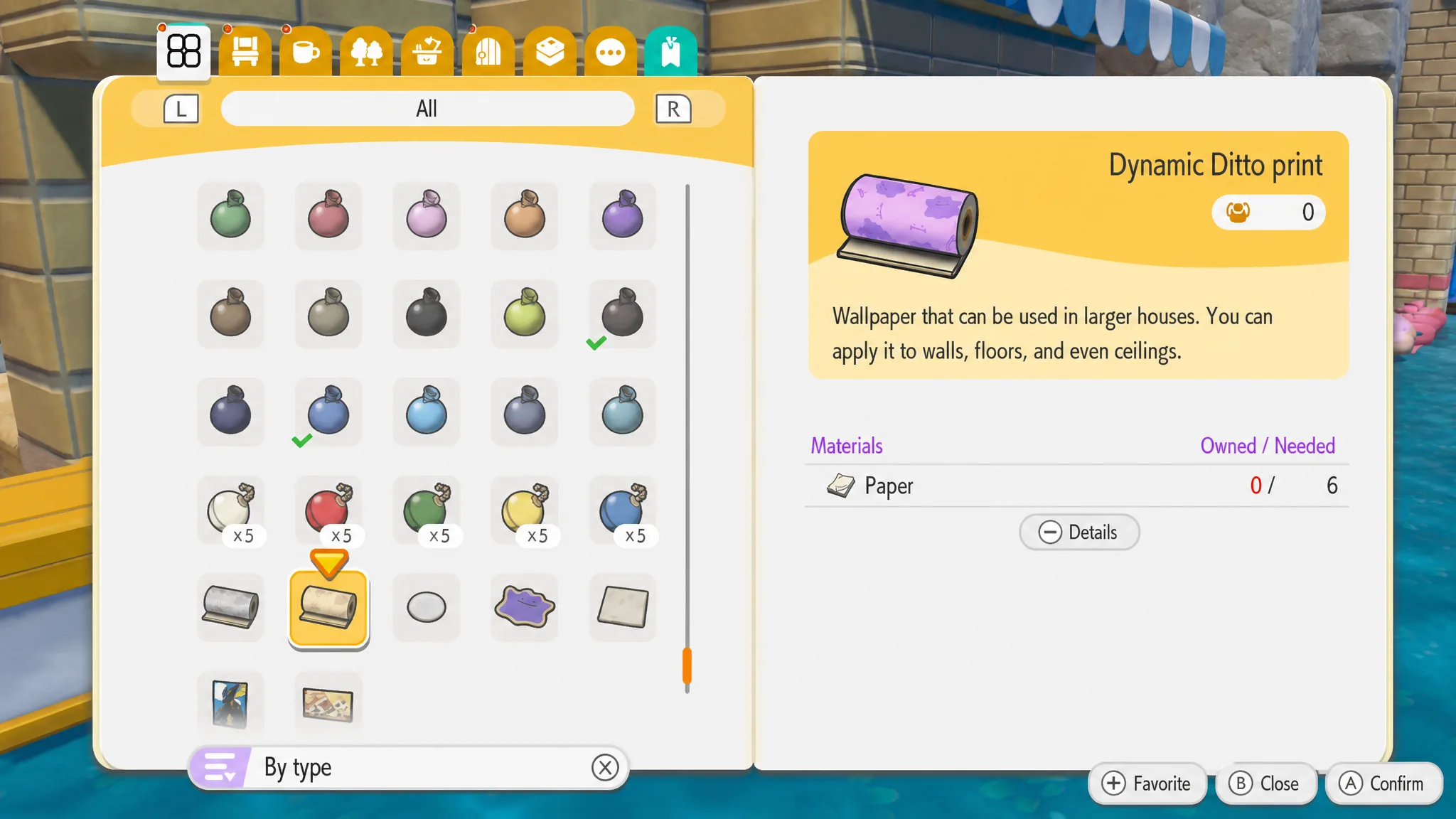
The wallpaper needs Paper, which you gather in the Sparkling Skylands area or on Dragonite’s Dream Island. If you cannot craft the wallpaper yet, stock up on Paper first, then return to the Workbench.
Claim the 30 Pokémetal ingots by code
Buying the Expansion Pass also sends a code for 30 rare Pokémetal ingots to the email address registered to your Nintendo Account. These ingots are craft materials, and they are also obtainable through normal play, so the code simply gives you a head start.
The code can only be claimed once, and it has hard deadlines. Redeem it, then claim the in-game reward, before the dates below.
| Action | Deadline |
|---|---|
| Purchase the Expansion Pass to receive a code | August 31, 2027 |
| Redeem the code | By Tuesday, August 31, 2027 |
| Claim the in-game reward | On or before Thursday, September 30, 2027 |
If the recipe or code will not appear
When the Receive option is missing or greyed out, work through the causes below in order. Each one blocks the claim directly.
- The game is still on an older build. Confirm it is Ver. 1.1.0 or later before opening Downloadable Content.
- The system is offline. Connect to the internet, since every claim step checks your entitlement online.
- The profile is not linked to a Nintendo Account, which is required both to go online and to receive the emailed ingot code.
- You have played less than about 30 minutes, so Workbenches and Mystery Gifts have not unlocked yet.
- The Expansion Pass is tied to a different account than the one you are playing on.
Once the recipes sit in your crafting menu and the ingots land in your inventory through Mystery Gifts, the bonuses are yours for good. Build a floor of grinning Ditto, paper a room with the pattern, and put those 30 Pokémetal ingots toward whatever project needs them.