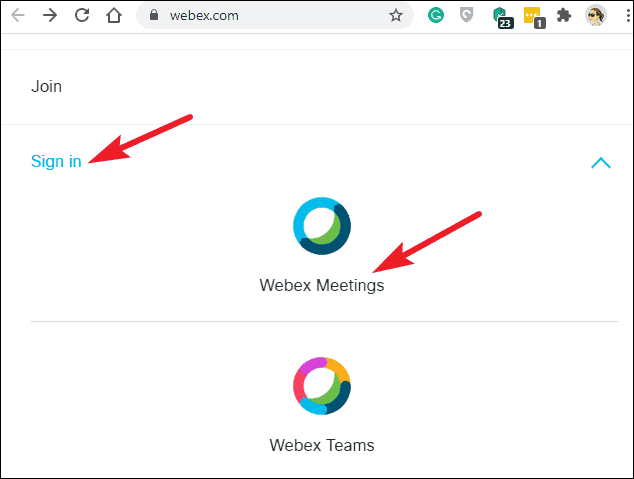
Even without a dedicated desktop app for Chromebooks, you can effortlessly use Cisco Webex on your device through several methods. Use the Webex Web app The simplest way to access Cisco Webex on your Chromebook is through the web application, which doesn't require any downloads and works seamlessly in your browser. Step 1: Open your preferred web browser on your Chromebook and navigate to webex.com. This will take you to the Cisco Webex homepage. Step 2: Click on the 'Sign In' button locate
Even without a dedicated desktop app for Chromebooks, you can effortlessly use Cisco Webex on your device through several methods. Use the Webex Web app The simplest way to access Cisco Webex on your Chromebook is…
by Sakshi Garg
Even without a dedicated desktop app for Chromebooks, you can effortlessly use Cisco Webex on your device through several methods.
Use the Webex Web app
The simplest way to access Cisco Webex on your Chromebook is through the web application, which doesn’t require any downloads and works seamlessly in your browser.
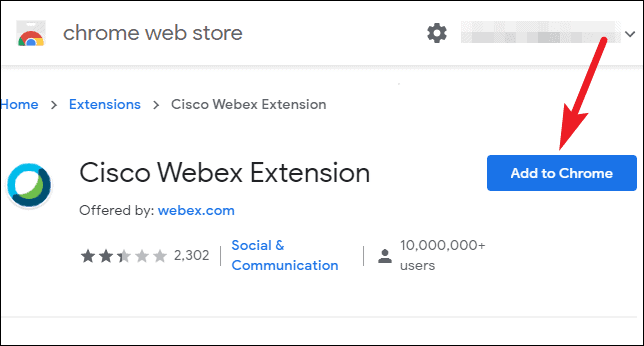
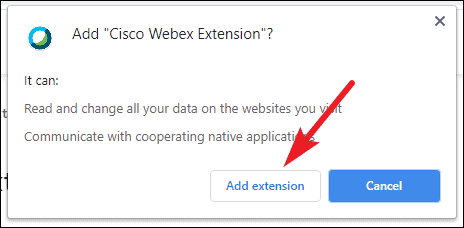
In the search bar of the Chrome Web Store, type ‘Cisco Webex Extension’ and press Enter to search. Alternatively, you can directly go to the extension page by clicking here.