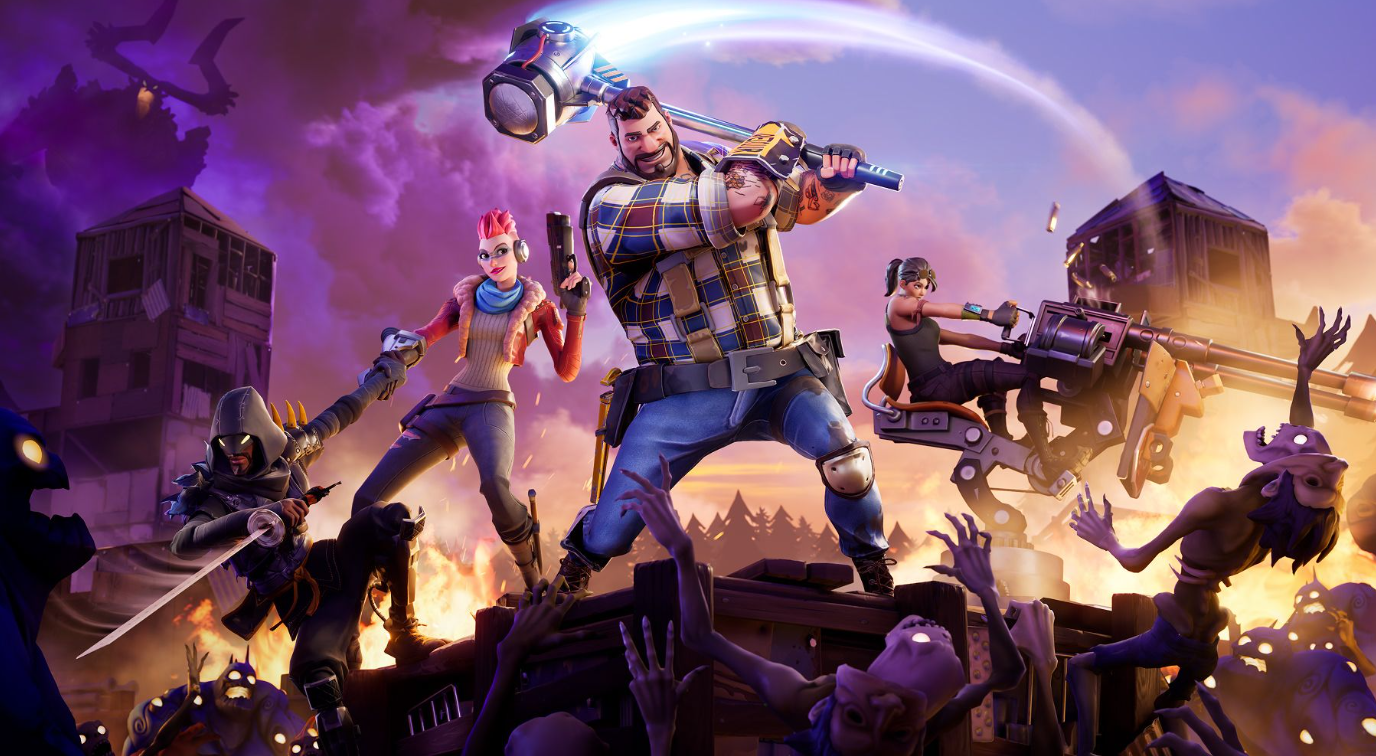
During Chapter 7 Season 4: Override, a purple terminal appears in the Fortnite lobby. Its look suits the season’s video game theme. Entering a valid Lobby Hack code grants a reward directly to your account: XP, a Sprite, Sprite Dust, a loading screen, a gizmo, or a temporary lobby transformation. Fortnitemares has expanded the active code list to well over four dozen.
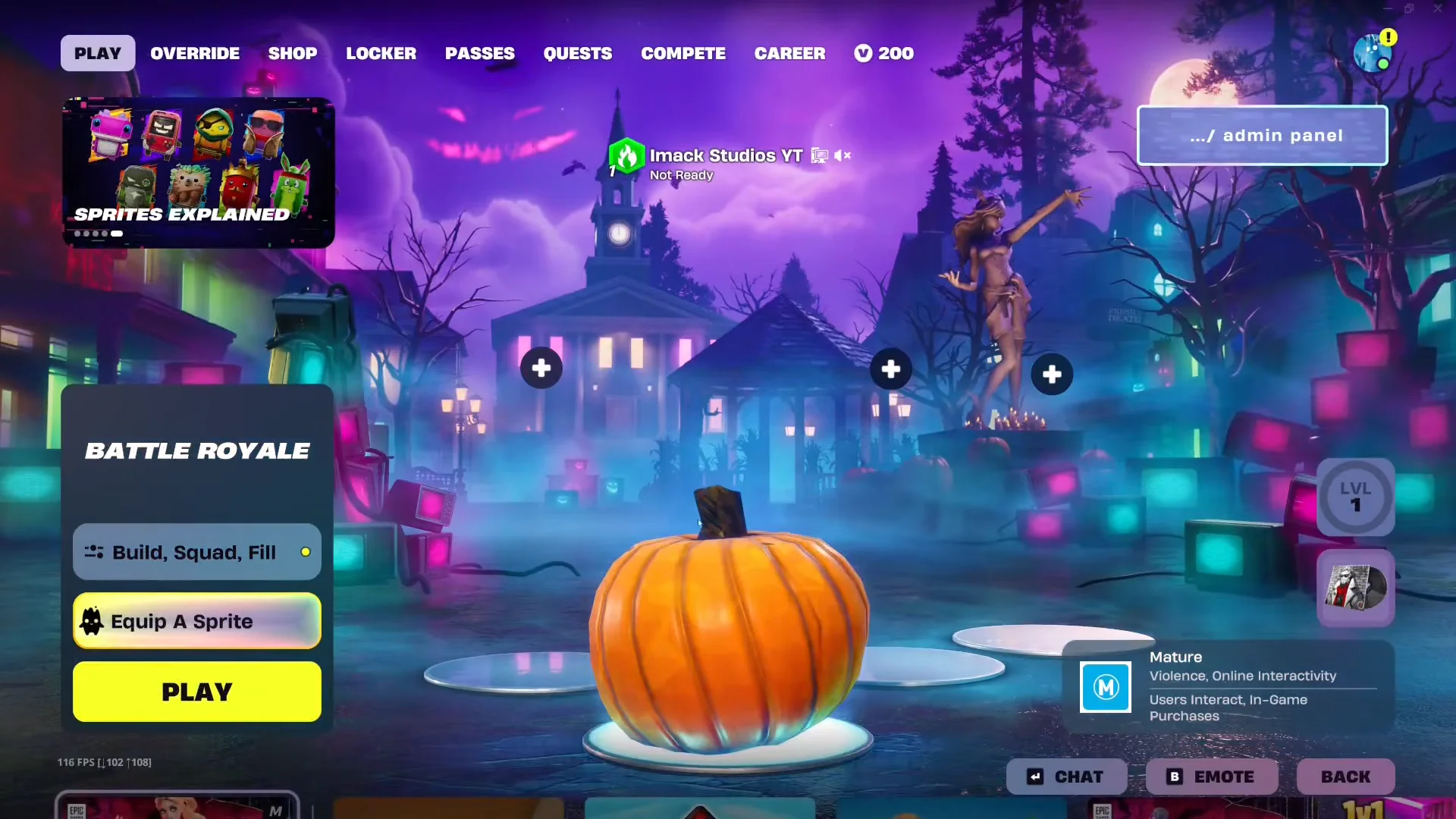
Quick answer: From a Battle Royale lobby, use the prompt at the top-right to open the admin panel: press and hold the displayed button (Y on Nintendo Switch), enter a Lobby Hack code, then choose Submit to receive its reward.
What the Fortnite Admin Panel is
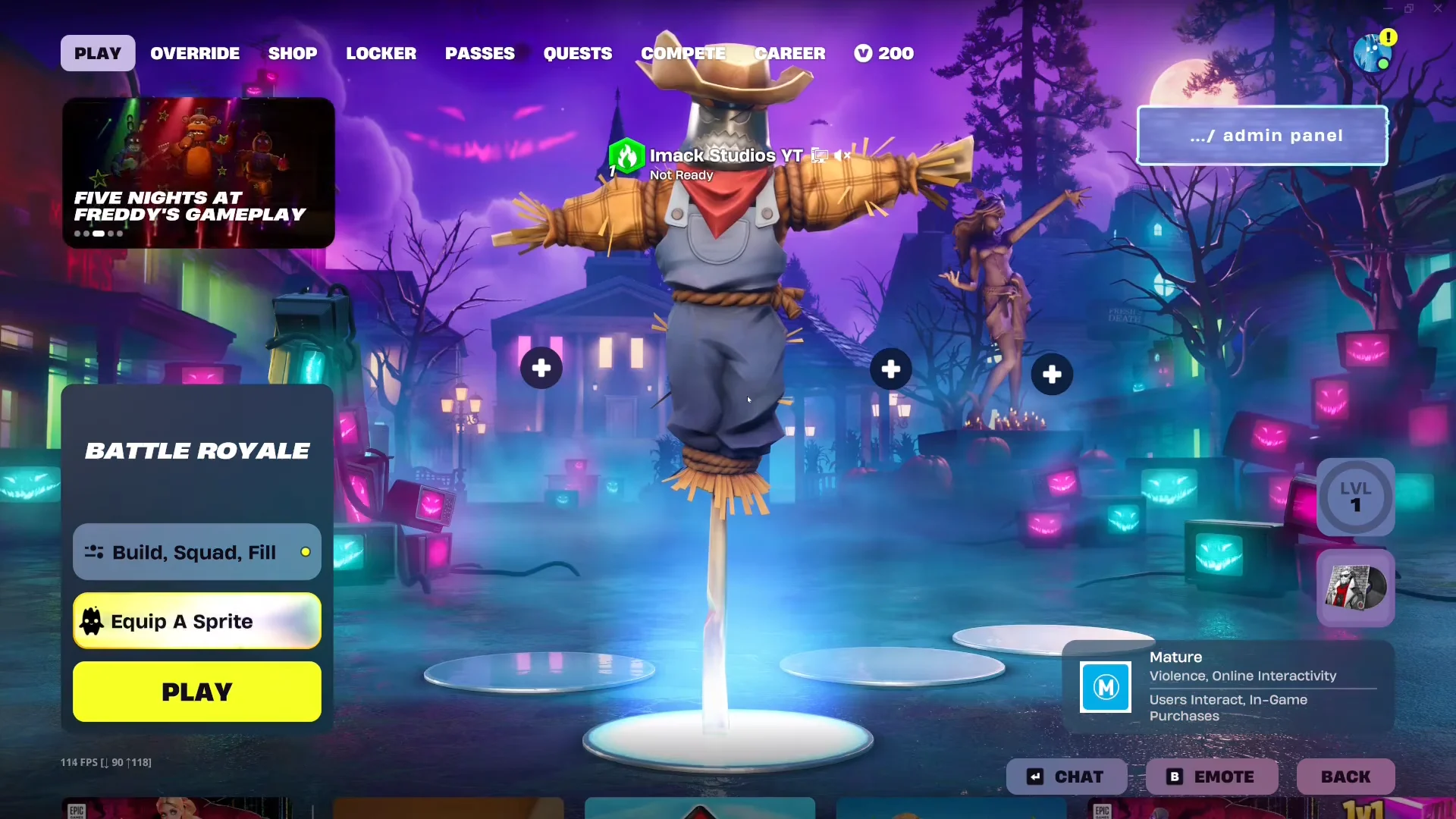
The admin panel appears as a prompt labelled ... /admin panel in the upper-right corner of the Battle Royale lobby, before you board the Battle Bus. Pressing and holding the prompted button opens a terminal titled FORTNITE ADMIN PANEL with a text box and a Submit button.
Type a code and submit it. A correct entry shows a LOBBY HACK ACTIVATED! screen where you Claim or Equip the reward. A wrong string returns “Whatever you typed, it wasn’t that,” and a code that isn’t live yet shows “Lobby Hack not currently available.” Codes are not case-sensitive in practice, so GottaGoFast and GOTTAGOFAST both register.
An account can redeem each code a single time. Lobby transformations are the exception: these temporary effects can be activated again. Most codes should remain available through the end of the Override season, but redeeming them early is safest in case one is removed.
Cheat Master Sprites and XP codes
Cheat Master Sprites carry an effect into a match and enter their Cheat Code instantly. The two XP codes drop a flat 40,000 XP onto your account toward Battle Pass progress.
| Code | Reward |
|---|---|
| Play4All | Cheat Master Jonesy Sprite (recovers health or shields after damage) |
| GottaGoFast | Cheat Master Sonic Sprite (faster sprint) |
| IWannaFlyHigh | Cheat Master Tails Sprite (grants a cover ability) |
| 8BitBlast | Cheat Master 8-Bit Sprite (8-Bit Shotgun in first chest) |
| Born2Play | Cheat Master Adventure Sprite (upgrades a random item each level) |
| JonesyIsGolden | Gold Jonesy Sprite |
| OverrideXP | 40,000 XP |
| WhoCrackedTheCode | 40,000 XP |
Sprite Dust codes
Sprite Dust is the event currency used to summon Sprites and buy Loot Hacks that change what Battle Royale chests give you. These codes pay out in bulk, with the 5,000 Dust codes being the most valuable.
| Code | Reward |
|---|---|
| DustySprites | 5,000 Sprite Dust |
| WhereIsTheDustyTree | 5,000 Sprite Dust |
| DustInTheWind | 5,000 Sprite Dust |
| BlinkyInkyPinkyClyde | 5,000 Sprite Dust |
| Magilume | 2,000 Sprite Dust |
| Perlimpinpin | 2,000 Sprite Dust |
| Chispambo | 2,000 Sprite Dust |
| Abgestaubt | 2,000 Sprite Dust |
| H0p0nVC | 2,000 Sprite Dust |
| PlayToLevelUp | 2,000 Sprite Dust |
| InvalidCheat | 2x Cheat Code Locator |
Gizmo and consumable codes
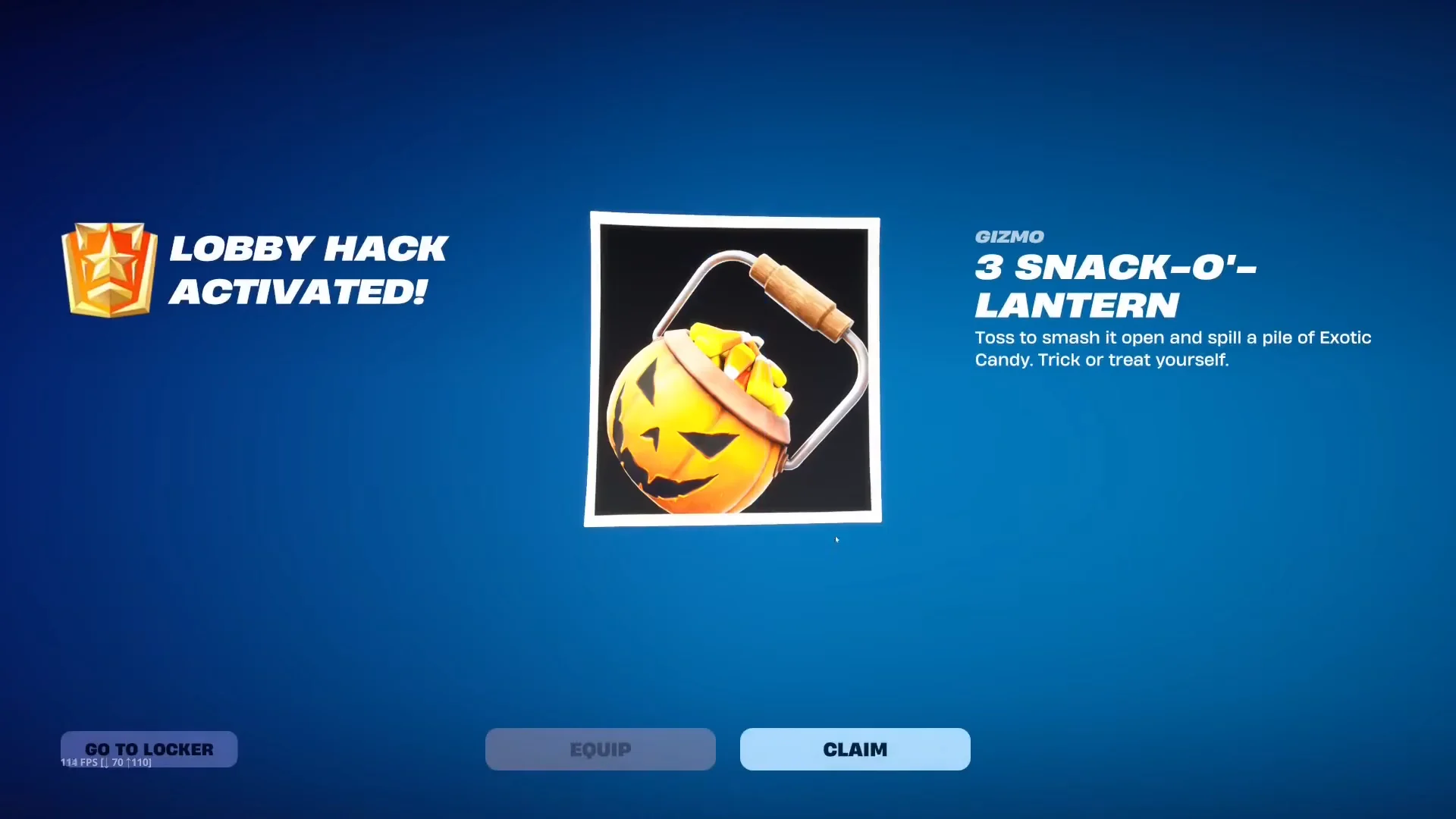
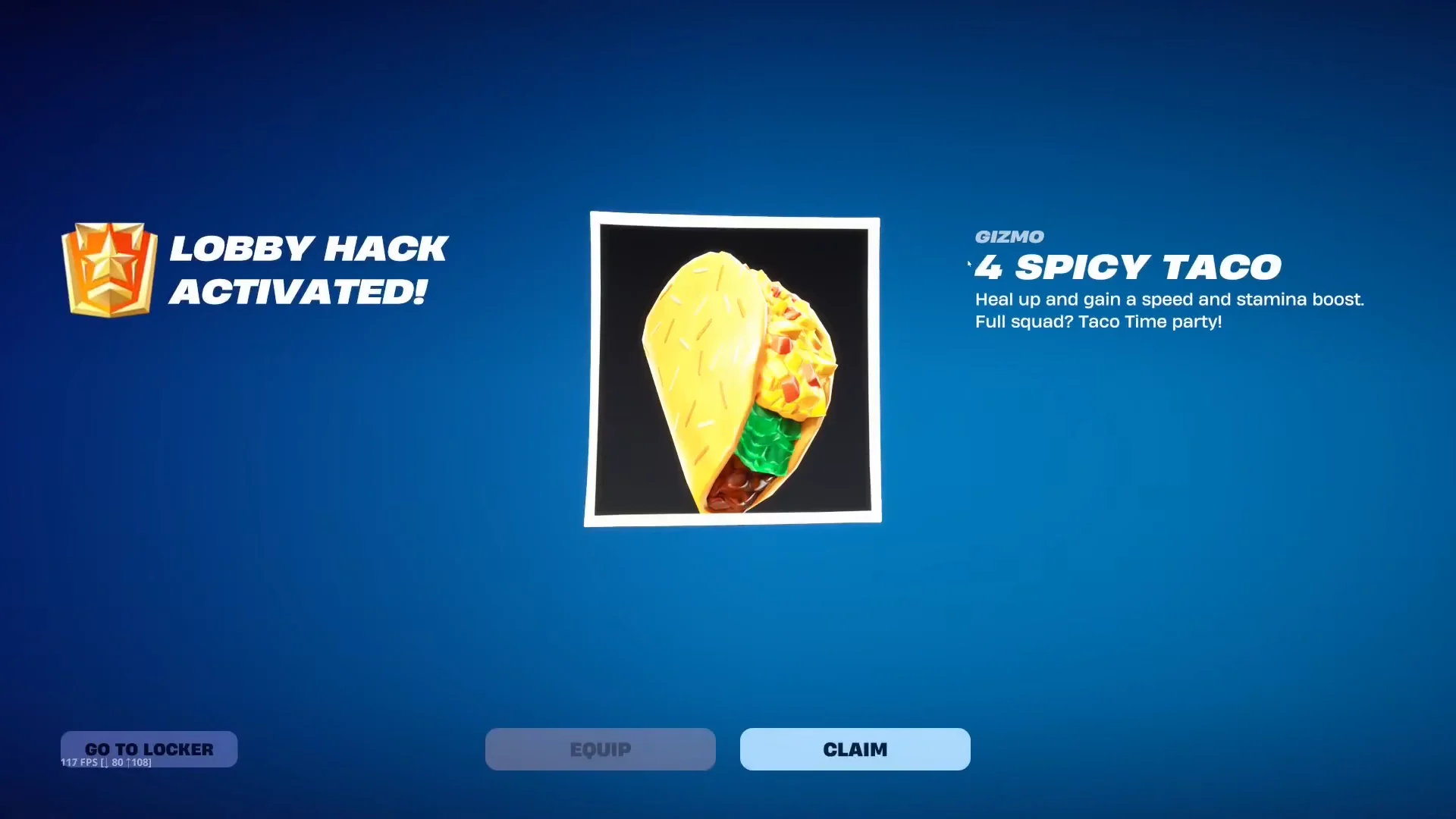
Each gizmo is consumed once and carried into a match. Portable Extractor retrieves a Sprite you have equipped; Extraction Accelerator quietly begins an extraction nearby; Cheat Code Locator indicates the nearest Cheat Code; and Spicy Taco restores health while boosting speed and stamina. Bringing several along before landing can make a match smoother, though they provide no direct advantage in a firefight.
| Code | Reward |
|---|---|
| O2Override | 5x Portable Extractor, 1 Llama Supply Drop |
| TakeYourHeart | 2x Extraction Accelerator |
| NocturneOp55N1 | 2x Extraction Accelerator |
| BeamMeUp | 2x Extraction Accelerator |
| ChatWhereDoYouFindTheKey | 2x Extraction Accelerator |
| IThinkTheKeyFoundMeChat | 1x Extraction Accelerator |
| SurviveTheNight | 2x Cheat Code Locator |
| FindItChat | 2x Cheat Code Locator |
| ChatFindMeAnotherCode | 2x Cheat Code Locator |
| AlmostScaringSeason | 2x Cheat Code Locator |
| PerfectOrder | 4x Spicy Taco |
| BoneRattler | 4x Spicy Taco |
| DestinyAwaits | 2x Llama Supply Drop |
| VeryScaryPumpkin | 3x Snack-O’-Lantern |
Cosmetic codes: back bling, emote, spray and loading screens
A handful of codes unlock permanent cosmetics that land in your locker, several of them tied to the season’s collaborations and Fortnite’s ninth birthday.
| Code | Reward |
|---|---|
| WeAreTheWorldChampionsToday | FNCS Sentry back bling |
| 9Years | 9th Birthday Sprite emote |
| SayH12Wr1x3L | Wrixel’s Hero Portrait spray |
| BeMoreAlien | Override Ready loading screen |
| ReachYourImpossible | Block Party loading screen |
Codes locked behind story quests
Several Fortnitemares codes only register once you have progressed the matching story quest line for Geno, Wrixel, Ziggy or Bastian. Entering them before that point returns the “not currently available” message rather than a reward.
| Code | Reward | Requirement |
|---|---|---|
| YourThoughtsAreMine | 5,000 Sprite Dust + Void Master Geno outfit style | Complete Geno quests |
| runSystemOverride | 5,000 Sprite Dust | Geno story progress |
| ImTheRealEdgelord | 5,000 Sprite Dust | Wrixel story progress |
| MagicIsReal | 5,000 Sprite Dust | Bastian: Weird Magic story |
| GatherAndCraft | Cheat Master Bush Sprite | Ziggy/Wrixel story progress |
| S7H-50P-R03 | Geno glitches out your lobby (reusable) | Story progress |
The story-locked batch arrived alongside the Fortnitemares update and keeps growing as players push through the Geno and Wrixel arcs.
Lobby transformation codes
These codes do not add anything to your account. Instead they change how your character looks on the lobby platform, and they can be reused as often as you like. The Fortnitemares entries lean into the Halloween theme.
| Code | Effect |
|---|---|
| CrowsAreAfraid | Turns you into a scarecrow |
| PumpkinSpiceLife | Turns you into a giant pumpkin |
| PowerOut | Five Nights at Freddy’s jumpscare |
| InsertCoinToContinue | Turns you into an arcade machine |
| BRB | Turns you into a toilet |
| LetsBlockAndRoll | Turns you into a Tetris block |
| DontBlockMe | Turns you into a Tetris block |
How you know a code worked
The LOBBY HACK ACTIVATED! message confirms a successful code. Your account receives XP automatically; Sprites, sprays, emotes, loading screens and back bling go into your locker. Gizmos and Sprite Dust instead increase your event totals. If the game refuses a code you entered correctly, check for an extra space, a story requirement you have not met, or an expired code.
NoProLlama, which previously granted a Llama Supply Drop, is no longer active — it stopped working in mid-September.
Lobby Hack codes vs. in-match Cheat Codes
Lobby Hack codes entered through the admin panel differ from the Cheat Codes placed around the map. During a match, find a Cheat Code and enter it there to get a Sprite for that game only. Admin panel codes are entered from the lobby; they award permanent account rewards as well as lobby transformations that can be reused.
The separate creator custom match admin panel
A separate Fortnite feature uses the same name. Members of an Epic creator program receive an Admin Panel Tool for their custom lobbies; during a match, open Sidebar, choose Menu, and then select Admin Panel to access it. Only the host can use it, and it works only in non-competitive Battle Royale modes, Zero Build included.
Rather than grant loot, the tool lets you alter match conditions. Options include enabling God Mode, setting health and shield levels for everyone, changing the time of day and how fast it moves, stopping the storm, modifying its radius and the first-circle timing, and returning disruptive players to the lobby. Both tools are native Fortnite features; an outside “secret” code claiming to grant admin powers elsewhere isn’t part of the game.