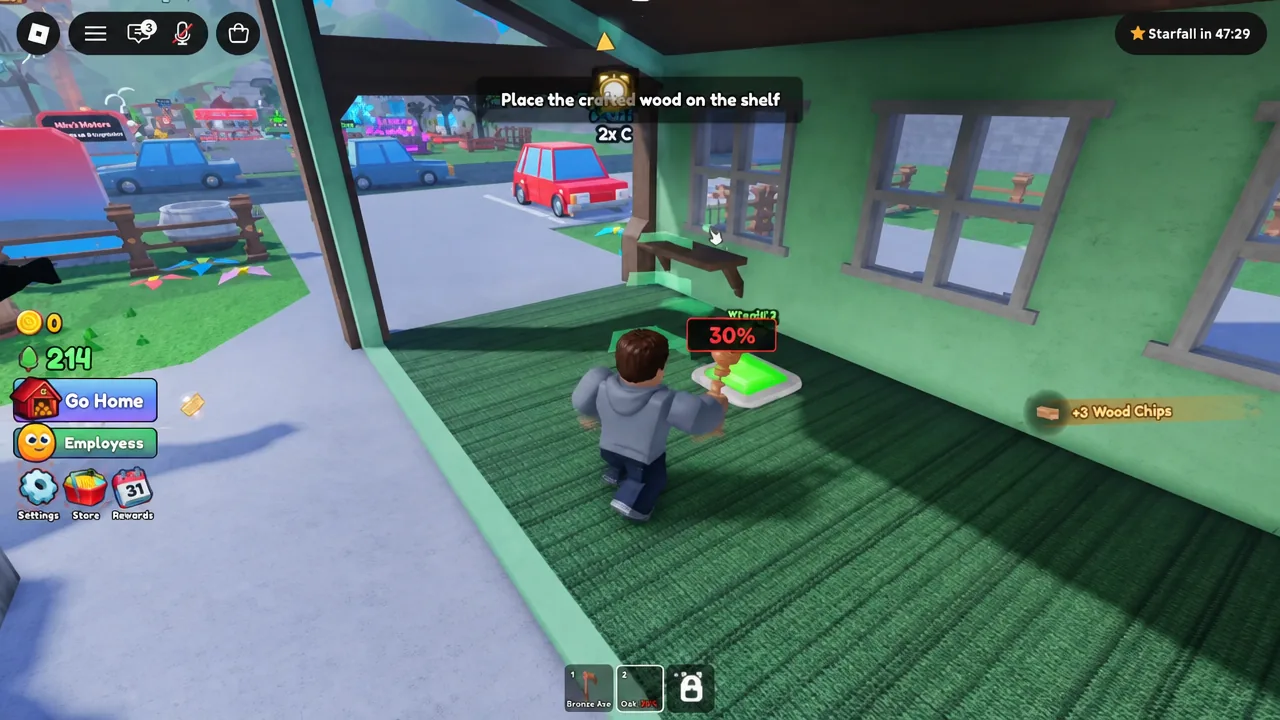
Carve Wood is a tycoon experience built on one long production line. You grow trees, cut them down, shape the logs on a lathe, and put the finished pieces on a shelf for NPC customers. The twist is that your income is tied to how steady your hand is, because a log’s sale price rises with how closely your carving matches the template.
Quick answer: Pull the red lever at the ROLL SEEDS platform to get a free seed, drop it into a planter, chop the grown tree with the axe from your hotbar, carve the log at the lathe to at least 85% accuracy, then place it on a shelf and accept the customer’s offer.
PC controls and what you start with
Servers hold six players, and everyone gets their own plot. The Carve Wood experience page is free to join, with optional Robux purchases layered on top. Your starting plot has one seed roller, a small set of planters, a lathe, and a shop with a single shelf.
| Action | Key |
|---|---|
| Move | W, A, S, D |
| Jump | Spacebar |
| Interact | E |
| Zoom in | I |
| Zoom out | O |
Trees keep growing while you are logged out, so the yard is not idle between sessions. Anything sitting on a shelf, however, still needs a customer to buy it.
The core loop: roll, plant, chop, carve, sell



Carving accuracy and how it changes payouts
Accuracy is the number in the top of the carving screen, and it is the part of the game you actually get better at. Rarity sets the ceiling on what a log is worth, but accuracy decides how much of that ceiling you collect. High-accuracy pieces also pull more customers into the shop, so sloppy work slows the whole line down.
The lathe offers three tool settings, and you switch between them mid-carve to match different parts of the outline.
- Standard — the default flat cut for straight sections of the template.
- Wedge — an angled cut that follows tapers and slopes.
- Circular — a rounded cut for curved beads and bulges.
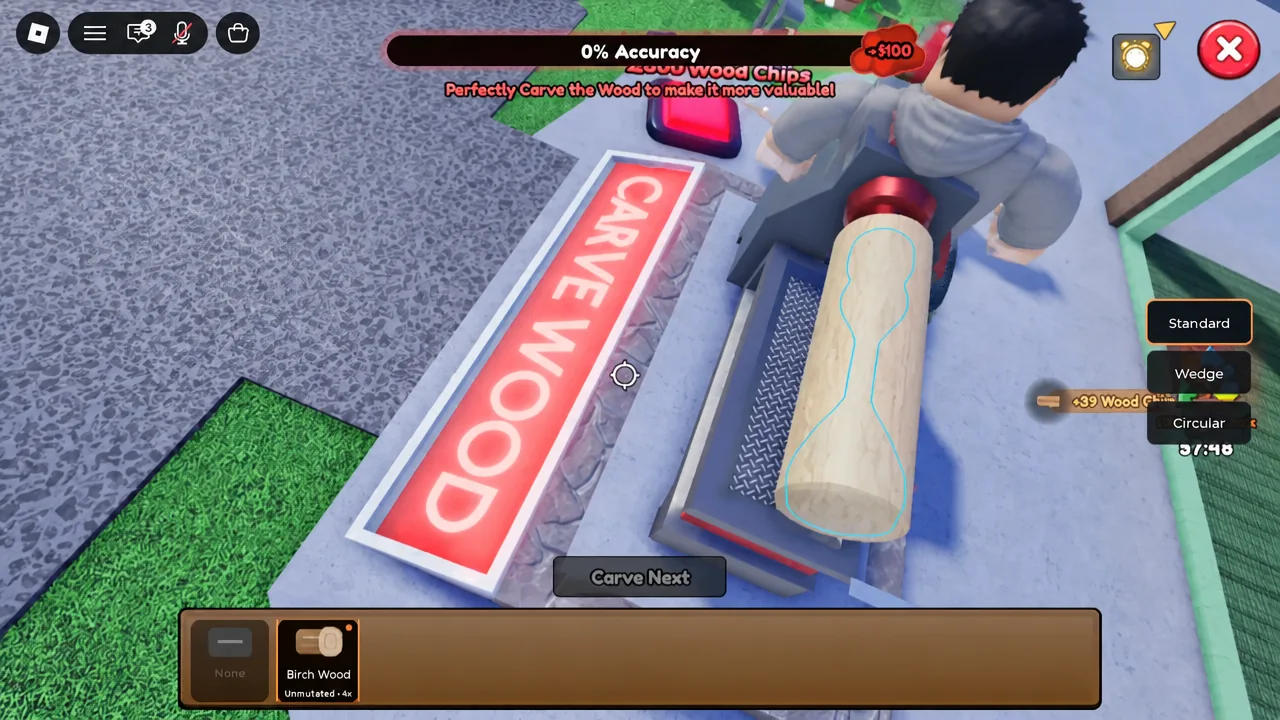
Tip: work slowly and stay just outside the blue line rather than cutting through it. Wood you remove does not come back, and overshooting a curve is what drags early attempts down into the 50s and 60s.
| Accuracy | What it typically means |
|---|---|
| Under 70% | First attempts on common wood; offers land in the low hundreds. |
| 85–95% | Clean work on rarer logs; payouts climb sharply and shelves clear faster. |
| 97–99% | Masterpiece territory on high-rarity wood; single sales reach the thousands. |
Seed rarities and growth speed-ups
Seeds run through eight tiers, from Common up to Eternal, which is currently the top rarity. The trade-off is time. Common and Uncommon seeds sprout quickly, while Sacred and Eternal seeds sit in the planter far longer before they are ready to chop.
| Rarity order (lowest to highest) |
|---|
| Common → Uncommon → Rare → Epic → Legendary → Mythical → Sacred → Eternal |

There are several ways to shorten those timers. Watering cans from the Water Tower come in escalating strengths, including 2x, 8x, and 16x versions, and pouring one onto a planter accelerates that specific tree. The Rain event adds a server-wide boost, and the Instant Growth gamepass skips the wait entirely. You can also merge seed rollers through the Merge Menu to push your luck tier higher and pull rarer seeds more often.
Hourly server events and tree mutations
Every hour, the server runs an event that lasts three minutes. Some speed up growth, others stamp a mutation onto random trees on your plot. Mutations change how a log looks and raise what the finished carving sells for, so it is worth holding a shelf slot open when one lands on a rare tree.
| Event | Effect |
|---|---|
| Rain | 1.5x growth speed for seeds, plus lightning strikes that instantly turn random seedbeds into huge trees. |
| Electrified | Applies the Electrified mutation, multiplying sale value by 2.2x. |
| Starfall | Applies the Starfall mutation to random trees. |
| Moonlit | Applies the Moonlit mutation to random trees. |
Separately, a Frenzy clock sits above the Sell Zone shop. Activating it triggers a Gold Frenzy that floods the store with buyers at heavily multiplied prices, which is when stocked mutated carvings pay off hardest. Stock the shelves first, then start the clock.
Upgrade order: planters, shelves, and shed tiers
Early cash goes furthest on capacity. More planters mean more trees growing in parallel, and more shelves mean fewer finished carvings sitting in your inventory waiting for space. Wood Chips are spent separately on yard structures like the Water Tower.
| Purchase | Cost |
|---|---|
| New Planter | $100 |
| Shelf 2 | $100 |
| Shelf 3 | $250 |
| Lumber Shed Tier 2 | $5,000 |
| Shelf 9 | $10,000 |
| Lumber Shed Tier 3 | $20,000 |
| Auto Sell | $35,000 |
| Water Tower | 3,000 Wood Chips |
Extra seed roller slots are also worth buying alongside planters, since one roller feeding six planters leaves beds empty. Shed tier upgrades unlock additional shelf spots inside the showroom, so they gate how much stock you can display at once.
Automating the yard with workers and gamepasses
Automation removes the parts of the loop you repeat most. Buying the Auto Lathe pass spawns a robot carver and a Stocker NPC, which you feed with logs so it handles lathe work and shelf stocking. Auto Sell, bought with in-game cash, puts a Cashier NPC on the register so customer offers close without you standing there. The Investor NPC on your plot handles upgrade options, diamonds, and pass perks.
| Gamepass | Robux | Effect |
|---|---|---|
| Auto Lathe | 79 | Unlocks the robot carving machine on your plot. |
| Paintbrush (2x Customers) | 199 | Doubles the customer flow into your shop. |
| Item Magnet | 199 | Pulls drops toward you automatically. |
| 2x Roll Luck | 329 | Improves the odds of rolling rarer seeds. |
| VIP | 399 | Raises VIP customer chances and rewards. |
| 2x Walkspeed | Offsale | Faster movement around the plot. |
There is also a Starter Pack that bundles Coins, Glow Seeds, and the Diamond Axe. Pass prices and availability shift with updates, so check the store panel before committing Robux.
How to confirm the tutorial is complete
The tutorial ends after you buy a second planter for $100, roll and plant a Common Birch Seed, and finish that cycle. A “Tutorial complete!” message appears on screen, and the “You completed the Tutorial!” badge lands on your Roblox profile. Two more early badges track raw volume, awarded for chopping 10 trees and carving 10 logs.
Note: there is no code redemption system in Carve Wood, so nothing you type into a text box will grant Coins or seeds. Every boost comes from events, upgrades, or passes.
The fastest way to grow past the opening hour is to keep every planter occupied and never let a shelf sit empty. Rarity gets you the expensive logs, but accuracy is what converts them into real money, and the difference between a 70% carving and a 95% one compounds across every sale you make.