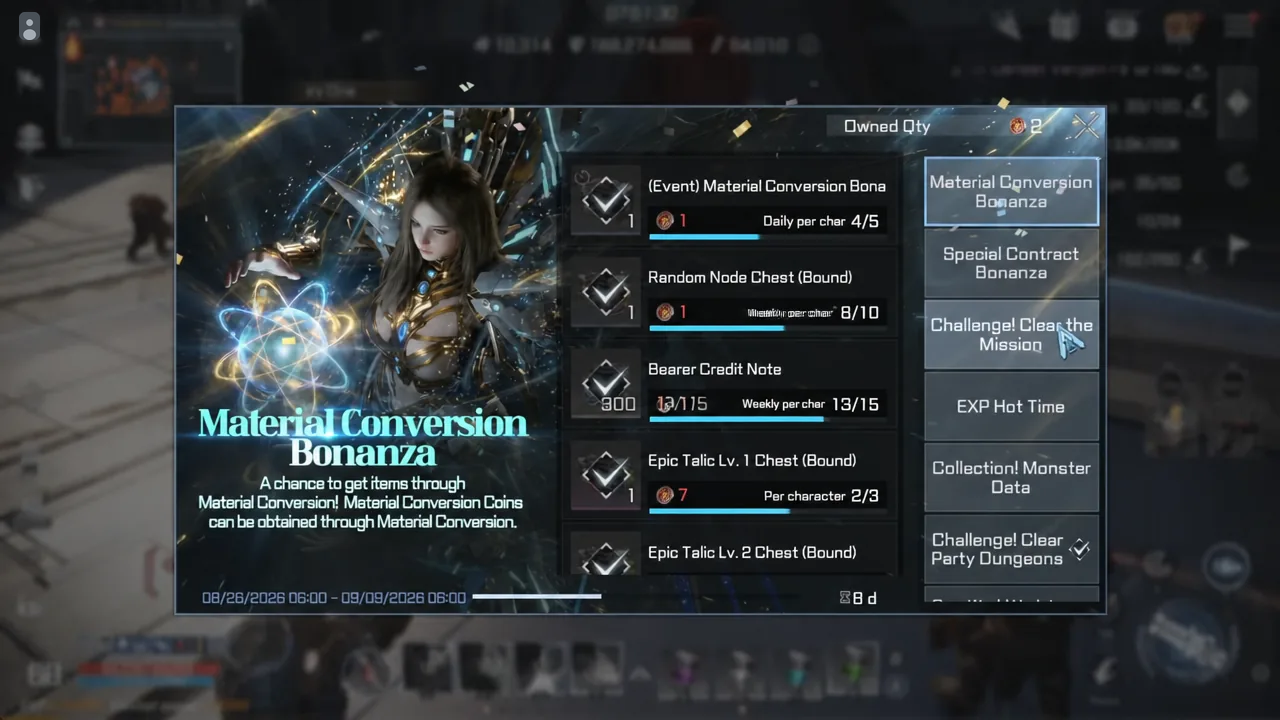
The Epic Master Cell (Bound) is a substitute item in RF Online Next that stands in for any missing Epic-grade material in a collection slot. Collections are one of the few permanent stat sources in the game, so every cell you spend is worth a few seconds of thought before you click.
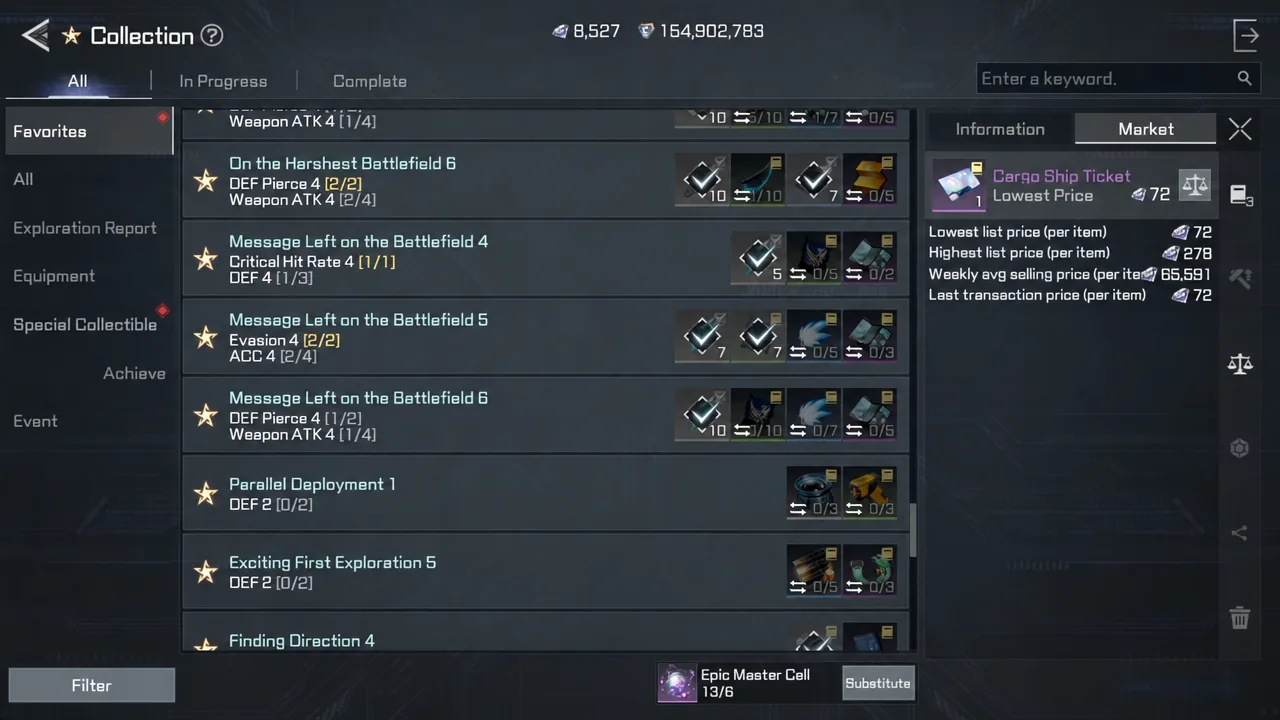
Quick answer: Open Collection, switch to the Special Collectible tab, pick an Epic collection that gives ATK, DEF, or ACC, then hit Substitute on any slot whose item is expensive or drops from Lv. 85+ Androids. If the missing item is cheap on the Market, buy it with diamonds and keep the cell.
Where the Epic Master Cell (Bound) comes from
Cells arrive as contract mission rewards. You claim them from the Challenge! Clear Missions screen, which sits under the Special Contract Bonanza event listings. They land in your inventory as a bound item, so they cannot be traded or listed on the Market.
The important part is that they do not expire. There is no timer forcing you to burn them during the event window, which means holding a stack until you reach higher-level content is a valid plan rather than a risk.
What a completed collection actually gives you
Each collection is a set of slots. Filling slots grants a Collection Effect, and those effects are permanent character stats — Attack (ATK), Defense (DEF), and Accuracy (ACC) are the ones worth chasing. You do not need to finish a full set to benefit, since partial progress already unlocks the lower tiers of the effect.
Inside the Collection menu you can sort lists by progress status and by type, search for a specific item to see every collection it belongs to, and filter by the effect you want. If you are stacking Accuracy for contested zones, filter for ACC and ignore everything else.
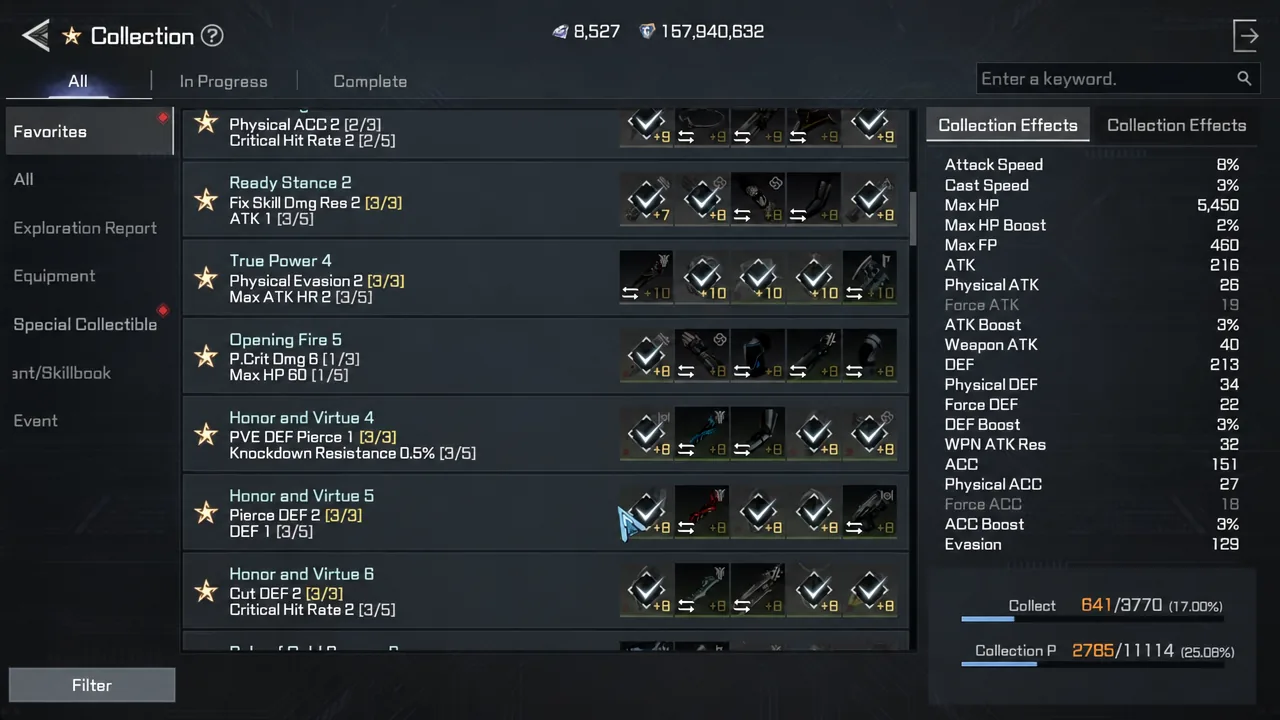
How to substitute a cell into a collection slot
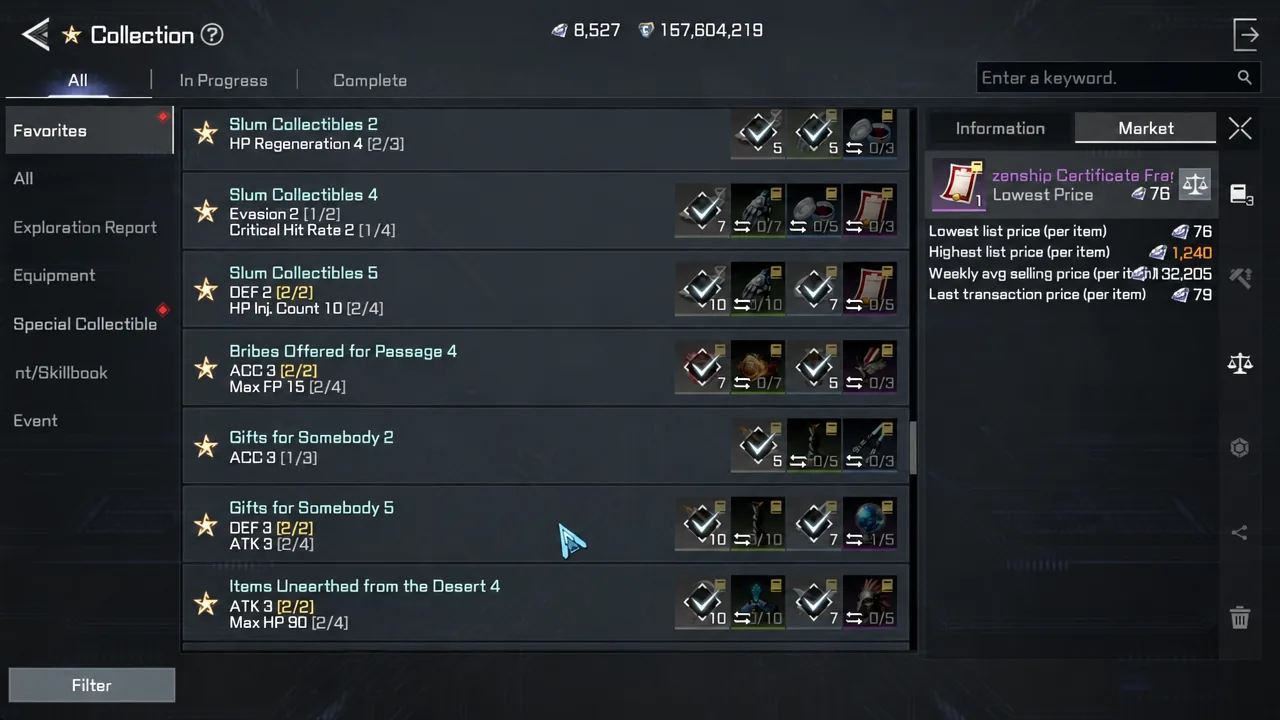
When to spend a cell and when to buy instead
The rule is simple. Cells are finite, diamonds are recurring, and most low-level collection materials sell for very little. Mixing the two is how you finish a set for almost nothing.
| Situation | Do this |
|---|---|
| Item is listed cheaply on the Market | Buy it with diamonds and save the cell |
| Item is farmable at your current level | Farm it, then use the register-all button |
| Item is expensive or has no listings | Substitute with an Epic Master Cell |
| Item drops from Lv. 85+ Androids | Substitute — these are the highest-value uses |
| Collection effect is not ATK, DEF, or ACC | Skip it for now, cells do not expire |
A clean example of the mixed approach is Message Left on the Battlefield 4, which grants DEF 4. The Calliana Emblem it needs is cheap enough to simply buy off the Market, leaving only the Platform Information Flyer to cover with a cell. One substitution instead of several.
By contrast, Slum Collectibles 1 (ATK 2) asks for the Empire Citizenship Certificate Fragment, and covering that gap takes two cells. Worth it if you want the Attack bonus immediately, but it shows how quickly a stack drains when you substitute without checking prices first.
Save cells for high-level Android drops
The materials that genuinely justify a cell are the ones you cannot farm yet. Items tied to Lv. 85 and Lv. 90 Android enemies — the Sentry, Defender, Rifleman, Shocktroop, Sniper, Escort, and Commander variants — are effectively locked behind endgame hunting grounds, and they rarely show up on the Market at a reasonable price.
Because the cells never expire, the strongest play for a mid-level character is to bank them. Fill anything cheap with diamonds now, keep browsing the effect filter for the ATK, DEF, and ACC sets you eventually want, and spend the stack once you can see which endgame slots you will never fill by farming.
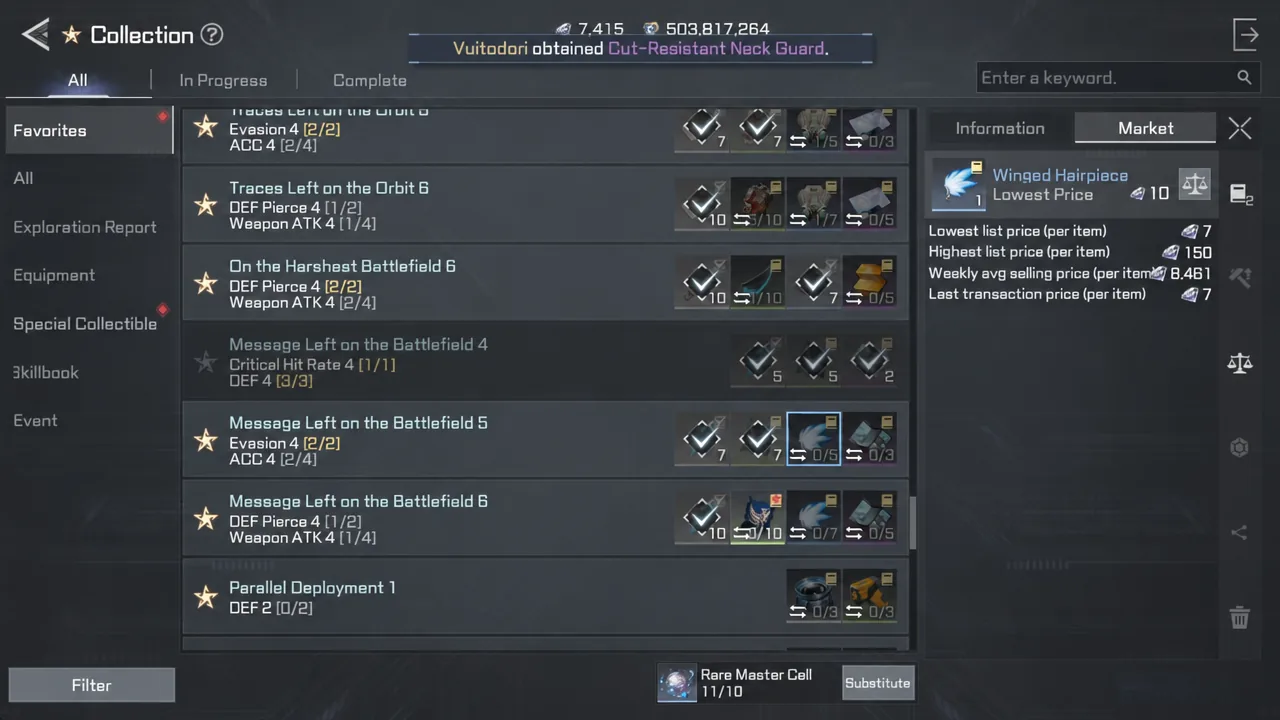
Use the item search inside the Collection menu before you commit. Entering a material name shows every collection it feeds into, which sometimes reveals a set you are closer to completing than the one you were about to spend on.
Treat the cells as a currency for content you have not reached yet, not as a shortcut for materials sitting on the Market for a handful of diamonds. Check the price, farm what you can, and keep the Substitute button for the Epic slots that would otherwise stay empty for weeks.