Arknights: Endfield’s Twitch Drops campaign ran through February 18, 2026, rewarding players with premium currency and leveling materials for watching eligible streams. The event has ended, but the account-linking process and reward structure are worth understanding for future campaigns, since Hypergryph’s linking system has a specific prerequisite that trips up many players.
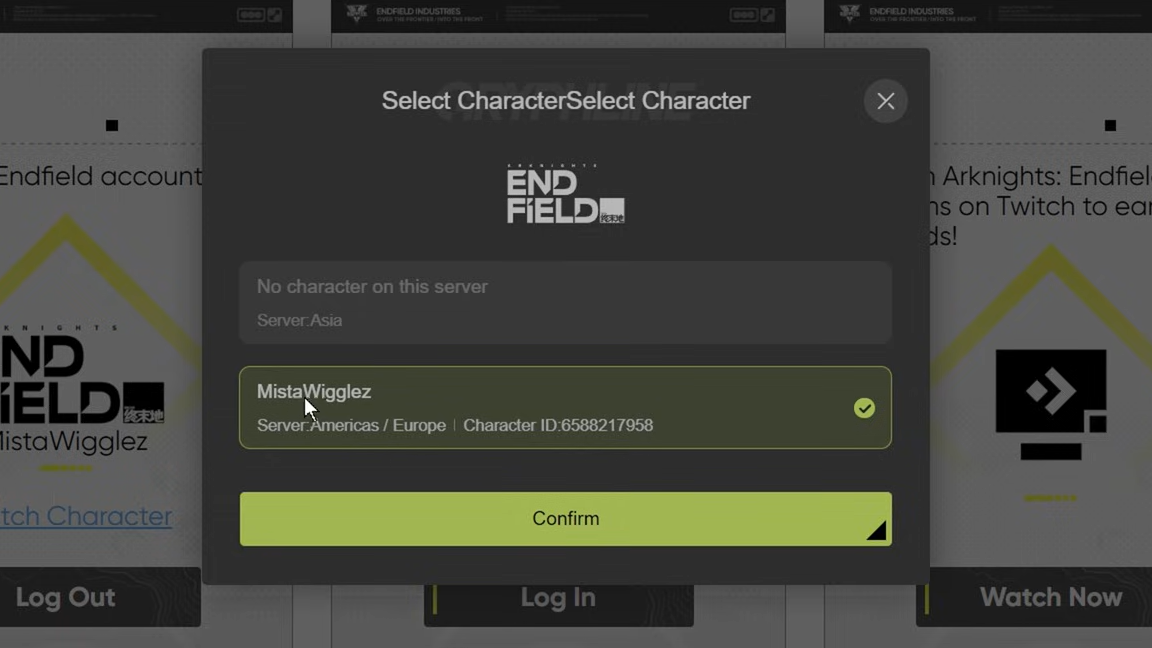
Quick answer: You must complete the in-game tutorial and name your Endministrator character before the Twitch account connection button becomes clickable on the official linking page.
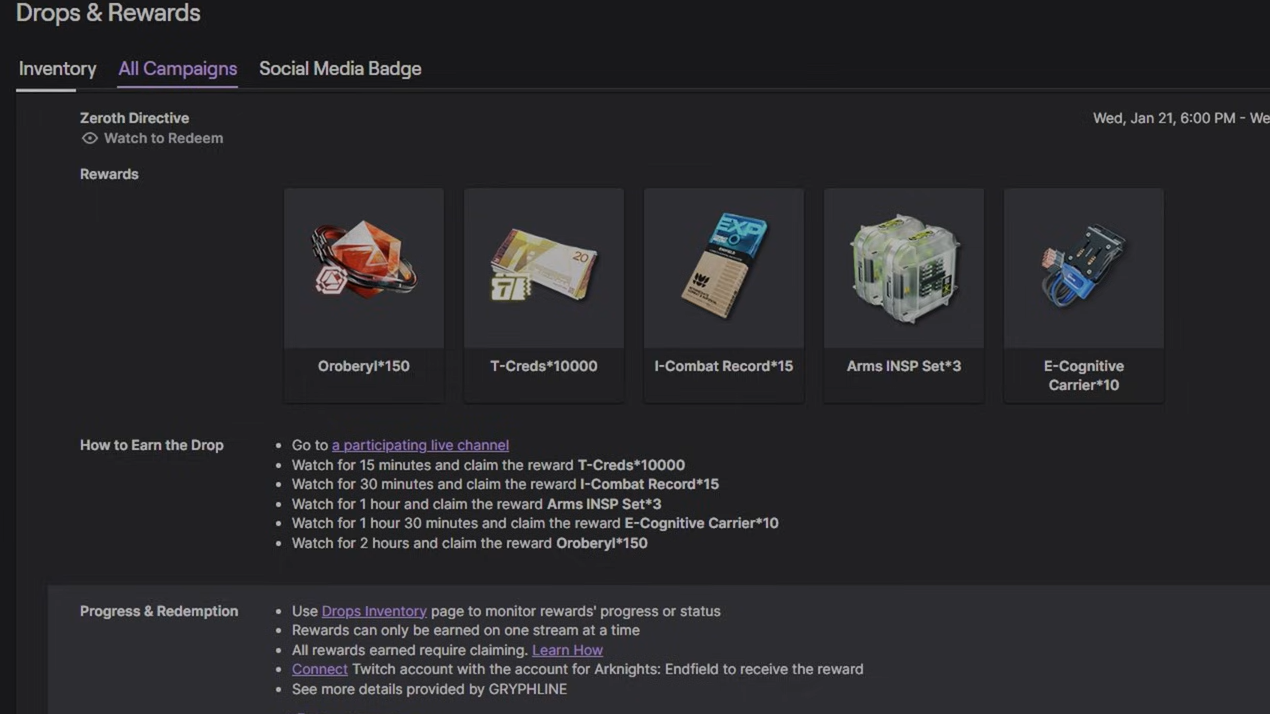
Twitch Drops reward tiers
Watch time was cumulative — you didn’t need to hit every milestone in a single session. Progress counted across any stream in the Arknights: Endfield category on Twitch, regardless of the streamer’s viewer count.
| Cumulative Watch Time | Reward |
|---|---|
| 15 minutes | 10,000 T-Creds |
| 30 minutes | 15 I-Combat Records |
| 1 hour | 3 Arms INSP Sets |
| 1 hour 30 minutes | 10 E-Cognitive Carriers |
| 2 hours | 150 Oroberyl |
T-Creds serve as a general-purpose currency, I-Combat Records speed up character leveling, Arms INSP Sets strengthen weapons, E-Cognitive Carriers support advanced progression, and Oroberyl is the premium headhunting currency used to recruit new characters.
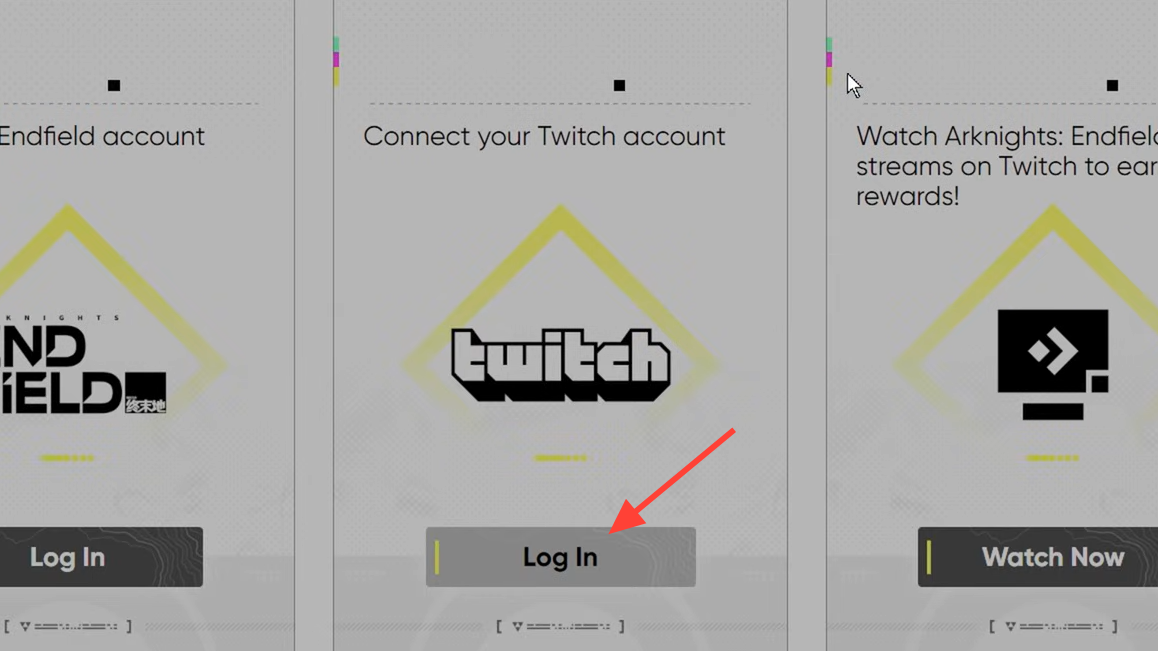
Link your Arknights: Endfield and Twitch accounts
The linking process is straightforward, but the order matters. Skipping ahead to the linking page before finishing the tutorial leaves the Twitch login button grayed out, with no error message explaining why.
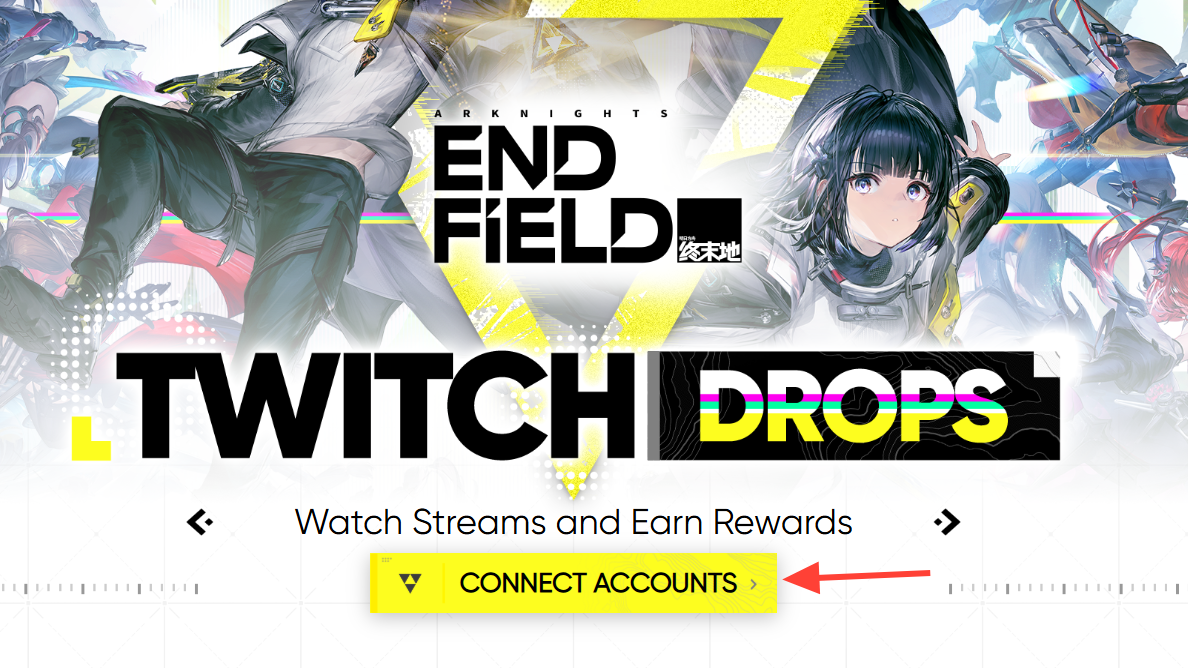
Earning and claiming drop rewards
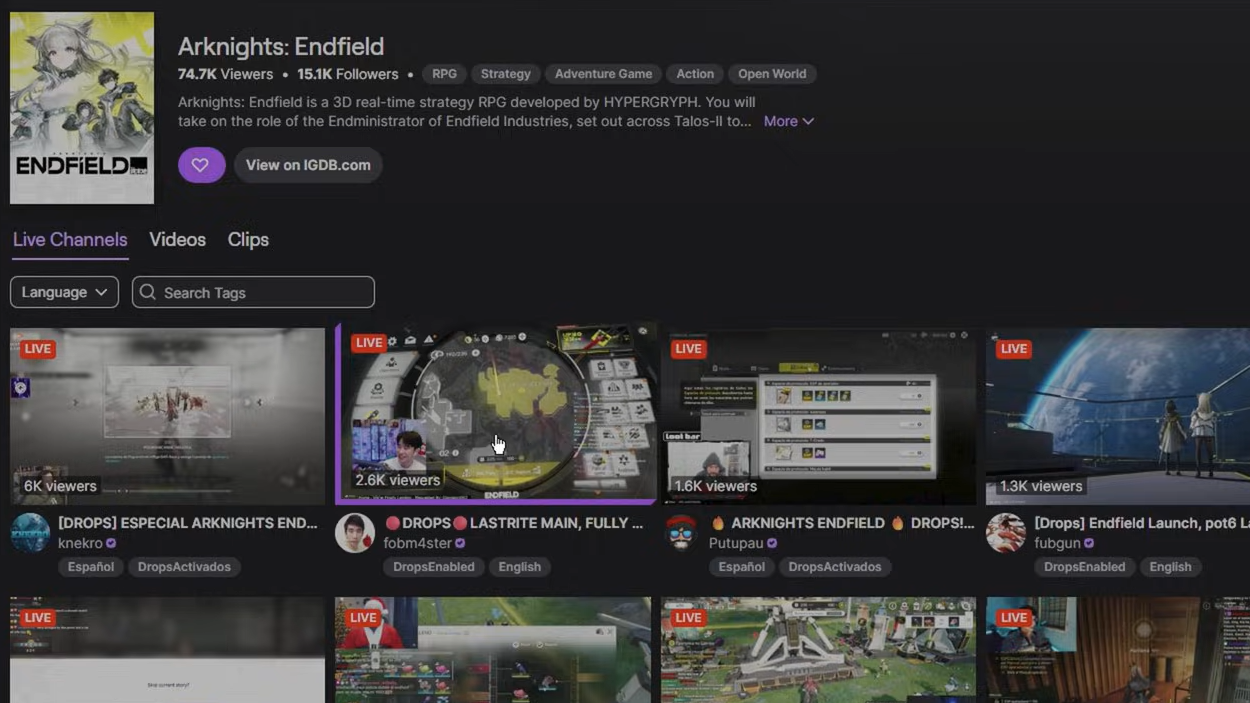
Once your accounts are linked, open any Arknights: Endfield stream on Twitch. A “Watch to earn Drops” indicator appears near the top of the chat window when the stream qualifies. You can verify your connection status by clicking “View Details” on that indicator — the connect button should read “Connected” rather than “Connect.”
You don’t need to actively watch. Leaving the stream tab open in a browser or keeping it running on a mobile device counts toward your watch time. Progress accumulates across multiple streams and sessions.
When you hit a milestone, Twitch sends a notification. You must manually claim each reward from your Twitch Drops Inventory (found under your profile menu on Twitch). Claiming on Twitch sends the items to your in-game mailbox. Press K inside Arknights: Endfield to open the mailbox and collect your rewards from the new letters.
Common issues and fixes
The most frequently reported problem is the grayed-out Twitch login button. In nearly every case, this happens because the player hasn’t completed the tutorial or hasn’t used the “Switch Character” option to assign a named character on the linking page. A small number of players have reported the button staying grayed out even after assigning a character — logging out of the GRYPHLINE account on the linking page and logging back in has resolved this for some.
If rewards don’t appear in your in-game mailbox after claiming on Twitch, allow up to 24 hours for delivery. Double-check that the character selected on the linking page matches the character you’re playing on the correct server.
Hypergryph hasn’t announced a follow-up Twitch Drops campaign for Arknights: Endfield yet. If a new one launches, the same linking setup should carry over — though it’s worth revisiting the official linking page to confirm your accounts are still connected before watching streams.