RE:Heads, Please! is an incremental simulator built around one action: you toss a coin, it lands heads or tails, and you get paid. Everything else in the station — the gacha fountain, the enchant library, the skateboard, the mining tunnel — exists to make that single toss worth more money. The game is still labeled beta, and the loop is simple enough that most new players stall for the wrong reason, which is forgetting to equip the coin they just rolled.
Quick answer: Flip your starter Penny until you have $1,000, roll the Coin Gacha at the fountain, then open the coin menu and hit EQUIP. A rolled coin does nothing until it is equipped.
The core loop: flip, roll at the fountain, equip
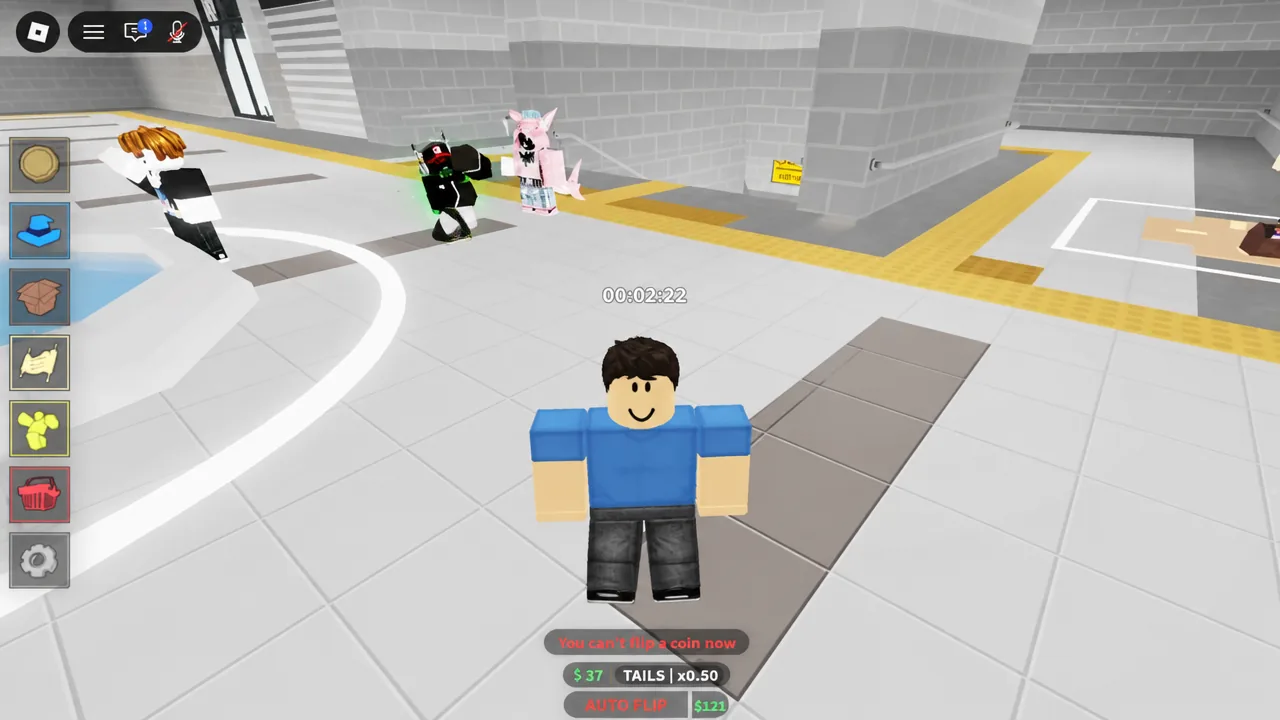
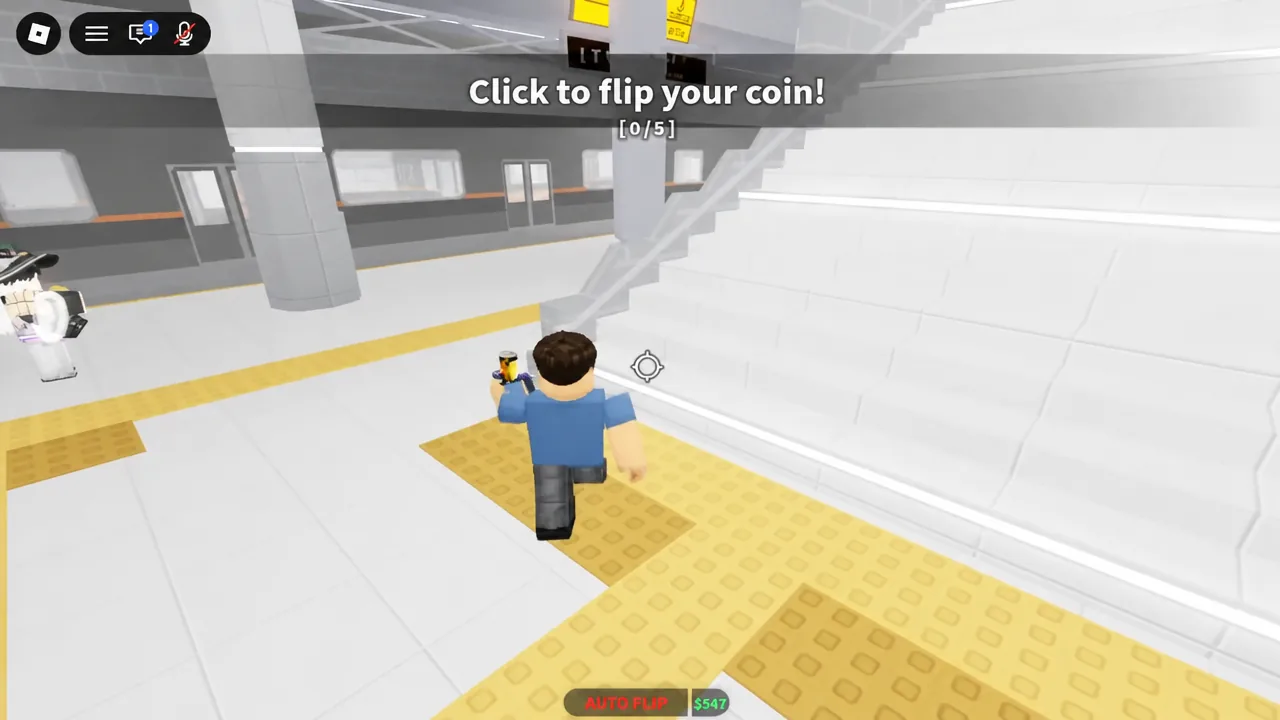
The tutorial walks you through the loop in about a minute, and the loop never really changes after that. You spawn in a subway station lobby holding a Penny.
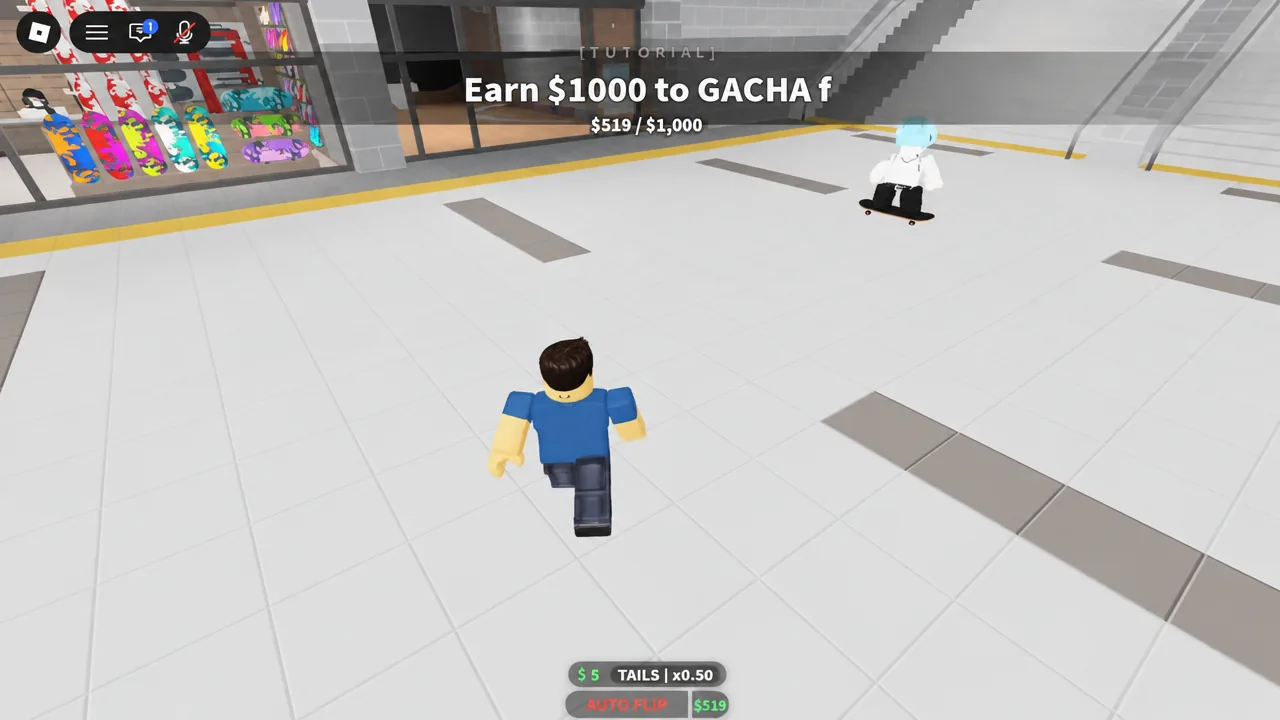
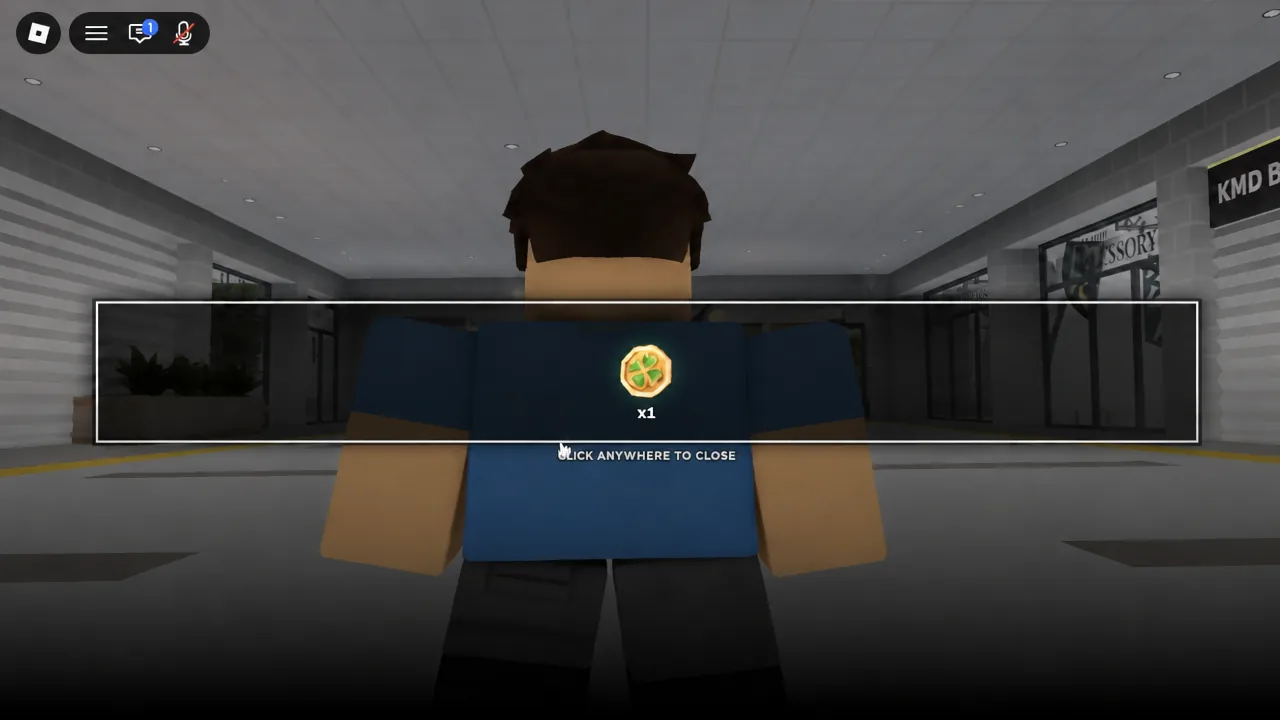
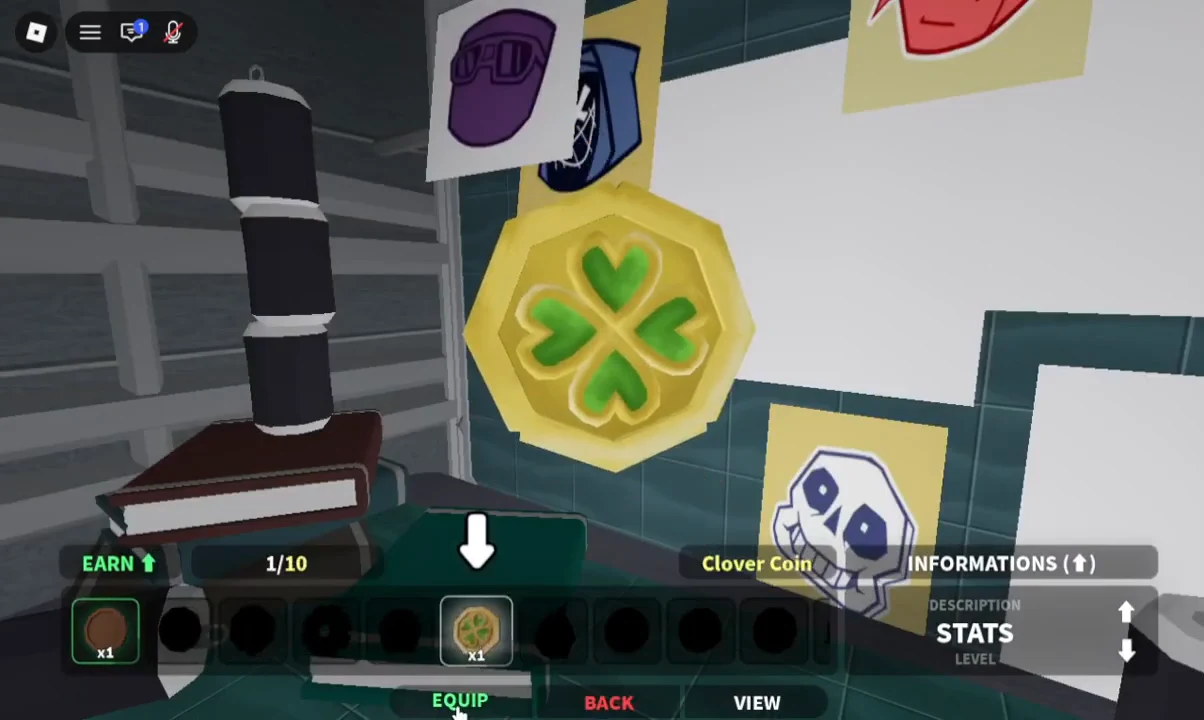
Turn cutscenes off in settings. The roll animations are long, and with them disabled you can chain gacha pulls far faster.
Controls on PC, mobile, and controller
The input list is short. There is no keyboard bind for flipping — it is a click or a tap, full stop.
| Action | PC | Mobile | Controller |
|---|---|---|---|
| Move | WASD | Joystick | Left stick |
| Jump | Space | Jump button | A |
| Flip coin | Left click | Tap | RT |
| Ride skateboard | Q | On-screen skate button | LT |
| Skateboard boost | R | On-screen skate button | LB |
| Emote | G | Emote button | D-pad down |
The HUD icons all sit on the left, and mixing them up wastes a lot of time. From the top of that stack you get the coin bag (equipped coin and collection), accessories, the crate inventory, scrolls, the shop cart, and the gear icon for settings. Codes live at the bottom of the shop cart menu, not on a separate button. If clicking the world stops flipping your coin, you have a panel still open and stealing focus — close it and click again.
The shop cart also holds the game passes, including VIP at 399 Robux for a +20% MoneyEarn bonus and an Auto Accessory Gacha Speed pass at 99 Robux. Neither is required to progress. An Xbox support and mobile quality-of-life update is listed as coming soon on the experience page, with no official date confirmed.
Redeem codes before you spend anything
Codes hand out Engraving Scrolls, Accessory Tickets, Enchant Books, and boost drinks — materials that are otherwise slow to accumulate. Open the shop with the shopping basket icon, scroll to the codes button, paste the code, and hit redeem. Rewards land in your crate inventory, which is how you confirm a code worked.
The active code as of mid-September 2026 is sicktricks, which gives two Engraving Scrolls, three Accessory Tickets, and one mining luck potion. Codes here expire unusually fast, often within days of a version bump, and a long list of older ones — Update2.5, ThankyouFor5kCCU, ThankyouFor4kCCU, ThankyouFor3kCCU, WeAreBack, sorryforlagging, Trinity — has already gone dead.
Codes for the older Heads, Please! experience do not work in RE:Heads, Please!. They are separate games with separate code lists.
Coin stats and when to use the upgrade NPC
Every coin has a level, a set of upgradable stats, and a heads/tails payout pair. The upgrade NPC — the beggar sitting on cardboard in the station hallway — lets you pour money into individual stats.
| Stat | Effect |
|---|---|
| MoneyEarn | Raises cash per flip |
| FlipSpeed | Flips faster |
| HeadChance | Better odds of landing heads |
| CriticalChance | Odds of a critical payout |
| CriticalMultiply | Size of a critical payout |
Hold off on upgrades during your first stretch. Better coins arrive quickly from the fountain, and money spent leveling a starter coin is money you cannot spend rolling. Once you land a coin you actually intend to keep, put everything into MoneyEarn first, since it is pure income with no randomness attached. Upgrade costs scale with the coin’s rarity. If an upgrade “breaks,” you do not lose the coin — its upgrade level resets to zero.
Coins cannot be sold, so the price listed on a coin’s card is cosmetic information. The Godly coin is not in the gacha pool at all and has to be crafted.
There is a coin gamble that can double a coin, leave it unchanged, or destroy it, and roughly half of those gambles end with the coin breaking. It is a lottery, not an income source.
What each stop in the station does
Everything early sits inside one station map, and the skateboard exists mainly to shorten the walk between these points.
| Location | What it does |
|---|---|
| Fountain | Coin Gacha, $1,000 per roll |
| Library of Arcana | Enchant coins with Enchant Books |
| Bizarre Accessory shop | Accessory gacha, belts and necklaces |
| Skateboard shop | Quest giver and boards |
| Emote shop | Emotes from $1,000 |
| Antique room | Money-to-coin exchange and reward wheel |
| Ruined Station | Late-game mining zone |
Ruined Station is reached by cart or train and runs on its own upgrade track — Ore Storage, Mining Damage, Flip Speed, Flip Range, and Mining Luck. Coin rarity does not affect mining progress, so there is no reason to swap to your best coin before heading down there.
Unlocking the skateboard and the early quests
Systems you can safely ignore at the start
Enchanting matters, but not yet. At the Library of Arcana you spend Enchant Books to roll effects onto a coin, and the ones worth keeping are Wealth, Heads, and Flash at higher tiers. Mark an enchant green in the menu to lock it so it will not be rolled away. Doing this on a coin you are about to replace burns books for nothing.
Accessories are the same story. Belts and necklaces boost critical chance and flip speed, but the good ones are rare, tickets cost 10,000 each to buy outright, and the pull odds are steep. Use auto delete to clear the junk rarities, and turn delete mode back off afterward so you do not throw away something you wanted. Mining at Ruined Station can wait until your per-flip income is comfortable.
The game updates often — the experience page moved to version 2.6 on September 13th, 2026 — so costs, menu labels, and unlock order can shift between patches. If a price or button name on your screen does not match, trust the screen. The loop underneath it, though, stays the same: flip, roll, equip, repeat.