Research in Planet Zoo is how you deepen your zoo’s knowledge of its animals and diseases. It runs on two things working together: a Research Centre building and Vets assigned to study specific topics. Once both are in place, progress advances on its own until it reaches a point that depends on your wider zoo.
Quick answer: Build a Research Centre under Facilities → Staff, hire at least one Vet, open the Research menu, pick a category and topic, then drag an available Vet onto the track.
What you need before research starts
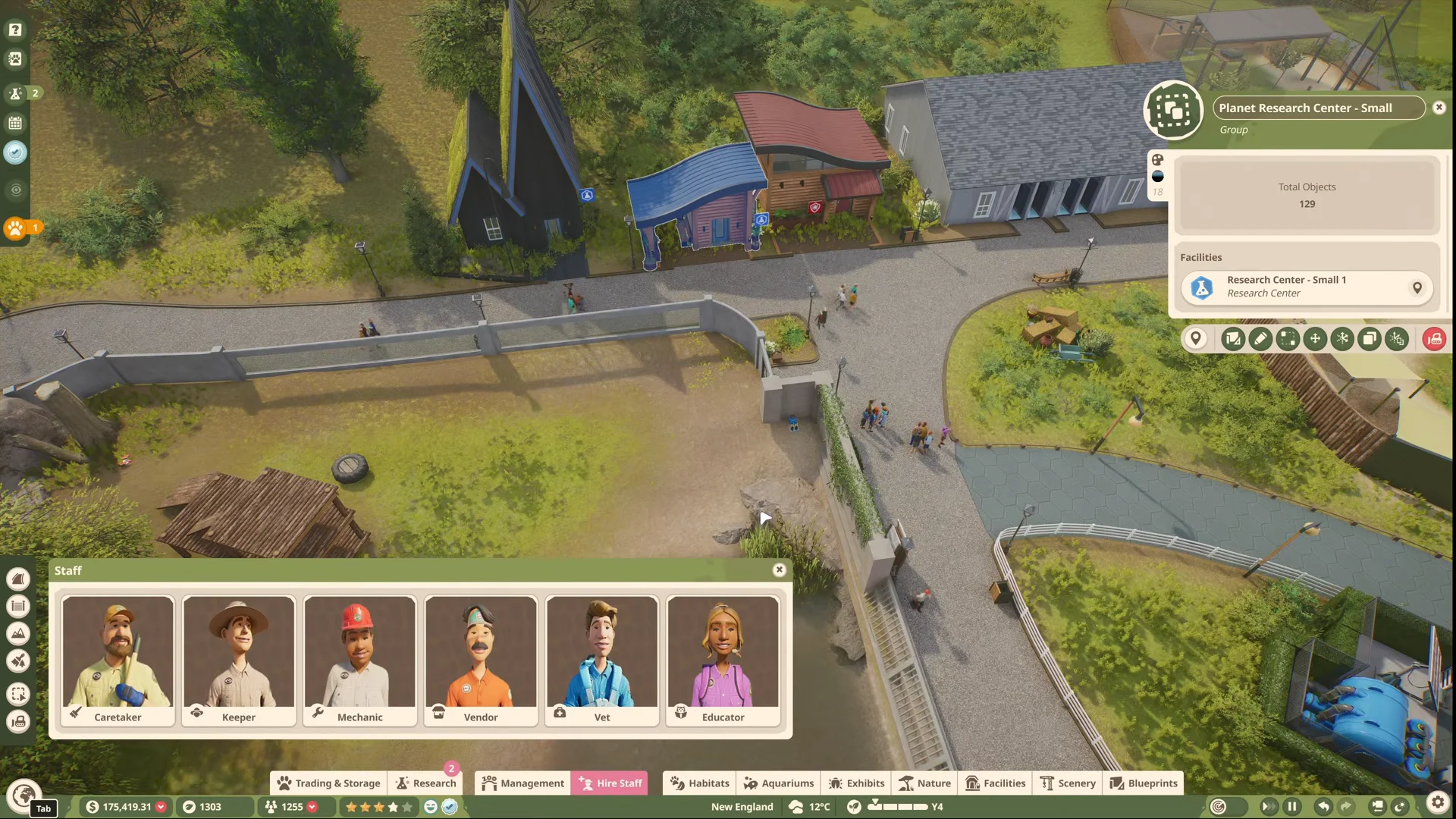
Nothing can be researched until a Research Centre exists and is connected to your paths. The building sits in the Facilities menu under the Staff section, listed with options such as North Research Center – Large and Planet Research Center – Small. It comes in two sizes at different costs.
| Size | Cost |
|---|---|
| Small | $1,000.00 |
| Large | $4,000.00 |
Vets are the only staff who carry out animal and disease research. You hire them from the Staff menu, and each one you add gives you another topic you can study at the same time. Better trained Vets finish research faster.
How to assign a Vet to a research topic
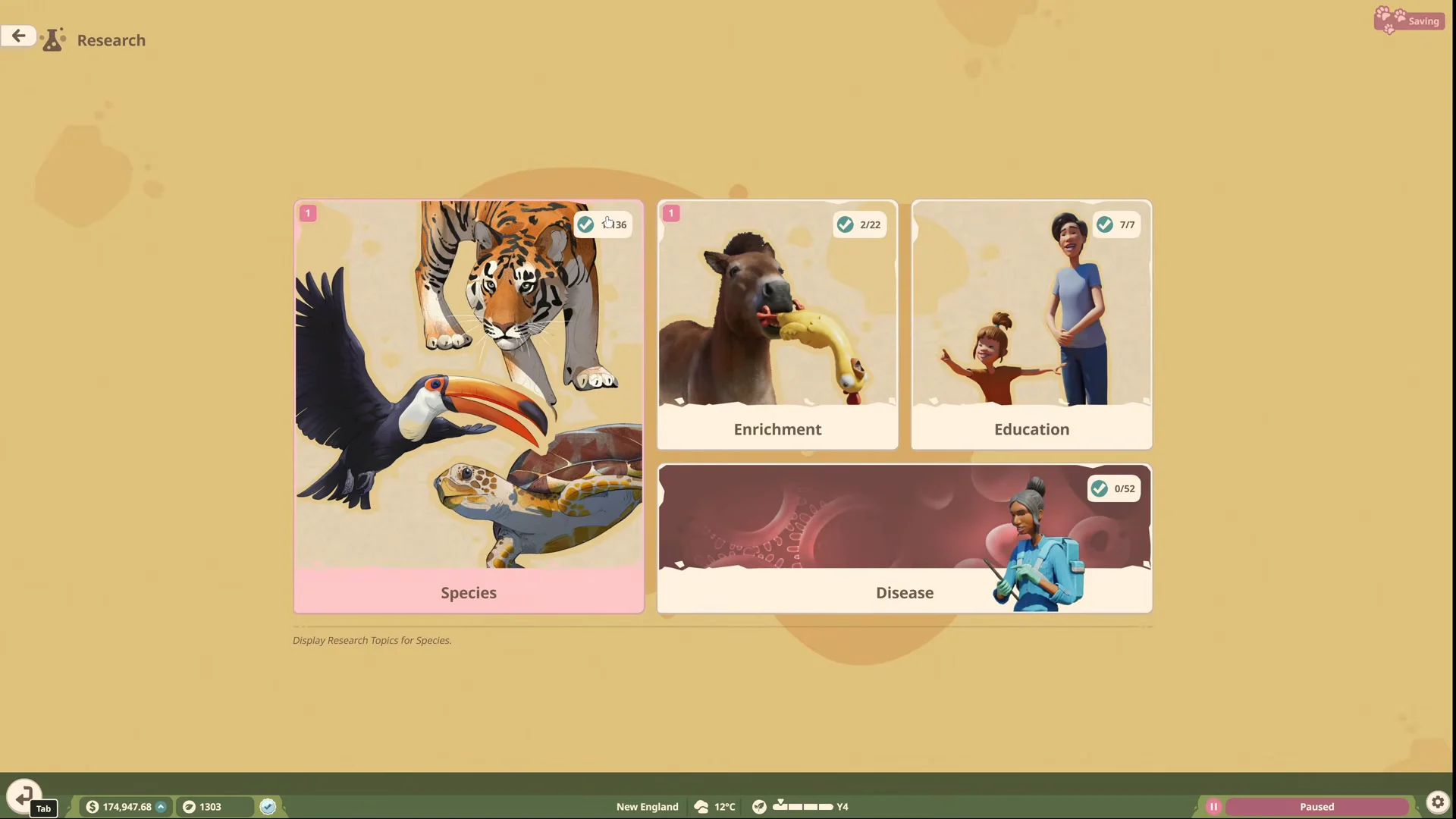
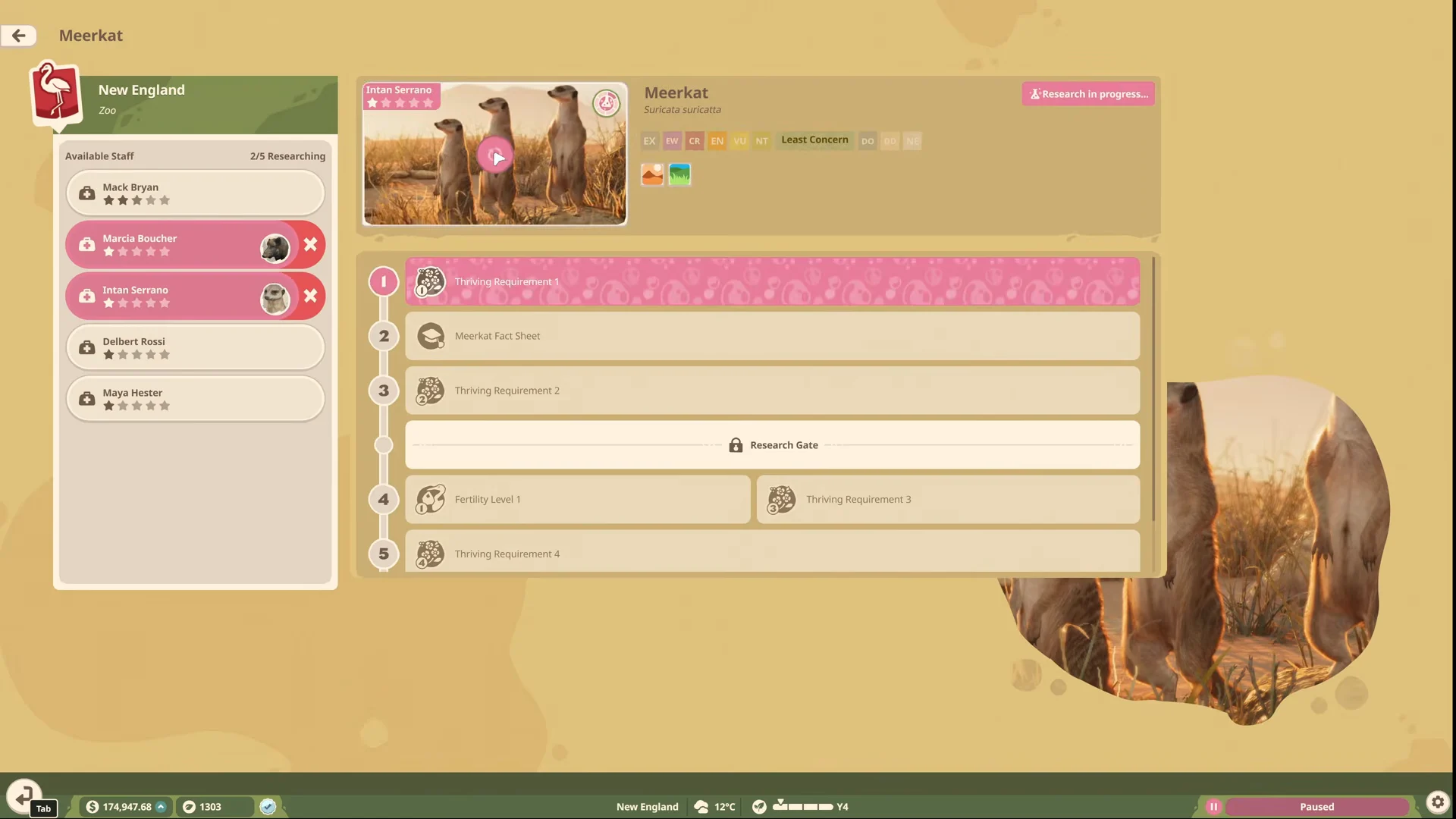
You cannot stack several Vets on one species track. Each Vet works a single topic at a time, so to research two animals at once you must assign a second Vet to a second track, such as putting one Vet on Meerkat and another on Grizzly Bear.
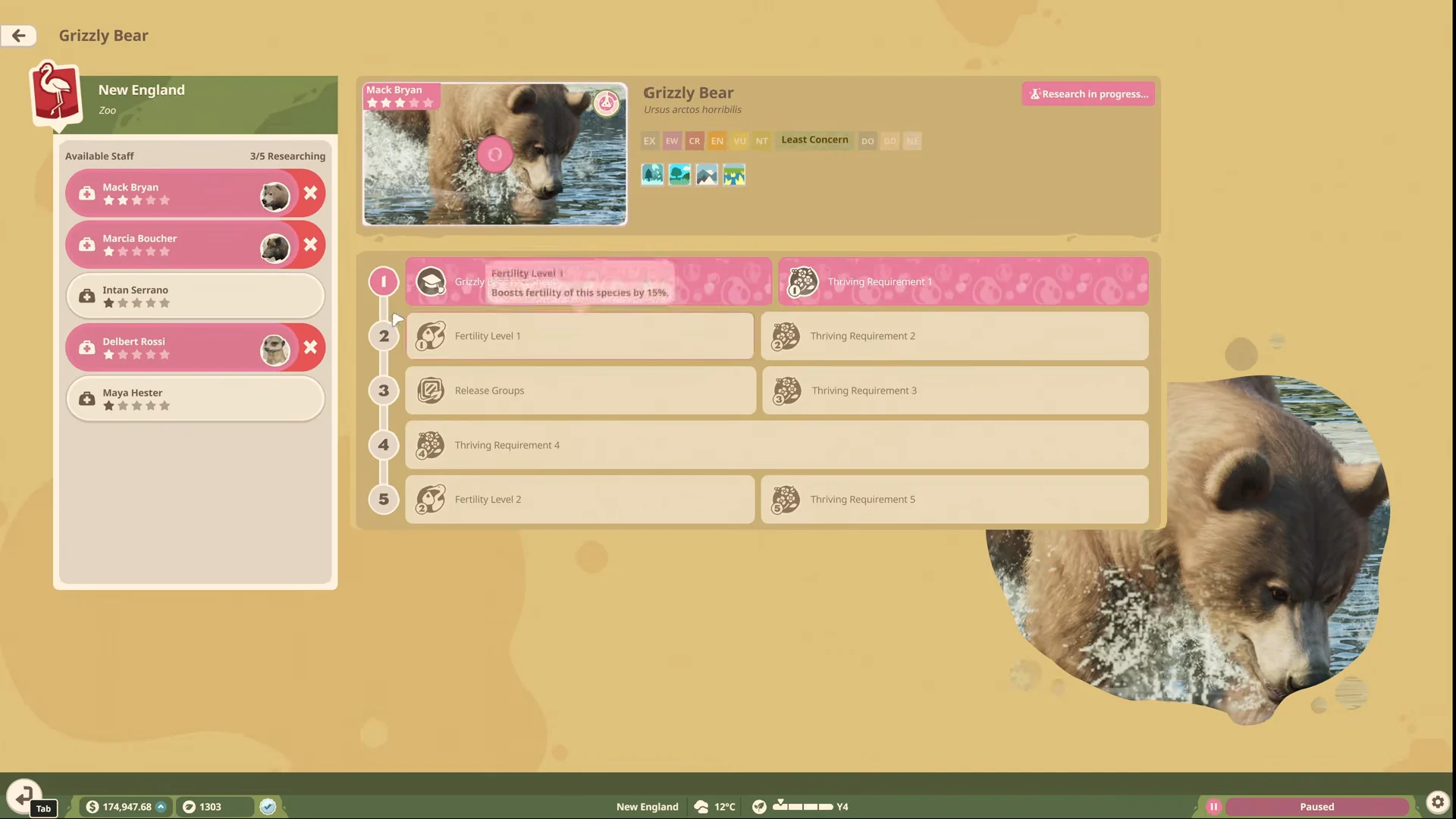
How tracks and Research Gates advance
Once a Vet is on a track, they climb through its unlocked requirement levels automatically, moving from one step to the next without further input. A track includes stages such as a Fact Sheet, fertility levels, and thriving requirements.
Progress stops at a Research Gate. A gate is tied to a zoo milestone rather than to the Vet’s work, so it only clears when you hit that condition in the game, such as releasing a certain species or building the right viewing facilities. After the gate opens, the Vet resumes and continues to the next levels.
If a Vet is pulled away for an emergency and no other Vet is free, they pause their research, handle the problem, and then return to the track where they left off.
What research unlocks
Completing research changes what you can do for your animals and guests. The payoffs fall into a few clear areas.
- New toy and food enrichment items for the researched species.
- Better quality food for that species.
- Guest education bonuses, improved further when the topic is assigned to an Education facility.
- Lower outbreak risk for any disease you research among susceptible animals.
Many enrichment items are shared across animals, so researching one species often unlocks an item that several others can use too. Disease research is most useful for keeping animals healthy in crowded or dirty exhibits, though good exhibit planning and contraceptives remain the stronger fixes for those problems.
Confirming research is running
You know a Vet is working when the track’s status counter moves, showing entries such as 1/5 Researching, then 2/5 and 3/5 as staff are added and progress builds. The assigned Vet also appears in the track’s researching list rather than in the available roster. If progress sits still, check whether the track is waiting at a Research Gate that needs a zoo milestone before it can continue.