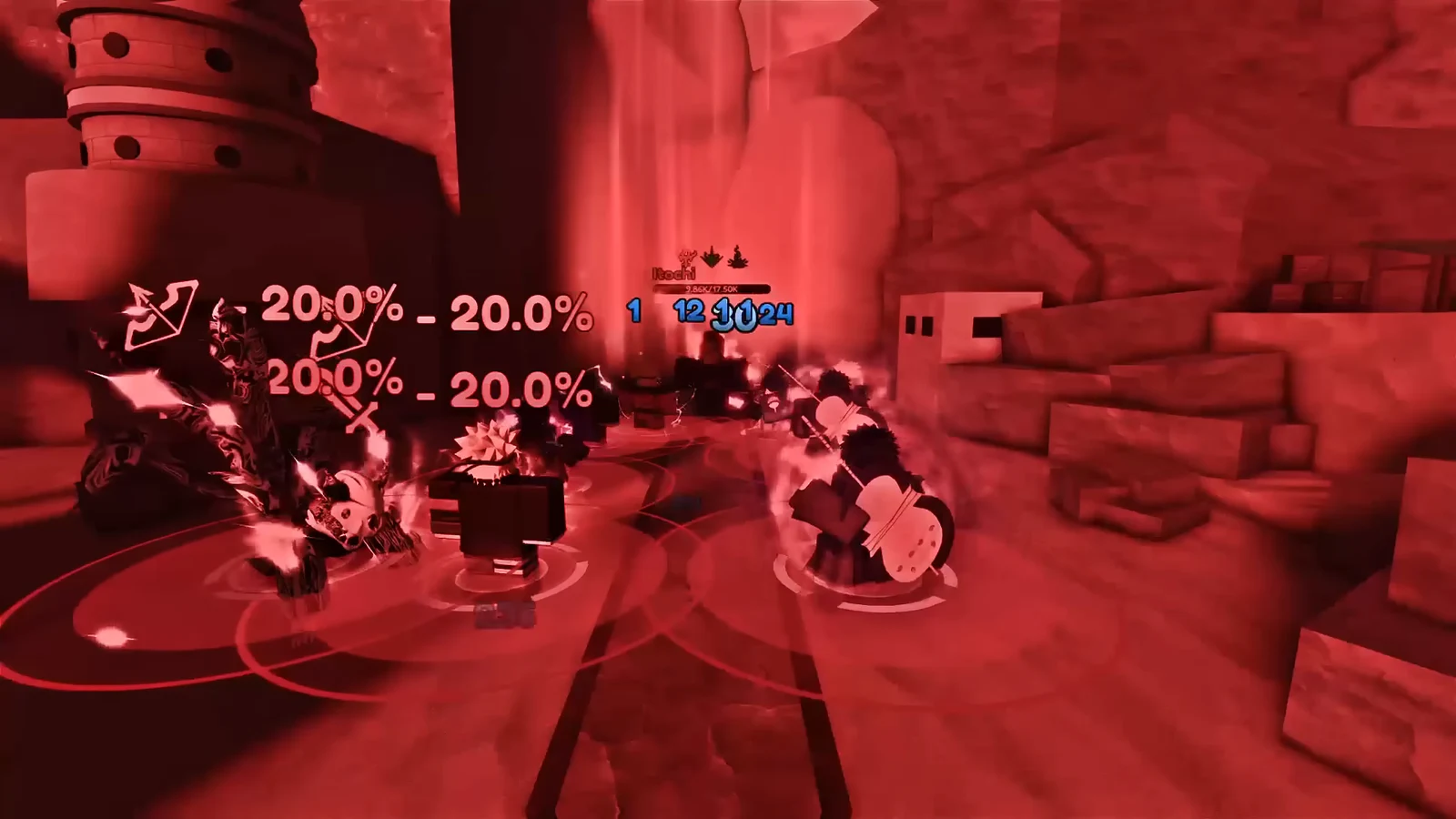
The Unknown Tower and Omni Tower are the two Elemental Towers you can farm completely hands-off in Anime Vanguards. Unknown-element units take no damage penalty inside the Unknown Tower, and they ignore the debuffs that normally break an auto-play run, which makes True Shadow Monarch the cleanest carry for an AFK reroll farm. Set the loadout once, pair the in-game Auto Play with an external auto-clicker on the victory screen, and the tower clears floor after floor on its own.
Quick answer: Run True Shadow Monarch (Monarch class, all 100 stat points in Damage) in the Unknown or Omni Tower, pick 400 modifier points of Energy Drain, Blinded, and Champions, enable Auto Play, then set an auto-clicker on the Skip 10 Floors button to loop the run AFK.
Why the Unknown and Omni Towers work for AFK farming
Every Elemental Tower now accepts any unit, but element matching decides damage. A unit whose element matches the tower deals ×3 base damage, while a non-matching unit loses 80% of its base damage. The Omni Tower is the one tower where a full team works without worrying about element at all.
Unknown units carry a second advantage. Status debuffs like Blinded and Energy Drain do not affect them, so you can stack punishing modifiers for extra reward value without slowing the run. That is why True Shadow Monarch, an Unknown-element carry, holds up when the whole setup is left unattended.
Difficulty does not scale with player count in the Elemental Towers, so a four-player co-op run on the Omni Tower clears at the same pace as solo while splitting nothing. Solo on the Unknown Tower is the simplest option if you just want one account grinding.
Each tower pays the same rewards. A full clear returns 120,000 Gems and 300 Trait Rerolls, plus 500 Stat Chips, 50 Corruption Crystals, 50 Phoenix Shards, and 50 Elemental Shards. Trait Rerolls land every five floors, and rewards repeat after Floor 50, so the loop never dries up.
True Shadow Monarch loadout and stat points
Open the Loadout menu, reset your character stat points, and put all 100 points into Damage. Leave Range, Cost, Shadow Damage, and Shadow Cost at zero. Damage is the only stat that matters when the shadows handle everything else.
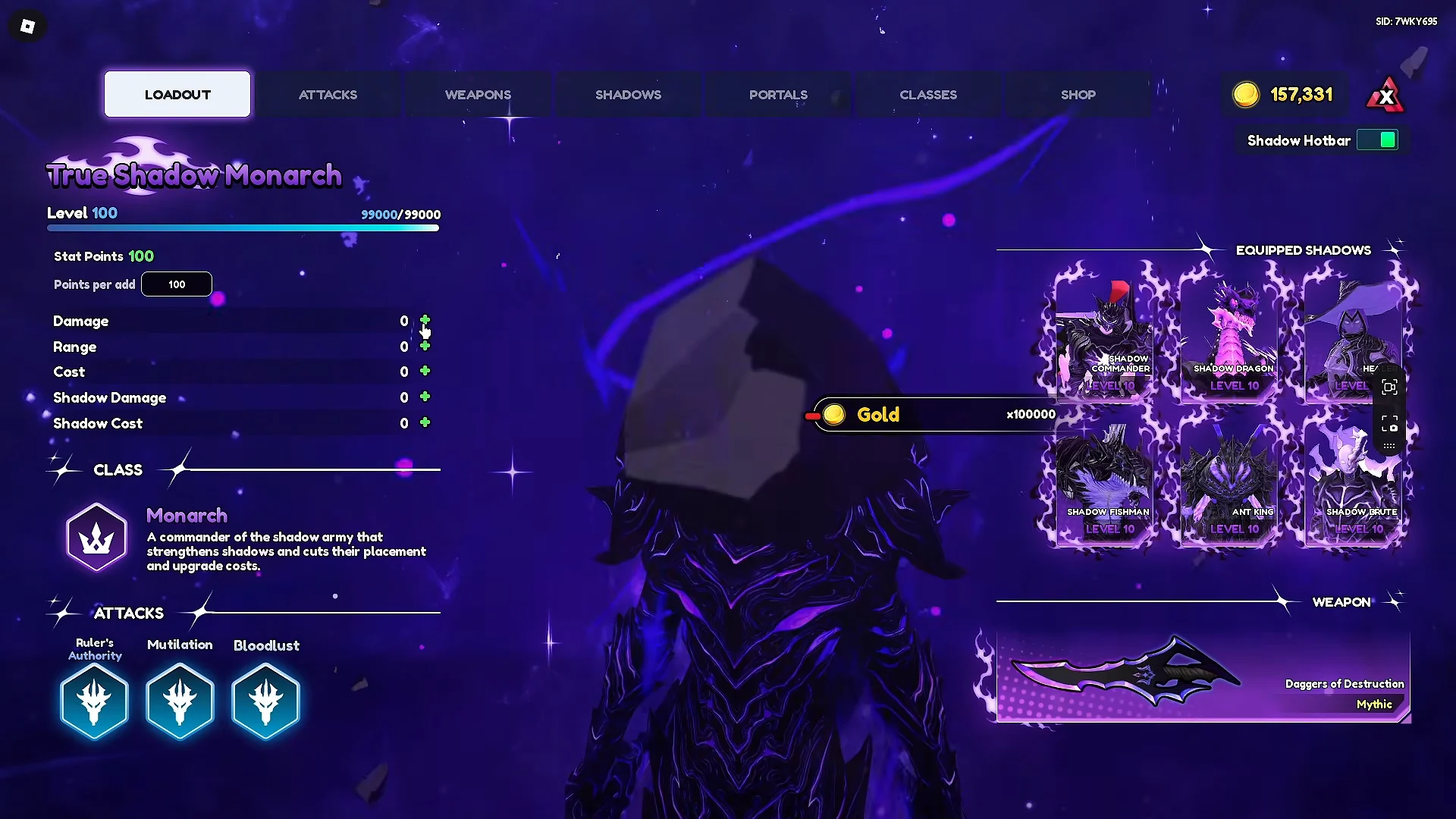
Equip the Monarch class. It grants −16% placement and upgrade cost, +10% Shadow damage, a chained upgrade discount, and keeps Empowered Monarch’s Domain active. The weapon is the Mythic Daggers of Destruction, and True Shadow Monarch brings the Bloodlust, Mutilation, and Ruler’s Authority attacks.
Shadow army orbs and passives
The shadow slots split into two jobs: cheap upgrades from Cost orbs, and faster attacks from Speed (SPA) orbs. Equip them exactly as below so Auto Play can afford to upgrade everything quickly.
| Shadow | Orb | Passives |
|---|---|---|
| Healer | Orb of Cost | 2 & 4 |
| Shadow Commander | Orb of Cost | 3 & 7 (−10% upgrade cost) |
| Shadow Fishman | Orb of Cost | 3 & 5 (−20% upgrade cost) |
| Shadow Brute | Orb of Cost | 1 & 5 |
| Ant King | Orb of Speed (−20% SPA) | 6 & 7 |
| Shadow Dragon (Kaisel) | Orb of Speed (−20% SPA) | 3 & 7 |
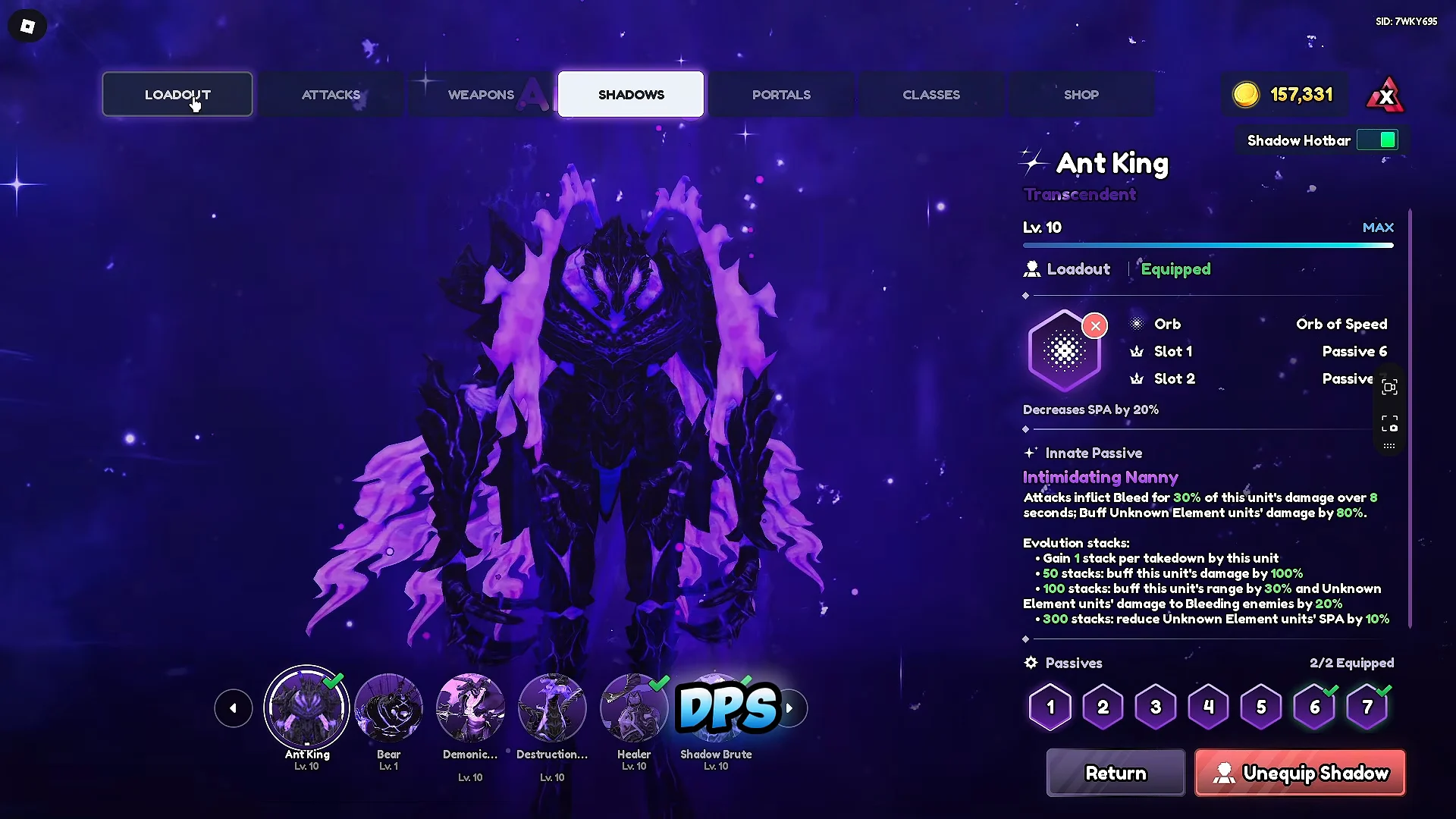
Shadow Dragon (Kaisel) upgrades automatically as the other shadows are upgraded, so its Speed orb keeps the wider army attacking faster without needing its own priority slot.
Familiar and Memoria setup
Slot the King of the Trash familiar, a Mythic with the exclusive Trash Master trait. For the Memoria, use Enthusiastic Walks carrying the Deadeye trait, which maxes critical chance and damage.
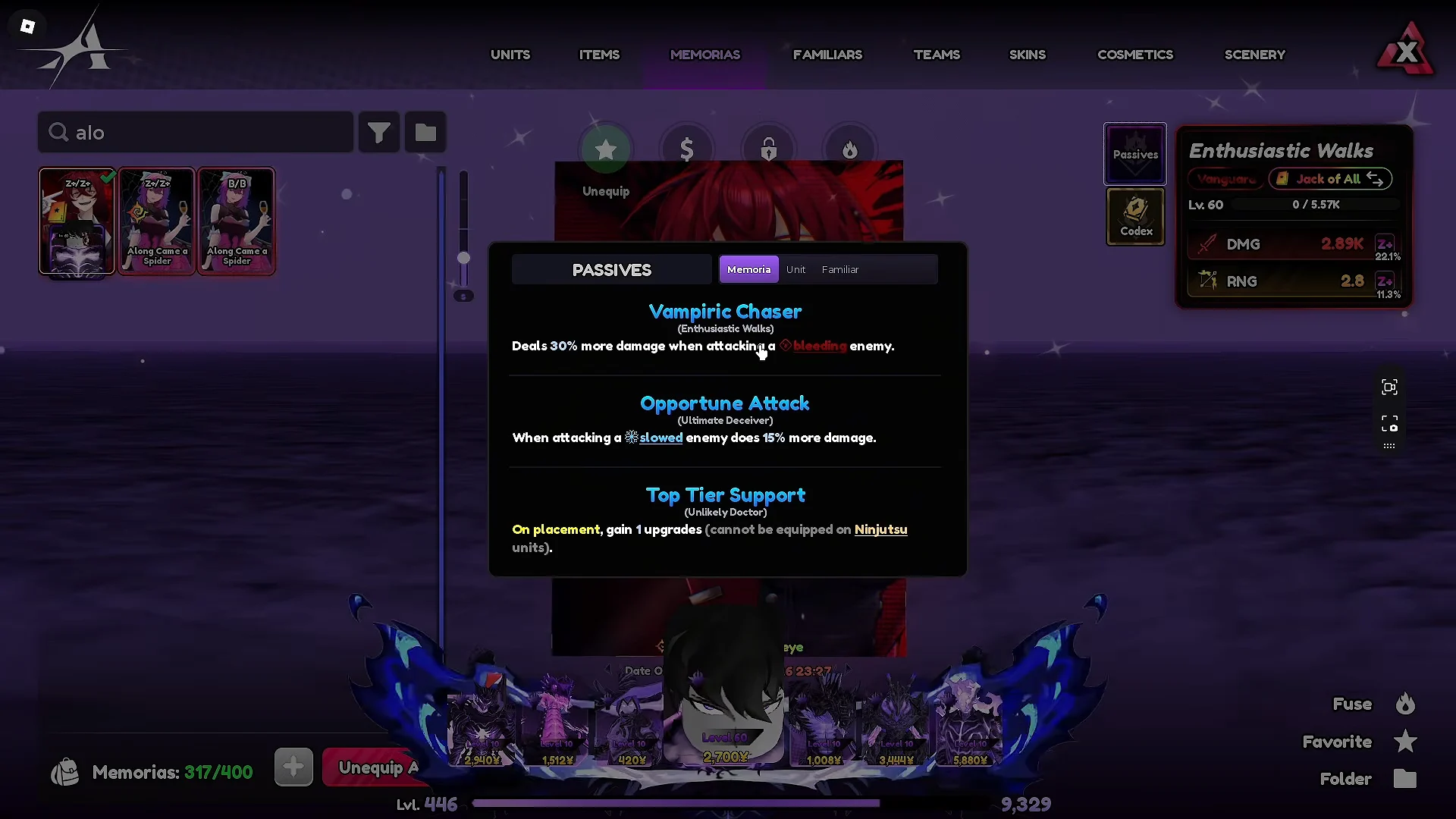
Load the Memoria with Vampiric Chaser, Opportune Attack, and Top Tier Support. Top Tier Support grants +3 free upgrades on placement, which gets your carry online before the first wave applies any pressure.
Choosing the tower and modifiers
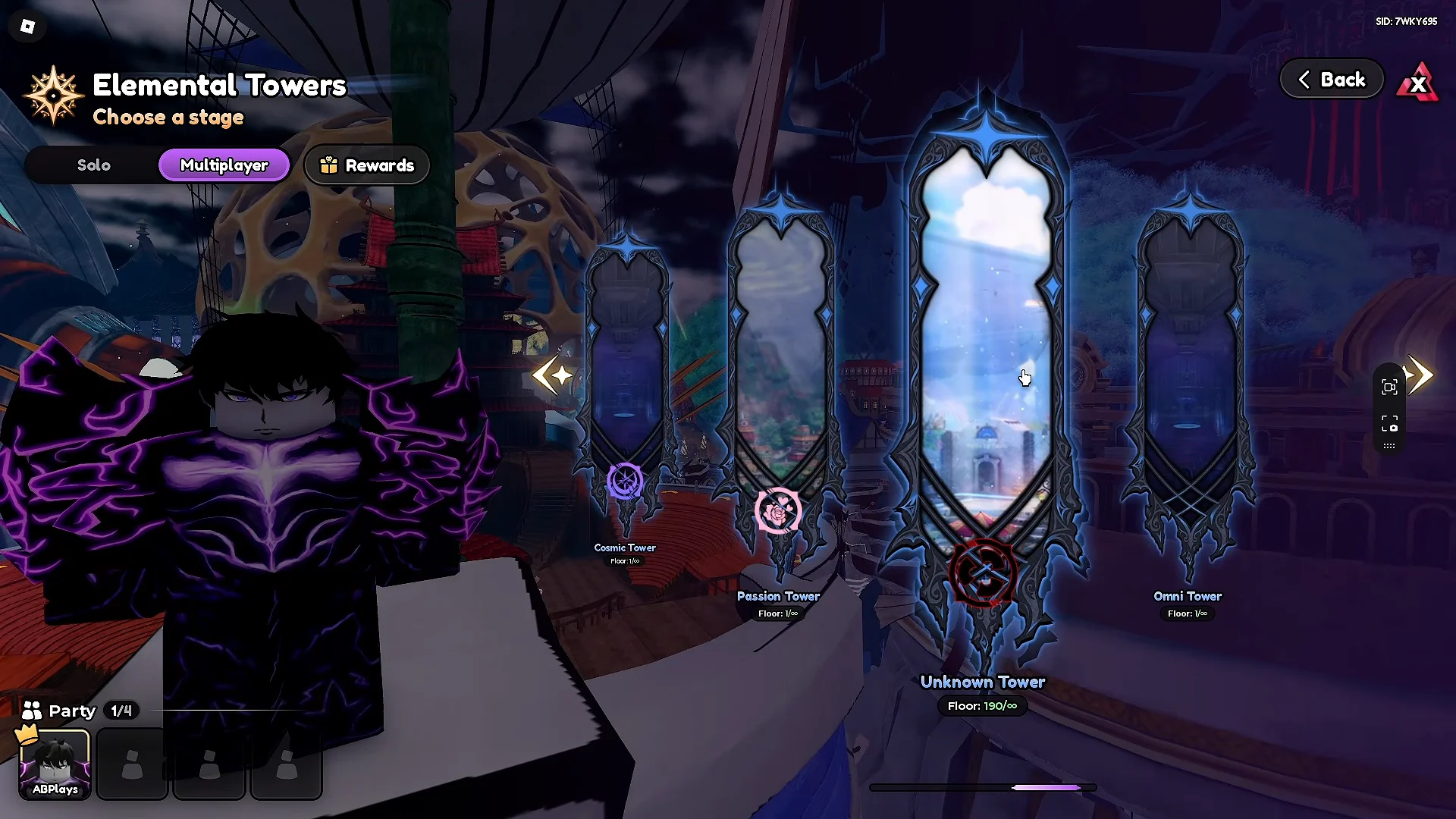
Enter the Unknown Tower for solo runs, or the Omni Tower if you want a four-player co-op group. Both are reachable from the Raids area once you are level 30.
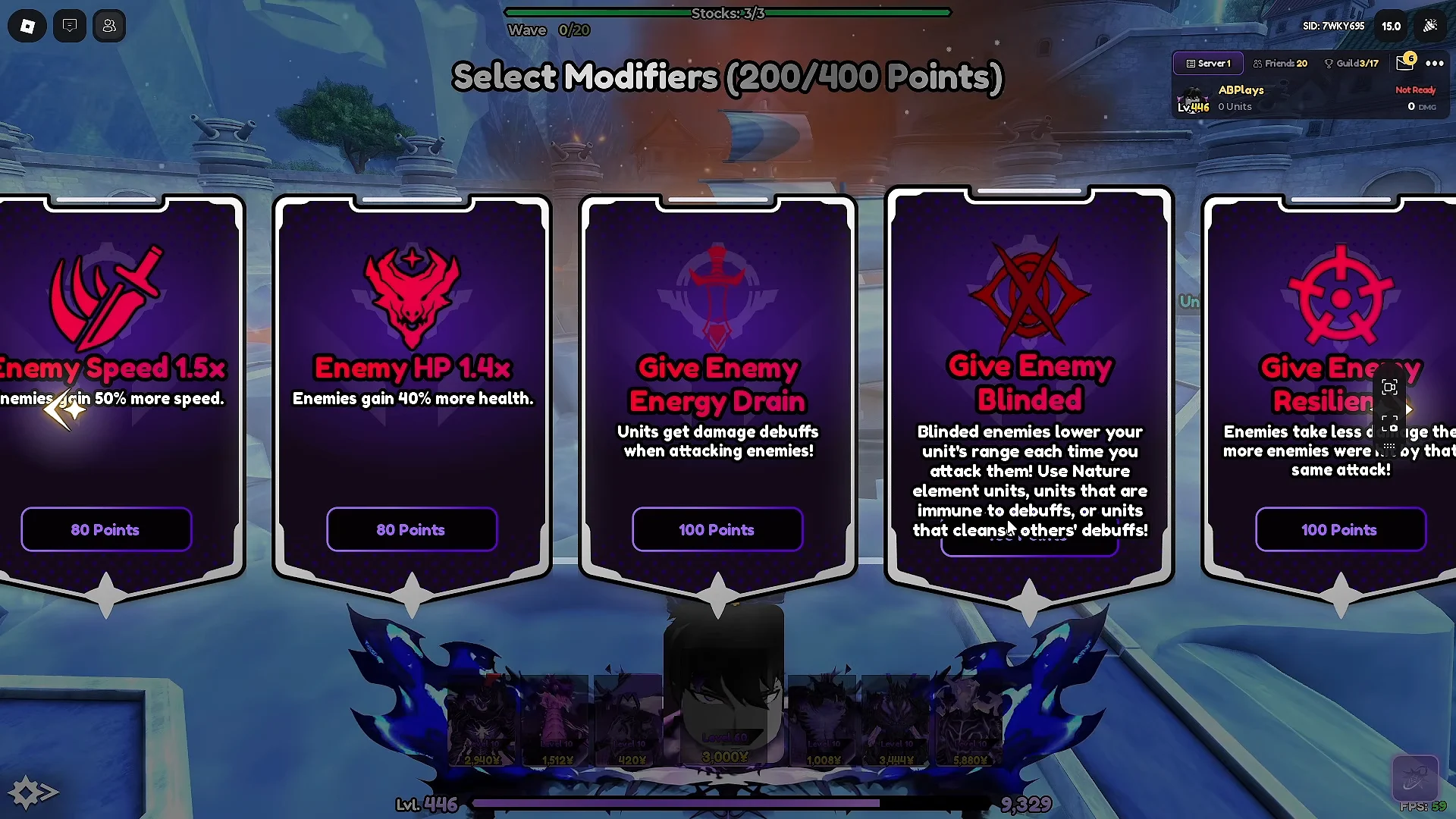
Spend exactly 400 modifier points before the run starts. Energy Drain and Blinded raise reward value but have no effect on Unknown units, and the Champion bosses that spawn pose little threat to this build.
- Give Enemy Energy Drain — 100 points
- Give Enemy Blinded — 100 points
- Champions — 200 points
In-game Auto Play configuration
Open the Auto Play panel from the HUD once the match loads. The settings below place units at the front path and upgrade them in an order that keeps the economy and the carry ahead of the waves.
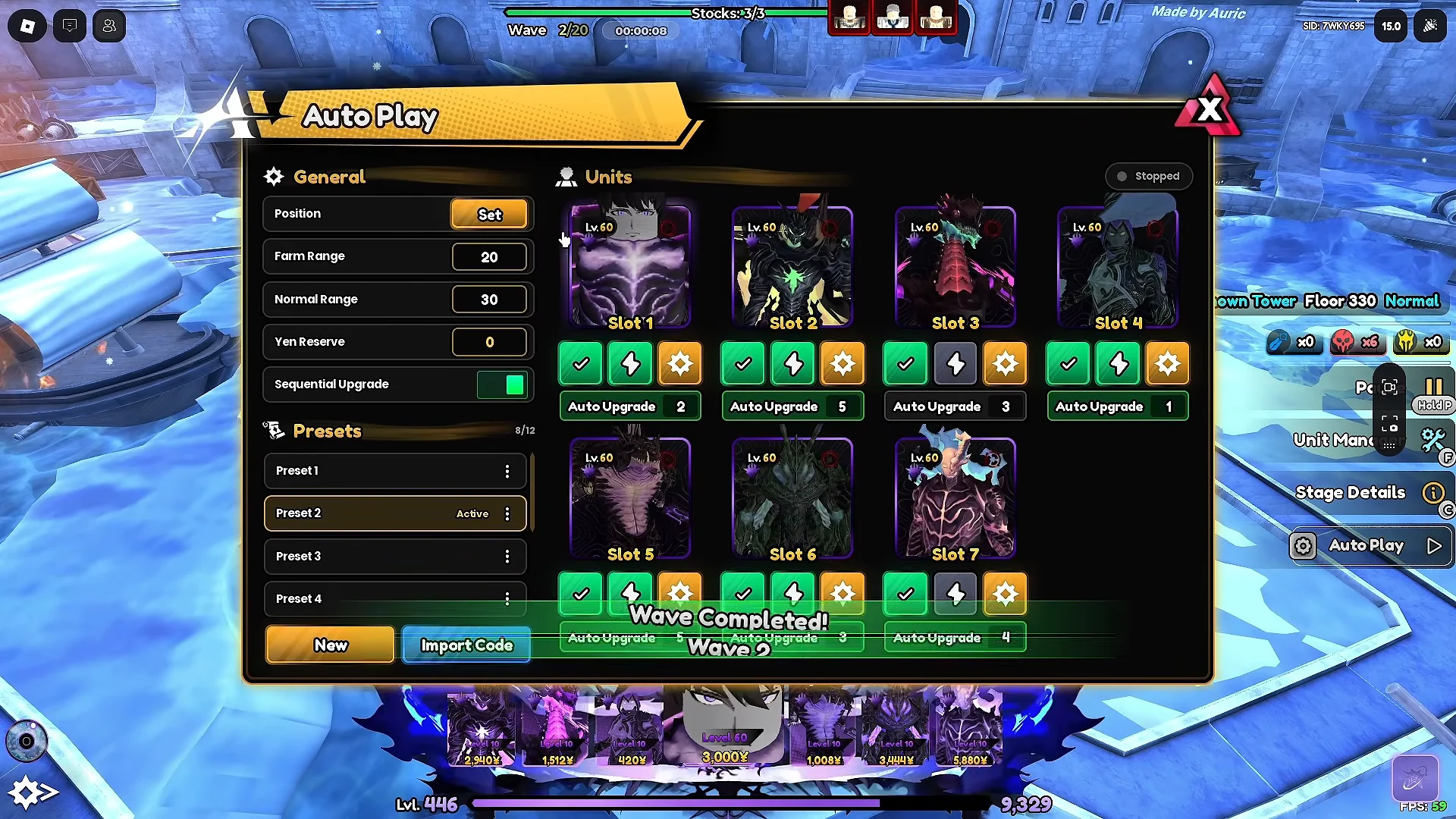
| Slot | Unit | Priority |
|---|---|---|
| 1 | True Shadow Monarch | Auto Upgrade 2 |
| 2 | Shadow Dragon | Auto Upgrade 1 |
| 3 | Shadow Commander | Auto Upgrade 1 |
| 4 | Shadow Brute | Auto Upgrade 4 |
| 5 | Healer | Auto Upgrade 1 |
| 6 | Shadow Fishman | Auto Upgrade 5 |
| 7 | Ant King | Auto Upgrade 3 |
Looping the run with an auto-clicker
Auto Play clears a stage on its own, but it stops at the victory screen. An external auto-clicker parked on the Skip 10 Floors button advances the run every time that screen appears, which keeps the loop running with no input.
Position the clicker so it only lands on the Skip 10 Floors button. The victory screen also shows Return to Lobby, Next Floor, and Change Stage, and a misplaced click can drop you out of the loop.
Confirming the farm is running
You know the setup is working when the floor counter climbs without any input. The victory screen appears, the auto-clicker triggers Skip 10 Floors, and the next stage loads with your shadows redeploying inside the placement zone. Watch for the counter passing floors in multiples of five, which is where Trait Rerolls and the other milestone rewards drop.
Left alone, the loop keeps clearing and collecting through Floor 50 and beyond, where the reward table repeats. That steady cycle of Gems and rerolls is the whole point, and once the loadout, modifiers, and auto-clicker are in place, the tower handles the rest.