Chapter 1 of Tales of the Dark King, the Halloween 2026 quest in the Roblox game Dress To Impress (how to start it), puts you on a boat with The Ferryman and a lantern that dims as you cross. The Ferryman gives one instruction: “Feed the lantern as we cross. Let it fail… and the river will take interest.” Feeding it takes two different inputs. One is a tap, and the other is a hold.
Quick answer: Tap E at “Fuel / Pick up” on the FUEL STORAGE pile. Step back to the lantern on the pole and hold E for about 3.5 seconds at “Lantern / Add Fuel”. The prompt disappears when the feed works.
Where the fuel pile and lantern are on the Ferryman’s boat
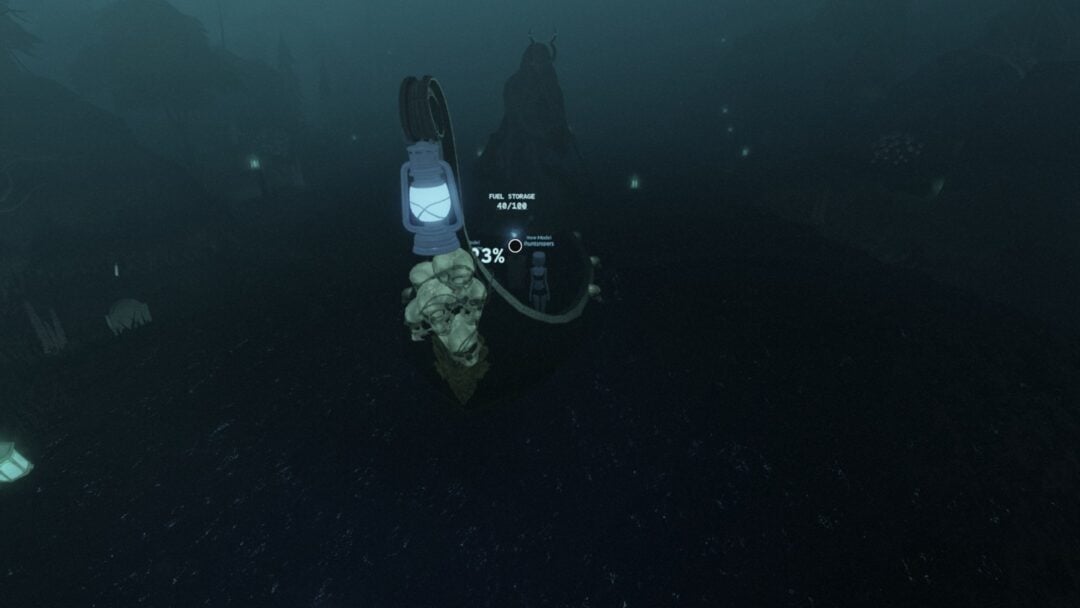
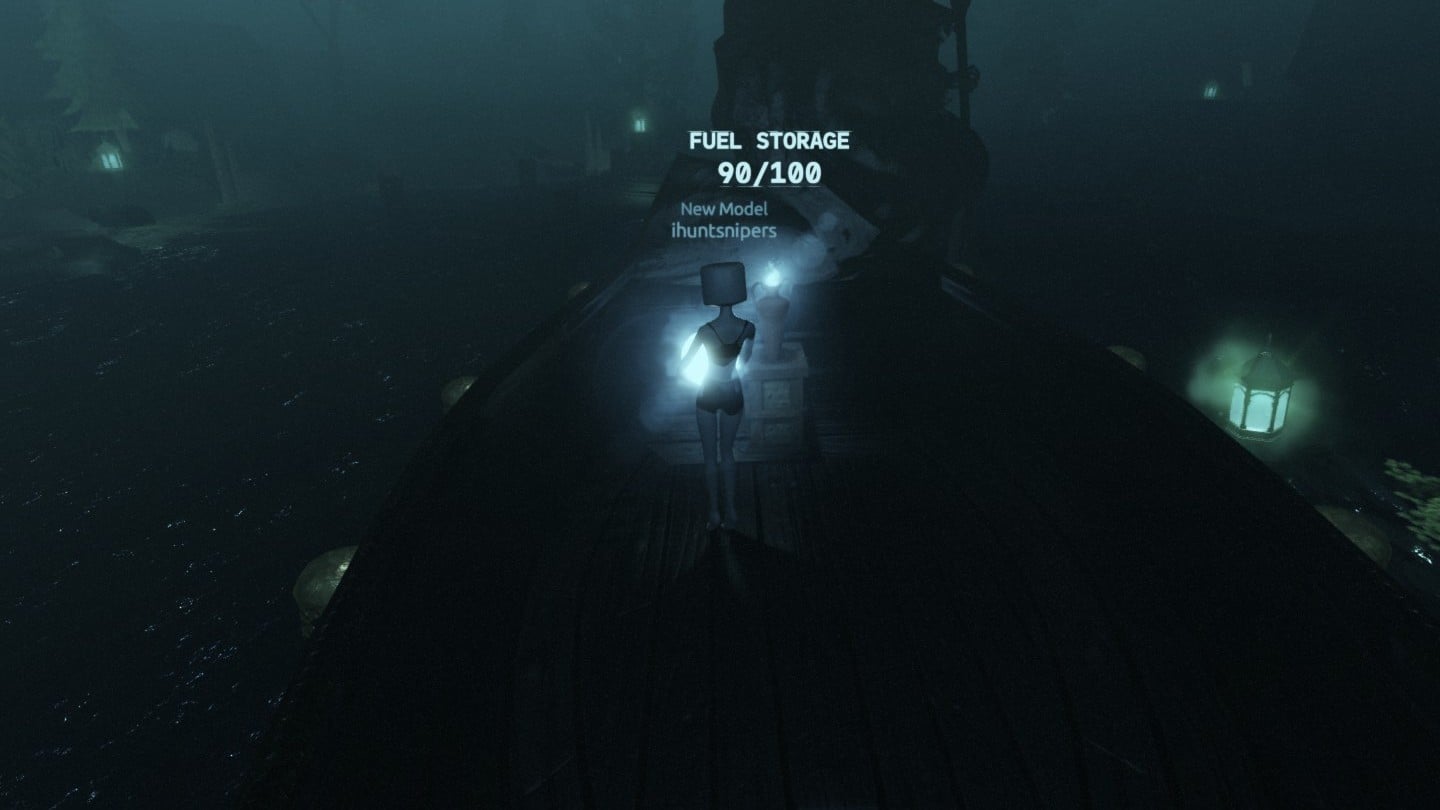
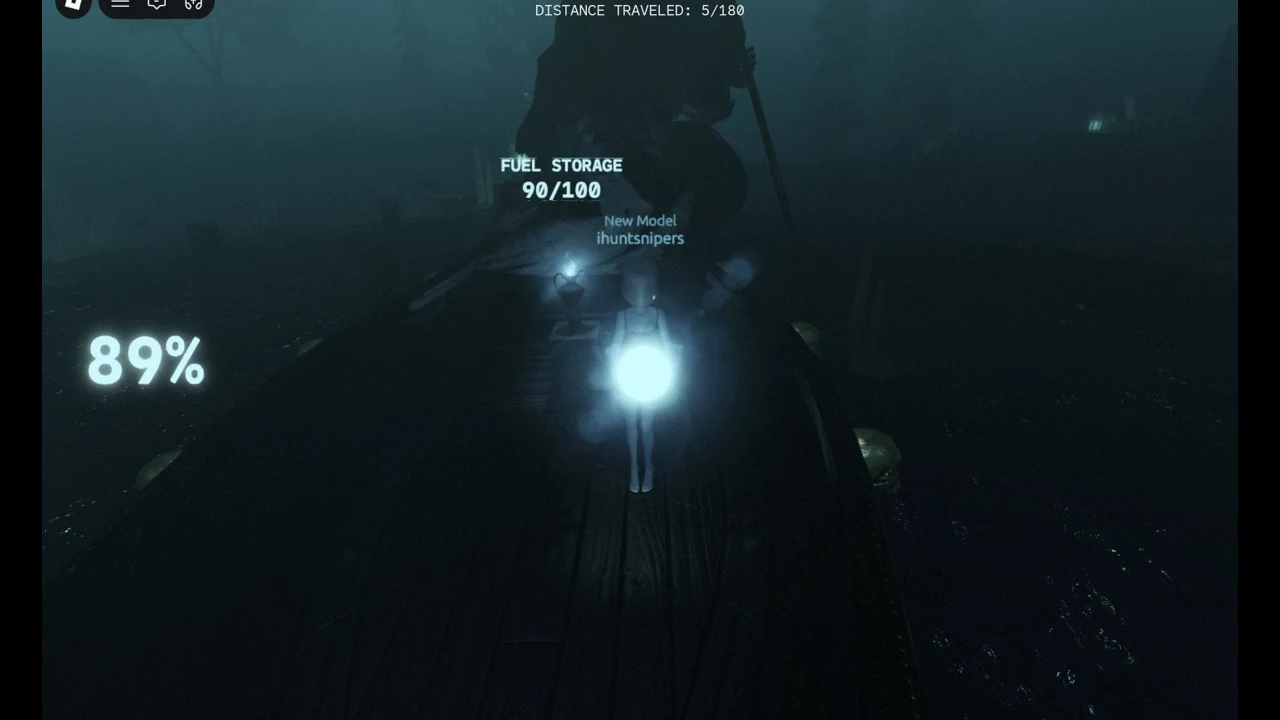
- Fuel pile: mid-boat, labelled “FUEL STORAGE 100/100” at the start, with a large blue flame beside it.
- Blue flame: part of the storage pile itself, not something you carry.
- Lantern: a big lantern on a pole on a pile of skulls, one short step behind the fuel pile.
- Light level: the large percentage number drawn beside the lantern.
Playing solo, we spawned right behind the fuel pile. The “Fuel / Pick up” prompt showed at once or after a short step forward.
How to refuel the lantern: Tap to pick up, hold to feed
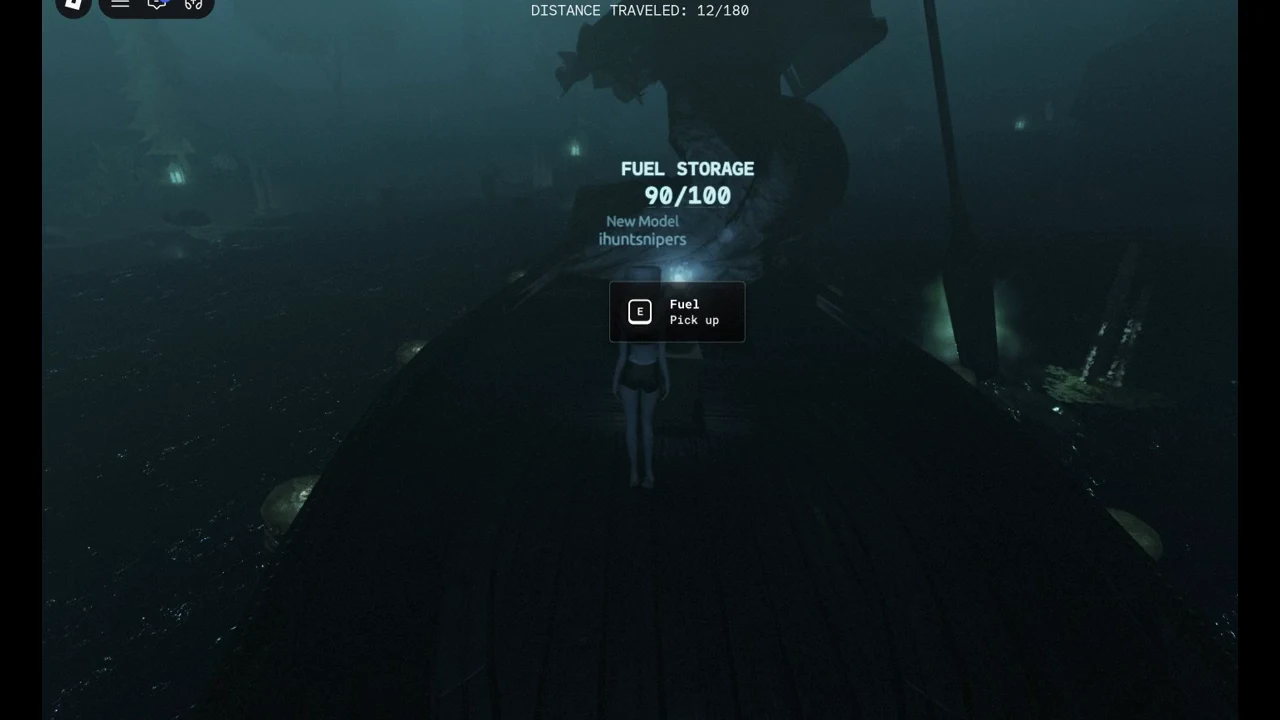
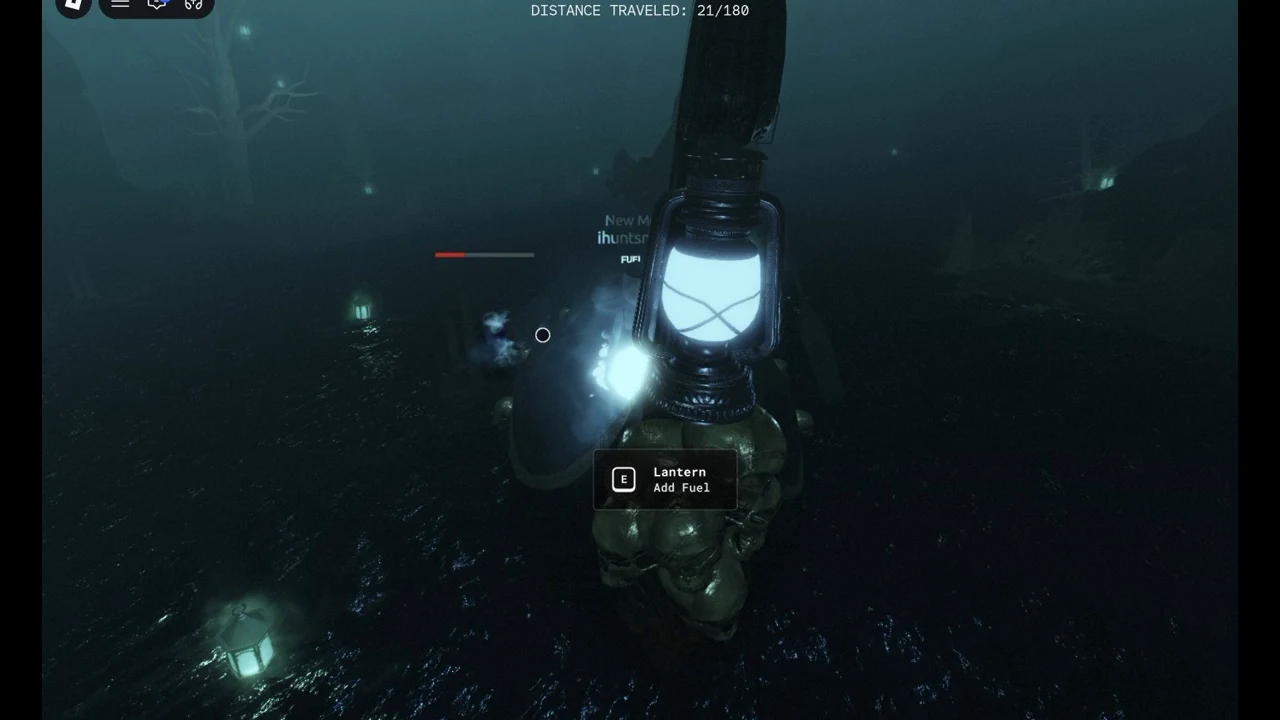
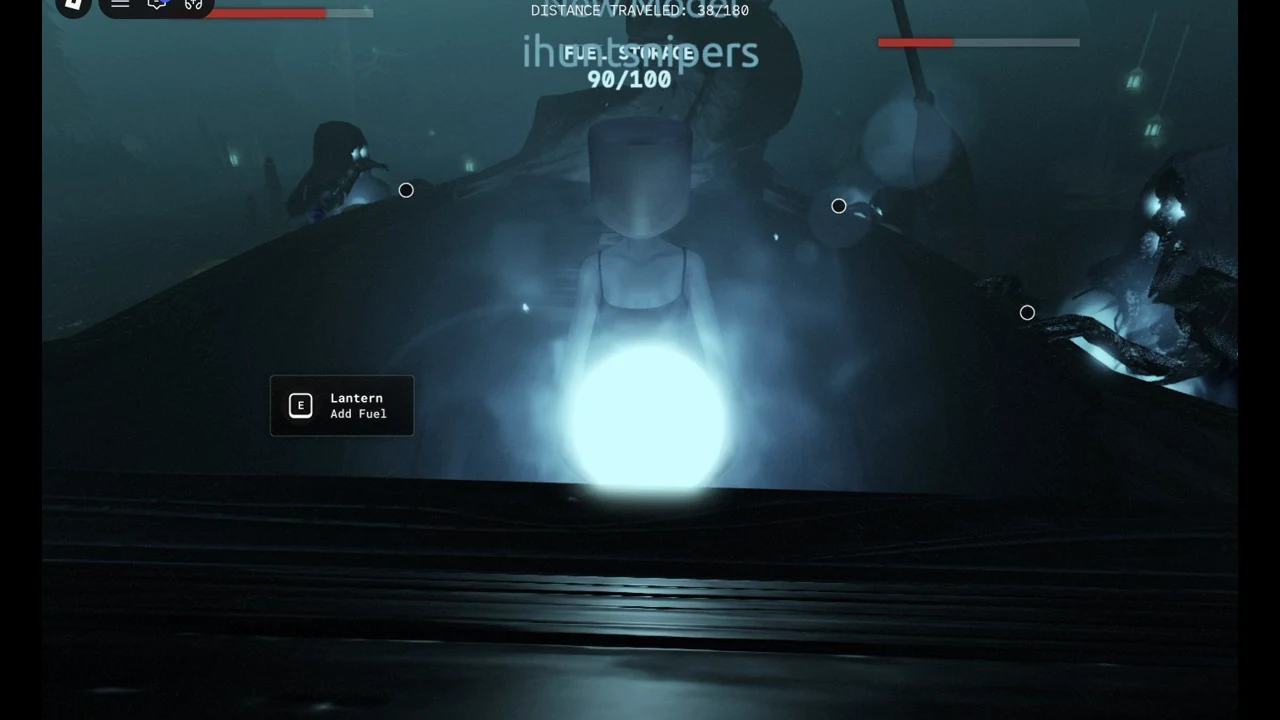
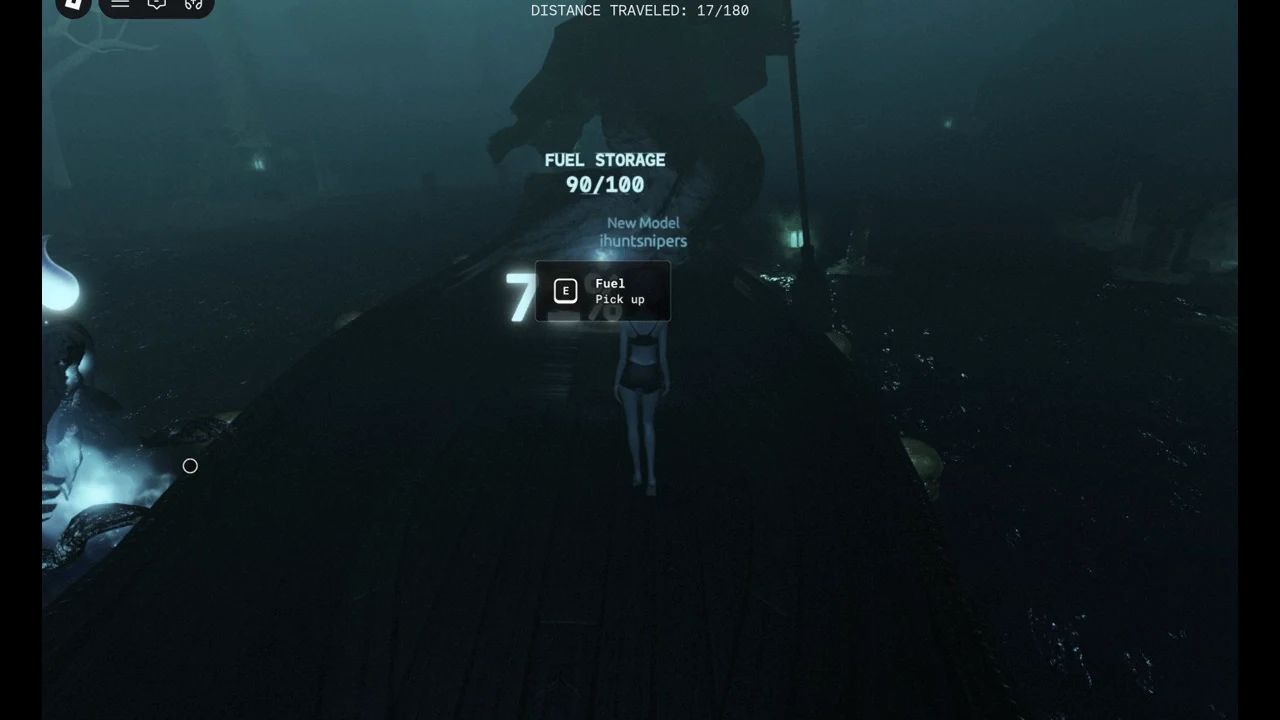
Pressing E at the lantern with empty hands only shows the message “Pick up fuel to add to the lantern!”. The same message also appears on screen when the light is close to running out.
How to tell the lantern took the fuel
Two signs confirm a successful feed: the “Lantern / Add Fuel” prompt vanishes, and the blue glow disappears from your hands. If the prompt remains while you still hold the orb, the feed did not register. This can happen if you tap, hold for too little time, or stand a little away from the correct spot.
In our runs a missed feed was usually a positioning problem. Move until the prompt is clearly showing, then hold E again. Repeat until the prompt goes away.
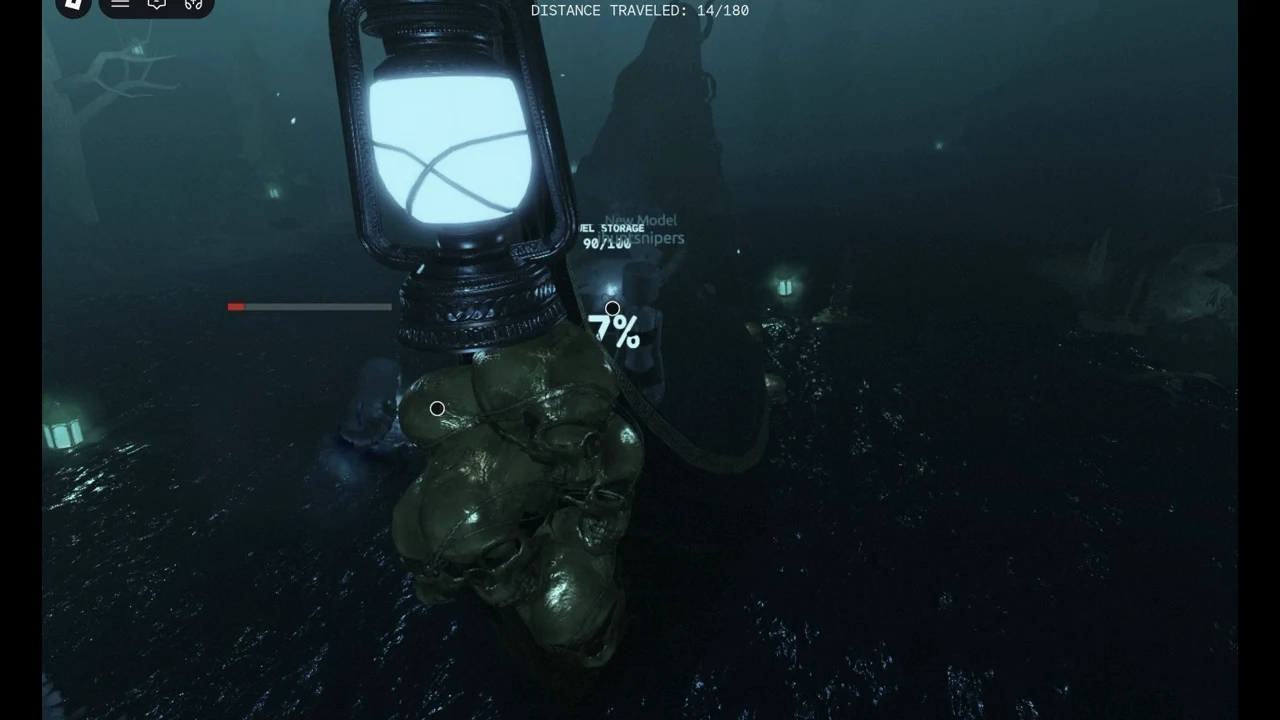
How much light one fuel adds to the lantern
In our runs, each fuel added roughly 10 percentage points of light (approximate, from two readings). In one run the light read 89% at 5/180 just after the pick-up and was in the 70s at 14/180 right after the feed. In another it read 68% at 18/180 after one feed, against about 59% at the same point with no feed.
The light drains quickly: in our runs it fell by about 2.4% per unit of DISTANCE TRAVELED, so one fuel was worth only about four units of travel. Readings from our runs:
| DISTANCE TRAVELED | Lantern light |
|---|---|
| 0/180 | 98% |
| 27/180 | 48% |
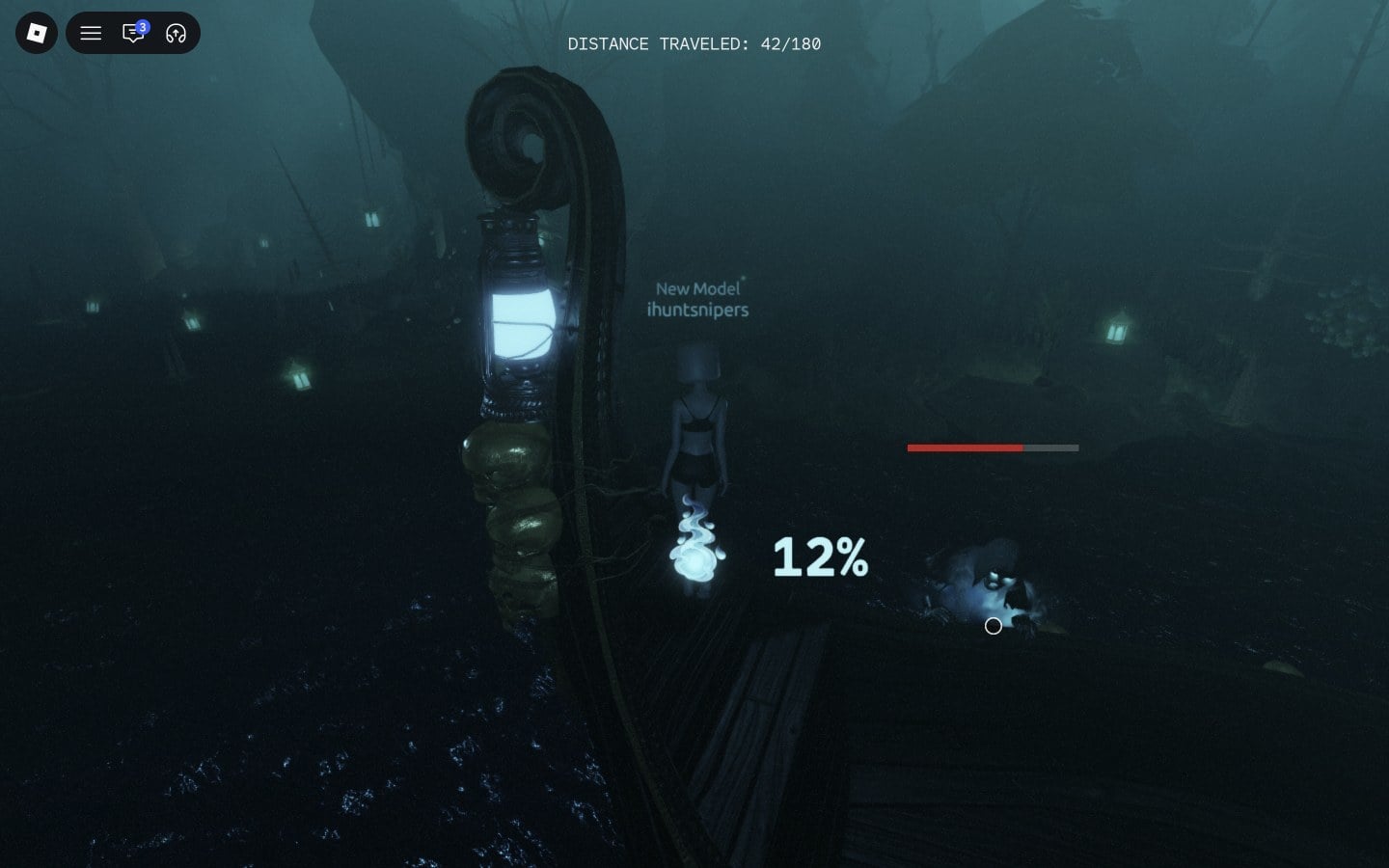
| 42/180 | 12% |
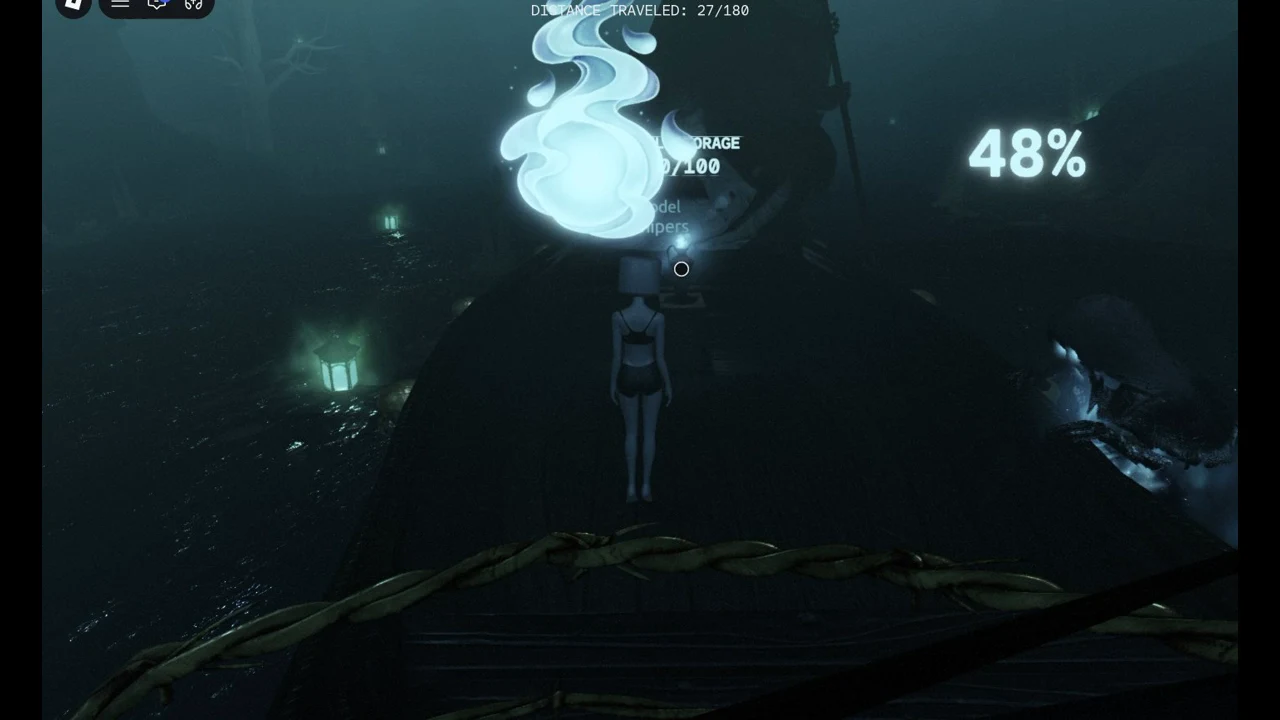
That is why the lantern still ran out when we played alone. In our runs one pick-up-and-feed trip took about 8 to 12 units of travel, while each fuel only paid back about four, so the light kept falling even when we fed back to back.
Tips to keep the lantern lit longer
Begin refueling as soon as the crossing starts rather than waiting for the meter to fall. Line up exactly with each prompt to avoid wasting holds. In a group, rotate the fuel carrier so the lantern can be fed more often.
Spirits on the hull and the death screen
In our runs, spirits started climbing onto the boat’s hull from around 18 to 25/180. Each one has a red and grey bar above it and a small white ring marker beside it. The Ferryman warns, “They keep away from the light, but not all.”
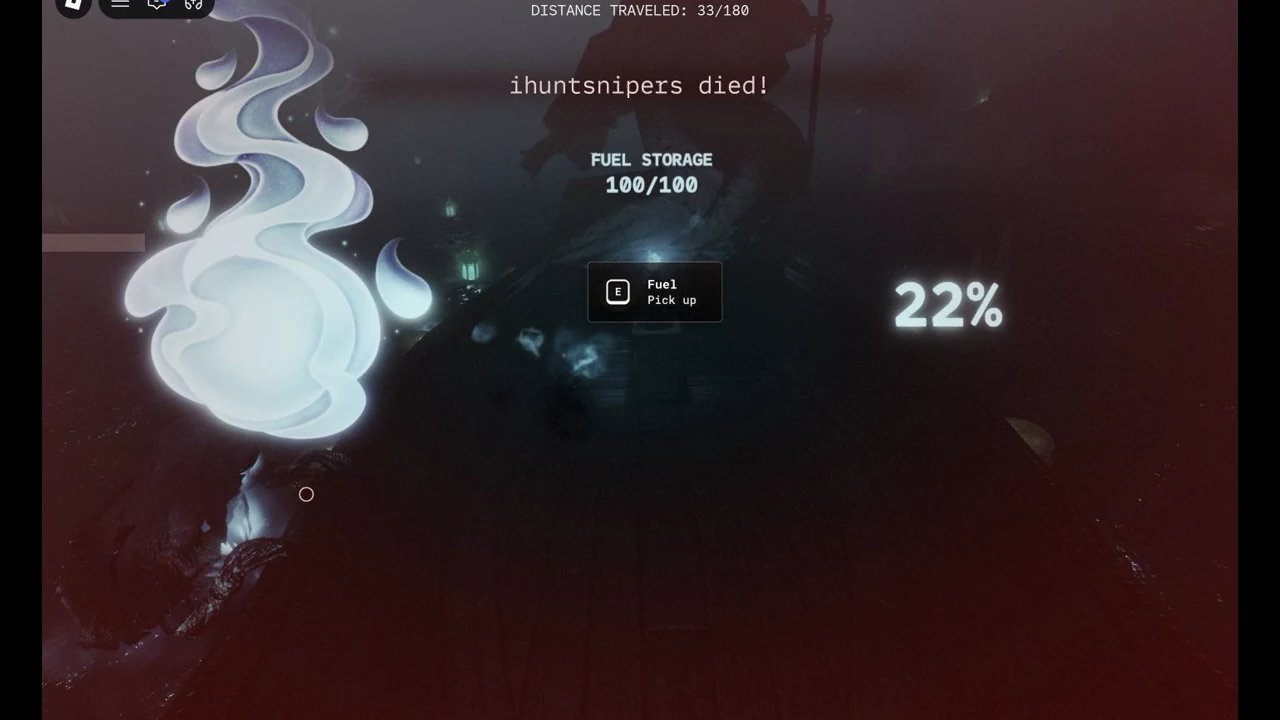
A lit lantern did not keep us alive. Our solo runs all ended between 20/180 and 48/180, including one death at 33/180 with the light still at 22% and another at 47/180 with it at 0%.
Several inputs have no visible effect on spirits. Clicking the white rings does nothing. Pressing 1 or 2 does nothing, since there is no hotbar. Walking up to a spirit and holding E does nothing either, because no prompt appears. What actually stops the spirits has not been found yet.
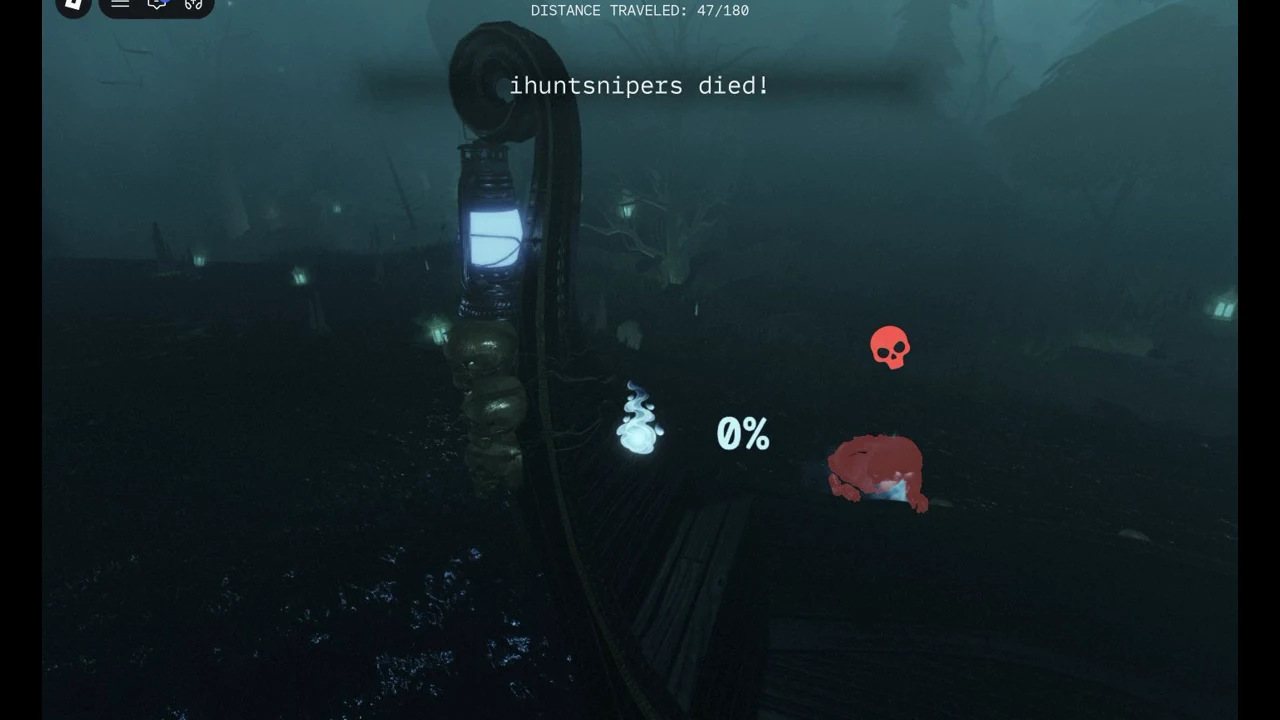
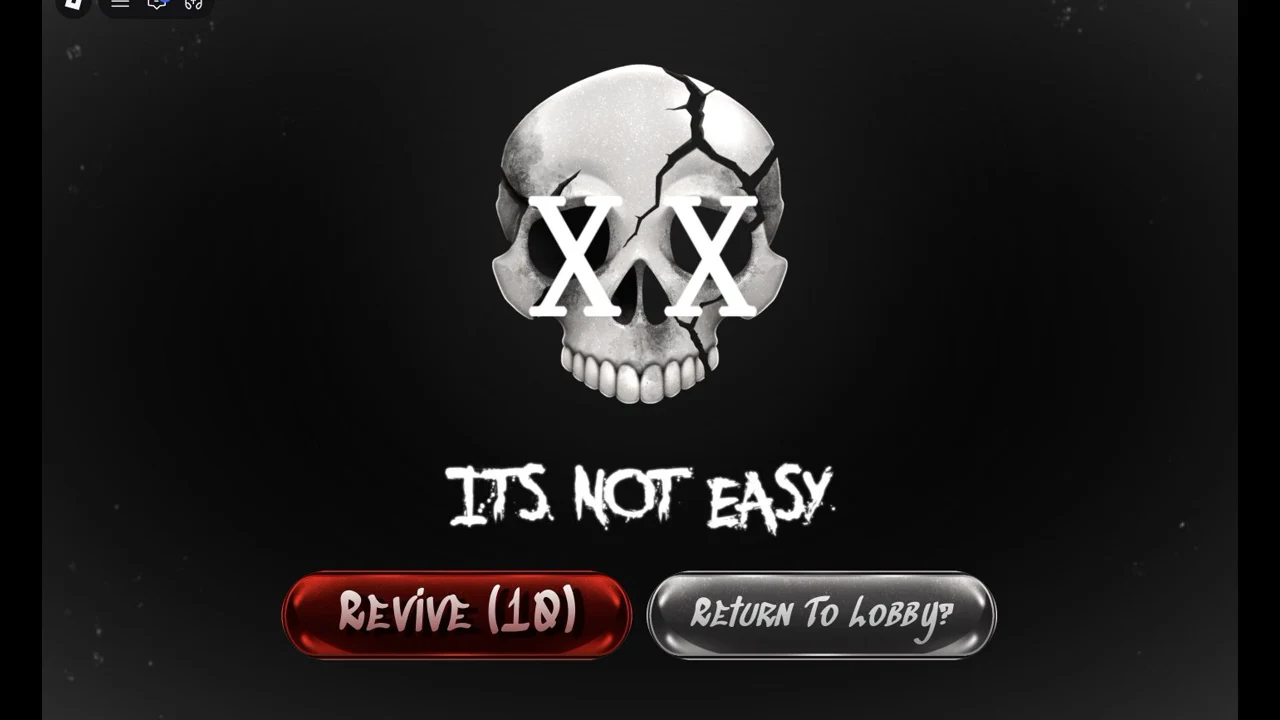
When you die, the screen first shows “<your name> died!” and then a skull with “IT’S NOT EASY.”. You get two choices: a “Revive” button with a countdown, or “Return To Lobby?”. Returning to the lobby sends you back to the quest lobby. We never pressed Revive; players report it costs Robux, which we have not checked.
When FUEL STORAGE runs out
In one of our group runs, FUEL STORAGE ran out at about 94/180. The boat then stopped at a wooden pier, and the top line changed to “FUEL ORBS COLLECTED: 0/10”. Small pale-blue orbs float around the island near the pier; you collect them by walking through them, no button needed. Our group reached 8/10; we have not seen what happens at 10/10.
Not seen yet
- What stops or removes the spirits, and how many hits or spirits it takes to kill you: the spirit counter has not been found yet.
- Whether one player can finish the crossing alone. We could not in about ten solo tries.
- Exact numbers for the light one fuel adds and the drain per unit of distance. Ours are approximate readings.
- What happens at FUEL ORBS COLLECTED: 10/10, the end of Chapter 1 and its reward.
- The price of Revive. We never pressed it.
FAQ
Why does pressing E at the lantern not add fuel?
A quick tap does not feed it. Hold E for about 3.5 seconds while “Lantern / Add Fuel” is on screen, and make sure you are carrying fuel first. With empty hands the game only says “Pick up fuel to add to the lantern!”.
How much light does one fuel add?
In our runs, roughly 10 percentage points per fuel, from two readings. Treat it as approximate.
Can you keep the lantern lit playing solo?
Not in our runs. The light fell faster than one player could carry fuel, even when feeding back to back. A group can take turns at the fuel pile.
How do you stop the spirits?
We have not found out yet. Clicking the white rings, pressing 1 or 2, and holding E next to a spirit did nothing, and spirits killed us even with light left in the lantern.
Does Revive cost Robux?
Players report that it does, but we never pressed it, so we cannot confirm the price. “Return To Lobby?” is free and takes you back to the quest lobby.
How do I get to Chapter 1?
Through the Teleport menu in the main lobby and the ENTER TO PLAY pads on Styx’s dock. Our guide to starting Tales of the Dark King has every step.