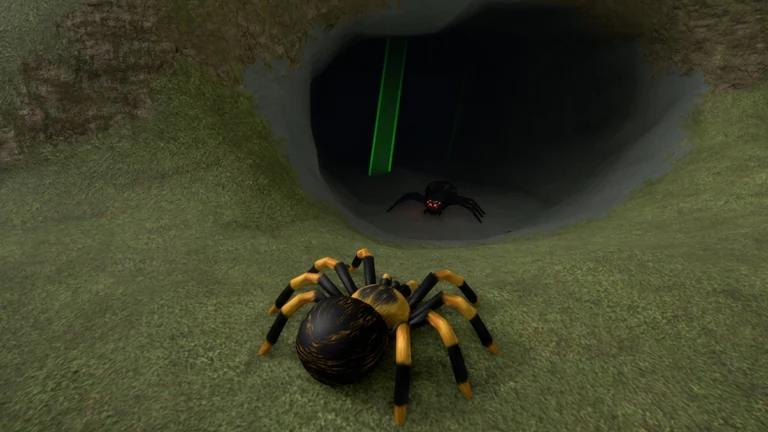
In Bug Evolution, size is a number. Every bug has a level, an XP bar, and a tier, and “bigger” means pushing all three upward until your current form unlocks its next evolution. A Spiderling, for example, turns into a Wolf Spider at level 40. The fastest route there is to stack the XP boosts the game hands you, keep a Quick quest running at all times, and spend your time eating and hunting.
Quick answer: Play during Night Hunt (1.5x XP), activate the 2x XP boost, and clear the Quick quests (abilities, Silk Cocoons, Crickets) while you eat and hunt. If you want to skip ahead, +50 LEVELS costs 9 Robux.
How growth works in Bug Evolution: levels, XP, and evolution thresholds
Your bug grows by eating. Food and smaller insects fill the XP bar at the bottom of the screen. A full bar adds a level, and each form has a set level where it can evolve into the next bug on the Bug Tree. Evolving moves you into a stronger form and a higher tier, and that tier appears next to your name on the server’s player list.
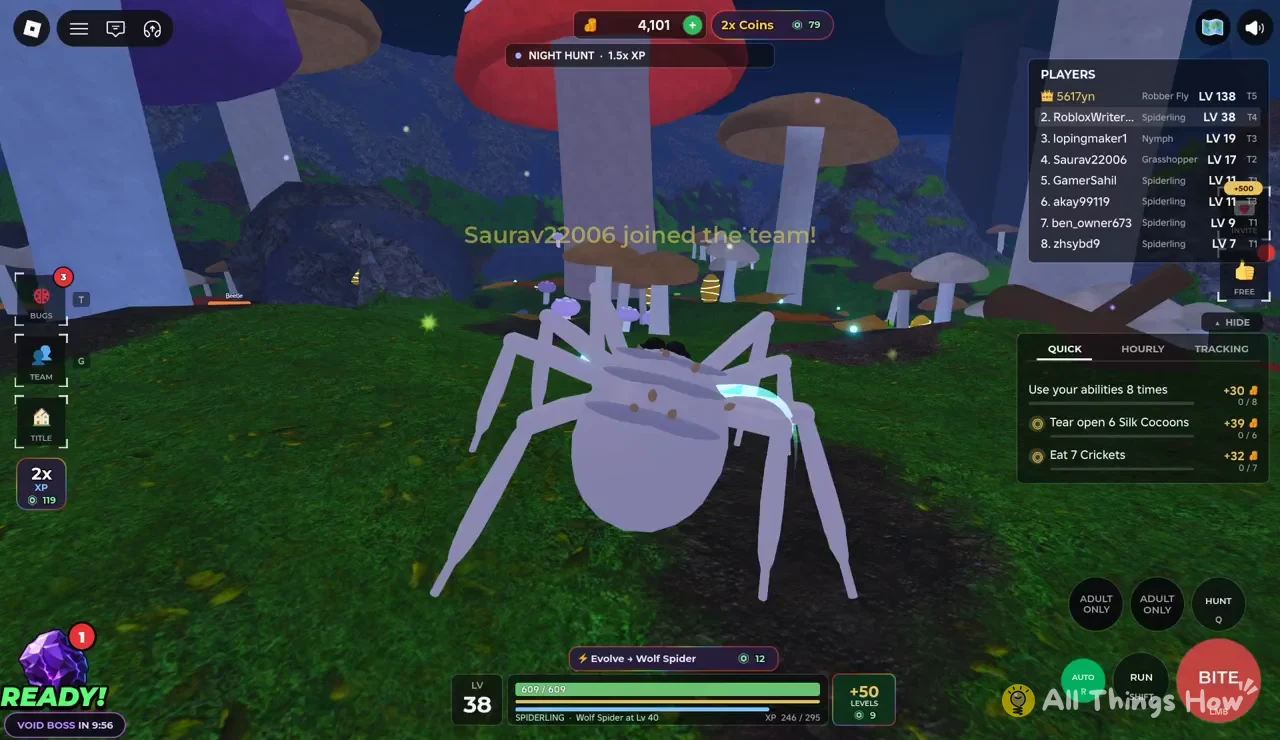
The bottom of the HUD shows everything you need to track this. Using a Spiderling as the example:
- LV 38 shows your current level.
- 609 / 609 is your health bar.
- XP 246 / 295 shows progress toward the next level.
- SPIDERLING · Wolf Spider at Lv 40 names your current bug, the next evolution, and the level that unlocks it.
That evolution line is your real target. Each level takes more XP than the last, so every multiplier you can keep running matters more the higher you climb.
XP and coin multipliers to stack
Several boosts appear along the top and side of the screen. They affect different things, so it helps to know which ones speed up leveling and which only speed up your coin income.
| On-screen label | Effect | Where it shows |
|---|---|---|
| NIGHT HUNT · 1.5x XP | 1.5x XP on the server | Top banner |
| 2x XP | Doubles XP | Side panel |
| 2x Coins | Doubles coins | Next to the coin counter |
| FREE +500 | Free +500 reward | Side panel |
Night Hunt is a server-wide event, not something you switch on yourself. When the banner shows 1.5x XP, every meal and kill is worth more, which makes it the best window for a long session. The 2x XP button stacks on top of that, so do your heaviest eating while both are active. The 2x Coins boost doesn’t add levels, but it does fill the coin counter faster.
Quick quests that pay out while you grow
The quest panel on the right has three tabs: QUICK, HOURLY, and TRACKING. Select QUICK to see short objectives that line up with what you’re already doing to grow. Each one has a counter, so you can see your progress as you play.
| Quick quest | Target | Reward |
|---|---|---|
| Use your abilities | 8 times | +30 gems |
| Tear open Silk Cocoons | 6 cocoons | +39 gems |
| Eat Crickets | 7 crickets | +32 gems |
All three overlap with leveling. Eating Crickets is food anyway, Silk Cocoons are something you break open while moving around the map, and abilities are part of how you hunt. Running these quests costs you almost no extra time, and you finish them with a full counter of gems on top of your XP.
The TRACKING tab is for your next evolution. It shows an entry like “Evolve + Wolf Spider” so the target stays on screen while you work toward it.
Fast leveling loop in Bug Evolution
This order works with any bug, on any server. The goal is to never have a minute where you aren’t earning XP and making progress on a quest.
Bigger players on your server can attack you. Press G to open the team menu and group up with others so you’re safer while you grind.
Bug Evolution controls for eating and hunting
The control prompts sit in the bottom-right corner. These are the ones that matter for growing.
| Action | Key |
|---|---|
| Bite | Left mouse button |
| Hunt | Q |
| Run | Shift |
| Auto | R |
| Bugs menu | T |
| Team menu | G |
The Bugs menu (T) is where you check what your current form can become. One control slot is labeled ADULT ONLY, which means it stays locked until your bug reaches its adult form.
Paid shortcuts: +50 LEVELS and instant evolution
There are two buttons for skipping the grind entirely. Both cost Robux, and neither is required to progress.
| Button | What it does | Cost |
|---|---|---|
| +50 LEVELS | Adds 50 levels instantly | 9 Robux |
| Evolve + Wolf Spider | Evolves a Spiderling right away | 12 Robux |
The level skip is the bigger jump of the two. Fifty levels clears several evolution thresholds at once for a low-level bug. The instant evolve button only matters when you’re short of the required level. A Spiderling two levels away from 40, for example, is already close enough that boosted eating will get there without paying.
How to confirm your bug is getting bigger
Progress shows up in three places. The LV number at the bottom goes up and the XP counter resets with a higher cap. After you evolve, the form name in the bottom line changes and points to the next bug on the Bug Tree.
The PLAYERS list on the side ranks everyone on the server by bug, level, and tier, from T1 up to T5. Climbing that list is the clearest sign you’re outgrowing the rest of the server. The bug at the top of the list, such as a level 138 Robber Fly at T5, shows you how far the ladder goes. Keep an eye on the VOID BOSS countdown in the bottom-left corner as well, so you’re not caught away from your team when it spawns.