In Craft an Animal, the way to move past basic materials is through the Animals Stock, a rotating shop that sells animal ingredients you can’t easily make yourself. You buy them with in-game cash, which builds up passively, and then combine them with basic materials like Water, Rock, and Egg in five-ingredient formulas. The shop is small and the quantities are limited, so it helps to know what everything costs and when the shelves refill.
Quick answer: Open the Animals Stock, buy Bone for 750$ or Cat for 75K$, then combine them with Water, Rock, Egg, Leaf, or Googly Eye. Stock refills every five minutes.
Animals Stock prices and stock limits
Each listing in the Animals Stock shows a rarity tier, a cash price, and how many units are left in the current rotation. Once a listing’s stock runs out, you can’t buy more of it until the next restock.
| Animal | Rarity | Cash price | Stock |
|---|---|---|---|
| Bone | Rare | 750$ | x6 |
| Cat | Rare | 75K$ | x5 |
| Fish | Purple tier | Not shown | Not shown |
Both Bone and Cat sit in the Rare tier, but the price gap between them is enormous. Cat costs a hundred times more than Bone, so buying a full set of five Cats takes 375K$ in total. Bone is cheap enough that you can pick up the full six-unit stock for 4,500$.
Cat can also be bought with Robux instead of cash. A single Cat costs 6 Robux, and a “Buy 10” option is offered for 49 Robux. Fish appears further down the shop list with a purple rarity color, which marks it as a different tier from the Rare items above it.
How to buy animals from the Animals Stock
The process is the same for every listing. All you need is enough cash on hand, which shows at the top of your currency display.
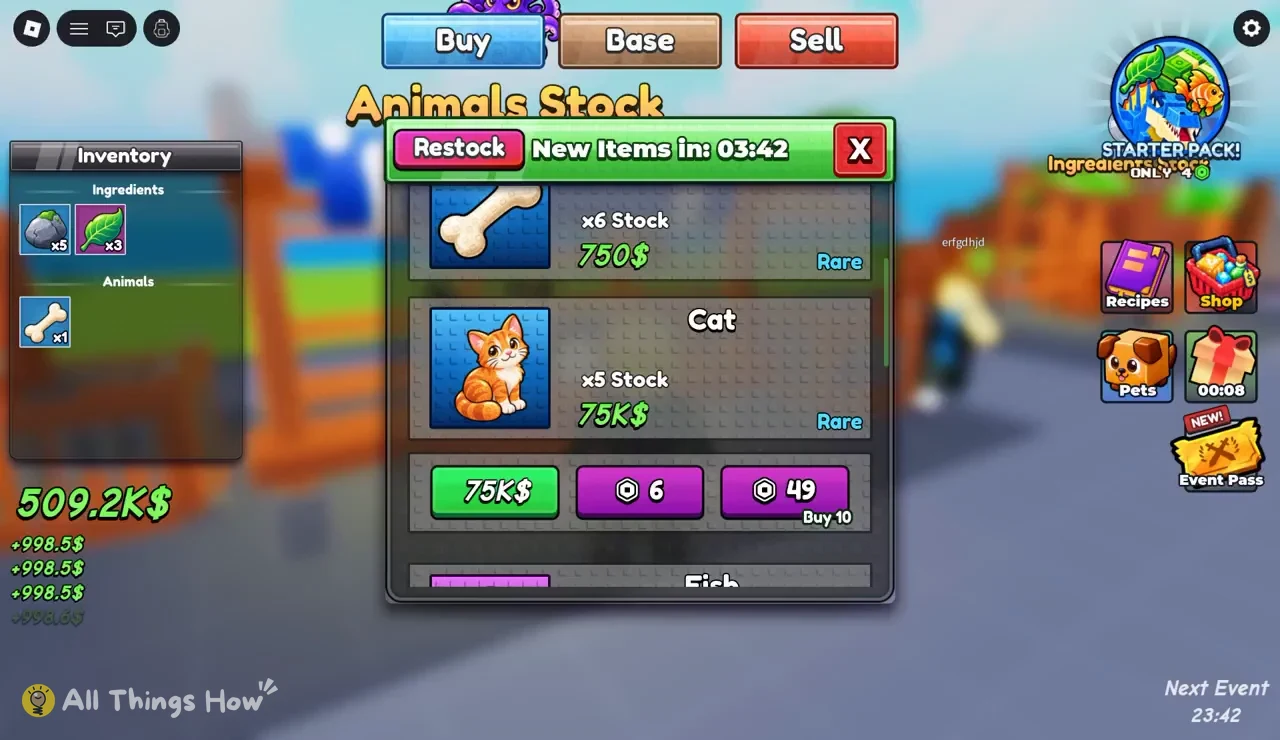
Animals Stock restock timer
The top of the Animals Stock window shows a “New Items in” countdown. When it reaches 00:00, the shop refreshes, and the timer starts over at 04:59. That gives you a new rotation roughly every five minutes.
This matters most for Cat. With only five in stock per rotation, you can’t buy more than five at a time with cash, no matter how much money you have. If you need more for a batch of recipes, you have to wait for the next refresh. The window also has a Restock button next to the timer, which is separate from the automatic countdown.
You don’t have to watch the menu the whole time. Cash keeps coming in while the shop is open, so leaving it up and buying as soon as the timer resets works fine.
Craft an Animal recipes that use Cat and Bone
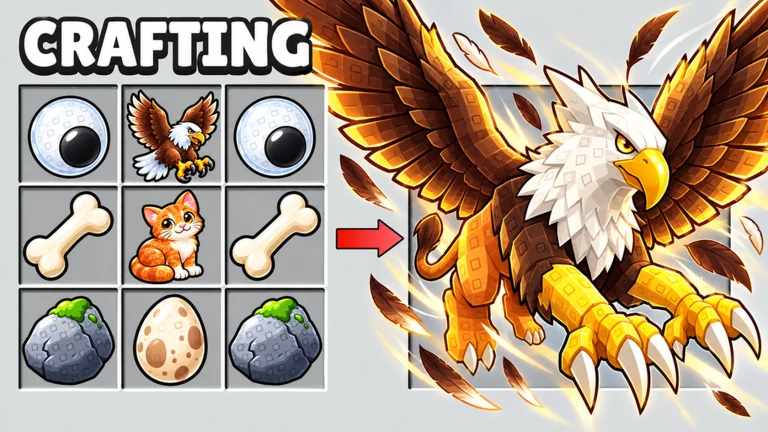
Animals from the shop aren’t the end goal. They are ingredients. Each formula mixes one or two animals with basic materials, and most use five ingredients in total. These four combinations use Cat, Bone, or both:
| Formula | Animals used | Ingredient count |
|---|---|---|
| Water + Bone + Rock + Egg + Googly Eye | Bone | 5 |
| Leaf + Cat + Water + Googly Eye | Cat | 4 |
| Cat + Water + Bone + Rock + Egg | Cat, Bone | 5 |
| Cat + Bone + Rock + Egg + Googly Eye | Cat, Bone | 5 |
A few patterns stand out. Rock and Egg show up in three of the four formulas, and Water and Googly Eye each appear three times too, so it’s worth keeping a supply of those basic materials before you spend on animals. Bone appears in three formulas, which makes it the most useful thing to stock up on, especially since it’s cheap. Cat is only needed in three formulas, but each one consumes a 75K$ purchase, so plan which ones you want before buying.
Basic materials like Rock, Leaf, Water, and Egg come from the Ingredients Stock rather than the Animals Stock. Check your Ingredients section first. Having Rock x5 and Leaf x3 on hand, for example, already covers part of several formulas. You can browse saved combinations in the Recipes menu.
Earning cash for Animals Stock purchases
Cash builds up on its own. Your income arrives in ticks, and each tick adds a fixed amount to your balance. At an income rate of +998.5$ per tick, Bone pays for itself almost immediately, while a single Cat takes about 75 ticks to afford.
That makes the cheaper animals the easy first step, with Cat as a target you save toward. A balance around 509.2K$ is enough to clear an entire Cat rotation at 375K$ and still buy all six Bones with plenty left over. If your balance is lower, buy Bone and the basic materials first, then wait for cash to build before the next restock.
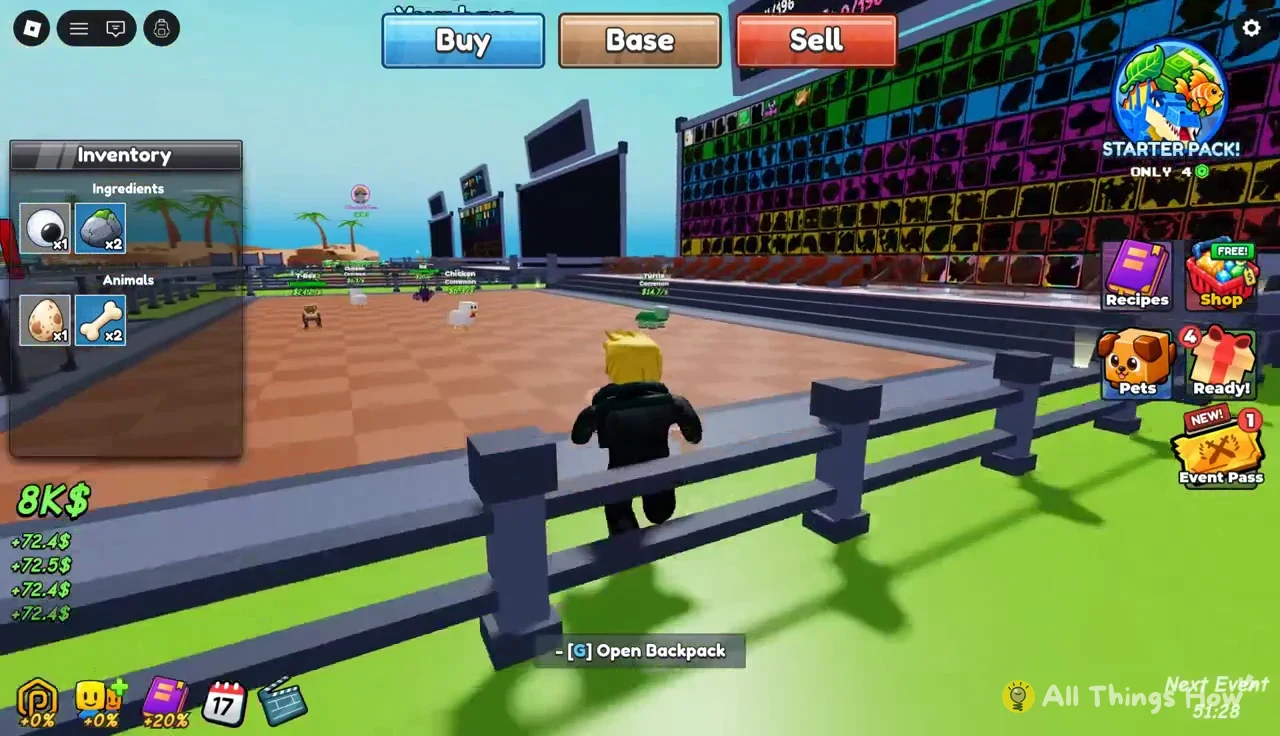
The menus also include a Sell option and a Base menu, alongside a STARTER PACK! offer and an Event Pass with a Next Event timer. None of those are needed to buy from the Animals Stock, which only asks for cash or Robux and whatever stock is left in the current rotation.