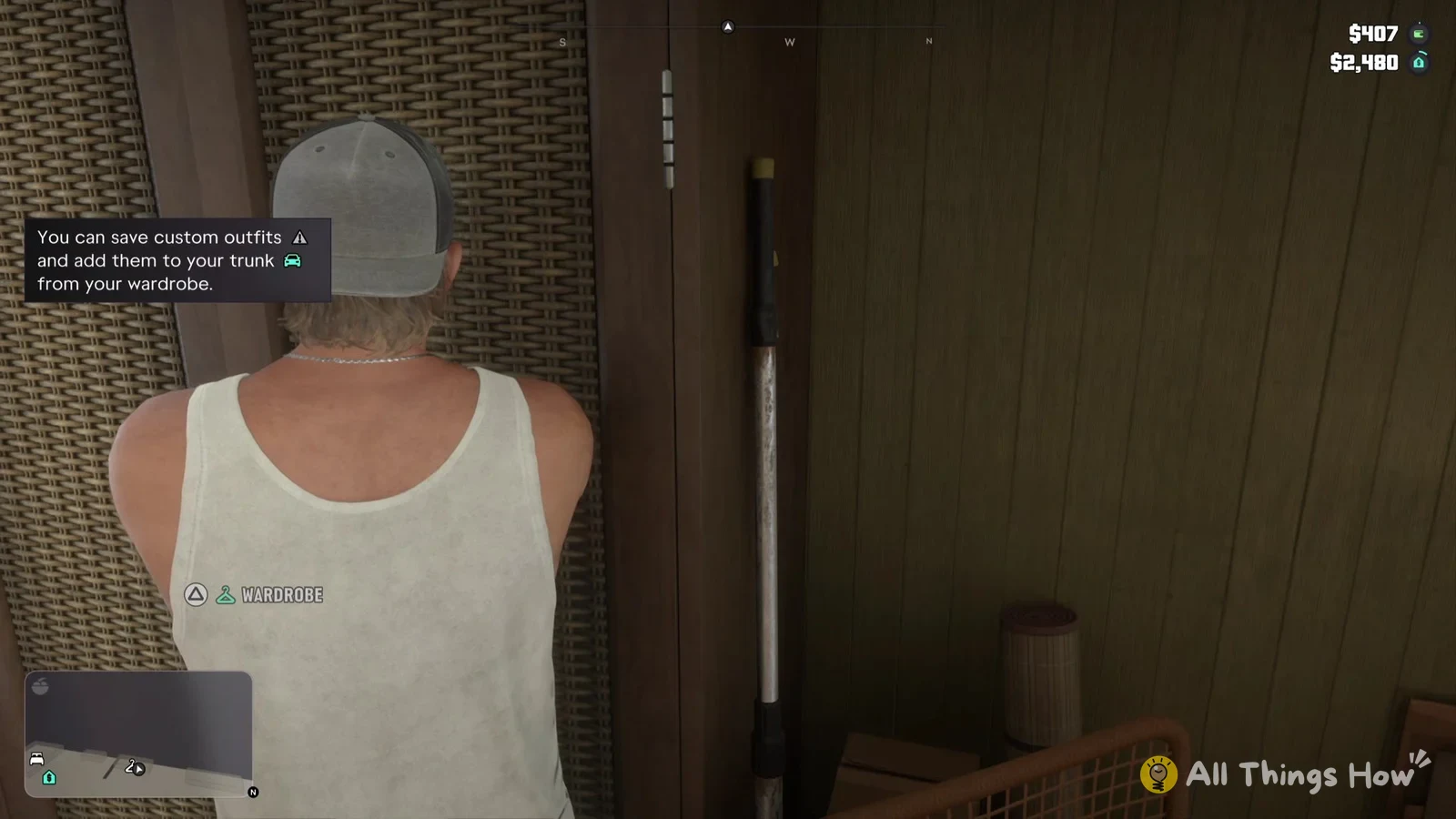
In GTA 6, Jason changes clothes at the wooden wardrobe in his house. Right after the Chapter 1 mission “Gone Fishing”, the game points you to it when you walk in the door, with a tip that reads “Drinks are in the kitchen and there are clothes in the wardrobe.” The button names below use the PS5 default controls.
Quick answer: Stand at the wardrobe in Jason’s house, press Triangle at the WARDROBE prompt, switch tabs with L1 and R1, and press Cross to wear what you’ve highlighted.
How to change clothes at Jason’s wardrobe
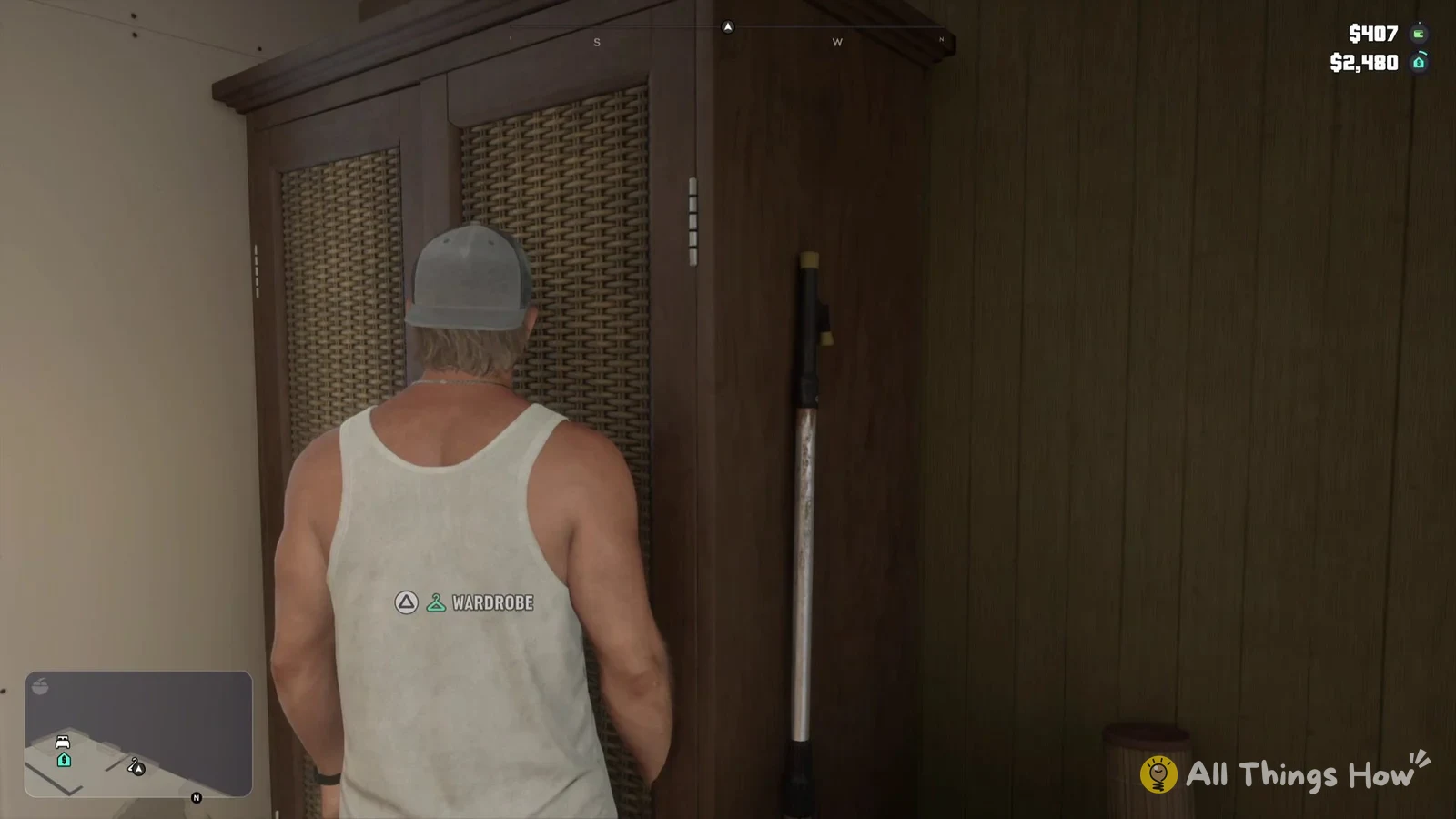
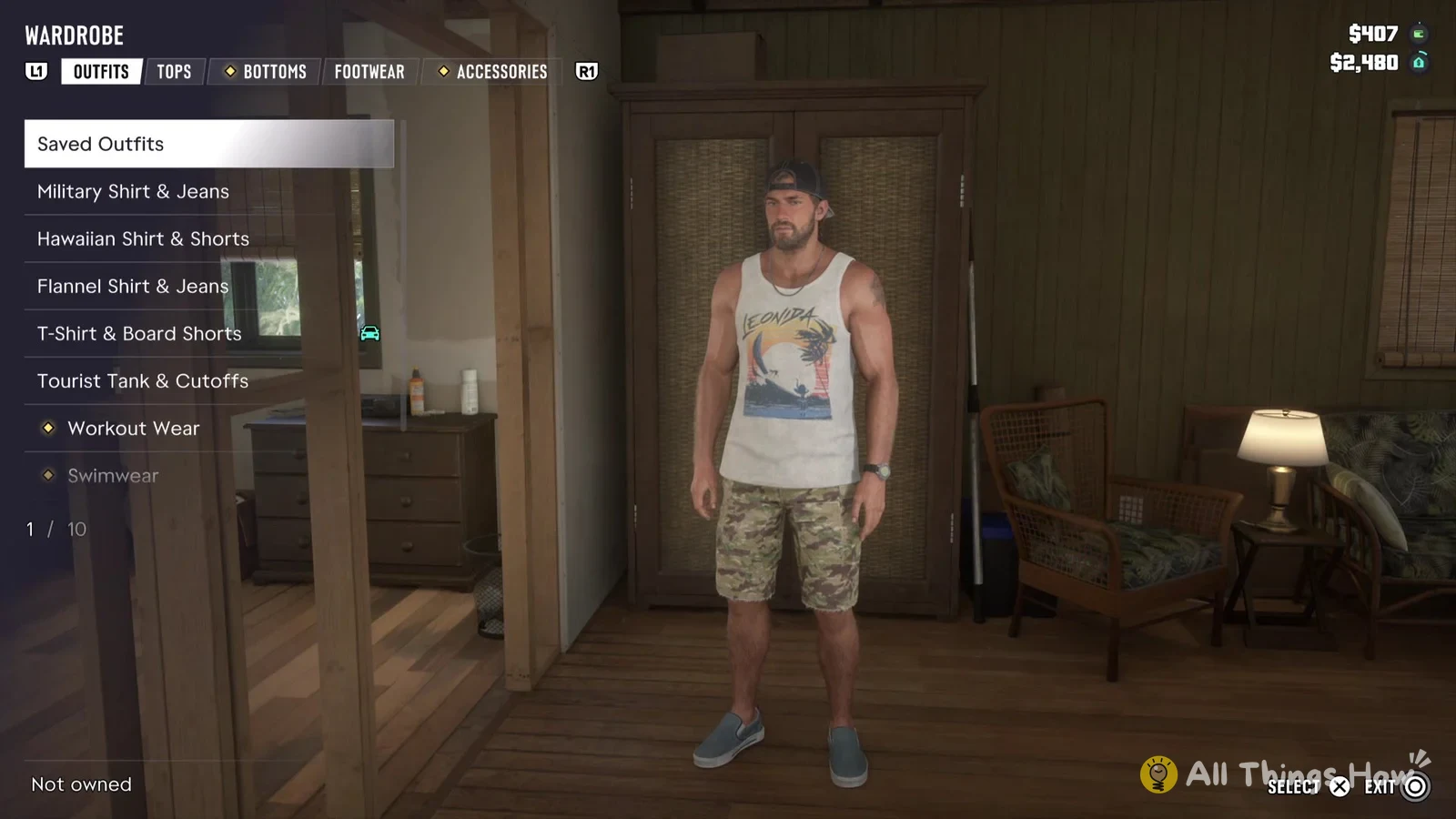
GTA 6 outfits Jason starts with
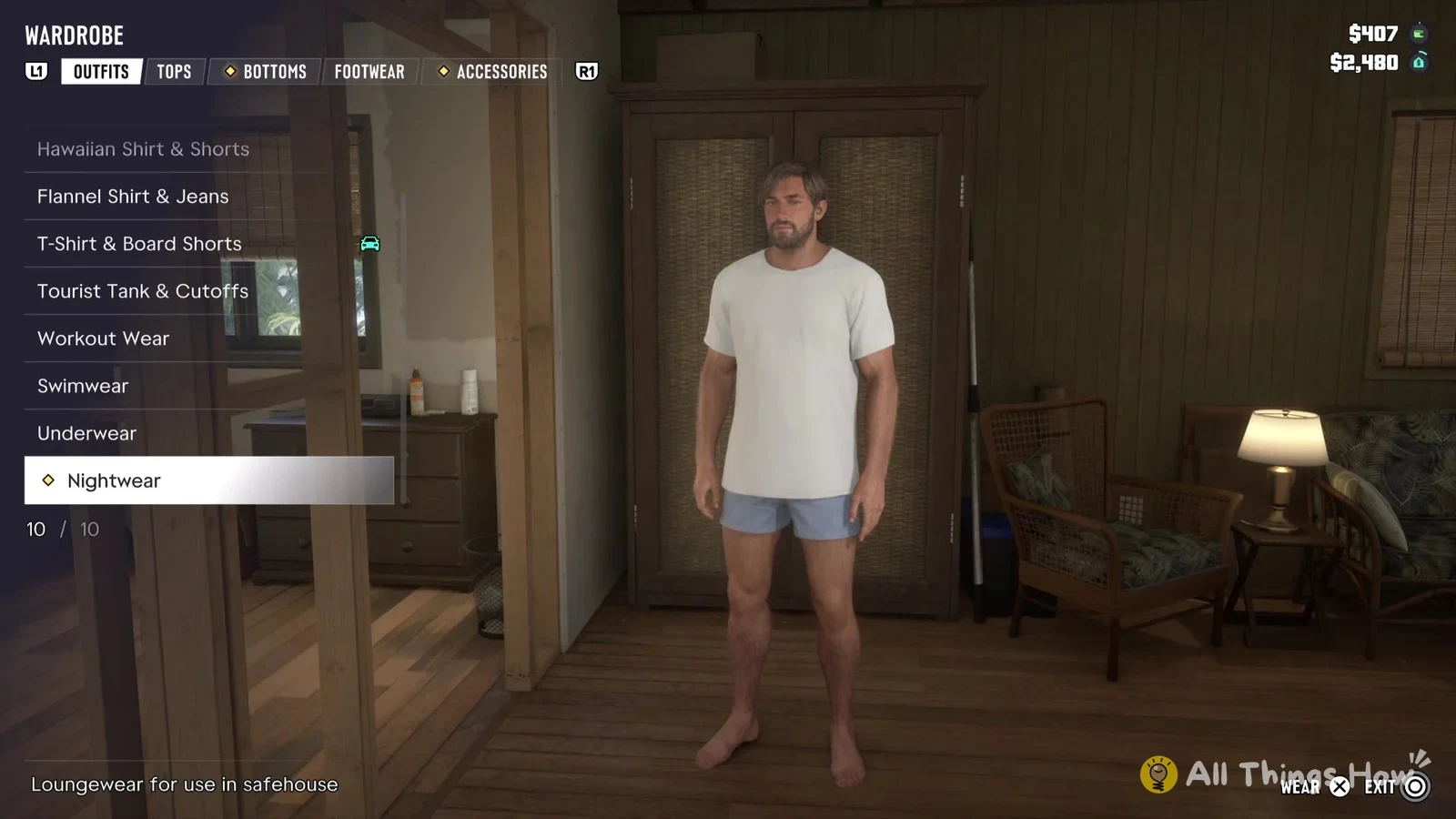
The OUTFITS tab has ten rows, and the counter reads 1 / 10 when you open it. Saved Outfits sits first, followed by the full looks Jason can put on in one press.
| Row | Outfit | Notes |
|---|---|---|
| 1 | Saved Outfits | Your custom outfits |
| 2 | Military Shirt & Jeans | — |
| 3 | Hawaiian Shirt & Shorts | — |
| 4 | Flannel Shirt & Jeans | — |
| 5 | T-Shirt & Board Shorts | — |
| 6 | Tourist Tank & Cutoffs | — |
| 7 | Workout Wear | — |
| 8 | Swimwear | Greyed out, “Not owned” |
| 9 | Underwear | — |
| 10 | Nightwear | “Loungewear for use in safehouse” |
Swimwear is greyed out at this point, and highlighting it brings up “Not owned” in the line at the bottom left of the screen. Nightwear’s description in that same spot reads “Loungewear for use in safehouse”, and highlighting it puts Jason in a white T-shirt and blue shorts with bare feet.
Wardrobe tabs for tops, bottoms, footwear and accessories
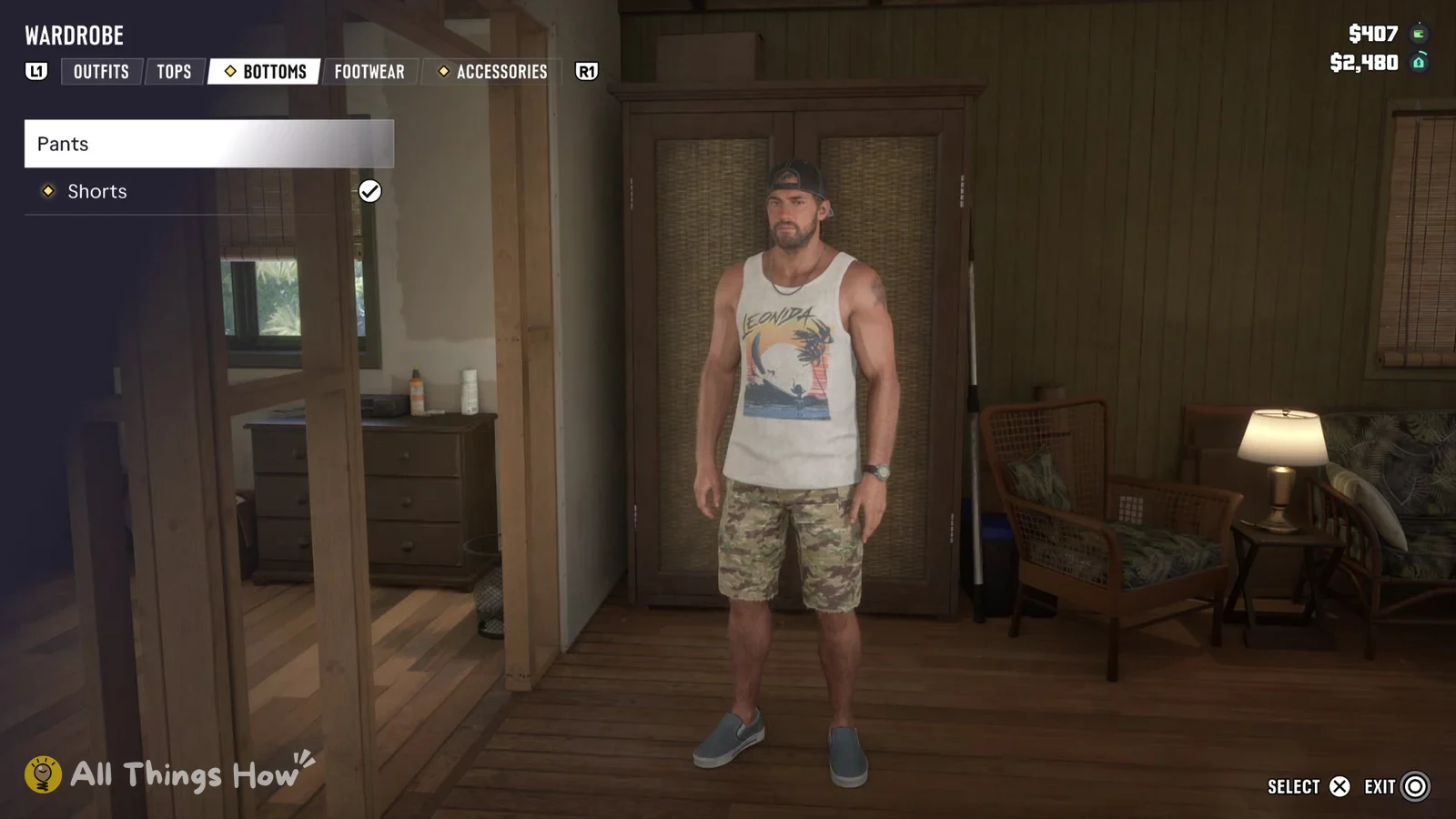
If you’d rather change one piece at a time, the other four tabs split Jason’s clothes into categories. Pick a category with Cross to select it. A tick next to a category shows that the item Jason has on right now comes from it, which helps when you want to swap just one part of what he’s wearing.
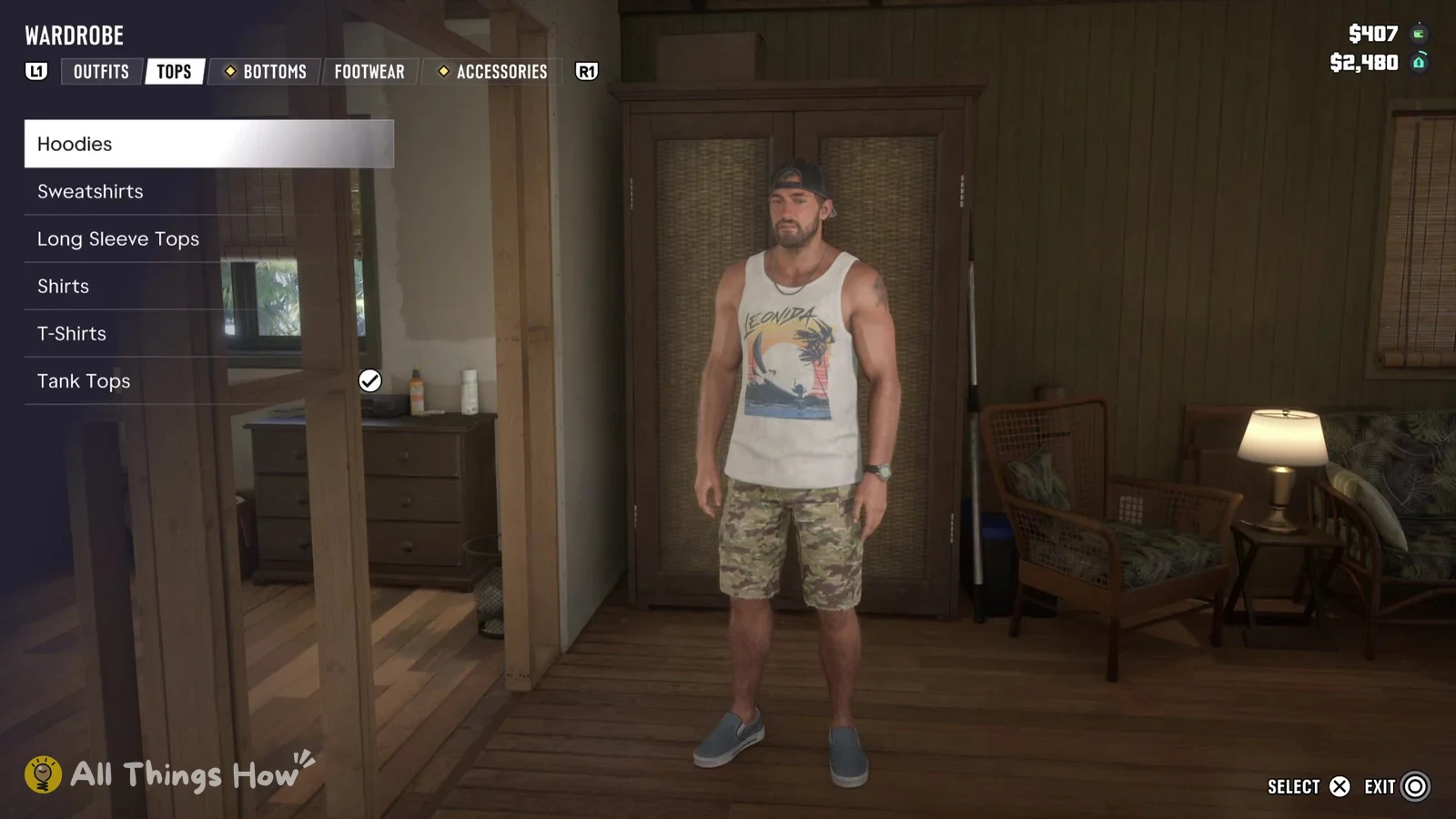
| Tab | Categories | Ticked when opened |
|---|---|---|
| TOPS | Hoodies, Sweatshirts, Long Sleeve Tops, Shirts, T-Shirts, Tank Tops | Tank Tops |
| BOTTOMS | Pants, Shorts | Shorts |
| FOOTWEAR | Sneakers, Flip Flops, Socks | Sneakers |
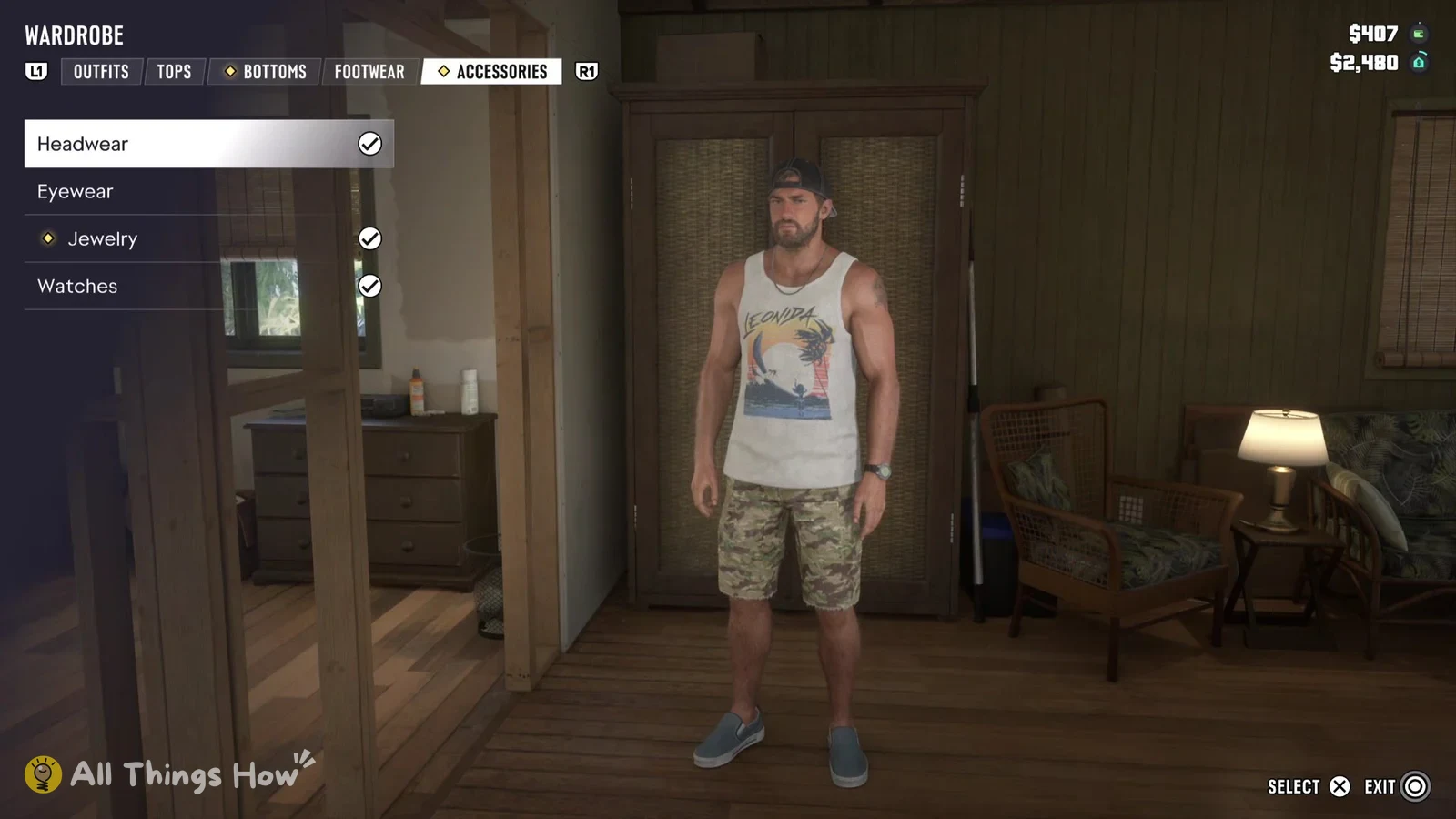
| ACCESSORIES | Headwear, Eyewear, Jewelry, Watches | Headwear, Jewelry, Watches |
ACCESSORIES can carry more than one tick at once, since Jason can wear headwear, jewelry and a watch together.
Saving custom outfits in GTA 6
Once you close the wardrobe, the game shows another tip: “You can save custom outfits and add them to your trunk from your wardrobe.” Saved Outfits is the first row on the OUTFITS tab.