Unit Wars puts you in charge of an army that marches down a track toward an enemy base, and the codes below hand out Gems, Cash, crates, and potions that speed up how fast that army grows. Redeeming them costs nothing and takes less than a minute, but the codes themselves expire without warning once the developer swaps them out for new ones.
Below is the full list of codes currently working in Unit Wars, along with the ones that have stopped functioning.
Active Unit Wars codes
Each code below can be redeemed once per account. Type them exactly as shown, since Unit Wars codes are case sensitive.
100kGroupMembers— 2 Golden Classic Crates, 2 Double Gem Potions, and 15 Power Nuts NEW2MVisits— 3 Raid Eggs, 1 Double Trait Luck Potion, and 10 Steaks NEW25kLikes— 1 Golden Classic Crate, 2 Double Luck Potions, and 10 Power Nuts NEWClassicEventUpdate— 1 Classic Crate NEW20kLikesAndSorry— 7.5K Gems, 3 Season 1 Crates, 2 Double Luck Potions, and 15 Power Nuts10kFavorites— 5K Gems, 3 Season 1 Crates, 1 Double Luck Potion, and 10 Power Nuts1MVisits— 7,500 Cash, 10 Food Crates, 3 Double Gems Potions, and 15 PowerNut FoodFoodReward— 1 Double EXP Potion and 8 Steaks10kLikes— 10 Food Crates, 1 Double Luck Potion, and 10 Power Nuts
Rewards like Season 1 Crates and Golden Classic Crates open into random units or crafting materials, while the potions apply temporary boosts to gem gains, experience, or luck rather than permanent upgrades. Power Nuts and Steaks are food items that raise a unit’s stats when fed to it directly.
Expired Unit Wars codes
These codes stopped working and will return an error if you try to enter them.
500LikesPVPblamspotnewgamereleaseThanksForTheLikesHappyEasterBaconUpdate1kLikes200kvisits20kGroupMembers500kVisitsFreeCrateFreeOrbOrbGrind100kvisitsSoMuchLikes
How to redeem codes in Unit Wars
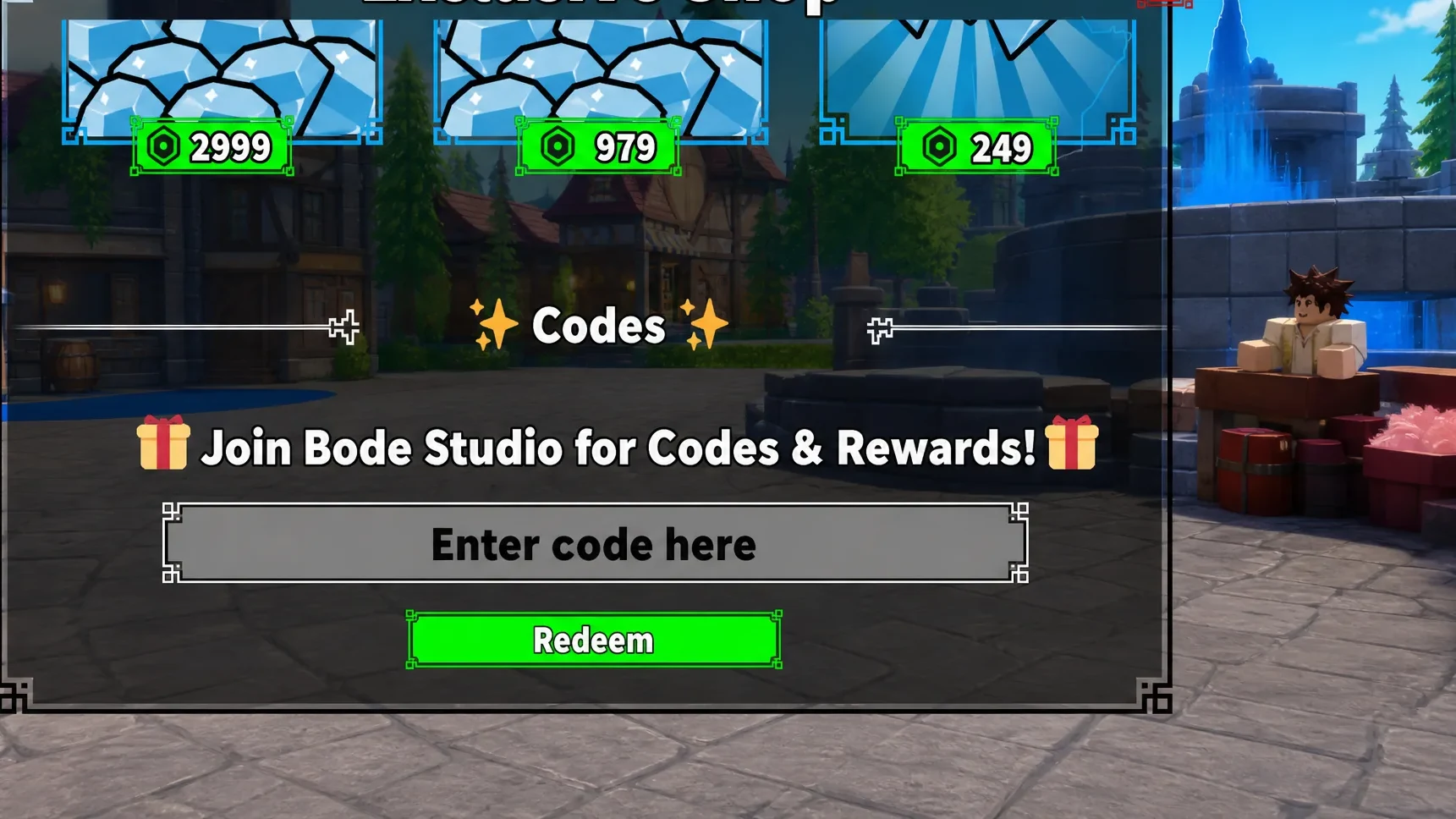
You need to finish the game’s tutorial before the code entry box becomes available, so new players should clear that step first.
New codes tend to appear alongside updates, community milestones such as group member or like counts, and seasonal events, so it’s worth checking back regularly rather than only when a new code has already gone stale.