
Accidentally opening the Battlefield 6 console can block your controls and disrupt gameplay, especially when key bindings overlap with other overlays or software. The in-game console often captures all keyboard input, preventing movement or other actions until it’s closed. Understanding how to quickly exit or disable the console streamlines your experience and stops unnecessary restarts or lost progress.
Method 1: Disable the Console via Game Settings
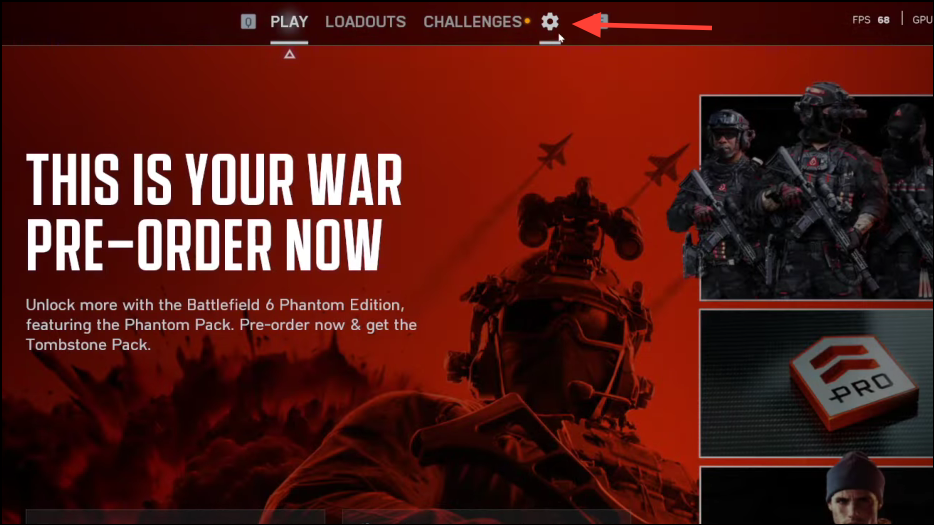
System tab. This section contains system-level settings, including interface and accessibility options.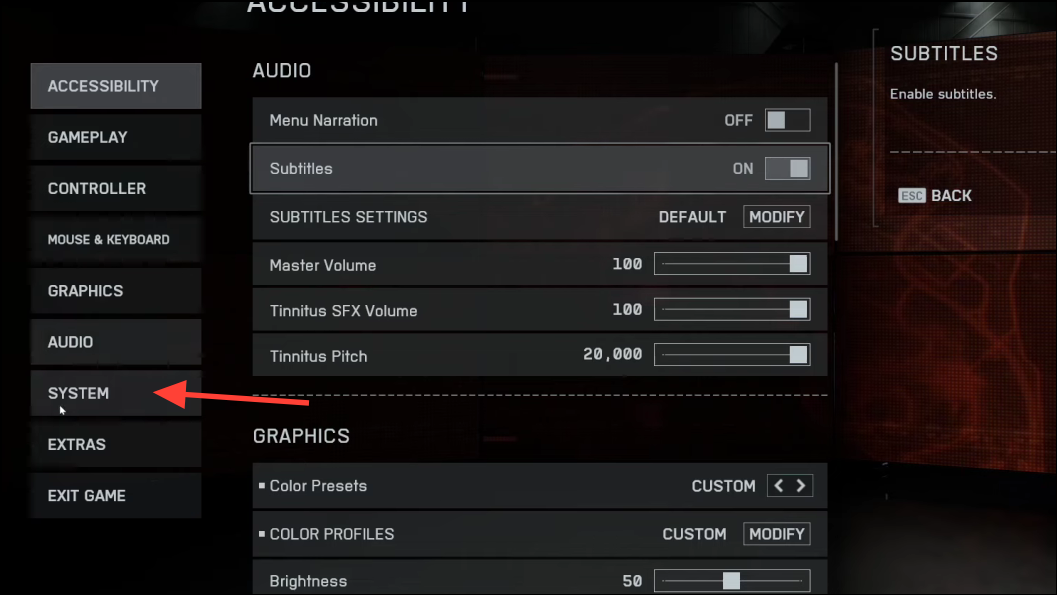
Setup section. Here you’ll find an option to disable the console window. Switch this setting to off. Disabling the console prevents it from opening with its default key binding, stopping accidental interruptions.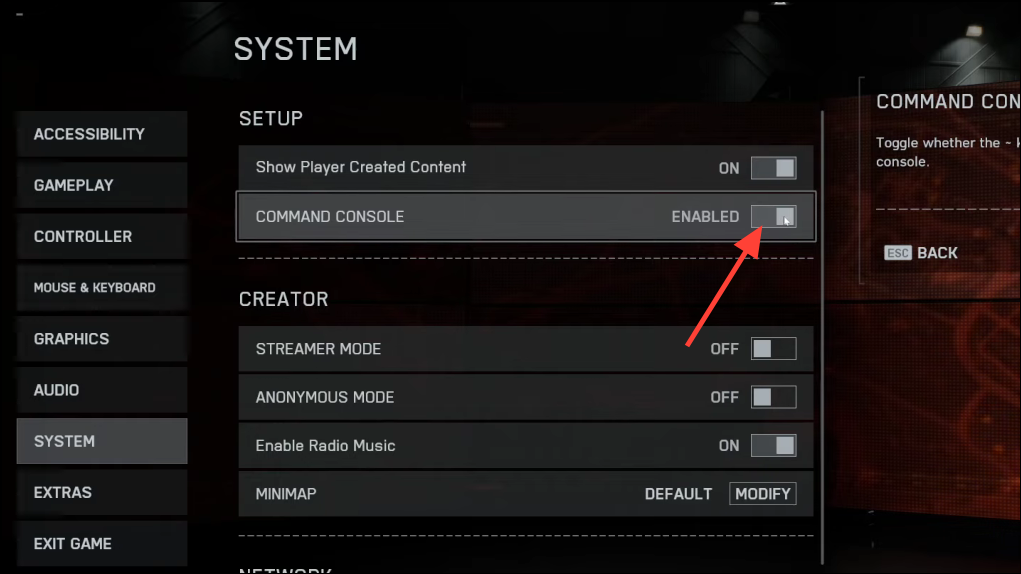
Disabling the console is the most reliable way to avoid the issue, especially if your keyboard layout or overlay software conflicts with the default console key.
Method 2: Close the Console Using Keyboard Shortcuts
~ (tilde) key or ` (backtick) key, typically located to the left of the 1 key on most keyboards. This is the standard method to toggle the console in Battlefield games.~ or ` does not close the console, attempt combinations such as Shift + ~, Ctrl + ~, or Alt + ~. Keyboard layouts differ, and some overlays or language settings may require alternate combinations.Esc key. On certain systems, Esc will exit the console if it is in focus and there are no active input fields.Method 3: Restart the Game as a Last Resort
Alt + F4 or force-quitting via your system’s task manager. Be aware that force-quitting can cause unsaved progress to be lost or, in rare cases, file corruption.Disabling the console in settings offers the most consistent fix, while keyboard shortcuts work for most standard setups. If all else fails, a quick restart gets you back into action, but adjusting settings prevents future interruptions.





