
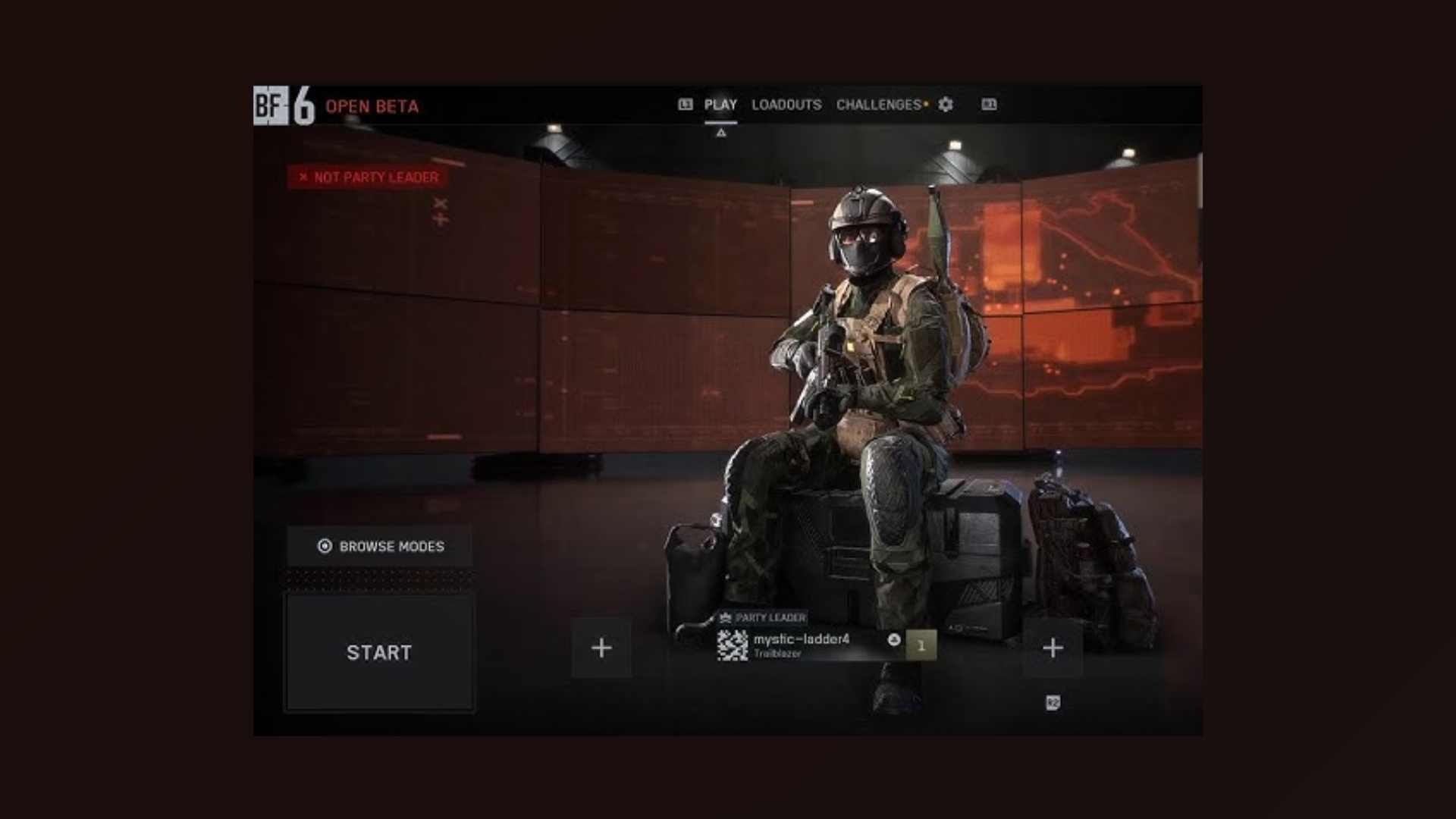
The “Not Party Leader” error in Battlefield 6 prevents players from starting matches or joining squads, often displaying a message that blocks further action. This issue usually stems from server synchronization problems, mismatched game versions, or network interruptions. Addressing these factors directly restores normal matchmaking and party functionality.
Restart Battlefield 6 and Your System
This process forces the game to reload party data and often resolves temporary synchronization issues between your device and the game servers.
Leave and Recreate the Party
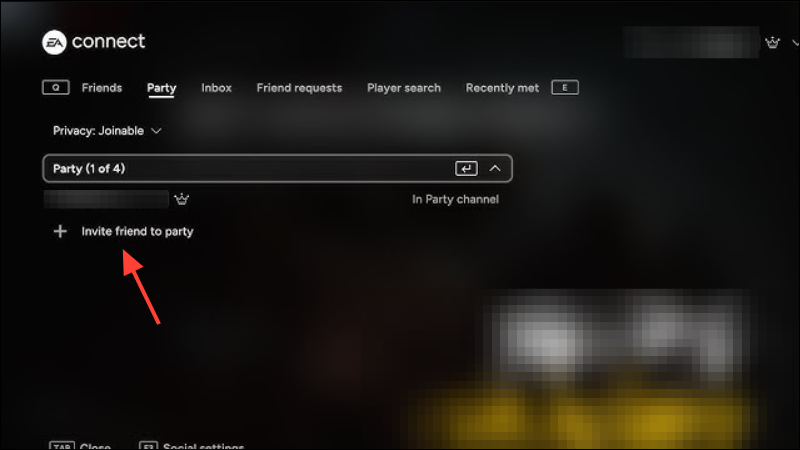
Rebuilding the party from scratch often resets the leadership assignment and resolves the error, especially after a failed matchmaking attempt or a system crash.
Switch Party Leaders
Changing the party leader triggers the game to reassign roles and can resolve persistent leadership recognition issues.
Check for Game and Platform Updates
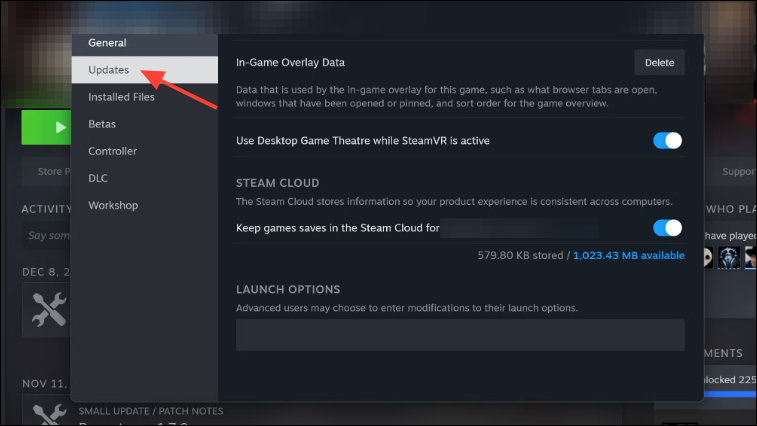
Version mismatches are a common cause of party-related errors, especially during beta periods with frequent patches.
Restart Your Router and Check Network Stability
Network interruptions can cause the game to lose track of party status, resulting in errors like “Not Party Leader.” A fresh connection often resolves these problems.
Additional Troubleshooting Tips
If the above methods do not resolve the issue, consider these steps:
- Check Battlefield 6 server status online to see if widespread outages or high load are affecting matchmaking.
- Log out and back into your EA account to refresh authentication tokens.
- Verify game file integrity if you are playing on Steam or EA App, as corrupted files can cause unexpected errors.
- Ensure all party members have matching cross-play settings, as mismatches can prevent squad formation.
- If the error persists, wait for server congestion to subside, as overloaded servers during open beta periods can cause party data to desynchronize.
Resolving the “Not Party Leader” error in Battlefield 6 usually comes down to refreshing party data, updating software, and ensuring stable network conditions. If these steps don’t work, the issue may be on the server side and should clear up as the developers address capacity and matchmaking bugs.





