Switching between or opening multiple tabs in Firefox can cause the browser window to become unresponsive, sometimes freezing the interface entirely while other system functions remain unaffected. This issue often disrupts productivity, especially for users who rely on managing several tabs for research, work, or entertainment. Addressing this problem involves a combination of browser configuration tweaks, driver updates, and process management to restore smooth tab handling and prevent further interruptions.
Change the nglayout.enable_drag_images Setting
about:config in the Firefox address bar and press Enter. If prompted with a warning, accept the risk to proceed.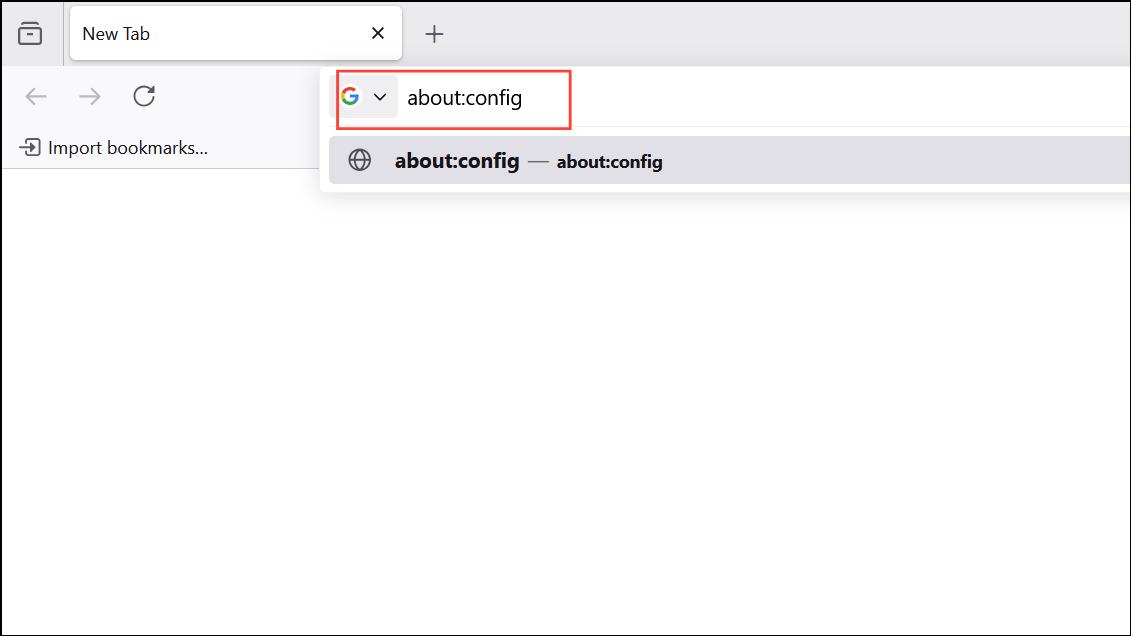
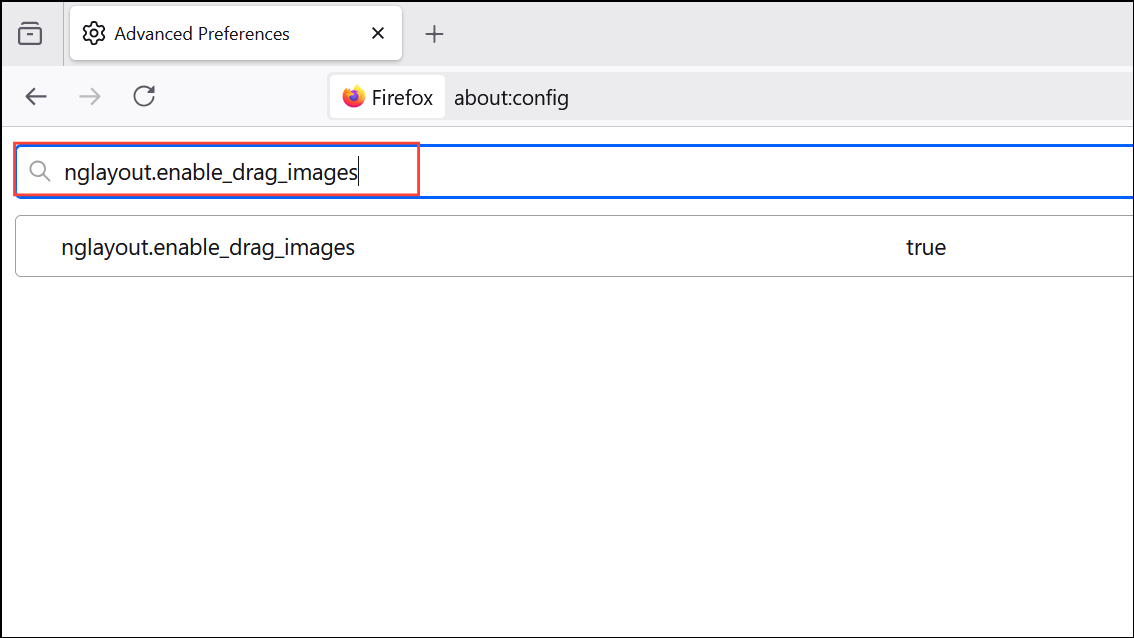
false. This disables the “ghost image” effect when dragging tabs, which has been linked to freezing issues, particularly on systems with certain graphics drivers or desktop environments.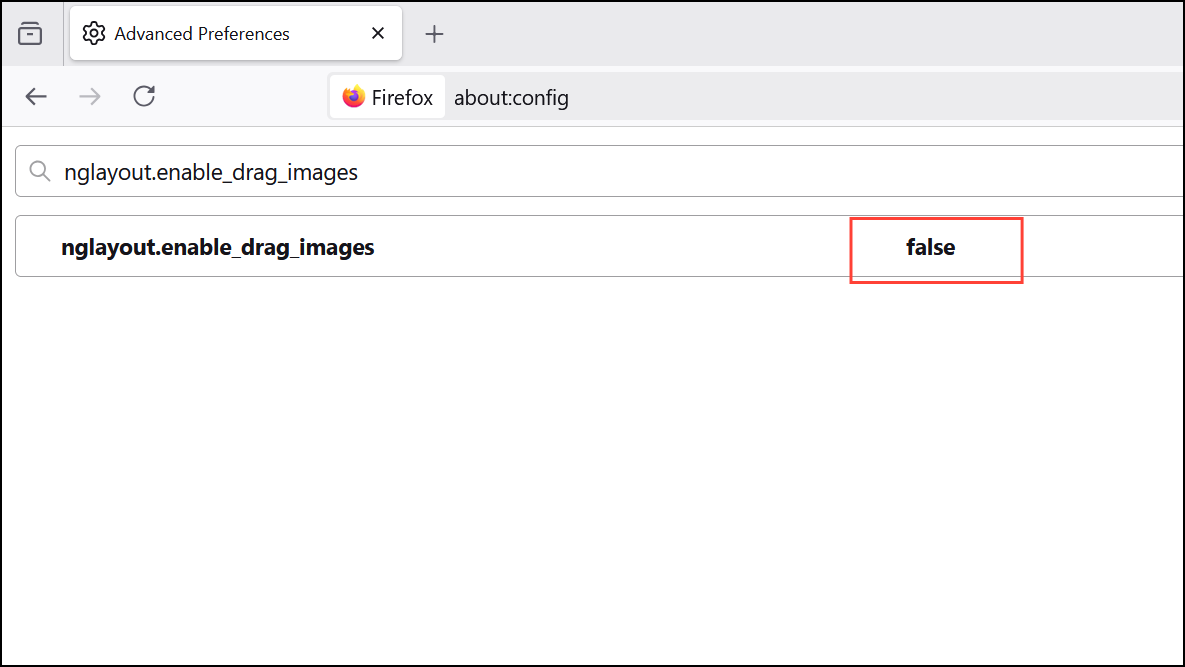
Update Graphics Drivers
Outdated or incompatible graphics drivers can cause rendering problems and unresponsiveness in Firefox, especially when handling multiple tabs or media-rich sites.
Device Manager,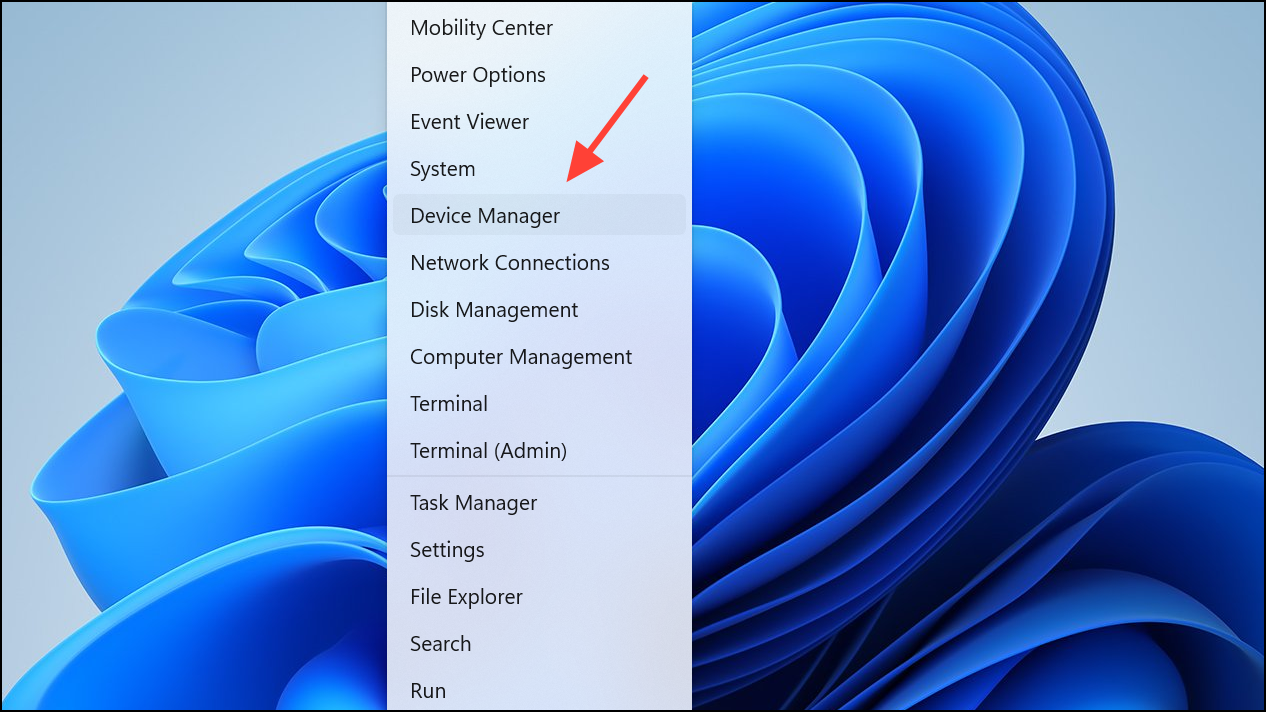
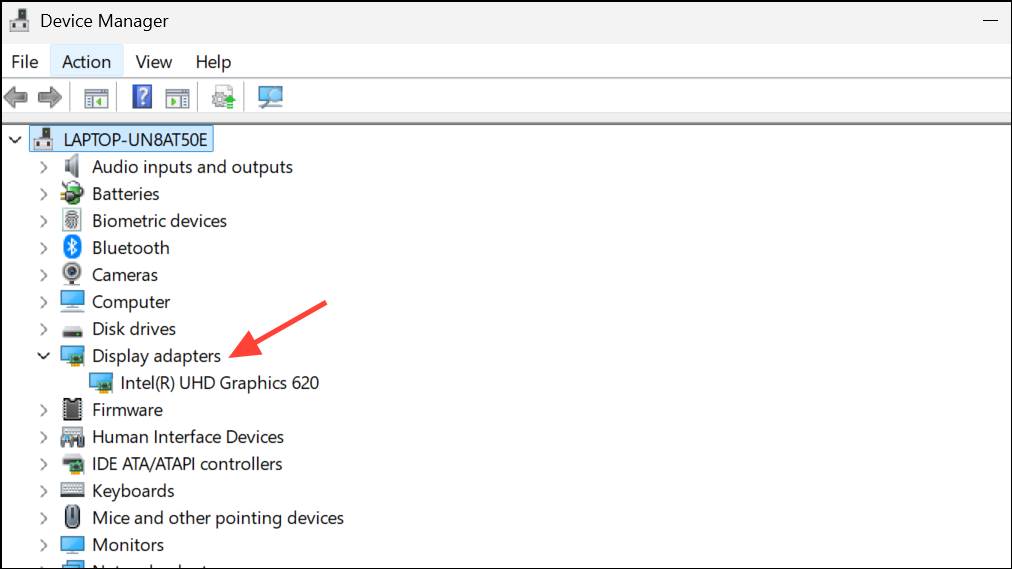
Disable Hardware Acceleration in Firefox
Hardware acceleration leverages your GPU to render web content, but can cause freezes if there are driver incompatibilities or resource limitations.
Settings.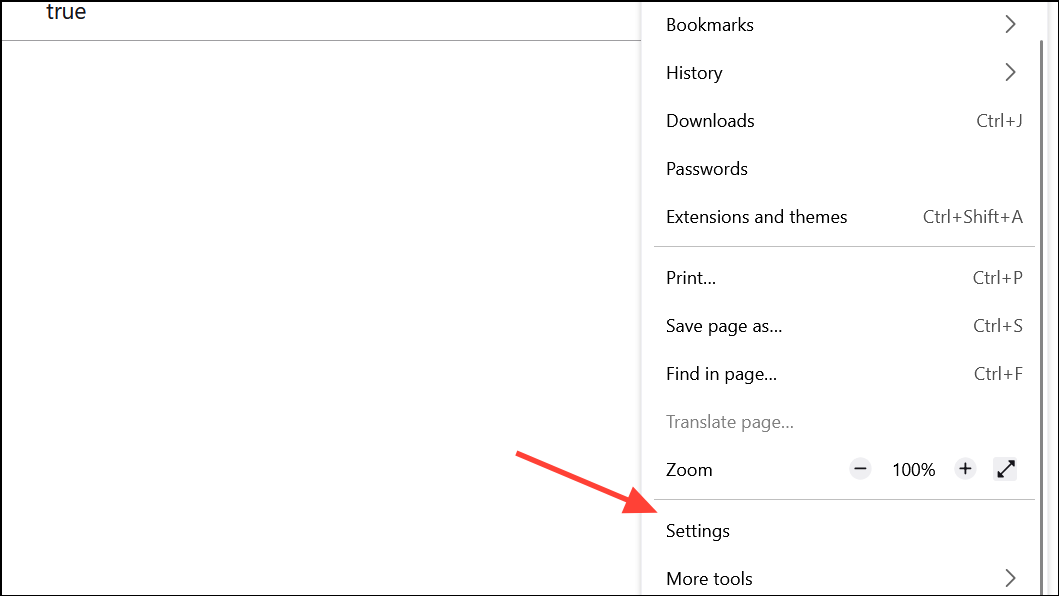
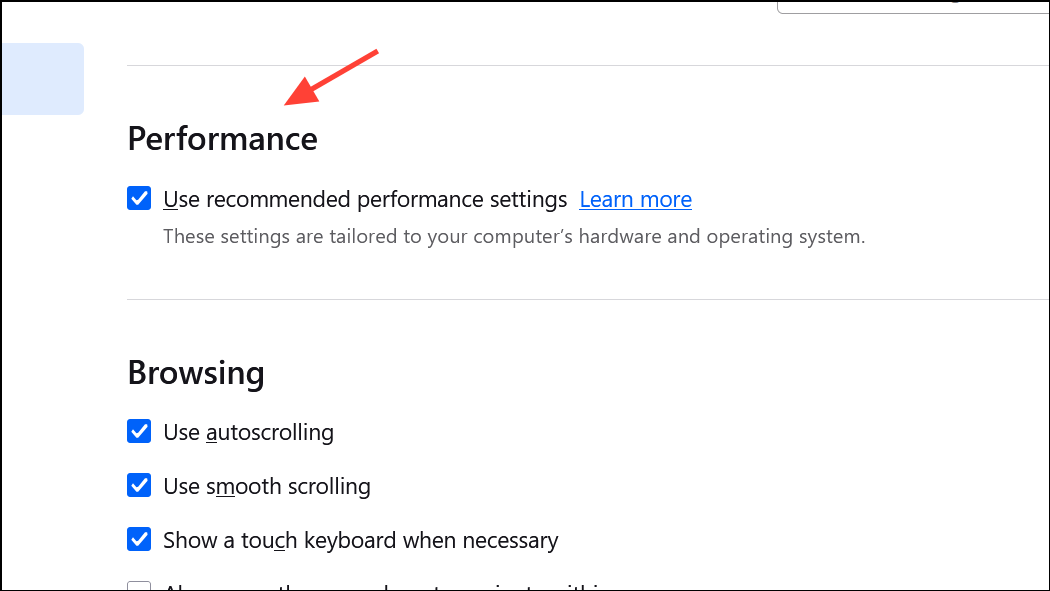
Use recommended performance settings to reveal additional options. Then, uncheck Use hardware acceleration when available.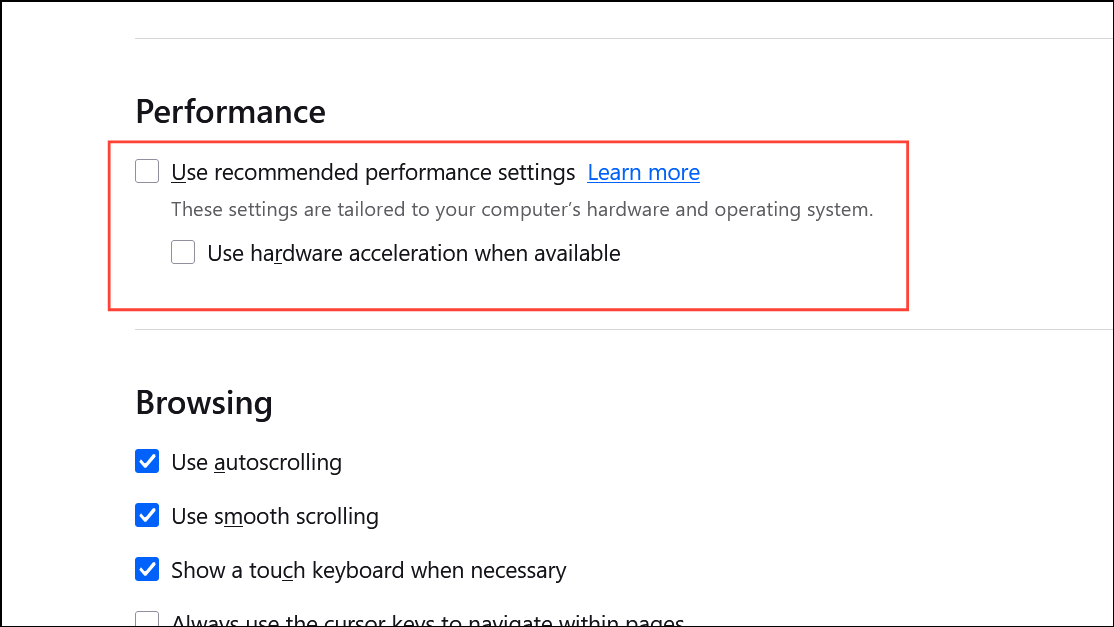
Clear Browsing Data and Cookies
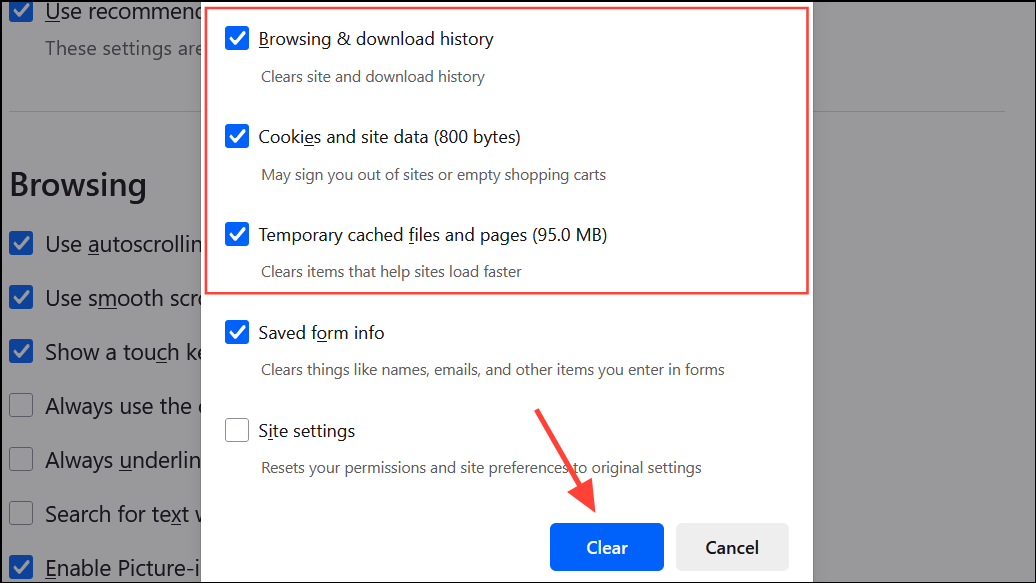
Accumulated browsing data, cookies, and cached files can slow down Firefox and contribute to freezing, especially during heavy tab usage.
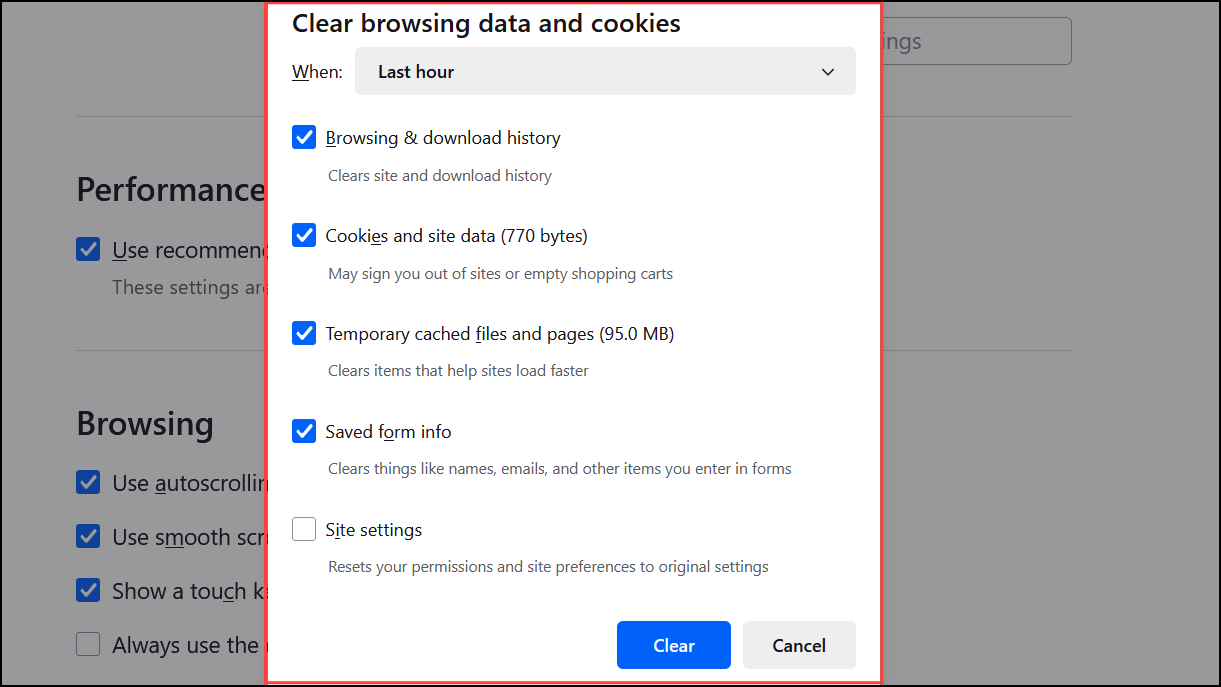
Everything from the time range dropdown to clear all data, or choose a specific period as needed.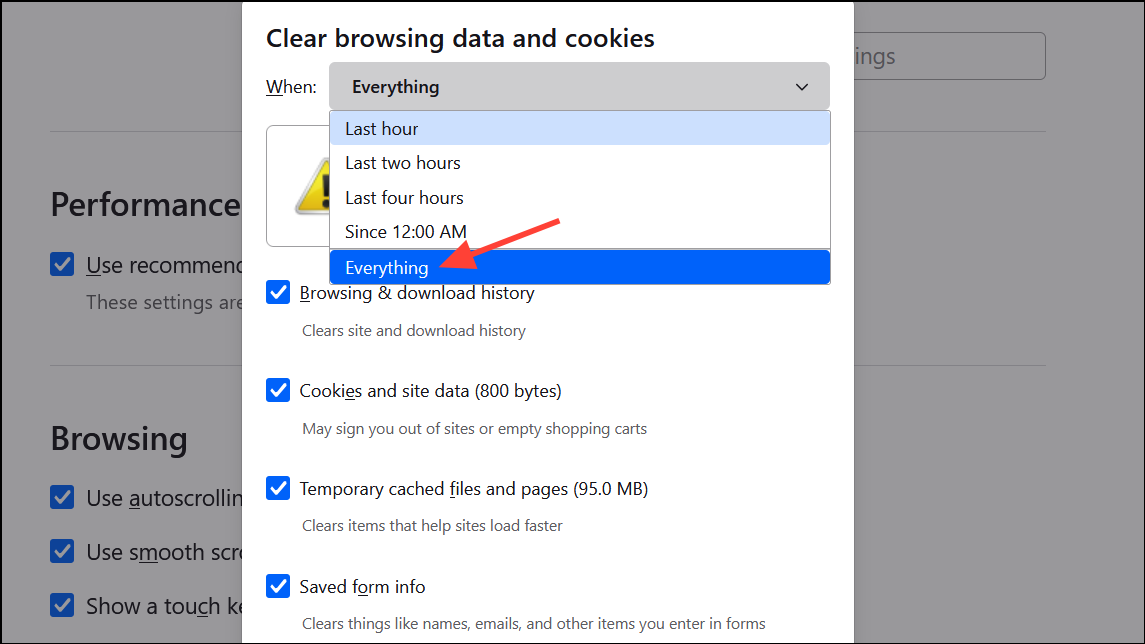
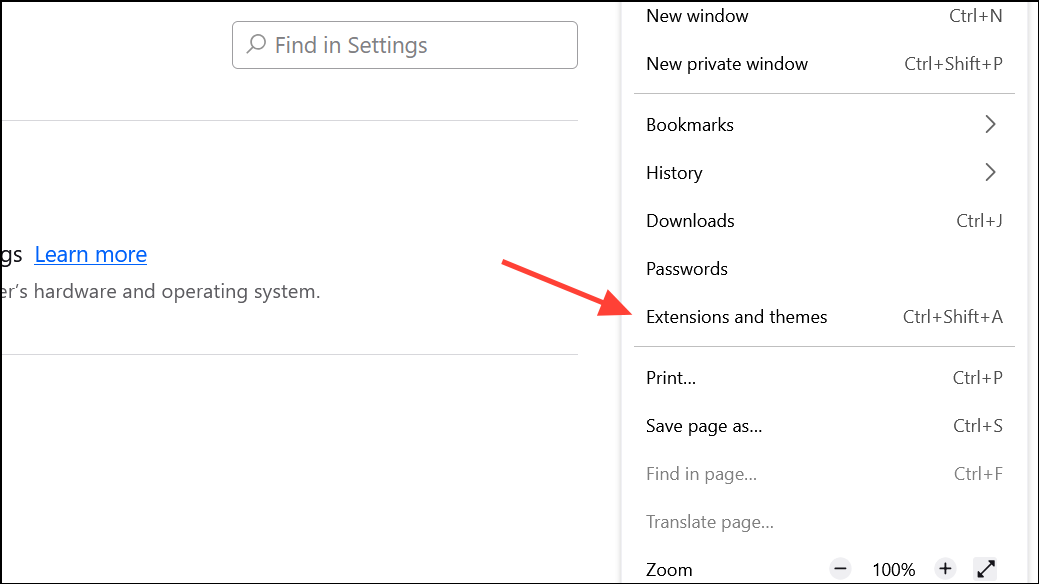
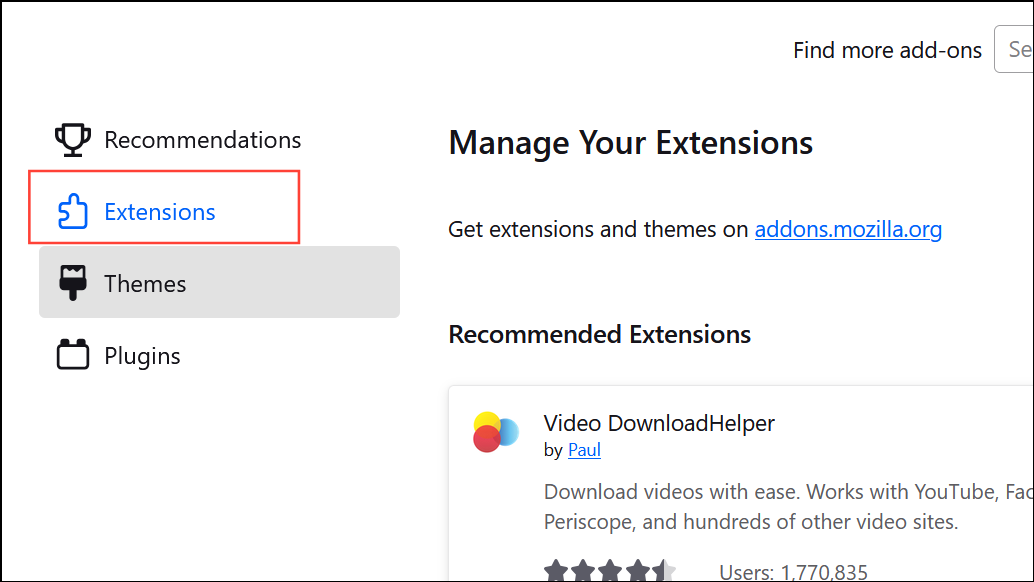
Disable Problematic Extensions and Add-ons
Extensions can interfere with tab management and cause browser slowdowns or freezes, especially if they are outdated or incompatible with your Firefox version.
Create a New Firefox Profile or Database
Corrupted profile data or a damaged places database (which stores bookmarks and history) can trigger unresponsiveness during tab operations.
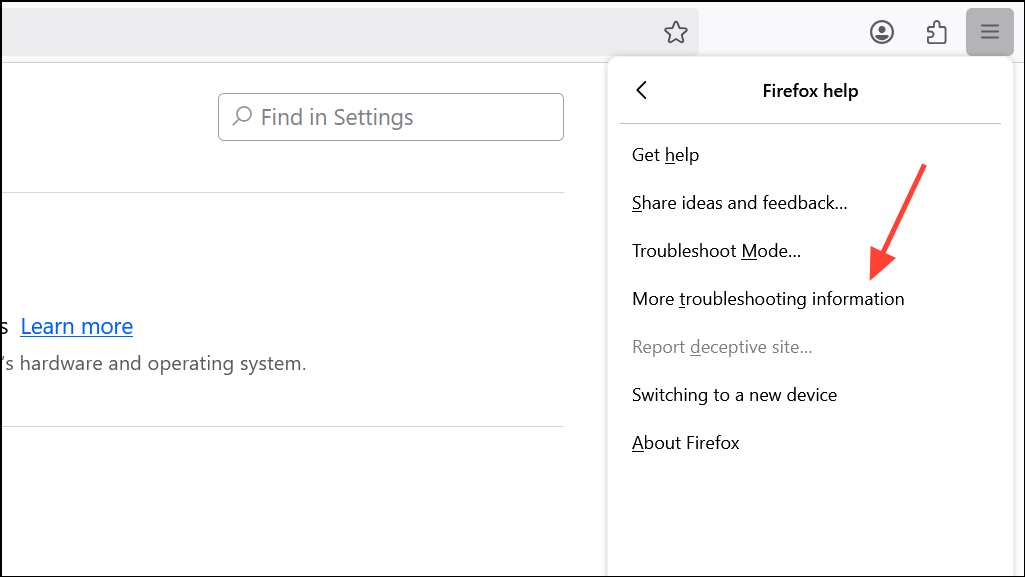
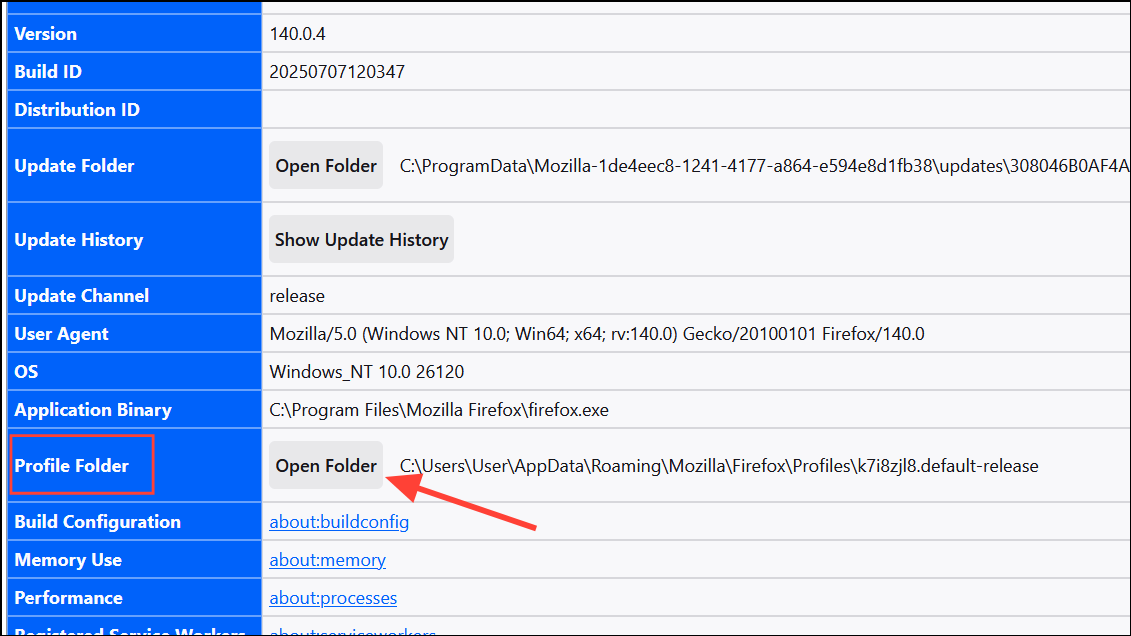
places.sqlite and places.sqlite-journal (if present). Rename them by adding .old to the end of each filename.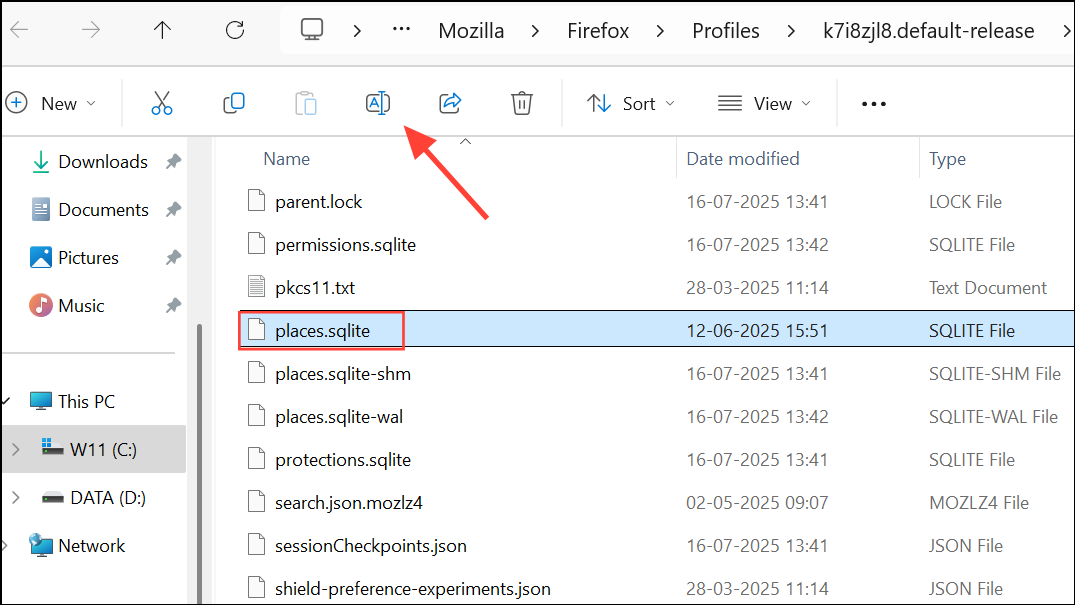
Manage Tab Usage and System Resources
Keeping too many tabs open simultaneously can overwhelm Firefox, especially on systems with limited RAM or CPU resources. This can result in slowdowns or complete freezes of the browser interface.
- Use tab management extensions like
Auto Tab Discardto put inactive tabs to sleep, reducing memory load. - Close unused tabs regularly to keep resource usage in check.
- Monitor system resource consumption in Task Manager to identify spikes related to Firefox.
Addressing Firefox freezes when opening multiple tabs involves a mix of configuration changes, driver updates, and better tab management. Applying these fixes should restore smooth browsing and prevent further disruptions.