
The error message The application was unable to start correctly (0xc00004ac) typically appears when trying to launch a Windows program, but the system encounters a conflict or missing component. This issue can stop applications from opening, disrupt workflows, and signal deeper problems with system files or user account permissions. Addressing the root causes restores normal application function and prevents further disruptions.
Repair Corrupted System Files
cmd. Right-click Command Prompt and select Run as administrator. This ensures you have the necessary permissions to repair system files.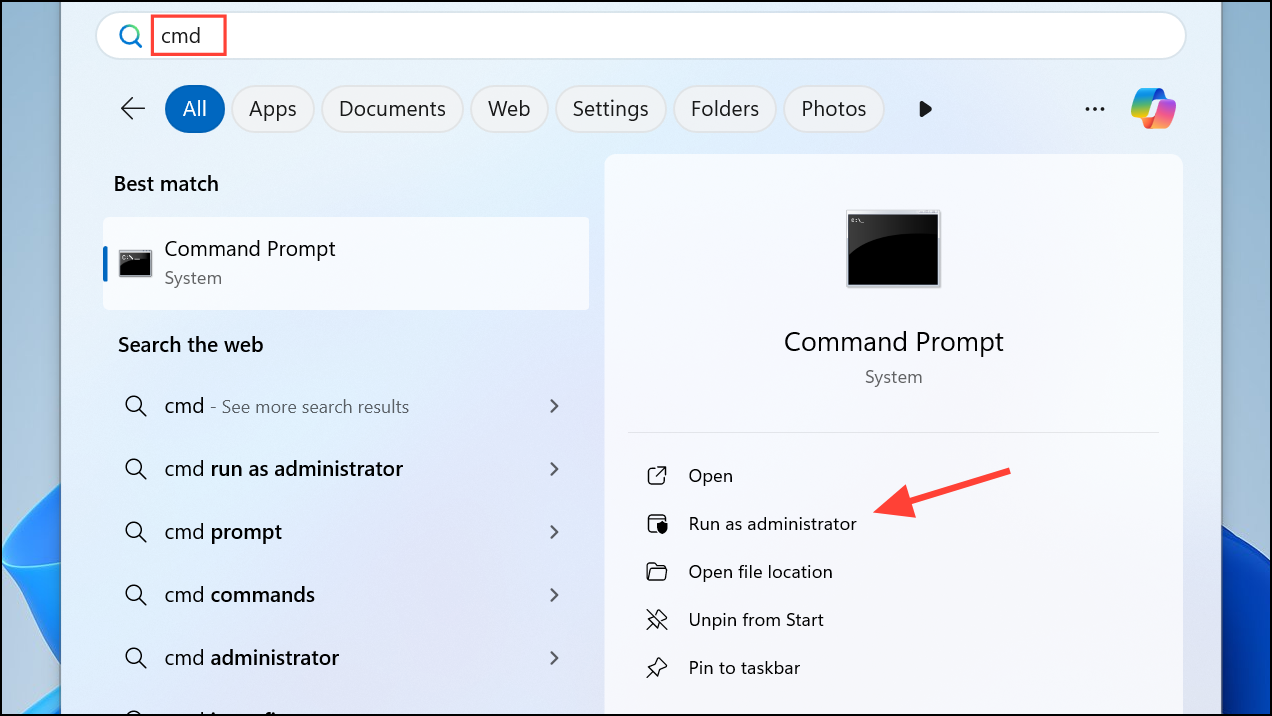
sfc /scannow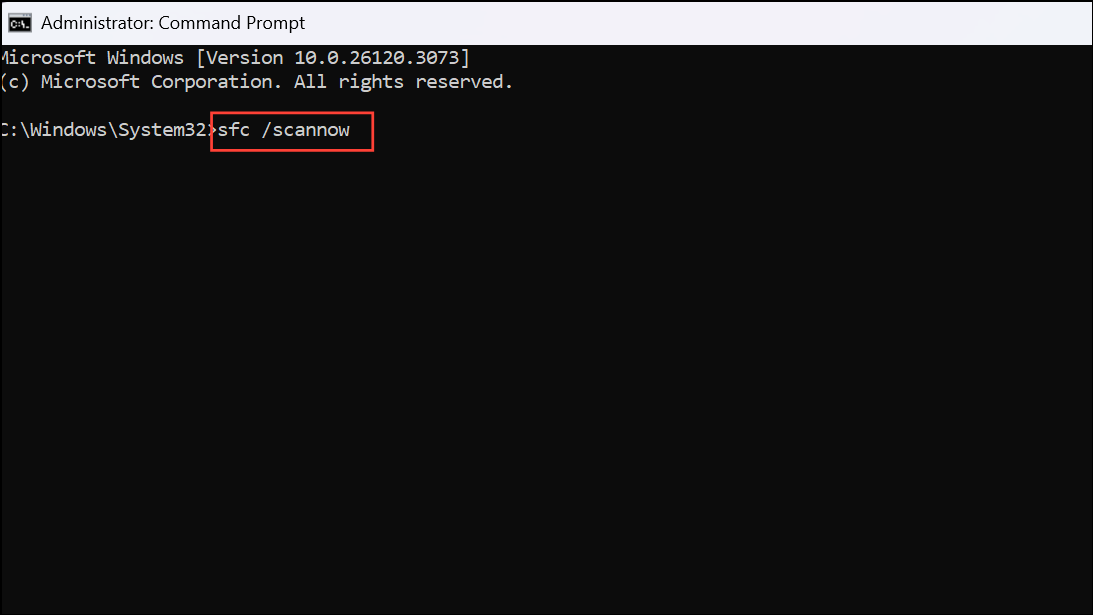
This command checks for corrupt or missing system files and replaces them with the correct versions. The scan may take several minutes. If issues are found and repaired, restart your computer and try launching the application again.
Update Windows and Device Drivers
Windows + I to open Settings. Go to Update & Security and click Windows Update. On Windows 11, click on Windows Update.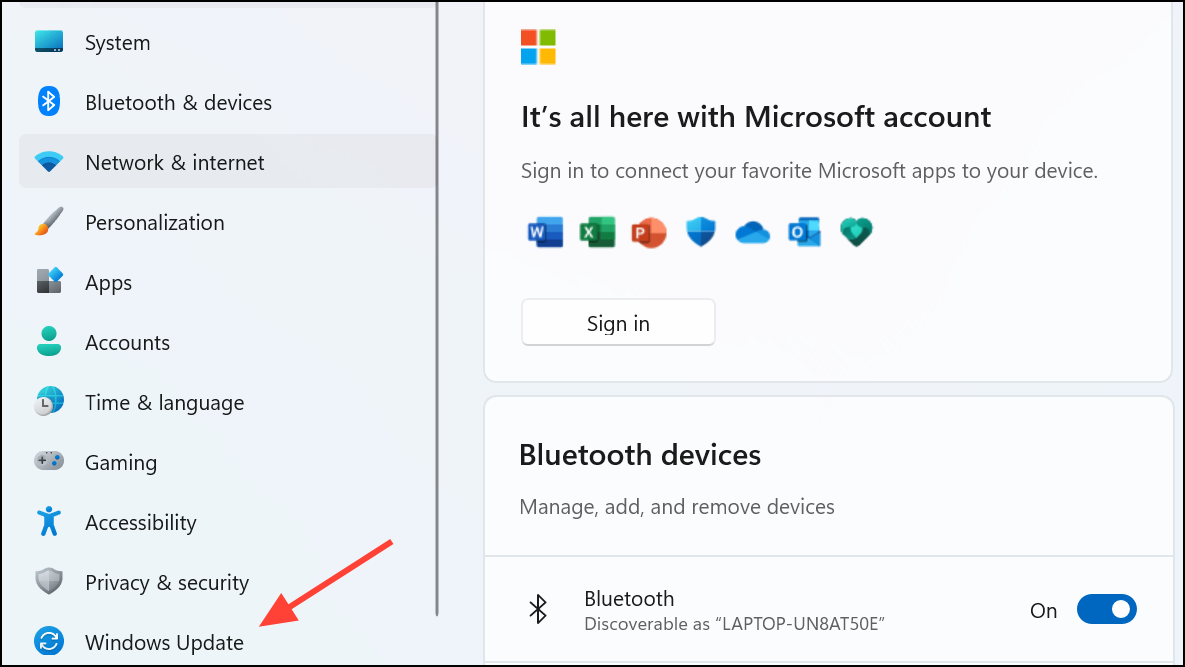
Check for updates and install any available updates. System updates often include bug fixes and compatibility improvements for applications.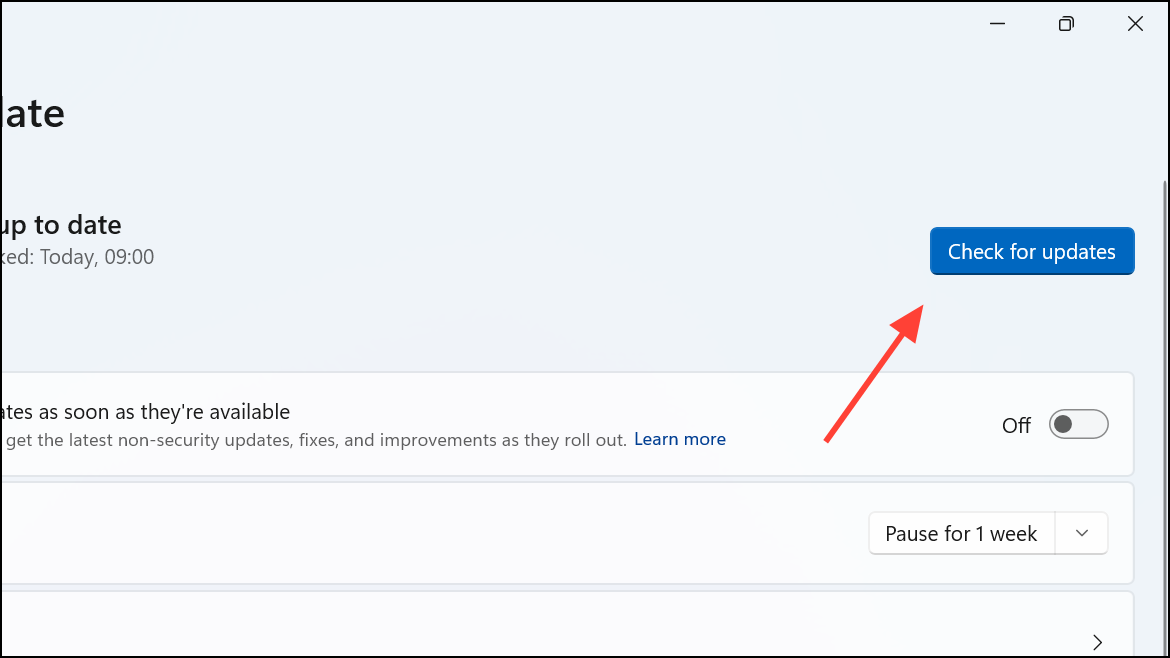
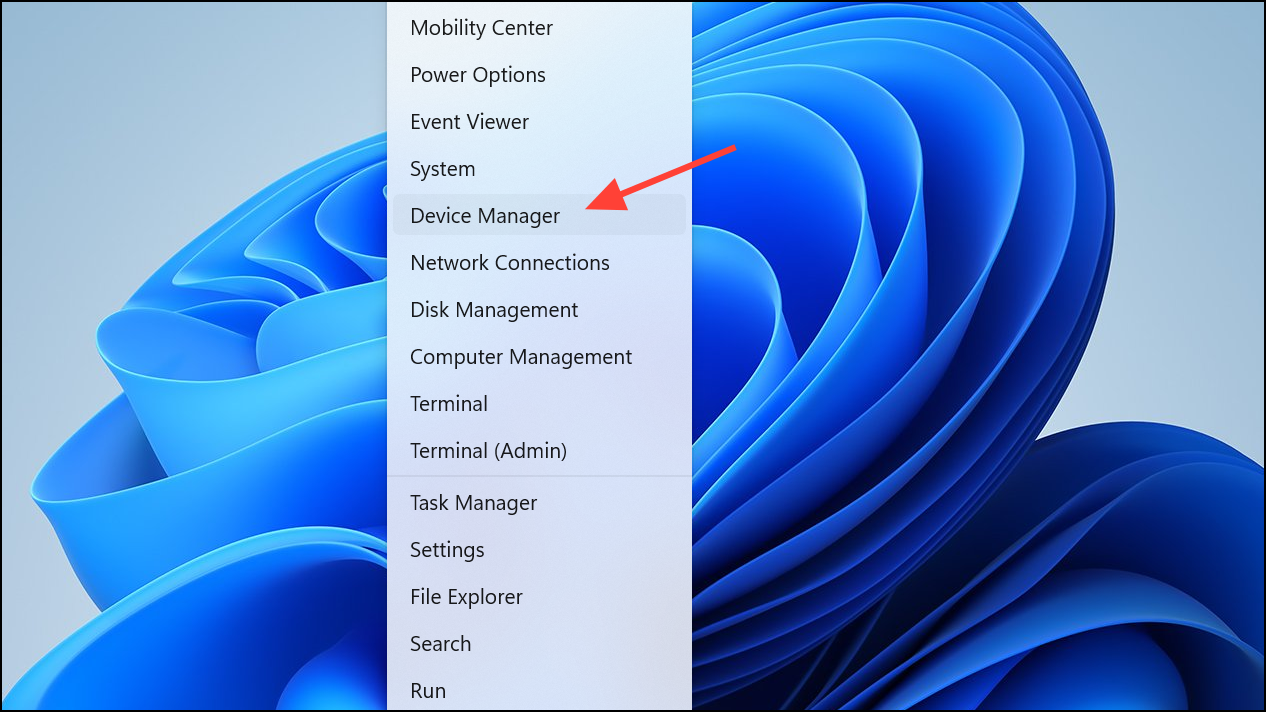
Update driver. Choose Search automatically for drivers to let Windows find the latest versions. Outdated drivers can prevent applications from starting properly.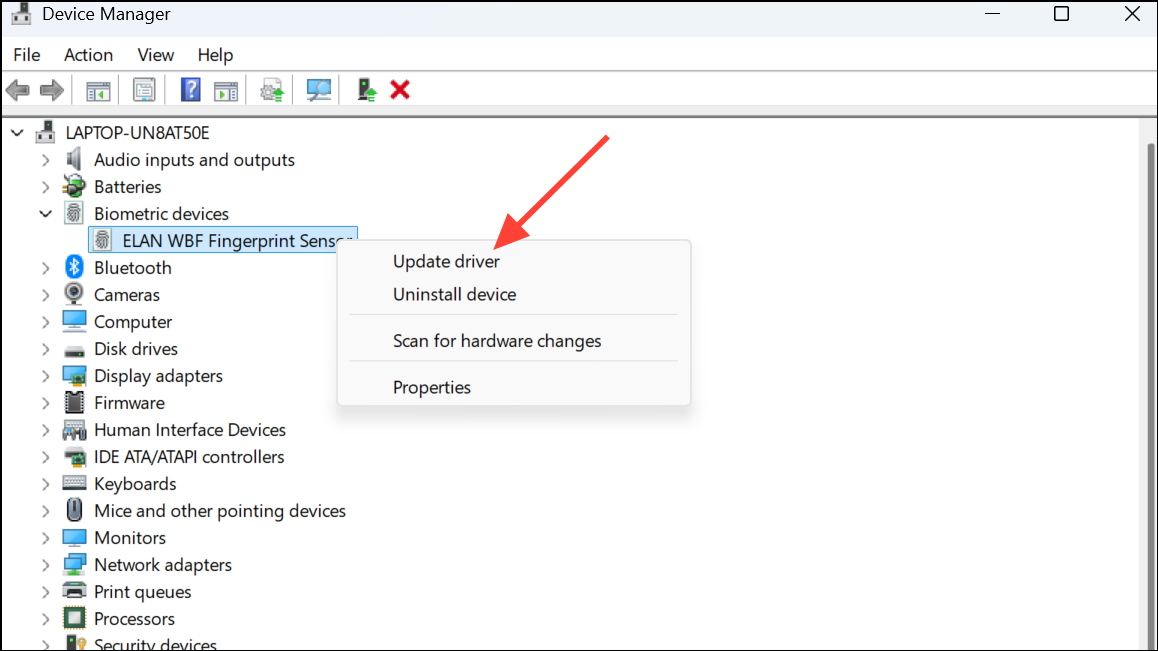
Run the Application as Administrator
Run as administrator. This grants the program elevated permissions, which may be necessary if standard user rights are insufficient due to recent system changes or security policy updates.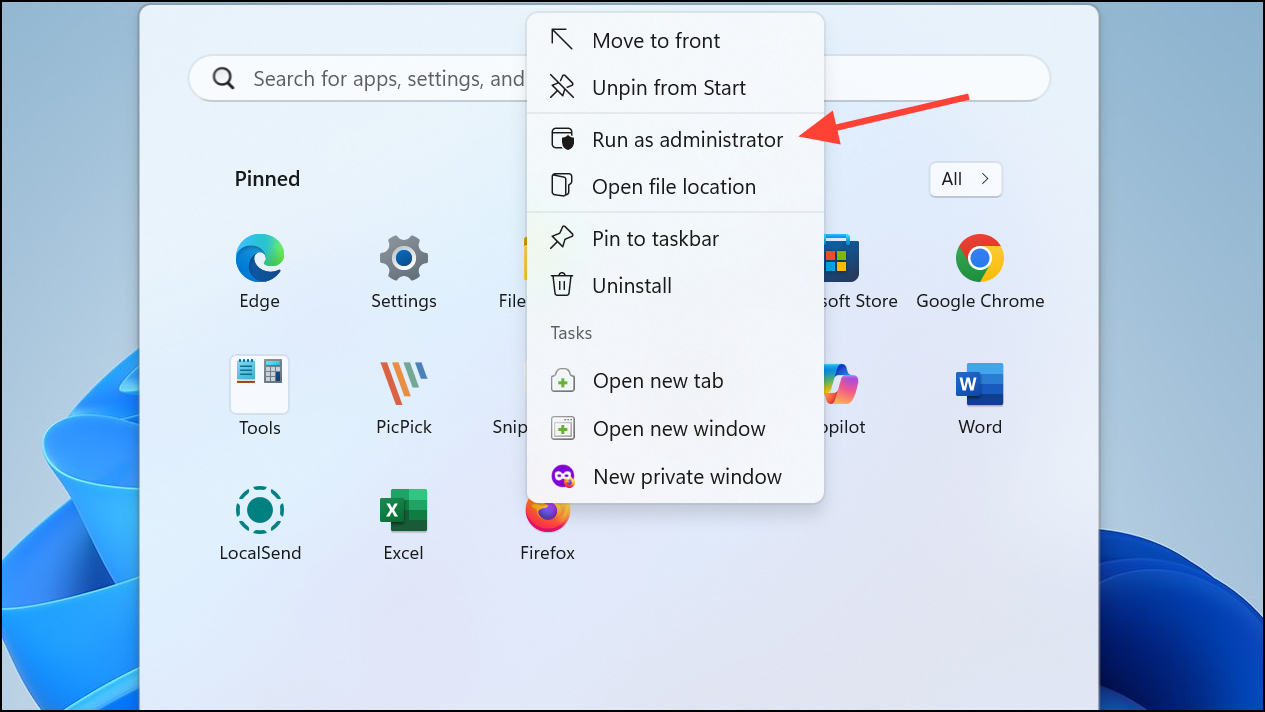
Properties.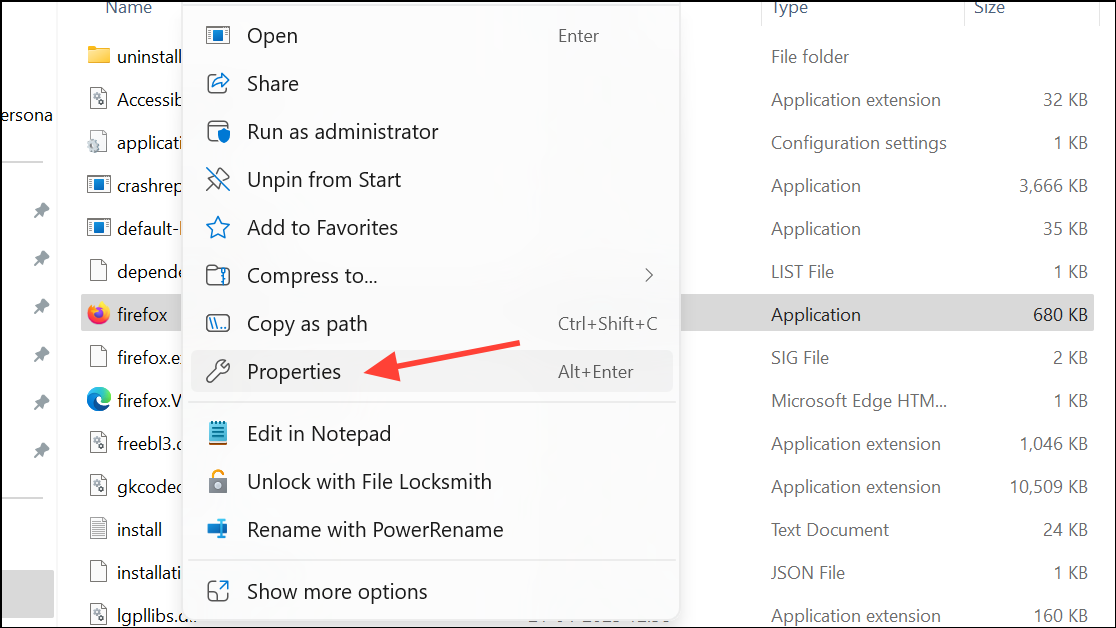
Compatibility tab, and check Run this program as an administrator. Click Apply and OK.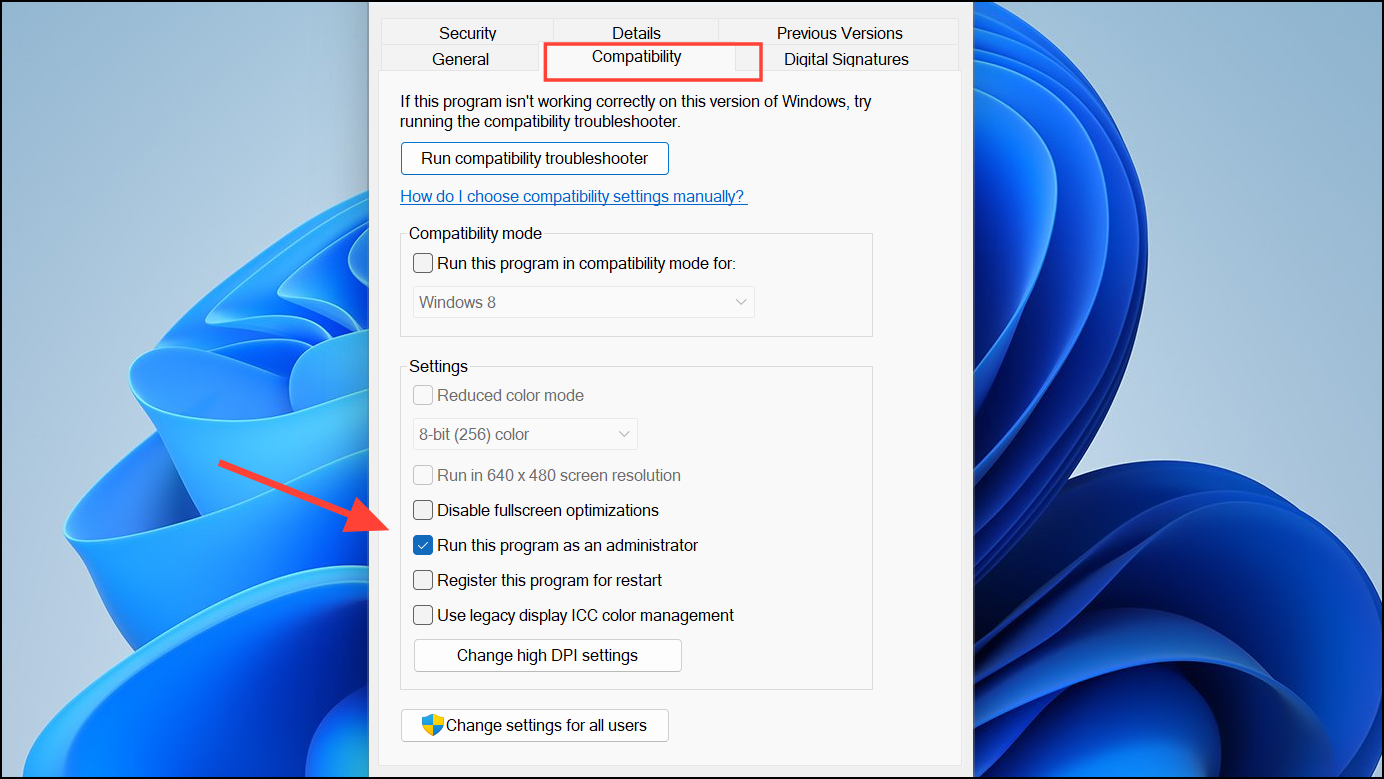
Create a New Windows User Profile
Windows + I, go to Accounts, and select Family & other users (or Other users).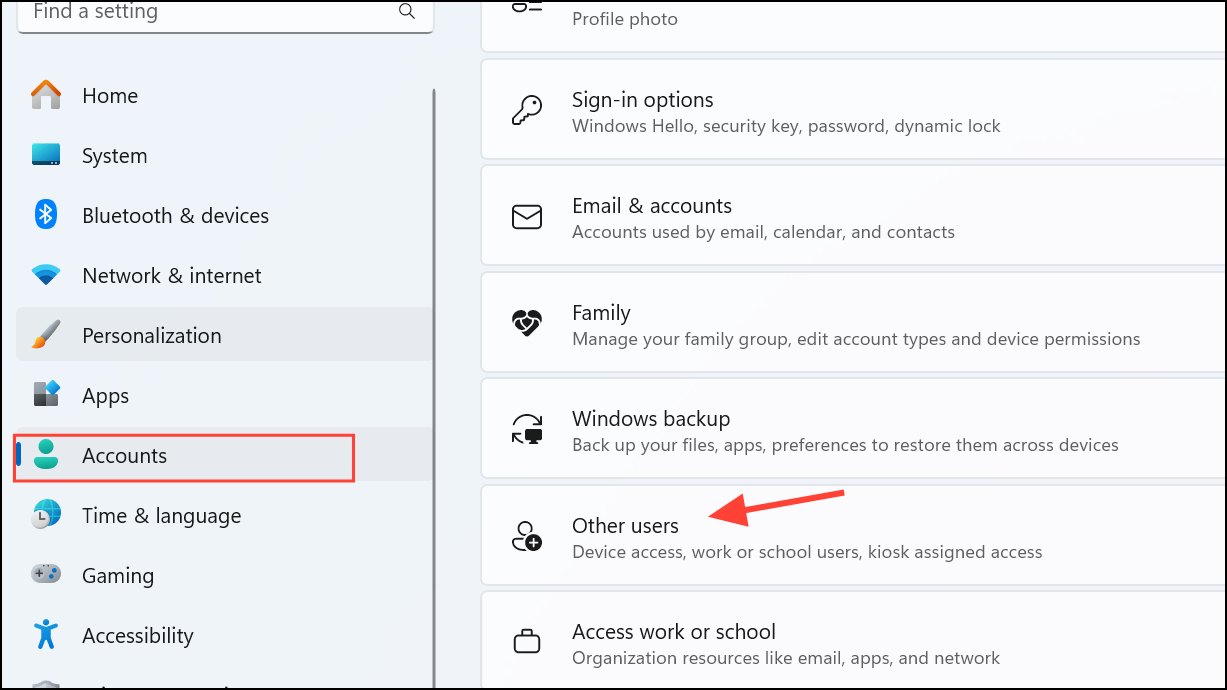
Add someone else to this PC or Add account. Follow the prompts to create a new user account. Log in with the new account and attempt to launch the application. If it works, your original profile may be corrupted, and migrating your files to the new account can resolve the issue long-term.
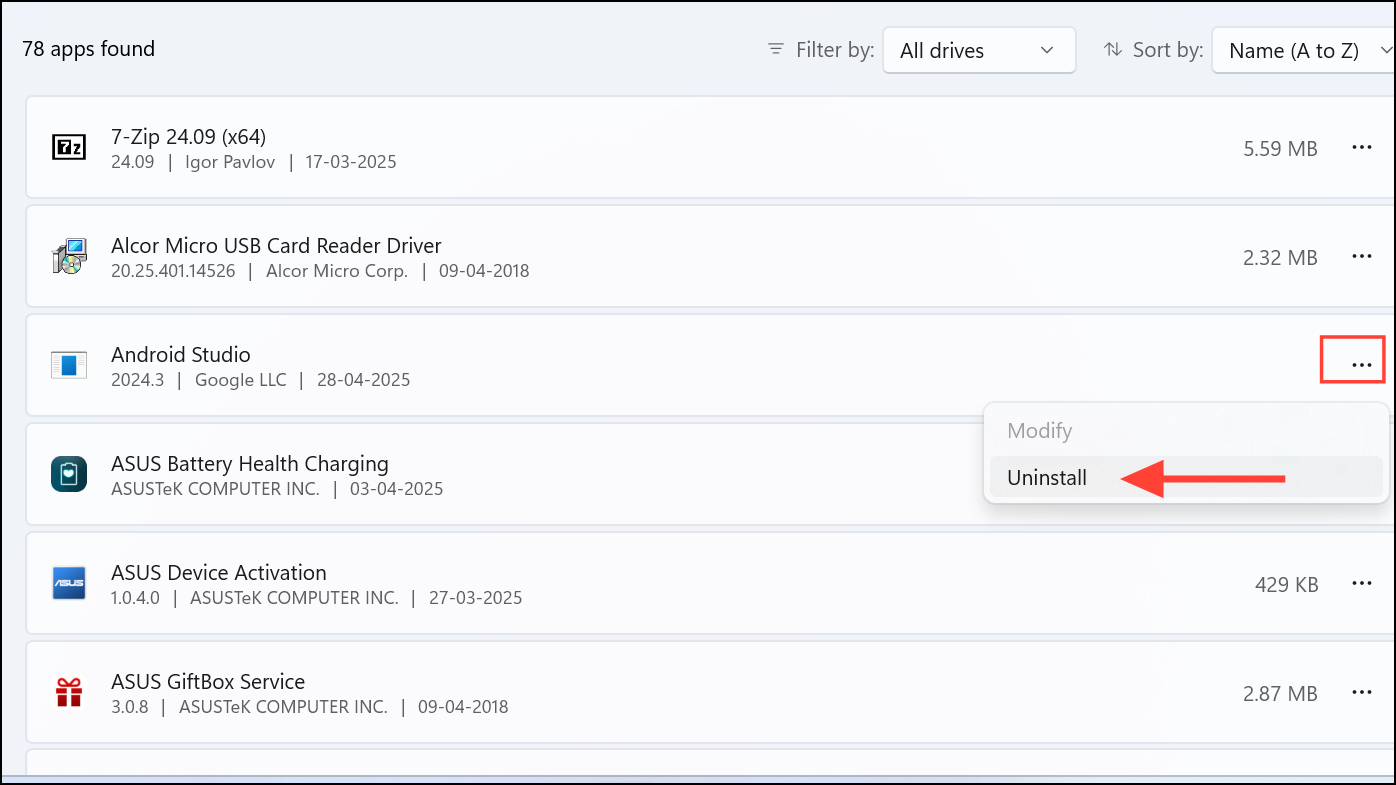
Uninstall and Reinstall the Application
Apps, and click on Installed apps.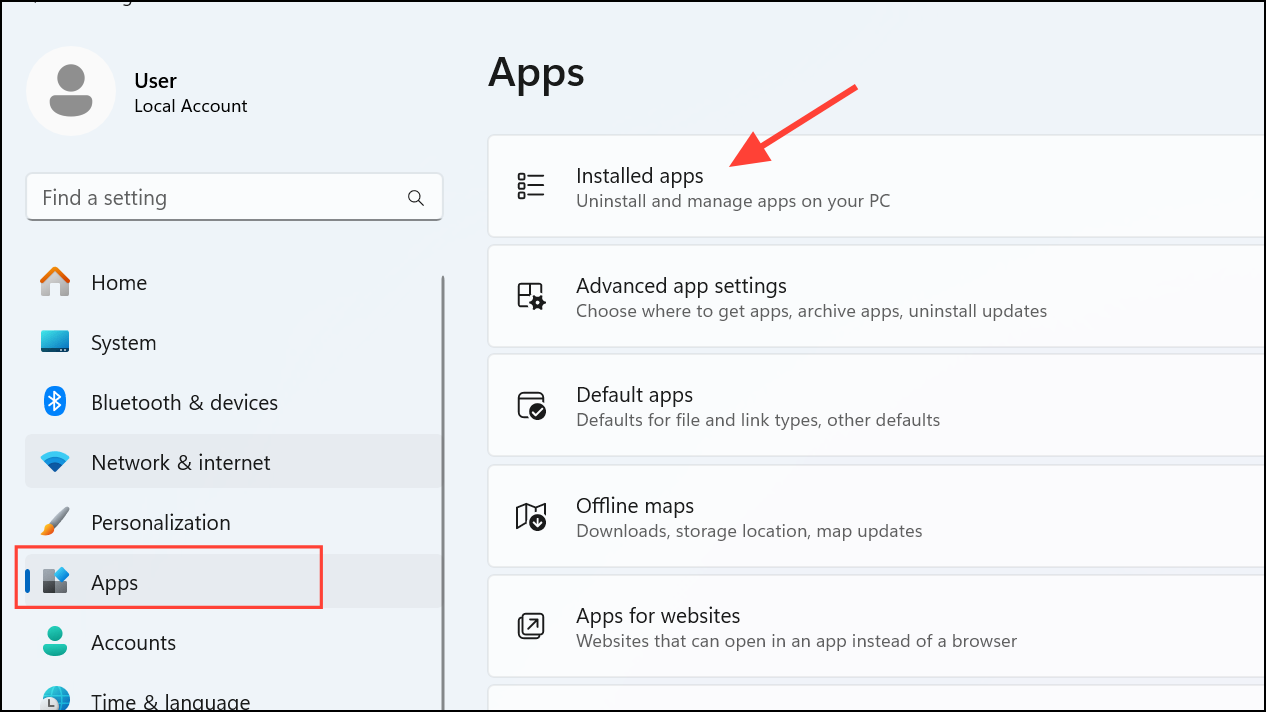
Resolving the 0xc00004ac error restores normal application launches and keeps your Windows system stable. Regularly updating your system and scanning for file corruption can prevent similar problems in the future.





