

Windows 11 introduces a new way to find files, photos, and settings by using AI-driven semantic search, which understands natural language queries instead of relying on exact keywords or file names. This search capability allows you to describe what you are looking for, and Windows will locate relevant content based on the meaning behind your query, streamlining your workflow and saving time.
What is Semantic Search in Windows 11?
Semantic search in Windows 11 leverages artificial intelligence and natural language processing to interpret the intent of your search queries. Unlike traditional keyword-based search, semantic search lets you use descriptive phrases to find documents, images, or system settings without needing to remember exact file names or keywords.
For example, you can search for “photos of last summer picnic” or “change my theme” in the Settings app, and Windows will return relevant results based on the context and meaning of your input.
How Semantic Search Works
This feature uses a local AI model called Phi Silica, optimized for on-device processing. It employs a Neural Processing Unit (NPU) present in specific Windows 11 devices to perform semantic indexing of files and settings. The AI model analyzes document contents, metadata, and relationships between files to deliver more accurate and context-aware search results.
Supported file types include common document formats such as .txt, .pdf, .docx, .pptx, .xls, and image formats like .jpg, .png, and .gif. Semantic search also integrates cloud storage results from OneDrive, showing files stored both locally and in the cloud.
Device Requirements for Semantic Search
Semantic search requires a Windows 11 device equipped with an NPU to run the AI models locally. Currently, this feature is exclusive to Copilot+ PCs, which include devices powered by Qualcomm Snapdragon X-series processors. Microsoft plans to extend support to Copilot+ PCs with AMD and Intel processors soon.
Without an NPU, standard Windows 11 devices cannot run semantic search locally, so this feature will not be available on older or incompatible hardware.
When Will Semantic Search Be Available?
Microsoft has rolled out semantic search as part of Windows 11’s 24H2 optional update (Build 26100.3624) starting in late March 2025 through the Windows Insider Release Preview channel. The general public on compatible Copilot+ PCs can expect this update to become widely available over the coming weeks.
Support for AMD and Intel Copilot+ PCs is expected to arrive shortly after the initial Qualcomm Snapdragon release, with Microsoft gradually expanding availability.
How to Enable and Use Semantic Search on Windows 11
Settings > System > About.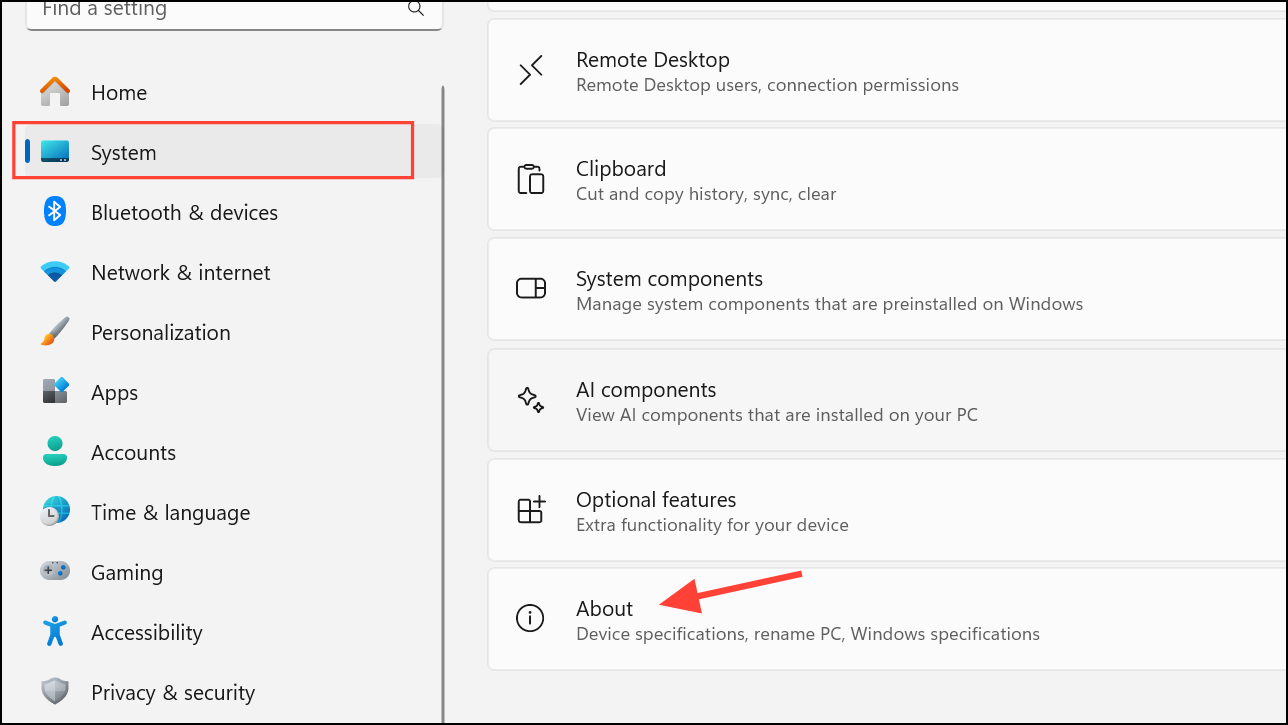
Settings > Windows Update and check for updates. Install any available updates related to Build 26100.3624 or newer.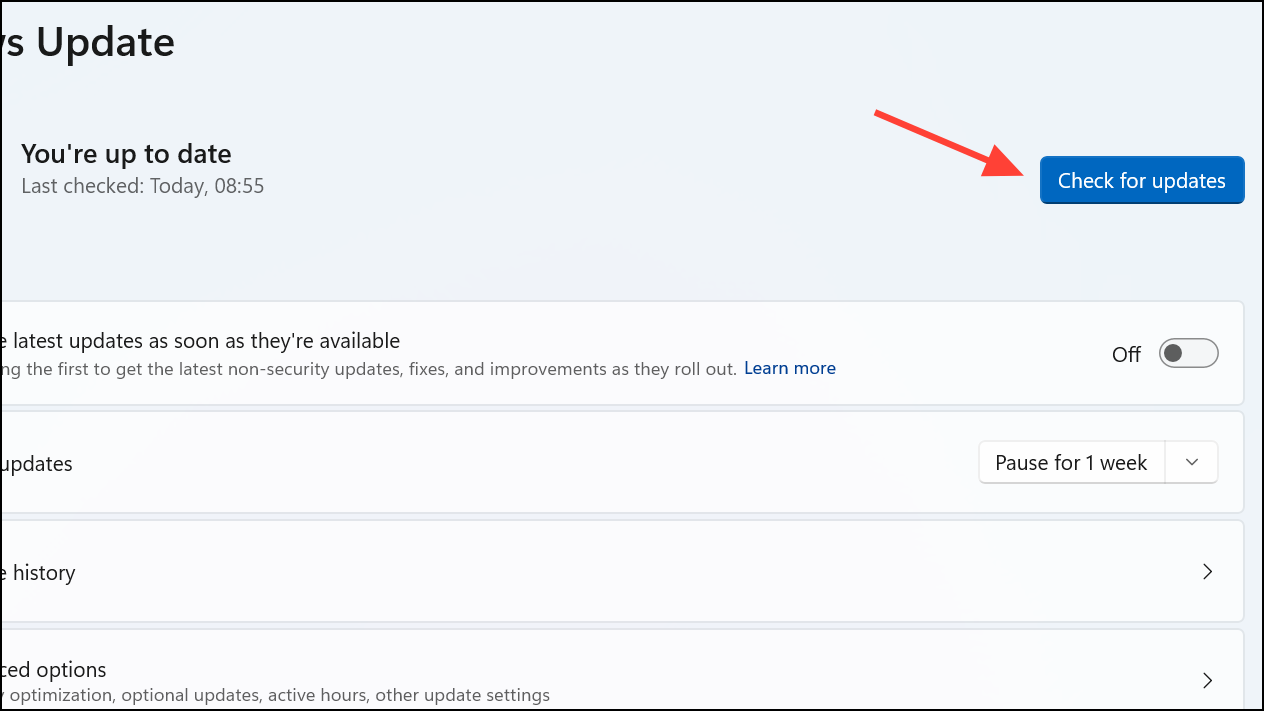
Settings > Privacy & Security > Searching Windows and select the Enhanced indexing option. This setting allows Windows to index more content for improved search results.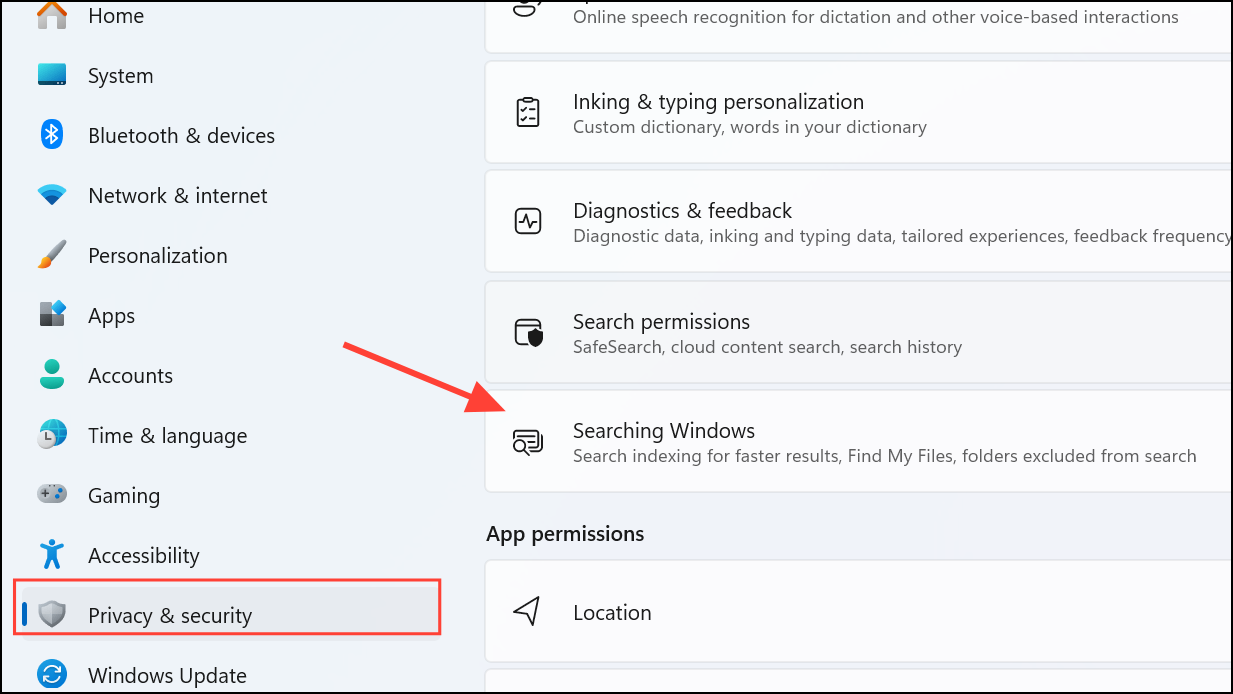
Additional Features and Improvements
- Semantic search works offline on your device, as all AI processing happens locally on the NPU, ensuring privacy and speed.
- Live captions and real-time translation features are also available on Copilot+ PCs, supporting over 44 languages for AMD and Intel devices and up to 26 languages for Qualcomm devices.
- Voice Access on Snapdragon-powered Copilot+ PCs now supports natural language commands and Chinese language input, making voice control more flexible and intuitive.
- A new Gamepad keyboard layout lets you type using an Xbox controller, improving usability for desktop scenarios where a keyboard may not be conveniently placed.
Troubleshooting and Tips
If semantic search is not working as expected, verify that your device meets the hardware requirements and that you have installed the necessary Windows updates. Also, ensure that the Enhanced indexing option is selected in Windows Search settings.
For users without an NPU or Copilot+ PC, Microsoft has not announced plans to bring semantic search to these devices, as the AI models require specialized hardware acceleration.
Semantic search in Windows 11 marks a significant shift in system search capabilities by allowing natural language queries and contextual understanding, but it currently requires specific hardware found in Copilot+ PCs. As Microsoft expands support, more users will benefit from faster, smarter, and more intuitive search experiences.



