

The “AsIO.sys driver cannot load on this device” error typically appears when there is a conflict or corruption involving the Asus Input/Output driver, known as AsIO.sys. This issue can prevent certain Asus utilities from functioning correctly, leading to reduced system performance or stability problems. Fortunately, resolving this issue usually involves straightforward troubleshooting steps.
Method 1: Update or Reinstall the Asus ATK Package
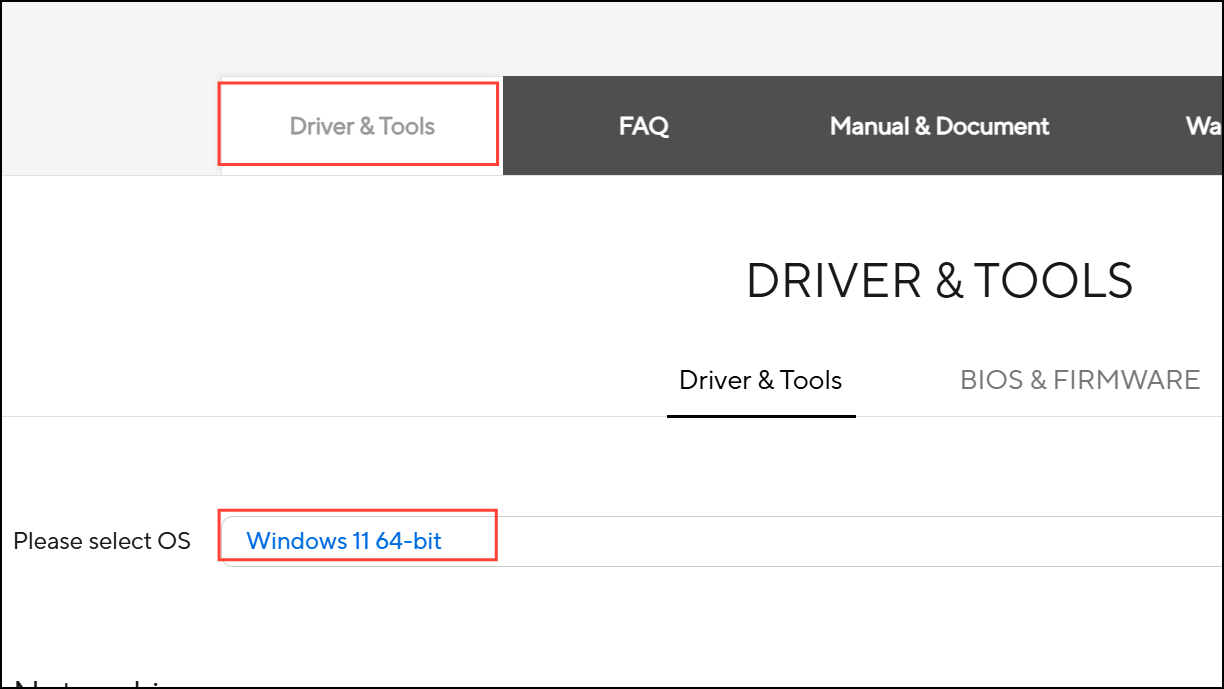
Updating or reinstalling the ATK Package ensures you have the latest, stable version of the AsIO.sys driver, resolving common compatibility and corruption issues.
Method 2: Manually Remove and Reinstall the AsIO.sys Driver
If updating the ATK Package does not resolve the issue, manually removing and reinstalling the AsIO.sys driver can help.
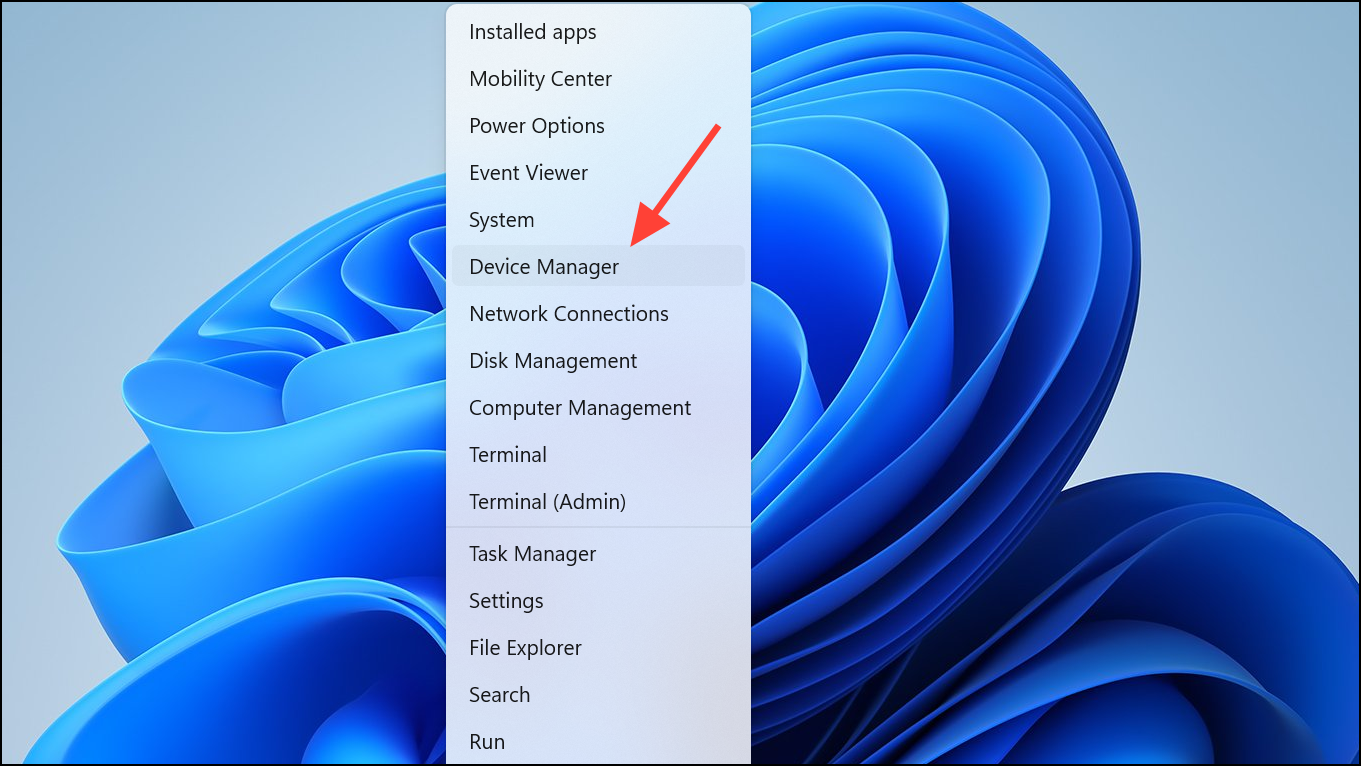
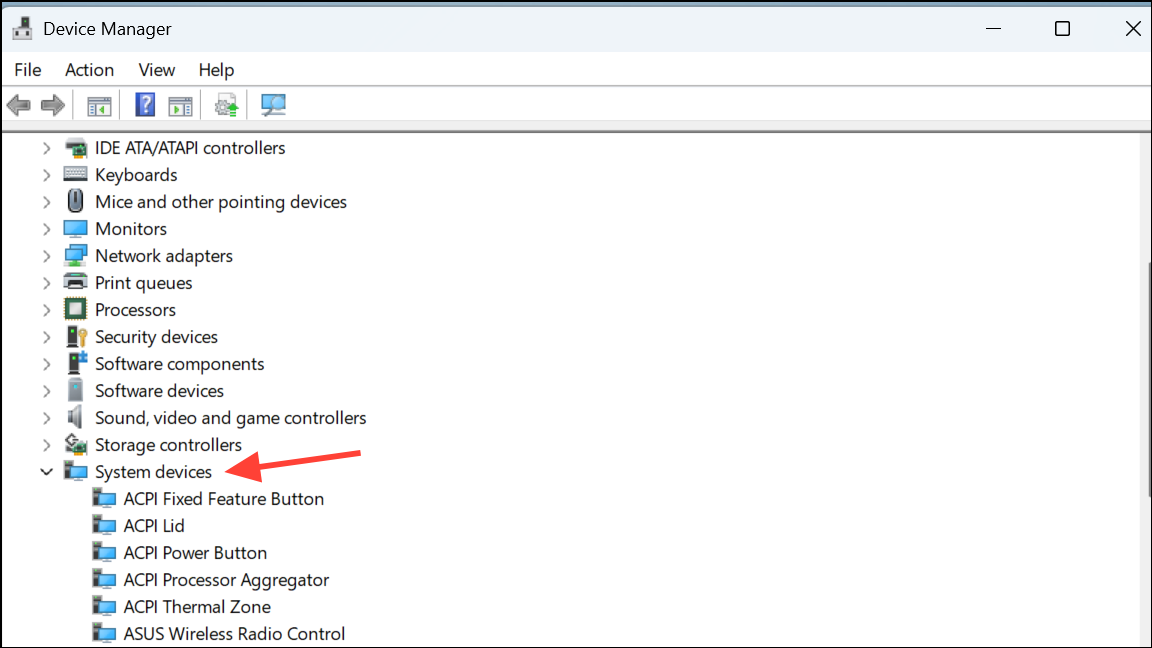
This manual approach ensures that any corrupted or conflicting driver files are completely removed and replaced with fresh, working versions.
Method 3: Check for Windows Updates and System Integrity
Occasionally, this error can stem from broader system issues or corrupted system files. Ensuring Windows is fully updated and verifying system file integrity can help resolve underlying issues.
Windows Key + I , then navigate to “Update & Security” or “Windows Update.”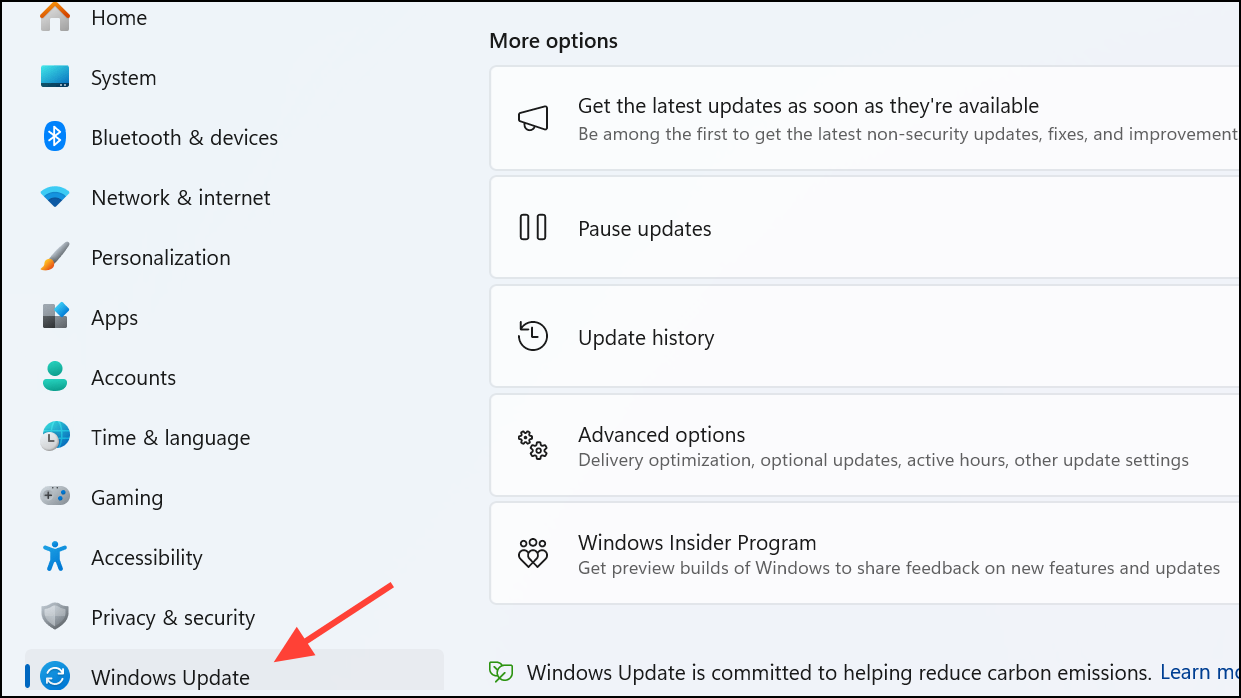
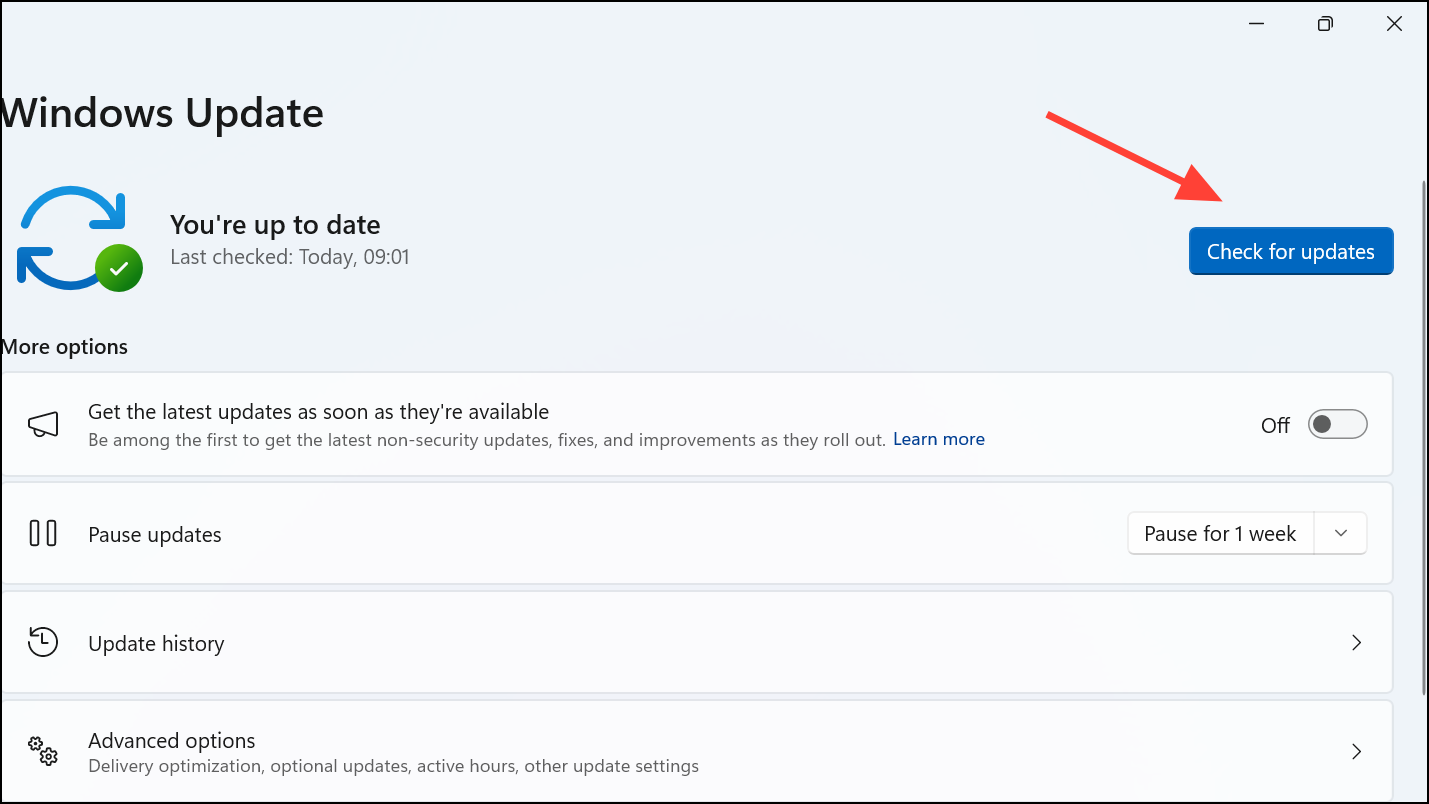
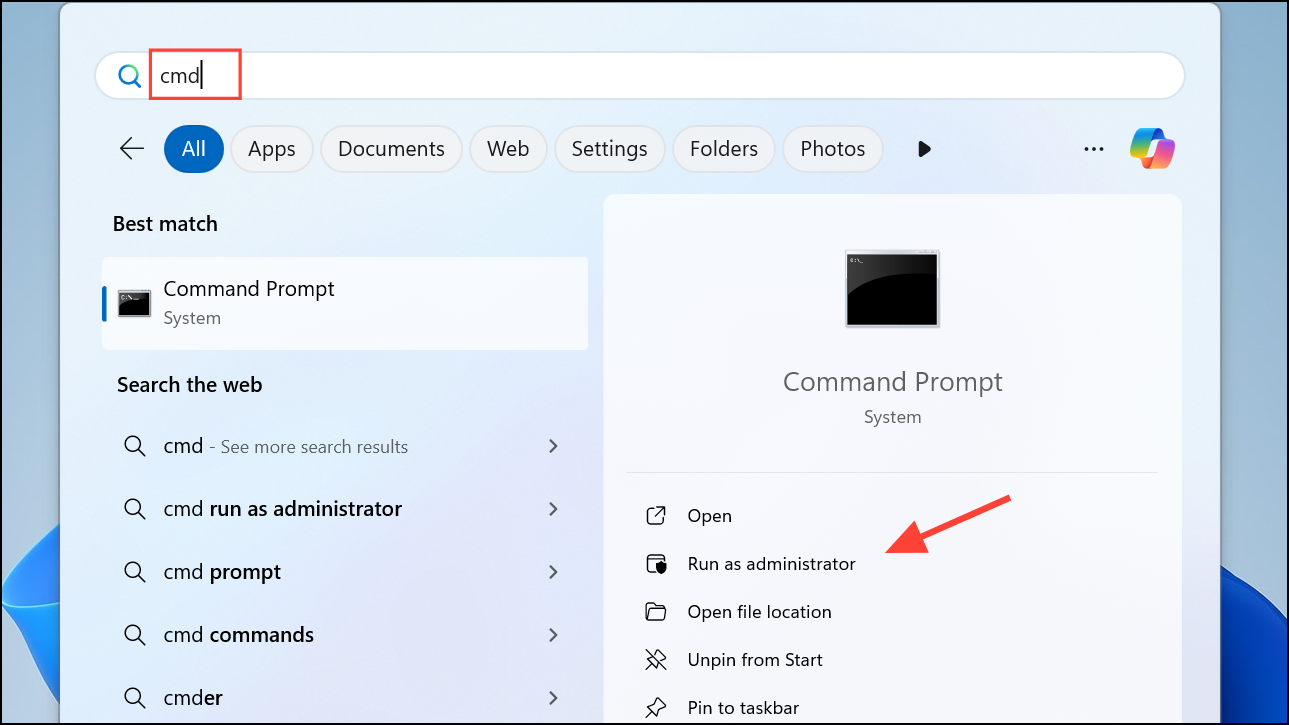
sfc /scannow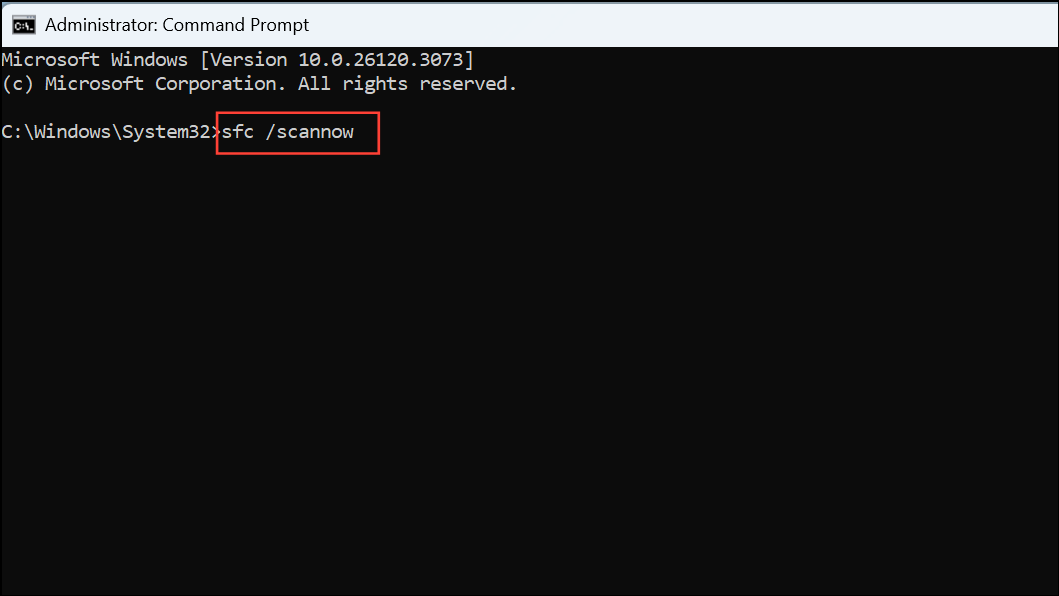
Allow the tool to complete the scan and repair any corrupted files it finds. After completion, restart your computer.
This method addresses potential system-level problems that could interfere with driver loading, improving overall system stability.
Additional Tips and Precautions
- Always download drivers and software directly from the official Asus support website to ensure authenticity and compatibility.
- Create a system restore point before making significant changes to drivers or system files. This precaution allows you to revert easily if something goes wrong.
- If the issue persists after trying these methods, consider contacting Asus technical support for further assistance, as hardware faults can sometimes cause persistent driver issues.
With these methods, you should successfully resolve the “AsIO.sys driver cannot load on this device” error, restoring normal functionality to your Asus-related utilities and improving overall system performance.





