
The PNP_Detected_Fatal_Error is a Blue Screen of Death (BSOD) issue that occurs when Windows encounters problems related to Plug and Play (PNP) devices. Typically, corrupted drivers, faulty hardware, or problematic Windows updates trigger this error, preventing your system from booting correctly.
To resolve this issue, follow these troubleshooting methods, starting with the most effective solutions.
Method 1: Run System Restore
First, trigger the Advanced Startup Options by turning your computer on and off three times in a row. Turn on your computer, wait for the Windows logo, then immediately switch it off by holding the power button. Repeat this process three times until you enter the recovery environment.
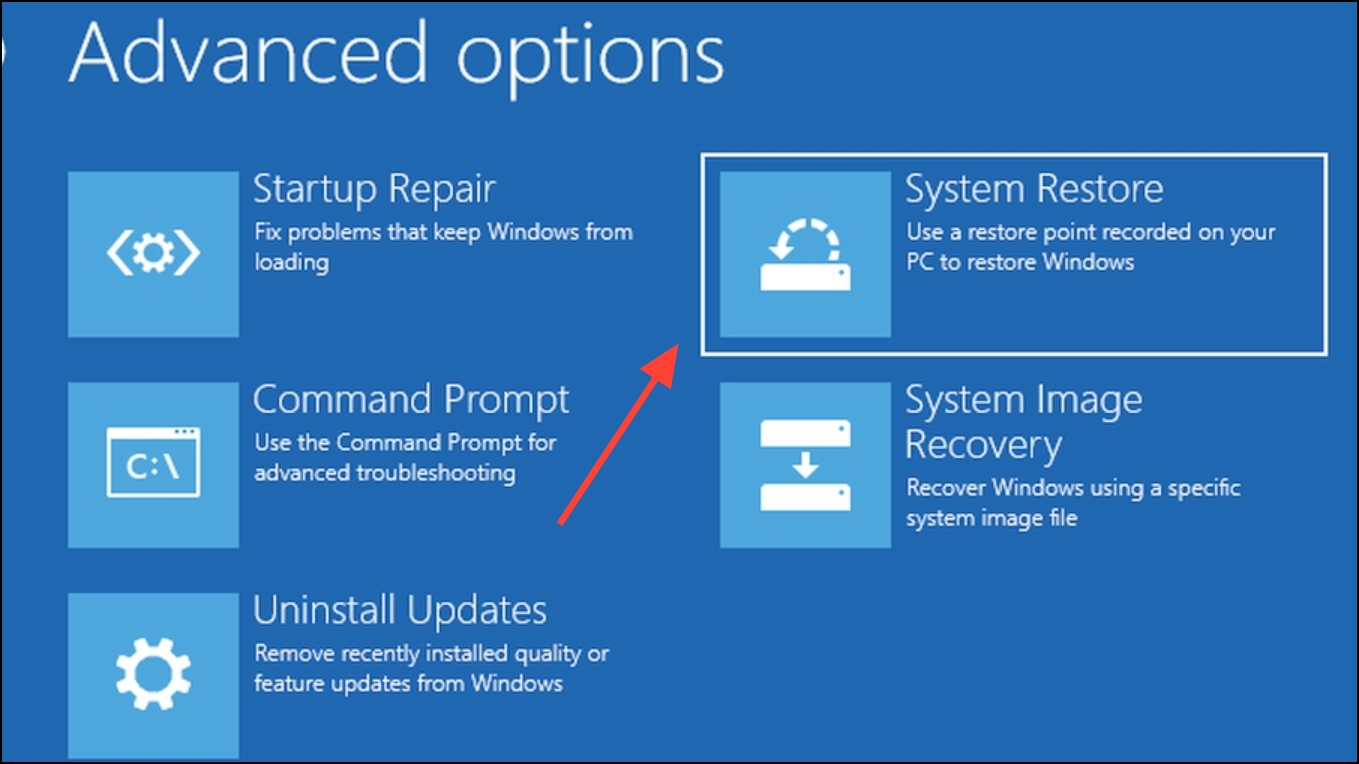
After your computer restarts, click “Next” to proceed and select a restore point from the list. Choose a date before the error started occurring, then click “Next” again.
Confirm your selection by clicking “Finish.” Your system will restore to the selected point and reboot automatically.
Method 2: Boot Windows in Safe Mode and Remove Recent Updates
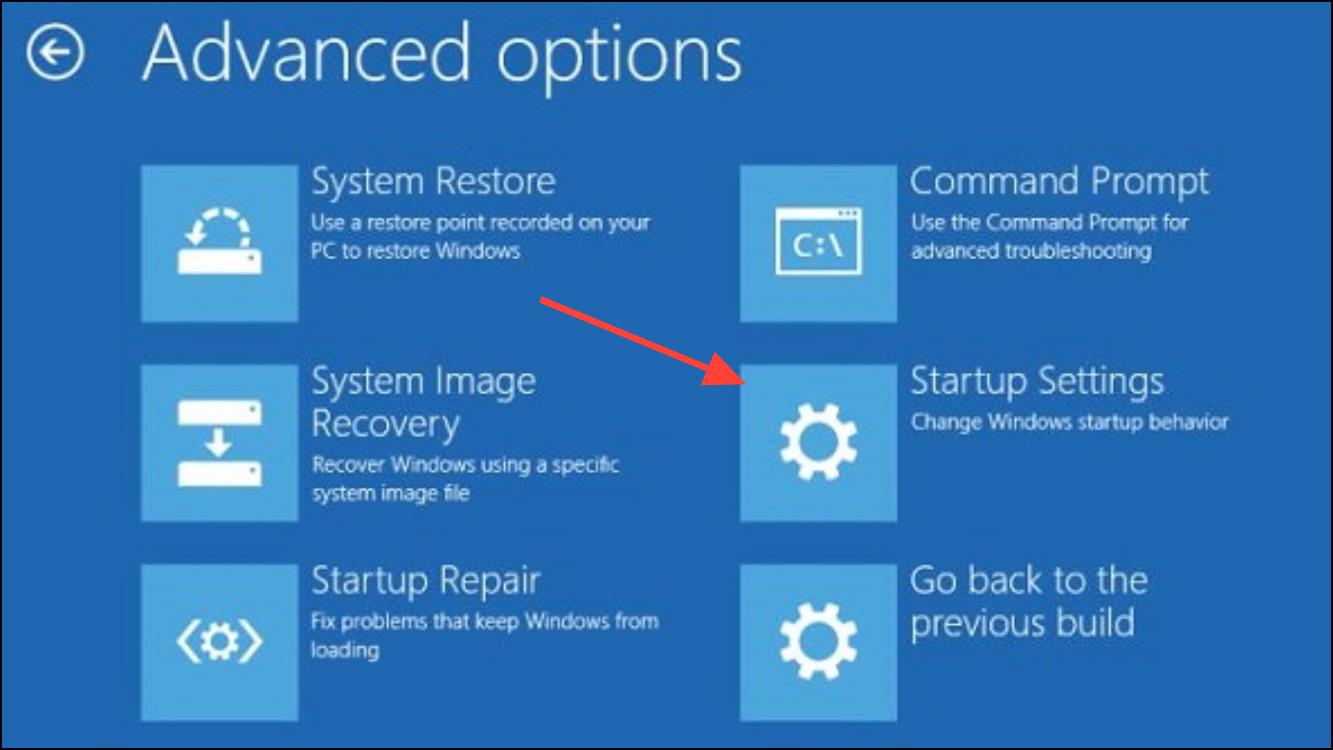
Enter the Advanced Startup Options as described in Method 1, then select “Troubleshoot” > “Advanced Options” > “Startup Settings” and click “Restart.”
In Safe Mode, open Control Panel by typing it in the search bar. Navigate to “Programs” > “Programs and Features.”
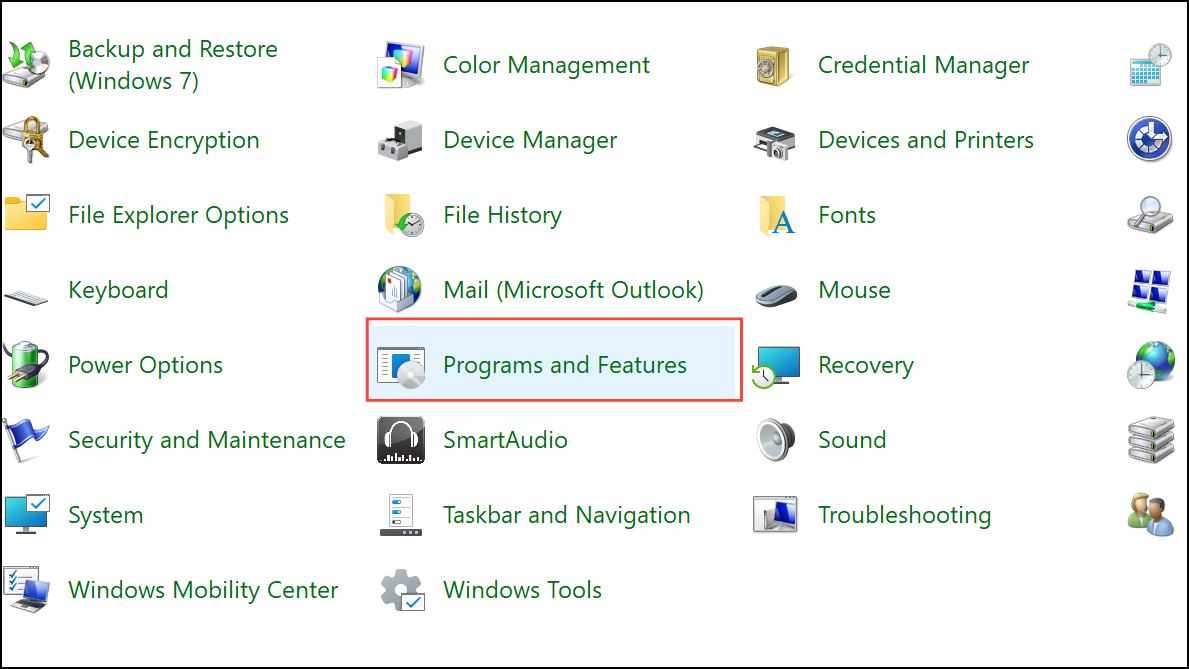
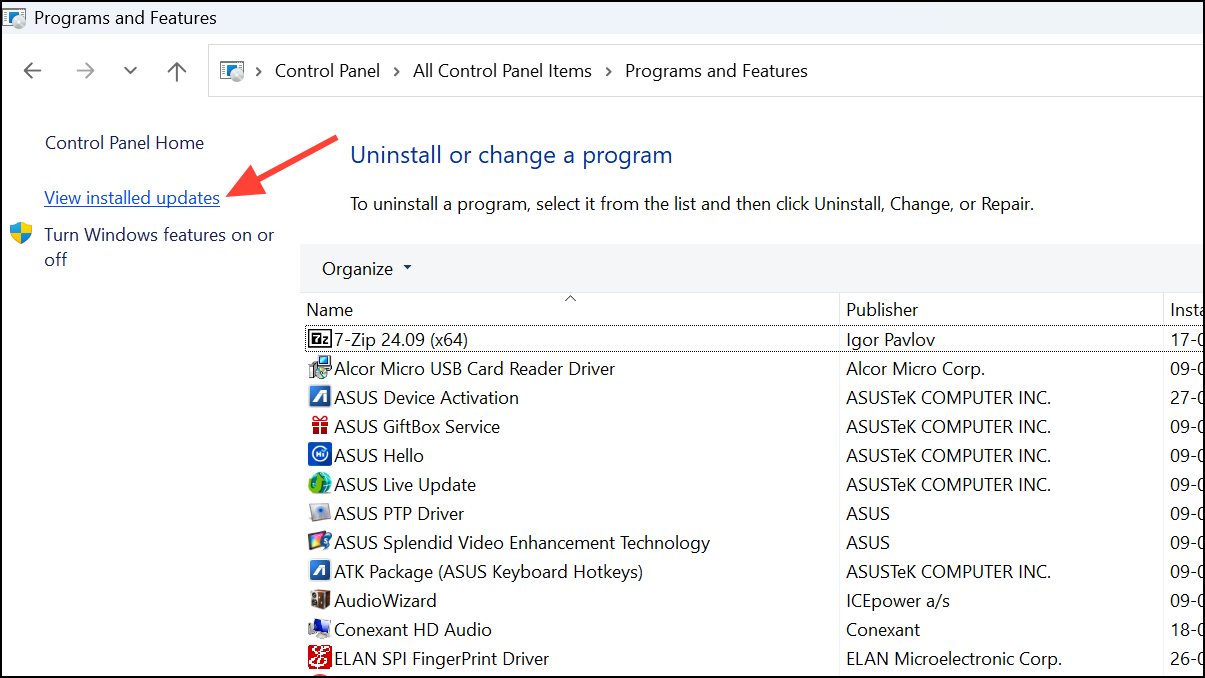
Uninstall the most recent Windows updates by selecting them and clicking “Uninstall.” Restart your computer afterward to check if the issue is resolved.
Method 3: Perform a Clean Boot
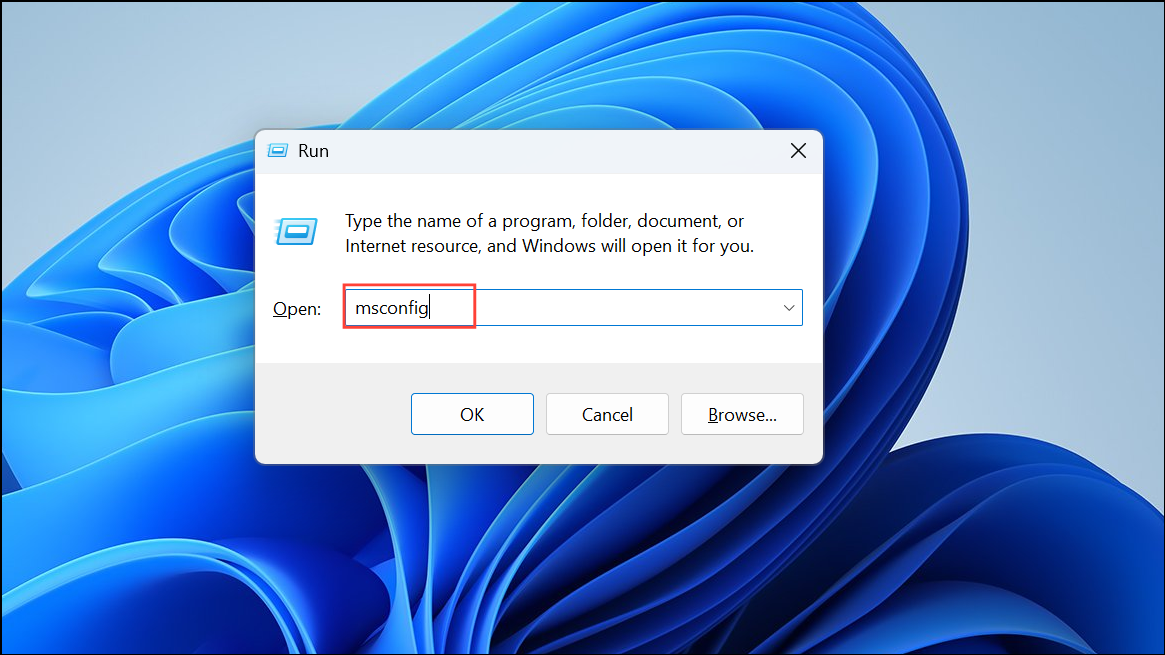
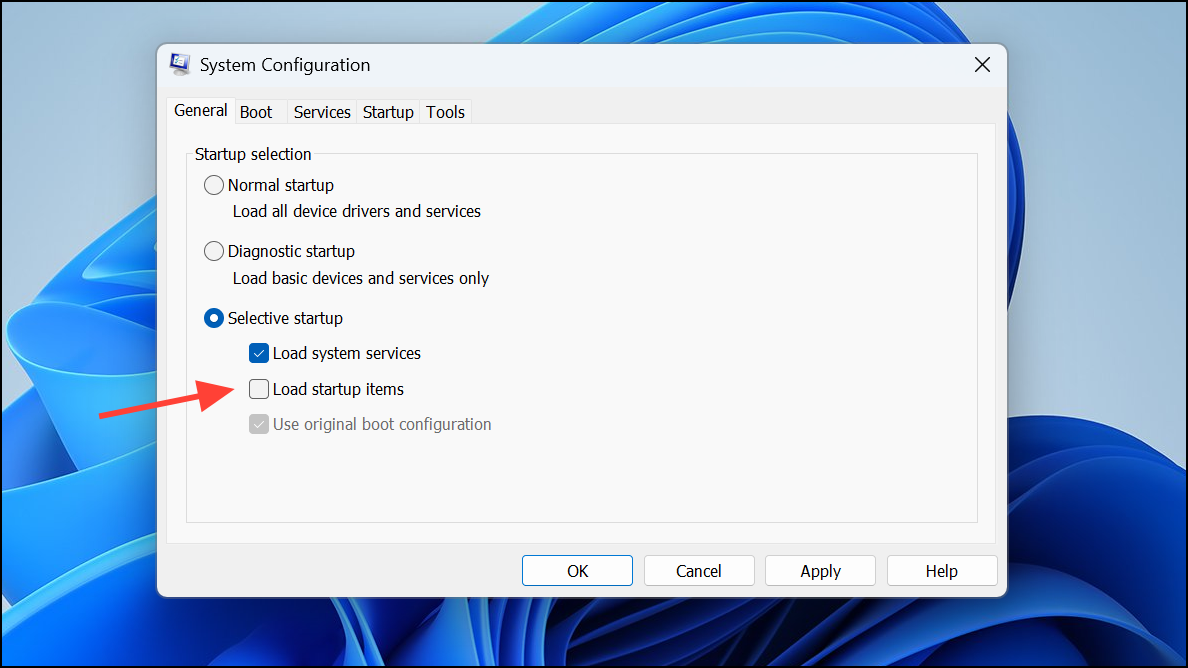
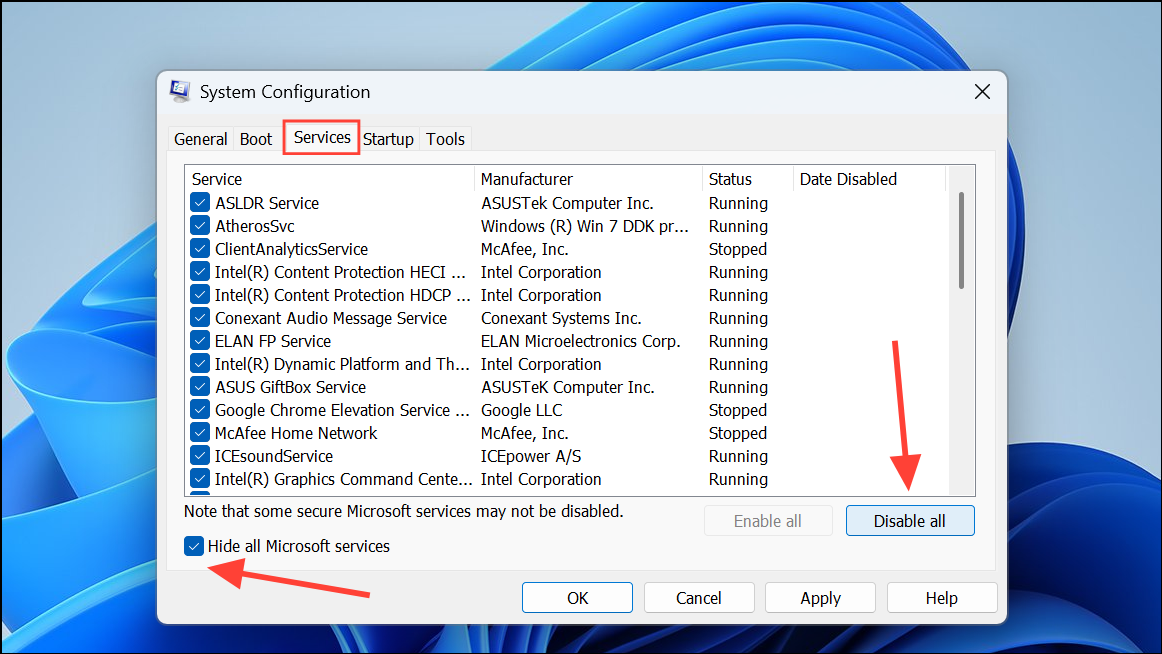
Click “Apply” and “OK,” then restart your computer. This helps identify if third-party software is causing the problem.
Method 4: Run Startup Repair
Access Advanced Startup Options as described above and select “Troubleshoot” > “Advanced Options” > “Startup Repair.”
Wait for Windows to diagnose and fix startup issues automatically. Once complete, restart your system to verify if the error is resolved.
Method 5: Run CHKDSK Utility
chkdsk C: /F /X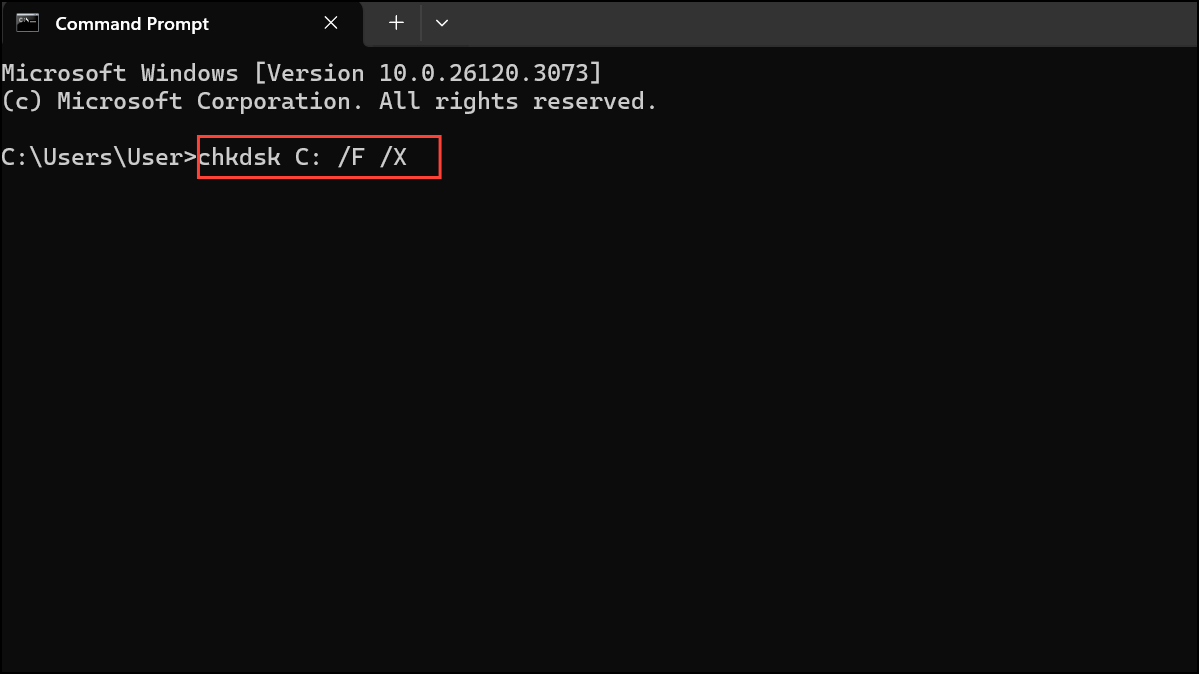
Method 6: Run SFC and DISM Commands
DISM /Online /Cleanup-Image /RestoreHealth
sfc /scannow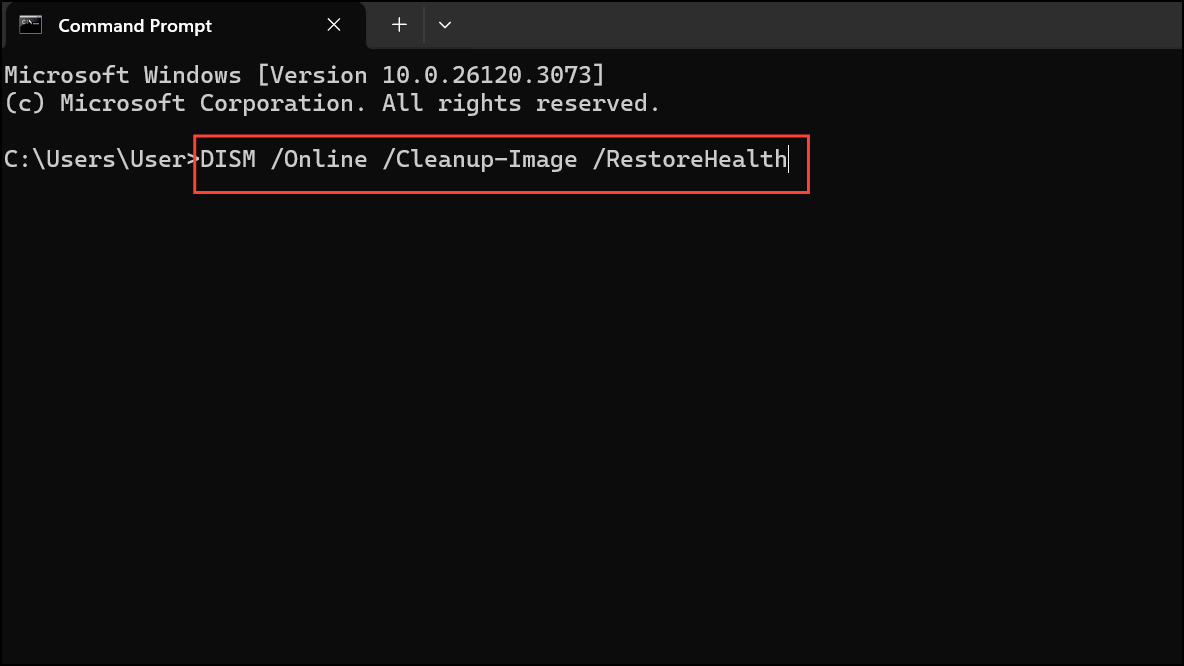
Method 7: Reinstall Graphics Drivers
Boot into Safe Mode as described in Method 2. Download and run Display Driver Uninstaller (DDU) from its official website.
After rebooting, visit your GPU manufacturer’s website (NVIDIA, AMD, or Intel), download the latest driver for your GPU, and install it.
If the above methods fail, consider checking your hardware components, such as RAM or storage drives, as faulty hardware can cause persistent BSOD errors. Regularly updating your drivers and keeping Windows updated can prevent similar issues in the future.





