
Windows Defender offers advanced AI-powered security capabilities that significantly improve your defense against online scams and malicious websites. By activating these features, you can reduce your exposure to scareware, phishing attempts, and other web-based threats. Follow these detailed instructions to enable AI-powered security features in Windows Defender and Microsoft Edge.
Method 1: Enable Scareware Blocker in Microsoft Edge
Microsoft Edge includes a built-in AI-powered security feature called Scareware Blocker. It uses a local AI model to analyze web page contents in real-time, detecting and blocking online scams such as fake technical support pop-ups designed to deceive users into contacting scammers.
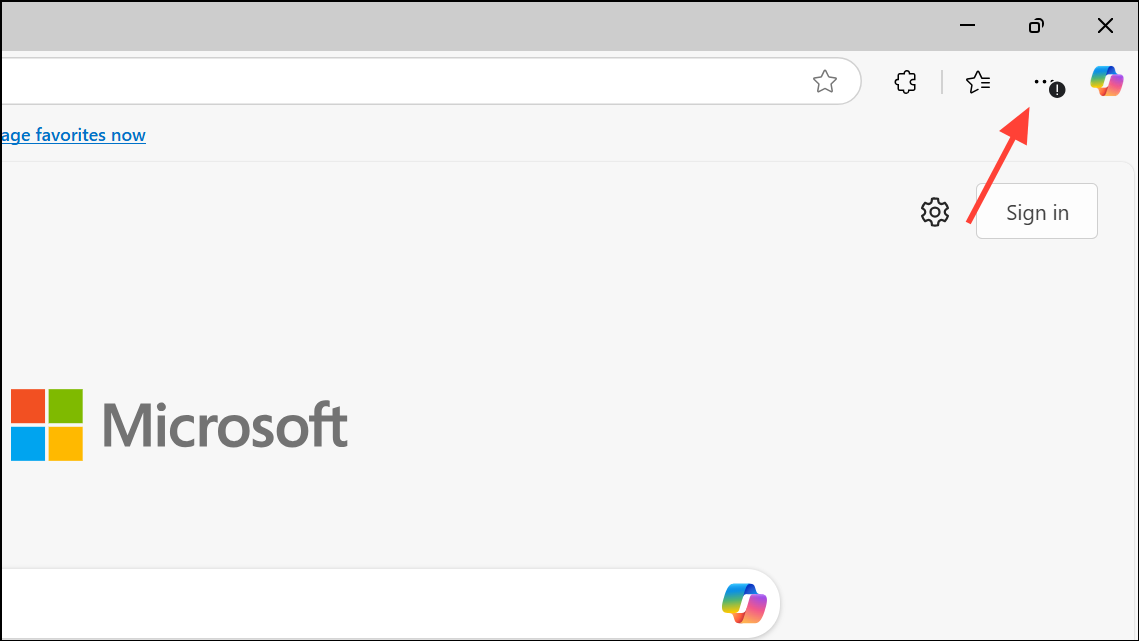
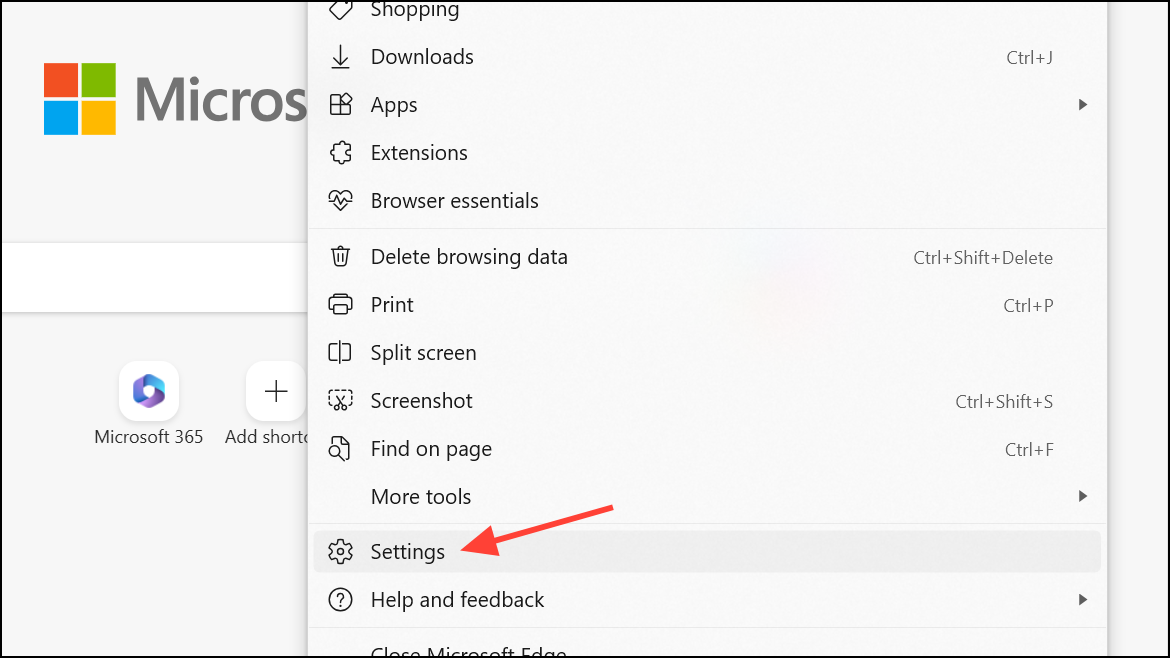
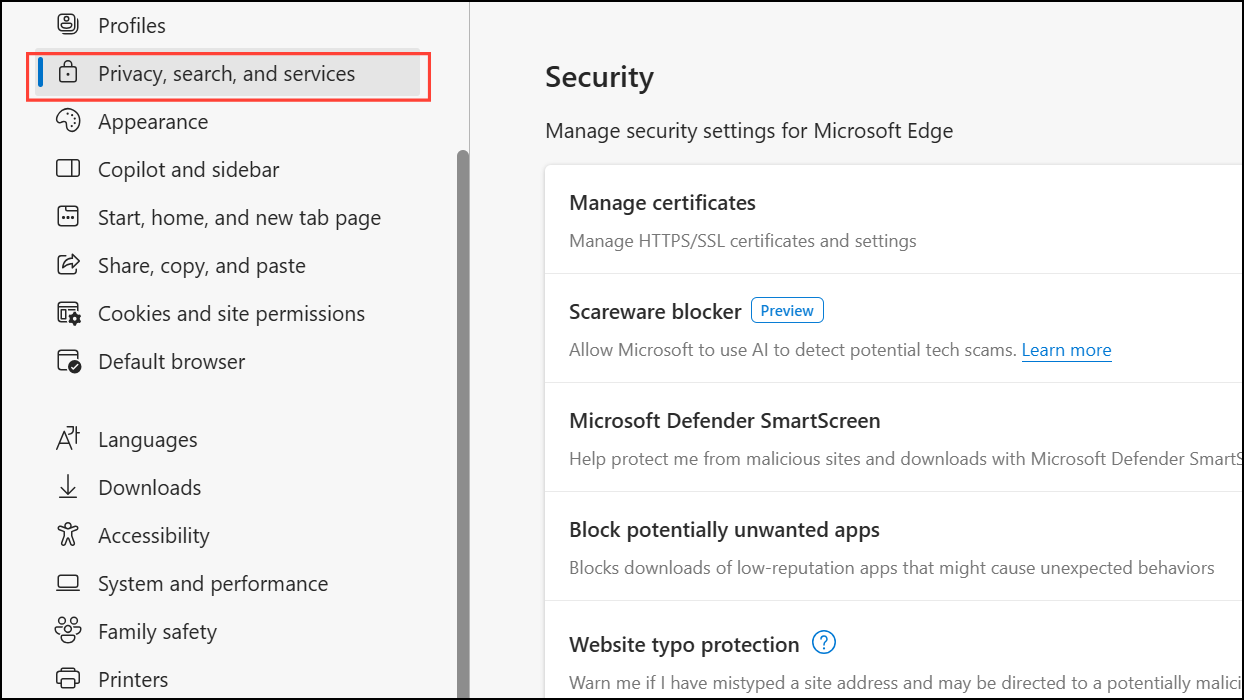
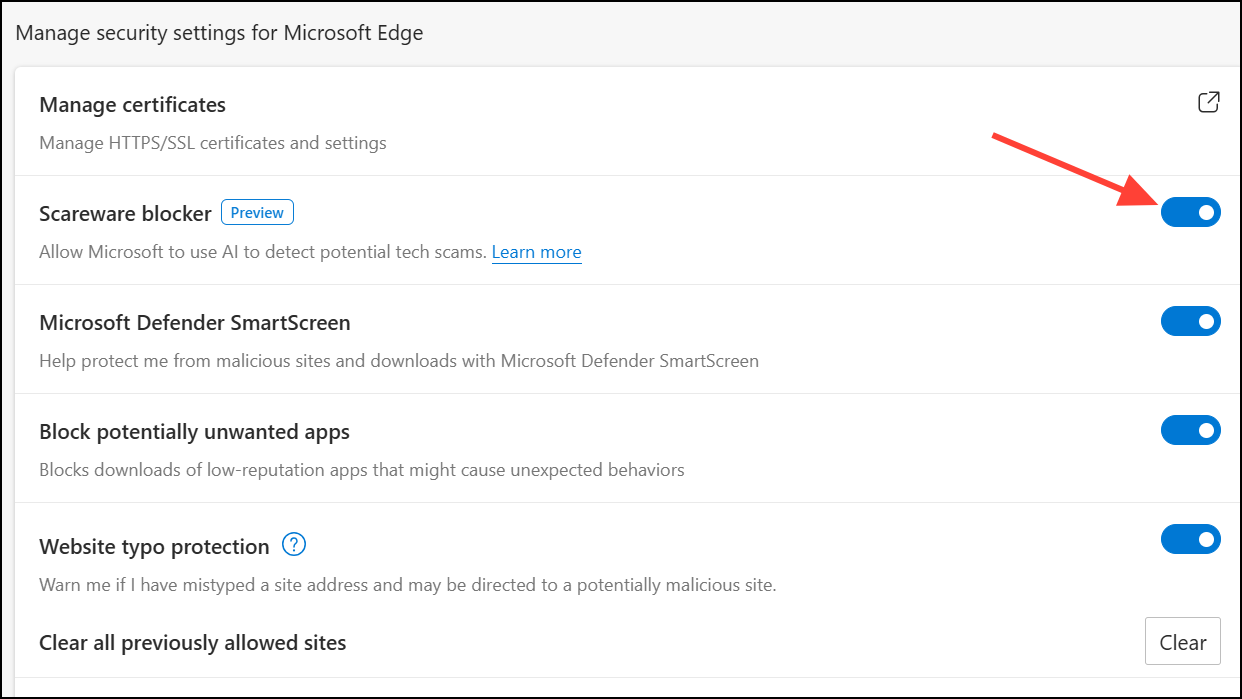
Once enabled, Edge’s Scareware Blocker will automatically monitor web pages for signs of scams. When a suspicious page is detected, the browser displays a warning, giving you control over whether to proceed or return to safety. If you later decide to disable this feature, simply follow the same steps and turn off the toggle switch.
Method 2: Enable AI Threat Protection for AI Workloads with Microsoft Defender for Cloud
Microsoft Defender for Cloud provides AI-driven threat protection specifically designed to secure generative AI applications and workloads within Azure subscriptions. It identifies real-time threats such as data leakage, credential theft, and unauthorized access attempts, allowing security teams to respond swiftly and effectively.
With these settings activated, Defender for Cloud will continuously analyze your AI workloads, alerting you immediately if threats are detected and providing detailed insights to facilitate rapid response.
Method 3: Activate Microsoft Security Copilot for Unified Security Operations
Microsoft Security Copilot integrates generative AI into your security operations, improving the efficiency and accuracy of threat detection, investigation, and response. It unifies your security tools, including Defender XDR and Microsoft Sentinel, into a single platform, simplifying management and improving response speed.
With Security Copilot active, your security team gains the advantage of AI-driven analysis, significantly reducing response times and improving the accuracy of threat detection.
By following these methods, you can effectively leverage AI-powered security features provided by Windows Defender and Microsoft Edge, significantly improving your organization’s resilience against sophisticated online threats. Regularly review your security settings and stay updated with new AI-driven features as they become available.





