Perplexity AI leverages advanced artificial intelligence to provide nuanced and comprehensive search results, making it a popular choice for users seeking more insightful answers. If you’re looking to make Perplexity AI your default search engine in Chrome, here’s how you can set it up.
Adding Perplexity AI as Your Default Search Engine in Chrome
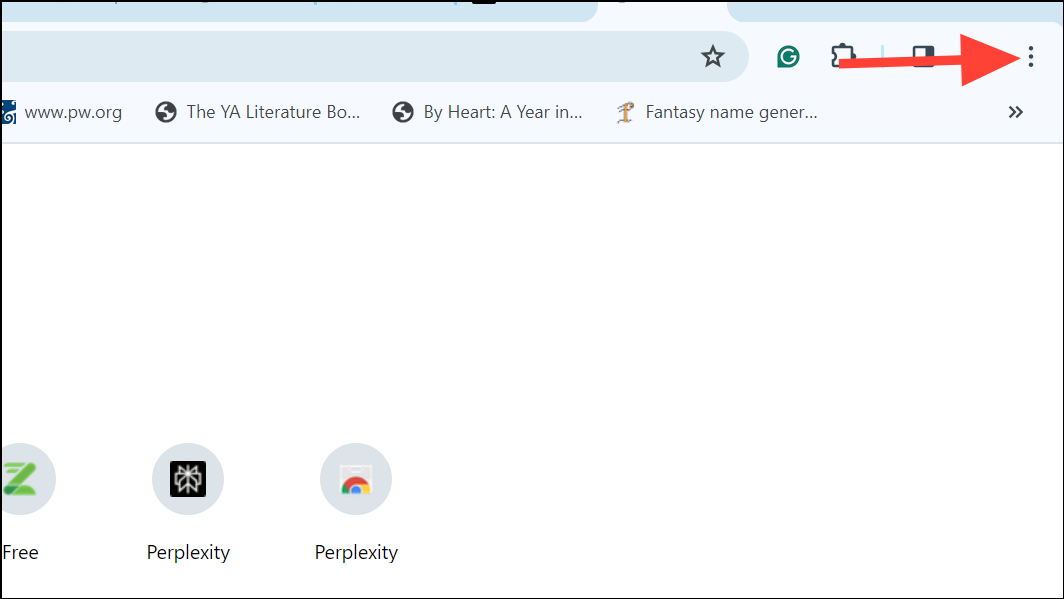
In the top-right corner of the browser window, click on the three vertical dots to open the Chrome menu.
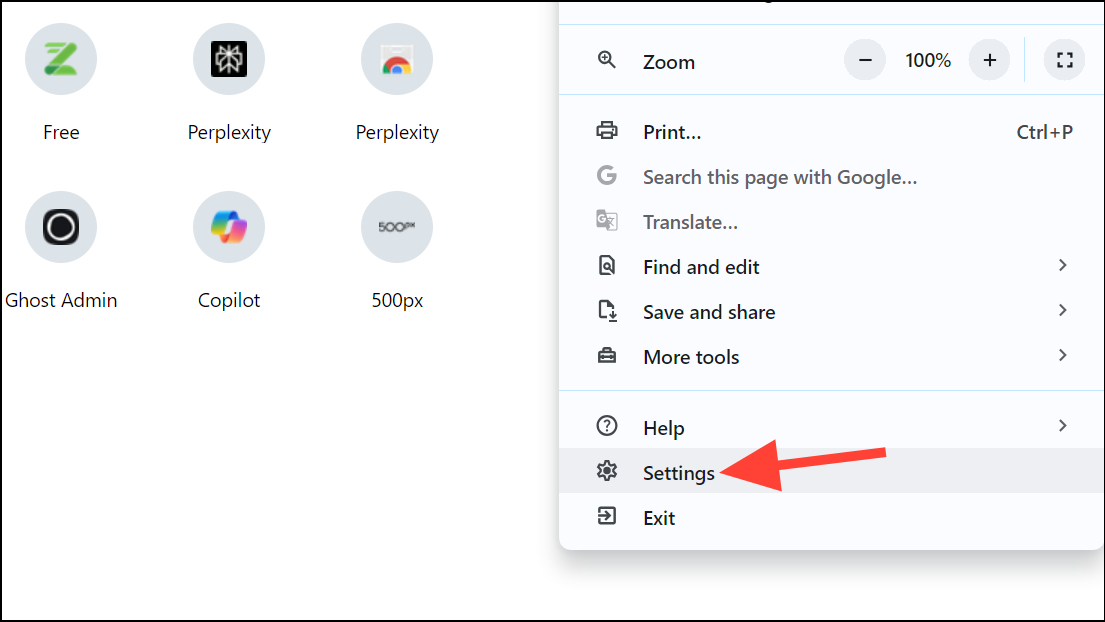
Once in the Settings tab, navigate to the left-hand side menu and click on
Search engine. This section allows you to manage your search engine preferences.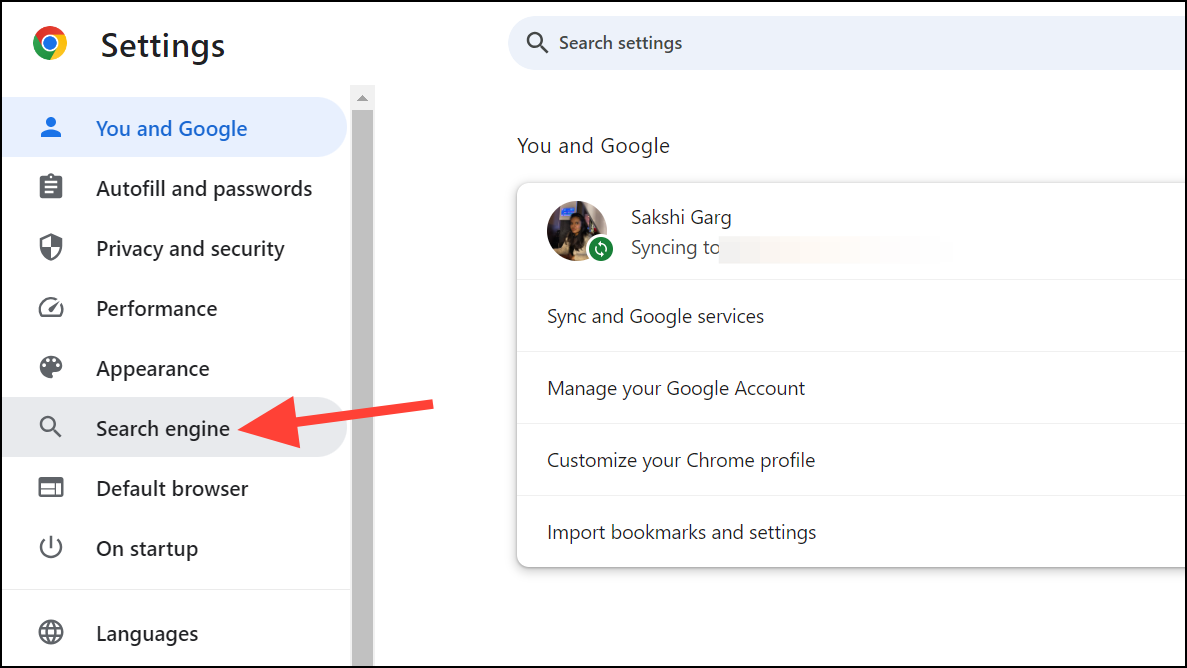
Click on
Manage search engines and site search. Here, you will see a list of search engines currently available in your Chrome browser.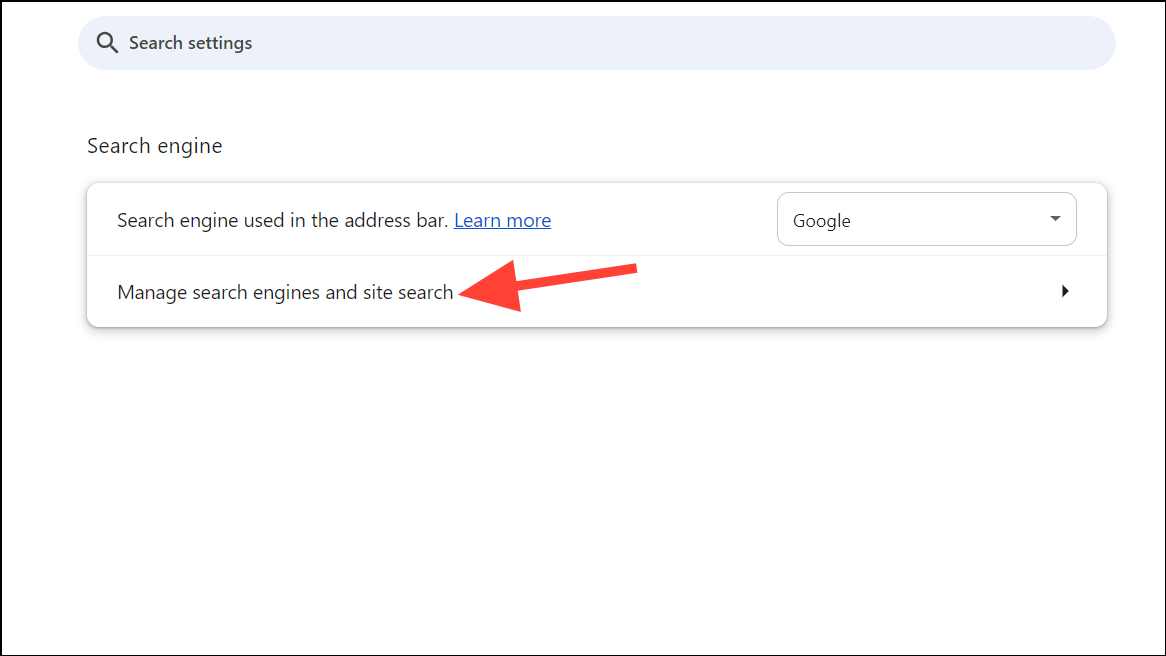
Notice that in the
Search engine section, there is no direct option to add a new search engine. However, you can still add Perplexity AI by scrolling down to the Site search section and clicking the Add button.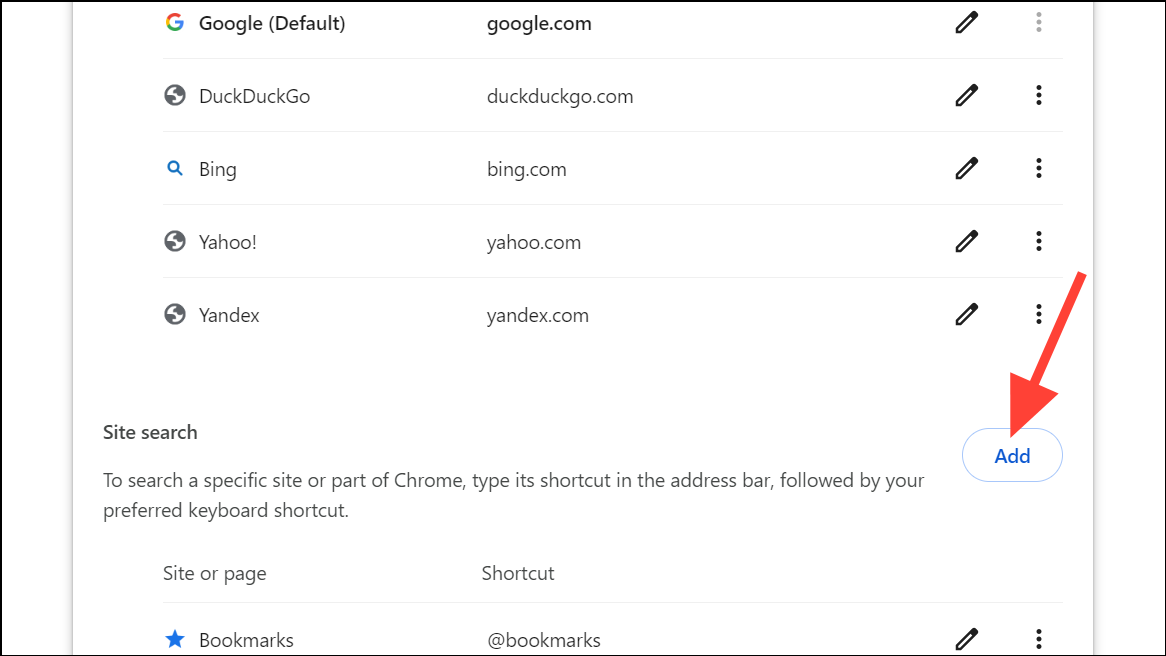
In the dialog box that appears, fill in the details for the new search engine. In the
Search engine field, enter Perplexity AI. In the Shortcut field, assign a keyword like perplexity.ai/search that allows quick access from the address bar when it’s not set as default. Most importantly, in the URL with %s in place of query field, enter https://www.perplexity.ai/search?focus=internet&q=%s. This URL ensures that Chrome directs your searches to Perplexity AI correctly.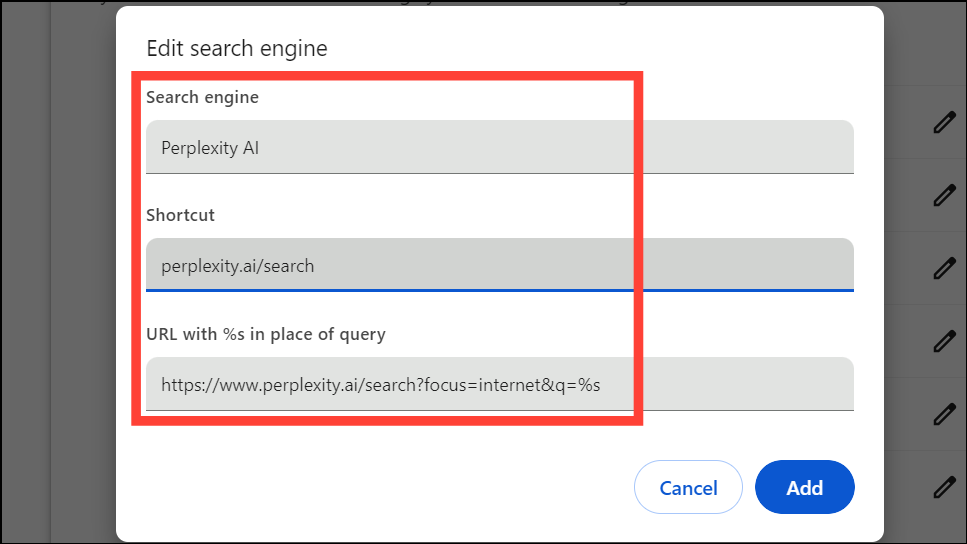
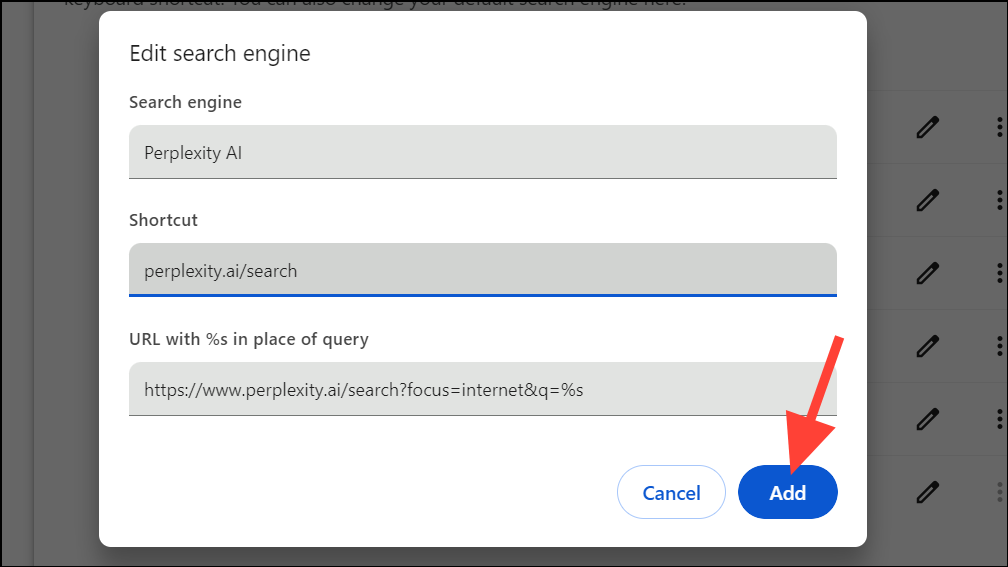
The Perplexity AI search engine will now appear in the Site search list. To set it as your default search engine, click on the three-dot menu (More actions) next to it and select
Make default from the options.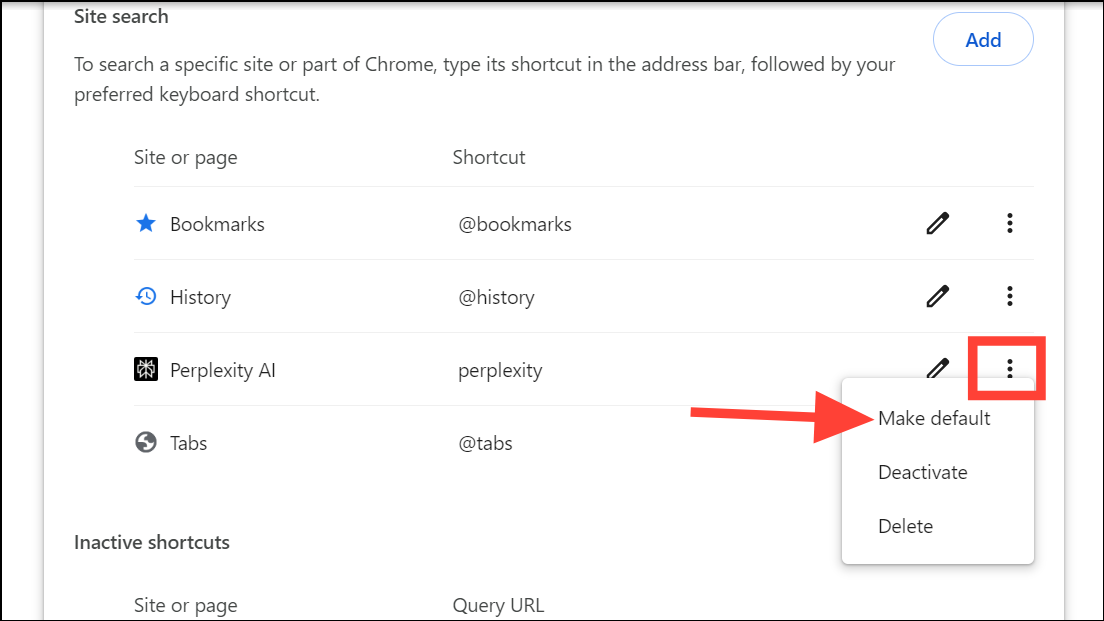
Perplexity AI will then move to the Default search engines list and be set as your default search engine.
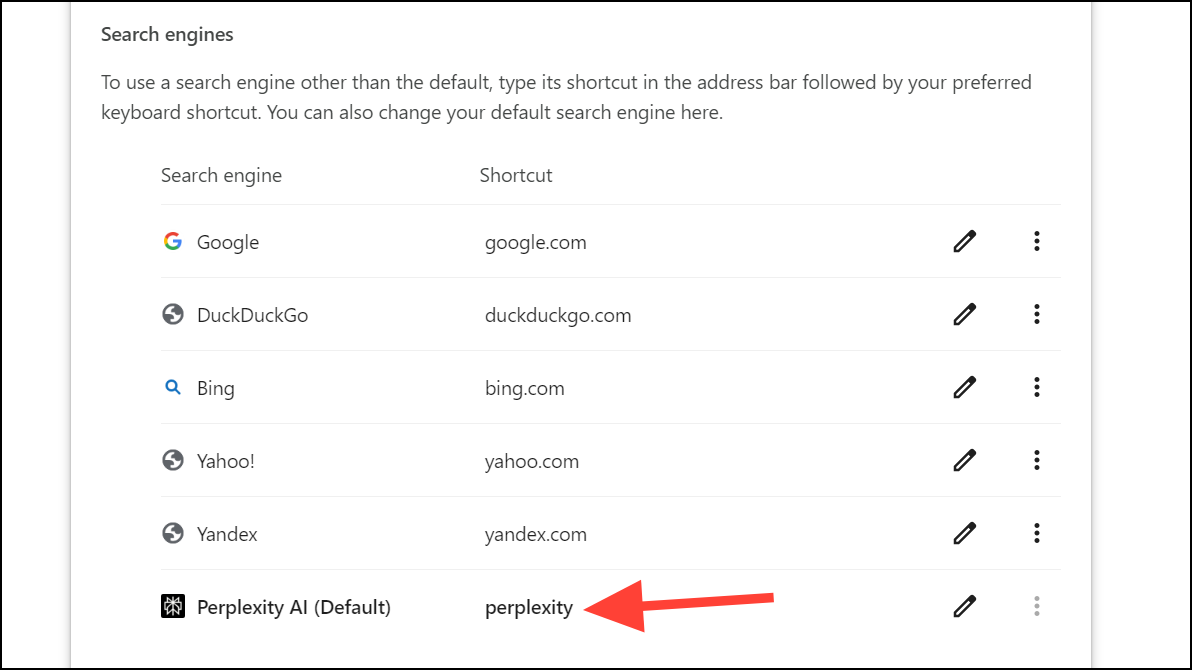
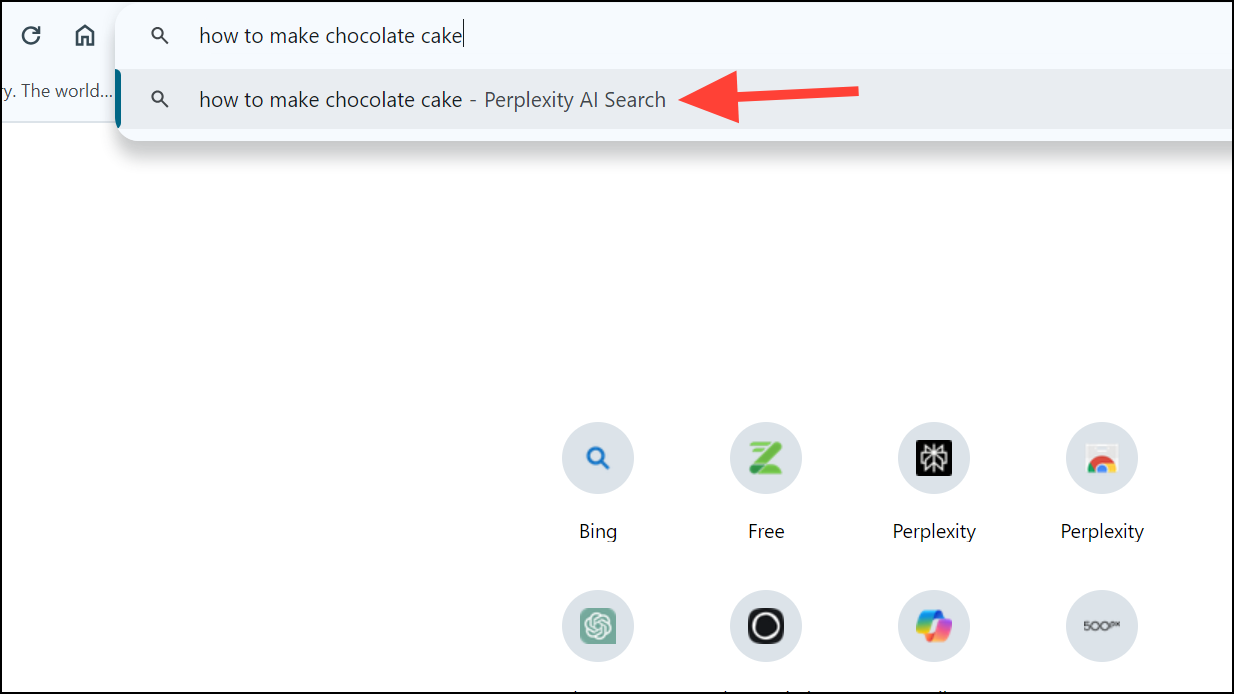
Try entering a search query in the address bar. Chrome will now use Perplexity AI to search, providing you with intelligent answers directly. You can also engage with the results by asking follow-up questions on the Perplexity AI page.
Using the Perplexity AI Chrome Extension
If you prefer a simpler method, you can use the Perplexity AI Chrome extension to integrate Perplexity AI into your browsing experience directly from the address bar.
Perplexity – AI Search
Upgrade your default search engine


By setting Perplexity AI as your default search engine in Chrome, you can enjoy AI-enhanced search results that offer deeper insights and more comprehensive answers to your queries.