Managing multiple open tabs in Microsoft Edge can quickly become overwhelming, leading to a cluttered and inefficient browsing experience. To address this, Microsoft Edge has introduced an AI-driven feature that automatically groups similar tabs, helping you stay organized without manual effort.
What is the ‘Group similar tabs’ feature in Microsoft Edge?
The ‘Group similar tabs’ feature in Microsoft Edge leverages artificial intelligence to analyze your open tabs and automatically group them based on their content and relevance. Unlike the manual tab grouping options previously available, this new feature saves you time by eliminating the need to organize tabs yourself.
Tabs are grouped based on similarities such as domain names, page titles, and types of websites, like shopping or social media sites. This intelligent grouping makes it easier to navigate through your tabs and focus on your tasks.
This feature is currently available to users of Microsoft Edge Canary and is expected to roll out to all Edge users soon.
How to Use the ‘Group Similar Tabs’ Feature in Microsoft Edge
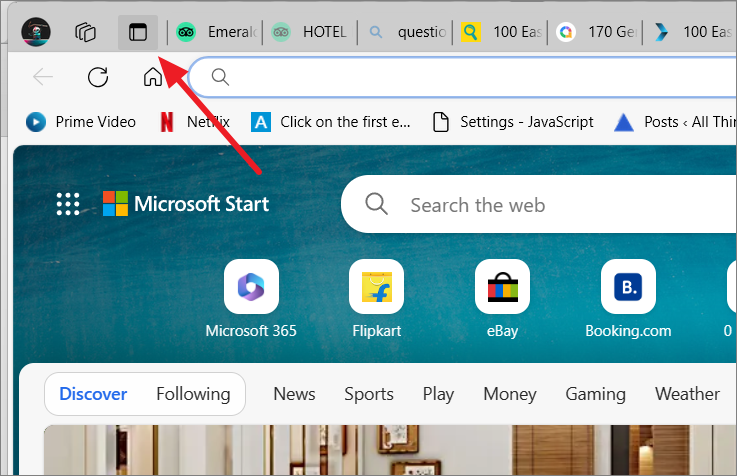
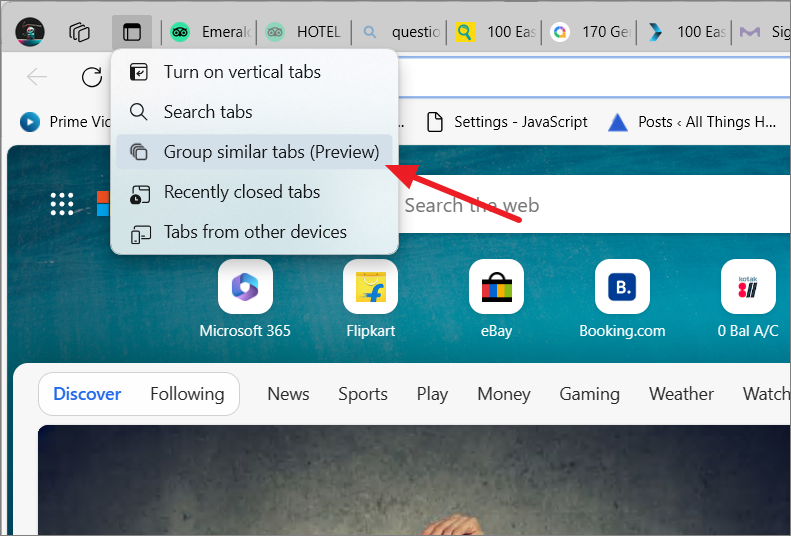
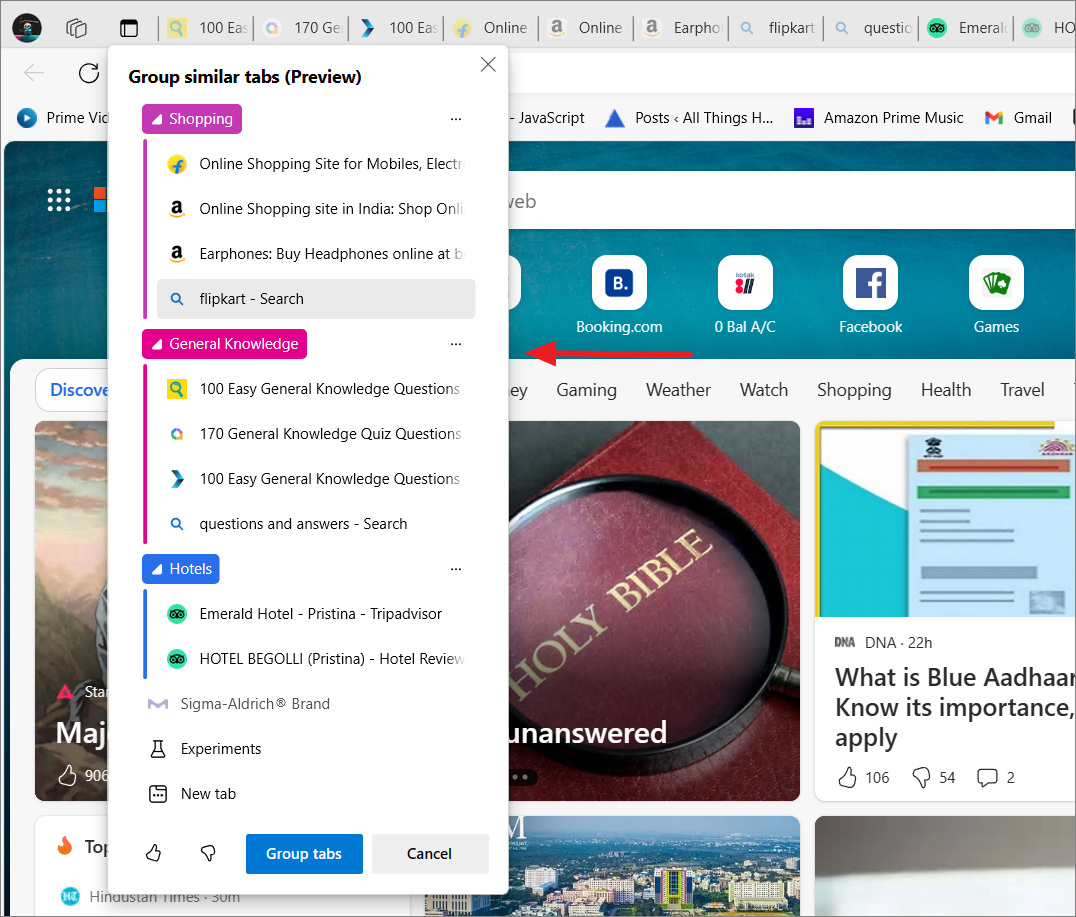
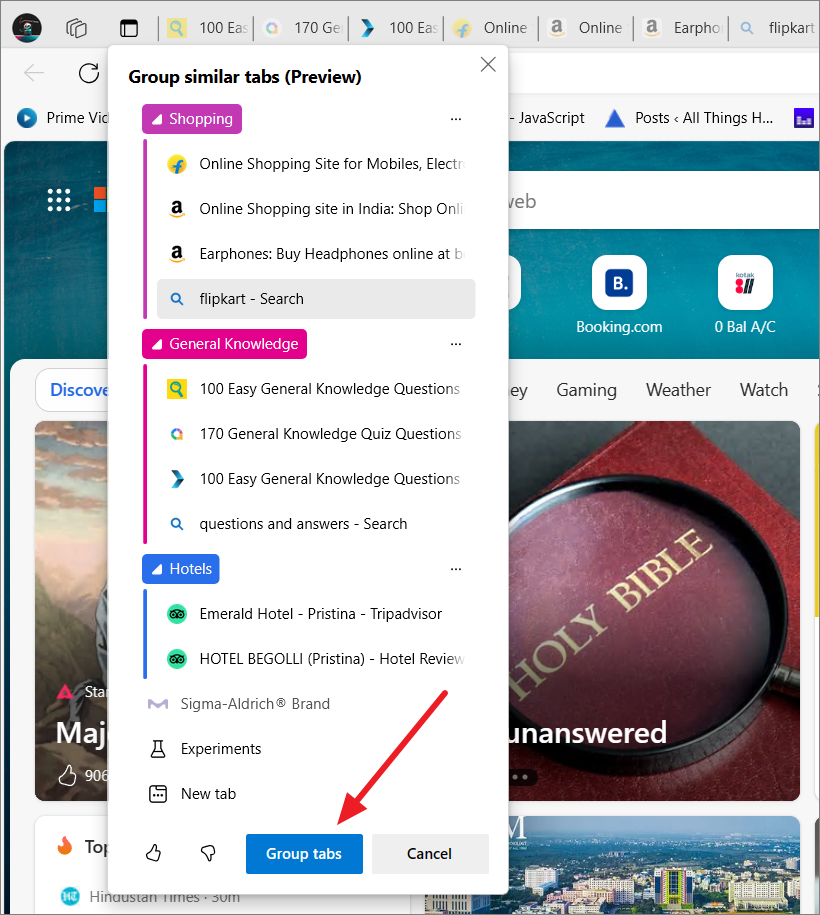
You can also customize the group names and colors to better organize your tabs.
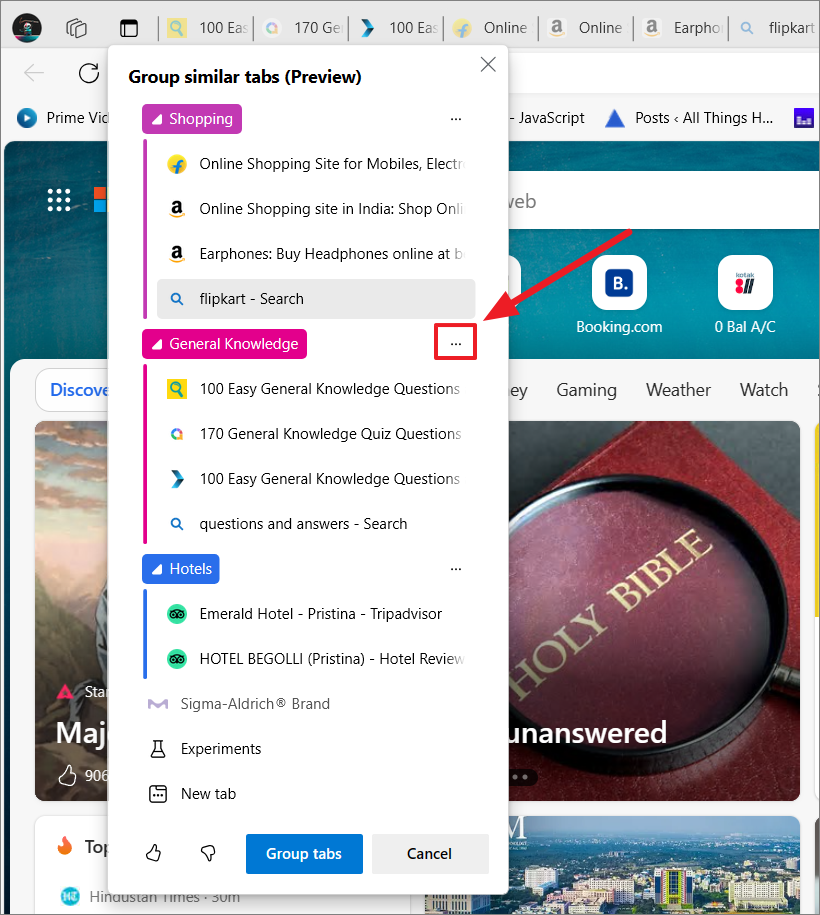
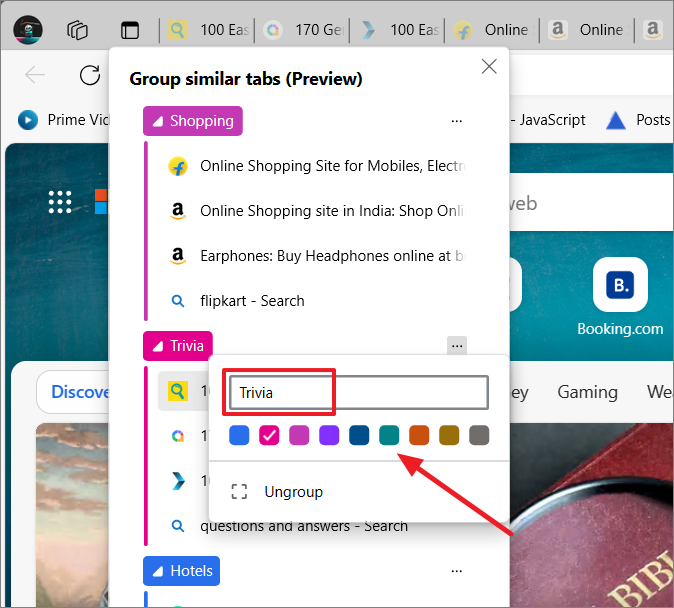
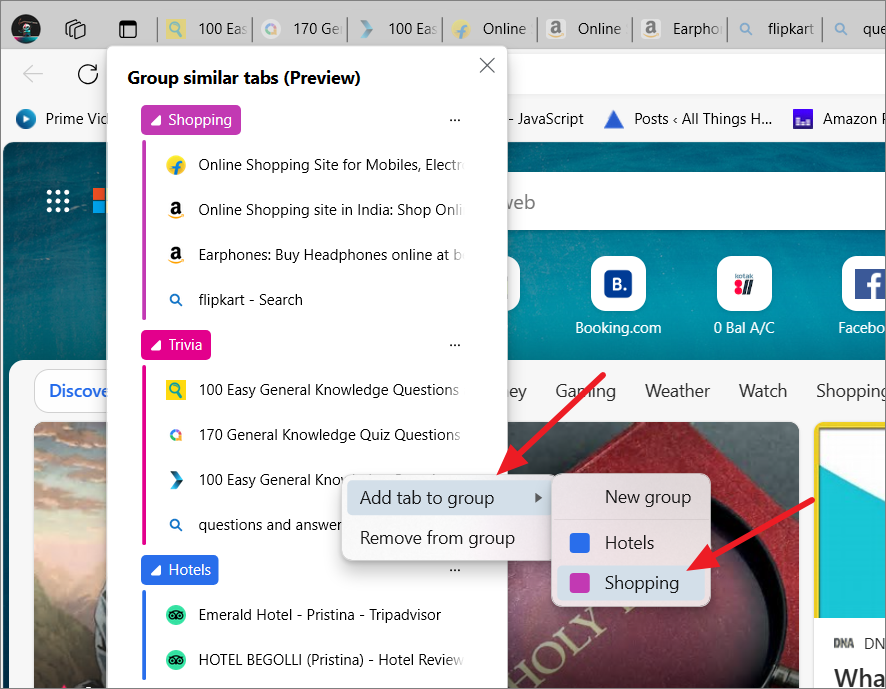
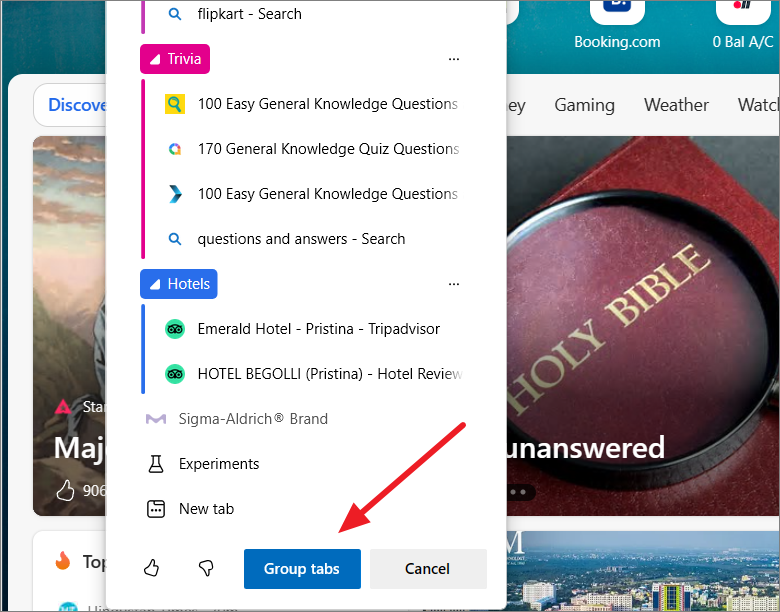
Once grouped, your tabs will appear organized under their respective group names.
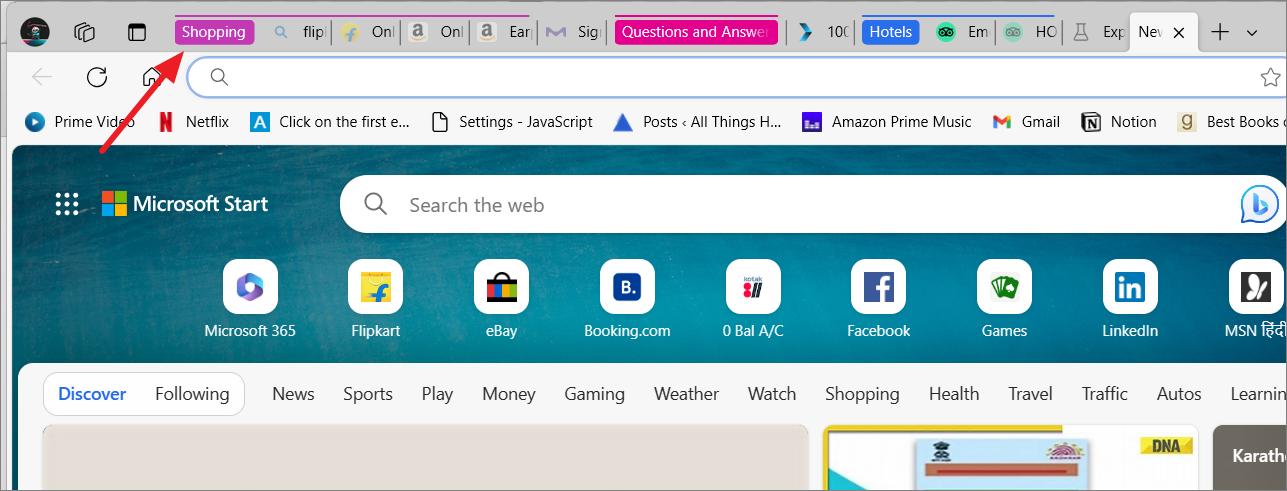
You can collapse or expand a tab group by clicking on its label, which helps conserve space on the tab bar.
Managing Grouped Tabs in Microsoft Edge
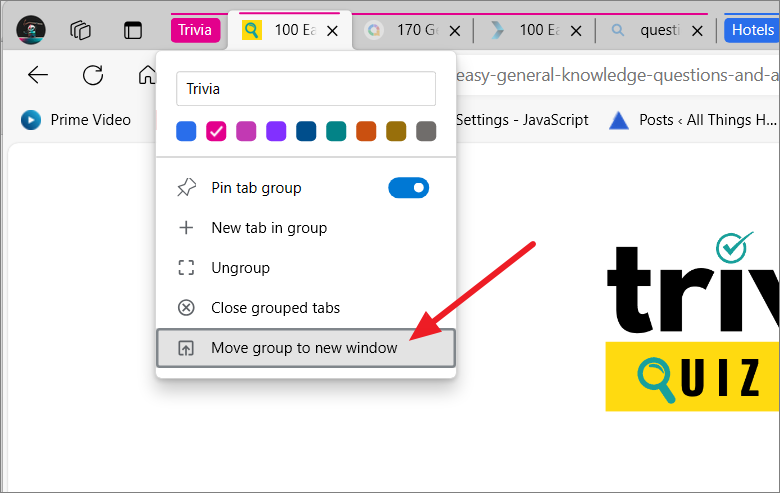
After grouping your tabs, you have several options to manage them. Right-click on the group label to access a menu with various actions.
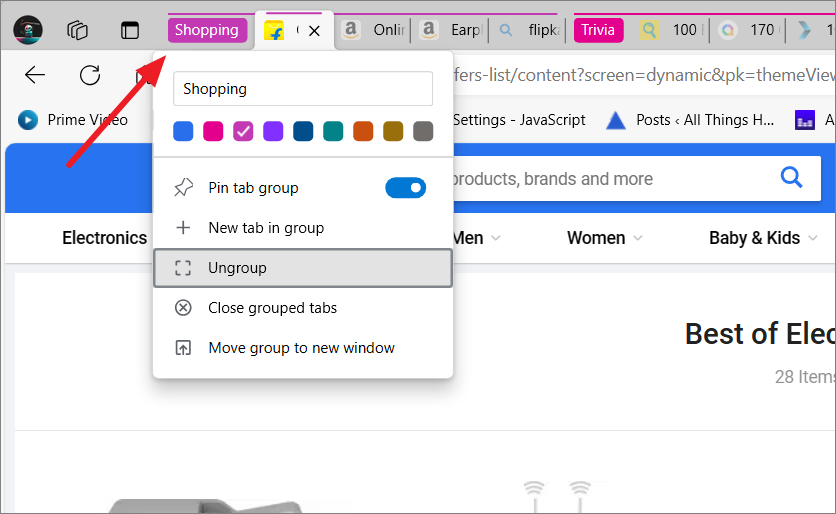
To ungroup tabs: Right-click on the group label and select ‘Ungroup’ to separate the tabs.
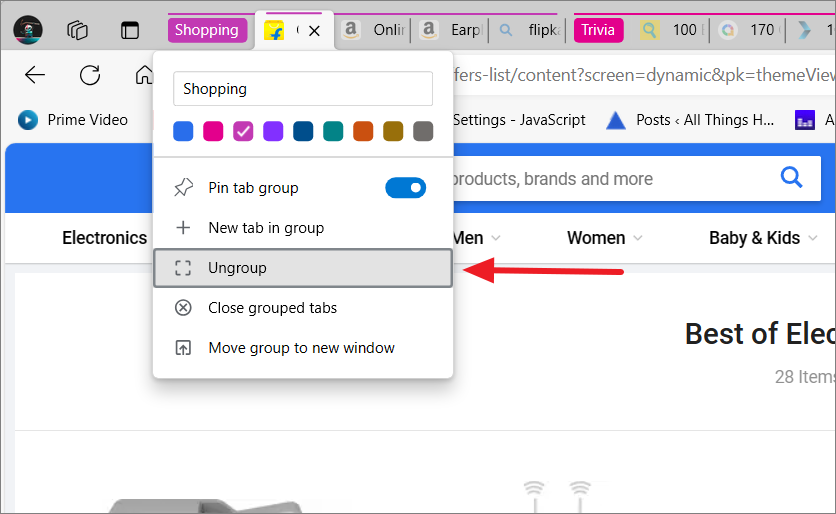
To close all tabs in a group: Choose ‘Close grouped tabs’ from the right-click menu on the group label.
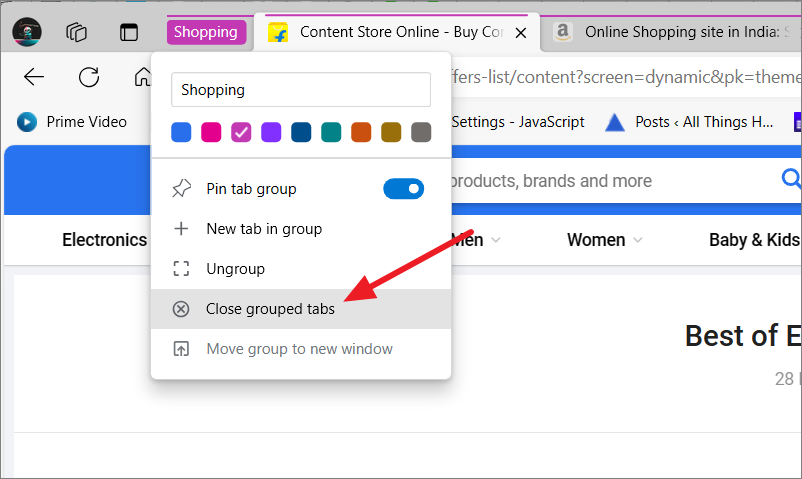
To move a tab group to a new window: Right-click the group label and select ‘Move group to new window’.
The ‘Group similar tabs’ feature in Microsoft Edge streamlines your browsing by automatically organizing your tabs. This AI-powered tool enhances productivity by keeping your workspace tidy and focused.