Gaming How-To

Adopt Me: How to Play Ghost Gallery (Halloween 2026)

How to join from the Manor hall, how the hold-to-fire blaster works, and what a round pays in Candy Corn and Crypt Keys.

How to join from the Manor hall, how the hold-to-fire blaster works, and what a round pays in Candy Corn and Crypt Keys.

Ghost Gallery is a timed shooting minigame in Adopt Me‘s Halloween 2026 event. You queue in the Manor hall, get a ghost blaster strapped to your back, and spend the round blasting ghosts for points. The controls trip people up. Clicking does nothing useful, so you have to hold the button down.

Quick answer: Put your cursor on a ghost and hold the left mouse button. The beam follows your cursor and your Score climbs. Single clicks score nothing.


Shortly before a round starts, a pop-up appears: “Ghost Gallery is starting soon! Teleport there now?” It offers No and Yes buttons, along with a “Do not show again this session” option. Select Yes to teleport to the waiting circle inside the Manor’s hall.
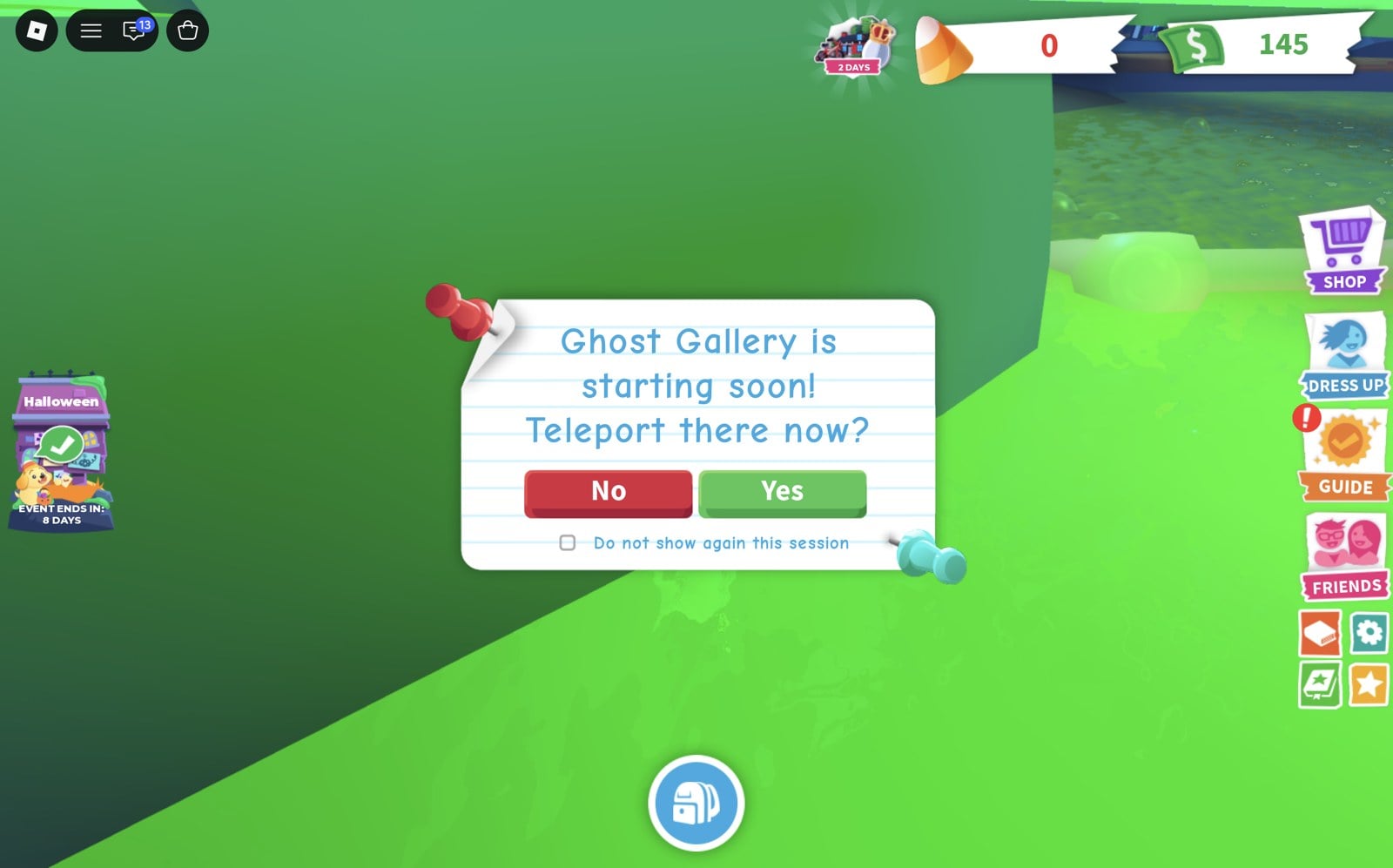
Ghost Gallery is starting soon! Teleport there now? pop-up with No and Yes buttons in Adopt Me
The Ghost Gallery pop-up: pick Yes to teleport to the queue.

Wait in the circle for the “NEXT GAME IN” countdown to finish, and the round will begin.
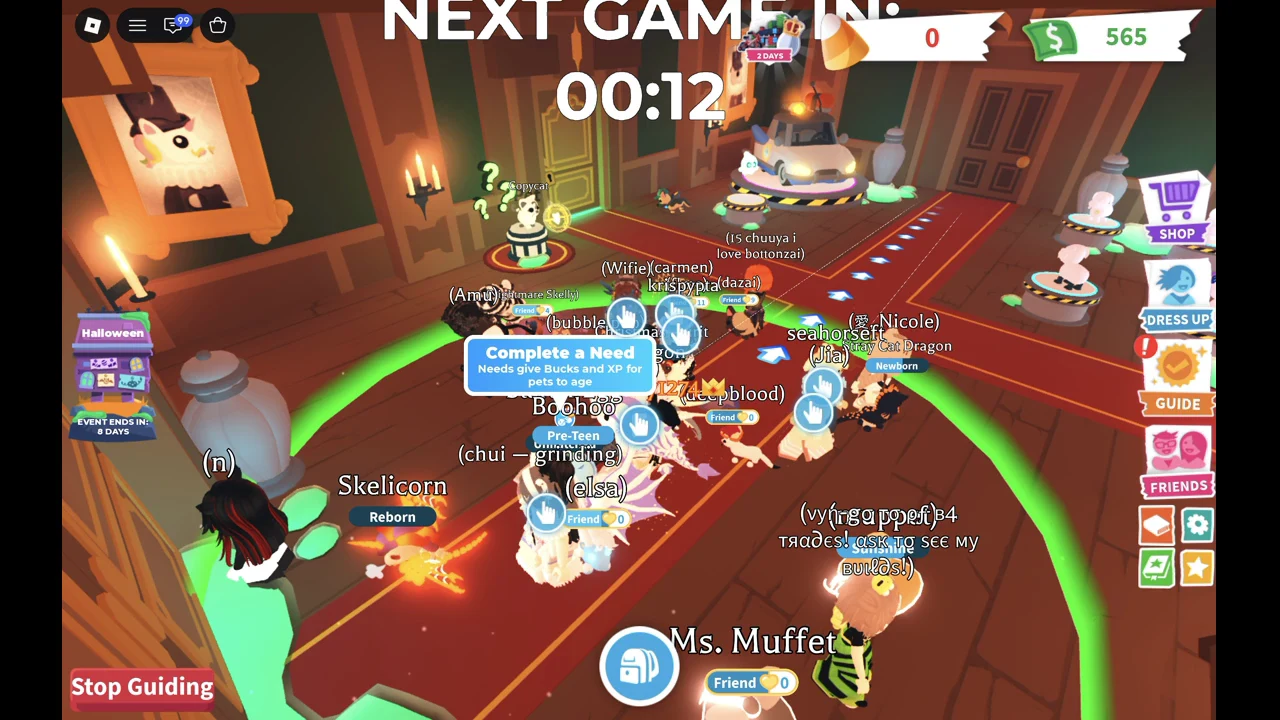
Players waiting in the Ghost Gallery queue circle in the Manor hall in Adopt Me, with NEXT GAME IN 00:12 above
The queue circle in the Manor hall, 12 seconds before the round starts.

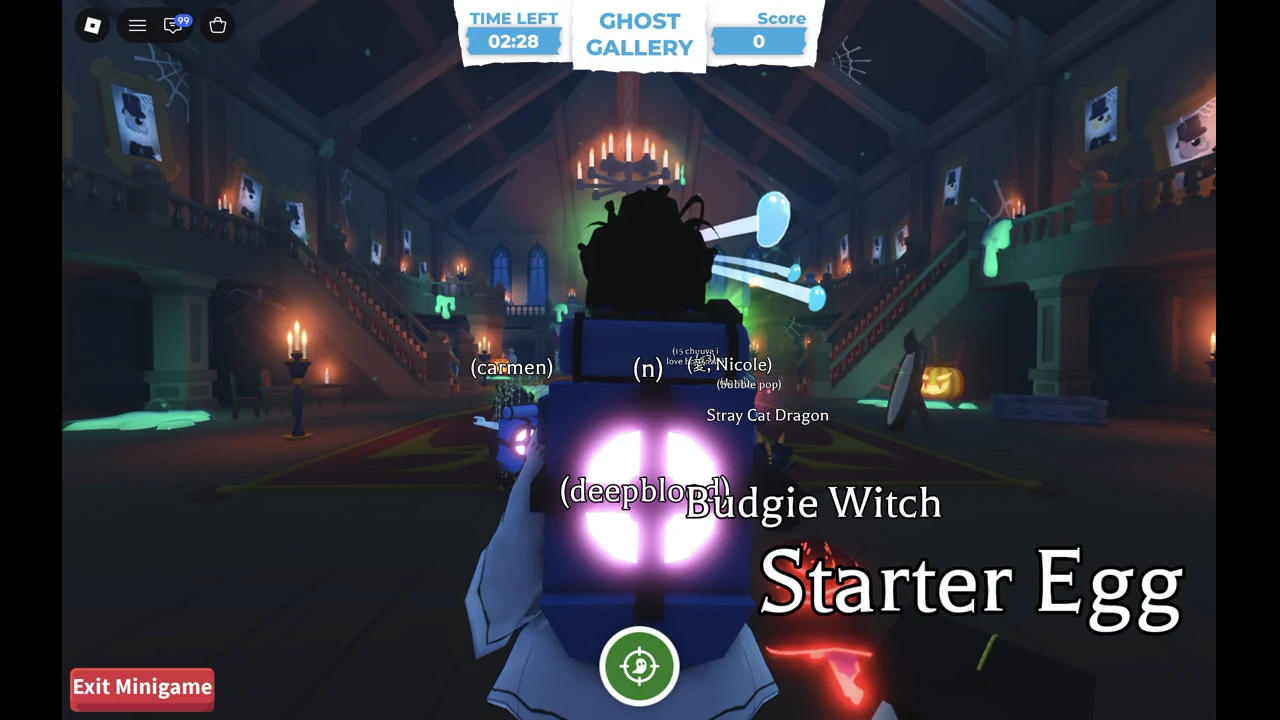
Check your screen once the round loads. A “TIME LEFT” timer starts at around 02:29, a “Score” counter sits at zero, and a ghost blaster tank is on your character’s back like a backpack.
Start of a Ghost Gallery round in Adopt Me: TIME LEFT 02:28, Score 0 and the ghost blaster tank on the character's back
The round has just started: 02:28 on the clock, Score 0 and the blaster tank on your back.
Move your cursor onto a ghost. The beam goes wherever the cursor points, so aim with the mouse, not with your character.
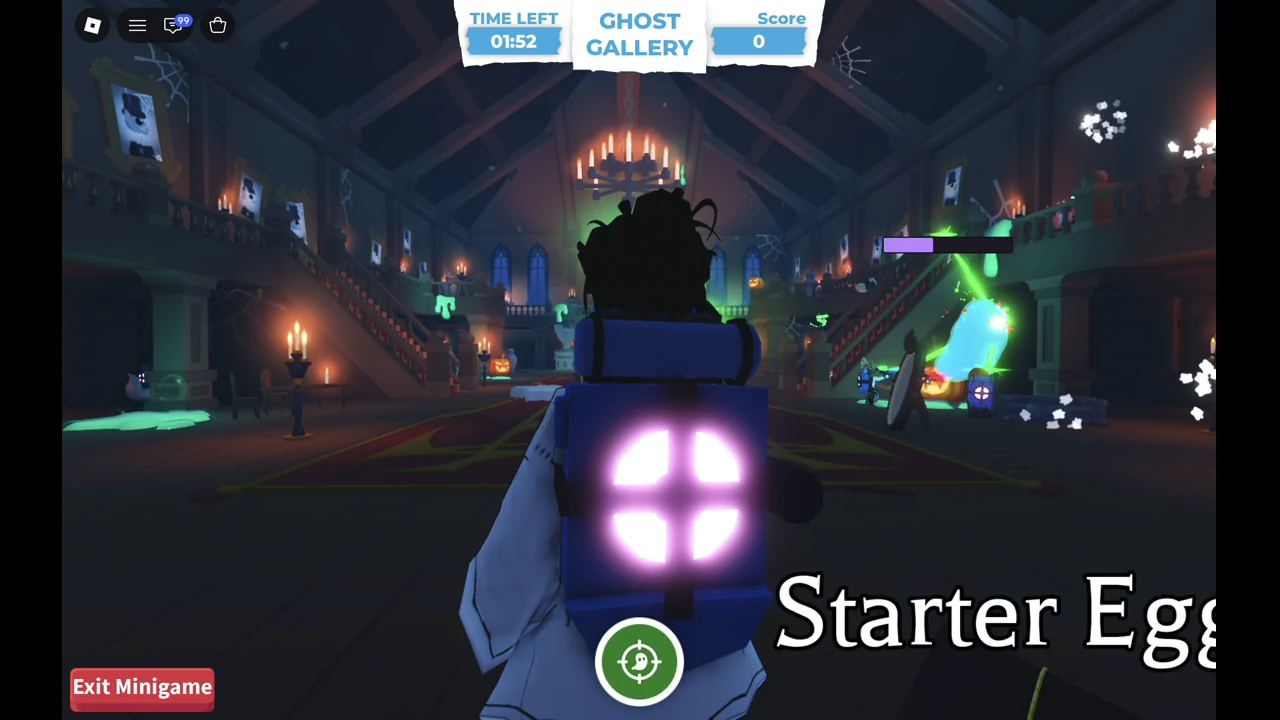
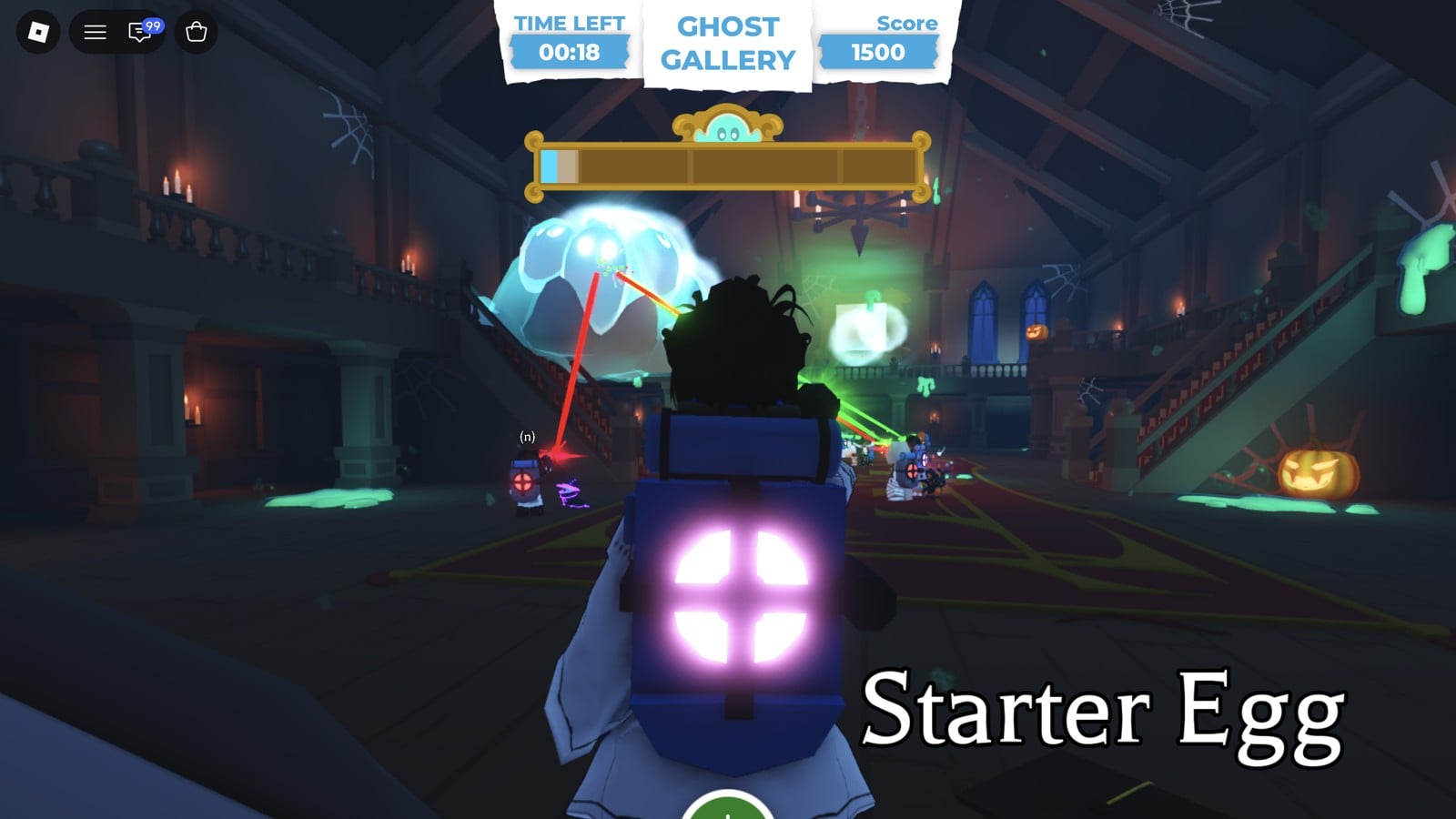
Hold the left mouse button down while the cursor stays on the ghost. Keep holding to keep the beam on target, and track the ghost as it moves. Tapping or single-clicking does not register hits.
Holding fire on a ghost in Ghost Gallery, with the beam reaching the ghost and the purple charge bar above the character
Holding fire: the beam runs to the ghost and the purple charge bar shows above the character.
Watch the purple charge bar above your character. It drains while you fire.
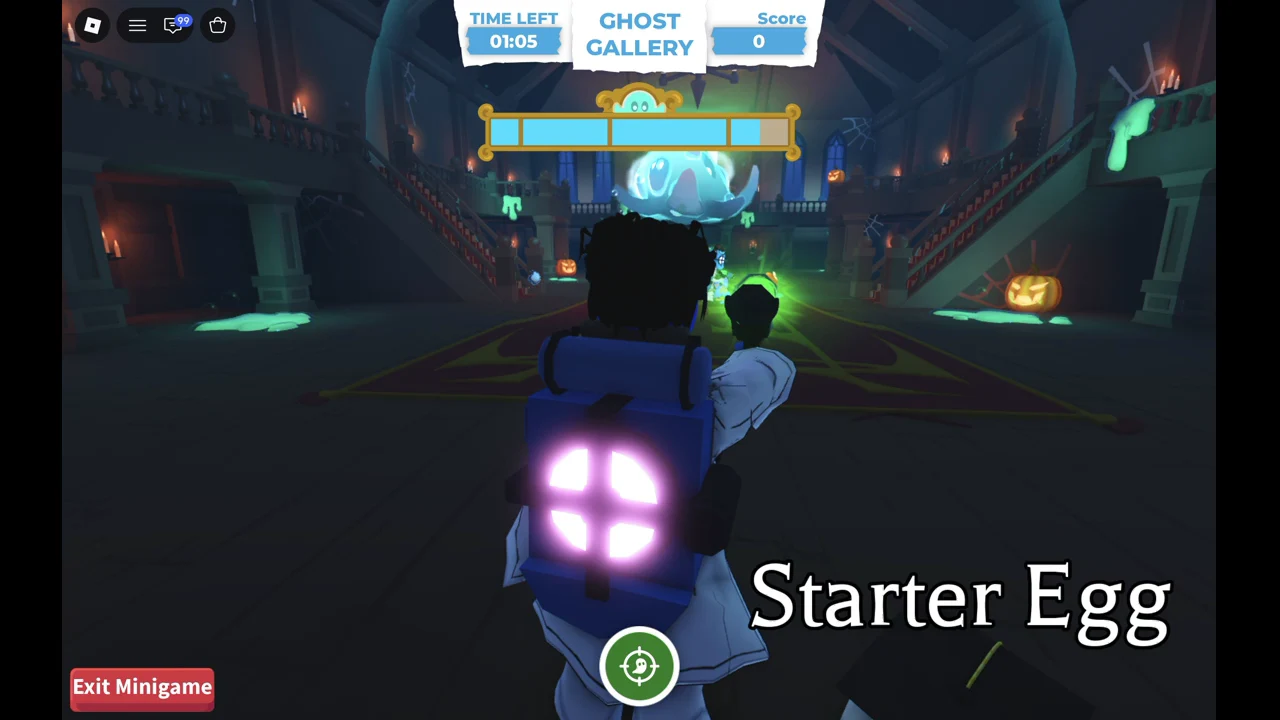
Let the timer reach zero without leaving the round. Later in the round a large blue ghost appears, with its health bar at the top of the screen; in our first round it was there with about 00:35 left. Hold fire on it the same way.
The big ghost in Ghost Gallery with its health bar near the top of the screen
The big ghost and its health bar near the top of the screen.

The Exit Minigame button ends your round early, and the game warns, “You will not earn any rewards if you exit the game!” Play to the end if you want the payout.


When time is up, a “GAME OVER!” screen lists your Score, your Combo and your rewards. The reward screen shows NICE! Two rounds played with the hold-to-fire method paid out like this:
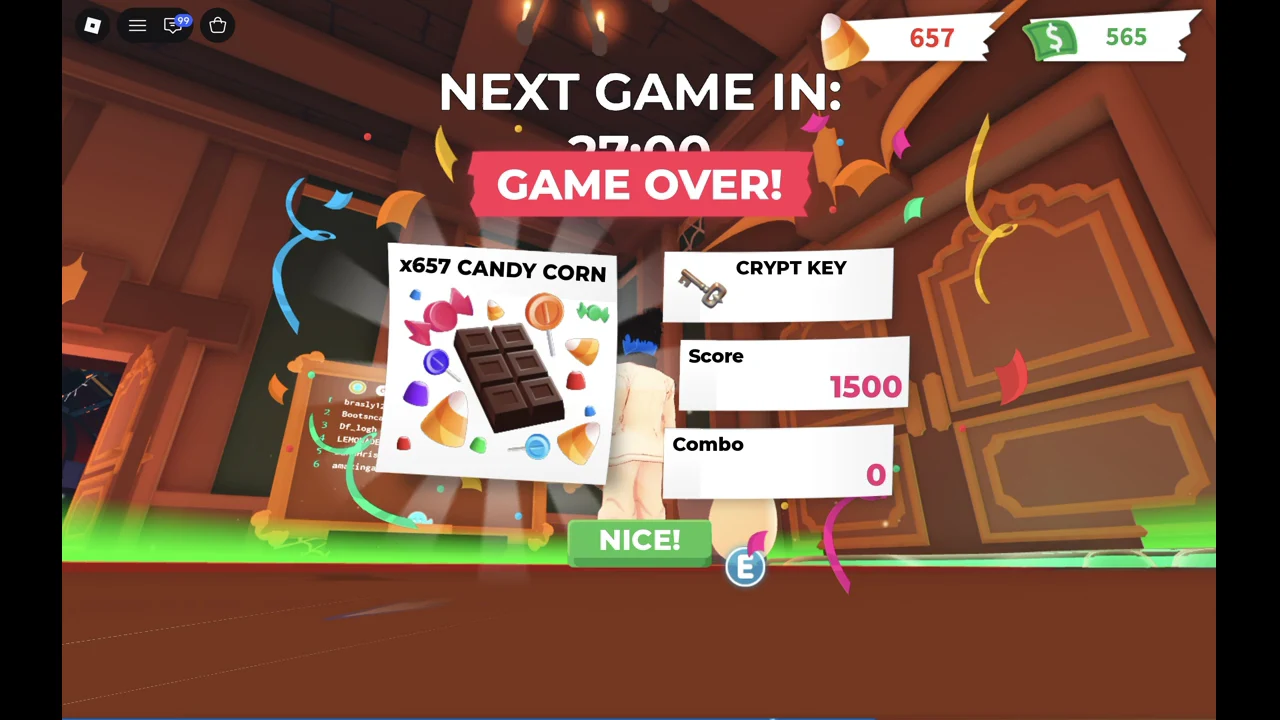
GAME OVER screen listing 657 Candy Corn and a Crypt Key for a score of 1500, with a NICE! button
The GAME OVER results screen with 657 Candy Corn, a Crypt Key, and a 1500 score.
ScoreComboCandy CornExtra reward
15000657Crypt Key
440001350Crypt Key

A higher score pays more Candy Corn, but the payout isn’t a flat rate per point. Your new Candy Corn total shows at the top of the screen, which is the quickest way to confirm the reward landed.
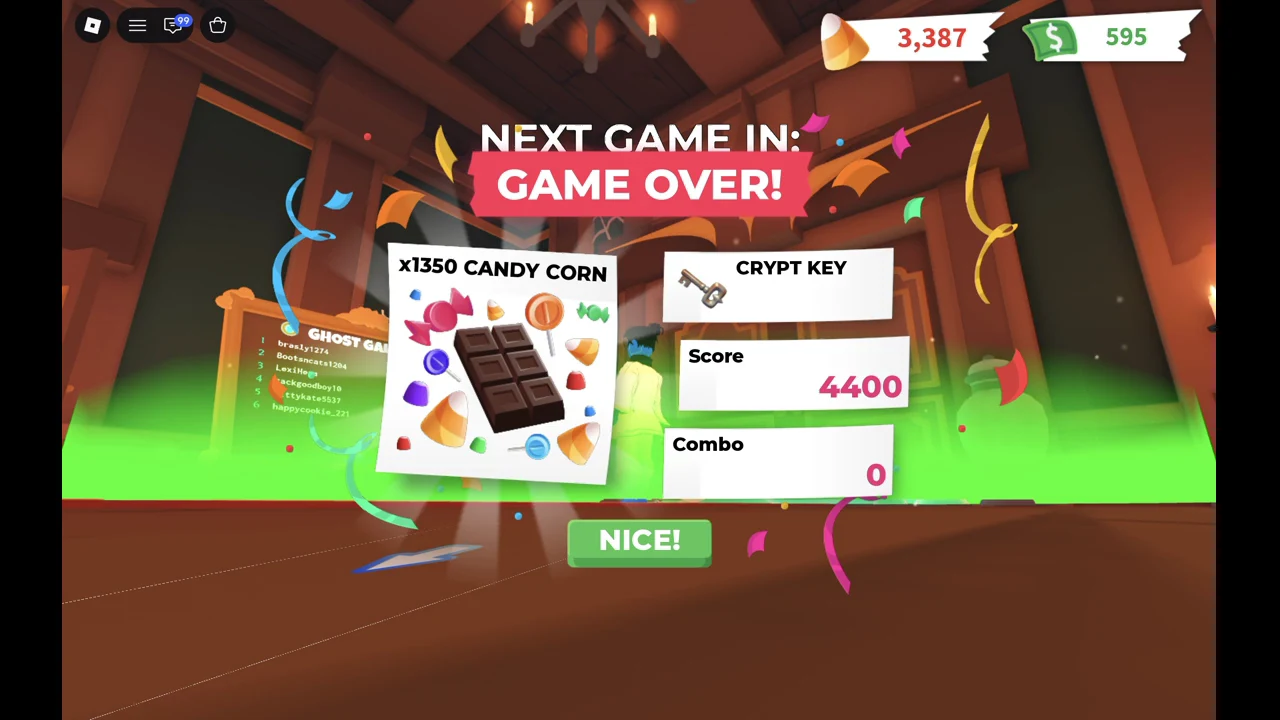
GAME OVER results showing a 4,400 score, 1,350 Candy Corn, a Crypt Key and the NICE! button
The GAME OVER! screen after a 4,400-point round: 1,350 Candy Corn and a Crypt Key.

Back in the hall, the “NEXT GAME IN” countdown resets to a longer wait, for example 26:20. The Ghost Gallery leaderboard stands nearby, and its top score sits at 190,500.
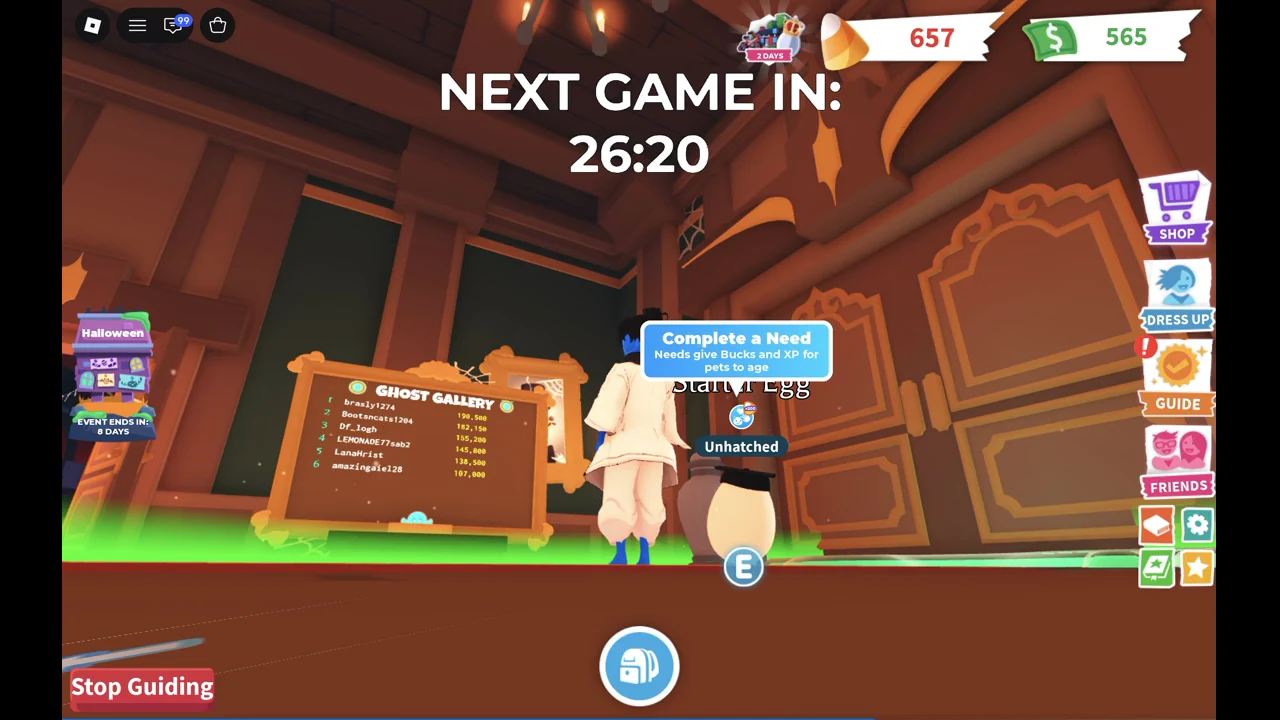
The Ghost Gallery leaderboard board in the Manor hall in Adopt Me after a round, with 657 Candy Corn in the top bar
Back in the Manor hall after the round: the Ghost Gallery leaderboard and the next countdown.

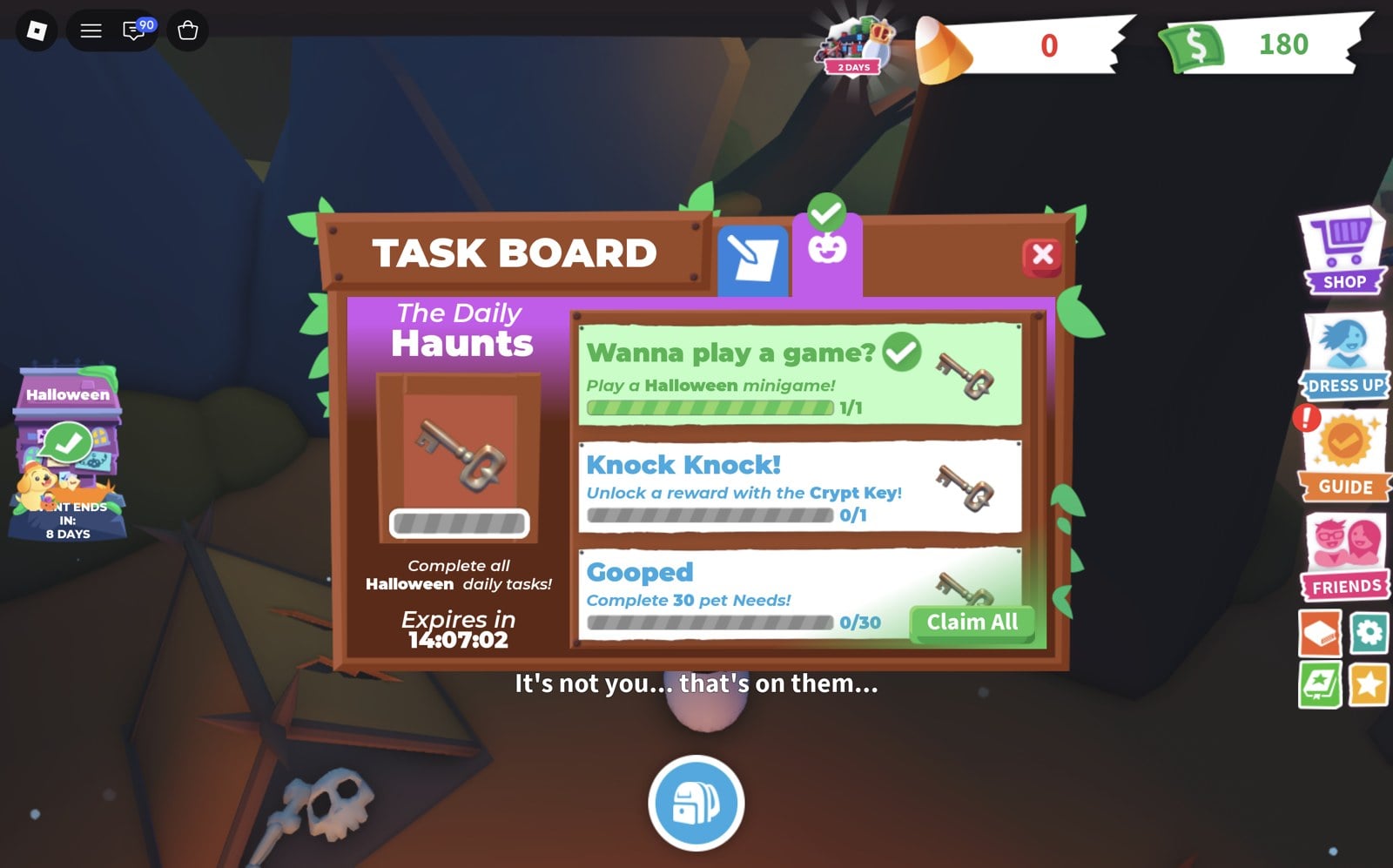
Completing one Ghost Gallery round fulfills the Daily Haunts task named “Wanna play a game?”, with the instruction “Play a Halloween minigame!” To claim the task:
Open the Halloween widget on the left side of the screen. It also shows how long the event has left.
Select TASK BOARD, then pick the pumpkin tab labeled The Daily Haunts.
Adopt Me Halloween TASK BOARD on The Daily Haunts tab with Wanna play a game? complete at 1/1 and the Claim All button
The Daily Haunts board after a minigame: Wanna play a game? is done at 1/1, with Claim All at the bottom.
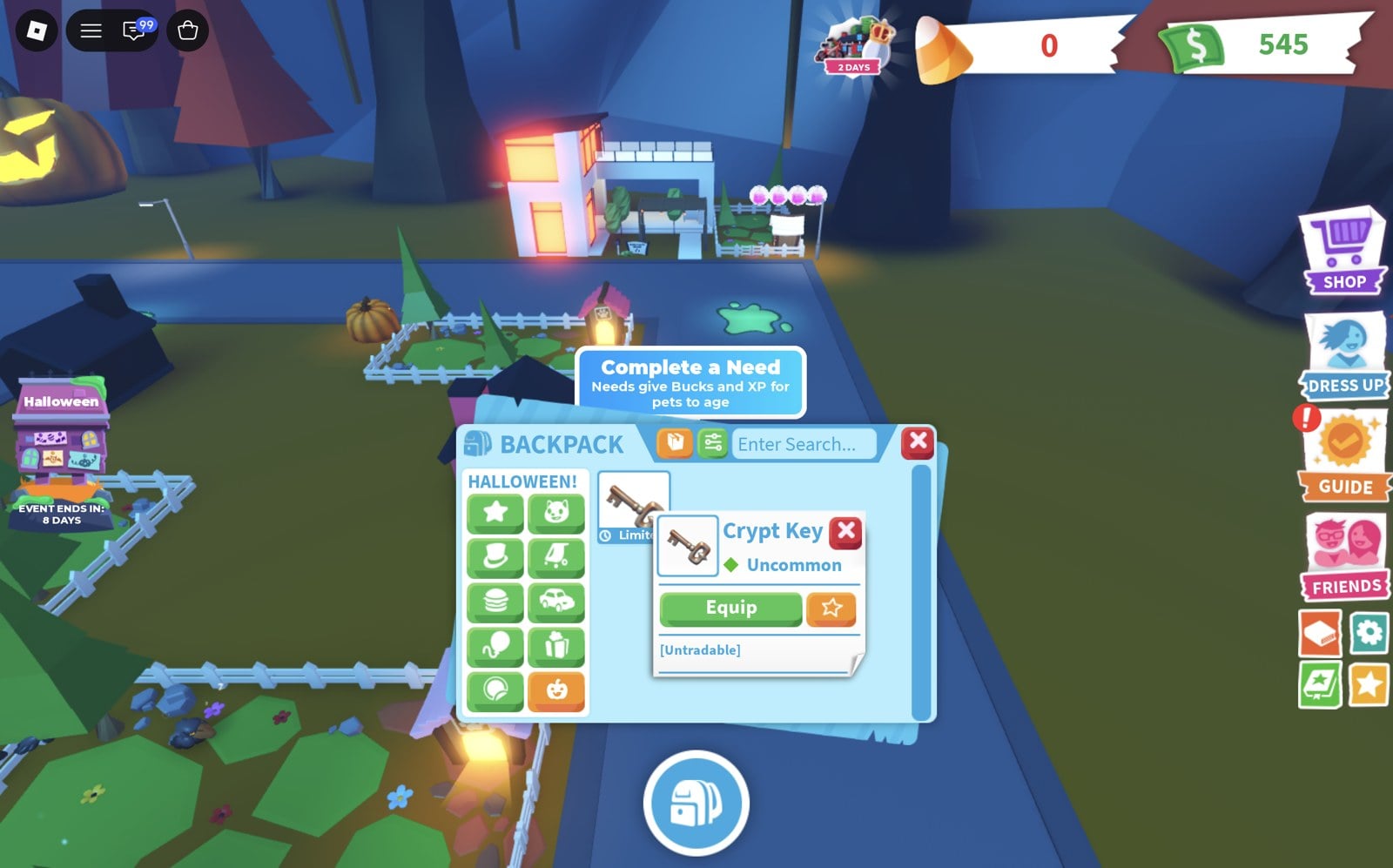
Press Claim All. Your reward is a Crypt Key, an Untradable, Uncommon Limited item that goes into the Halloween tab of your backpack.
Crypt Key card in the Halloween tab of the Adopt Me backpack, marked Uncommon and Untradable, with an Equip button
The Crypt Key in the backpack's Halloween tab.

The same board lists other daily tasks, each with a key icon as its reward, and an “Expires in” timer for the current set:

  • “Wanna play a game?” Play a Halloween minigame! (0/1)
  • “Knock Knock!” Unlock a reward with the Crypt Key! (0/1)
  • “Gooped” Complete 30 pet Needs! (0/30)
  • “Complete all Halloween daily tasks!” with a bigger key reward