Every Aniimo you drop into a Homeland facility works at a speed set by its Homeland Abilities, not its combat stats. There are 13 of these job abilities in total, and the one that matches a facility’s task decides how fast that facility finishes its orders. Get the right workers in the right slots and your farm keeps producing while you are logged off.
Quick answer: Homeland Abilities are 13 job skills, nine elemental and four general. A worker clears more workload per minute as its ability level climbs from 1 to 4, and the only abilities that matter for a facility are the ones its current formula asks for.
The 13 Homeland Abilities and the jobs they cover
Nine abilities share names with the combat elements, but around the farm they map to completely different tasks. Each one specializes in a type of work, from planting and cooking to cooling and lighting the space.
| Elemental ability | Homeland job |
|---|---|
 Fire Fire | Cooking, smelting, and supplying heat |
 Grass Grass | Planting seeds and gathering resources |
 Water Water | Brewing, fetching water, and watering plants |
| Earth | Reclaiming land and mining resources |
| Lightning | Manipulating electricity |
 Ice Ice | Cooling the Homeland environment |
 Wind Wind | Controlling wind to process products |
 Dark Dark | Harvesting crops, cutting plants, pickling, and drying |
| Light | Illuminating the Homeland |
The other four abilities are general jobs that have nothing to do with elements. These cover moving goods, crafting, play-based production, and the perfume bench.
| General ability | Homeland job |
|---|---|
| Hauling | Transfer accumulated facility produce into Home storage |
| Artisanship | Creating handcrafted goods, furniture, and appearance items |
| Leisure | Producing items through play and leisure facilities |
| Perfumery | Working at the perfume station |
An Aniimo has one general job in addition to its element role. Check both in the Aniimo box, then drag the creature into an unoccupied work slot at a facility.
How ability level sets work speed
Every ability ranges from Level 1 to a maximum of Level 4. Each recipe has a Workload cost, which its assigned worker reduces at a steady per-minute rate based on that ability’s level for the job. A more highly skilled worker finishes an identical recipe in less time.
| Ability level | Workload per minute | Efficiency |
|---|---|---|
| Level 1 | 60 |  Basic Basic |
| Level 2 | 75 | Better |
| Level 3 | 90 | High |
| Level 4 | 105 | Maximum |
When two Aniimo can do the same job, the one with the higher ability level is the better worker. Level 4 is rare. Among standard creatures, Prismana forms reach it, and they are hard to obtain. Until you have one, staff a Level 3 Aniimo and swap in the Level 4 worker later.
Crops and cooked food use an offline timer, allowing plants to grow while you are logged out. Processing and cooking do not continue indefinitely, so choose queue durations that match the time you expect to be away.
Two bonuses that add 20% efficiency each
Beyond raw ability level, two separate modifiers push a worker’s output higher. Both are worth 20%, and they stack with each other.
Element level above the requirement
If an Aniimo’s element level sits one step higher than what the facility’s formula requires, its work efficiency rises by 20%. Checking the Ability Distribution on the facility tells you the required level, so you can tell when a worker is over-qualified and earning the bonus.
Personality matched to the facility
Every Aniimo receives four MBTI-style personality letters when it hatches. Each letter speeds up specific facilities by 20% when the worker stands in one of them. Because an Aniimo holds one letter from each of four opposing pairs, it can only ever earn one of these bonuses at any single building.
| Personality | Facilities it speeds up |
|---|---|
| Energetic (E) | Bouncy Brew Keg, Woodworking Bench |
| Instinctive (I) | Phonolfactory Table, Dewy House |
| Practical (S) | Claw Game Cooker, Chimney Kiln |
| Nimble (N) | Jukebox Dryer, Blazing Stove, Floral Windmill |
| Tenacious (T) | Carousel Mill, Simmering Pot |
| Faithful (F) | Joy Wheel Loom, Well, Starfall Hammock |
| Judicious (J) | Crafting Table, Tidewhisper Sandcastle, Nimbus Bed |
| Playful (P) | Mine, Pickling Jar |
When filling a slot, weigh both bonuses. For a Claw Game Cooker, first pick a worker with the right Fire level, then favor one whose personality contains S to add the cooker bonus.
Assigning workers without wasting slots
Match workers to the exact abilities your facilities ask for rather than trying to cover every element. On the Aniimo management screen, click the exclamation point beside Ability Distribution to see an estimate of the elements and jobs your Home currently needs.
- Prioritize Aniimo with three Homeland Abilities so one creature can staff several facility types.
- Keep at least one Hauling worker active at all times, such as Glacy or Grizbo, or finished goods pile up at facilities instead of moving to Home Storage.
- Some facilities need a specific Aniimo to make their product, like the Dewy House and the Tidewhisper Sandcastle.
- Three processors are easy to staff wrong: the Chimney Kiln is Fire (not Earth), the Pickling Jar is Dark, and the Crafting Table runs on Artisanship alone.
An Aniimo working at a facility is unavailable for combat. To have the same creature farm and fight, catch multiple copies.
How to unlock Homeland
Homeland opens at character Level 20 through an introductory RV mission. The whole setup is a short sequence that ends with your first crop sold.
Homeland unlocks once you sell the tutorial crop. Then continue through Act 1: Together with Aniimo to open the remaining facilities.
Leveling the RV to expand production
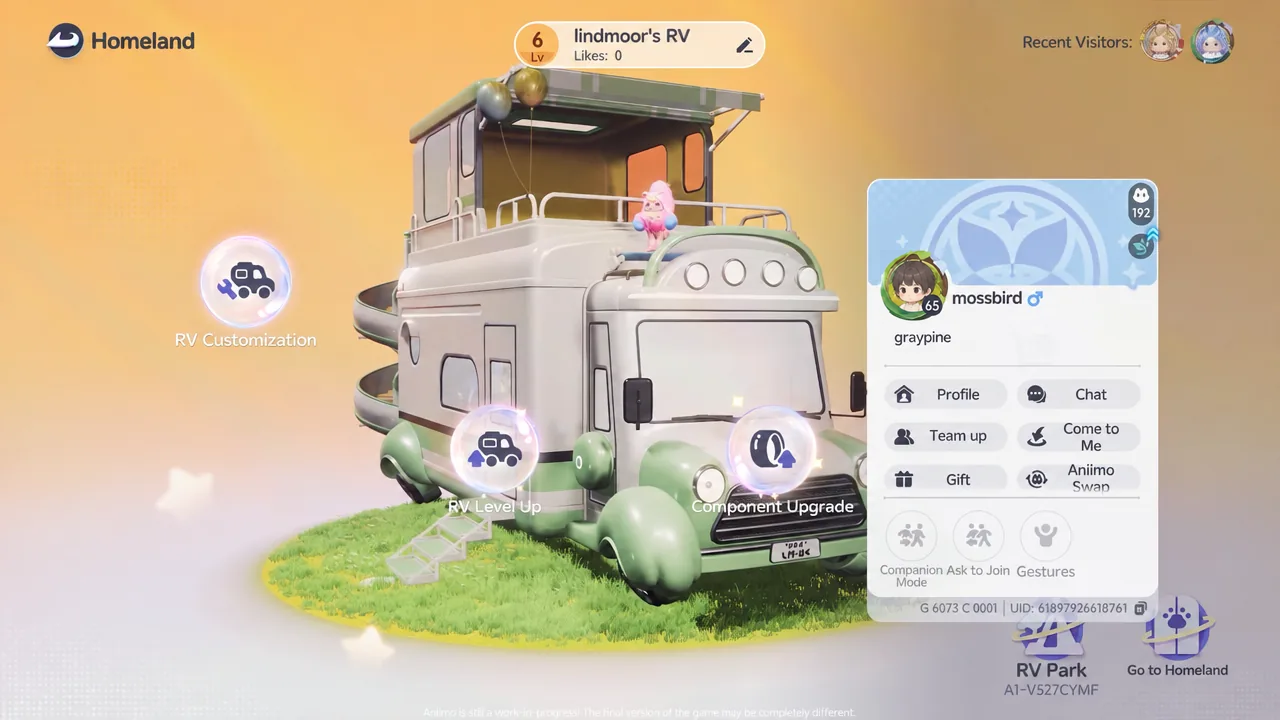
Your RV is the gateway to Home and the hub for its progression. Each level adds plots, increases the Aniimo cap, unlocks facility features, and improves output. Every upgrade requires objectives and materials, with new requirements at each level.
To reach RV Level 2, complete The Wondrous RV quest and place four farmland plots. That upgrade raises your Aniimo capacity to eight, unlocks the Storage Unit and the Kitchen Module, lifts the facility and daily order limits, and adds new shop stock. Later upgrades keep adding plots, modules, and rewards.
The production loop that funds all of this is simple: unlock a plot, place a facility, read its Ability Distribution, and assign workers whose jobs match. Keep seeds stocked in the warehouse before logging off so facilities never run dry, then cash in produce at the Home Co-op Store or save it for Daily Orders to pay for the next RV level.
Focus your Woodlands and Mines on their highest-level products. The materials needed to upgrade the RV are byproducts of harvesting trees and mining, so higher-tier nodes yield more of them.
The RV level-up screen verifies the upgrade by displaying the new level, increased capacity, and unlocked modules. Keep workers assigned, food stocked, and the Hauling slot occupied; your farm will operate on its own while you explore or stay offline.