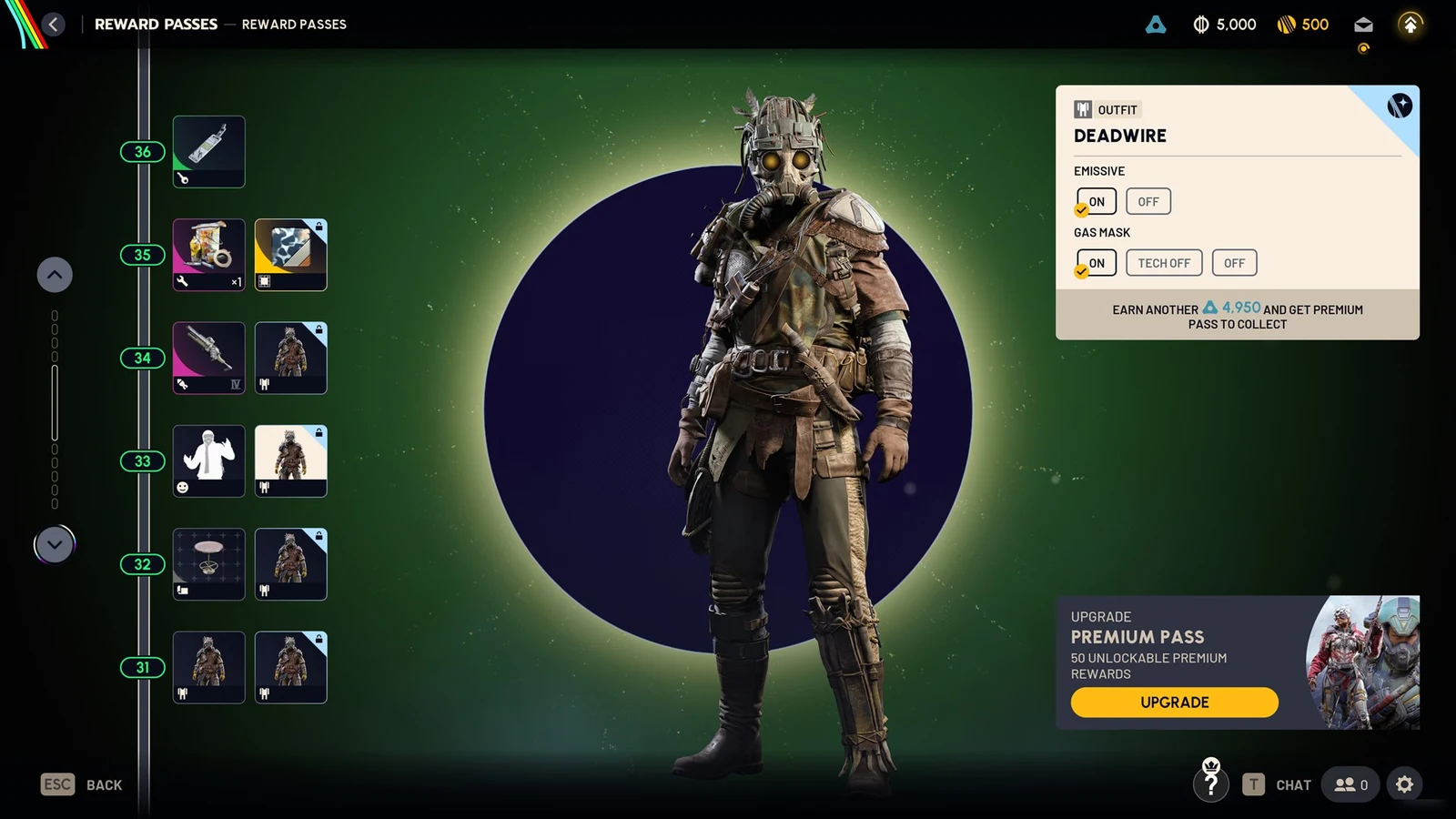
The glowing light on your backpack in ARC Raiders can mark your position in dark buildings and during Night Raids. The Frozen Trails 2.0 update added a way to shut it off. The control sits in the backpack customization menu, under a setting called Emissive, and it applies to any pack that carries a lit element.
Quick answer: Open Raider, then Customization, then the Style tab. Select Backpack, pick your equipped pack, and set Emissive to Off. The change takes effect on your next raid.

Turn off the backpack light through the Emissive setting
You adjust the light from the Raider customization screen in Speranza, not from inside a match. Follow these steps in order.
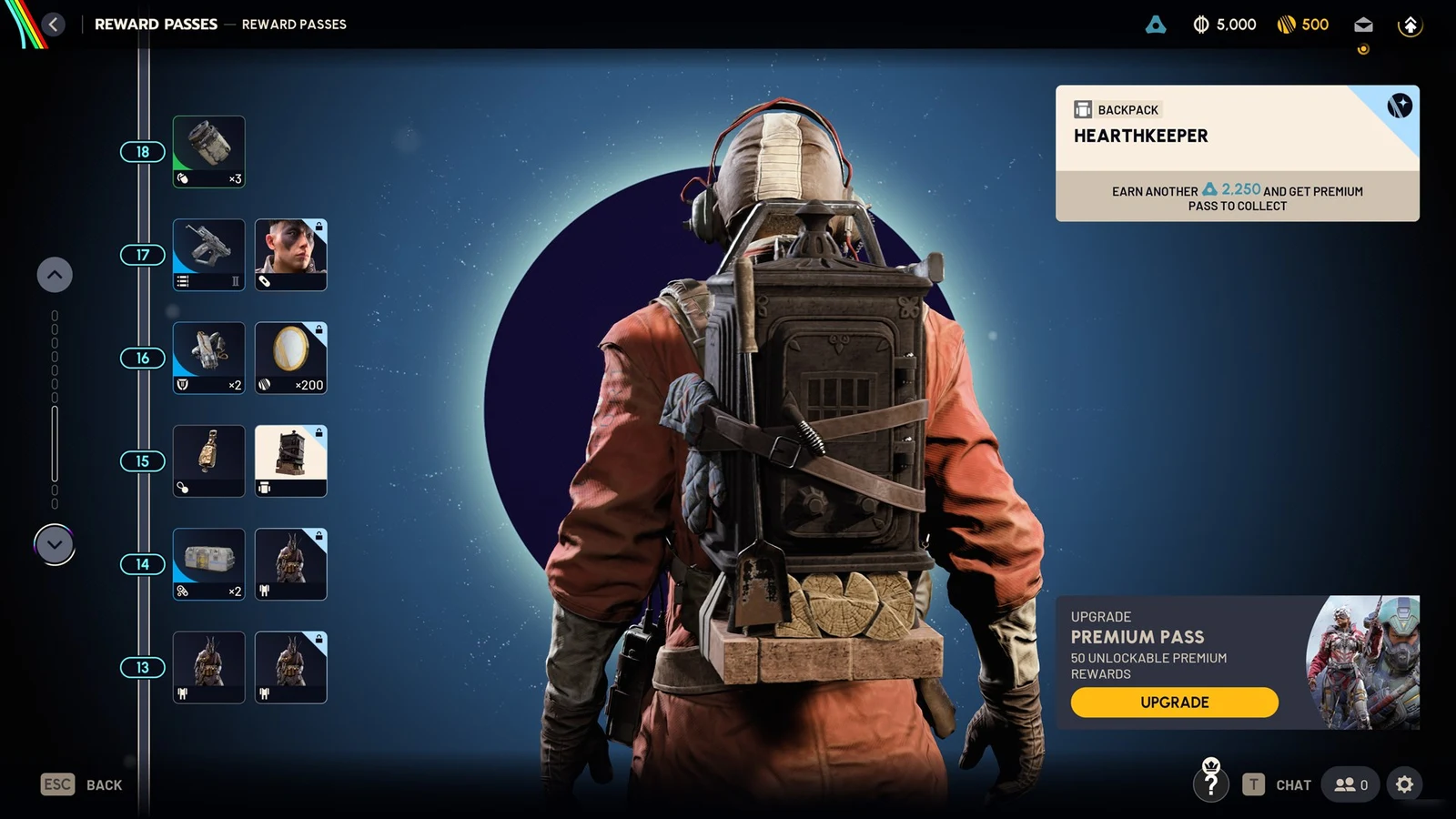
The light disappears in the preview the moment you toggle it. You can turn it back on from the same screen whenever you want. Where the light sits on the model depends on the pack, so different backpacks lose different glowing details.
The Emissive option is unavailable while a match is underway. If you deploy with the light enabled, you must return to Speranza to turn it off. Change the setting before entering a nighttime mission or stealth run.
How to confirm the light is off
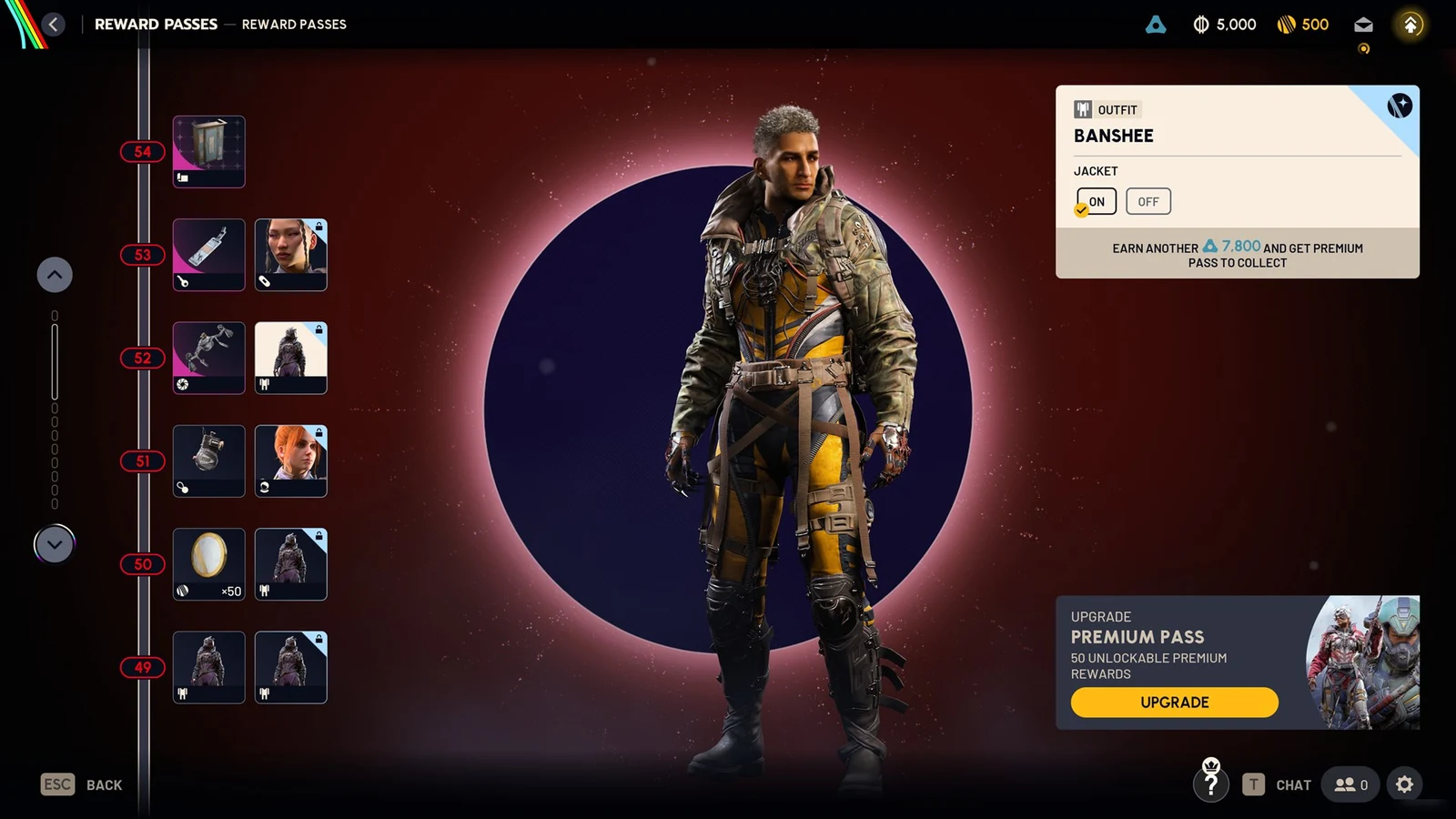
Check the character preview on the customization screen first. With Emissive set to Off, the backpack’s lit details vanish from the model straight away. When you then load into your next raid, the lights stay off for the whole match. You do not need to buy a cosmetic or unlock an upgrade to use the toggle.
What turning off the light changes in play
The Emissive toggle lives in the cosmetic system, but it has a practical effect. A bright pack detail stands out against dark backgrounds, which can give you away when you hide behind cover, move through unlit interiors, or watch other players from range. Switching the light off removes that visual clue.
It does not make you invisible. Other Raiders can still spot your silhouette, catch your movement, and hear your footsteps. You also lose the glow that can make your own character easier to pick out in the darkest areas of the map. For players who favor stealth over a flashy look, leaving Emissive off before every raid is a simple trade.