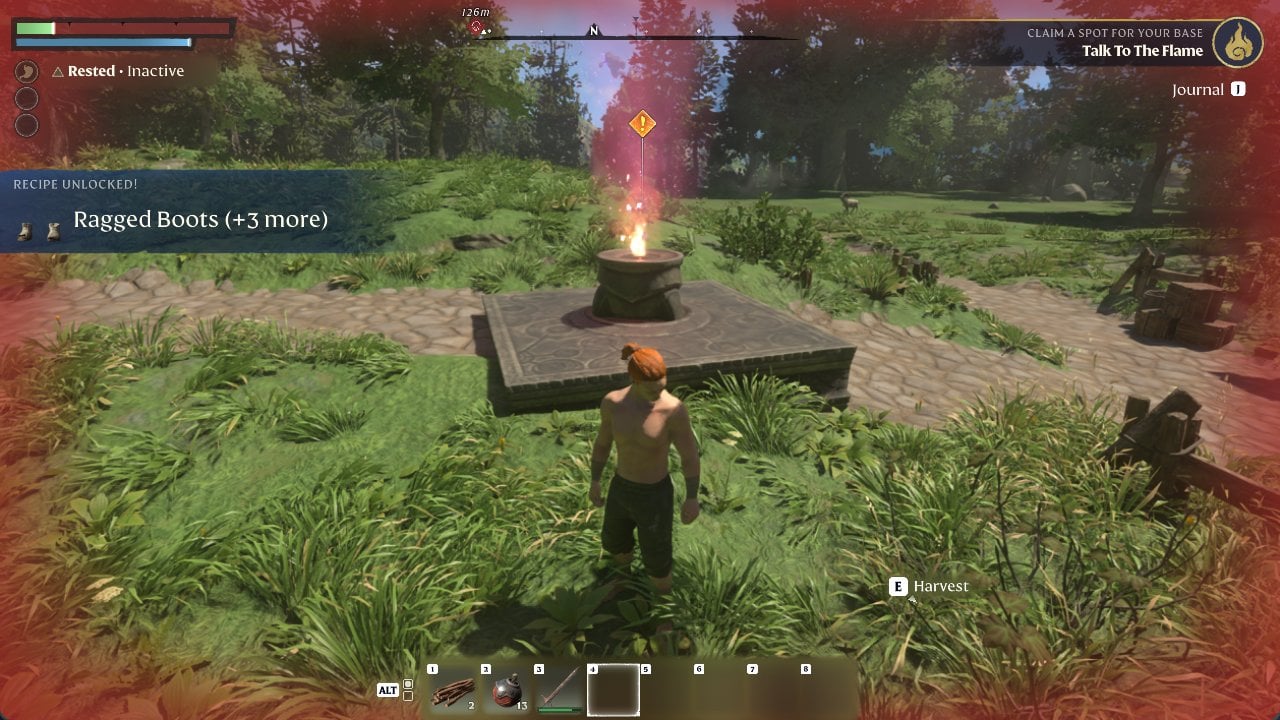
The Flame Altar is the anchor for your base in Enshrouded. You build the first one in the Plains meadow north-east of Longkeep, during the quest Claim A Spot For Your Base and its objective “Build A Flame Altar”. Once it is down and lit, it marks your respawn point, opens a menu of base and character upgrades, and pushes the story forward. If you have not reached the Plains yet, follow the Cinder Vault walkthrough to escape to the Plains first.
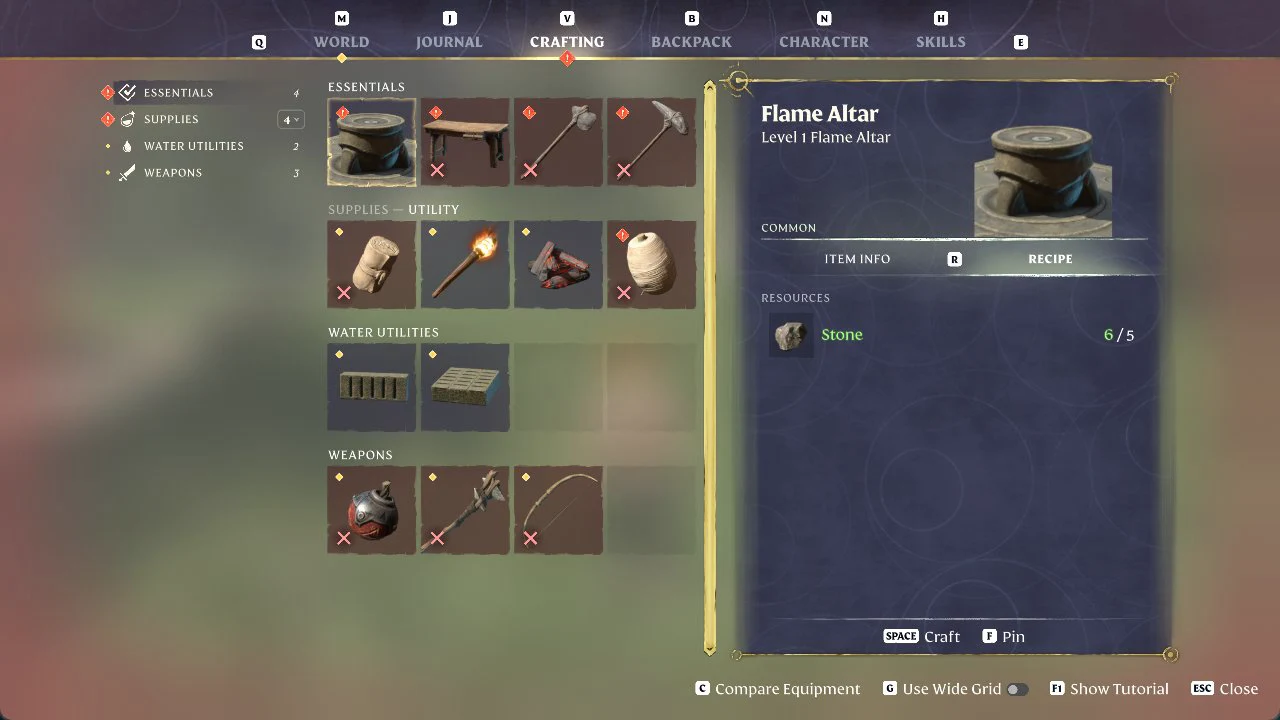
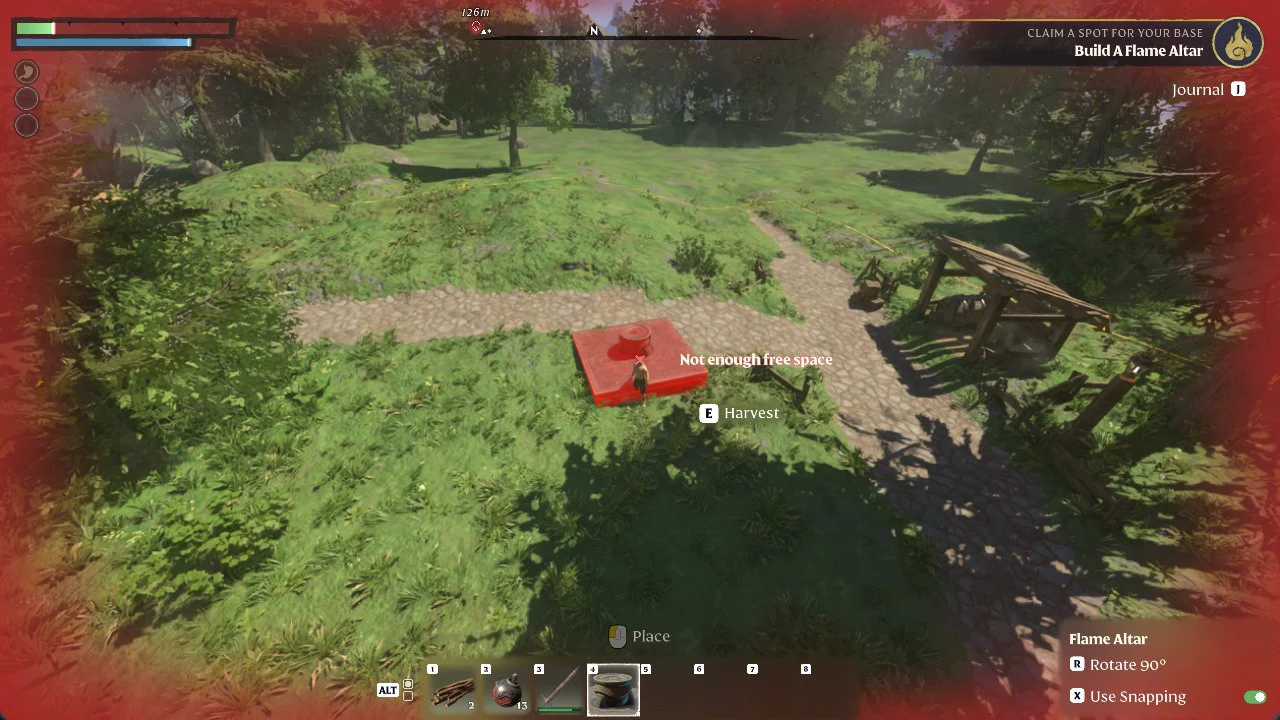
Quick answer: Pick up Stone x5 from the grass, open Crafting (V), craft the Level 1 Flame Altar under Essentials, select its hotbar slot, place it where the preview turns blue, then press E to commune with the Flame.
What you need before building the Flame Altar
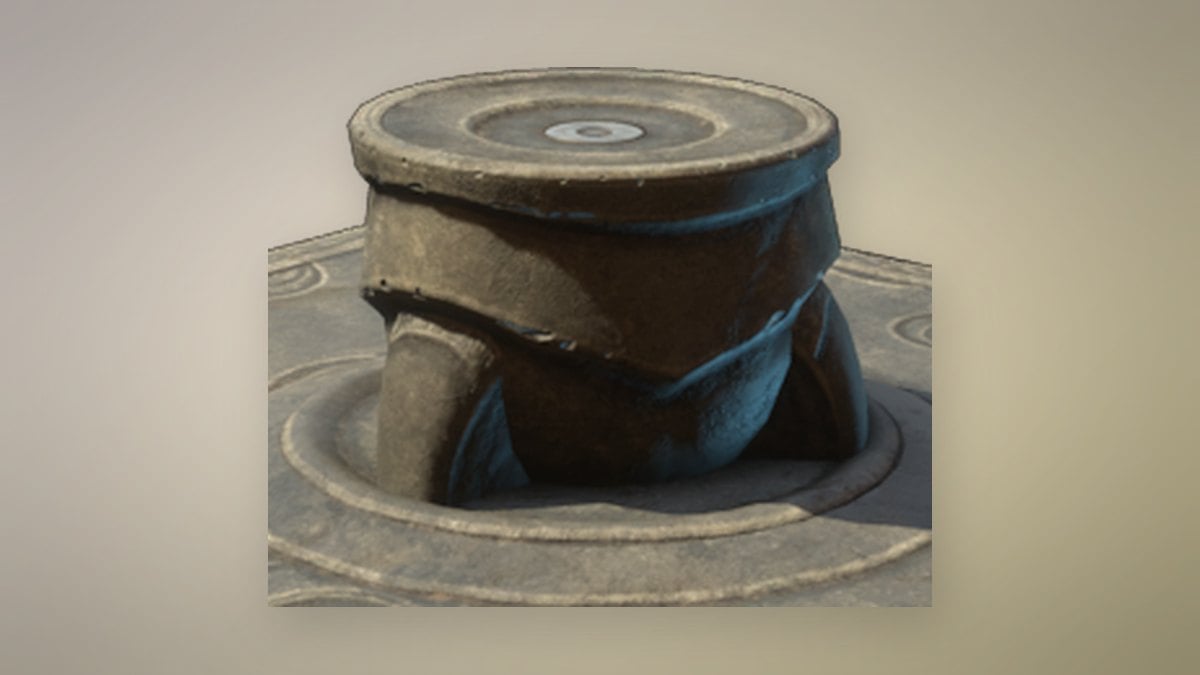
You already have the recipe. Communing with the Flame back in the Cinder Vault unlocks it right away, shown on screen as “RECIPE UNLOCKED! Flame Altar”. The only material you need is Stone x5.
Stones are scattered through the grass in the Plains meadow. Hold E near them (“Collect nearby loot”) to pick up several in one go. One pickup may yield Stone x3 and reveal additional recipes, for example “RECIPE UNLOCKED! Axe (+1 more)”.
Craft and place your first Flame Altar
After placement, the quest progresses. A notice reads “QUEST UPDATED: Claim A Spot For Your Base” and gives the new objective “Talk To The Flame”; “RECIPE UNLOCKED! Ragged Boots (+3 more)” appears as well.
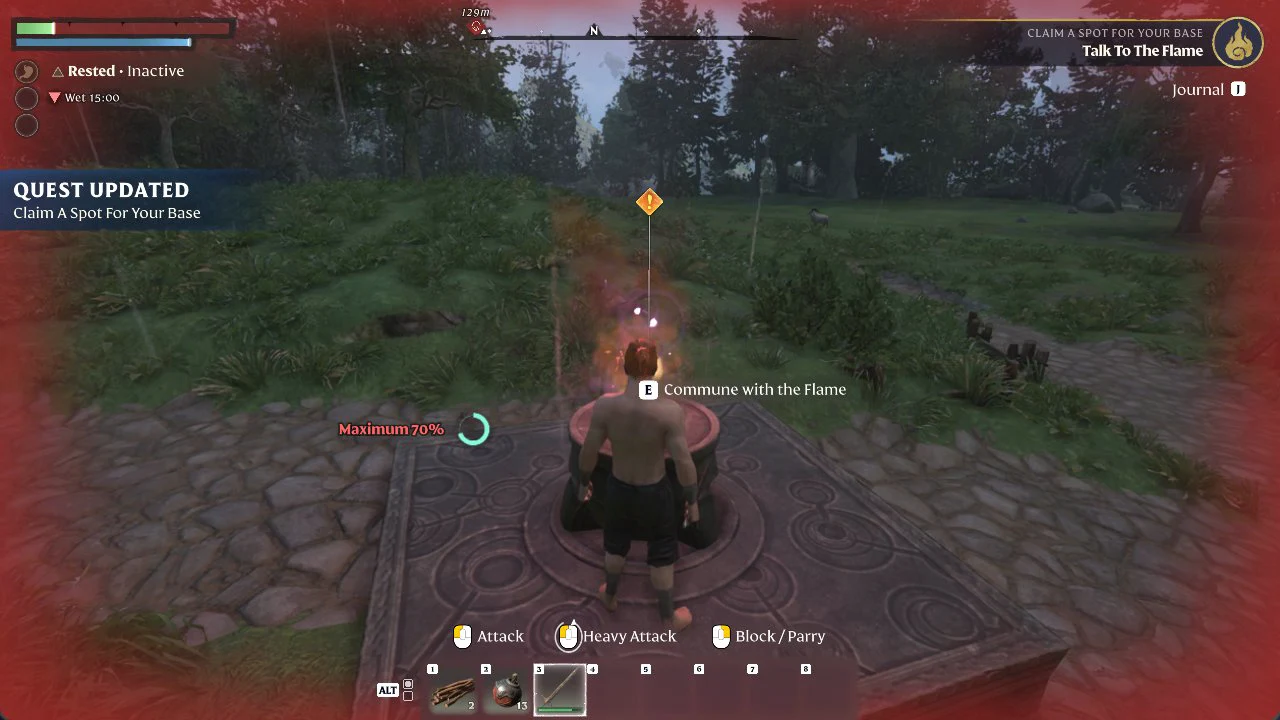
Commune with the Flame
Approach the altar and press E for “Commune with the Flame”. The Flame speaks:
“You are not alone. There are other survivors, drowsing in nearby Ancient Vaults. Find them so they may aid in your journey. Go gently — one beckons nearby, just outside of the Shroud’s grasp.”
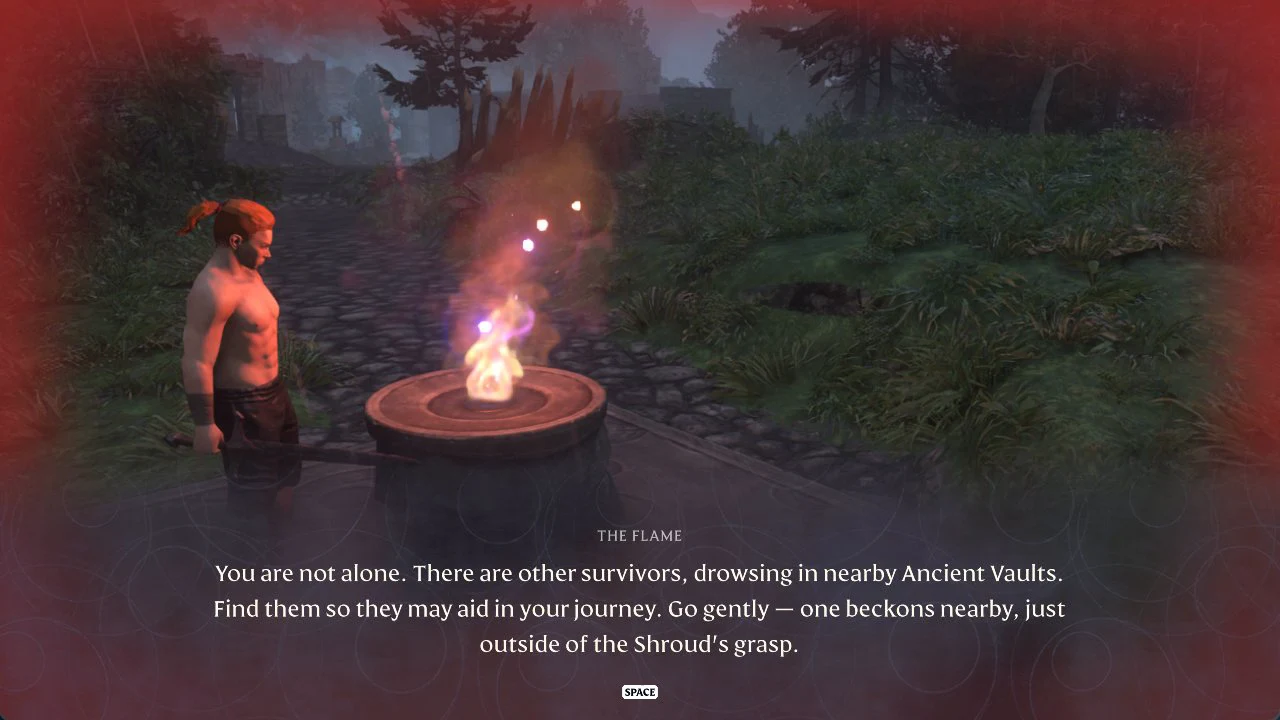
Press Space to continue. During this scene the character reached Level 2: the achievement “Doing something right” (“Reach level 2.”) popped, followed by the “LEVEL UP! 2” screen with its “Invest Skill Points” prompt. You also get “NEW LOCATION CHARTED! 1 markers added.”
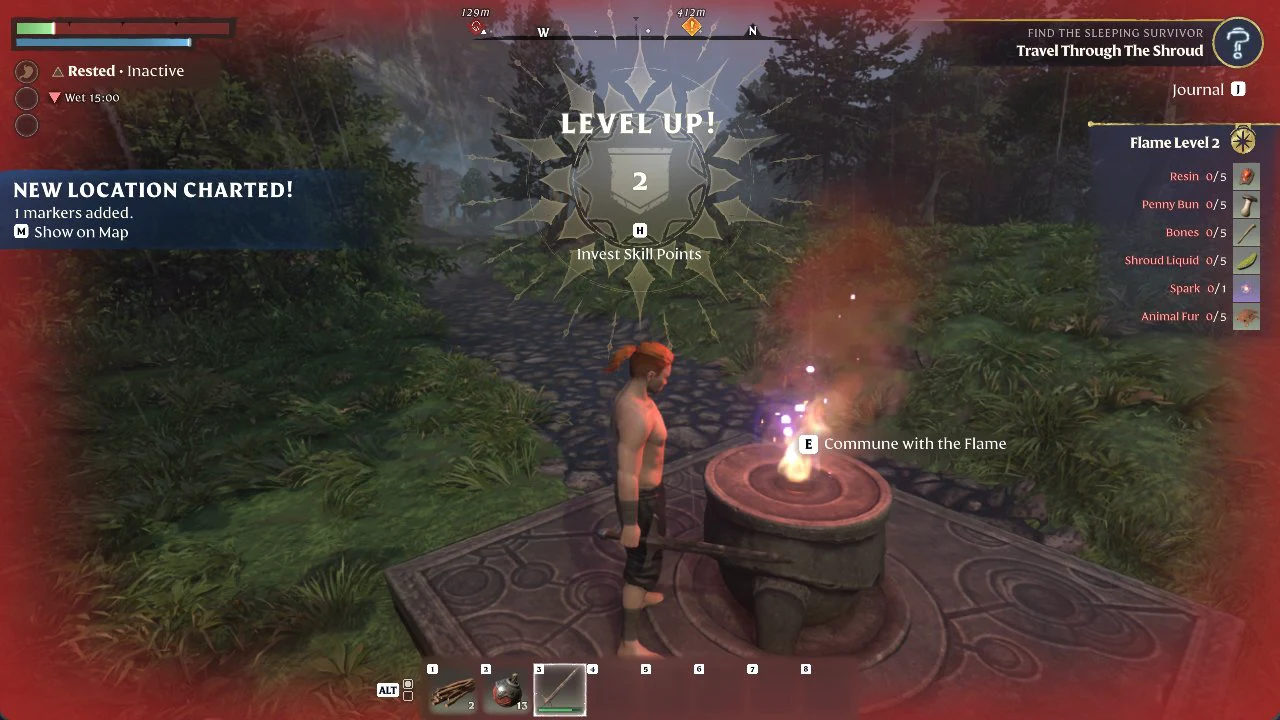
Next, the quest becomes “Find The Sleeping Survivor”, with “Travel Through The Shroud” as its objective. You can verify the altar worked without hearing the dialogue: dying in the Shroud now sends your character back to this Flame Altar.
What the Flame Altar menu does
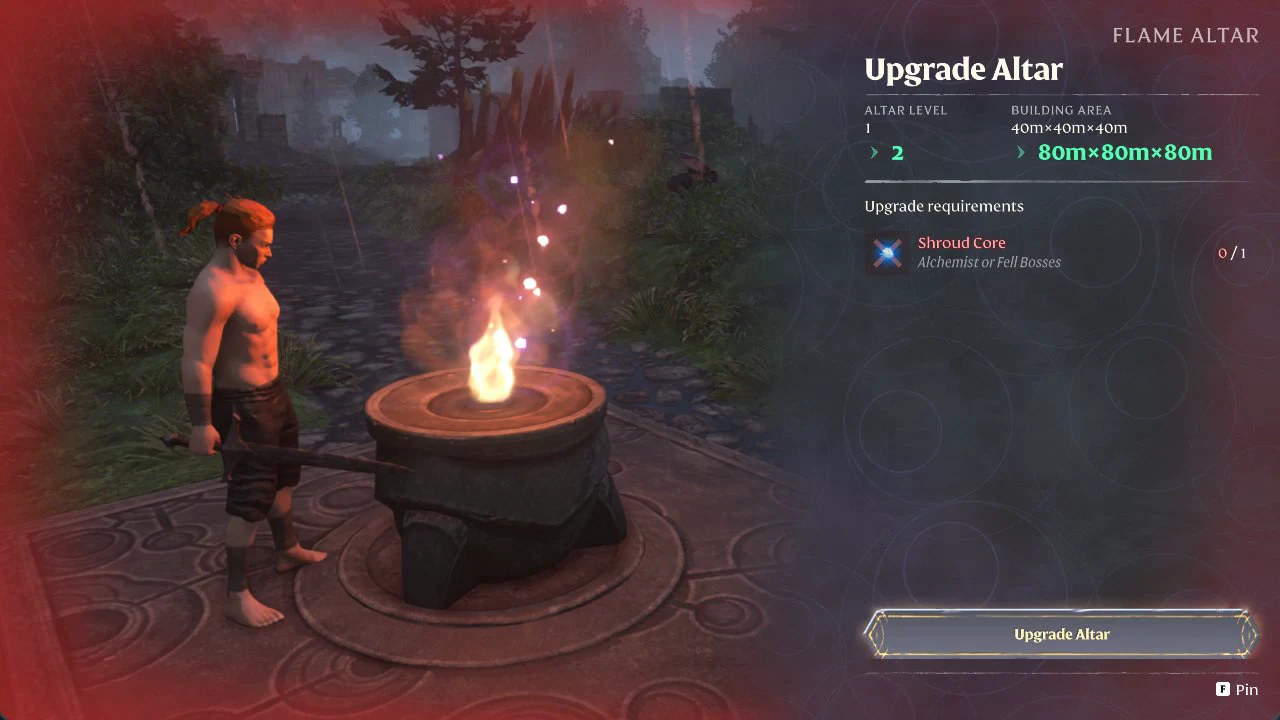
Interact with the altar after communing to open its menu. It shows ALTAR LEVEL 1 and a BUILDING AREA of 40m×40m×40m, plus a row of options: Upgrade Altar (“Extend its building range”), Strengthen the Flame (“Gain global benefits”), Reskill (“Modify or Reset the Skill Tree”), Remove Water, Deactivate Altar, and “Set as preferred spawn altar” (“If set, players entering your world for the first time will spawn at this Flame Altar.”). Rename Altar is offered as well.
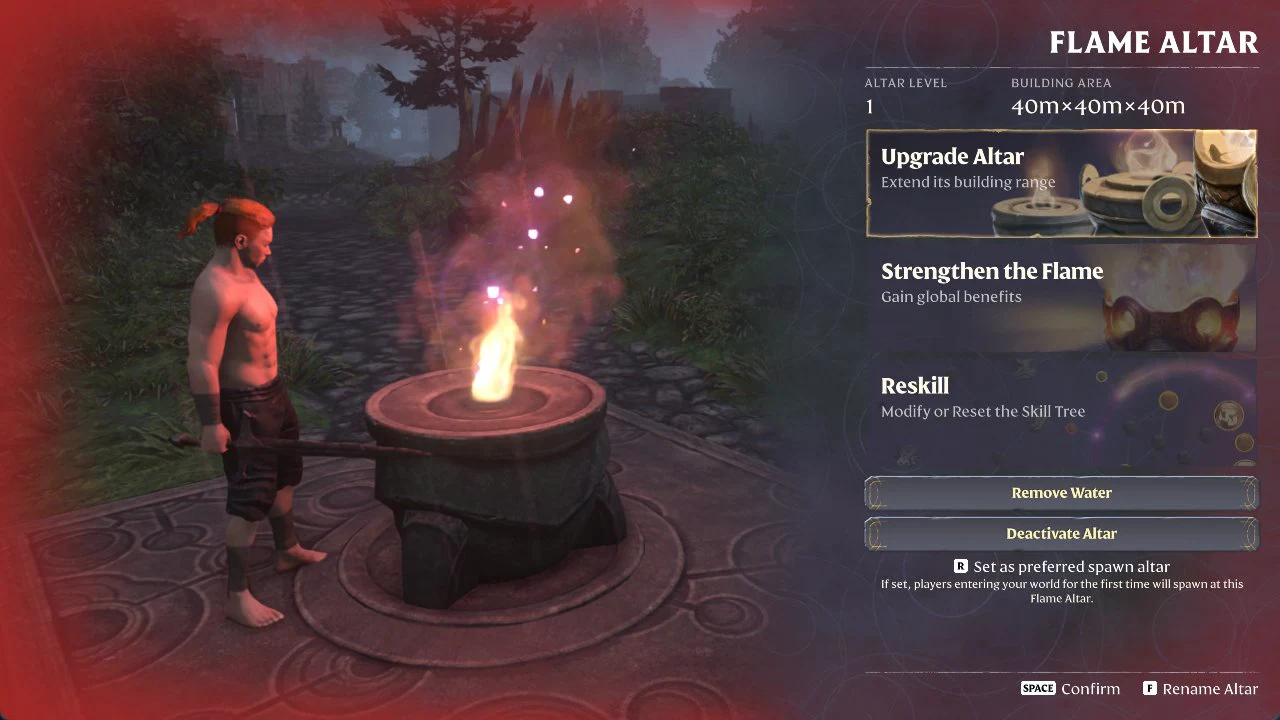
Upgrade Altar: extend the building range
Choosing Upgrade Altar enlarges the area available for building. At Altar Level 2, the Building Area increases from 40m×40m×40m to 80m×80m×80m. The upgrade uses Shroud Core x1; the in-game source listing names “Alchemist or Fell Bosses”.
Strengthen the Flame: global benefits
Strengthen the Flame raises the Flame Level, which changes several world and character limits at once. Going from Flame Level 1 to 2 adjusts the values below. One of those is Time in the Shroud, which rises from 5min to 6min; for how that clock behaves and other ways to stretch it, see the Shroud timer guide.
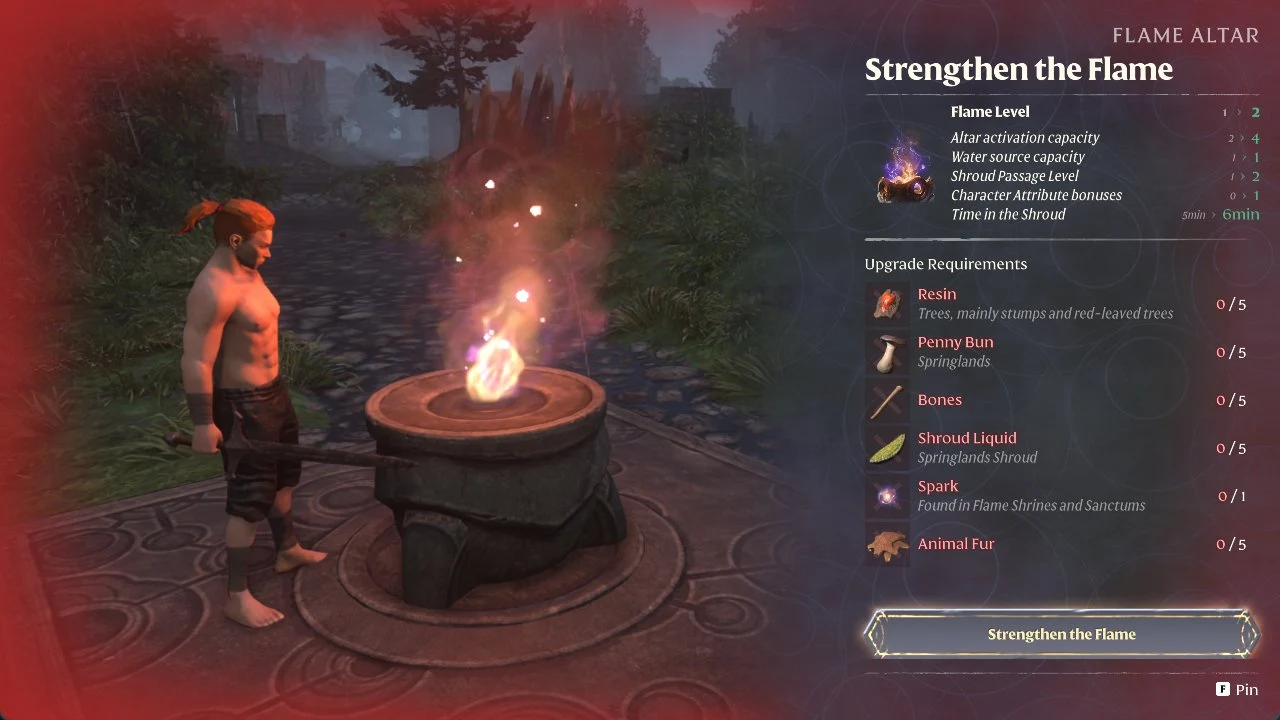
| Benefit | Flame Level 1 | Flame Level 2 |
|---|---|---|
| Altar activation capacity | 2 | 4 |
| Water source capacity | 1 | 1 |
| Shroud Passage Level | 1 | 2 |
| Character Attribute bonuses | 0 | 1 |
| Time in the Shroud | 5min | 6min |
The Flame Level 2 upgrade requires the following:
- Resin x5 (Found on trees, especially stumps and trees with red foliage)
- Penny Bun x5 (Springlands)
- Bones x5
- Shroud Liquid x5 (Springlands Shroud)
- Spark x1 (Found in Flame Shrines and Sanctums)
- Animal Fur x5
Press F to Pin the upgrade requirements. They will then appear as a checklist on the right side of the screen under “Flame Level 2”, making it easy to see what you still need to collect. Once you have everything, follow how to strengthen the Flame to Level 2 for the upgrade itself and what it unlocks.
Tracking your base on the World Map
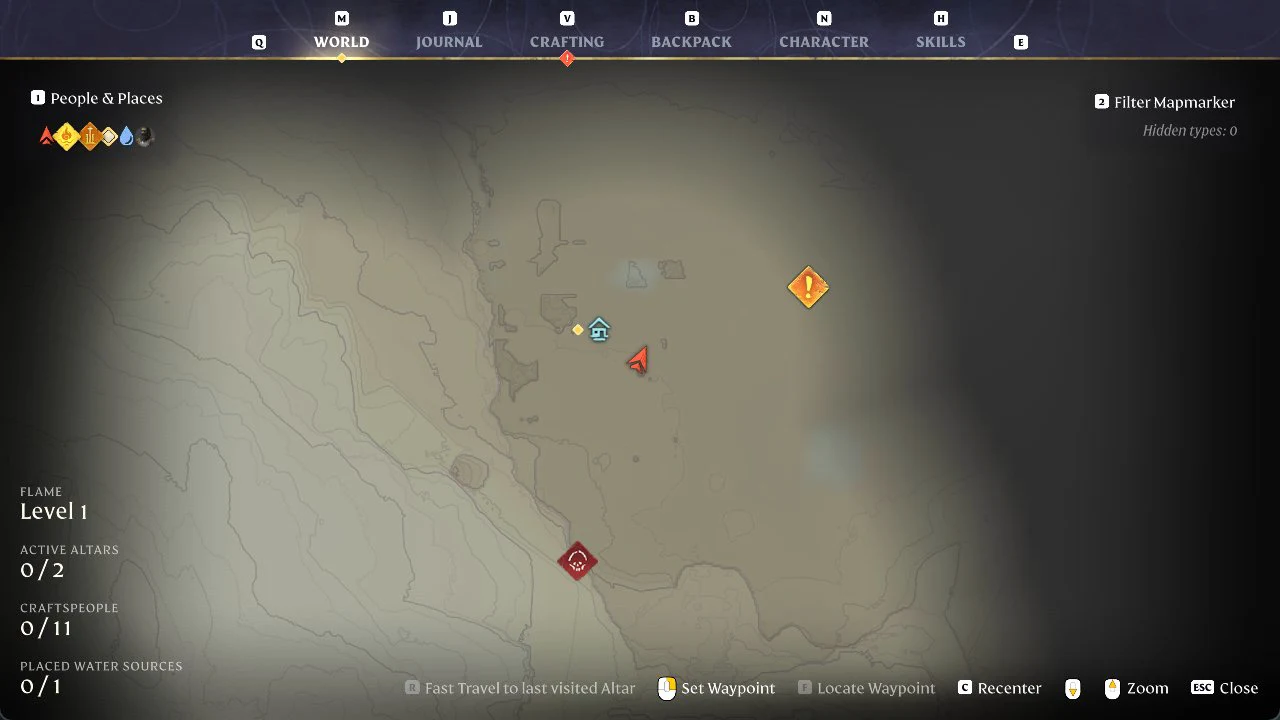
Press M to view the World Map and track your progress. Before the first altar is placed, its panel reports Flame Level 1, with ACTIVE ALTARS at 0/2, CRAFTSPEOPLE at 0/11, and PLACED WATER SOURCES at 0/1. You can also choose “Fast Travel to last visited Altar” on the map (holding R, as covered in how to fast travel to your Flame Altar). Once you have the materials again, you can build more altars away from this base; see how to place a second Flame Altar.
Enemies can still reach your Flame Altar
The altar marks your base and respawn point, but it does not keep animals away from it. When we loaded back into our game at the altar, two wolves were already attacking beside it, and the condition list on the left showed a red “Threats nearby” line. Check your surroundings as soon as a save loads.
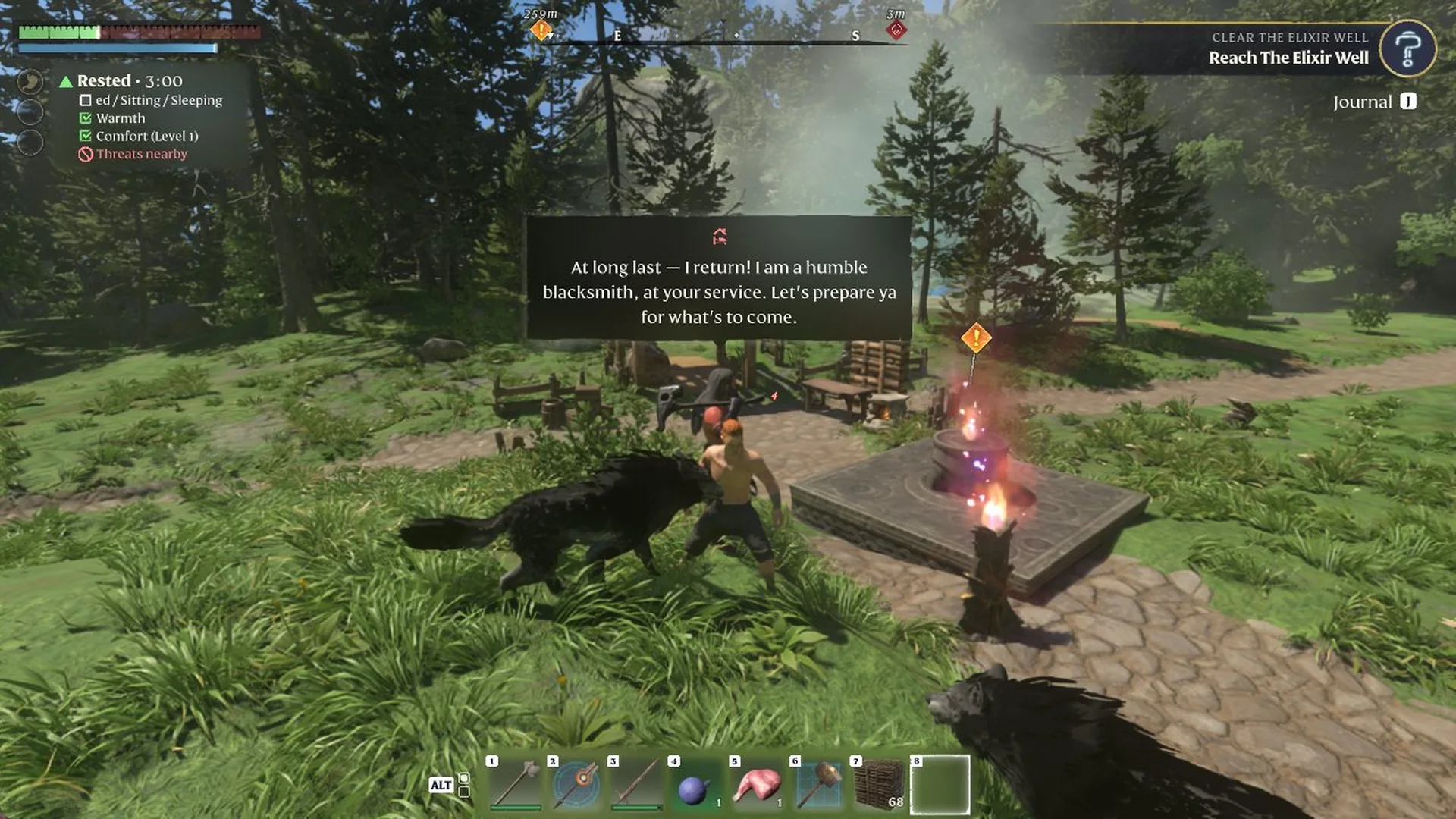
Fight them as you would anywhere else. Each wolf we killed showed “Enemy slain” and left a body with an E Loot prompt. Its loot panel held Bones x2 and a hide, and F (Take All) picked up both.
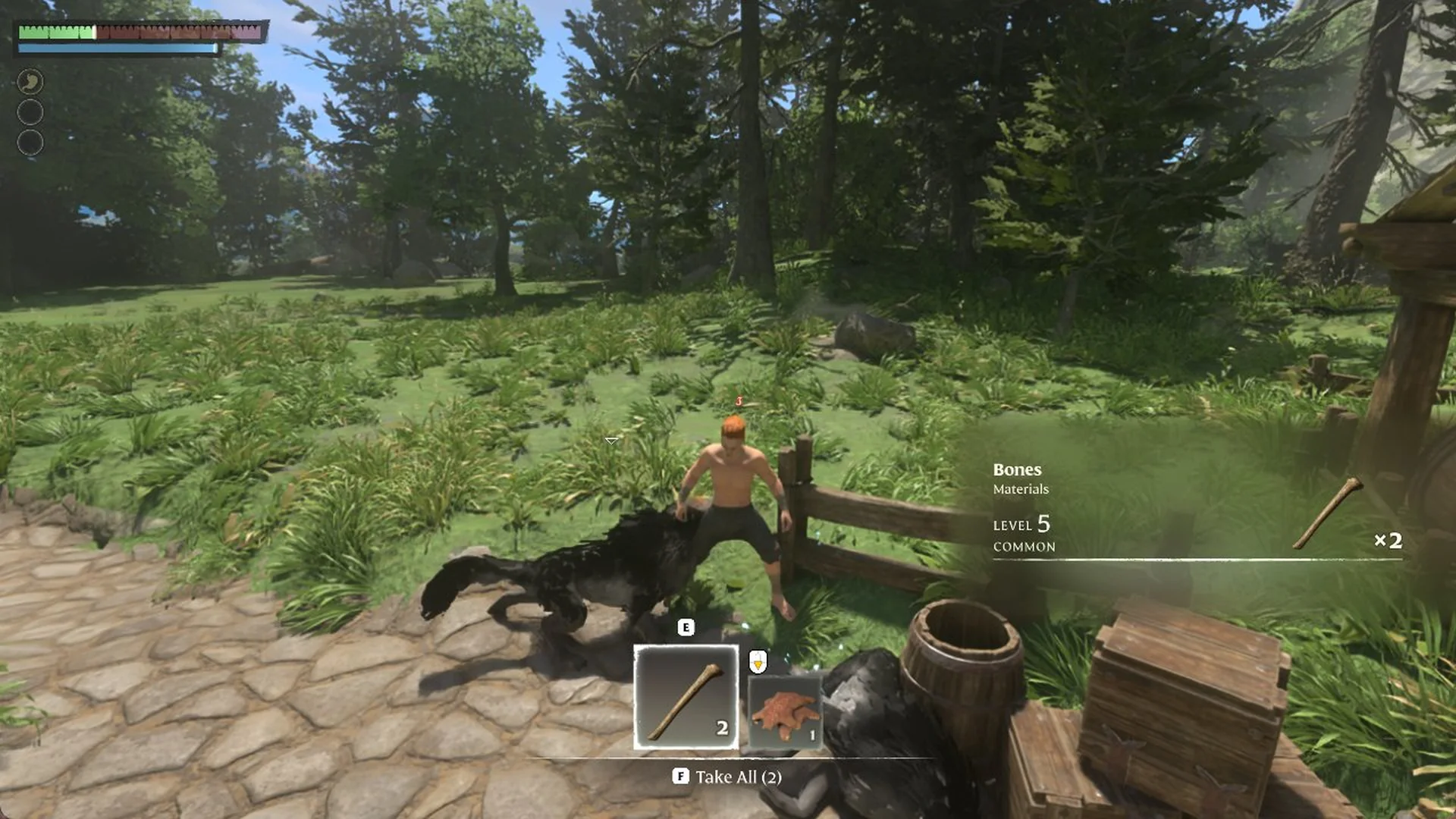
If something kills you at the base, you respawn at the altar and your dropped backpack waits where you fell, marked with your character’s name and an E Retrieve prompt. In our game it sat right next to the altar. The full steps are in how to get your items back after dying. To recover after the fight, make and use a Bandage or fix low health with food.