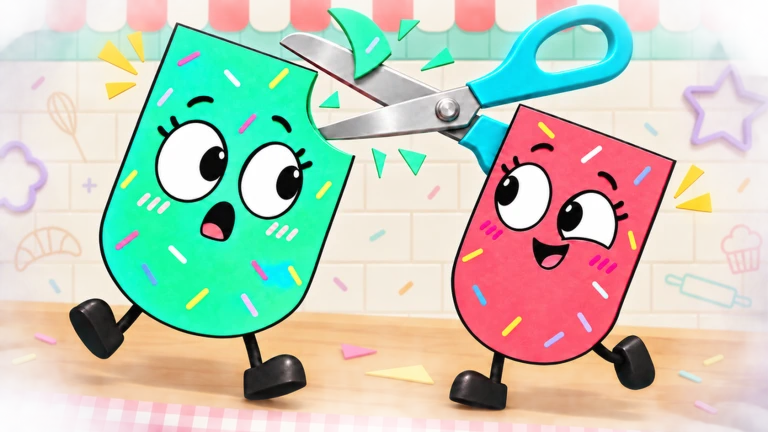
Cut It Out! is a cooperative puzzle game on Roblox built around flat paper cutout characters. Instead of the usual Roblox avatar, each player controls a two-dimensional sheet of paper with a cartoon face, stick arms, and animated legs. Teams work through puzzle levels by shaping those paper bodies to match target outlines, and part of that shaping involves literally snipping pieces off a teammate.
Quick answer: Cut It Out! is a 2-to-4-player co-op puzzle game where paper cutout characters walk into dotted outlines, adjust their height, and cut each other into the required shapes to clear each stage.
Co-op parties for 2, 3, or 4 players
The game is party-based, and every session runs with a team of two, three, or four players. From the main menu the “Play” option leads to a mode screen offering two paths: “Make a party” to host your own room, or “Find a party” to browse rooms other people have opened.
The “Find Your Team” browser lists public lobbies by name, showing how full each one is with markers like 1/2 or 2/2. Open rooms display a “Join” button, while filled rooms are marked “Full”. You can also search lobbies by name to find a specific room.
A room’s host controls its setup: set how many players can join, rename the party, limit access to “Friends only,” toggle “Skip tutorial,” choose the level, or disband the lobby. The “Start level 1” button remains unavailable until every player in the room presses “Ready!”, so the match cannot start without the whole team confirming.
The game is available directly on its Roblox experience page.
The Basics tutorial and core mechanics
The introductory level, “The Basics”, runs across eight stages and teaches the three actions the whole game is built on. It opens with a “Let’s learn the basics!” prompt before handing control to the players.
Moving into dotted outlines
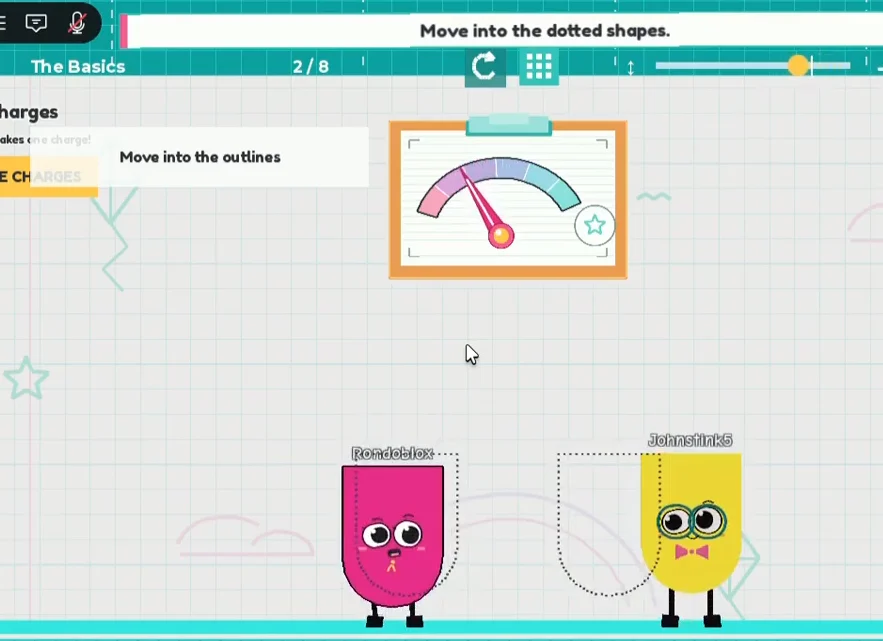
The first mechanic is positioning. Each puzzle marks target spots with dotted paper-cutout outlines, and players walk their character into the matching silhouette. When a character lines up correctly, the game confirms it with a “Perfect!” message.
Adjusting height with crouch and tiptoe
Some outlines are squished or stretched, so a plain walk-in is not enough. Players crouch or tiptoe to change the height of their paper body and fill those shapes. Holding Shift gives fine height control, and pressing X re-centers the height.
Cutting your partner
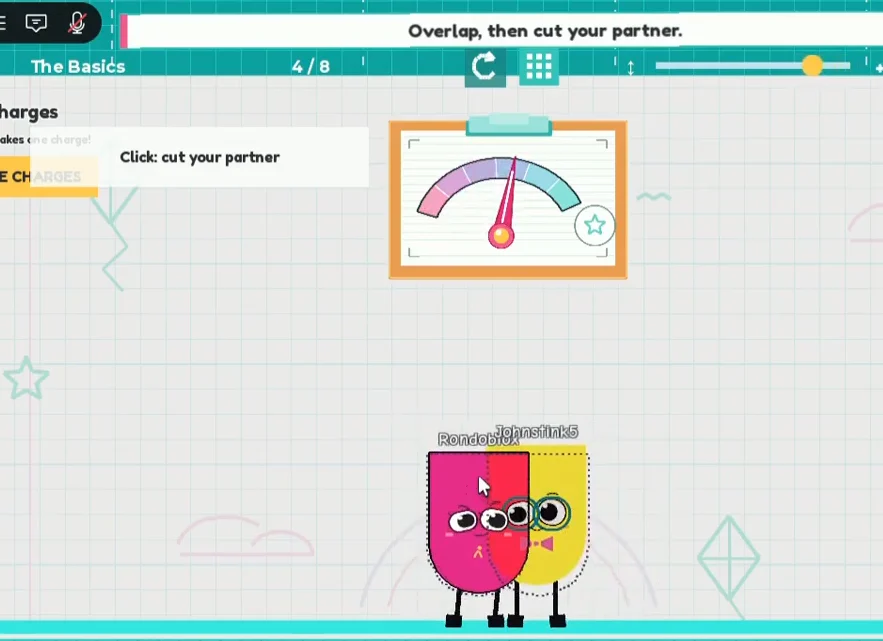
The signature action gives the game its name. To carve a character into a specific shape, two paper bodies overlap and one player clicks to snip a chunk out of the other. The on-screen prompt spells it out as “Overlap, then cut your partner,” with clicking as the cut input. This is how teams trim each other down to match the trickier outlines.
Charges and reforming a cut character
Cutting is not permanent. A character that has been snipped can be reformed back to its full paper shape, but each reform draws from a shared pool. A party starts with 10 charges, and the on-screen note reads “Reforming takes one charge!”
During the tutorial the game runs on “INFINITE CHARGES”, so The Basics can be practiced freely before charges start to matter in regular levels.
Paper Wardrobe skins and faces
Cosmetics live in the “Paper Wardrobe”, which splits into paper skins and faces alongside a collection tracker, a face gacha, and packs. The default look is “Original paper”, described in-game as your team’s original colours. Other skins are unlocked in different ways, from group rewards to purchasable bundles to a paper star currency.
| Skin | How it’s obtained |
|---|---|
| Original paper | Default team colours |
| Gold Foil | Free group reward |
| Cherry Fold | Skin Pack |
| Party Pop | Party Pop Bundle |
| Mint condition | Purchasable |
| Bluebell | Purchasable |
The wardrobe tracks progress across 29 collectible items. Paper stars, the in-game currency used for some of these unlocks, are earned by completing puzzles, which ties cosmetic progress back to actually clearing levels as a team.
Where the game stands now
Cut It Out! is developed by party fun games and sits in Roblox’s Obby & Platformer category, with servers holding up to 70 players. It has drawn a concurrent player count in the range of 11,000 and passed roughly 3.3 million total visits, with a rating near 83 percent. Its short-session, teamwork-first loop, matching shapes and cutting each other into place, is the core of what every level asks of a party.