

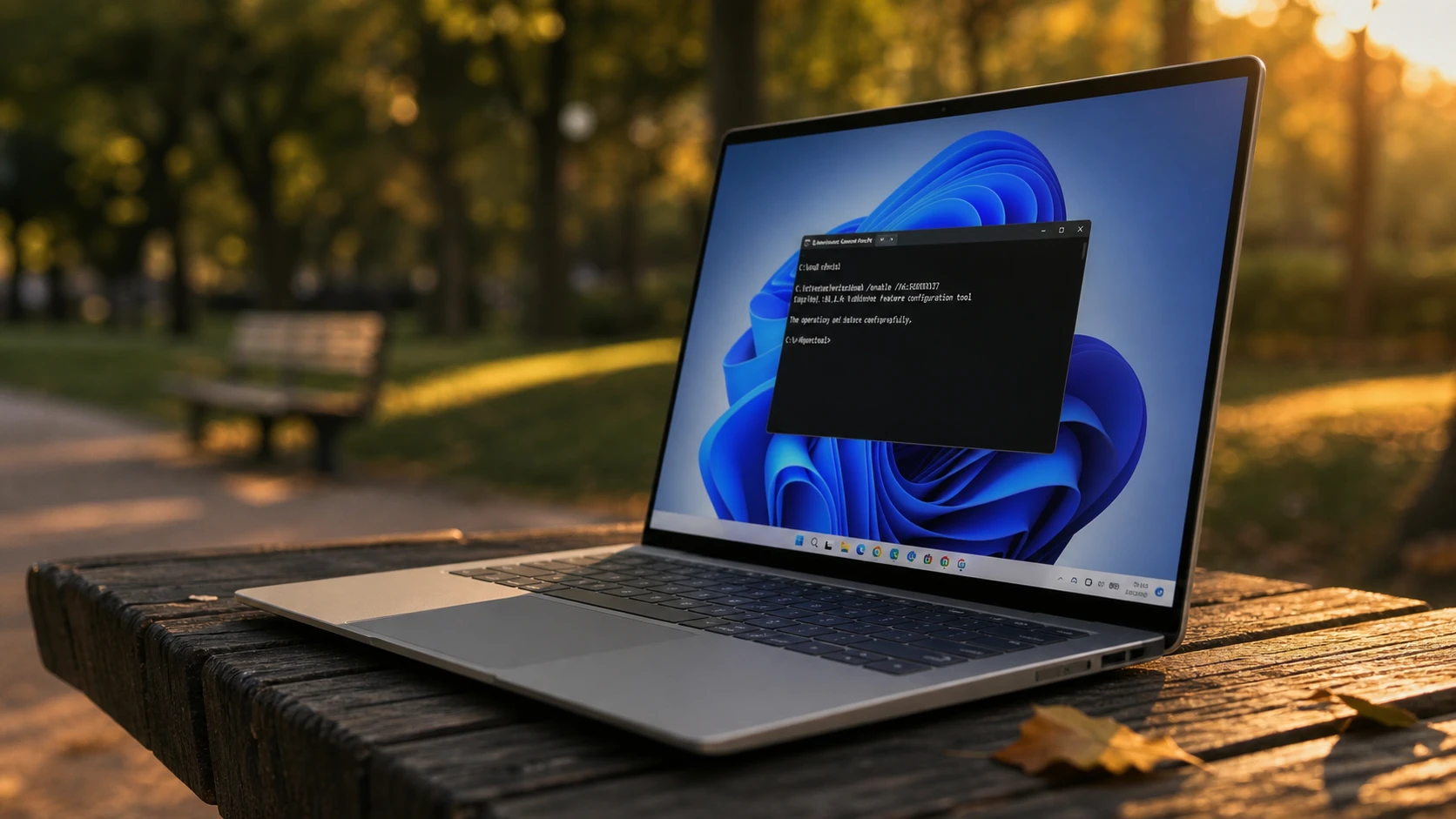
Microsoft ships new Windows 11 features in waves, so installing KB5095093 does not mean you see everything it carries. The July 2026 update, delivered as builds 26200.8728 (25H2) and 26100.8728 (24H2), holds Point-in-time Restore, calendar-based update pausing, a quieter Widgets experience, and a long list of fixes. If you don’t want to wait for the Controlled Feature Rollout to flip the switch for your PC, you can force most of it on yourself.
Quick answer: Install build 26200.8728 (or 26100.8728), then open Command Prompt as administrator and run vivetool /enable /id:58989177. Restart the PC to apply the change.
KB5095093 builds, versions, and rollout dates
The preview covers Windows 11 version 25H2 and version 24H2, which share the same 8728 build number. Version 23H2 receives security fixes only in this cycle with no new features. The same changes reach everyone as the stable July 2026 Patch Tuesday release, which begins on July 14, 2026, typically starting around 1 PM Eastern Time. Because features arrive through Controlled Feature Rollout, the exact timing varies by region, hardware, and configuration, and some items take longer to appear in Europe due to regulatory requirements.
| Stage | Build | Date |
|---|---|---|
| Release Preview (25H2 / 24H2) | 26200.8728 / 26100.8728 | June 12, 2026 |
| Patch Tuesday (25H2 / 24H2) | 26200.8728-based | July 14, 2026 |
| Patch Tuesday (23H2, fixes only) | 22631.7219 (KB5093998) | July 14, 2026 |
Enable the July 2026 features with ViVeTool
ViVeTool is a small command-line utility that toggles hidden feature flags. One ID covers most of the July 2026 changes. Keep in mind that this single code does not guarantee every feature turns on. Some are limited to certain regions, and once Microsoft folds a feature permanently into the system the matching ID stops working.
ViVeTool-vx.x.x.zip file.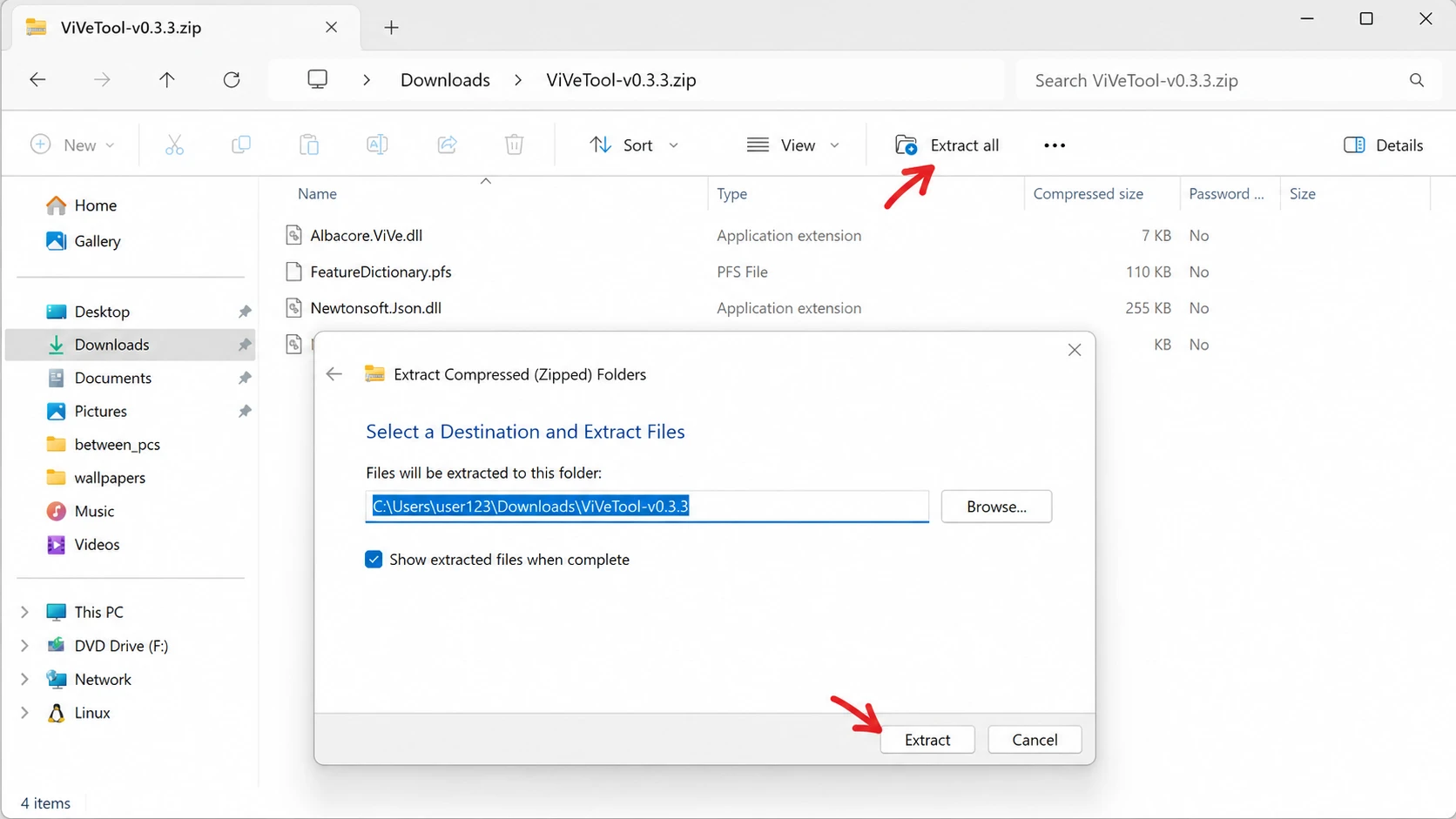
cd c:folderpathViveTool-v0.x.xvivetool /enable /id:58989177Install the KB5095093 preview before it reaches the stable channel
The flag only matters once the build is installed. Before the wider rollout, build 26200.8728 ships through the Release Preview channel. Create a restore point and a full backup first, since a quality update can run into trouble and a backup gives you a clean way back.
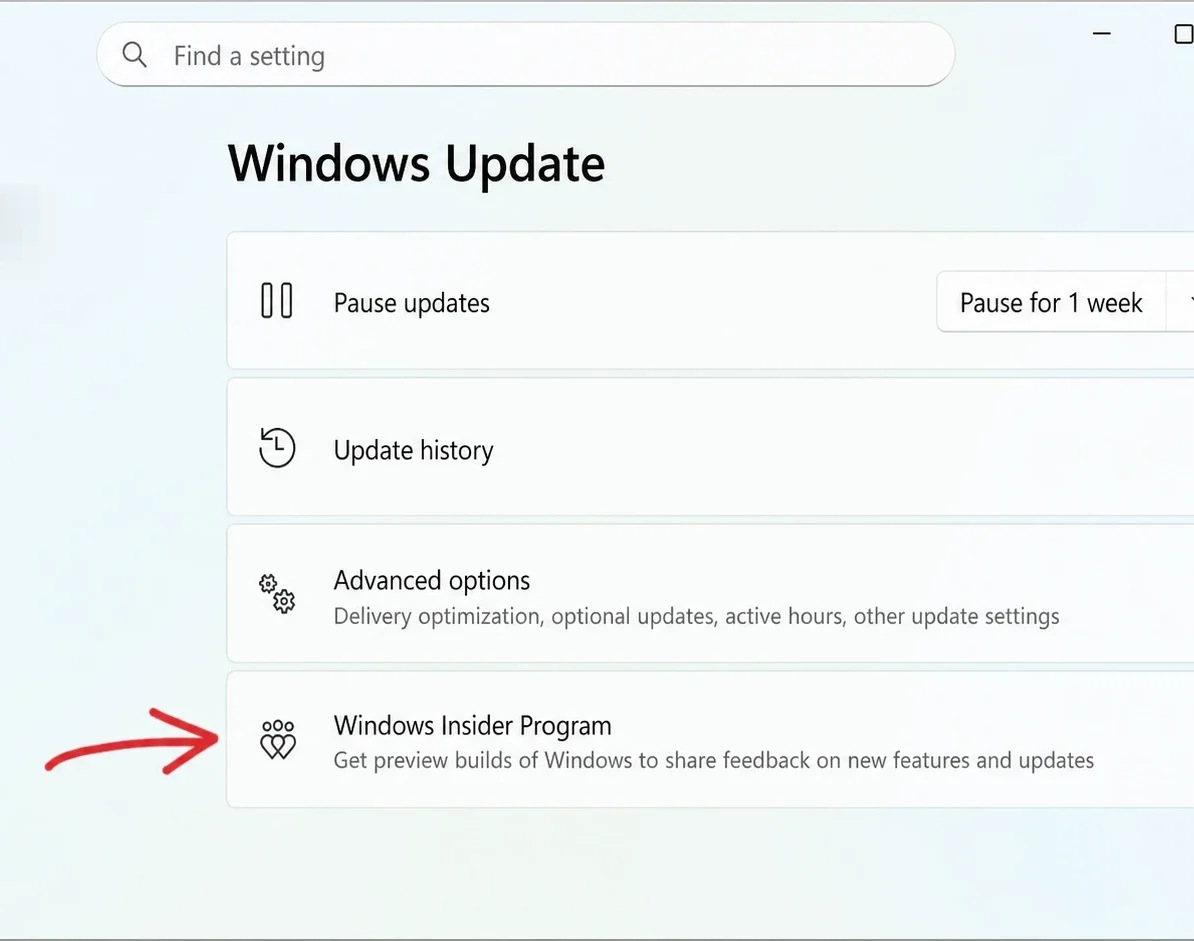
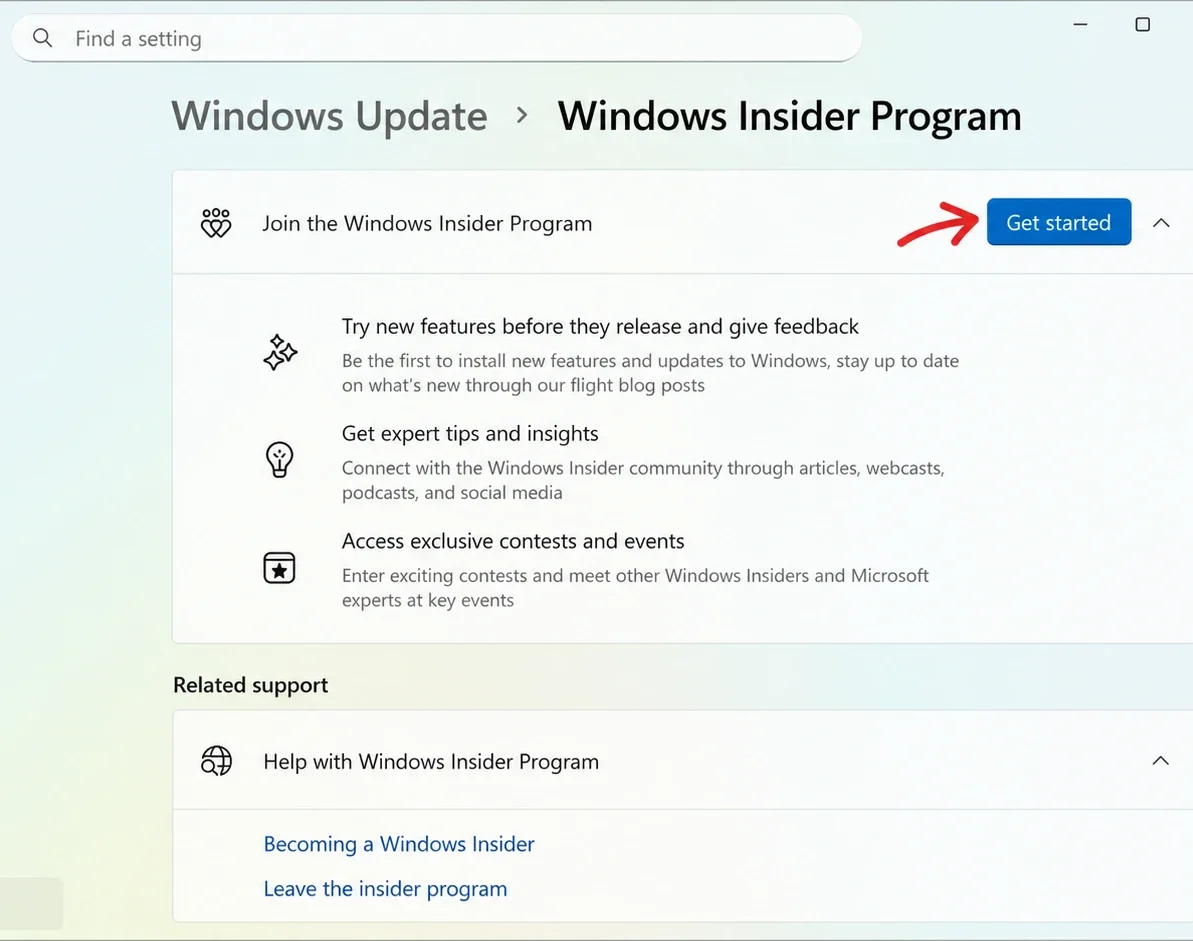
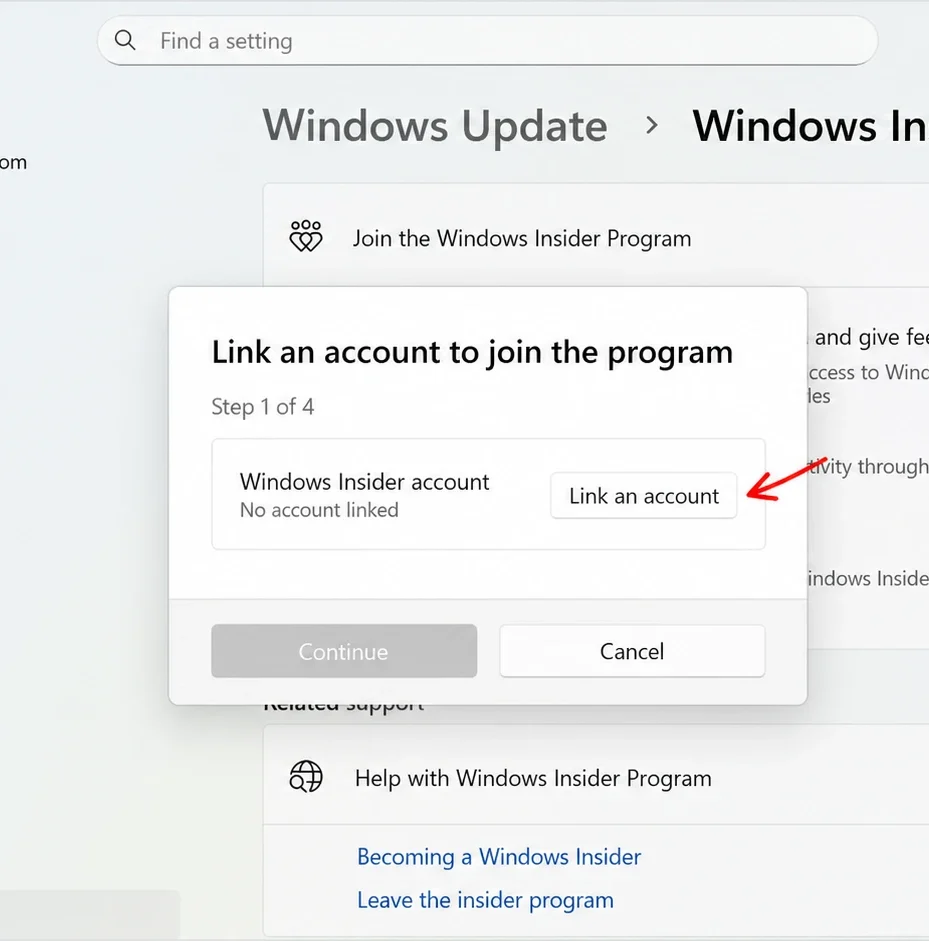
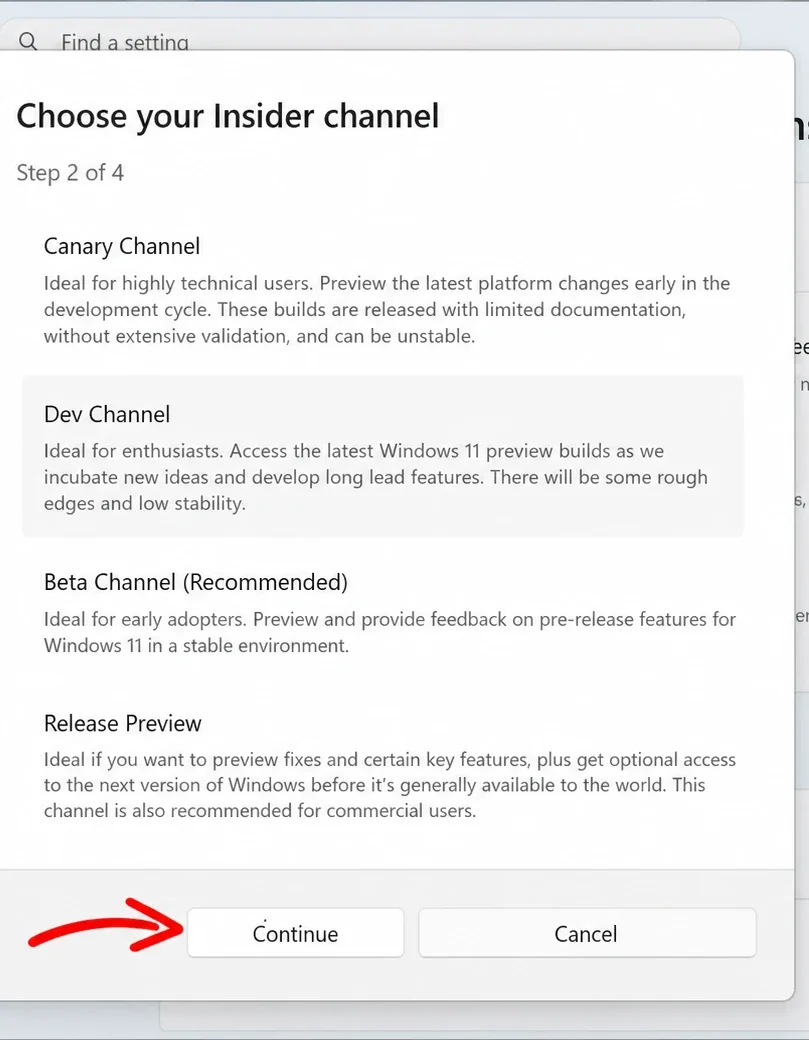
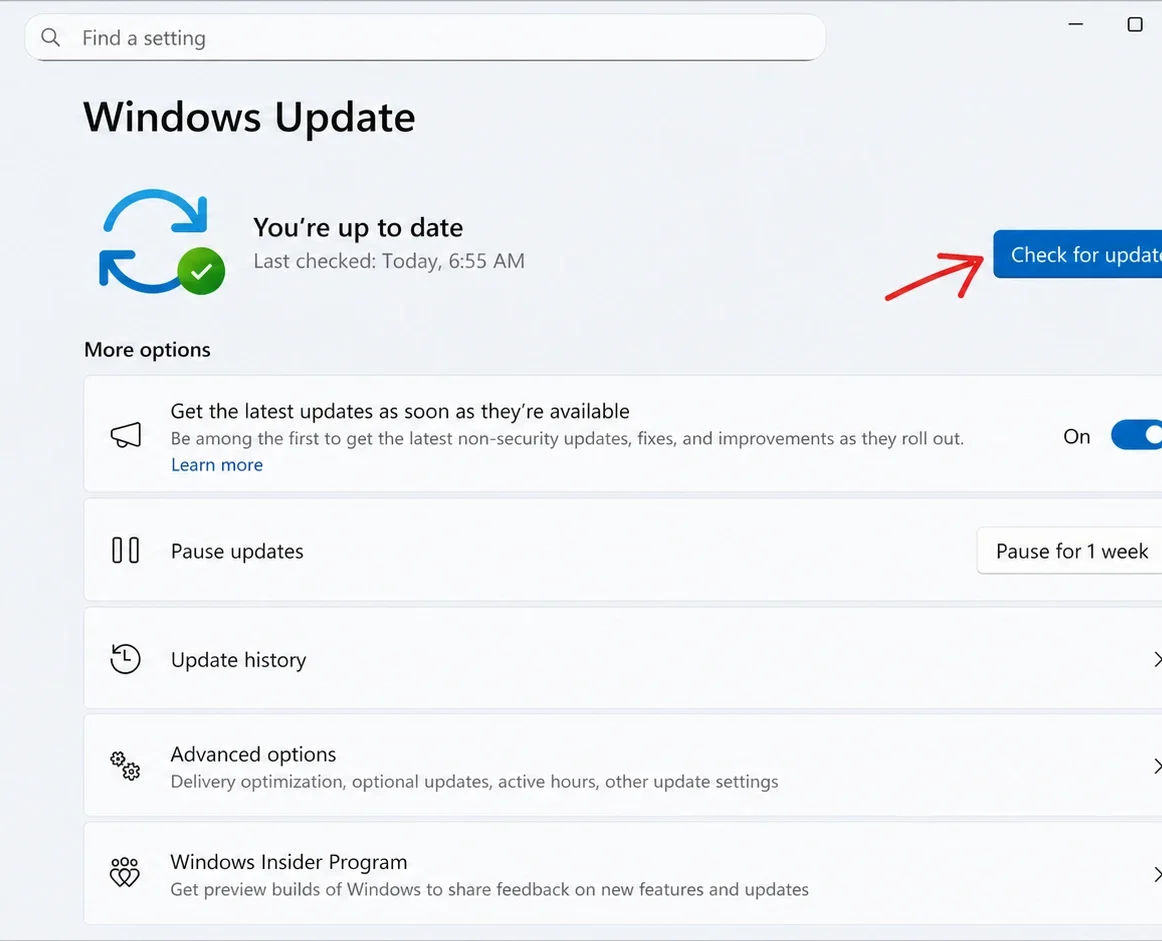
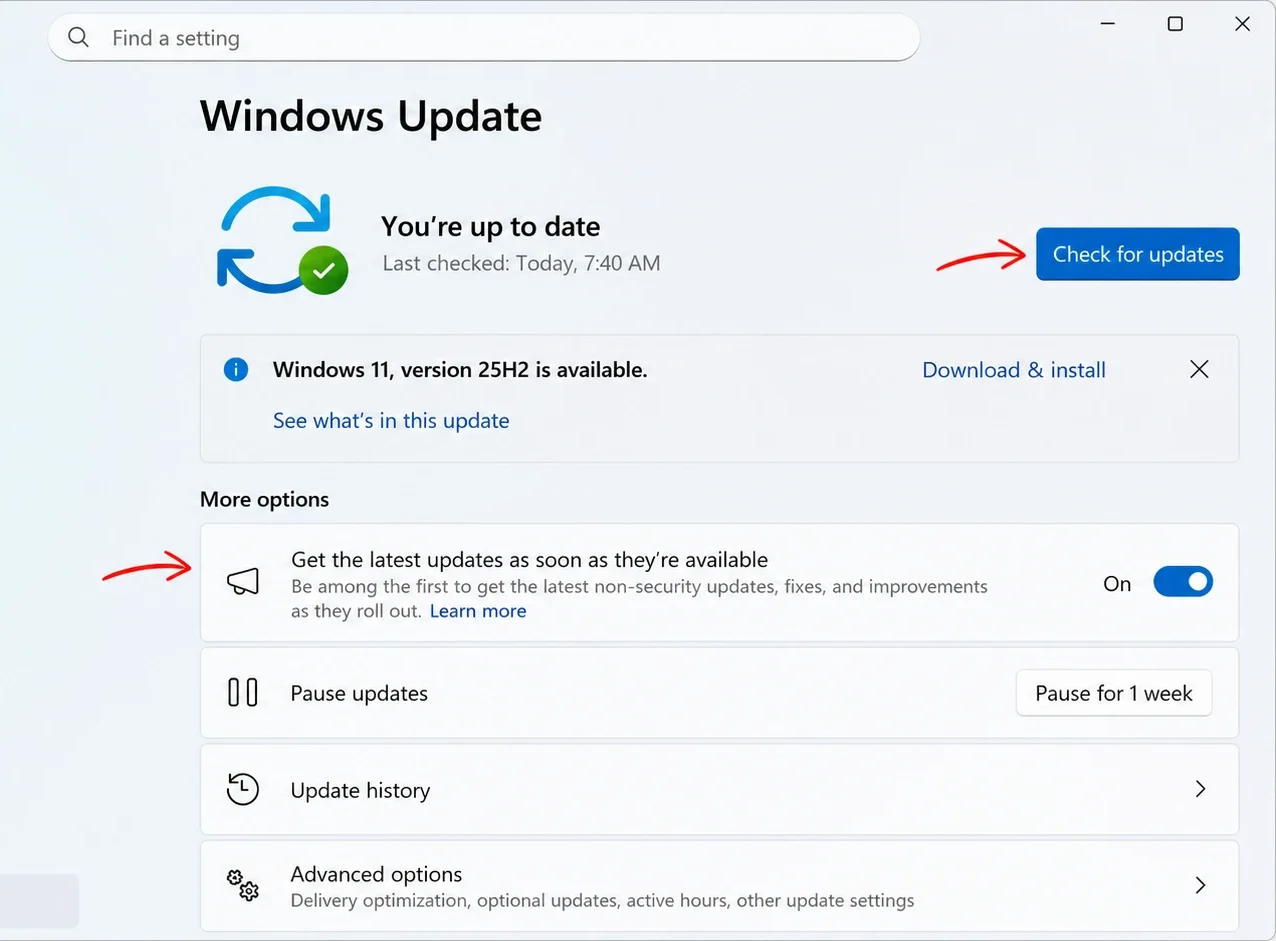
Tip: If you would rather skip the Insider Program, wait until the update appears as an optional install near the end of the month, or until the stable July 14, 2026 release. At that point you only need the toggle and Check for updates in Windows Update, with no enrollment required.
Note: On some machines, the Insider build shows a “Get the newer version of Windows to stay up to date” message in Windows Update after installing KB5095093. On a fully up-to-date 25H2 device there is nothing newer to move to, so you can treat it as a known quirk of the Release Preview build rather than a real action item.
Verify the build and undo the changes
You know the install worked when the build number in the lower-right desktop watermark and in Settings reads 26200.8728 on 25H2 or 26100.8728 on 24H2. After running the ViVeTool command and rebooting, the unlocked features begin appearing in their respective Settings pages, though region and configuration limits still apply.
To reverse the change, repeat the ViVeTool steps but swap the enable command for the one below. You can also reset every flag you toggled with this tool.
vivetool /disable /id:58989177
vivetool /fullreset
If a device misbehaves after installing the build, uninstall the update from the Windows Update history page, or use the recovery options if the uninstall entry is not available.
What you unlock with KB5095093
The headline additions are the ones most people will notice, while the rest is a broad pass of fixes that quietly remove rough edges. The table below summarizes the main areas the update touches.
| Area | What changes |
|---|---|
| Point-in-time Restore | Automatic snapshots of apps, settings, and personal files let you roll a PC back to a recent known-good state. |
| Windows Update | A calendar-based pause lets you pick an end date and defer updates for up to 35 days, with the ability to re-pause. |
| Widgets | No hover-to-open, minimized notifications and badges by default, a simplified first-run dashboard, and a single Weather widget on the lock screen. |
| Accessibility | Screen tint adds a full-display color overlay with adjustable intensity; Magnifier accepts exact zoom percentages from its toolbar. |
| File Explorer | Hover actions for Entra ID accounts, address-bar support for double backslashes and quotes, steadier rename behavior, and a OneDrive Favorites duplication fix. |
| Bluetooth and Phone Link | Mic mute sync with HFP, faster AirPods pairing, better LE Audio recovery, and call audio that stays on the phone until answered on the PC. |
| Voice access and typing | Adds French, German, and Spanish with real-time grammar and punctuation correction on Copilot+ PCs. |
| Networking and printing | SR-IOV acceleration for Confidential VMs, fewer Wi-Fi bug checks, IPv6 VPN support, and IPP as the default for new printer installs. |
The value here is in the volume of refinement rather than a single standout feature. Point-in-time Restore and the new pause controls are the changes most people will feel day to day, while the Bluetooth, File Explorer, and explorer.exe fixes add up over time. If you would rather not enroll in Release Preview or touch ViVeTool, all of it lands in the stable release on July 14, 2026.



