
R package loading fails with a “LoadLibrary failure” referencing stats.dll when the R installation is missing essential files or system dependencies. This error blocks the use of core statistical functions and any packages that depend on them, disrupting analysis workflows and script execution.
Repair or Reinstall R to Restore Missing or Corrupted Files
Download the latest version of R from the official CRAN website. Installing the newest version ensures all required DLLs, including
stats.dll, are present and up to date.Run the installer and follow the prompts to overwrite or repair your existing R installation. If prompted, choose to repair the installation rather than remove it. This process replaces missing or corrupt files without deleting your R packages or user settings.
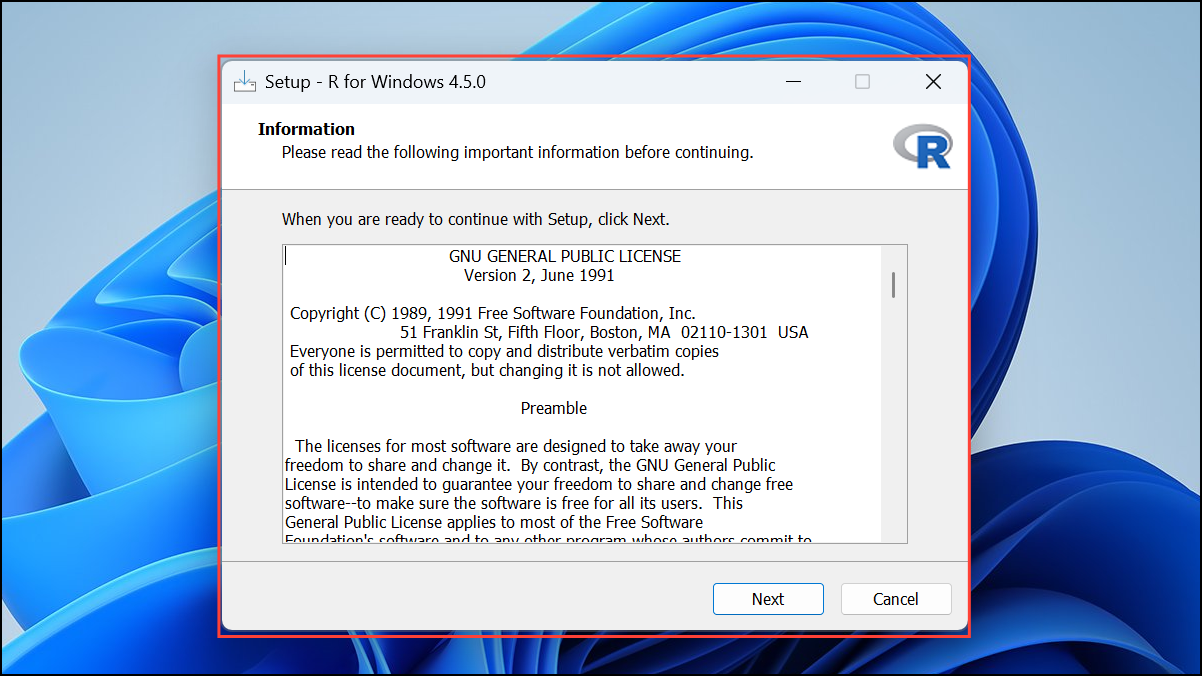
After installation or repair, restart your computer. This step guarantees that system paths and any locked files are properly reset and available to R.
Open R or RStudio and attempt to load a package that previously failed. For example, run
library(stats) in the R console. If the package loads without error, the issue is resolved.Check and Update System Environment Variables
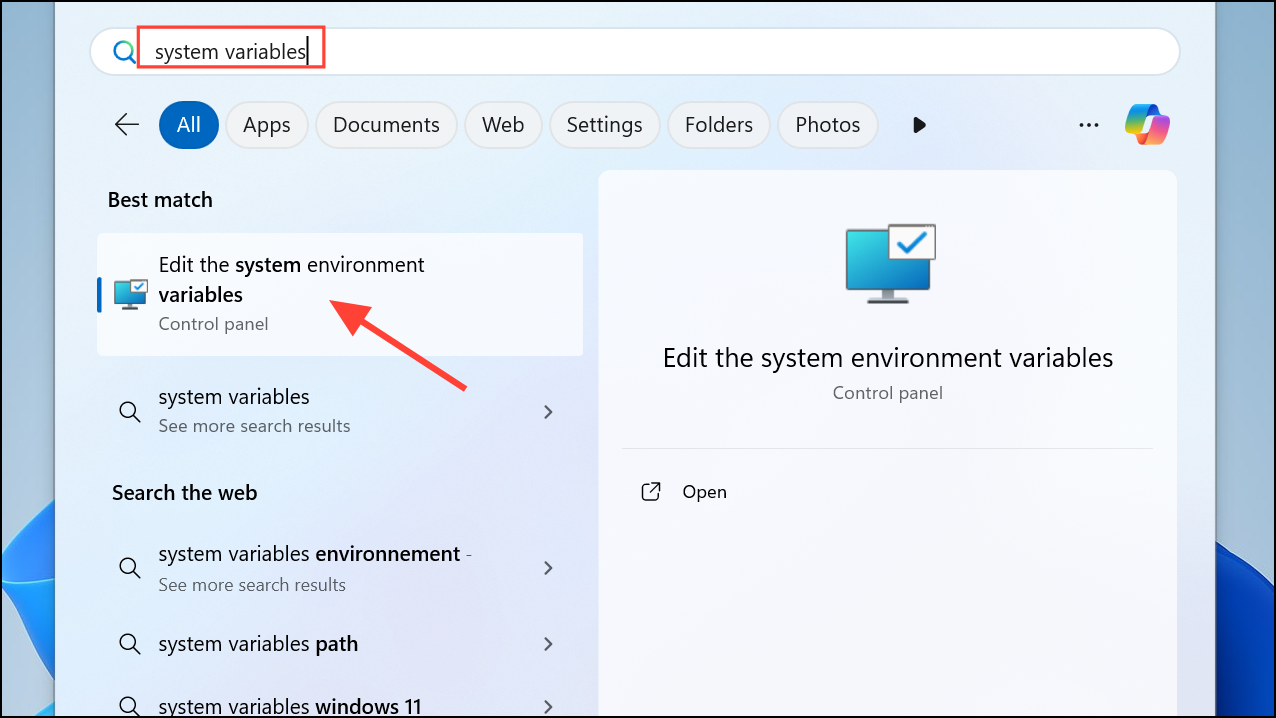
Open your system’s environment variables settings. On Windows, search for “Environment Variables” in the Start menu and select “Edit the system environment variables.”
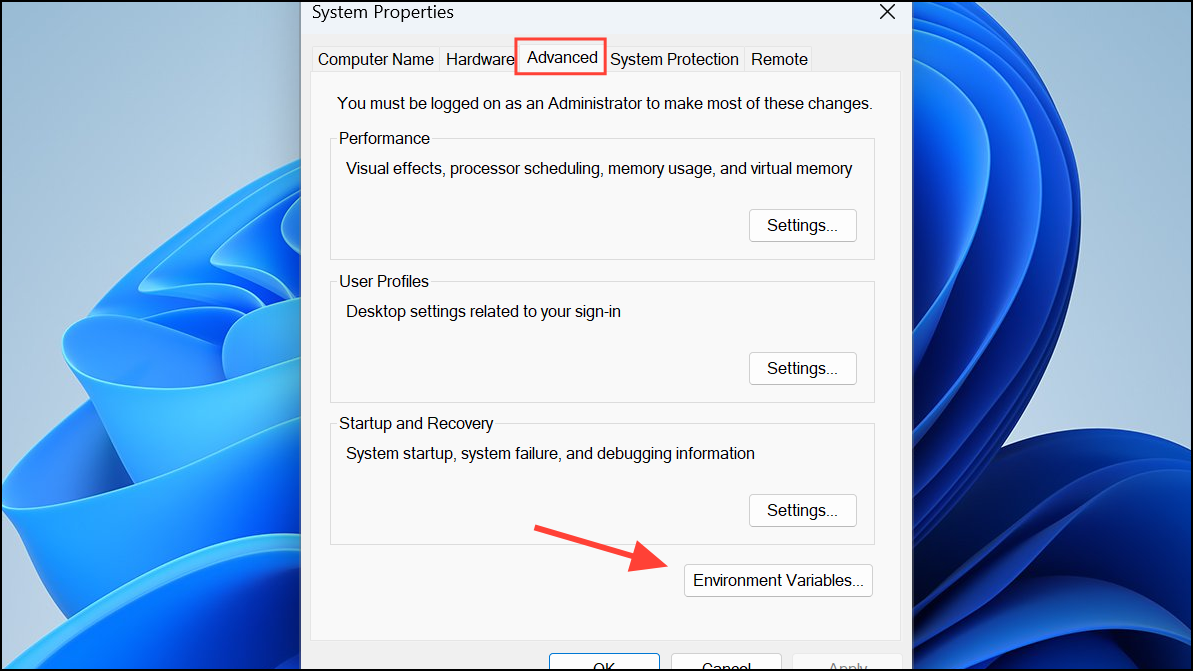
Under “System variables,” locate the
PATH variable and ensure it includes the path to your R bin directory (for example, C:\Program Files\R\R-4.3.0\bin).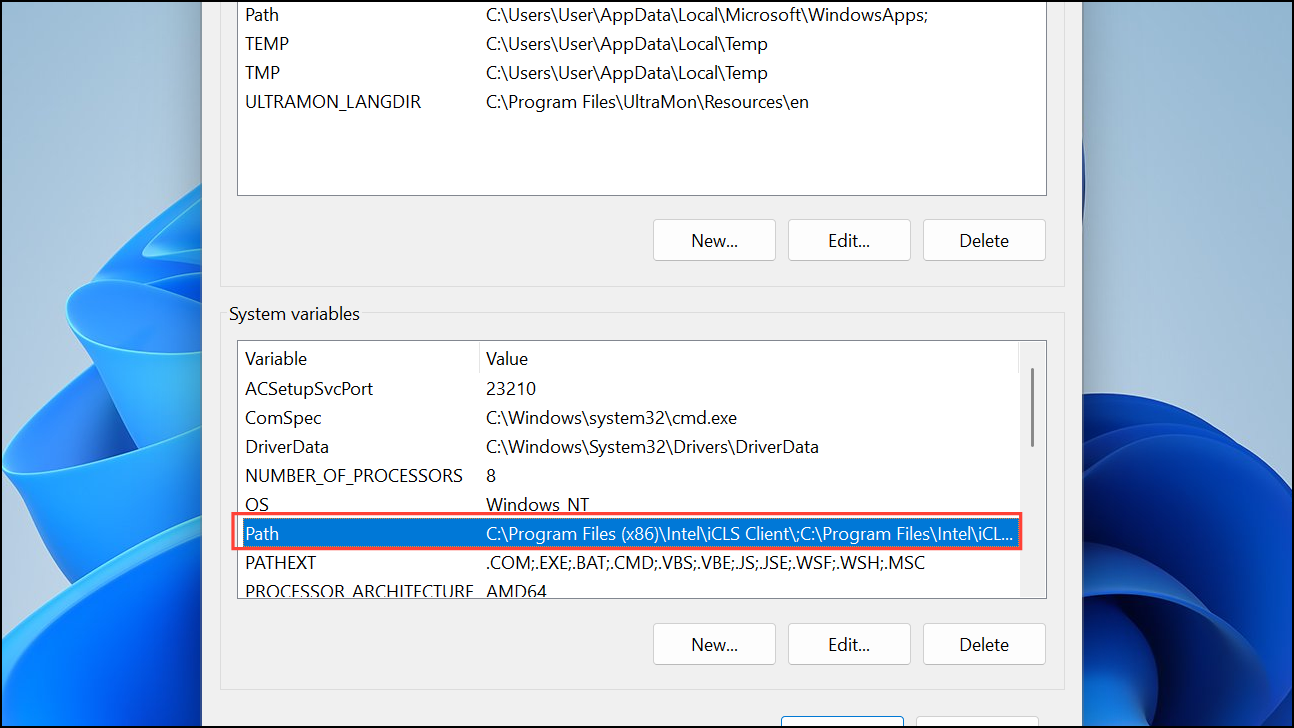
Add the correct R
bin path if it is missing, then click OK to save changes. Restart your computer to apply the updated environment variables.Replace stats.dll Manually (Advanced)
If
stats.dll is missing or corrupted, obtain a clean copy from a working R installation of the same version. You can copy it from another machine or re-extract it from the R installer archive.Navigate to your R installation’s
library\stats\libs\x64 or library\stats\libs\i386 folder, depending on your system architecture.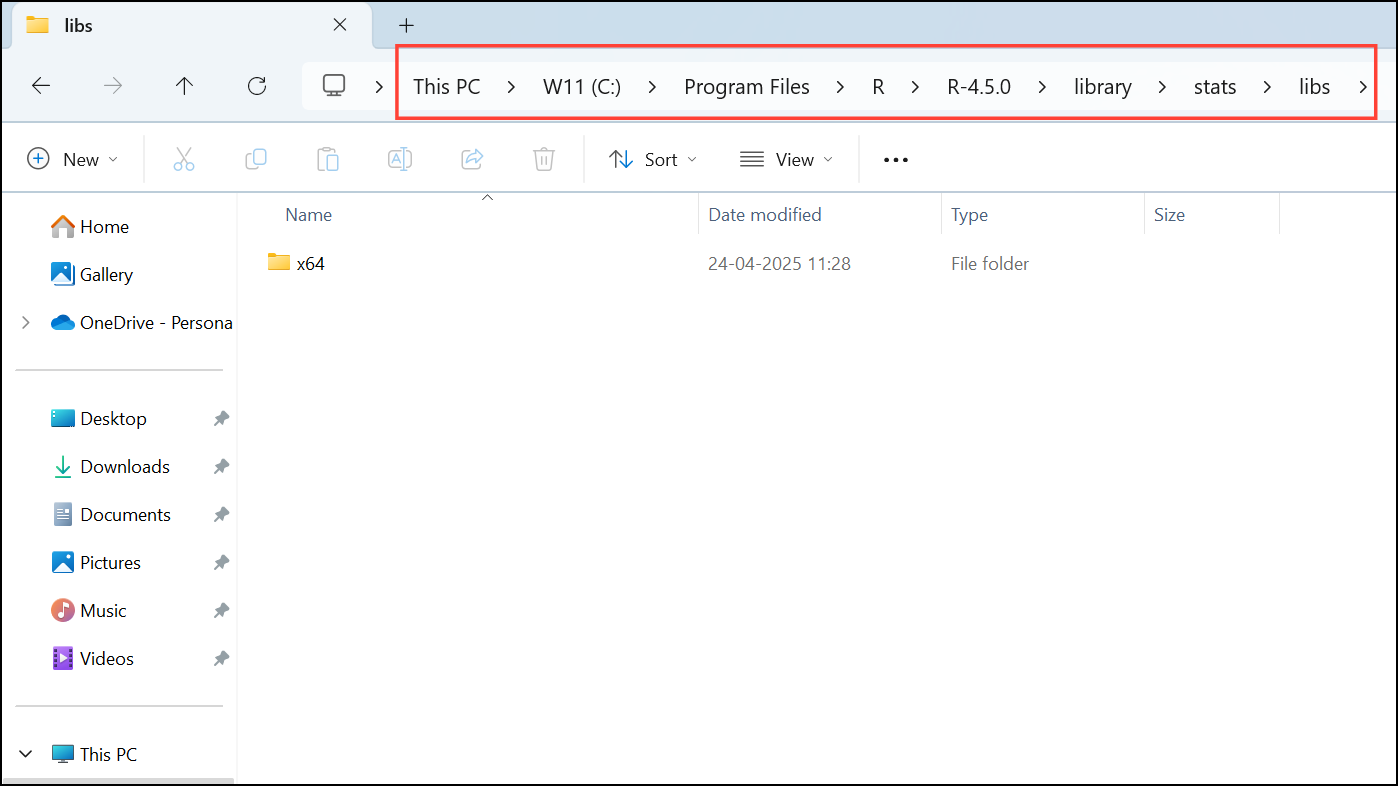
Check for Conflicting Software or Antivirus Interference
Some antivirus or security software may block or quarantine
stats.dll or other R files. Review your antivirus quarantine logs for any actions taken on R files and restore them if necessary.Add an exception for your R installation directory in your antivirus settings to prevent future interference. Consult your antivirus documentation for the procedure.
Resolving the “LoadLibrary failure” related to stats.dll restores full R package functionality and prevents workflow interruptions. Keeping your R installation and system environment properly configured avoids similar errors in the future.





