Executions are how Michael Myers dispatches targets quickly in Halloween: The Game, and the timing trips up most players on their first attempt. The move always starts with a grab and ends with a short button sequence you have to match exactly. Everything else, from bare-handed finishers to environmental kills, builds on that same core action.
Quick answer: Grab your target (usually F on PC), press the execute prompt (usually right-click on PC), then press the on-screen keys in the exact order shown, such as “1, 2, 4, 3.”

How to perform a standard execution
Every basic execution follows the same three-part flow. The specific button appears at the bottom-right of the screen, so check that corner if you are unsure which key to press on your setup.
F. You need to be in melee range with the resident in front of you before the prompt appears.You know it worked when the execution animation plays out fully and the target dies. Miss the order and the sequence fails, which gives the target a chance to slip away.
Execution types and their conditions
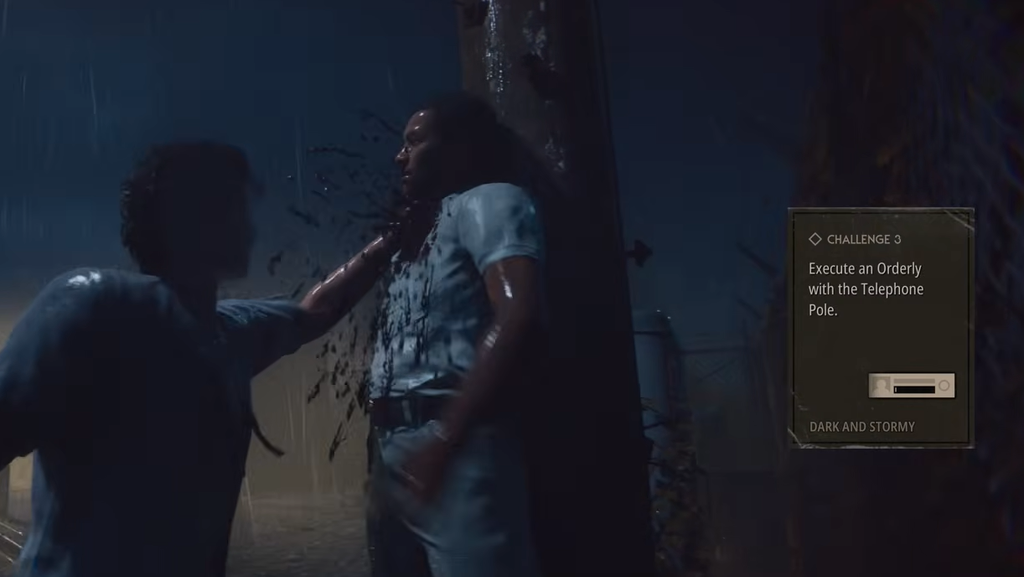
Most finishers use the same grab-and-input method, but a few require a specific condition to be met first. If an execution option is not available, one of the requirements below is missing.
| Execution | Requirement |
|---|---|
| Bare-Handed | Available any time after a grab |
| Bloodthirst | Tier 3 Bloodthirst, built by stalking, killing, and admiring dead bodies |
| Weapon | You must have a weapon in hand |
Bloodthirst (also referred to as Bloodlust in some materials) is the escalation resource that unlocks the strongest finishers. Reaching Tier 3 is what gates the Bloodthirst execution, so track that meter if you want access to the more severe kills.
How to perform a Context Execution
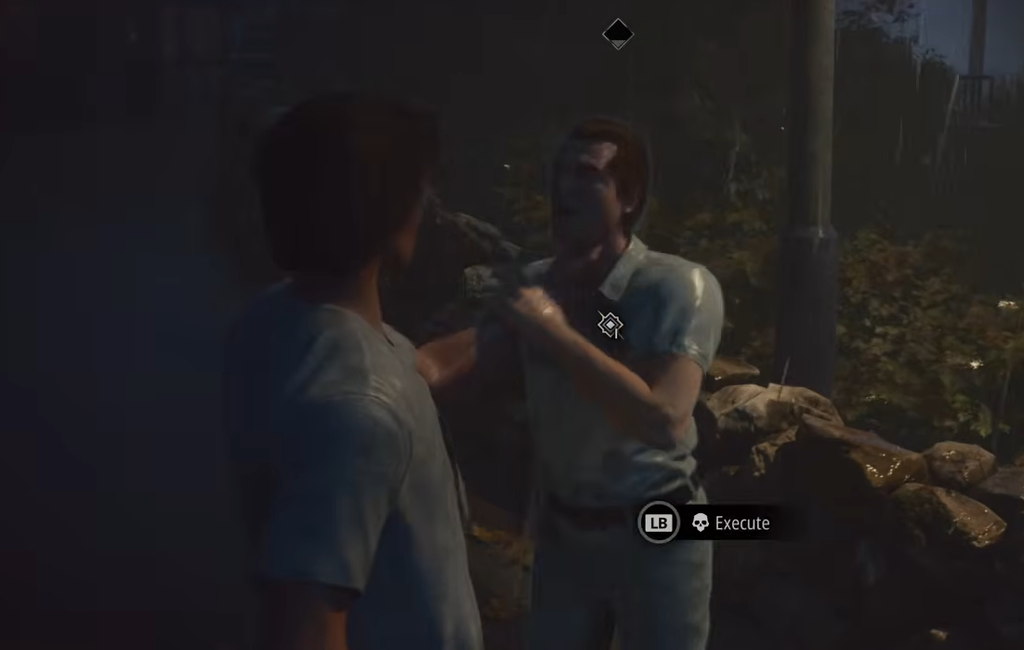
Context Executions use the environment instead of a button sequence, and they trigger differently from standard finishers. The key is to spot the skull marker near you while holding a target.
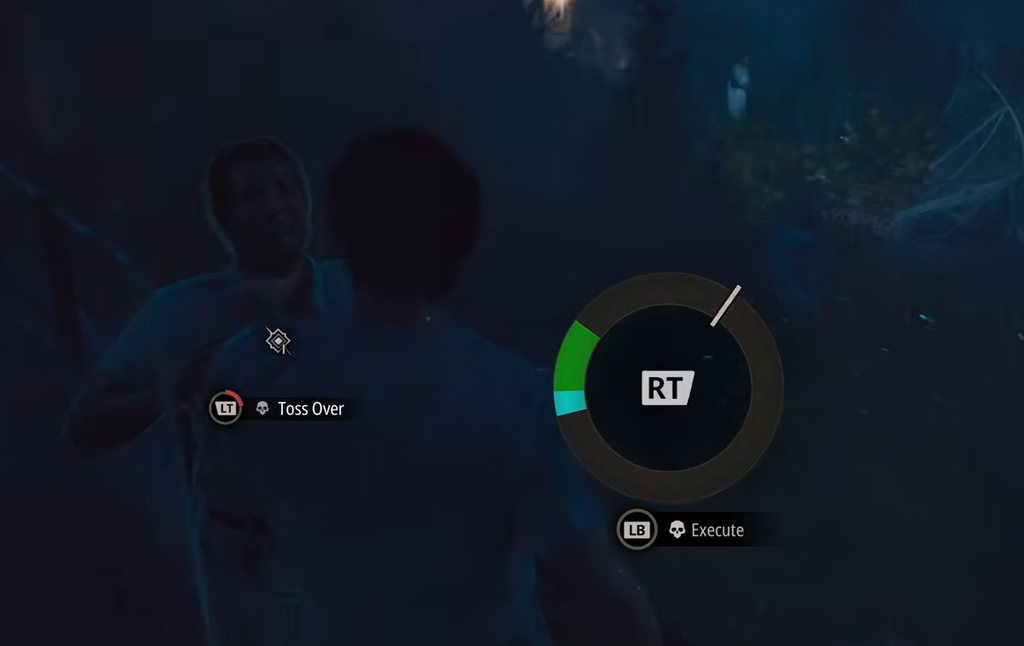
Stop targets breaking free from your grab
Held targets can struggle out of your grip before you finish them, and this is the most common reason an execution never lands. When it happens, a short mini-game appears on your HUD.
Your goal is to press the interact button to stop the moving cursor inside the green zone. Time it right and the target stays held, letting you continue with the execution. Miss the green zone and the target breaks free.
Build Stalk to unlock stronger executions
Higher Stalk levels open up more severe execution options, including certain Context Executions. Stalk builds passively while you keep eye contact with a resident, but it climbs much faster through Killer Sense.
Activate Killer Sense with R on keyboard, RS on Xbox, or R3 on PlayStation to shift into a first-person view. Aim your reticle at a resident to raise their Stalk meter, and break the Focus Points that appear on them to speed it up. Stalking also weakens targets and marks them so you can track them once they leave your line of sight.
Stalk from cover, such as through a window or behind a target, so residents stay unaware. Patient stalking feeds both your Bloodthirst and the Stalk levels that gate your best finishers, which is why setting up a kill matters more than chasing whoever is closest.

Once the grab-and-sequence rhythm clicks, executions become the fastest way to clear Haddonfield. Keep an eye on the input prompt in the corner, hold the mini-game cursor in the green zone, and lean on Stalk and Bloodthirst to earn the more brutal finishers as a match goes on.