How to Block Outbound Internet Access per App on Windows
Learn how to restrict specific Windows applications from connecting to the internet.
Learn how to restrict specific Windows applications from connecting to the internet.
by Pallav Pathak
Certain applications on Windows can consume bandwidth unnecessarily, send data without your knowledge, or pose security risks by connecting to external servers. To prevent this, you can block outbound internet access for individual apps, similar to how LuLu operates on macOS. Windows provides built-in tools and reliable third-party software to achieve precise control over outbound connections. Follow the methods below to effectively manage your applications’ internet access.
Method 1: Using Windows Defender Firewall (Built-in)
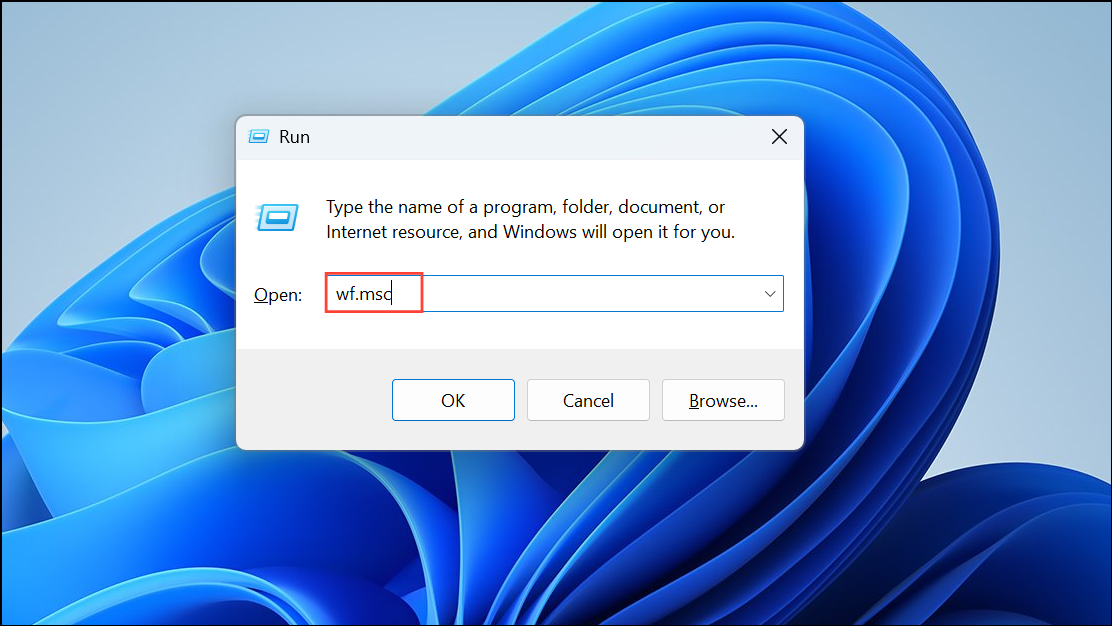
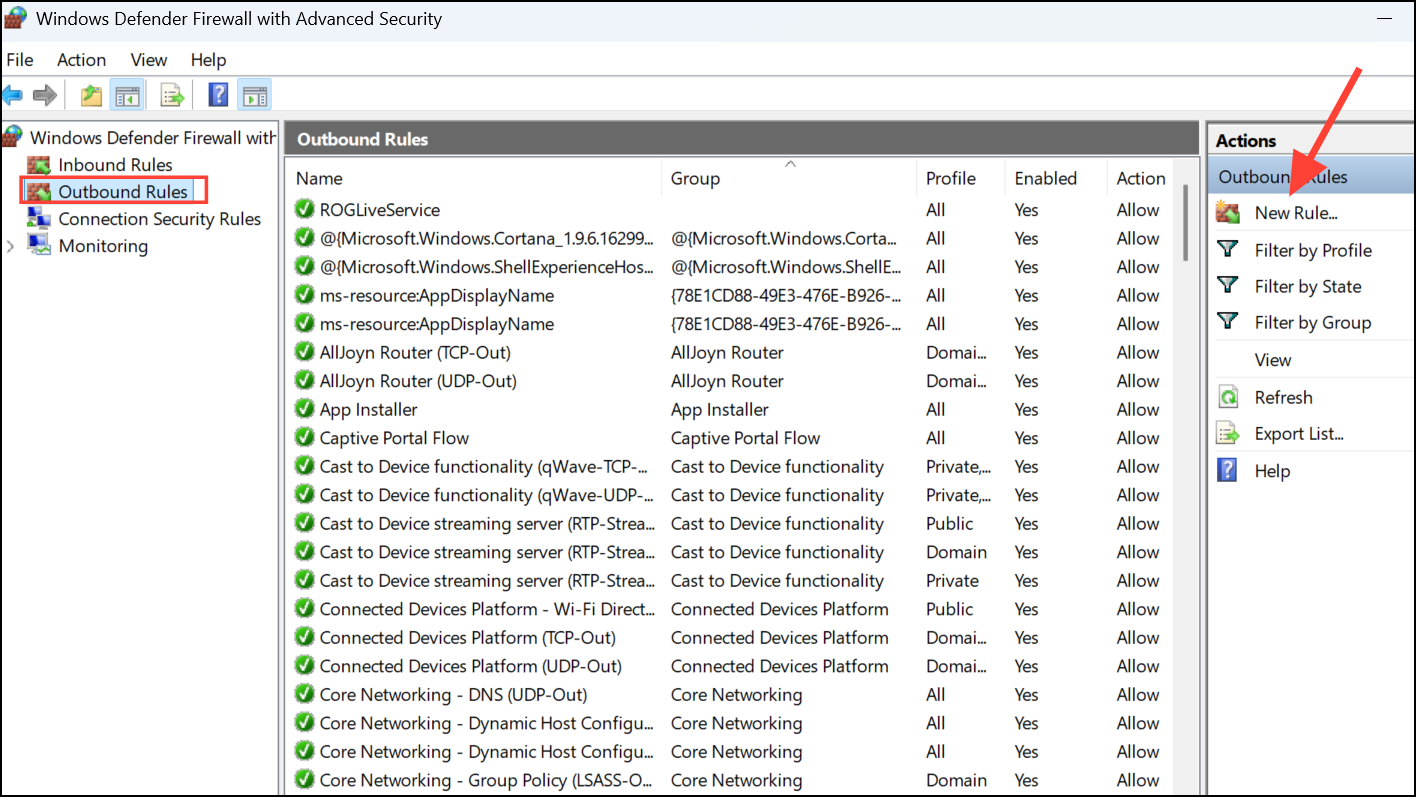
Windows Defender Firewall is a built-in tool that allows detailed control over network connections on your system. You can set rules to block outbound connections for specific applications without installing additional software.
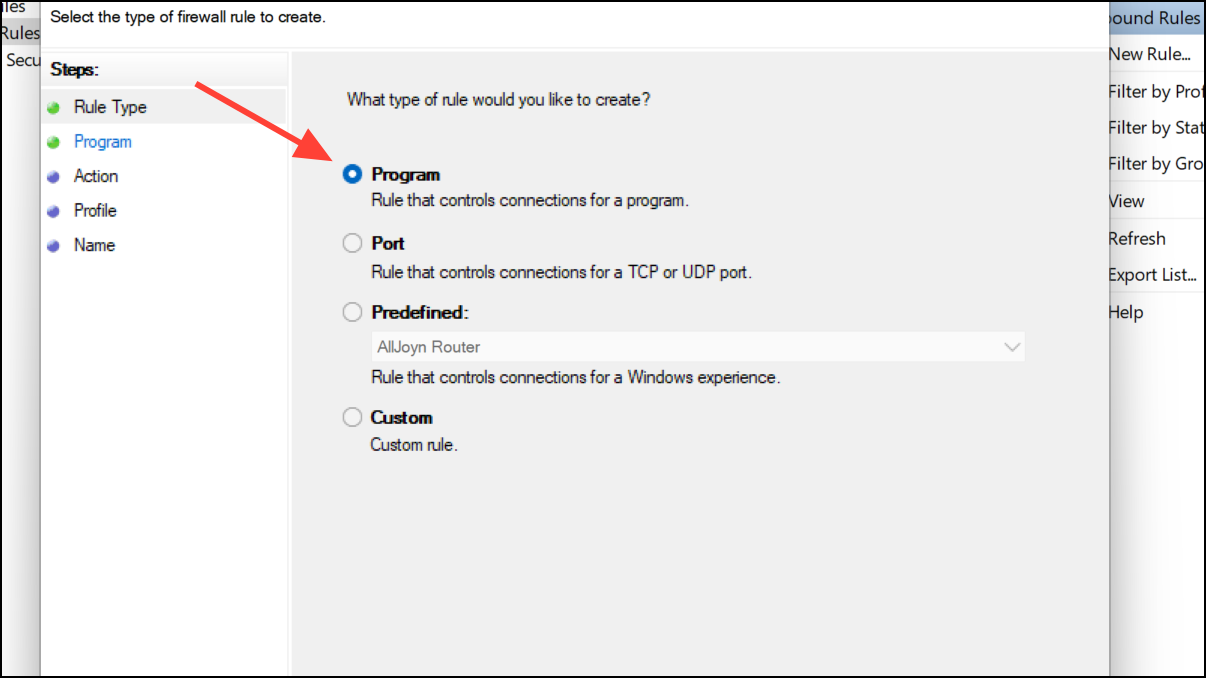
In the New Outbound Rule Wizard, select “Program” and click “Next.” Choose “This program path” and click “Browse” to locate the executable file (.exe) of the application you want to block. After selecting the application, click “Next.”
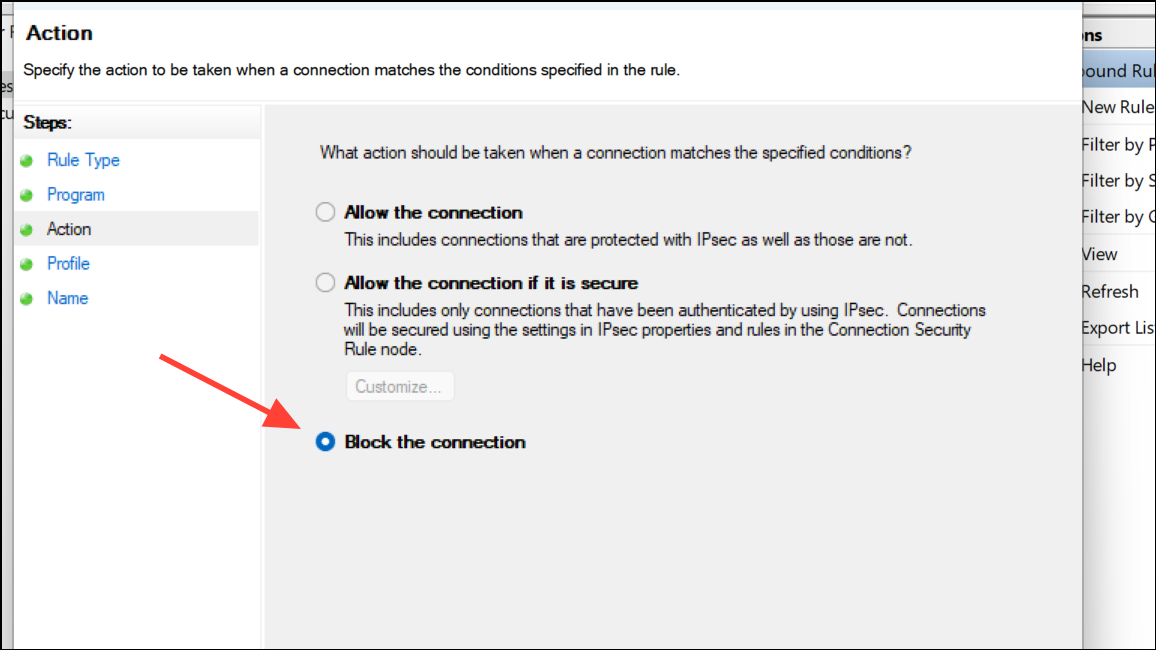
Choose “Block the connection” and click “Next.” Ensure all three options—Domain, Private, and Public—are checked on the next screen, then click “Next.”
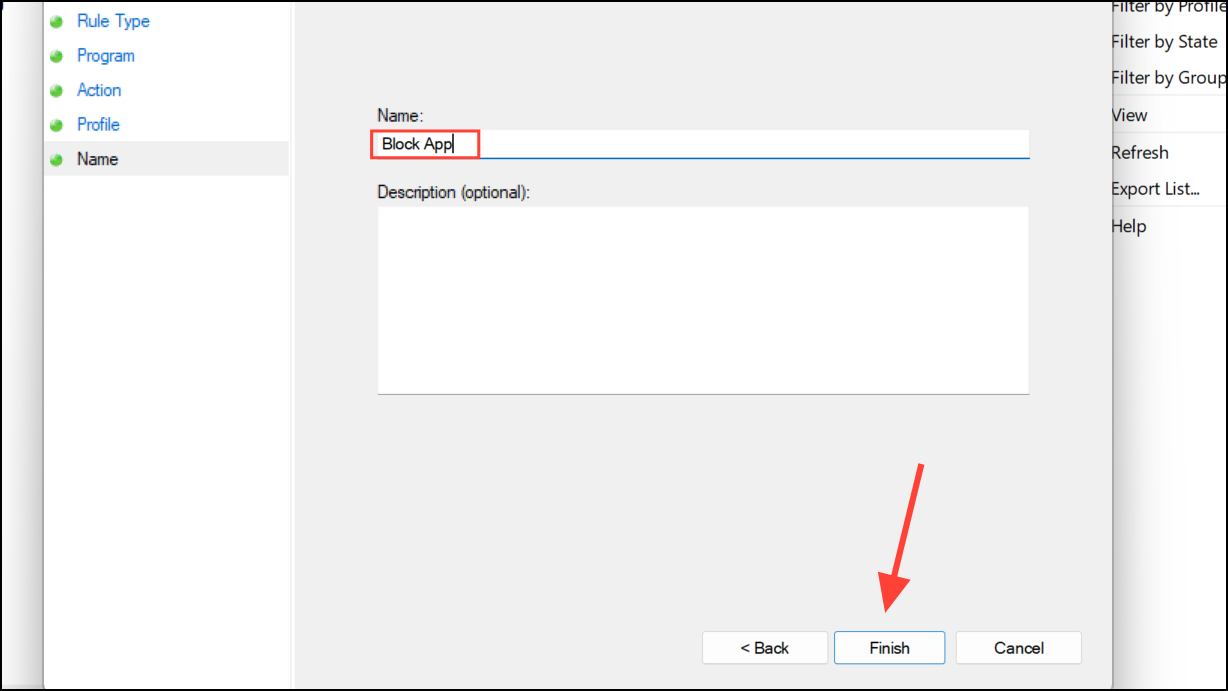
Provide a clear, descriptive name for the rule (such as “Block [Application Name] Internet Access”) and click “Finish.” The rule is now active, and the selected application can no longer establish outbound connections.
If you wish to restore Internet access later, simply return to “Outbound Rules,” find the rule you created, right-click it, and select “Disable Rule” or “Delete.”
Method 2: Using SimpleWall (Third-Party Application)
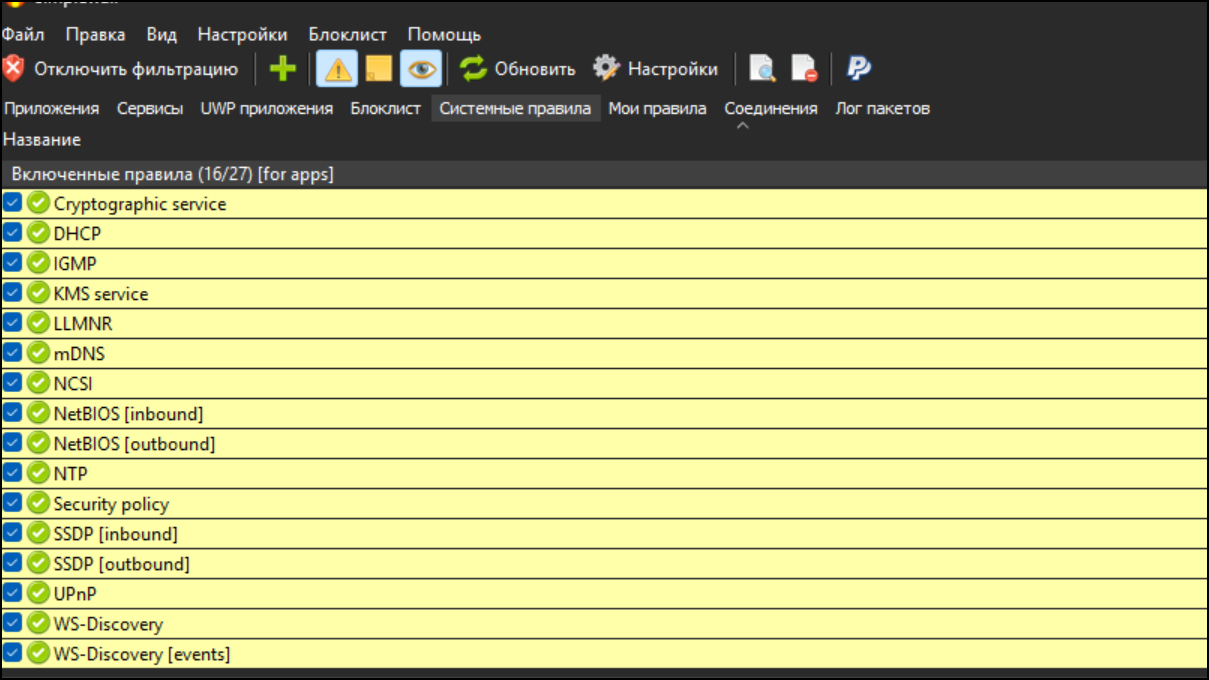
SimpleWall is a lightweight, open-source firewall application for Windows that simplifies managing outbound internet access per application. It provides an intuitive interface and real-time alerts, making it easier to control network activity.
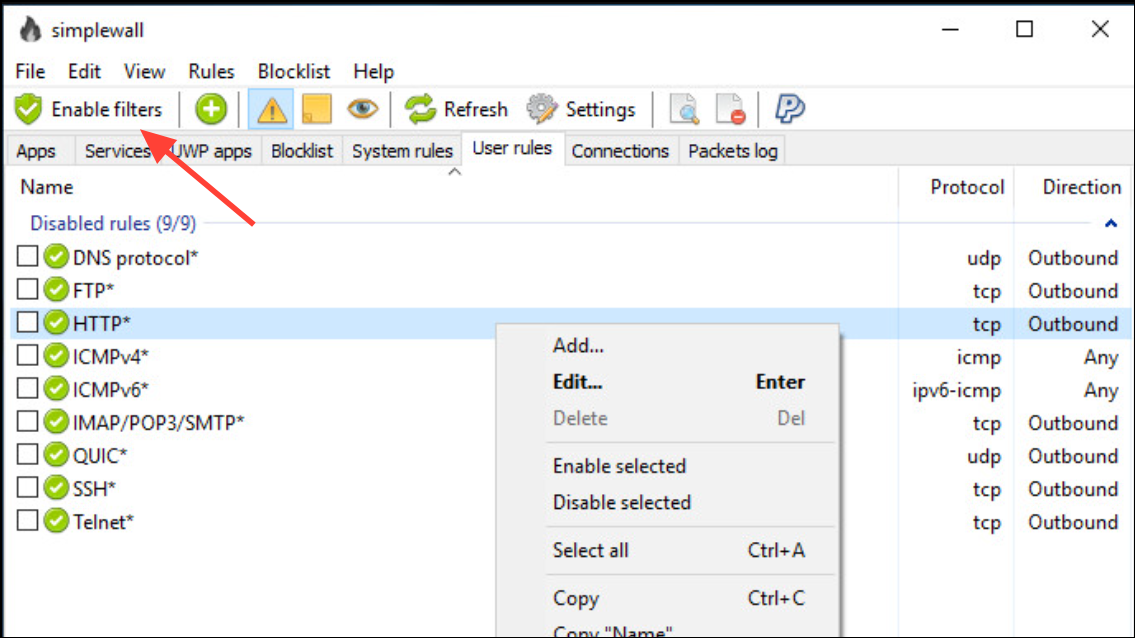
After launching SimpleWall, click “Enable Filtering” to activate the firewall. By default, SimpleWall blocks all outbound connections unless explicitly allowed.
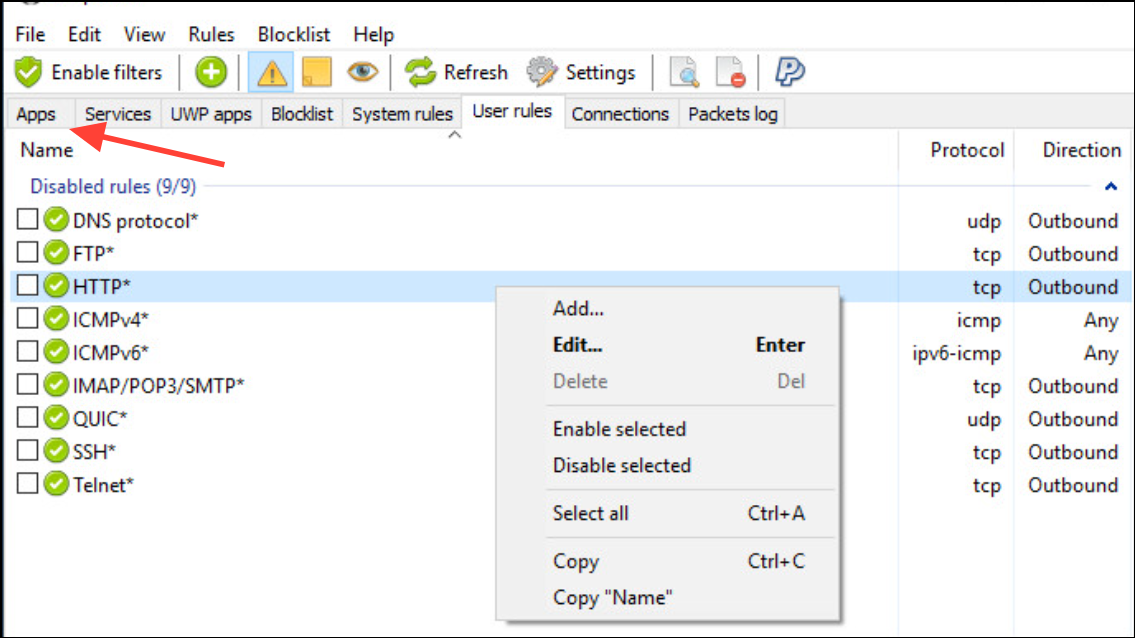
To manage specific applications, navigate to the “Apps” tab in SimpleWall. Here, you will see a list of applications attempting to access the internet. Beside each application, you can toggle between “Allow” and “Block” to set your preferred access rules.
Once you have configured your desired settings, click “Apply” to enforce the new rules. SimpleWall will now actively block or allow outbound connections based on your selections.
To quickly revert or adjust rules, simply return to the “Apps” tab and change the toggles as needed, then click “Apply” again.
Method 3: Using GlassWire (Third-Party Application)
GlassWire is another popular third-party firewall and network monitoring tool. It provides detailed visualizations of network activity, making it easy to identify and block unwanted connections.
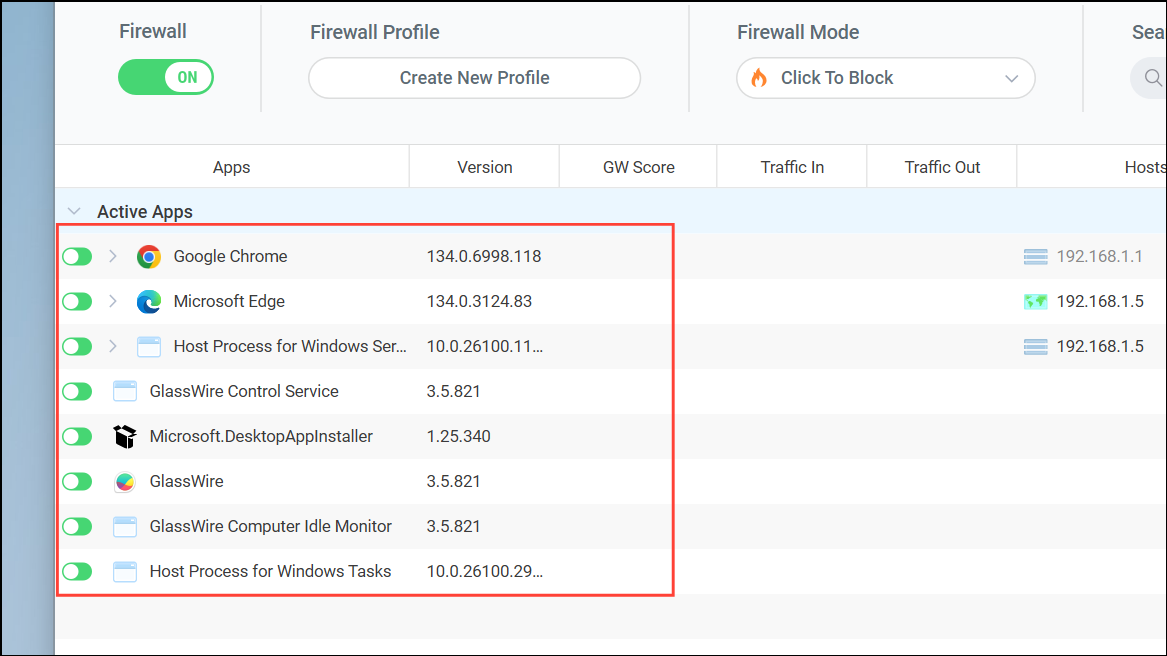
Under the Firewall tab, you will see a list of applications currently accessing the internet, along with their connection statuses. To block outbound internet access for a specific application, click the firewall icon next to that application so that it changes from green (allowed) to gray (blocked).
GlassWire automatically saves your firewall settings. You can monitor blocked applications and manage permissions directly from this intuitive interface.
If you need to restore Internet access, simply click the firewall icon again to change it back to green (allowed).
By following these methods, you can efficiently control outbound internet access on a per-app basis in Windows, improving your system’s security and managing bandwidth usage more effectively.