Excel text formatting often requires capitalizing the first letter of words or sentences. Proper capitalization makes data appear professional, consistent, and easier to read. Excel provides straightforward methods to capitalize the first letter of a text string without manually editing each cell.
Using the PROPER Function (Most Effective)
The easiest and most efficient way to capitalize the first letter of each word in a text string is by using Excel’s built-in PROPER() function. This function automatically converts the first letter of every word to uppercase and the remaining letters to lowercase.
=PROPER(A1)Replace A1 with the reference to your specific cell containing the original text.
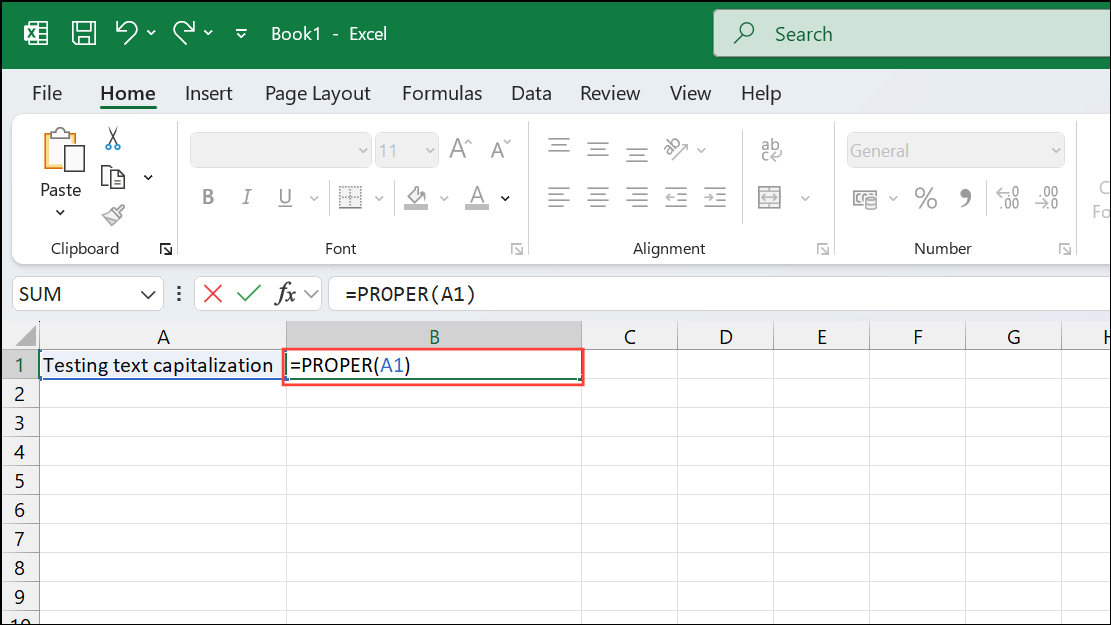
Enter to apply the formula. The text in the cell will now appear with the first letter of each word capitalized.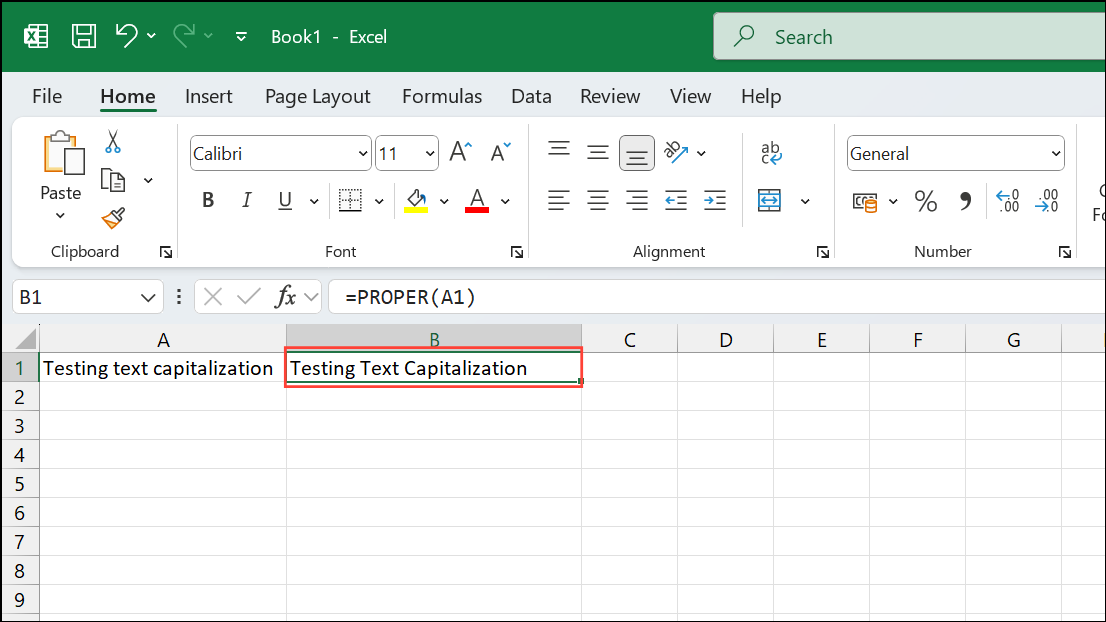
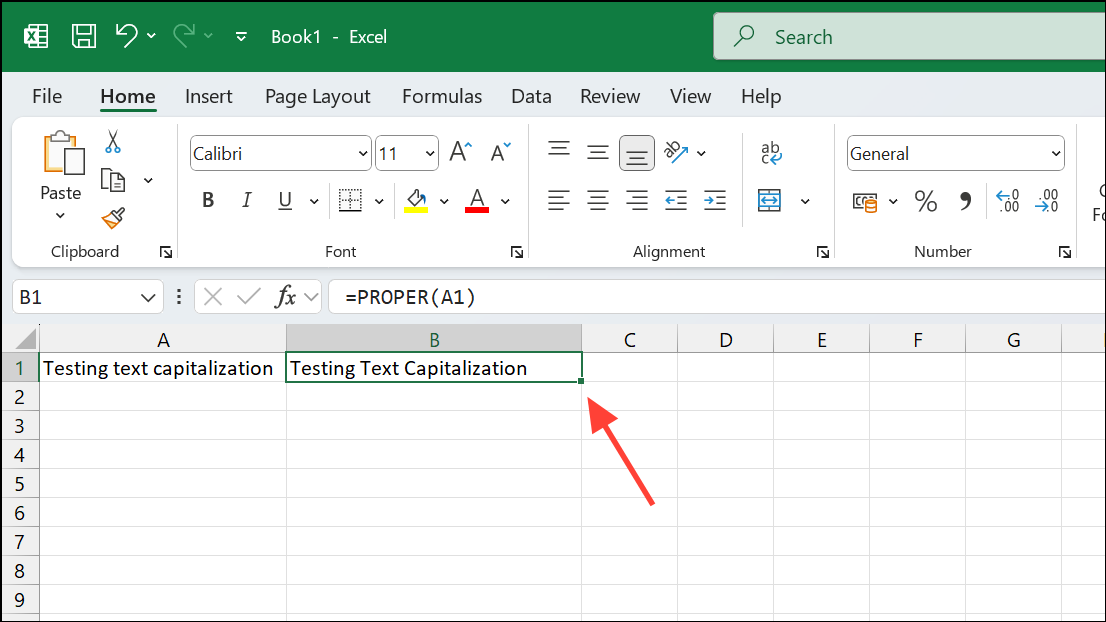
Paste Special > Values to paste just the text without the formula.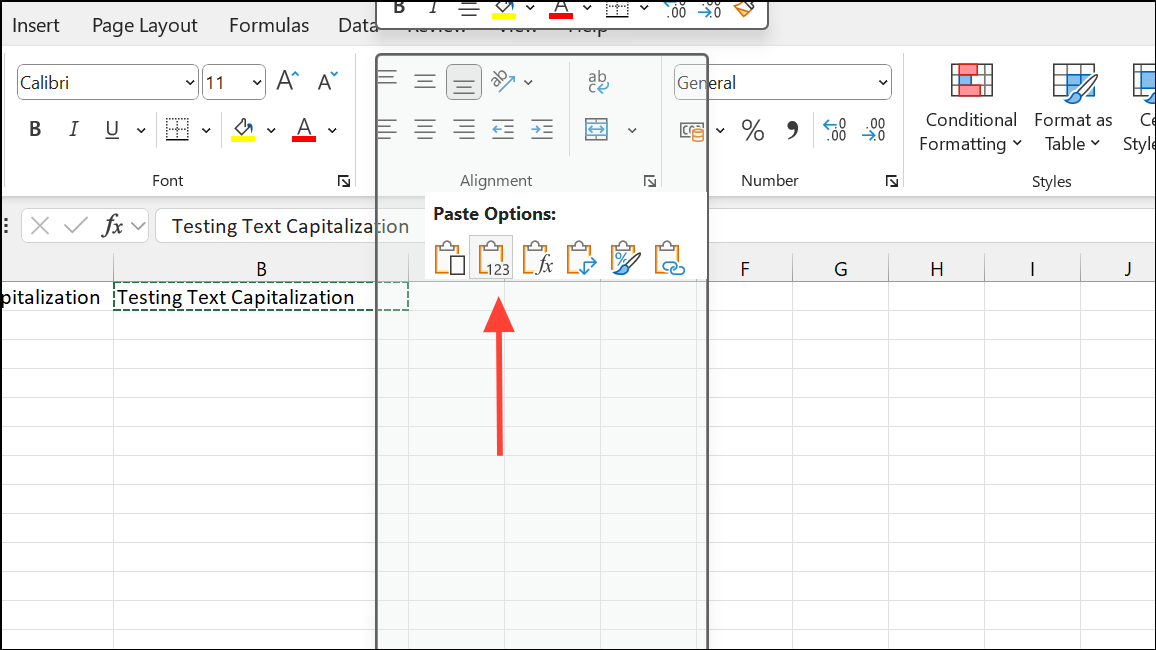
Using a Formula to Capitalize Only the First Letter of the First Word
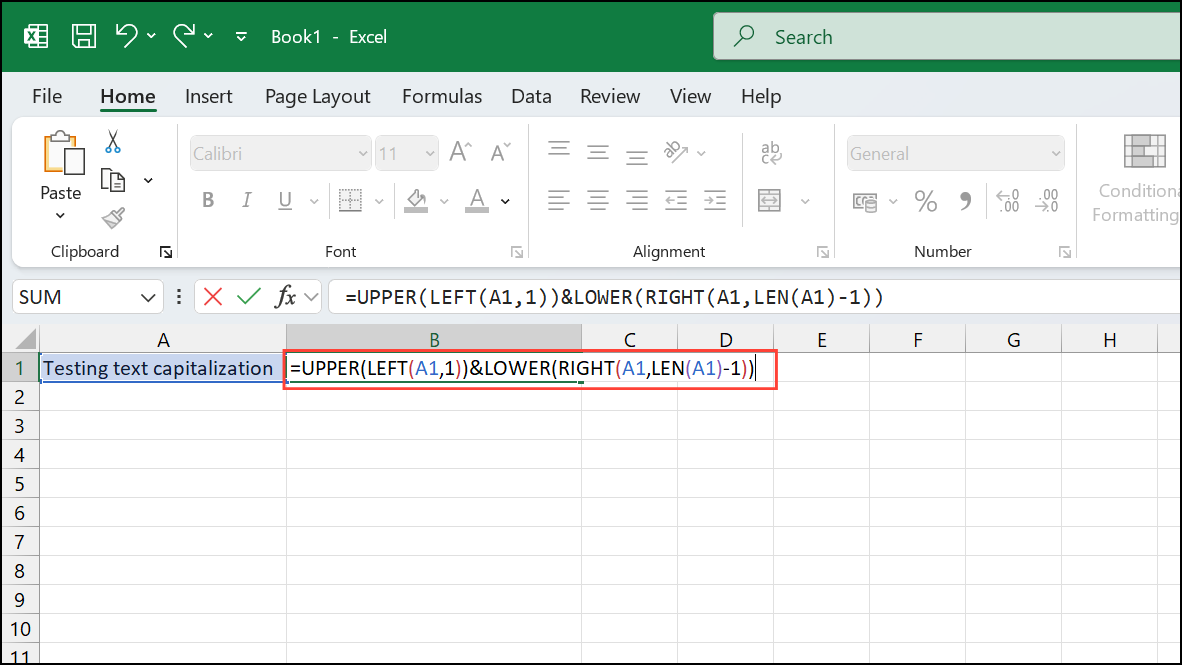
If you only want to capitalize the first letter of the entire text string (not every word), you can use a combination of functions like UPPER(), LEFT(), LOWER(), and RIGHT(). This method gives you more precise control over formatting.
=UPPER(LEFT(A1,1))&LOWER(RIGHT(A1,LEN(A1)-1))This formula capitalizes only the first character of the text string and converts all other letters to lowercase.
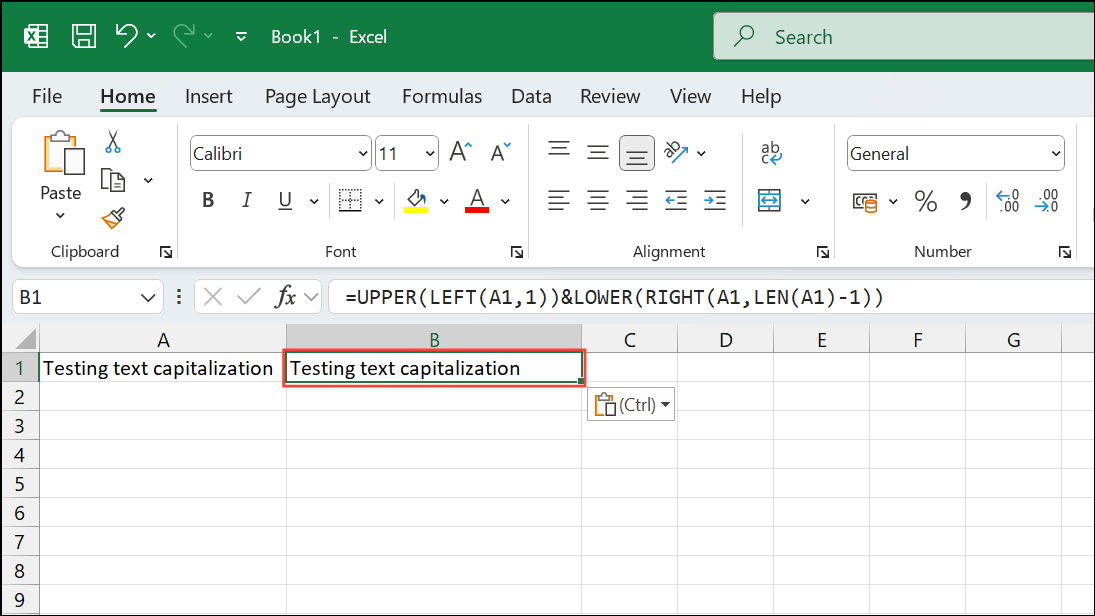
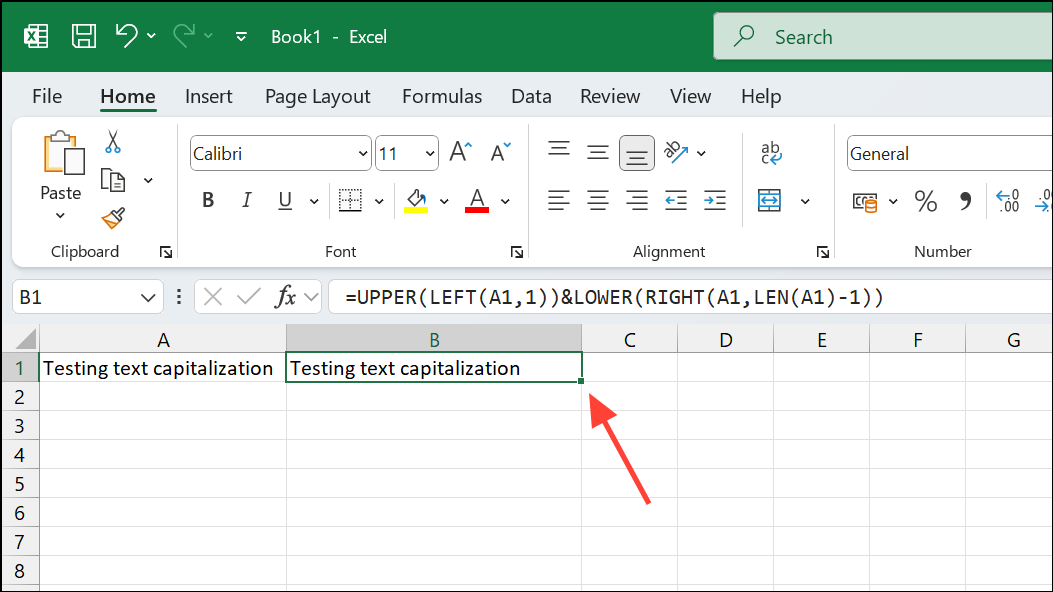
Paste Special > Values.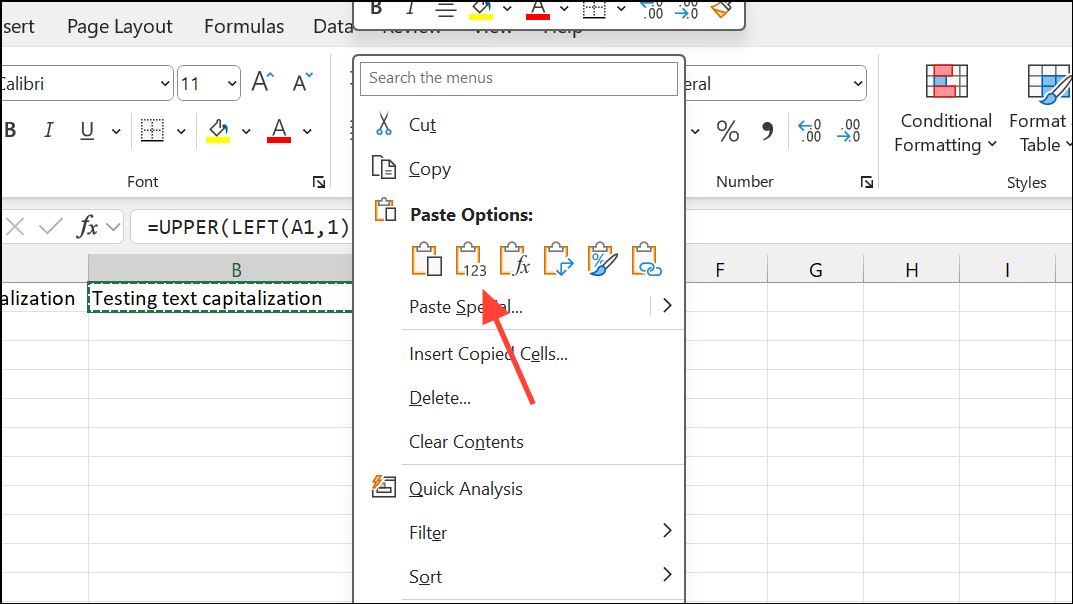
Using Flash Fill to Capitalize First Letters
Excel’s Flash Fill feature automatically detects your formatting pattern and applies it to the rest of the data. This method is quick for small datasets or occasional formatting tasks.
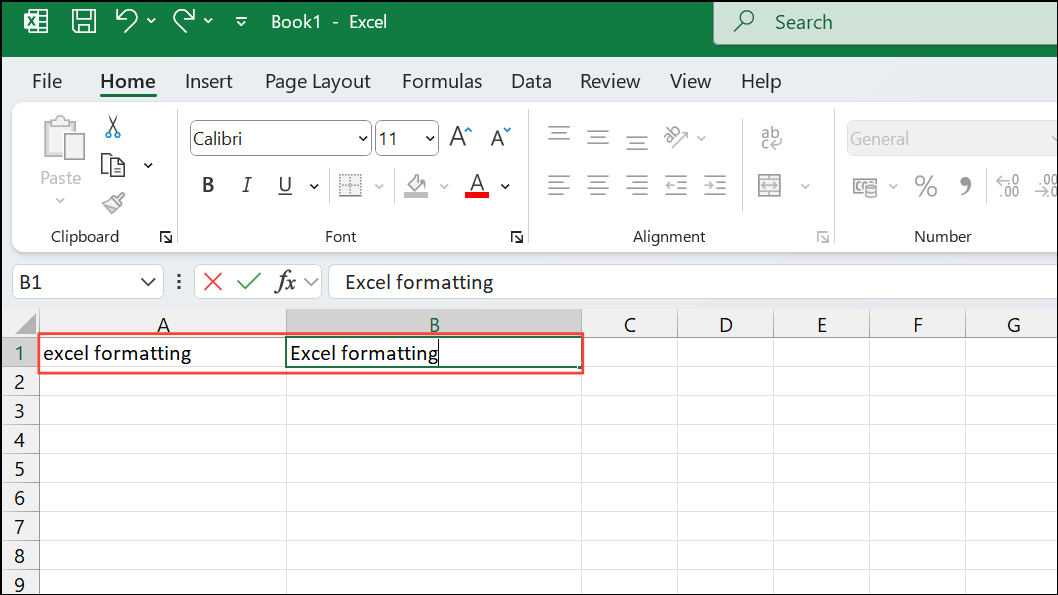
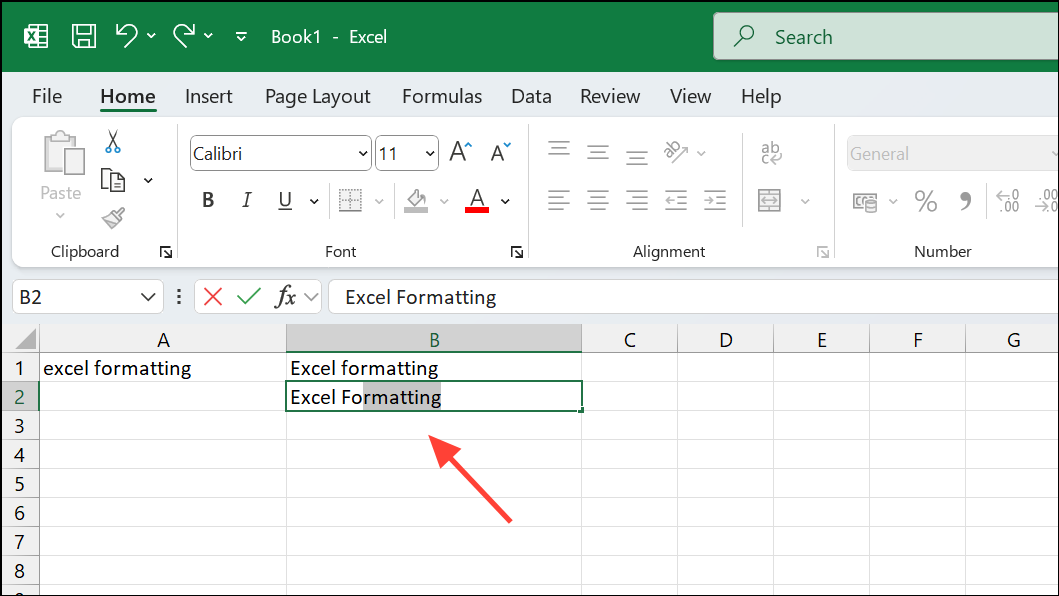
Enter to confirm. Excel will automatically fill the remaining cells with capitalized text.Alternative Approach: You can also use Flash Fill by selecting the cell you’ve typed manually (e.g., B1), then pressing Ctrl + E to instantly apply Flash Fill formatting to the rest of the cells below.
With these simple methods, you can effortlessly format your Excel data by capitalizing the first letter of text strings, giving your spreadsheets a clean, professional appearance.