Excel stores dates internally as sequential serial numbers, counting days from a starting point (typically January 1, 1900 for Windows). This system allows for efficient date calculations, but it can lead to confusion when a cell displays a number like 45334 instead of a recognizable date. This issue often arises when importing data, pasting from external sources, or when cell formatting is set to ‘General’ or ‘Number’ instead of a date format. Converting these serial numbers to readable dates streamlines data analysis, reporting, and communication.
Convert Serial Number to Date Using Cell Formatting
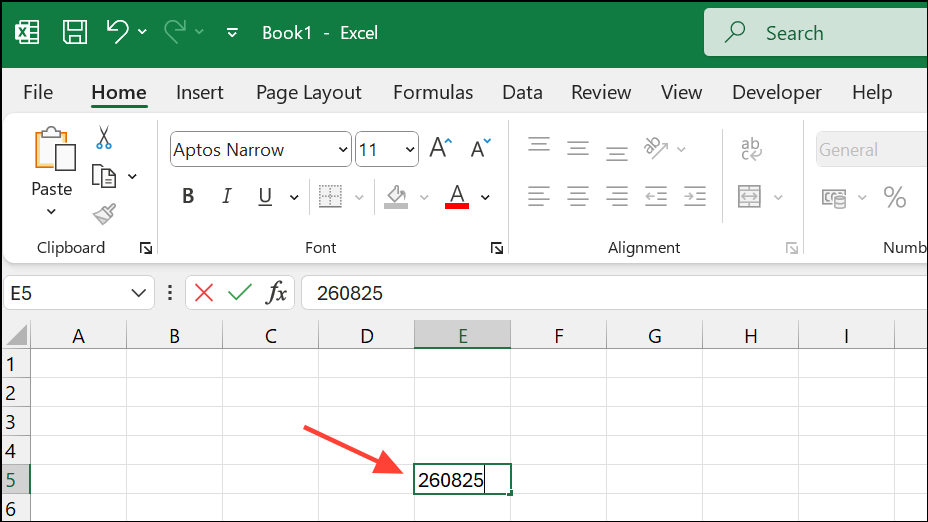
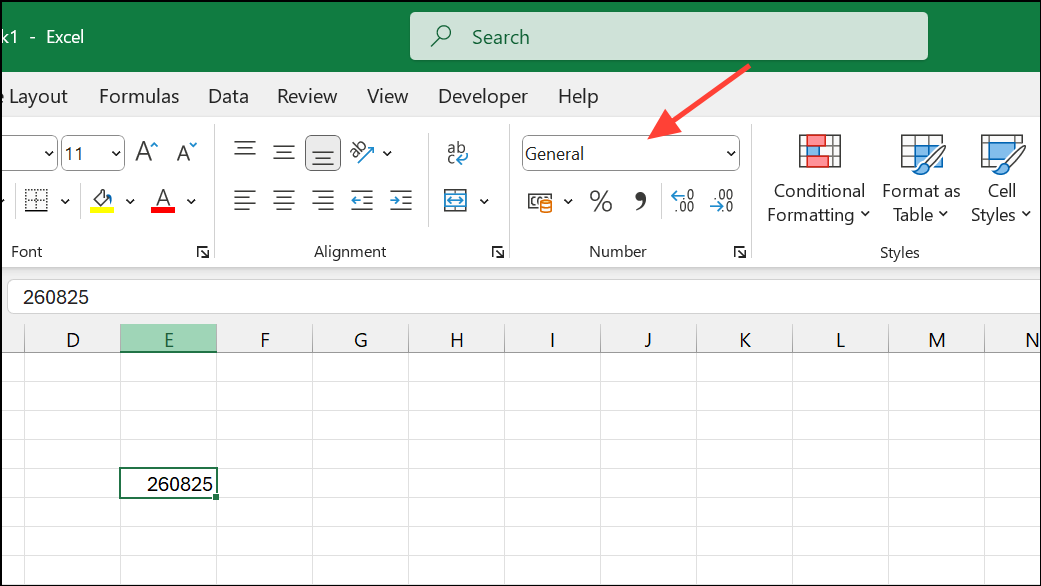
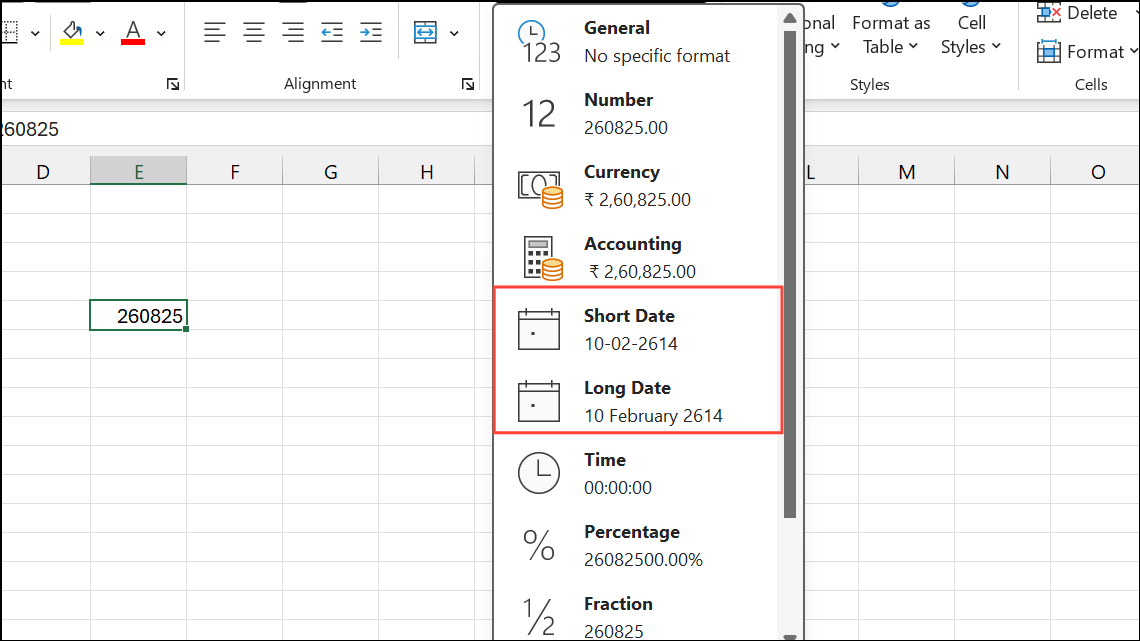
dd-mm-yyyy or yyyy/mm/dd), choose More Number Formats at the bottom of the list. In the Format Cells dialog, select Date for standard options or Custom to enter your own format code (e.g., mm/dd/yyyy).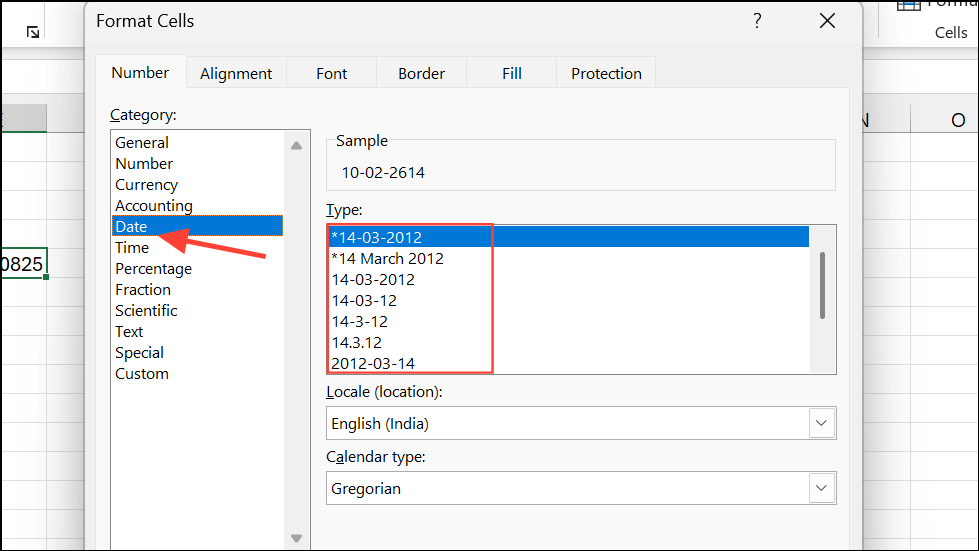
This approach does not alter the underlying data; it only changes the way Excel displays the value. If you see a series of ##### symbols, widen the column to reveal the full date.
Convert Serial Number to Date Using the TEXT Function
When you need to display the date in a specific format within a formula or combine it with other text, Excel’s TEXT function is a practical solution. This is especially useful if you want to generate text like “Due Date: 01/15/2024” or need to output the date in a report or message.
TEXT. Reference the cell with the serial number and specify your desired date format. For example, if your serial number is in cell A2 and you want a US-style date, use:=TEXT(A2,"mm/dd/yyyy")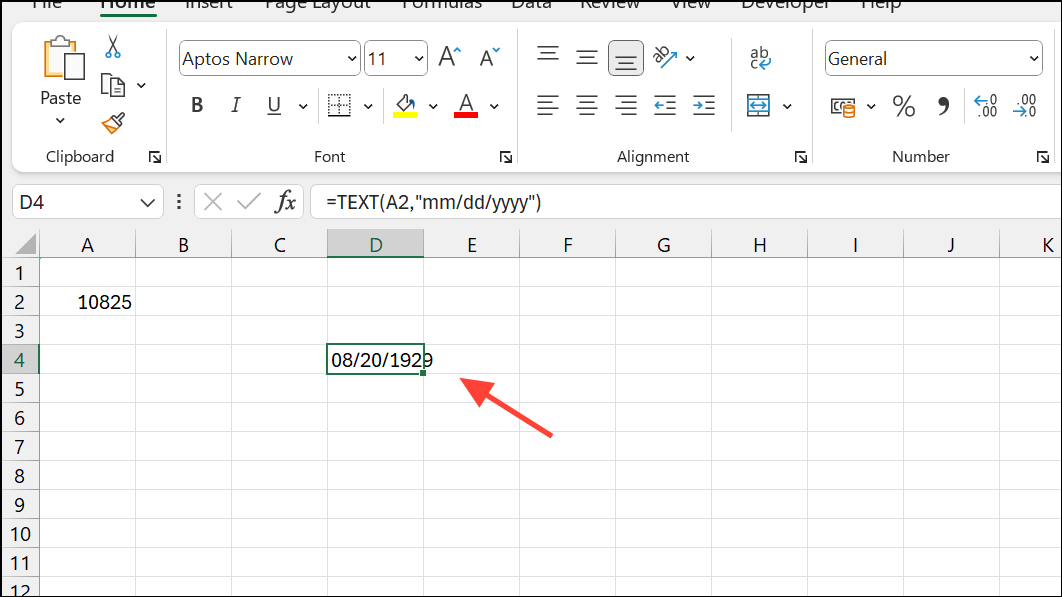
You can adjust the format code to suit your requirements. For example:
dd-mm-yyyyfor 15-01-2024.yyyy/mm/ddfor 2024/01/15.mmm dd, yyyyfor Jan 15, 2024.
If you want to include both date and time, use a format like mm/dd/yyyy hh:mm AM/PM.
Convert Text Dates to Serial Numbers Using DATEVALUE
Sometimes, dates are imported as text strings (e.g., “01/15/2024”) and need to be converted to serial numbers for calculations. Excel’s DATEVALUE function accomplishes this.
B2:=DATEVALUE(B2)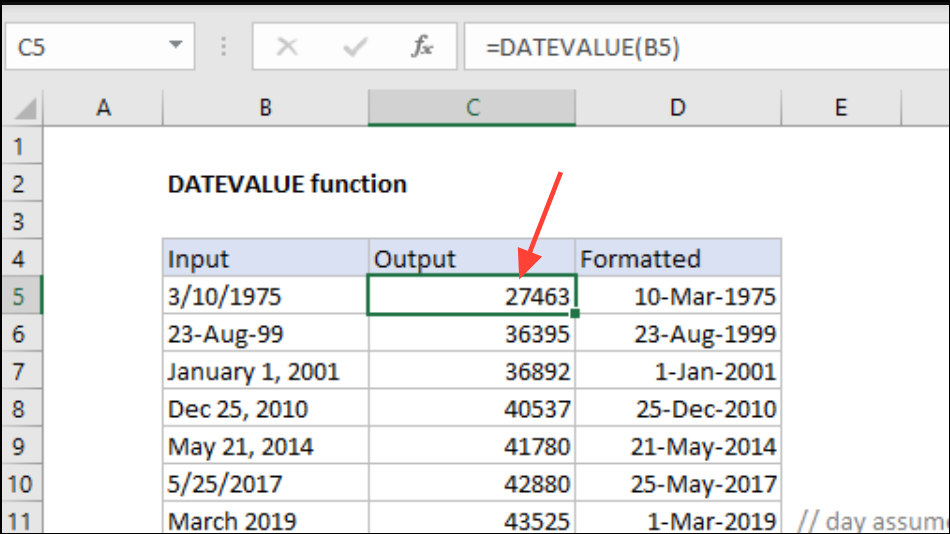
The DATEVALUE function is particularly helpful when you want to filter, sort, or perform date calculations on data that was originally stored as text.
Additional Tips and Troubleshooting
If your serial numbers include decimal values (e.g., 44561.75), the integer part represents the date, while the decimal part represents the time of day. Applying a date and time format such as mm/dd/yyyy hh:mm will display both components.
Regional settings affect default date formats. For example, US systems typically use mm/dd/yyyy, while UK systems use dd/mm/yyyy. Always double-check your system’s settings if dates appear swapped or misinterpreted.
When using Excel on Mac, be aware that the default starting date is January 1, 1904, not 1900. This shifts serial numbers by 1,462 days compared to Windows. If you transfer files between platforms, ensure consistency in date systems.
If you encounter hash signs (#####) instead of dates, increase the column width to display the full date value.
Converting serial numbers to dates in Excel streamlines data readability and supports accurate calculations. With these methods, you can quickly switch between numeric and date representations as your workflow demands.