
CPU bottlenecking occurs when your processor can’t keep up with the demands of your graphics card, limiting overall game performance and causing stuttering, low FPS, and frustrating gameplay. Resolving this issue involves several practical steps, ranging from software adjustments to hardware upgrades. Follow these detailed instructions to identify and eliminate CPU bottlenecks on your PC.
How to Identify a CPU Bottleneck
Before you can fix a CPU bottleneck, you need to confirm that the CPU is indeed the limiting factor. The easiest way to do this is by monitoring your CPU and GPU usage during gameplay.
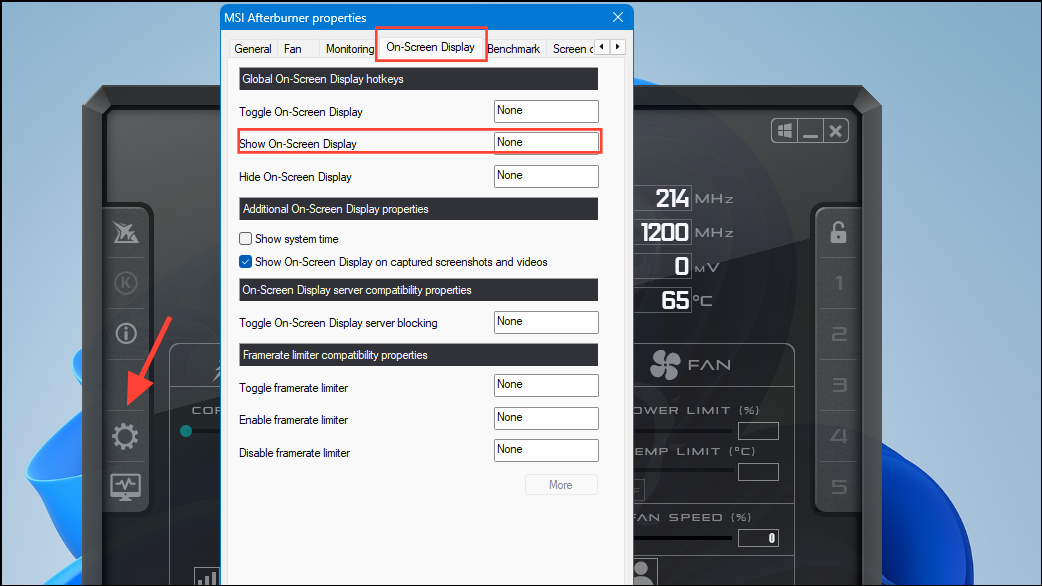
It’s important to test multiple games to ensure the issue isn’t specific to a single game. If the CPU is consistently maxed out across multiple games, proceed to the following solutions.
Method 1: Close Unnecessary Background Processes
Reducing the number of active background tasks frees up CPU resources and allows your processor to focus primarily on the game.
Ctrl + Shift + Esc to open Task Manager. Go to the “Processes” tab and sort the list by CPU usage by clicking the CPU section.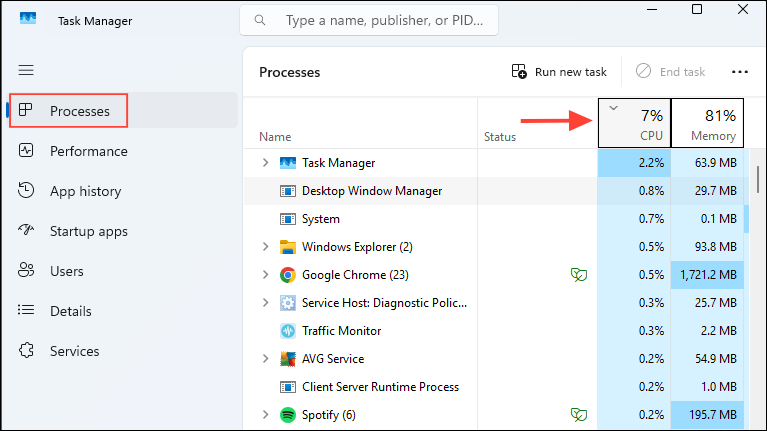
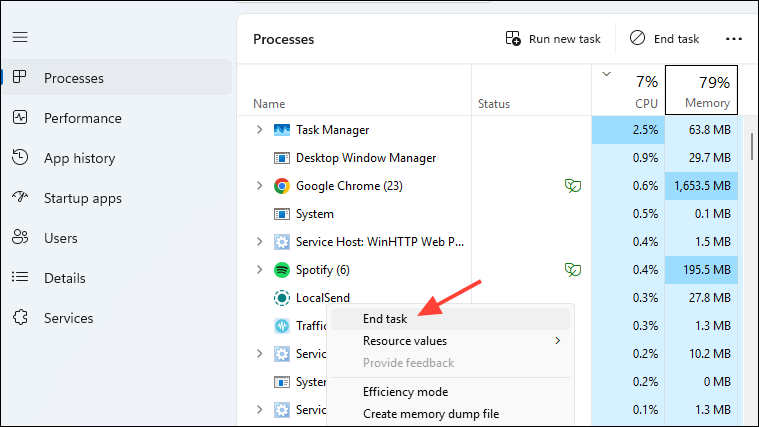
This simple step often results in immediate improvements in game smoothness and frame rates.
Method 2: Adjust In-Game Settings and Resolution
Increasing your game’s graphical settings and resolution might seem counterintuitive, but it effectively shifts the workload from your CPU to your GPU, balancing out the usage and reducing bottlenecks.
Finding the right balance may take some experimentation, but it will help your CPU keep pace with your GPU.
Method 3: Check and Optimize RAM Settings
Incorrect RAM settings can severely limit CPU performance. Ensuring your RAM is running at the correct speed and in dual-channel mode will optimize CPU throughput.
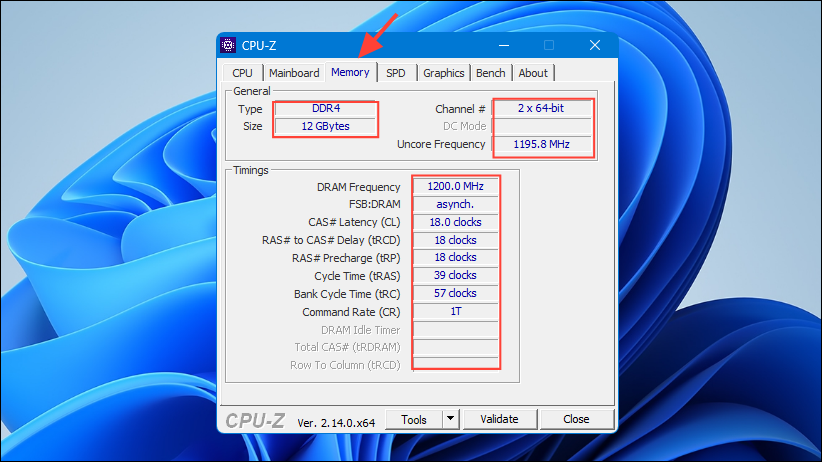
DEL or F2 during startup) and enable the XMP (Intel) or EXPO (AMD) profile to automatically set the correct RAM speed and timings.Optimal RAM settings significantly improve CPU efficiency and reduce bottlenecks.
Method 4: Improve CPU Cooling and Prevent Overheating
CPU overheating can trigger thermal throttling, drastically reducing performance. Keeping your CPU cool ensures it runs at optimal speeds consistently.
Maintaining lower temperatures prevents throttling and allows your CPU to perform at its peak.
Method 5: Overclock Your CPU for Higher Performance
If your CPU and motherboard support overclocking, increasing your CPU’s clock speed can significantly boost performance and reduce bottlenecks.
Overclocking can deliver noticeable performance gains, but it requires careful monitoring and adequate cooling solutions to prevent overheating or hardware damage.
Method 6: Upgrade Your CPU
If none of the above methods sufficiently resolve your bottleneck, upgrading your CPU is the definitive solution.
Upgrading your CPU provides long-term performance improvements, eliminating bottlenecks and ensuring smoother gaming experiences.
CPU bottlenecks can significantly limit your gaming experience, but these practical steps will help you identify and address the problem effectively. Whether through software tweaks or hardware upgrades, eliminating CPU bottlenecks ensures your system runs at optimal performance.





