
Windows update install error 0x80070643 usually occurs when updates fail to install, often due to issues related to the Windows Recovery Environment (WinRE) partition or corrupted system components. This error may prevent important security and feature updates from being installed, leaving your system vulnerable or outdated.
Extend the Windows Recovery Environment (WinRE) Partition
Many users encounter the 0x80070643 error because the WinRE partition lacks sufficient free space. Extending this partition often resolves the issue effectively.
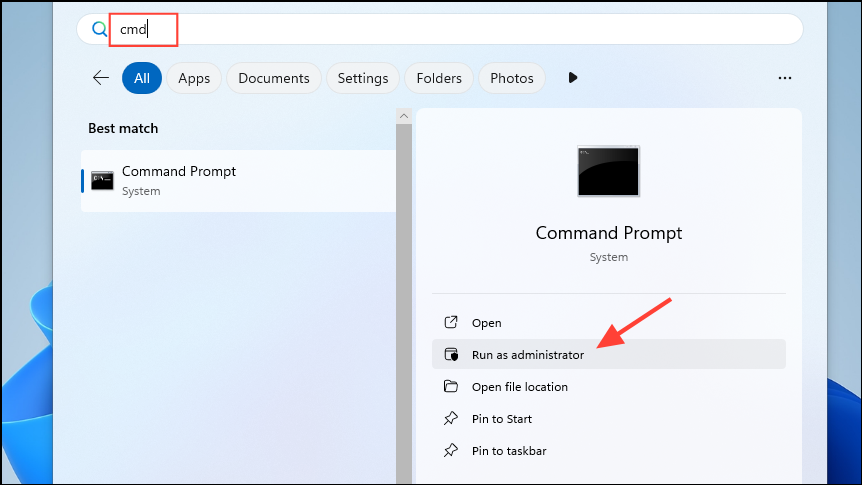
reagentc /info and press Enter. This shows you the current status and location of your WinRE partition. Note the disk and partition numbers from the displayed path.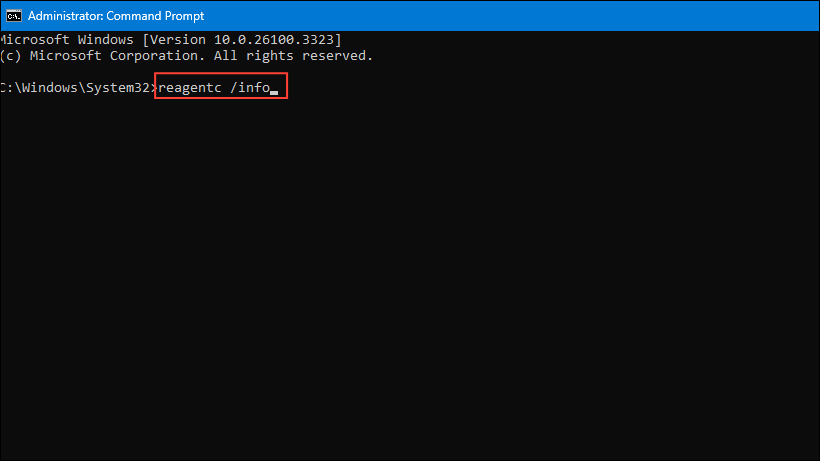
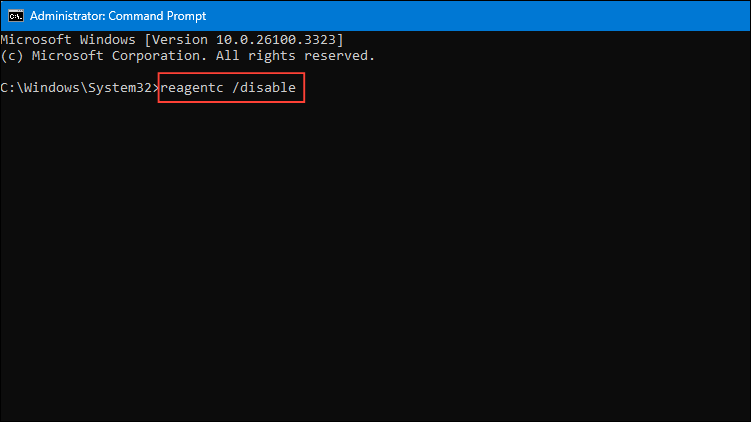
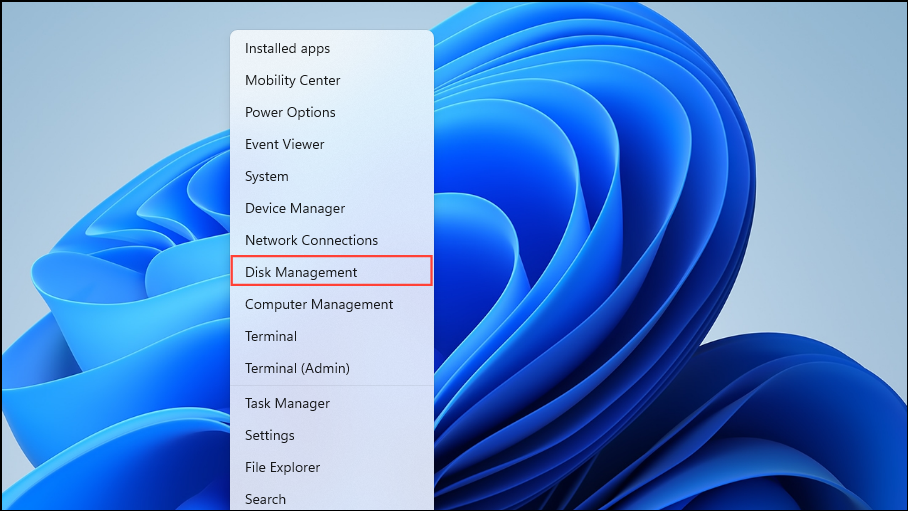
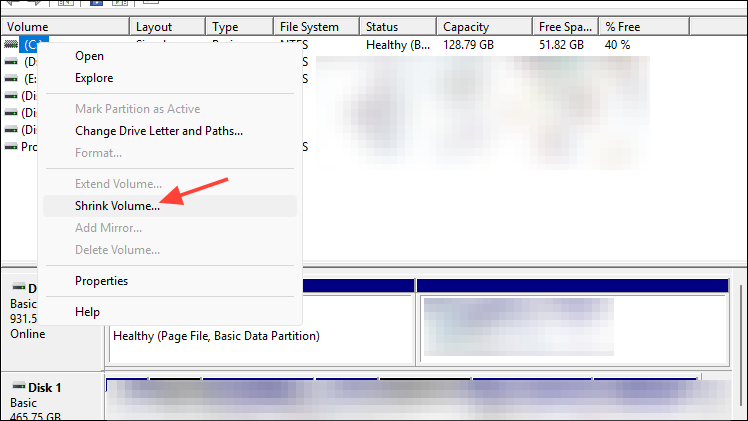
reagentc /enable. Verify the partition status again with reagentc /info to confirm it is active.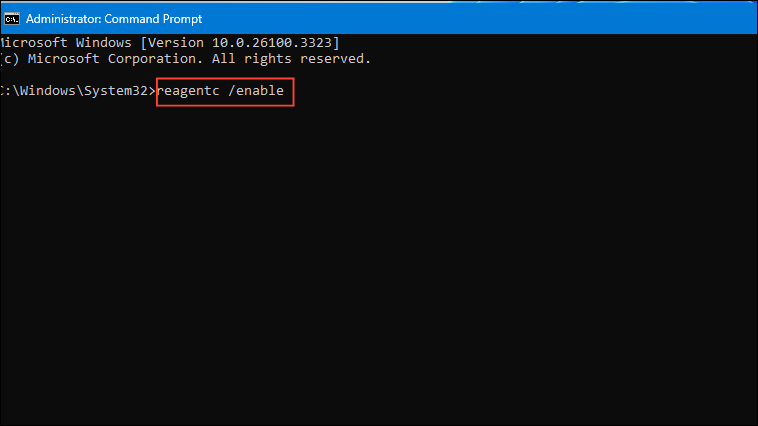
For detailed instructions, Microsoft provides a PowerShell script and manual update guide to help automate this process.
Run the Windows Update Troubleshooter
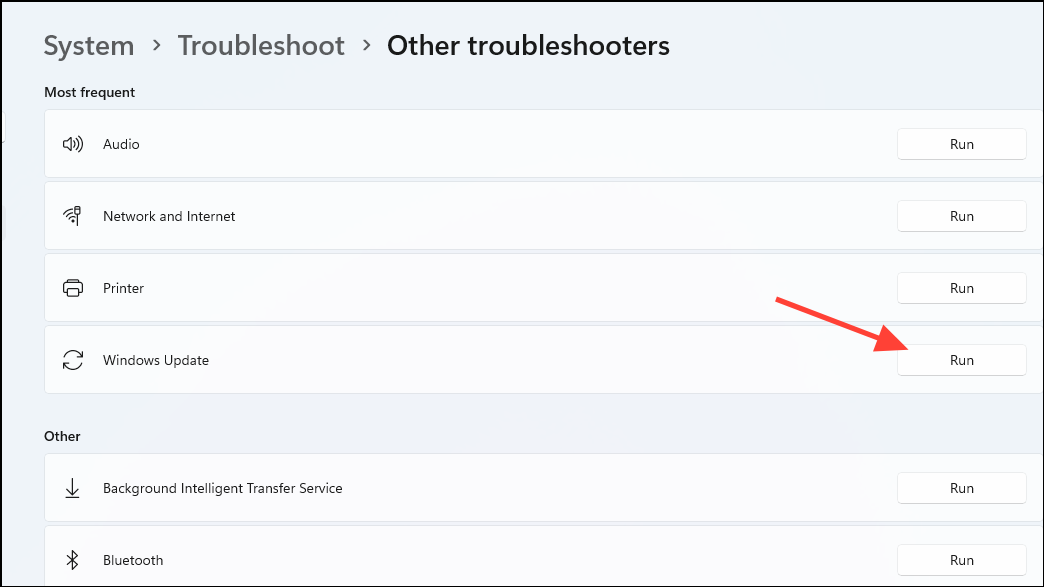
Windows includes a built-in troubleshooter designed to identify and resolve common update issues, including error 0x80070643.
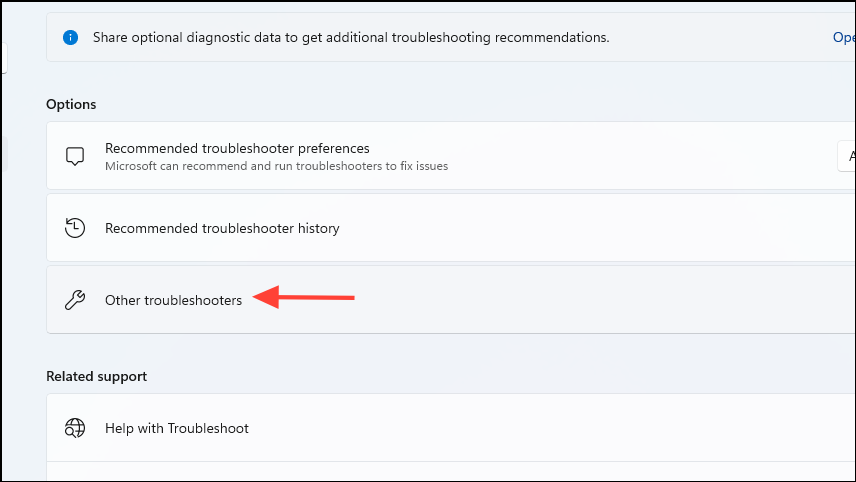
Install the Latest .NET Framework
A corrupted or outdated .NET Framework often triggers update errors. Installing the latest version can resolve the issue.
Restart the Windows Installer Service
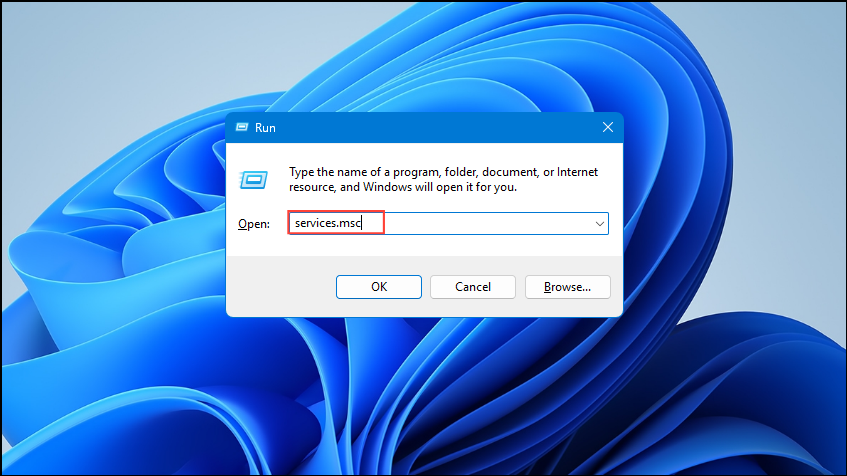
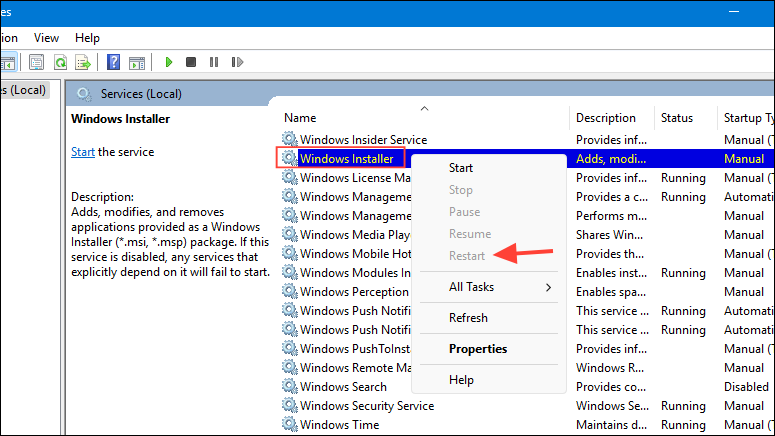
The Windows Installer service sometimes encounters glitches that cause update errors. Restarting this service can clear temporary issues.
Temporarily Disable Antivirus Software
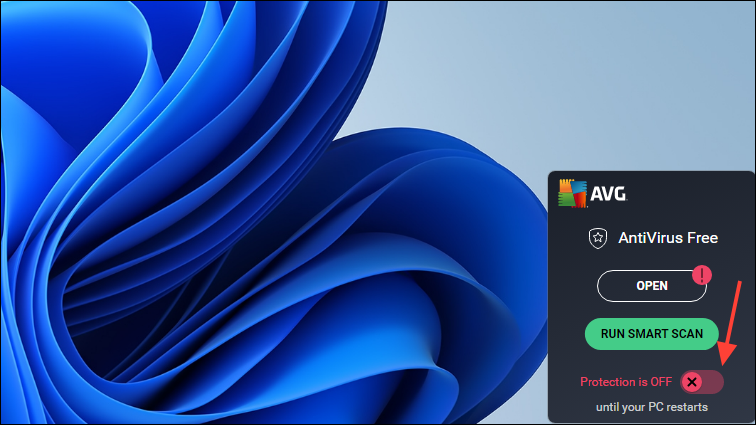
Sometimes antivirus software interferes with Windows updates, causing error 0x80070643. Temporarily disabling it can help.
Perform a Fresh Windows Installation (Last Resort)
If none of the above methods resolve the issue, performing a clean Windows installation is often the most effective solution. Be sure to back up all important data first, as this process completely erases your existing data and partitions.
This method ensures a fresh, error-free Windows environment and resolves persistent update issues.
With these solutions, you can effectively resolve the Windows update install error 0x80070643 and keep your system updated without further hassle.





