

Activating Xbox Game Pass unlocks access to hundreds of games, but it also provides a structured way to earn tangible rewards for your gameplay. By completing Game Pass Quests, redeeming Ultimate Perks, and linking your account with select partners, you can accumulate Microsoft Rewards points and claim in-game bonuses that can be exchanged for gift cards, game content, or even charity donations. Understanding how to maximize these opportunities streamlines your path to earning valuable rewards while enjoying your favorite titles.
Earn Microsoft Rewards Points Through Game Pass Quests
Game Pass Quests form the core of the rewards system for Game Pass Ultimate and PC Game Pass members. These Quests incentivize you to play games from the Game Pass catalog and complete specific challenges to earn Microsoft Rewards points. The process is straightforward and can be managed across your Xbox console, Windows PC, or the Xbox mobile app.
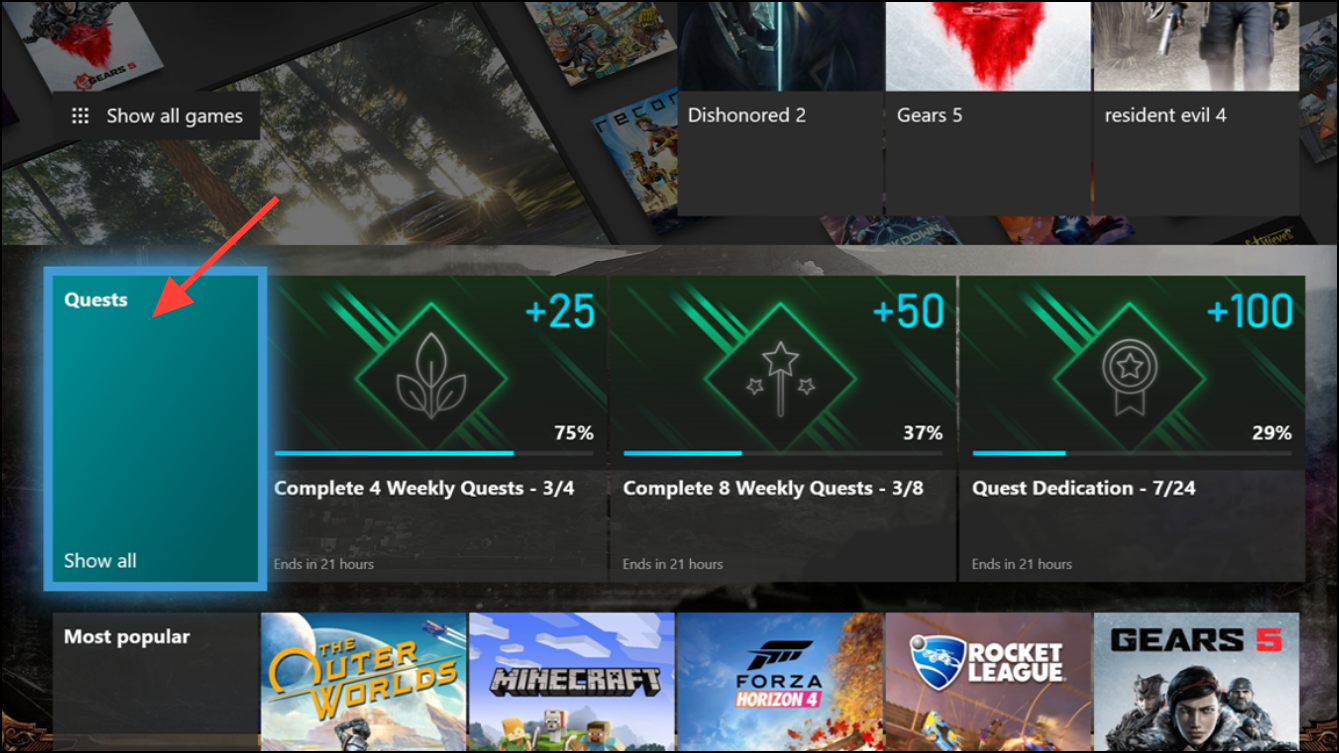
https://rewards.bing.com/redeem.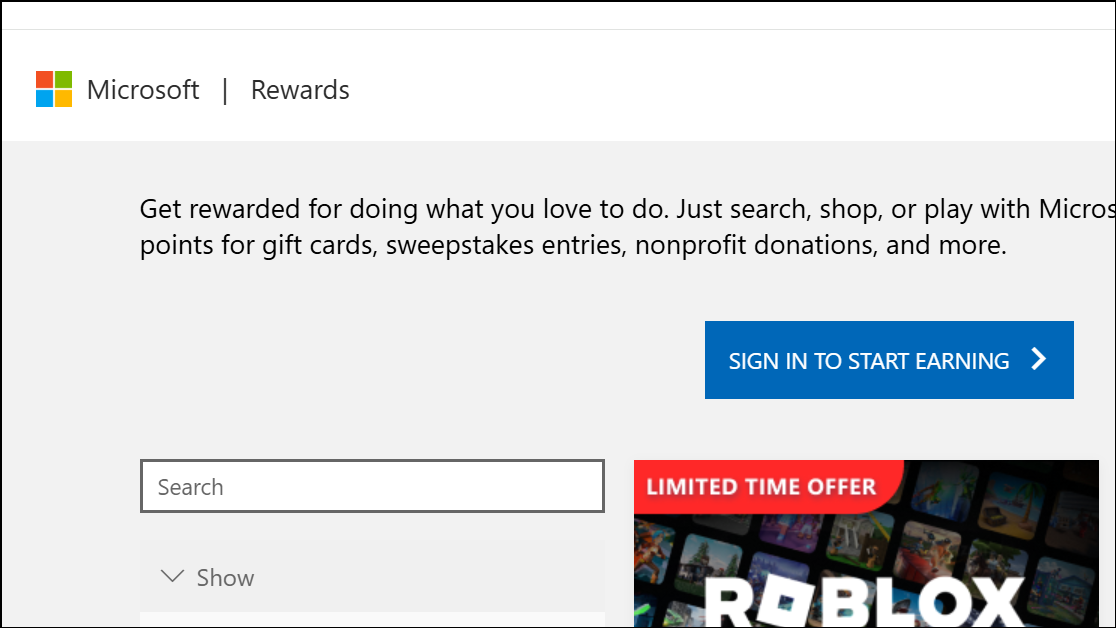
Boost Your Points With Streaks and Multipliers
Consistent daily engagement with Game Pass Quests unlocks streak bonuses and multipliers that significantly increase your total points. For example, playing a Game Pass title every day for a week not only earns daily Quest points but also activates a weekly streak bonus. Completing multiple weekly streaks within a month can trigger monthly multipliers, such as extra points for playing four or eight different games during the month.
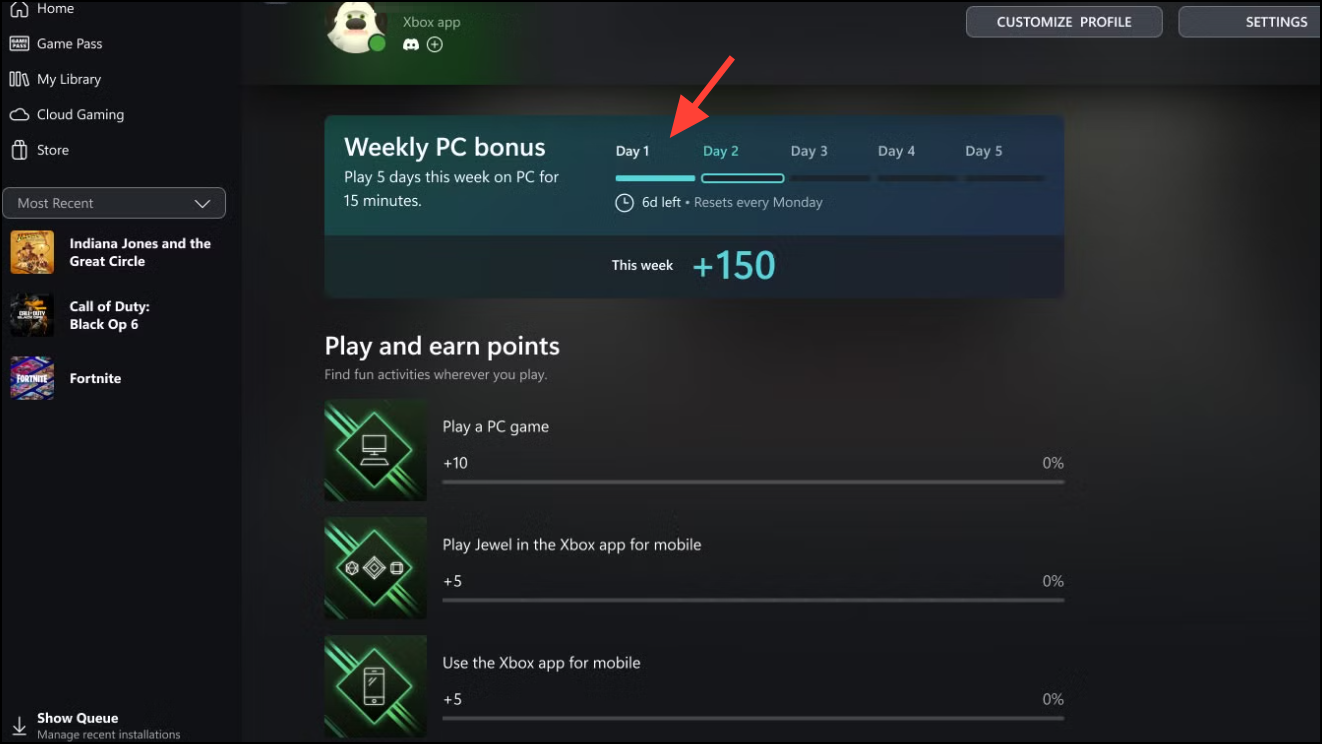
Missing a day will reset your streak, so planning your gaming sessions and setting reminders can help maintain momentum. These bonuses stack, so the more consistent your participation, the faster you accumulate points—potentially reaching thousands of points per month, which can be redeemed for substantial rewards like additional Game Pass time or gift cards.
Earn Rewards Across Devices: Console, PC, and Mobile
The rewards system is not limited to your Xbox console. By logging into the Xbox app on your mobile device or Windows PC, you can trigger separate daily Quests and streaks. Some Quests are exclusive to mobile or PC, such as launching a specific app or trying out a featured game. Additionally, certain activities—like playing the Jewel game within the mobile app—provide quick point boosts with minimal effort.
Simultaneously engaging with Game Pass on multiple platforms can multiply your points, as daily and weekly Quests are tracked separately for each device type. For PC users, playing Game Pass titles for five days in a week can unlock a dedicated bonus, while mobile users can earn points simply by opening the app and interacting with featured content.
Redeem Game Pass Ultimate Perks for In-Game Content
Game Pass Ultimate members gain access to exclusive Perks—free in-game add-ons, consumables, and partner offers. These Perks rotate monthly and can include items like character skins, currency bundles, or time-limited access to premium content in popular titles such as Sea of Thieves, WWE 2K25, or The First Descendant.

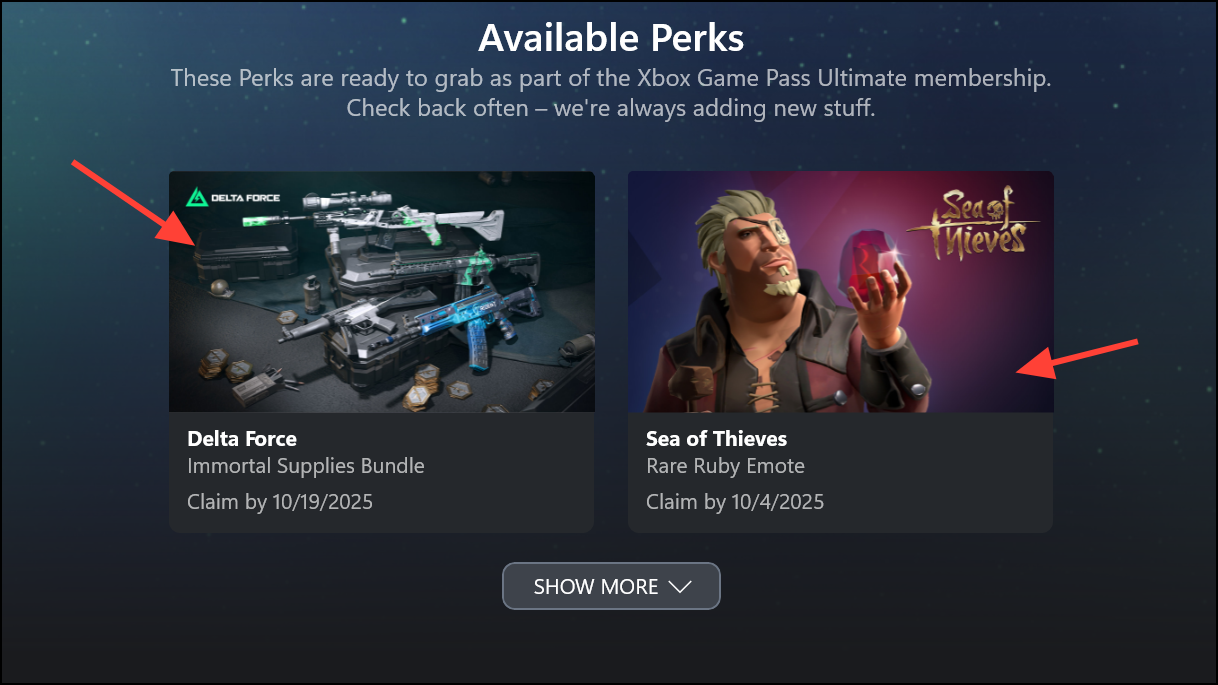
Perks are only available to Game Pass Ultimate members and must be redeemed within the stated timeframe. They are a valuable way to access premium content without additional spending.
Unlock Additional In-Game Benefits With Partner Integrations
Linking your Xbox profile to partner accounts, such as Riot Games, unlocks exclusive in-game rewards and benefits across titles like League of Legends, VALORANT, and Teamfight Tactics. These benefits may include unlocking all playable characters, gaining match XP boosts, or receiving special cosmetic items.

VALORANT or all champions in League of Legends become available as long as your Game Pass membership remains active and the accounts stay linked.These integrations provide immediate value, especially for players who would otherwise need to spend time or money unlocking content.
Tips for Maximizing Rewards and Managing Your Points
To optimize your Microsoft Rewards earning rate, focus on completing as many daily, weekly, and monthly Quests as possible, and maintain streaks across all your devices. Use the Rewards hub to monitor your progress and set goals for point accumulation. Check which redemption options are available in your region, as some countries may offer fewer rewards or different gift card options. Remember, Microsoft Rewards points will expire after 18 months of inactivity, so redeem points regularly to avoid losing them. Finally, consider supplementing your gaming activities with other Microsoft Rewards-earning actions, such as Bing searches or Microsoft Store purchases, to further accelerate your point total.
Staying consistent with Game Pass Quests and leveraging device-specific bonuses can quickly build up your Microsoft Rewards points and unlock valuable perks, making your regular gaming sessions even more rewarding.





