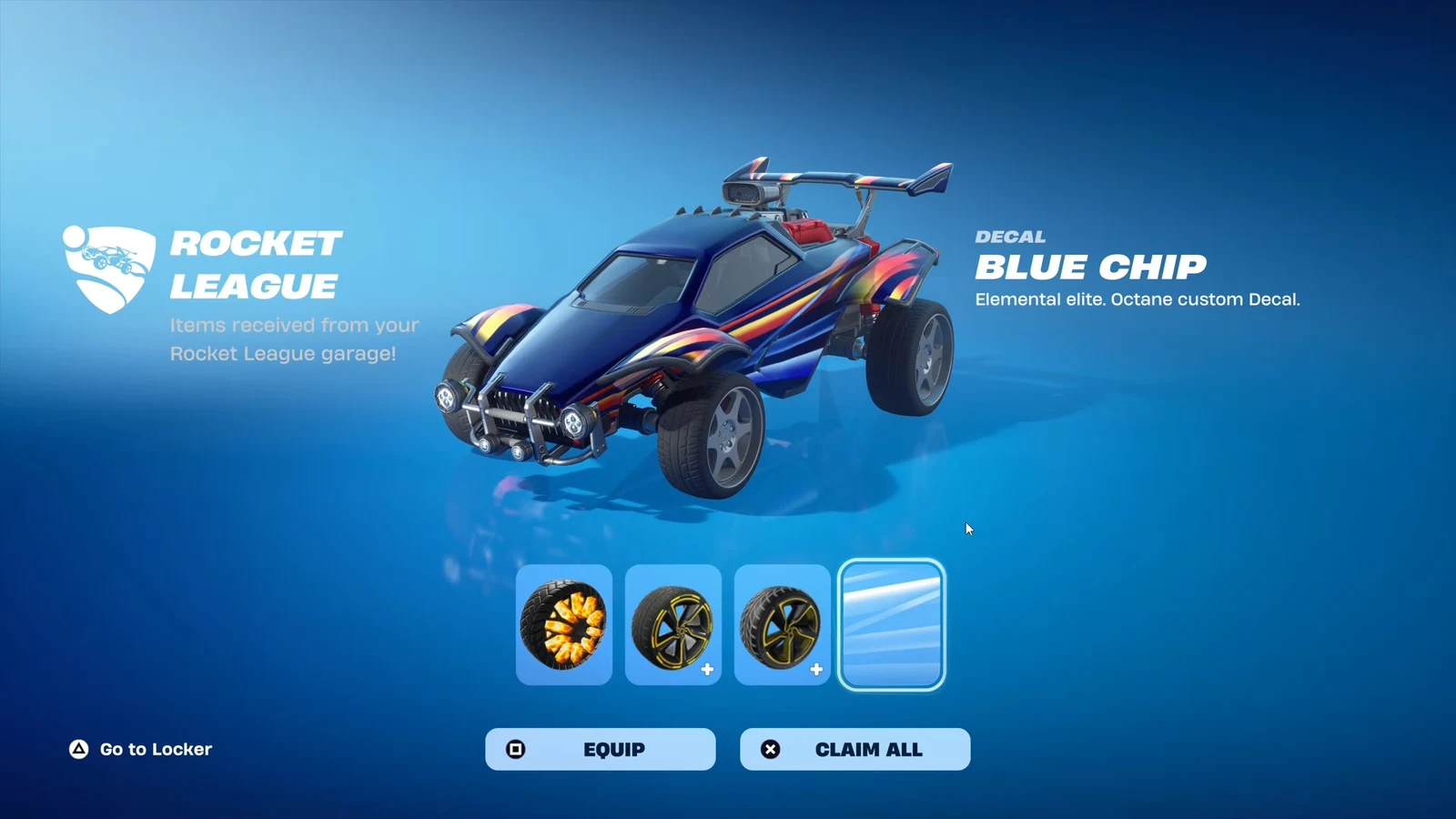
Two free cosmetics are live in Rocket League right now, tied to a set of World Championship challenges, and both of them land in your Fortnite locker as well. The Furnacer Wheels and the Blue Chip Octane Decal cost nothing beyond the in-game work, but the offer closes on Wednesday, September 23rd.
Quick answer: Play Rocket League and score at least 499 points in three matches to unlock the Furnacer Wheels, then get 10 saves to unlock the Blue Chip Octane Decal. Both items appear automatically in Fortnite if the same Epic Games account is linked.
World Championship challenge rewards and requirements
There are only two challenges, and they run in parallel. You do not need to complete one before starting the other, and progress on both accumulates across normal matches.
| Reward | Requirement |
|---|---|
| Furnacer Wheels | Score at least 499 points in three matches |
| Blue Chip Octane Decal | Get 10 saves |
Both rewards transfer to Fortnite. The Blue Chip decal is an Octane car body decal, so it applies specifically to that body rather than every vehicle in your garage.
How to hit 499 points for the Furnacer Wheels
Points here are the in-match score shown next to your name at the end of a game, not goals. Shots, saves, assists, centering passes, epic saves, and clears all feed into that number, which is why a busy game can push you past the threshold without scoring much yourself.
How to get 10 saves for the Blue Chip Octane Decal
Saves accumulate across as many matches as you need, so there is no per-game quota to worry about. A save registers when you stop a shot that was heading into your own net.
Playing back as the last defender is the fastest route. Hanging near your own goal while teammates push forward gives you far more chances to intercept shots than committing to every attack, and this challenge overlaps neatly with the points requirement since saves are worth a healthy chunk of match score.
Note: Clearing a ball that was never on target does not count. Only shots that would have gone in register as saves.
Getting the wheels and decal into Fortnite
Nothing extra is required in Fortnite itself. Cosmetics earned in Rocket League land in your Rocket League garage and your Fortnite locker at the same time, provided both games are tied to the same Epic Games account.
If you play the two games on different platforms or under different logins, link the console or platform account to your Epic account first. That connection is what carries the items across, and it can be managed from the Epic Games account connections page.
Once linked, the items are cosmetic only. They change how your car looks in both games and have no effect on handling or gameplay.
How to confirm the unlock worked
Rocket League marks the challenge as complete in the challenges menu, and the reward drops straight into your inventory without a separate claim step. To double-check, open the garage, pick a car, and look under Wheels for Furnacer. For the decal, select the Octane body and look for Blue Chip in the decal list, since it will not appear on other bodies.
In Fortnite, the wheels show up in the locker under car customization options. If they are missing there but present in Rocket League, the account link is the thing to check rather than the challenge itself.
The two most common reasons progress stalls are playing offline or in modes that do not report challenge progress, and playing on an account that is not the one linked to Epic. Both are worth ruling out before assuming the challenge is broken.
The window is generous relative to the workload. Ten saves and three solid matches is a couple of evenings of casual play at most, and once September 23rd passes, neither the Furnacer Wheels nor the Blue Chip decal will be obtainable through these challenges again.