Classic clothing on Roblox uses 2D image files you upload through the Creator Dashboard. T‑shirts are square images that show on the avatar’s torso; classic shirts and pants use templates that wrap around the body. Note that current user‑generated avatars on the Marketplace don’t support 2D classic clothing; focus on classic items for blocky characters as outlined in the Classic clothing docs at create.roblox.com/docs/art/classic-clothing.
Make a classic T‑shirt (front image)
Create a square image in any editor. Use a canvas such as 512 × 512 px so it scales predictably on the torso.
Keep key art centered to avoid cropping on the avatar. Leave some padding near edges so the graphic doesn’t appear cut off.
Open your Creator Dashboard at create.roblox.com/dashboard/creations in a web browser.
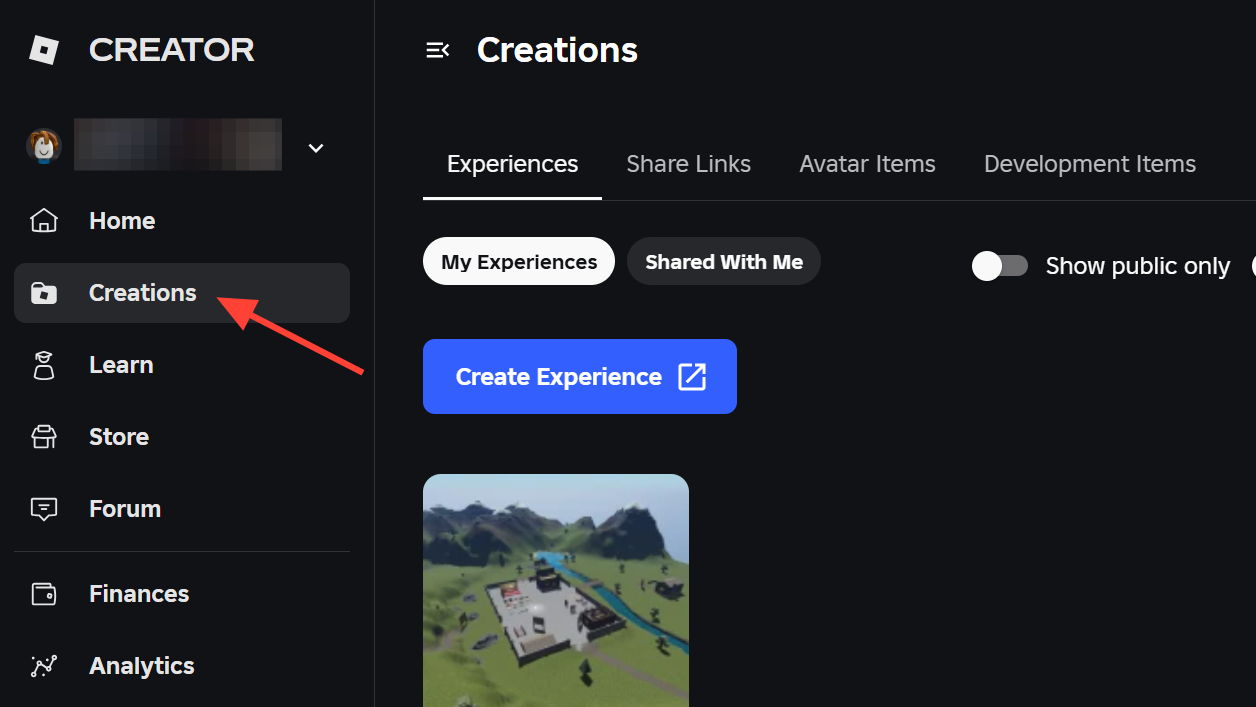
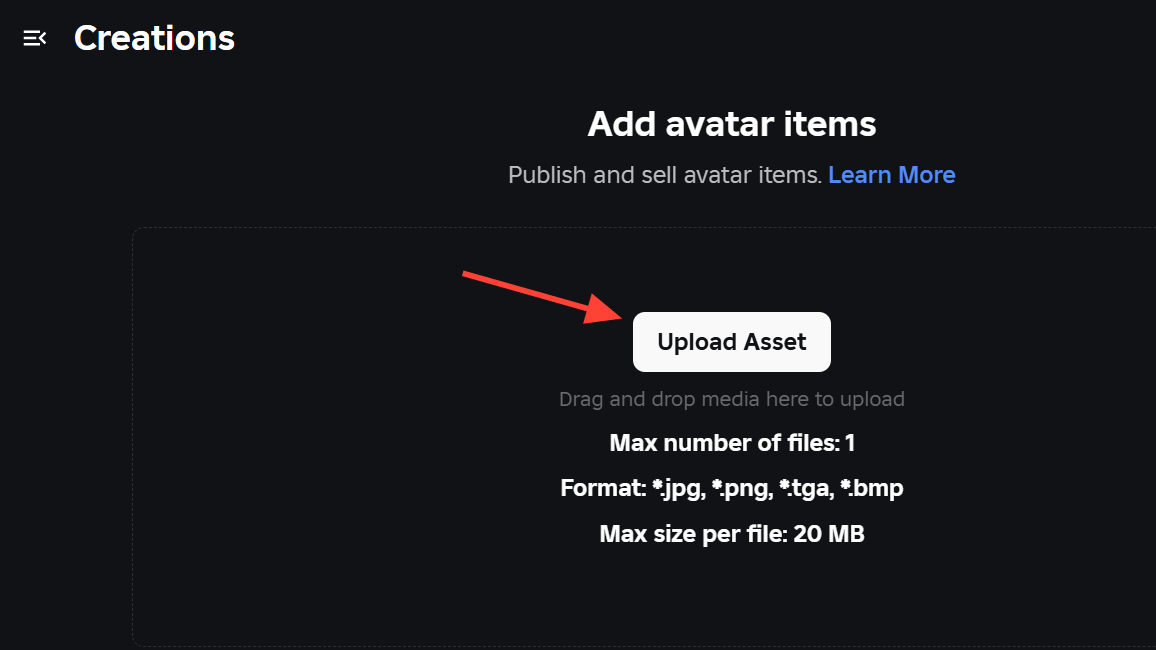
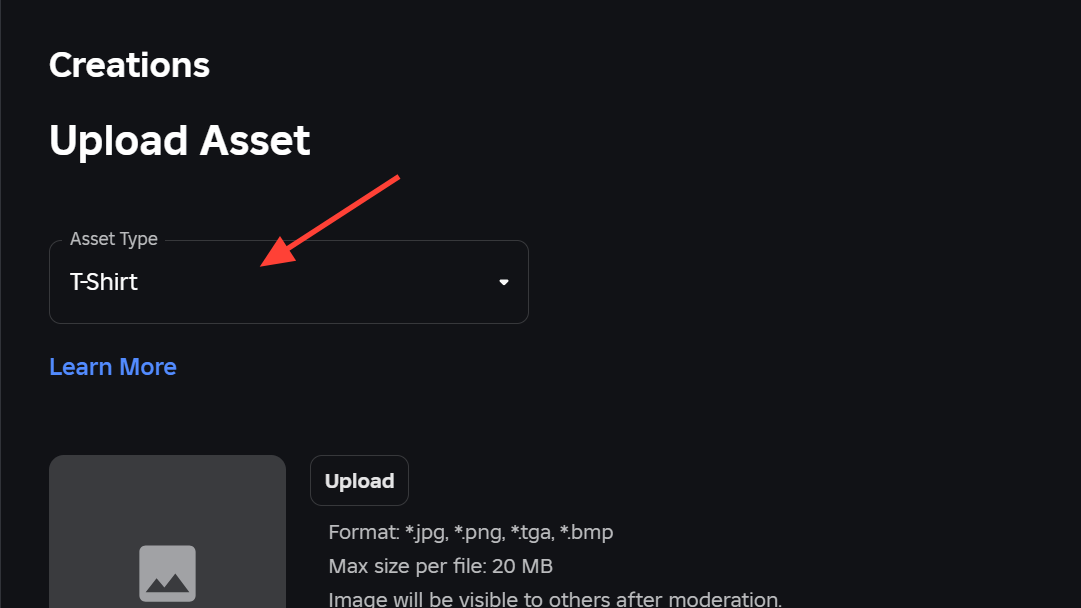
Drag your image into the upload area, or choose Upload Asset. On the next page, set Asset Type to T‑shirt.
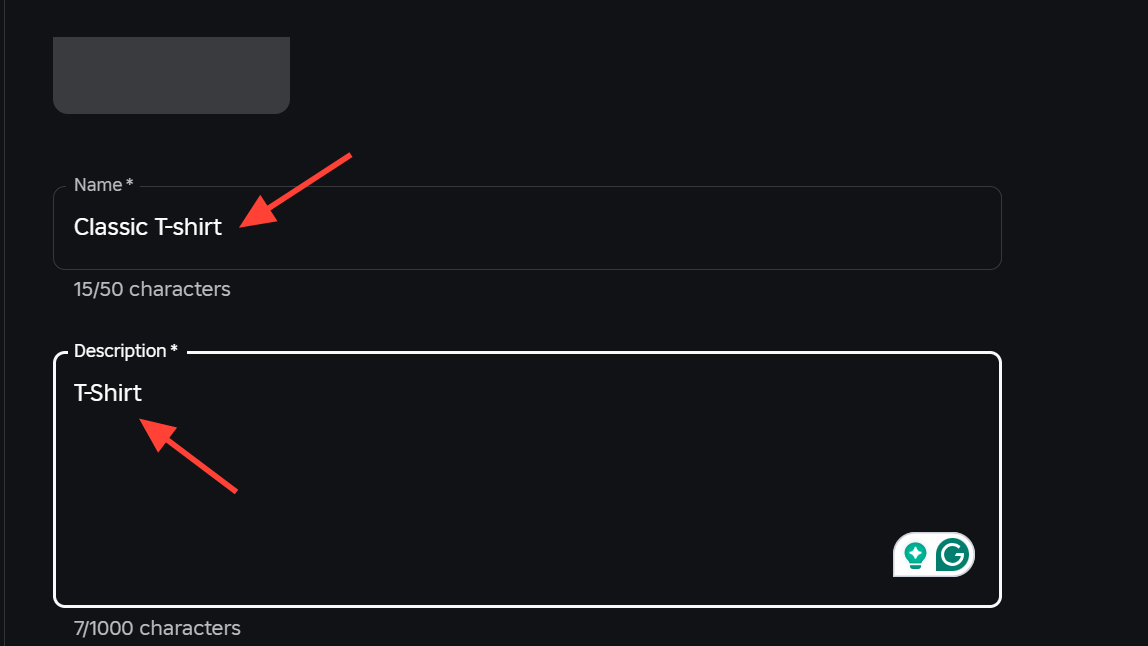
Enter a clear name and description. These help users find your item and keep your library organized.
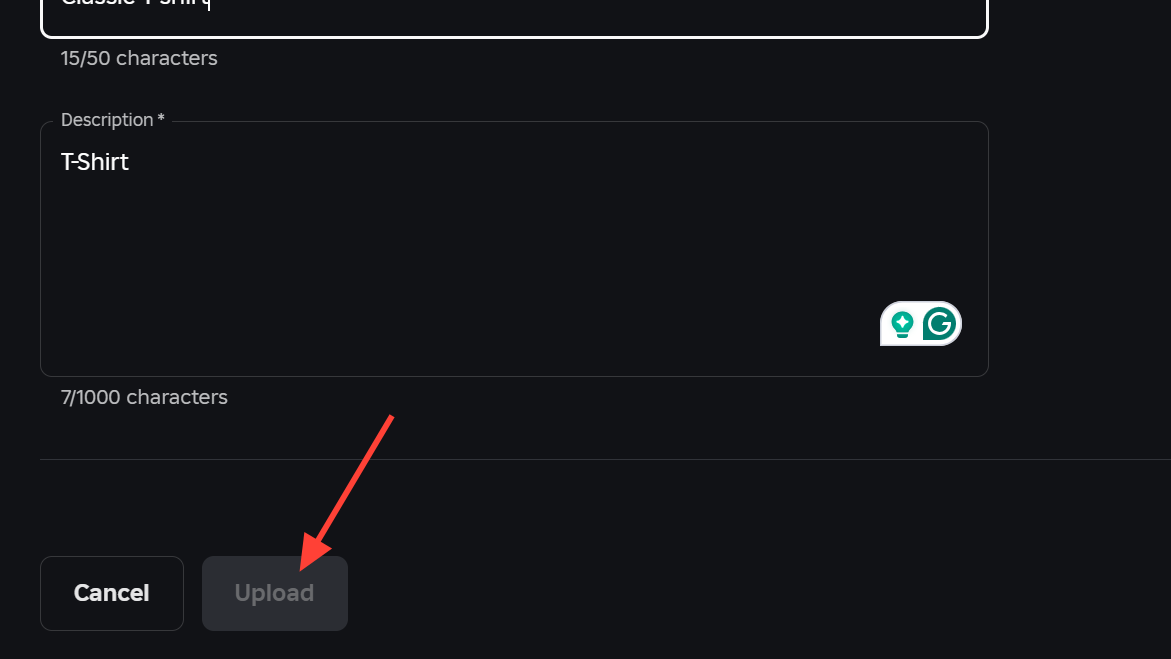
Click Upload. After moderation passes, a copy is added to your inventory so you can wear or configure it.
Make a classic shirt or pants (template‑based)
Download the official shirt or pants templates from the Classic clothing page. Templates define how art wraps the torso, arms, and legs.
Open the template in your image editor. Place graphics within the labeled regions so seams align correctly in 3D.
Keep joint areas clean. For example, don’t extend shoe designs too far up the leg regions or they’ll look like part of the pants.
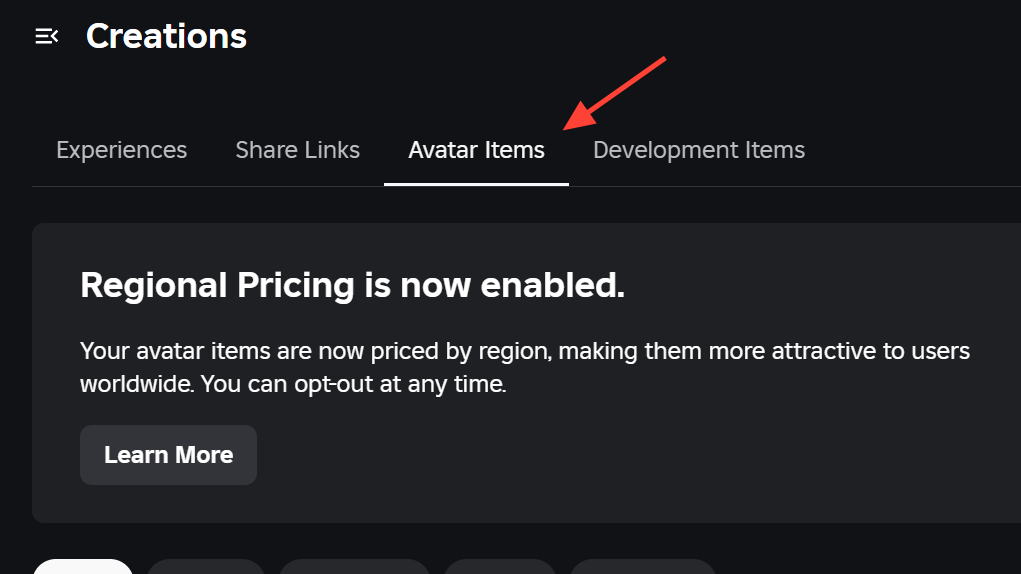
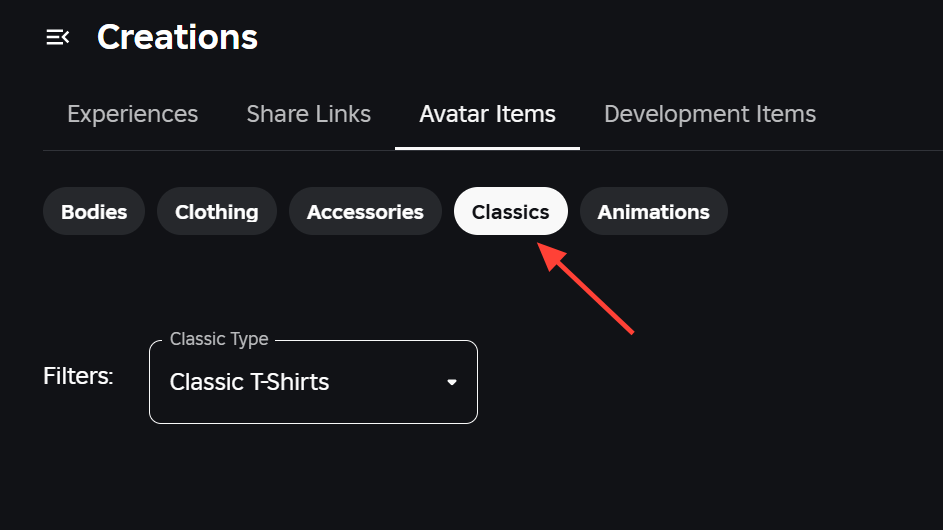
In the Creator Dashboard, open Avatar Items, then the Classics tab. Upload your file and set Asset Type to Shirt or Pants.
Name and describe the item, then upload. Test on an avatar in Studio and iterate if any seams or proportions look off.
Upload and sell classic clothing on Roblox
Upload your item through Avatar Items → Classics as described above. Wait for moderation to complete.
Open Avatar Items → Classics and select your approved asset to configure it. This opens the asset’s settings.
Enable On Sale and set a price in Robux. Listing classic clothing in the Marketplace involves a Robux fee; see fees and commissions under Classic Clothing at create.roblox.com/docs/…/marketplace-fees-and-commissions#classic-clothing.
Save your changes. The item becomes available for purchase on the Marketplace once the listing updates.
Classic clothing types at a glance
| Type | Format/size | Where it appears | Template needed |
|---|---|---|---|
| T‑shirt. | Square image (e.g., 512 × 512 px). | Front torso on a blocky character. | No. |
| Shirt. | Image wraps torso and arms. | Entire upper body (with sleeves). | Yes, use the official shirt template. |
| Pants. | Image wraps torso and legs. | Waist through legs (includes waistline). | Yes, use the official pants template. |
Fix: T‑shirt upload shows 3D items instead of image upload
Open Create → Avatar Items in a web browser. This ensures you’re in the right area for clothing uploads.
Switch to the Classics tab. The 3D upload screens are separate; classic T‑shirts and templates live under Classics.
Choose Upload Asset and set Asset Type to T‑shirt. Then select your square
.png or .jpg file and upload.If the item shows as under review, wait for moderation to finish. You’ll see it in your inventory when it’s approved.
Once you’ve uploaded a few designs, iterate based on how they look in Studio and on avatars. Small template adjustments—especially around seams and joints—make a big difference in how polished your clothing appears.