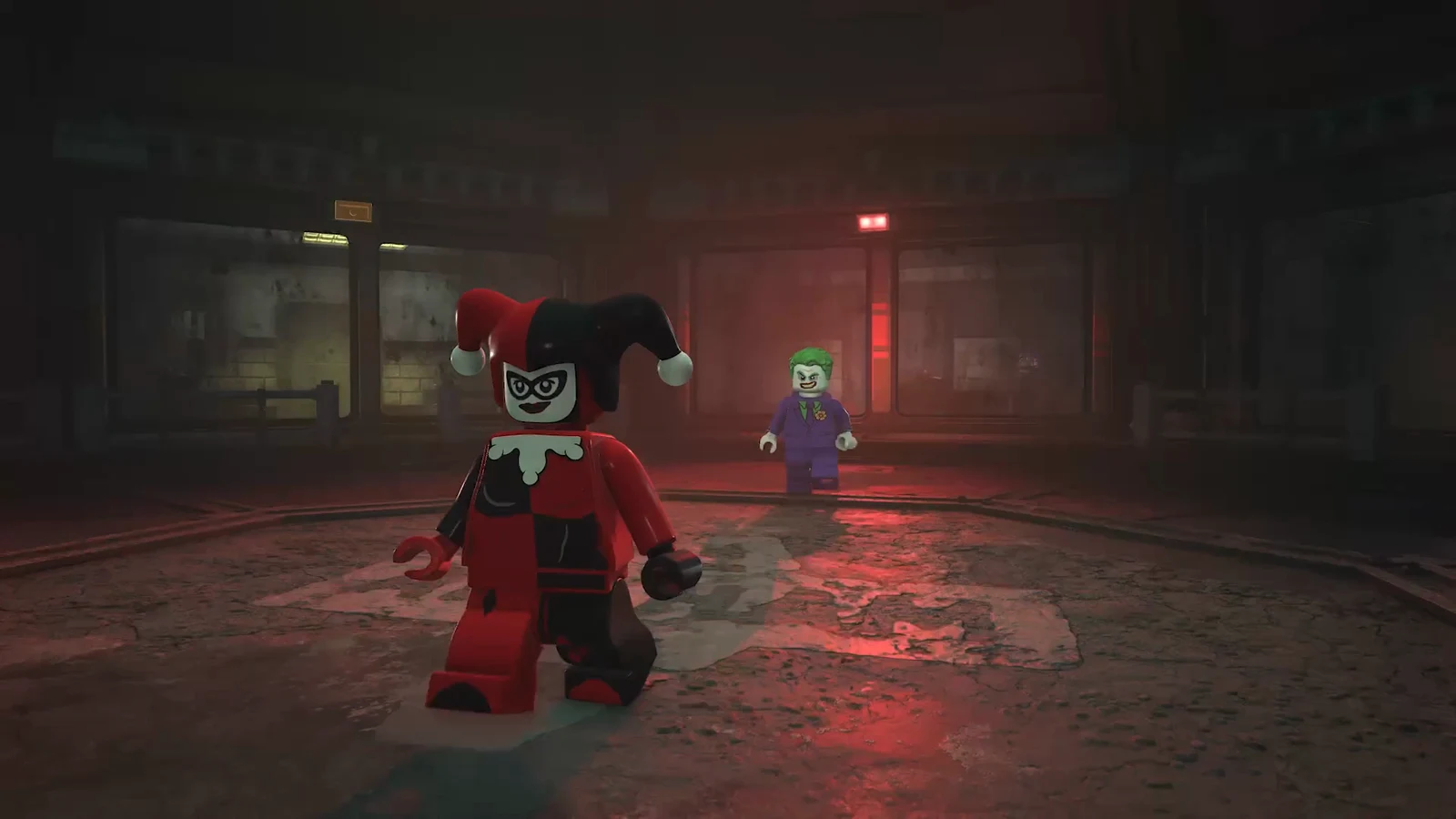
The Mayhem Collection is live for LEGO Batman: Legacy of the Dark Knight, and on PS5 it arrives as two separate add-ons rather than one download. Mayhem Mode carries The Joker and Harley Quinn’s breakout from Arkham Asylum and the chaos runs through Gotham, while the Sinister Pack holds the cosmetic half. Both have to be claimed and installed before either shows up in the game.
Quick answer: Open the game’s PS5 hub, scroll to Add-Ons, claim Mayhem Mode and the Sinister Pack, then confirm both read “Usable” under Manage Game Content.
What you need before the DLC will appear on PS5
Two things gate the add-ons. The first is the title update that shipped ahead of the DLC, which delivered the Sinister Pack data to every copy of the game whether you own the content or not. If your console has not pulled patch 1.010 yet, let it download before anything else. The second is entitlement, which depends entirely on which edition you bought.
| Edition | Mayhem Collection | What you do |
|---|---|---|
| Deluxe Edition (digital) | Included | Claim both add-ons at no cost |
| Deluxe Edition (physical) | Included | Redeem the voucher code from the box |
| Standard Edition | Not included | Buy the Deluxe Edition Upgrade |
The Deluxe Edition Upgrade costs $24.99 / £21.99 / €24.99 and bundles the Mayhem Collection with the three Legacy Collection packs (Arkham Trilogy, Batman Beyond and Party Music). There is no way to buy Mayhem Mode on its own.
Claim Mayhem Mode and the Sinister Pack from the PS5 game hub
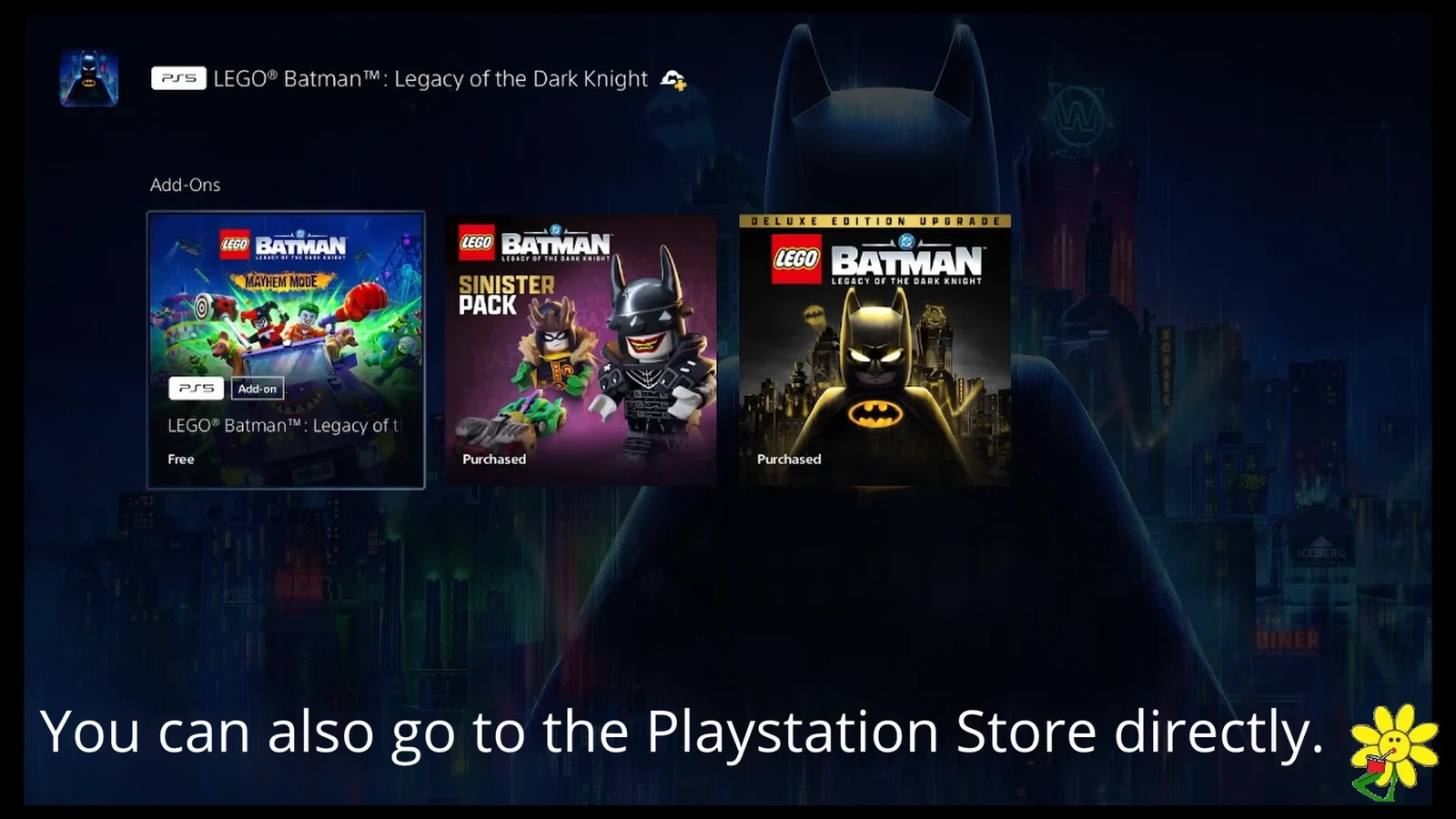
You can skip the hub entirely and search for both add-ons directly in the PlayStation Store, which is quicker if the Add-Ons row is slow to refresh.
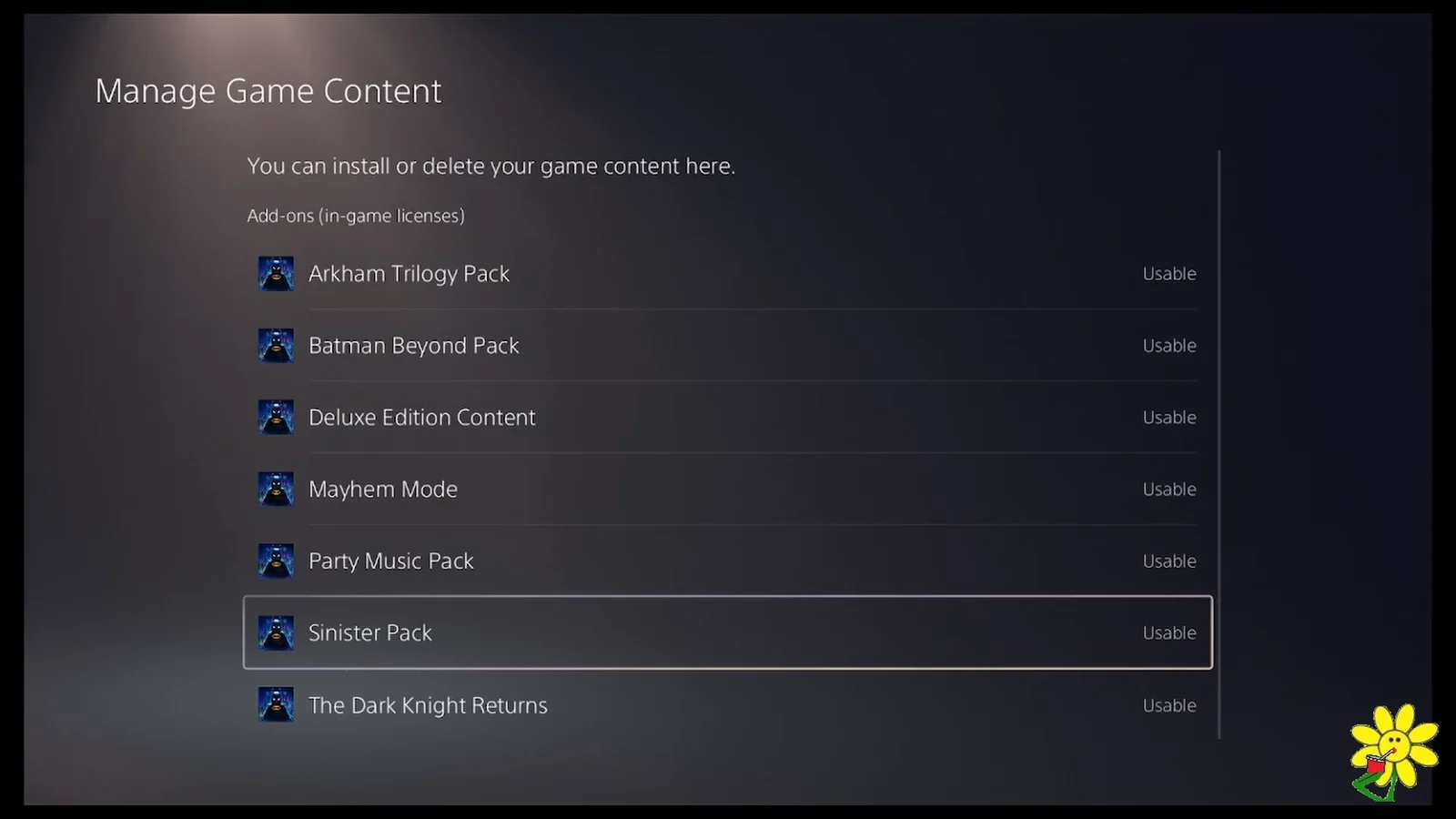
Check both add-ons are installed with Manage Game Content
Claiming an add-on and installing it are not the same thing, and the game will not show the new content until the files are on the console. Highlight the game tile, press the Options button on your controller and pick Manage Game Content.
The list that appears covers everything you own, including Arkham Trilogy Pack, Batman Beyond Pack, Party Music Pack, Deluxe Edition Content and The Dark Knight Returns. You are looking for Mayhem Mode and Sinister Pack to both read Usable. If either still shows a download arrow next to it, select the arrow to queue the install.
Start Mayhem Mode from the main menu
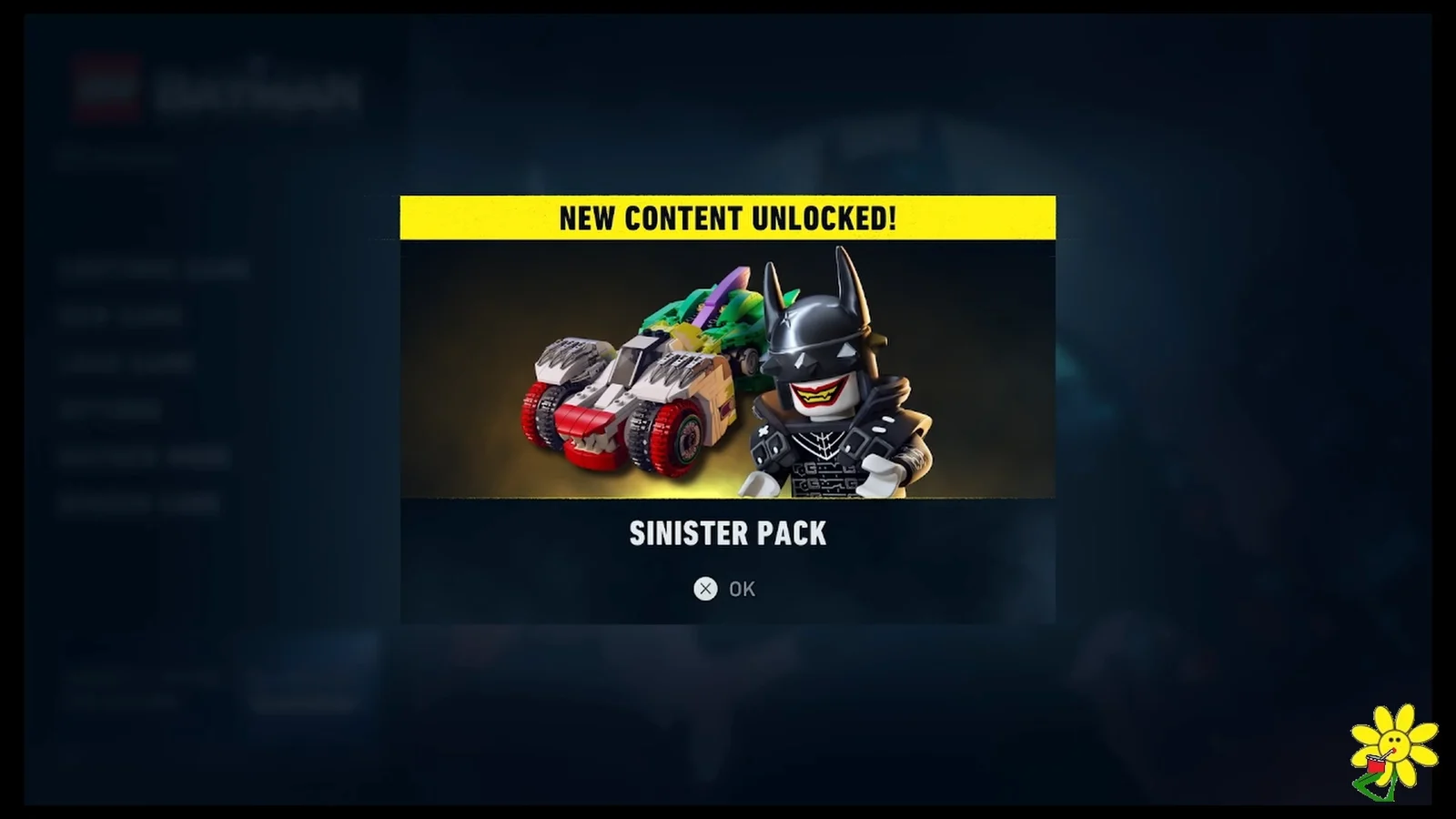
Launch the game once both packs are usable. A NEW CONTENT UNLOCKED! notice appears for Mayhem Mode and the Sinister Pack, and the main menu gains a MAYHEM MODE entry sitting alongside Continue Game, New Game, Load Game, Options and Redeem Code. That extra menu line is the clearest confirmation the install worked.
Select it to reach a dedicated Mayhem Mode start screen with its own New Game option, plus an Exit Mayhem Mode option for returning to the base campaign. Mayhem Mode runs as its own experience with The Joker and Harley Quinn, separate from your Batman save.
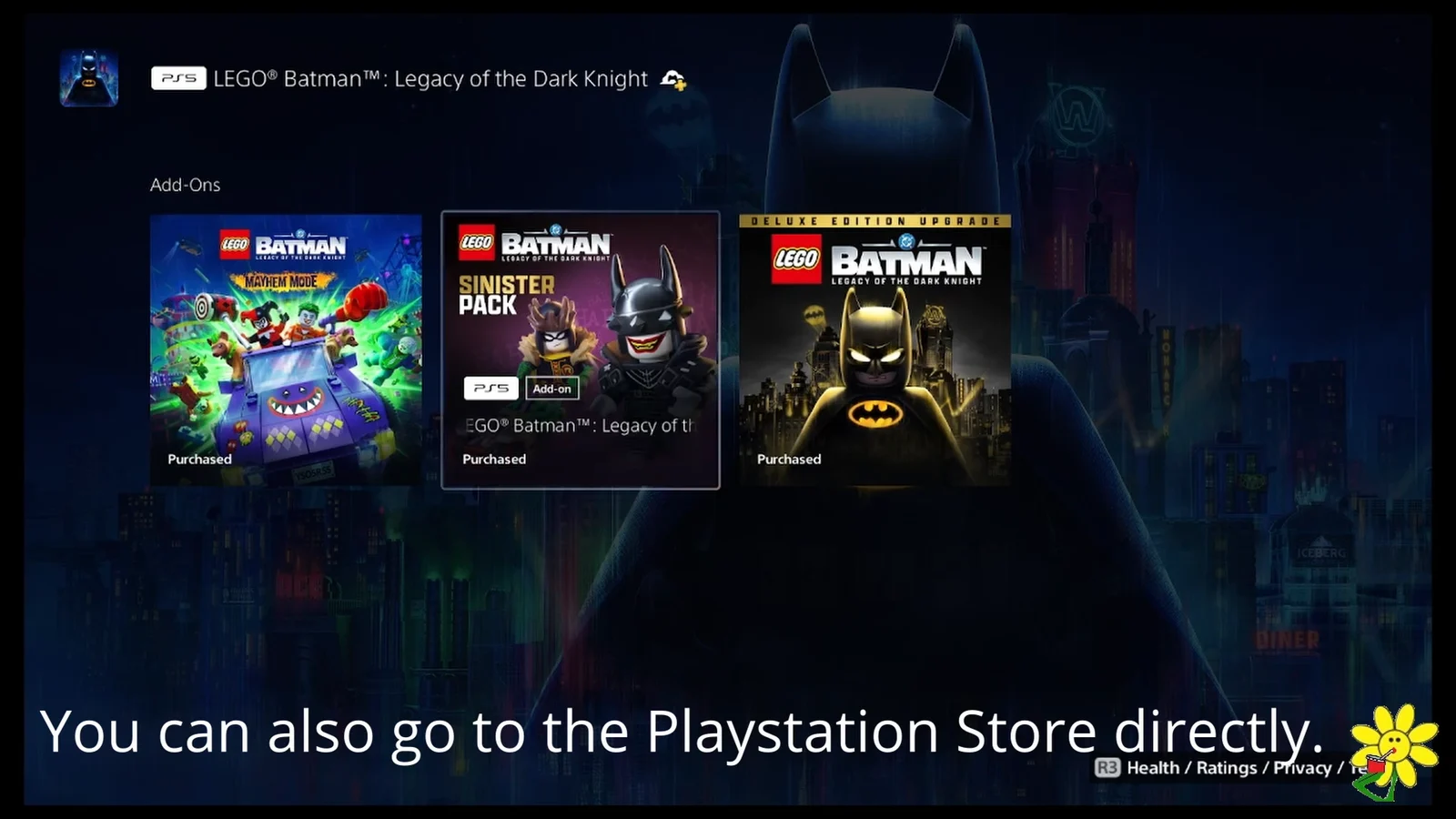
Where the Sinister Pack content shows up
The Sinister Pack does not add a menu option of its own, so the only way to see it is through the customization screens. It contains:
- Seven new suits, one each for Batman, Robin, Nightwing, Batgirl, Jim Gordon, Catwoman and Talia al Ghul
- One new villain-themed Batmobile
- Five Batcave customization props
The suits include a Batman Who Laughs look, the Robin King, Joker-ised takes on Nightwing, Commissioner Gordon, Batgirl and Catwoman, and Talia al Ghul’s Earth 37 outfit. If the pack reads Usable but the suits are missing from the wardrobe, the game has not reloaded the content yet, so close it fully and start it again.
If the add-ons do not show in the Add-Ons row
Entitlements sometimes fail to surface on the game hub even when the account owns them. The route around it is the Game Library rather than the home screen. Scroll right from the Games home screen, open Game Library, select the game, then scroll down to the Add-On section and use View All to pull up every individual add-on.
Failing that, the Manage Game Content list is the authoritative view of what your account owns and what has installed so far, and any missing pack can be queued from there. WB Games keeps a support page for accessing DLC and add-on content covering the same flows on Xbox Series X|S, Switch 2, Steam and the Epic Games Store.
Physical Deluxe Edition buyers have one extra step. Their content comes on a voucher code inside the box, which has to be redeemed on the platform account first, after which the packs behave exactly like a digital purchase. Everything else, from the Usable check to the main menu entry, works the same way.